
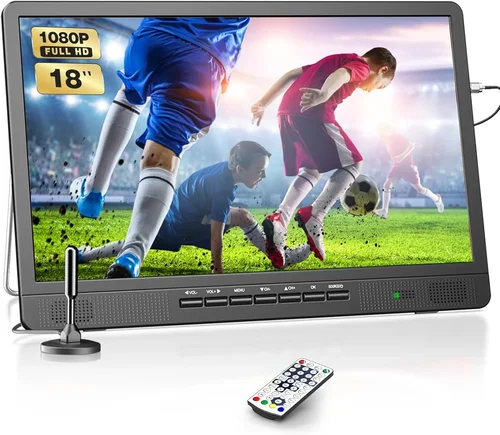
Outdoor TVs have come a long way since their early days as bulky, weatherproofed indoor screens shoved into patio enclosures. Today, they’re purpose-built for life under the open sky—designed to withstand rain, dust, extreme temperatures, and yes, even strong winds. But if you live in a windy area—whether it’s a coastal region with salty gusts, a mountain ridge battered by seasonal storms, or a prairie town where breezes rarely let up—your outdoor TV setup faces unique challenges that go far beyond just picking a weather-resistant model.
This guide matters because too many buyers assume “outdoor-rated” means “windproof.” It doesn’t. A TV might survive a downpour but wobble dangerously in 40 mph gusts, risking damage to the screen, mount, or even your home’s structure. Worse, improper installation in high-wind zones can turn your entertainment hub into a liability. That’s why we’ve created this comprehensive 2026 buying guide: to help you choose an outdoor TV that doesn’t just survive the elements—but thrives in them. You’ll learn how to evaluate wind resistance, understand mounting requirements, compare real-world performance specs, avoid costly mistakes, and ultimately invest in a system that delivers reliable viewing season after season.
The market for outdoor TVs has matured significantly. Major brands like Samsung, LG, and Sony now offer dedicated outdoor models, while specialists like SunBriteTV, Seura, and Peerless-AV continue to dominate the premium segment with ruggedized designs. At the same time, budget-friendly options from companies like Hisense and TCL have entered the space, making outdoor viewing more accessible than ever. Yet, despite this growth, confusion persists—especially around wind resilience. Many manufacturers list IP ratings (like IP55 or IP65) that indicate protection against water and dust but say nothing about structural stability in windy conditions. This guide cuts through the marketing noise to focus on what truly matters when the wind picks up.

What to Look for When Buying Buying Guide
1. Wind Resistance & Structural Stability
When shopping for an outdoor TV in a windy area, structural integrity isn’t optional—it’s essential. Unlike indoor TVs, which sit passively on stands or wall mounts, outdoor models must resist lateral forces from gusts that can exceed 50 mph in many regions. Look for TVs specifically engineered with reinforced chassis materials, such as powder-coated aluminum or marine-grade stainless steel, which resist warping and corrosion. Pay close attention to the mounting system: a low-profile, flush-mounted bracket distributes wind load more evenly than protruding arms or cantilever designs. Some premium models include built-in vibration dampeners or anti-sway features that minimize oscillation during high winds.
Also consider the TV’s weight and center of gravity. Heavier units (typically 30–50 lbs for 55″–75″ screens) are less prone to tipping, but only if properly anchored. Check whether the manufacturer provides wind-load ratings—some brands like SunBriteTV publish tested wind resistance up to 110 mph when installed per specifications. If no data is available, proceed with caution. Finally, always consult local building codes; in hurricane-prone or high-wind zones, you may need certified engineering documentation for your mounting solution.
2. Weatherproof Rating & Environmental Protection
While wind resistance handles mechanical stress, weatherproofing protects internal components from the elements that often accompany wind—rain, snow, salt spray, and blowing debris. The Ingress Protection (IP) rating is your first clue, but don’t stop at the number. An IP55 rating means limited dust ingress and protection against water jets, but it says nothing about temperature extremes or UV exposure. For windy coastal areas, look for IP65 or higher, plus additional certifications like NEMA 4X (for corrosion resistance) or MIL-STD-810G (for shock and vibration).
Outdoor TVs should also feature sealed cooling systems—passive convection or fanless designs are ideal, as fans can suck in moisture and salt. Avoid models with exposed vents or grilles. The screen itself needs an anti-reflective, UV-stabilized coating to prevent sun fading and glare, which becomes more problematic when wind causes constant screen movement. Thermal management is equally critical: electronics can overheat in direct sunlight or freeze in winter, so ensure the TV operates reliably between -22°F and 122°F (-30°C to 50°C), a standard range for true all-season outdoor units.
3. Display Performance in Variable Lighting
Wind often brings changing skies—clouds scudding across the sun, sudden downpours, or reflective glare off wet surfaces. Your TV must deliver consistent brightness and contrast regardless. Aim for a minimum peak brightness of 700 nits, though 1,000+ nits is ideal for sunny patios. Full-array local dimming (FALD) enhances black levels, preventing washed-out images when clouds roll in. OLED panels offer superior contrast but can be more susceptible to permanent burn-in if static content (like news tickers) is displayed for hours—a risk in always-on outdoor setups.
Anti-glare coatings are non-negotiable. Matte finishes reduce reflections better than glossy ones, especially important when wind causes the screen to tilt slightly. HDR support (HDR10, HLG, or Dolby Vision) improves dynamic range, helping details pop in both shadows and highlights. Refresh rate matters too: a 120Hz panel handles fast motion better, useful for sports fans watching games in breezy conditions where screen shake might otherwise blur action.
4. Mounting System & Installation Requirements
The mount is as important as the TV itself in windy areas. Wall mounts should be rated for at least 1.5x the TV’s weight and made from rust-proof materials like galvanized steel or aluminum. Full-motion articulating arms increase wind exposure and should be avoided unless absolutely necessary—opt for fixed or tilt-only mounts instead. For ceiling or soffit installations, ensure the bracket extends minimally to reduce leverage effects.
Anchor points matter. Use lag bolts into structural studs or concrete, never drywall anchors. In high-wind zones, consider adding diagonal bracing or cross-supports beneath the mount. Some installers use seismic-rated brackets originally designed for earthquake zones—these work exceptionally well for wind resistance. Always follow the manufacturer’s torque specifications; over-tightening can crack brackets, while under-tightening invites wobble. Professional installation is strongly recommended in areas with sustained winds above 30 mph.
5. Connectivity & Smart Features
Modern outdoor TVs aren’t just dumb screens—they’re full smart platforms. Look for Wi-Fi 6 or Ethernet ports for stable streaming, especially important when wind disrupts wireless signals. HDMI 2.1 supports 4K/120Hz and VRR, beneficial for gaming outdoors. Built-in voice assistants (Google Assistant, Alexa) allow hands-free control when gloves or rain make remotes impractical.
However, don’t overpay for features you won’t use. Many outdoor viewers prioritize durability over cutting-edge smart tech. If you plan to use external devices (Apple TV, Roku, soundbars), ensure the TV has enough HDMI ports and supports CEC for unified control. Also verify app compatibility—some outdoor models run stripped-down OS versions that lack popular streaming apps. Finally, check remote durability: silicone-covered or waterproof remotes survive spills and drops better than standard plastic ones.
6. Size, Viewing Distance & Placement
Screen size should match your seating distance and wind exposure. A 65″ TV viewed from 8–10 feet offers immersive detail without overwhelming the space, but larger screens catch more wind. Avoid placing the TV in open courtyards or atop high walls where it acts like a sail. Instead, install it under eaves, pergolas, or in recessed niches that provide natural windbreaks.
Consider sightlines: if wind causes the screen to sway even slightly, it can create distracting motion for viewers. A slightly smaller, more securely mounted TV may provide a better experience than a giant screen that trembles in gusts. Also think about audio—built-in speakers on outdoor TVs are often weak due to weather sealing. Plan for external weatherproof speakers or a soundbar mounted nearby but shielded from direct wind.
7. Brand Reputation & Real-World Reliability
Not all “outdoor” TVs are created equal. Established brands like SunBriteTV and Seura have spent decades refining their designs for harsh environments, while newer entrants may cut corners. Research failure rates: forums like AVS Forum and Reddit’s r/outdoortv reveal common issues like cracked screens from thermal stress or failed seals after two seasons. Look for brands that publish third-party test results or offer case studies from similar climates.
Customer service matters too. If a component fails mid-summer, you don’t want to wait weeks for a replacement. Check warranty terms—some cover only parts, not labor or shipping. Brands with local service networks (like Peerless-AV’s certified installer program) simplify repairs. Avoid no-name brands sold exclusively through Amazon or eBay; if something goes wrong, support may vanish overnight.
8. Warranty, Support & Long-Term Value
A robust warranty signals confidence in product durability. Top-tier outdoor TVs typically offer 2–3 years of coverage, sometimes extendable. Pay attention to what’s included: does it cover screen burn-in? Power supply failures? Seal degradation? Some warranties void if installed by non-certified technicians—factor that into your total cost of ownership.
Long-term value also depends on upgradability. Can you replace the smart module without buying a whole new TV? Are spare parts (remotes, power adapters) readily available? A $2,000 TV that lasts 8 years costs less per year than a $1,200 model that fails after 3. Calculate total cost including installation, accessories, and potential repairs. In windy areas, investing in quality upfront saves money and frustration down the line.
Different Types of Buying Guide

Common Buying Mistakes to Avoid
❌ Mistake: Assuming “Outdoor-Rated” Means Windproof
Why it’s bad: Most IP ratings only address water and dust ingress, not structural integrity. A TV rated IP65 can still tip over in strong winds if poorly mounted or lightweight.
What to do instead: Always check for wind-load specifications, mounting recommendations, and real-world testing data. When in doubt, consult an installer familiar with local wind patterns.
❌ Mistake: Using Indoor TV Mounts Outdoors
Why it’s bad: Indoor mounts lack corrosion resistance and aren’t designed for thermal expansion/contraction. In windy areas, they can loosen over time, creating dangerous wobble.
What to do instead: Invest in marine-grade or outdoor-specific mounts with stainless steel hardware. Torque bolts regularly and inspect for rust annually.
❌ Mistake: Ignoring Local Climate Extremes
Why it’s bad: A TV rated for “all weather” may not handle salt air, desert sand, or sub-zero temps common in windy regions. Component failure can occur within months.
What to do instead: Match the TV’s environmental specs to your specific climate. Coastal buyers need salt-resistant coatings; mountain dwellers require cold-weather operation guarantees.
❌ Mistake: Overlooking Power Supply Protection
Why it’s bad: Wind often brings lightning and power surges. An unprotected outdoor TV can fry its internal electronics during a storm.
What to do instead: Use a weatherproof surge protector rated for outdoor use (look for UL 1449 listing) and consider a UPS for critical setups.
❌ Mistake: Skimping on Professional Installation
Why it’s bad: DIY installs often miss critical anchoring points or use incorrect fasteners. In high winds, this can lead to catastrophic failure.
What to do instead: Hire a certified outdoor AV installer. Many brands offer installation services or partner with local pros—worth the extra $200–$500 for peace of mind.
❌ Mistake: Choosing Based Solely on Screen Size
Why it’s bad: Larger screens catch more wind and require sturdier (and pricier) mounts. A 75″ TV in a gale can exert hundreds of pounds of force on a wall.
What to do instead: Balance size with placement. A 55″ TV under a deep eave may outperform a 70″ model in an exposed location.
❌ Mistake: Neglecting Audio Solutions
Why it’s bad: Wind noise drowns out built-in TV speakers. Without external audio, your movie night becomes a lip-reading exercise.
What to do instead: Pair your TV with weatherproof speakers or a soundbar mounted close to seating. Wireless options reduce cable clutter and trip hazards.
Budget Guidelines: How Much Should You Spend?
Entry-Level ($800–$1,500): These are typically repurposed indoor TVs with basic weather enclosures or budget outdoor models from Hisense/TCL. Expect limited brightness (500–700 nits), minimal wind resistance, and shorter lifespans (3–5 years). Best for covered patios in low-wind zones or seasonal use. Sacrifice durability for affordability.
Mid-Range ($1,800–$3,000): This is the sweet spot for most homeowners in moderately windy areas. Models like Samsung The Terrace or LG OLED Flex Outdoor offer 800–1,000 nits brightness, decent weather sealing, and reputable smart platforms. Mounts are often sold separately, so budget an extra $200–$400. Expect 5–7 year lifespan with proper care.
Premium ($3,000–$5,000): Designed for serious outdoor enthusiasts and high-wind environments. Brands like SunBriteTV and Seura dominate here with reinforced frames, fanless cooling, and tested wind resistance up to 100+ mph. Includes professional-grade mounts and extended warranties. Ideal for coastal homes, mountain decks, or permanent outdoor theaters.
Luxury ($5,000+): For those who demand the absolute best—think commercial-grade durability, 4K/120Hz HDR, custom finishes, and integrated smart home control. These systems often include full installation, calibration, and ongoing support. Perfect for luxury resorts, high-end residences, or extreme climates where failure isn’t an option.
Expert Tips for Getting the Best Deal
- Buy in Late Winter or Early Spring: Demand peaks in summer, so retailers discount outdoor TVs in February–April to clear inventory. Look for “end-of-season” sales from specialty AV stores.
- Bundle with Installation: Many dealers offer discounts when you purchase TV + mount + installation together. You save money and ensure compatibility.
- Check Manufacturer Rebates: SunBriteTV and Seura often run rebate programs in Q1. Sign up for newsletters to get alerts.
- Consider Refurbished Units: Certified refurbished outdoor TVs from authorized dealers come with full warranties and cost 20–30% less. Avoid “open-box” deals from big-box stores—they may lack outdoor certifications.
- Negotiate with Local Installers: Independent AV pros sometimes have demo units or overstock they’ll sell below MSRP to make room for new inventory.
- Verify Return Policies: Outdoor TVs are heavy and expensive to return. Ensure the seller offers at least 30 days to test in your actual environment—wind included!
- Test Before Finalizing: If possible, request a temporary setup during a windy day. Observe stability, glare, and audio clarity before committing.
- Join Owner Communities: Forums like OutdoorTVTalk.com share deals, installation tips, and real-world reviews you won’t find on retail sites.

Frequently Asked Questions
Q: Can I use a regular indoor TV outside if I cover it?
A: Technically yes, but it’s risky and often voids warranties. Indoor TVs lack proper thermal management, UV protection, and sealed connectors. In windy areas, even a cover won’t prevent moisture ingress or screen damage from flying debris. For anything beyond occasional use under a roof, invest in a true outdoor model.
Q: How do I know if my wall can handle the wind load?
A: Consult a structural engineer or licensed installer. They’ll assess your wall material (wood, concrete, stucco), stud spacing, and local wind speeds. As a rule of thumb, the mount should anchor into at least two studs or solid masonry, and the TV’s weight plus wind force shouldn’t exceed 75% of the wall’s rated capacity.
Q: Will salt air ruin my outdoor TV faster?
A: Absolutely—unless it’s specifically designed for coastal use. Salt accelerates corrosion of metal parts and degrades seals. Look for TVs with NEMA 4X ratings or marine-grade coatings. Rinse the unit with fresh water monthly during salty seasons.
Q: Do outdoor TVs need special cables?
A: Yes. Use UV-resistant, direct-burial HDMI and power cables rated for outdoor use. Standard indoor cables degrade quickly in sunlight and moisture, causing signal loss or shorts.
Q: Can I leave my outdoor TV on during a storm?
A: No. Even weatherproof TVs aren’t lightning-proof. Unplug during thunderstorms to avoid surge damage. If you must leave it connected, use a whole-house surge protector.
Q: How often should I maintain my outdoor TV?
A: Inspect every 3–6 months: check for loose bolts, seal cracks, dust buildup, and speaker grille blockages. Clean the screen with a microfiber cloth and mild soap—never ammonia-based cleaners.
Q: Are outdoor TVs energy hogs?
A: Not necessarily. Many modern outdoor models use efficient LED backlights and low-power modes. Look for ENERGY STAR certification—some outdoor TVs consume less than 100W in typical use.
Q: What’s the difference between “weather-resistant” and “all-weather”?
A: “Weather-resistant” usually means splash-proof and dust-tight (IP54/IP55), suitable for covered areas. “All-weather” implies full environmental protection (IP65+, wide temp range, UV stability) for exposed locations. Always verify specs—marketing terms vary widely.
Q: Can I mount an outdoor TV on a pole or freestanding frame?
A: Only if the structure is engineered for wind loads. Freestanding mounts must be weighted (concrete base) or anchored to the ground. In high-wind zones, wall mounting is far safer.
Q: Will my Wi-Fi work reliably outdoors?
A: It depends on distance and obstacles. For best results, use a weatherproof Wi-Fi extender or run an Ethernet cable to the TV. Mesh networks with outdoor nodes (like Google Nest WiFi Pro) also improve coverage.
Our Final Recommendations
Best for Budget-Conscious Buyers: Hisense 65U6HF Outdoor 4K UHD – At under $1,200, it delivers 800 nits brightness, basic IP54 rating, and solid Roku OS. Ideal for covered decks in light-wind areas. Just add a sturdy mount and surge protector.
Best Overall Value: Samsung The Terrace Full Sun 65″ – Priced around $2,800, it offers 2,000 nits brightness, IP55 rating, and excellent Tizen smart platform. Handles moderate winds well when properly mounted. Great balance of performance and price.
Best Premium Option: SunBriteTV Veranda Series 75″ – At $4,200, this is built like a tank: powder-coated aluminum, fanless cooling, and tested to 110 mph winds. Perfect for exposed patios, beach houses, or mountain cabins. Includes premium mount and 3-year warranty.
Best for Beginners: TCL 55″ Roku Outdoor TV – Simple setup, intuitive interface, and affordable at $900. Comes with a basic weather shield. Great for first-time outdoor viewers in low-risk zones.
Best for Advanced Users: Peerless-AV Xtreme High Brightness 86″ – A commercial beast with 3,000 nits, modular design, and custom calibration. For tech-savvy buyers who want a permanent, high-performance outdoor theater in extreme conditions.
Conclusion: Making the Right Choice
Choosing an outdoor TV for a windy area isn’t just about picture quality—it’s about engineering, safety, and long-term reliability. We’ve covered everything from wind-load calculations and IP ratings to smart features and budget tiers, all aimed at helping you make a confident, informed decision. Remember: the cheapest option today can become the most expensive tomorrow if it fails in a storm. Prioritize structural stability, environmental protection, and professional installation. Match the TV to your specific climate and usage patterns, not just your viewing preferences. And don’t hesitate to invest in quality—your outdoor oasis deserves a centerpiece that lasts. Whether you’re hosting summer barbecues, watching fall football under the stars, or enjoying quiet winter evenings by the fire pit, the right outdoor TV will deliver years of worry-free entertainment. Now go enjoy the great outdoors—responsibly.

