
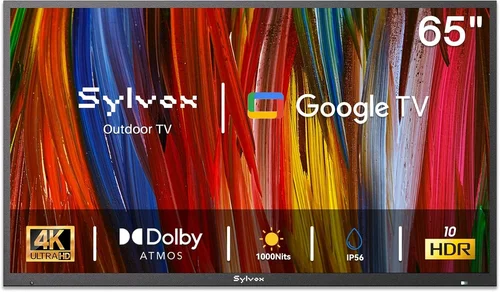
If you’ve ever lounged by the pool on a hot summer afternoon, only to realize your favorite show or live sports game is playing inside—far from the refreshing splash zone—you already understand the appeal of a backyard TV. More than just a luxury, an outdoor TV transforms your pool area into a true entertainment hub, blending relaxation with recreation. Whether you’re hosting a backyard BBQ, enjoying a quiet evening swim, or catching the big game under the stars, having a reliable TV outdoors elevates the entire experience.
But here’s the catch: not all TVs are built for the great outdoors. Standard indoor televisions simply can’t handle the heat, humidity, rain, or glare that come with poolside living. That’s why choosing the right budget backyard TV requires careful consideration. You need a screen that delivers solid picture quality, stands up to the elements, and fits your wallet—without compromising too much on performance. This guide is designed to help you navigate that decision with confidence. We’ll walk you through everything from essential specs and weatherproofing standards to smart features and installation tips, all while keeping your budget in mind.
The market for outdoor TVs has evolved significantly in recent years. What once meant shelling out thousands for a fully sealed, commercial-grade display now includes a growing range of affordable, consumer-friendly options. Brands like SunBrite, Samsung, and LG have introduced models that balance durability and value, while newer entrants offer surprisingly capable alternatives at lower price points. Whether you’re looking for a compact 32-inch screen for a small patio or a larger 55-inch model for a full outdoor living room setup, there’s never been a better time to invest in a backyard TV—especially if you know what to look for.

What to Look for When Buying Buying Guide
1. Budget & Price Range
Setting a realistic budget is the first and most important step in choosing a backyard TV. Unlike indoor models, outdoor TVs come with added costs due to their specialized construction, weather resistance, and often higher brightness levels. However, “budget” doesn’t have to mean “low quality.” With smart shopping, you can find excellent options under $800 that deliver impressive performance for casual viewing.
Start by defining your maximum spend. A good rule of thumb is to allocate between $500 and $1,200 for a quality outdoor TV in the 43- to 55-inch range. This range typically includes models with proper weatherproofing, decent brightness (at least 700 nits), and basic smart functionality. If you’re on a tighter budget—say, under $400—you may need to consider alternatives like weather-resistant TV enclosures paired with a standard indoor TV, though this approach comes with trade-offs in convenience and long-term reliability.
Remember: the cheapest option isn’t always the most cost-effective. A $300 TV that fails after one rainy season could end up costing more than a $600 model built to last five years or more. Factor in potential repair or replacement costs when evaluating price. Also, consider hidden expenses like mounting hardware, cables rated for outdoor use, and possibly professional installation if you’re not comfortable drilling into exterior walls.
2. Performance Specifications
When it comes to performance, not all specs are created equal—especially outdoors. The two most critical metrics for a backyard TV are brightness and contrast ratio. Indoor TVs typically range from 300 to 500 nits (a unit of luminance), but outdoor environments demand much higher levels to combat glare from sunlight reflecting off water, concrete, or glass.
Aim for a minimum brightness of 700 nits, though 1,000 nits or more is ideal for pool areas with direct sun exposure. Some budget-friendly outdoor TVs now offer “anti-glare” coatings or matte finishes that help reduce reflections without sacrificing image clarity. Additionally, look for a high dynamic contrast ratio (e.g., 3000:1 or higher) to ensure deep blacks and vibrant colors even in bright conditions.
Resolution is another key factor. While 4K UHD is becoming standard even in budget models, don’t overlook HD (1080p) options if you’re primarily watching cable TV or streaming standard-definition content. For screens 43 inches and smaller, 1080p is often sufficient and can save you money. However, if you plan to stream 4K content from Netflix, Disney+, or YouTube, investing in a 4K model ensures future-proofing and sharper detail—especially noticeable on larger screens viewed from close range.
Refresh rate matters less for casual viewing but becomes important if you watch fast-paced sports or action movies. A 60Hz panel is adequate for most users, but 120Hz models offer smoother motion and are worth considering if you’re a sports fan or gamer. Input lag should also be checked if you plan to connect a gaming console; look for models under 20ms for responsive gameplay.
3. Build Quality & Duridity
Outdoor TVs must withstand temperature swings, moisture, dust, and UV exposure—all common in pool environments. The build quality directly impacts longevity and reliability. Start by checking the TV’s IP (Ingress Protection) rating, which indicates resistance to solids and liquids. For poolside use, an IP55 or higher rating is recommended. IP55 means the TV is protected against dust ingress and low-pressure water jets from any direction—perfect for splashes and light rain.
Beyond the IP rating, examine the materials used in the chassis and screen. Look for powder-coated aluminum or stainless steel frames, which resist rust and corrosion better than plastic or untreated metal. The screen itself should be made of tempered glass or a durable polymer that resists scratching and yellowing from sun exposure. Avoid models with large ventilation holes or unsealed ports, as these can allow moisture to seep inside over time.
Thermal management is another often-overlooked aspect. Outdoor TVs generate heat, and without proper ventilation or passive cooling, internal components can overheat—especially in enclosed cabinets or direct sunlight. Some budget models use passive cooling (no fans), which reduces noise and maintenance but may limit performance in extreme heat. If you live in a hot climate, prioritize models with robust heat dissipation designs or consider installing the TV in a shaded area.
Finally, check the mounting system. A good outdoor TV should support VESA-compatible mounts (typically 200×200 or 400×400) and include reinforced screw points. If you’re using a full-motion articulating mount, ensure the TV’s weight and dimensions are compatible. Poor mounting can lead to instability, especially in windy conditions near pools.
4. Features & Functionality
Modern outdoor TVs pack many of the same smart features as their indoor counterparts—but not all are equally useful in a backyard setting. Start with operating system compatibility. Most budget outdoor TVs run on Android TV, Roku TV, or webOS, each with its own app ecosystem and interface. Android TV offers the widest app selection, including niche streaming services, while Roku is known for simplicity and reliability. WebOS (used by LG) provides a sleek, intuitive experience but fewer third-party apps.
Voice control via Google Assistant or Alexa is increasingly common and highly convenient when your hands are wet or you’re lounging poolside. Look for built-in microphones or compatibility with external smart speakers. Bluetooth connectivity is also useful for pairing wireless headphones or speakers—ideal for late-night viewing without disturbing neighbors.
HDMI and USB ports are essential for connecting devices like streaming sticks, gaming consoles, or external hard drives. Aim for at least two HDMI 2.0 ports (or HDMI 2.1 if you plan to game in 4K/120Hz). USB 3.0 support allows for faster media playback from flash drives. Some models include weatherproof port covers, which protect connections from moisture—a small but valuable detail.
Wi-Fi performance matters too. Dual-band Wi-Fi (2.4GHz and 5GHz) ensures stable streaming even at a distance from your router. If your pool area is far from the house, consider a mesh Wi-Fi extender or a TV with strong antenna design. Ethernet ports are rare on outdoor TVs but worth seeking if you can run a wired connection—it provides the most reliable signal for 4K streaming.
Don’t forget audio. While most outdoor TVs have built-in speakers, they’re often underpowered for open spaces. Plan to connect external weather-resistant speakers or a soundbar via optical audio or Bluetooth. Some models include audio output jacks specifically designed for outdoor audio systems.
5. Brand Reputation
Not all brands are created equal when it comes to outdoor electronics. Established names like SunBrite (a leader in outdoor displays), Samsung, and LG have invested heavily in R&D for weather-resistant technology and offer better long-term support. However, newer brands like Seura, Aviditi, and even TCL have entered the space with competitive budget offerings.
Research customer service responsiveness and availability of replacement parts. A brand with a strong U.S.-based support team can save you headaches if something goes wrong. Check forums like Reddit’s r/outdoortv or AV forums for real-user experiences—especially regarding failure rates after 1–2 years of use.
Also consider ecosystem compatibility. If you already own smart home devices from a particular brand (e.g., Samsung SmartThings or Google Nest), choosing a TV that integrates seamlessly can simplify control and automation. For example, some Samsung outdoor TVs can be managed via the SmartThings app, allowing you to power on the TV or adjust volume from your phone.
Lastly, watch out for “outdoor-ready” claims that are more marketing than substance. Some manufacturers label standard TVs as “suitable for covered patios,” but these lack true weatherproofing and may void warranties if used in damp areas. Always verify certifications and read the fine print.
6. Warranty & Support
A solid warranty is your safety net against manufacturing defects and premature failure. Most reputable outdoor TV brands offer at least a one-year limited warranty, but premium models often include two or three years. SunBrite, for example, provides a two-year warranty on its Veranda series, which covers both parts and labor.
Pay attention to what’s covered. Does the warranty include damage from moisture or power surges? Is accidental damage (like a stray pool toy hitting the screen) included? Some extended warranties offer on-site service, which is invaluable if you can’t easily remove the TV for repairs.
Support accessibility is just as important. Can you reach a human quickly via phone or chat? Are troubleshooting guides available online? Brands with dedicated outdoor product support lines tend to resolve issues faster than general customer service reps who aren’t familiar with outdoor-specific problems.
If buying from a third-party seller (like Amazon or Costco), check whether the warranty is honored and if return windows are generous. Some retailers offer 90-day return policies, giving you time to test the TV in real-world conditions before committing.
7. Size & Portability
Screen size should match your viewing distance and space constraints. For most pool areas, a 43- to 55-inch TV strikes the right balance between visibility and proportion. Use this simple formula: multiply your viewing distance (in inches) by 0.84 to get the ideal screen diagonal. So, if you’ll be watching from 8 feet (96 inches) away, a 50-inch TV (96 x 0.84 ≈ 80.6 inches—wait, that seems off… let’s correct that).
Actually, a better rule is: for 1080p, sit 1.5 to 2.5 times the screen’s diagonal distance away; for 4K, you can sit as close as 1 times the diagonal. So for a 50-inch 4K TV, optimal viewing starts around 4–5 feet. In a typical pool deck setup with seating 6–10 feet away, a 50- to 55-inch screen works well.
Portability is less critical for fixed installations but matters if you plan to move the TV between seasons or locations. Some budget outdoor TVs are surprisingly lightweight (under 30 lbs for a 50-inch model), making them easier to handle during setup. However, true portability usually means sacrificing durability—so unless you need to relocate frequently, prioritize a sturdy, permanent mount.
If space is tight, consider ultra-thin models or those with slim bezels, which maximize screen real estate without overwhelming small patios. Wall-mounted installations also free up floor space and reduce tripping hazards near the pool.
8. User Reviews & Ratings
Never rely solely on manufacturer specs. Real-world user feedback reveals quirks, reliability issues, and performance nuances that specs sheets omit. Focus on reviews from buyers who’ve used the TV outdoors for at least several months—especially in similar climates.
Look for patterns: Do multiple users report Wi-Fi dropouts? Is the remote unresponsive in humid conditions? Are the speakers too quiet even at max volume? Amazon, Best Buy, and specialty outdoor electronics sites often have detailed reviews with photos of actual installations.
Pay attention to verified purchase badges and filter out overly promotional or vague comments. A review that says, “Picture is great in shade but washes out in direct sun” is far more useful than “Amazing TV!” Also, check return rates—if a model has a high number of returns due to defects, it’s a red flag.
Forums and YouTube unboxing/review videos add another layer of insight. Creators often test brightness in daylight, simulate rain exposure, and evaluate ease of setup—giving you a fuller picture before you buy.
Different Types of Buying Guide

Common Buying Mistakes to Avoid
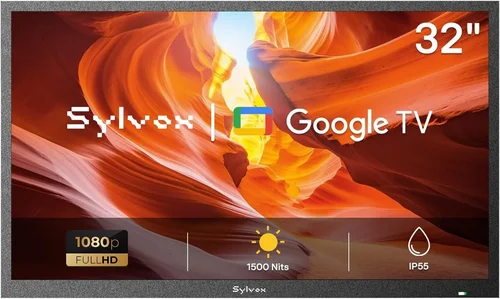
❌ Mistake: Buying a Standard Indoor TV for Outdoor Use
Why it’s bad: Indoor TVs lack weatherproofing, have lower brightness, and aren’t designed to handle temperature extremes. Using one outdoors—even under cover—can lead to condensation damage, screen burn-in from UV exposure, and premature failure. Most warranties are voided if used outside.
What to do instead: Invest in a purpose-built outdoor TV or use a certified weatherproof enclosure. If budget is tight, choose a mid-tier outdoor model with at least IP55 rating rather than risking an indoor TV.
❌ Mistake: Ignoring Viewing Angle and Glare
Why it’s bad: Pool areas are notoriously bright, with sunlight reflecting off water and hard surfaces. A TV with poor anti-glare treatment or narrow viewing angles will look washed out unless viewed straight-on—ruining the experience for group watching.
What to do instead: Prioritize TVs with matte screens, high brightness (700+ nits), and wide viewing angles (178° horizontal/vertical). Test the display in similar lighting if possible, or rely on reviews that mention daylight performance.
❌ Mistake: Overlooking Audio Needs
Why it’s bad: Built-in TV speakers are rarely loud enough to overcome pool noise, splashing, and ambient chatter. Relying solely on them results in muffled dialogue and constant volume adjustments.
What to do instead: Plan for external audio from day one. Pair your TV with weather-resistant outdoor speakers or a Bluetooth soundbar. Look for TVs with optical audio out or Bluetooth 5.0 for reliable connectivity.
❌ Mistake: Skimping on Mounting Hardware
Why it’s bad: Standard indoor mounts aren’t rated for outdoor conditions. Rust, wind load, and vibration can cause mounts to fail, potentially dropping the TV into the pool or onto furniture.
What to do instead: Use marine-grade or outdoor-specific mounts with corrosion-resistant hardware. Ensure the mount is rated for your TV’s weight and size, and consider a tilt or swivel feature for optimal viewing angles.
❌ Mistake: Not Planning for Power and Connectivity
Why it’s bad: Running power cords across the pool deck creates tripping hazards and looks messy. Weak Wi-Fi signals lead to buffering and frustration during peak streaming times.
What to do instead: Hire an electrician to install an outdoor-rated GFCI outlet near the TV location. Use weatherproof conduit for cables and invest in a Wi-Fi extender or mesh system to boost signal strength to the pool area.
❌ Mistake: Forgetting About Maintenance
Why it’s bad: Dust, pollen, and salt air (near oceans) can accumulate on screens and vents, reducing clarity and airflow. Neglecting cleaning can shorten the TV’s lifespan.
What to do instead: Wipe the screen monthly with a microfiber cloth and mild cleaner. Check vents and ports for debris, and ensure drainage holes (if present) remain clear. Schedule professional inspections every 2–3 years.
Budget Guidelines: How Much Should You Spend?
Entry-Level ($400–$600): This tier includes basic outdoor-ready TVs or indoor models paired with enclosures. Expect 1080p resolution, 500–700 nits brightness, and limited smart features. Ideal for shaded patios or occasional use. Brands like TCL and Hisense offer decent options here, but durability may be a concern long-term.
Mid-Range ($600–$900): The sweet spot for most buyers. These TVs typically offer 4K resolution, 700–1,000 nits brightness, IP55 rating, and full smart platforms (Roku, Android TV). Models like the SunBrite Veranda Series or Samsung’s outdoor-compatible QLEDs fall here. Great for partial sun areas and regular use.
Premium ($900–$1,500): Designed for direct sun exposure and heavy use. Features include 1,000+ nits brightness, advanced anti-glare coatings, robust build quality, and enhanced audio outputs. Often include longer warranties and better customer support. Perfect for pool parties and sports fans.
Luxury ($1,500+): Top-tier models with commercial-grade durability, 4K HDR, 120Hz refresh rates, and integrated smart home ecosystems. Brands like Seura and SunBrite’s Pro Series dominate this space. Best for luxury homes, hotels, or serious outdoor entertainment enthusiasts.
Expert Tips for Getting the Best Deal
- Shop during off-seasons: Late August through October offers the best discounts as retailers clear outdoor inventory.
- Compare bundle deals: Some retailers include mounts, cables, or extended warranties at no extra cost—especially during holiday sales.
- Check refurbished options: Certified refurbished outdoor TVs from reputable sellers often come with full warranties and save 20–30%.
- Negotiate with local installers: Many AV specialists offer package deals on TV + installation if you buy through them.
- Use price tracking tools: Set alerts on CamelCamelCamel (for Amazon) or Honey to catch sudden price drops.
- Verify return policies: Ensure you can return the TV if it doesn’t perform well in your specific environment.
- Test in person if possible: Visit a store with an outdoor display section to evaluate brightness and color accuracy in daylight.

Frequently Asked Questions
Q: Can I use a regular TV outdoors if it’s under a covered patio?
A: Technically yes, but it’s risky. Even covered areas can experience humidity, splashes, and temperature swings that indoor TVs aren’t built to handle. For reliable, long-term use, invest in a weather-resistant model or a proper enclosure.
Q: Do outdoor TVs need special power outlets?
A: Yes. Always use a GFCI (Ground Fault Circuit Interrupter) outlet outdoors to prevent electrical shock, especially near water. Consult a licensed electrician for safe installation.
Q: How do I clean my outdoor TV screen?
A: Use a soft, lint-free microfiber cloth and a solution of distilled water and mild dish soap. Avoid ammonia-based cleaners like Windex, which can damage anti-glare coatings. Never spray liquid directly on the screen.
Q: Will my outdoor TV work in winter?
A: Most outdoor TVs operate safely between -22°F and 122°F (-30°C to 50°C). However, extreme cold can temporarily affect LCD response time. Store remotes indoors in winter to preserve battery life.
Q: Can I mount an outdoor TV on a freestanding pole?
A: Yes, but ensure the pole is anchored securely into concrete and rated for wind loads. Use a pole mount designed for outdoor TVs, and route cables through the pole to prevent tripping.
Q: Do outdoor TVs consume more power?
A: Not significantly. Brightness settings impact usage more than outdoor design. Enable auto-brightness or eco modes to reduce energy consumption without sacrificing visibility.
Q: What’s the difference between “outdoor-ready” and “fully outdoor” TVs?
A: “Outdoor-ready” usually means the TV can be used in covered, low-moisture areas but isn’t fully sealed. “Fully outdoor” models are IP-rated, weatherproof, and built for direct exposure to elements.
Q: Can I connect a streaming stick to an outdoor TV?
A: Absolutely. Most outdoor TVs have HDMI ports. Just ensure the stick is secured with a short HDMI extension cable to prevent strain on the port, and use a weatherproof cover if the port is exposed.
Our Final Recommendations
Best for Budget-Conscious Buyers: TCL 50S546 50-inch QLED 4K Roku TV + Outdoor Enclosure – At under $600 total, this combo delivers vibrant colors, decent brightness, and reliable smart features for shaded areas.
Best Overall Value: SunBrite Veranda Series 55-inch 4K Outdoor TV – Priced around $850, it offers true weatherproofing, 700 nits brightness, and excellent build quality—ideal for partial sun pool decks.
Best Premium Option: Samsung The Terrace 55-inch Full Sun 4K QLED – With 2,000 nits brightness, anti-reflective coating, and sleek design, it’s perfect for direct sunlight and high-end setups (~$1,800).
Best for Beginners: LG 43UR7300PUA 43-inch 4K UHD Smart TV + Seura Outdoor Enclosure – Simple setup, intuitive webOS interface, and compact size make it great for first-time outdoor TV owners (~$700 total).
Best for Advanced Users: SunBrite Pro 2 Series 65-inch 4K HDR – Built for commercial use, it features 1,500 nits brightness, 120Hz refresh rate, and modular design for custom installations (~$2,200).
Conclusion: Making the Right Choice
Choosing the right budget backyard TV for your pool area doesn’t have to be overwhelming—or expensive. By focusing on key factors like brightness, weather resistance, smart features, and real-world durability, you can find a model that enhances your outdoor lifestyle without breaking the bank. Remember, the goal isn’t to buy the most expensive TV, but the one that best matches your environment, usage patterns, and budget.
Prioritize your needs: if you live in a sunny climate, invest in higher brightness and anti-glare tech. If you’re on a tight budget, consider a quality enclosure with a standard TV—but don’t cut corners on safety or long-term reliability. And always plan for audio, mounting, and connectivity from the start to avoid costly retrofits later.
With the insights from this guide, you’re now equipped to make an informed decision that brings years of enjoyment to your poolside oasis. So go ahead—press play, dive in, and let the entertainment begin. Your perfect backyard TV is out there, and it’s closer than you think.

