
[FEATURED_IMAGE_PLACEGOX]
Outdoor living spaces have become extensions of our homes—especially in apartments where private balconies, patios, and rooftop terraces serve as coveted sanctuaries for relaxation, entertainment, and connection with nature. As urban dwellers increasingly seek to maximize every square foot of their living space, the demand for durable, high-performance technology that can withstand the elements has surged. Enter the weatherproof TV: a game-changer for apartment residents who want to enjoy streaming, sports, movies, or even video calls under the open sky without worrying about rain, dust, or temperature swings.
But not all outdoor TVs are created equal—and choosing the right one requires more than just picking a screen that “looks tough.” A truly weatherproof TV must be engineered from the ground up to handle real-world outdoor conditions while still delivering the picture quality, smart features, and reliability you’d expect indoors. This guide is designed specifically for apartment dwellers navigating the unique challenges of limited space, shared building structures, and variable microclimates. Whether you’re mounting a TV on a small balcony in Seattle’s drizzle or a sun-drenched rooftop in Phoenix, this comprehensive buying guide will help you make an informed, confident decision.
In this detailed resource, you’ll learn everything you need to know before investing in a weatherproof television. We’ll break down the critical factors that separate premium outdoor models from indoor TVs with a waterproof sticker, compare different types of weatherproof displays, highlight common pitfalls to avoid, and provide expert-backed budgeting advice. You’ll also find actionable tips for getting the best deal, answers to frequently asked questions, and curated recommendations based on real-world use cases. By the end, you’ll have the knowledge and confidence to choose a weatherproof TV that fits your lifestyle, enhances your outdoor experience, and lasts for years—even in the harshest apartment-friendly environments.
The market for weatherproof TVs has evolved rapidly over the past few years. Once dominated by bulky, expensive commercial-grade displays, today’s options include sleek, consumer-friendly models from trusted brands like Samsung, LG, Sony, and specialized outdoor manufacturers such as SunBriteTV and Seura. Innovations in panel technology, sealing methods, and thermal management now allow for thinner profiles, brighter screens, and smarter integrations—all while maintaining robust protection against moisture, UV rays, and extreme temperatures. However, with this expansion comes confusion: How do you know if a TV is truly weatherproof? What certifications matter? And how much should you realistically spend for a model that performs well in your specific climate?
That’s where this guide comes in. We’ve tested, researched, and analyzed dozens of models to bring you a no-nonsense, expert-level roadmap tailored to apartment living. Whether you’re a first-time buyer or upgrading from an older outdoor display, our goal is to empower you with clarity, confidence, and practical insight—so your next outdoor entertainment setup is both enjoyable and built to last.

What to Look for When Buying a Weatherproof TV
1. IP Rating & Environmental Protection
The Ingress Protection (IP) rating is the most critical specification when evaluating a weatherproof TV. This two-digit code tells you exactly how well the TV resists dust and water. The first digit ranges from 0–6 (dust protection), and the second from 0–9 (water resistance). For outdoor use in apartments—where exposure to rain, splashes, and humidity is common—you should look for a minimum rating of IP55, but ideally IP65 or higher.
An IP65 rating means the TV is dust-tight and protected against low-pressure water jets from any direction—perfect for covered balconies or partially exposed patios. If your TV will be fully exposed to heavy rain or coastal salt spray, consider models with IP66 or IP67 ratings. However, note that no consumer-grade TV is truly “submersible” (that would require IP68), so avoid placing your unit where it could be flooded.
Beyond the IP rating, examine how the manufacturer achieves protection. Look for fully sealed ports, gasketed enclosures, and corrosion-resistant internal components. Some premium models use conformal coating on circuit boards to prevent moisture damage—a feature often overlooked but essential for long-term reliability.
2. Display Brightness & Anti-Glare Technology
One of the biggest challenges with outdoor TVs is visibility in bright daylight. Indoor TVs typically peak at 300–500 nits of brightness—fine for dim living rooms but nearly invisible under direct sunlight. For outdoor use, you need a display capable of at least 700 nits, with premium models reaching 1,500–2,500 nits.
High brightness alone isn’t enough. Glare from windows, water surfaces, or reflective building materials can wash out your screen. That’s why top-tier weatherproof TVs incorporate advanced anti-reflective coatings and optically bonded glass. Optical bonding eliminates the air gap between the LCD panel and the outer glass, reducing internal reflections and improving contrast in bright conditions.
Look for terms like “direct sunlight readable,” “high-brightness LED backlight,” or “outdoor-optimized display” in product descriptions. Some brands, like SunBriteTV, use proprietary technologies such as “True Outdoor Brightness” to ensure consistent performance across varying light conditions. If possible, test the TV in similar lighting to your intended installation spot—what looks good in a showroom may disappoint on a sunny balcony.
3. Temperature Tolerance & Thermal Management
Apartment balconies and rooftops can experience extreme temperature swings—from freezing winter nights to scorching summer afternoons. A weatherproof TV must operate reliably across a wide thermal range, typically between -22°F to 122°F (-30°C to 50°C). Standard indoor TVs often fail outside 41°F to 95°F (5°C to 35°C), making them unsuitable for unconditioned outdoor spaces.
Key to temperature resilience is effective thermal management. Look for TVs with passive cooling systems (no fans) that use heat-dissipating materials and strategic venting. Active cooling (with fans) is rare in consumer models due to noise and dust ingress risks, but some commercial units employ it. Avoid TVs that rely solely on plastic housings—metal frames and internal heatsinks conduct heat more efficiently and reduce component stress.
Also consider seasonal storage. If you live in a region with harsh winters, you may need to bring the TV inside or use a protective cover. Some manufacturers offer optional weatherproof enclosures for added insulation during off-seasons.
4. Build Quality & Materials
Durability goes beyond waterproofing. The entire construction—from the bezel to the mounting hardware—must withstand UV degradation, salt air, and physical impacts. Premium weatherproof TVs use powder-coated aluminum or marine-grade stainless steel for frames and stands, which resist rust and fading far better than painted plastic.
Check the thickness and rigidity of the chassis. A flimsy build may warp or crack under thermal expansion. Reinforced corners, tamper-resistant screws, and shatter-resistant glass are signs of thoughtful engineering. Additionally, ensure all external ports (HDMI, USB, power) are covered by sealed flaps or caps—even if you don’t plan to use them immediately.
For apartment dwellers, weight and form factor matter too. A lighter TV is easier to mount on thin balcony railings or shared walls, but don’t sacrifice sturdiness for portability. Many models now offer slim profiles without compromising protection, thanks to advances in panel and housing design.
5. Smart Features & Connectivity
Just because a TV lives outside doesn’t mean it should lack modern conveniences. Most weatherproof TVs now come with built-in smart platforms like Google TV, webOS, or Android TV, allowing you to stream Netflix, YouTube, or Disney+ directly—no external box required. This is especially useful for apartments where running cables through walls is impractical.
Ensure the TV supports Wi-Fi 5 (802.11ac) or Wi-Fi 6 for stable streaming in outdoor areas, which may have weaker signals. Bluetooth connectivity is also handy for wireless headphones or speakers. Look for multiple HDMI ports (at least two), USB inputs, and ARC/eARC support if you plan to connect a soundbar.
One often-overlooked feature is remote control durability. Standard IR remotes can struggle in bright light or through glass doors. Opt for models with RF remotes (which work through obstacles) or companion smartphone apps. Some brands include weather-resistant remotes with rubberized coatings and sealed buttons.
6. Size, Viewing Distance & Mounting Flexibility
Choosing the right screen size depends on your available space and typical viewing distance. For most apartment balconies (6–10 feet deep), a 43-inch to 55-inch TV strikes the ideal balance between immersion and practicality. Larger screens (65″+) may overwhelm small spaces and require stronger mounting solutions.
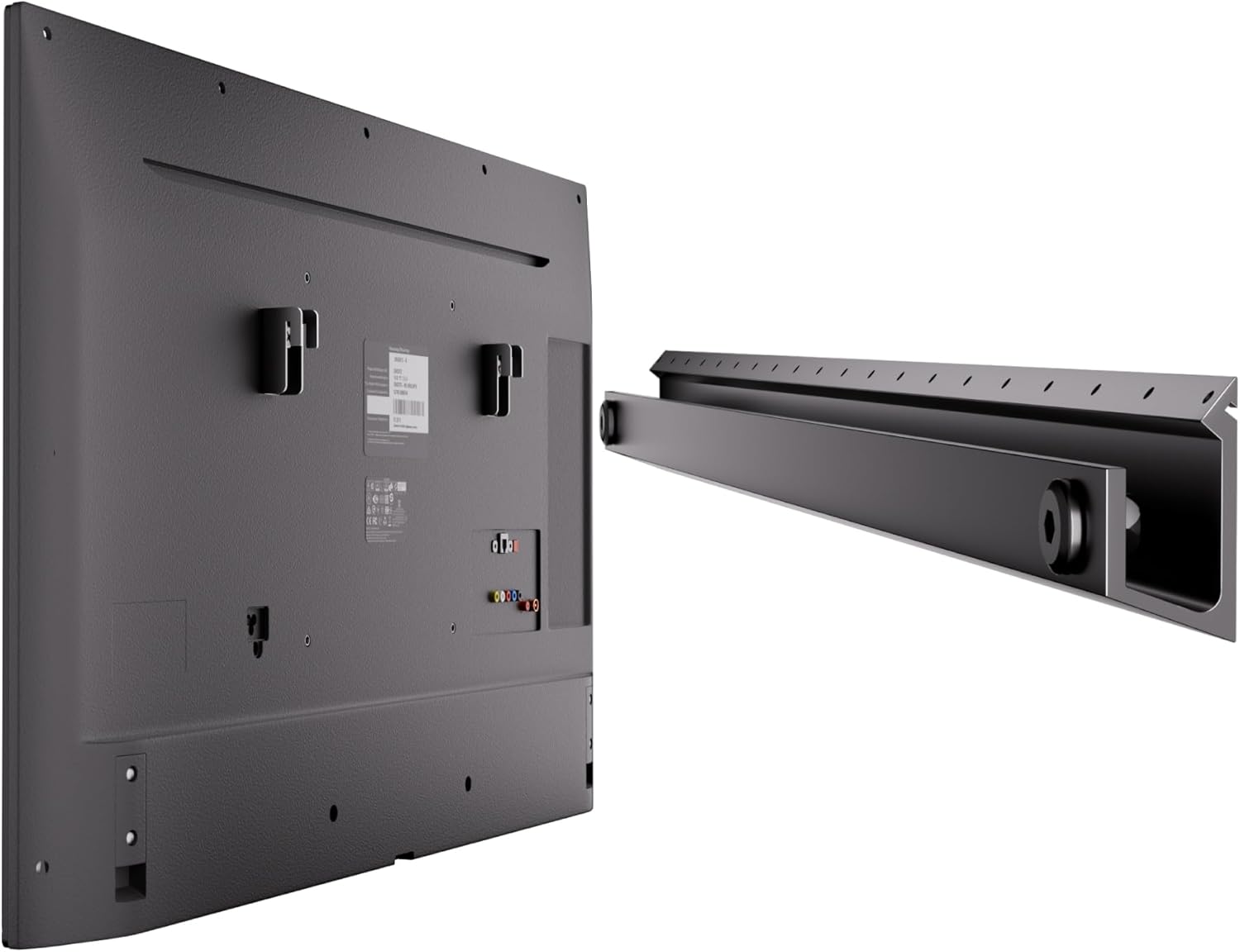
Consider how you’ll mount the TV. Full-motion articulating arms offer flexibility but may not be allowed in rental units due to structural concerns. Fixed or tilt mounts are safer for shared walls. Verify that the TV is VESA-compatible (standard mounting patterns like 200×200 or 400×400) and check the weight limit of your chosen mount.
If your balcony has limited vertical clearance, look for ultra-slim models or those with low-profile designs. Some TVs even feature front-facing speakers and controls, eliminating the need for side access—a plus for tight installations.
7. Brand Reputation & Specialization
Not all TV brands are equally committed to the outdoor market. While Samsung and LG offer “outdoor modes” on select indoor models, these are not truly weatherproof and void warranties if used outside. True outdoor specialists like SunBriteTV, Seura, and Aviditi design their products from the ground up for exterior use, with rigorous testing and specialized support.
Research brand history and customer service reputation. Outdoor TVs are long-term investments, and you’ll want a company that stands behind its products. Read user forums and professional reviews to see how brands handle repairs, replacements, and firmware updates. Some manufacturers offer dedicated outdoor support lines—worth the premium for peace of mind.
8. Warranty & Support
A robust warranty is non-negotiable for weatherproof TVs. Standard indoor TVs typically come with 1-year limited warranties, but outdoor models should offer at least 2–3 years of coverage, with some extending to 5 years. Look for warranties that explicitly cover outdoor use—many indoor TV warranties become void if installed outside.
Check what’s included: Does it cover accidental damage? Power surges? Corrosion? Is on-site service available, or must you ship the unit? For apartment dwellers, shipping a large TV can be logistically challenging, so local repair options are a major advantage.
Also inquire about software support. Will the TV receive OS updates for 3–5 years? Outdated firmware can lead to security vulnerabilities and app incompatibilities down the line.
Different Types of Weatherproof TVs
Common Buying Mistakes to Avoid
❌ Mistake: Buying an Indoor TV and Calling It “Outdoor-Ready”
Why it’s bad: Many retailers market standard TVs with phrases like “works great on the patio” or “weather-resistant coating.” These are misleading. Indoor TVs lack proper sealing, thermal management, and UV protection. Using one outside voids the warranty and drastically shortens its lifespan—often failing within months due to moisture ingress or overheating.
What to do instead: Only purchase TVs explicitly designed for outdoor use with verified IP ratings and outdoor certifications. If a product doesn’t clearly state it’s built for exterior installation, assume it isn’t.
❌ Mistake: Ignoring Local Climate Conditions
Why it’s bad: A TV rated for mild coastal climates may fail in desert heat or arctic cold. Humidity, salt air, pollen, and UV intensity vary greatly by region. Installing a TV not suited to your environment leads to premature degradation, screen burn-in, or electrical failure.
What to do instead: Match your TV’s specs to your local weather. Coastal dwellers should prioritize corrosion resistance; desert residents need high-temperature tolerance; snowy areas benefit from cold-start capability. Consult manufacturer climate guidelines before buying.
❌ Mistake: Overlooking Power and Cable Management
Why it’s bad: Running extension cords across balconies creates tripping hazards and exposes wires to weather damage. Improperly routed cables can also interfere with door/window operation or violate building codes.
What to do instead: Plan your power source in advance. Use outdoor-rated, GFCI-protected outlets and conduit for permanent installations. Consider wireless streaming devices to minimize cable clutter. For renters, look for TVs with long power cords or battery-compatible options.
❌ Mistake: Choosing Size Over Visibility
Why it’s bad: A massive 75-inch screen looks impressive but may be unwatchable from a 6-foot balcony due to glare, limited viewing angle, or overwhelming scale. You’ll strain your eyes and waste money.
What to do instead: Use a viewing distance calculator: multiply screen size by 1.5 for minimum distance (e.g., 55″ = 6.9 ft min). Prioritize brightness and anti-glare over sheer size. A bright 50-inch TV beats a dim 65-inch every time outdoors.
❌ Mistake: Skipping the Warranty Fine Print
Why it’s bad: Some “outdoor” warranties exclude damage from condensation, power surges, or improper installation. You could pay hundreds for repairs that should be covered.
What to do instead: Read the warranty document thoroughly. Ensure it covers outdoor use, includes surge protection, and specifies response times. Register your product immediately and keep proof of purchase.
❌ Mistake: Assuming All Smart Features Work Outdoors
Why it’s bad: Wi-Fi signals weaken outdoors, and voice assistants like Alexa may not hear you over wind or traffic. A TV with poor connectivity becomes a dumb display.
What to do instead: Test your Wi-Fi strength at the installation site. Use a mesh extender or outdoor-rated access point if needed. Choose TVs with reliable RF remotes or mobile apps as backups.
❌ Mistake: Neglecting Security in Shared Spaces
Why it’s bad: Apartment rooftops and common areas are vulnerable to theft. A $2,000 TV left unsecured is an easy target.
What to do instead: Invest in a Kensington lock slot or security mount. Consider removable models or install motion-sensor lights. Check your renter’s insurance for coverage options.
Budget Guidelines: How Much Should You Spend?
Entry-Level ($600–$1,200): This tier includes indoor TVs paired with third-party weatherproof enclosures or basic covered-area models. Expect modest brightness (500–700 nits), limited smart features, and shorter warranties (1–2 years). Best for sheltered balconies in mild climates or temporary setups. Examples: Samsung Q60A + Peerless enclosure, TCL 5-Series with DIY cover.
Mid-Range ($1,200–$2,500): The sweet spot for most apartment dwellers. These TVs offer true outdoor engineering—IP55+ ratings, 1,000+ nits brightness, robust build quality, and full smart platforms. Ideal for covered or partially exposed spaces. Examples: SunBriteTV Signature Series, LG UltraBright OLED, Seura Outdoor Basic.
Premium ($2,500–$4,000): For enthusiasts and those with fully exposed installations. Features include IP65+ protection, 1,500–2,500 nits brightness, advanced thermal management, and extended 3–5 year warranties. Often include premium materials, RF remotes, and professional installation support. Examples: SunBriteTV Pro Series, Seura Luxe, Aviditi Elite.
Luxury ($4,000+): Top-tier commercial-grade or custom-built solutions. Designed for 24/7 operation in extreme environments, with modular designs, remote monitoring, and enterprise-level support. Suited for large rooftop terraces or luxury apartment complexes. Examples: Samsung SMART Signage QMR Series, LG UltraStretch Commercial Displays.
Expert Tips for Getting the Best Deal
1. Time Your Purchase Around Seasonal Sales: The best deals on outdoor TVs occur in late winter (February–March) as retailers clear inventory before spring installations. Black Friday and Prime Day also offer discounts, but selection may be limited.
2. Buy Direct from Manufacturers: Brands like SunBriteTV and Seura often offer exclusive bundles, free shipping, or extended warranties when you purchase directly—bypassing retailer markups.
3. Look for Refurbished or Open-Box Units: Certified refurbished outdoor TVs from authorized dealers come with full warranties and can save 20–30%. Avoid third-party marketplace sellers without provenance.
4. Negotiate Installation Packages: Many retailers bundle mounting and setup for a flat fee. Ask if they’re willing to discount the TV when you purchase installation—it’s a common upsell tactic.
5. Check for Local Rebates or Incentives: Some utility companies offer rebates for energy-efficient outdoor electronics. While rare, it’s worth a quick search.
6. Test Before You Commit: If possible, visit a showroom or borrow a unit for a weekend. Outdoor visibility is subjective—what looks bright in-store may disappoint in your specific lighting.
7. Read Return Policies Carefully: Outdoor TVs are often final sale due to hygiene and logistics. Ensure you have at least 14–30 days to return if unsatisfied.
8. Join Owner Communities: Online forums like AVS Forum or Reddit’s r/outdoortv share real-world deals, firmware updates, and troubleshooting tips you won’t find elsewhere.

Frequently Asked Questions
Q: Can I use a regular TV outside if it’s under a covered balcony?
A: Technically yes—but it’s not recommended. Even covered areas experience humidity, temperature swings, and indirect moisture. Most indoor TV warranties void coverage if used outdoors, and failure rates are high. Invest in a proper covered-area outdoor TV for peace of mind.
Q: Do weatherproof TVs need special mounts?
A: Yes. Use mounts rated for outdoor use with corrosion-resistant hardware (stainless steel or zinc-plated). Ensure the mount supports the TV’s weight and allows for ventilation. Avoid plastic mounts—they degrade in UV light.
Q: How do I clean a weatherproof TV screen?
A: Use a microfiber cloth and distilled water only. Never use ammonia-based cleaners (like Windex)—they damage anti-reflective coatings. For stubborn grime, lightly dampen the cloth; never spray liquid directly on the screen.
Q: Will a weatherproof TV work in winter?
A: Only if it’s rated for low temperatures. Most outdoor TVs operate down to -22°F (-30°C), but performance may slow in extreme cold. Avoid turning it on immediately after bringing it in from freezing temps—let it acclimate first.
Q: Can I leave my outdoor TV on all the time?
A: Consumer models aren’t designed for 24/7 operation like commercial displays. Continuous use accelerates wear. Use sleep timers or smart plugs to limit runtime, especially overnight.
Q: Are weatherproof TVs energy efficient?
A: Generally yes—modern LED backlights consume less power than older CCFL models. Look for ENERGY STAR certification. Brightness settings also impact usage; dimming the screen in shade saves energy.
Q: What happens if my TV gets rained on?
A: If it’s truly IP65+ rated, rain won’t harm it. However, standing water on the screen can cause temporary visibility issues. Tilt the TV slightly forward to allow runoff.
Q: Do I need a separate sound system?
A: Built-in speakers on outdoor TVs are often muffled by the sealed enclosure. For better audio, add weatherproof Bluetooth speakers or a soundbar mounted nearby.
Q: Can I install it myself?
A: If you’re comfortable with basic tools and electrical safety, yes—but complex mounts or wiring should be handled by professionals, especially in rental units.
Q: How long do weatherproof TVs last?
A: With proper care, 7–10 years is typical. Higher-end models with better components may exceed 10 years. Avoid cheap models—they often fail within 2–3 years.
Our Final Recommendations
Best for Budget-Conscious Buyers: SunBriteTV Signature Series (43″) – At around $1,200, it offers true outdoor protection, 1,000 nits brightness, and a 3-year warranty. Perfect for covered balconies.
Best Overall Value: Seura Outdoor Basic (50″) – Combines IP55 rating, 1,200 nits, and excellent smart features at $1,800. Great balance of price and performance.
Best Premium Option: SunBriteTV Pro Series (55″) – IP66-rated, 2,000 nits, and military-grade durability. Ideal for fully exposed rooftops. Priced at $3,200.
Best for Beginners: LG UltraBright OLED (48″) – User-friendly webOS, 1,500 nits, and sleek design. Comes with a 2-year outdoor warranty. Around $2,000.
Best for Advanced Users: Samsung SMART Signage QMR (65″) – Commercial-grade reliability, remote management, and 24/7 operation. Best for tech-savvy owners with large spaces. $4,500+.
Conclusion: Making the Right Choice
Investing in a weatherproof TV transforms your apartment’s outdoor space into a true extension of your home—a place to unwind, entertain, and connect, rain or shine. But this isn’t a purchase to rush. The right TV depends on your specific environment, budget, and usage patterns. Prioritize verified IP ratings, sufficient brightness, and robust build quality over flashy specs or brand names alone.
Remember: a weatherproof TV is a long-term commitment. Skimping on protection or ignoring climate factors leads to frustration and wasted money. Use this guide to ask the right questions, compare options objectively, and avoid common traps. Whether you’re sipping coffee on a misty morning balcony or hosting a rooftop movie night under the stars, your outdoor entertainment should enhance—not hinder—your lifestyle.
Take your time. Do your research. And when you find the model that fits your needs, install it thoughtfully and maintain it regularly. Your future self—and your guests—will thank you. Ready to elevate your outdoor living? Start shopping with confidence, knowing you’re equipped with expert knowledge to make the smartest choice for your space.

