
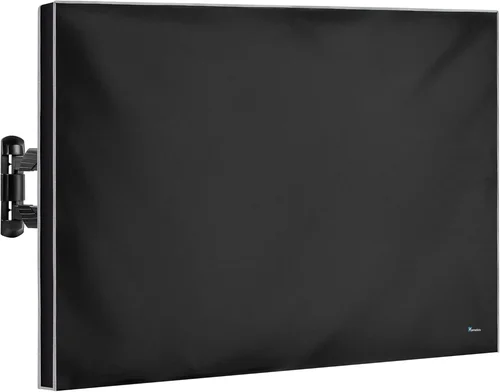
Keeping your garden TV sparkling clean on a covered patio isn’t just about aesthetics—it’s essential for performance, longevity, and your viewing experience. Outdoor televisions, even when sheltered under a gazebo or pergola, are constantly exposed to dust, pollen, moisture, bird droppings, and temperature fluctuations. Over time, these environmental factors can degrade screen clarity, damage internal components, and shorten the lifespan of your investment. A dirty screen may seem like a minor nuisance, but grime buildup can scatter light, reduce contrast, and make colors appear dull—especially under natural daylight. Worse yet, improper cleaning methods can scratch the anti-glare coating, leave streaks, or even cause permanent damage to sensitive electronics.
This comprehensive guide is designed to help you master the art and science of cleaning your garden TV safely and effectively. Whether you’ve invested in a premium outdoor-rated display or repurposed an indoor TV with weatherproofing, you’ll learn exactly what tools to use, which techniques to avoid, and how to maintain your screen through every season. We’ll walk you through everything from understanding your TV’s specific vulnerabilities to selecting the right cleaning products, creating a maintenance schedule, and troubleshooting common issues like fogging or stubborn stains. By the end, you’ll have a clear, step-by-step routine that keeps your outdoor entertainment center looking sharp and performing at its best—no matter the weather.
The market for outdoor TVs has exploded in recent years, with manufacturers like Samsung, Sony, SunBriteTV, and Seura offering models specifically engineered for alfresco living. These units come with features like weather-resistant casings, enhanced brightness (measured in nits), anti-reflective coatings, and built-in heaters or coolers to handle temperature extremes. However, even the most rugged outdoor TVs aren’t immune to dirt and grime. In fact, their specialized coatings and higher brightness levels can make smudges and dust more noticeable than on indoor screens. Meanwhile, DIY enthusiasts often try to save money by using standard indoor TVs outdoors—only to discover that regular cleaning products and methods can ruin them. This guide cuts through the confusion, offering expert-backed advice tailored specifically to the unique challenges of covered patio environments. Whether you’re a weekend warrior or a full-time outdoor entertainer, you’ll find actionable insights to protect your investment and enjoy crystal-clear viewing year-round.

What to Look for When Buying Buying Guide
1. Screen Coating Type
The type of screen coating on your garden TV is one of the most critical factors in determining how—and how often—you should clean it. Most modern outdoor TVs feature either an anti-reflective (AR) coating, an oleophobic coating (to repel fingerprints), or a combination of both. These coatings are delicate and can be easily damaged by abrasive cloths, ammonia-based cleaners, or excessive pressure. For example, SunBriteTV’s Veranda series uses a proprietary anti-glare layer that enhances visibility in daylight but requires gentle care. If your TV has a matte finish, it’s likely designed to diffuse ambient light, which means dust and smudges may be less visible—but still present. Always check your user manual to identify the coating type before cleaning. Never assume all screens are the same; treating an AR-coated outdoor TV like a standard glass surface can lead to permanent clouding or micro-scratches.
2. Environmental Exposure Level
Even under a covered patio, your TV isn’t fully protected from the elements. Consider how much direct sunlight, rain splash, wind-blown debris, and humidity your TV encounters. A TV mounted under a solid roof with side walls will need less frequent cleaning than one in an open-sided pergola exposed to morning dew and afternoon storms. High pollen counts in spring or heavy leaf fall in autumn can accelerate grime buildup. If your patio faces a busy street, airborne pollutants like soot or brake dust may settle on the screen. Understanding your TV’s microclimate helps you tailor your cleaning frequency and method. For instance, a TV in a dry, shaded area might only need monthly wipe-downs, while one in a humid, leafy environment could require biweekly attention. Proactively assessing exposure helps prevent long-term damage and keeps maintenance manageable.
3. Cleaning Product Compatibility
Not all cleaning solutions are safe for outdoor TVs. Many household glass cleaners contain ammonia, alcohol, or acetone—ingredients that can strip protective coatings or degrade plastic bezels. Instead, opt for cleaners specifically formulated for electronics or outdoor displays. Look for pH-neutral, non-abrasive formulas labeled “safe for anti-reflective coatings” or “TV screen safe.” Brands like Whoosh! Screen Shine, iKlear, or even distilled water with a drop of mild dish soap (like Dawn) are excellent choices. Avoid vinegar, Windex, or all-purpose cleaners unless explicitly approved by the manufacturer. When in doubt, test any new cleaner on a small, inconspicuous area first. Remember: the goal is to remove dirt without compromising the screen’s optical properties or structural integrity.
4. Cleaning Tools & Materials
The right tools make all the difference. Microfiber cloths are the gold standard for screen cleaning because they’re soft, lint-free, and highly absorbent. Avoid paper towels, tissues, or rough cotton rags—they can scratch the surface or leave behind fibers. For stubborn spots, use a second microfiber cloth dampened with your cleaning solution, followed by a dry one for buffing. Never spray cleaner directly onto the screen; always apply it to the cloth first to prevent liquid from seeping into vents or seams. For hard-to-reach corners or bezels, a soft-bristled brush (like a clean makeup brush) can dislodge dust without scratching. If your TV has a removable stand or mount, consider detaching it occasionally for thorough cleaning of the back and sides, where dust tends to accumulate unnoticed.
5. Frequency & Maintenance Schedule
How often you clean your garden TV depends on usage, location, and season. As a general rule, inspect your screen weekly and clean it every 2–4 weeks. During high-pollen seasons or after storms, you may need to clean it more frequently. Establishing a routine—like cleaning every other Sunday morning—helps prevent buildup and makes the task quicker and easier. Keep a dedicated cleaning kit near your patio (in a sealed container to protect it from dust) so you’re always prepared. Logging your cleaning sessions in a simple notebook or phone reminder can also help you track what works and adjust as needed. Consistency is key: light, regular cleaning is far safer and more effective than infrequent deep cleans that require harsh scrubbing.
6. Safety & Accessibility
Cleaning a mounted TV on a covered patio often means working at height, which introduces safety risks. Always use a stable ladder or step stool with rubber feet, and never lean it against the TV or mount. If possible, have someone spot you during the process. Ensure the TV is powered off and cooled down before cleaning to avoid electrical hazards or burns from internal components. For wall-mounted units, check that the mounting bracket is secure and hasn’t loosened over time due to vibration or weather. If your TV is difficult to reach, consider investing in a telescoping cleaning wand with a microfiber pad—this allows you to clean safely from the ground. Never stretch or overreach; it’s better to reposition the ladder than risk a fall.
7. Manufacturer Guidelines & Warranty
Always consult your TV’s user manual before cleaning. Manufacturers often provide specific instructions, approved products, and warnings about what to avoid. For example, some outdoor TVs have sealed enclosures that shouldn’t be opened or exposed to moisture, even during cleaning. Violating these guidelines can void your warranty. Keep records of your cleaning routine and any issues that arise—this documentation can be helpful if you need to file a claim. If your TV is still under warranty and you’re unsure about a cleaning method, contact customer support for guidance. It’s better to ask than to accidentally damage your TV and lose coverage.
8. Seasonal Considerations
Different seasons bring different cleaning challenges. In spring, pollen and sap can stick to screens and require gentle removal. Summer brings dust, insect residue, and increased UV exposure, which can degrade coatings over time. Fall introduces leaves, mold spores, and dampness, while winter may bring salt spray (if you’re near the coast) or condensation from temperature swings. Adjust your cleaning approach accordingly: use a slightly damp cloth in humid months to prevent static buildup, and avoid cleaning in direct sunlight, which can cause cleaners to dry too quickly and leave streaks. In colder climates, allow your TV to acclimate to room temperature before cleaning to prevent thermal shock.
Different Types of Buying Guide

Common Buying Mistakes to Avoid
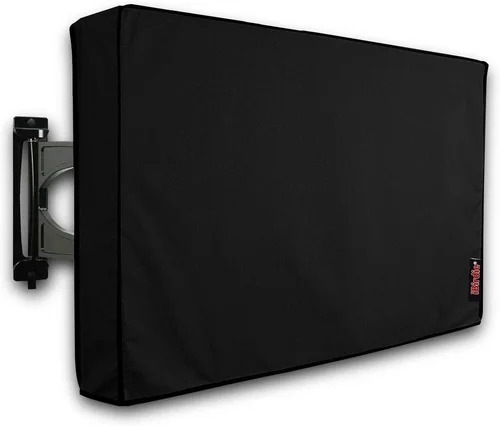
❌ Mistake: Using Household Glass Cleaners
Why it’s bad: Products like Windex or generic glass sprays often contain ammonia or alcohol, which can dissolve anti-reflective coatings and leave hazy residues. Over time, this degrades image quality and may void your warranty.
What to do instead: Use only cleaners specifically designed for electronic screens. Distilled water with a drop of mild soap or a dedicated screen cleaner like Whoosh! is safe and effective.
❌ Mistake: Spraying Cleaner Directly on the Screen
Why it’s bad: Liquid can seep into the TV’s vents, speakers, or seams, potentially causing short circuits or internal corrosion—especially in humid outdoor environments.
What to do instead: Always spray the cleaner onto your microfiber cloth first, then gently wipe the screen. This gives you better control and prevents oversaturation.
❌ Mistake: Cleaning in Direct Sunlight
Why it’s bad: Sunlight causes cleaners to evaporate too quickly, leaving behind streaks and residue. It also makes it harder to see smudges, leading to incomplete cleaning.
What to do instead: Clean your TV early in the morning, late in the evening, or on an overcast day. If possible, use a canopy or umbrella to create shade during cleaning.
❌ Mistake: Using Rough or Linty Cloths
Why it’s bad: Paper towels, napkins, or old T-shirts can scratch delicate coatings or leave behind fibers that attract more dust.
What to do instead: Invest in high-quality microfiber cloths (at least 300 GSM) designed for screens. Keep them clean and dedicated solely to TV cleaning.
❌ Mistake: Ignoring the Bezel and Vents
Why it’s bad: Dust buildup around the bezel and ventilation slots can restrict airflow, cause overheating, and eventually affect performance—even if the screen looks clean.
What to do instead: Use a soft brush or compressed air to gently remove debris from vents and edges during each cleaning session.
❌ Mistake: Over-Cleaning or Scrubbing Too Hard
Why it’s bad: Excessive pressure or frequent aggressive wiping can wear down coatings faster than normal use, leading to premature degradation.
What to do instead: Use light, circular motions with minimal pressure. If a spot doesn’t come off easily, reapply cleaner and let it sit for 10–15 seconds before wiping again.
❌ Mistake: Not Powering Off the TV
Why it’s bad: Cleaning a powered-on TV increases the risk of electric shock, especially if moisture gets near ports. It also makes it harder to see dirt and smudges.
What to do instead: Always turn off and unplug the TV before cleaning. Wait 10–15 minutes for internal components to cool down if it was recently in use.
Budget Guidelines: How Much Should You Spend?
When it comes to cleaning supplies for your garden TV, you don’t need to break the bank—but skimping on quality can cost you more in the long run. Here’s a realistic breakdown of what to expect at different price points:
- Entry-Level ($10–$25): At this tier, you’ll find basic microfiber cloths and generic screen sprays. While usable, many contain alcohols or lack pH balance, risking coating damage. Best for occasional use on budget TVs or as temporary solutions.
- Mid-Range ($25–$50): This is the sweet spot for most homeowners. You’ll get premium microfiber cloths (lint-free, high GSM), certified screen cleaners (like iKlear or Screen Mom), and sometimes multi-packs with spray bottles and wipes. These products are safe for anti-reflective coatings and offer reliable performance.
- Premium ($50–$100): Ideal for high-end outdoor TVs or frequent cleaners. Includes professional-grade kits with multiple cloth types, anti-static sprays, and storage cases. Brands like Whoosh! Pro or TechSpray offer formulations tested for extreme conditions and long-term protection.
- Luxury ($100+): Reserved for commercial installations or obsessive detailers. These kits may include automated cleaning systems, UV sanitizing wands, or custom-formulated solutions for specific TV models. Overkill for most residential users but valuable for businesses or luxury outdoor theaters.
Expert Tips for Getting the Best Deal
- Buy Cleaning Kits in Bulk: Many manufacturers offer discounts when you purchase multi-packs. Stock up during Black Friday or Amazon Prime Day to save 20–30%.
- Check Manufacturer Websites: Some TV brands (like SunBriteTV) sell approved cleaning kits directly. These are guaranteed safe and often include detailed instructions.
- Use Distilled Water as a Base: If you’re on a tight budget, mix your own cleaner with distilled water and a drop of Dawn dish soap. Avoid tap water, which contains minerals that leave spots.
- Inspect Before You Buy: Read reviews focusing on “coating safety” and “streak-free results.” Avoid products with vague ingredient lists or overly harsh claims.
- Store Supplies Properly: Keep cloths in sealed bags and sprays away from heat or direct sun to maintain effectiveness.
- Test New Products First: Always do a patch test on the bottom corner of your screen before full application.
- Combine with Other Maintenance: Clean your TV when you’re already doing patio upkeep—like washing outdoor furniture or sweeping—to save time.
- Consider a Maintenance Contract: For high-end installations, some AV companies offer seasonal cleaning services that include TV care.

Frequently Asked Questions
Q: Can I use vinegar to clean my outdoor TV?
A: No. Vinegar is acidic and can damage anti-reflective and oleophobic coatings. It may also leave a film that attracts more dust. Stick to pH-neutral, electronics-safe cleaners.
Q: How do I remove bird droppings without scratching the screen?
A: First, gently scrape off dried residue with a plastic spatula or credit card edge. Then, dampen a microfiber cloth with distilled water and let it sit on the spot for 1–2 minutes to soften it. Wipe gently in one direction—never scrub.
Q: Is it safe to use compressed air on my TV?
A: Yes, but only on the bezel, vents, and edges—not the screen itself. Hold the can upright and use short bursts to avoid moisture discharge.
Q: My screen fogs up after rain. Is that normal?
A: Some condensation is normal in humid climates, especially on outdoor-rated TVs with sealed designs. It should clear within 30–60 minutes. If fogging persists, check for seal damage or consult the manufacturer.
Q: Can I clean my TV with baby wipes?
A: Most baby wipes contain moisturizers and fragrances that leave residues. Unless labeled “screen safe,” avoid them. Opt for alcohol-free, lint-free alternatives instead.
Q: How often should I deep-clean the back and sides?
A: Every 3–6 months, depending on dust levels. Use a dry brush or vacuum with a soft brush attachment to remove buildup without disassembly.
Q: What if my screen has scratches?
A: Minor scratches on coatings cannot be repaired—only prevented. For deeper glass scratches, professional polishing may be an option, but it’s costly and risky. Focus on prevention through proper cleaning.
Q: Can I use a squeegee on my TV screen?
A: Absolutely not. Squeegees are designed for hard, non-porous surfaces like windows. The rubber blade can scratch delicate TV coatings and push debris into seams.
Q: Do I need to clean the remote control too?
A: Yes! Outdoor remotes collect dirt, sunscreen, and food residue. Wipe with a slightly damp microfiber cloth and isopropyl alcohol (70% or less) on the cloth—not sprayed directly.
Q: Will cleaning affect my TV’s brightness or color accuracy?
A: Proper cleaning enhances brightness and color by removing light-scattering grime. Improper cleaning can degrade coatings and reduce performance over time.
Our Final Recommendations
Best for Budget-Conscious Buyers: Whoosh! Screen Shine Starter Kit ($24.99) – Includes a 4oz spray and two premium microfiber cloths. Safe for all coatings, streak-free, and widely trusted by tech professionals.
Best Overall Value: iKlear MK2 Kit ($39.95) – Comes with a full-size cleaner, travel spray, and three cloths. Formulated specifically for anti-reflective screens and ideal for frequent use.
Best Premium Option: TechSpray Screen Cleaner Pro Kit ($69.99) – Industrial-grade formula with anti-static properties and a full set of tools. Perfect for high-end outdoor displays in harsh environments.
Best for Beginners: Distilled Water + Microfiber Cloth ($15 total) – Simple, safe, and effective. Just add a drop of mild dish soap if needed. Great for those new to outdoor TV maintenance.
Best for Advanced Users: Custom Cleaning Station with Telescoping Wand ($89) – Combines a reach-extending handle, interchangeable microfiber pads, and a sealed storage case. Ideal for large or hard-to-access installations.
Conclusion: Making the Right Choice
Cleaning your garden TV on a covered patio doesn’t have to be complicated—but it does require knowledge, the right tools, and consistent care. From understanding your screen’s delicate coatings to choosing safe cleaning products and establishing a smart maintenance routine, every step contributes to a clearer picture and a longer-lasting investment. Remember, the goal isn’t just a spotless screen; it’s preserving the performance, safety, and enjoyment of your outdoor entertainment space.
Prioritize your TV’s specific needs based on its type, environment, and usage. Don’t fall for quick fixes or household shortcuts that promise results but risk damage. Instead, invest in quality supplies, follow manufacturer guidelines, and clean with intention. Whether you’re watching sunset movies with family or hosting game-day gatherings, a well-maintained TV ensures every moment shines bright.
Now that you’re equipped with expert insights, it’s time to take action. Gather your supplies, schedule your first cleaning session, and enjoy the crisp, vibrant viewing experience your garden TV was designed to deliver. Your outdoor oasis deserves nothing less.

