
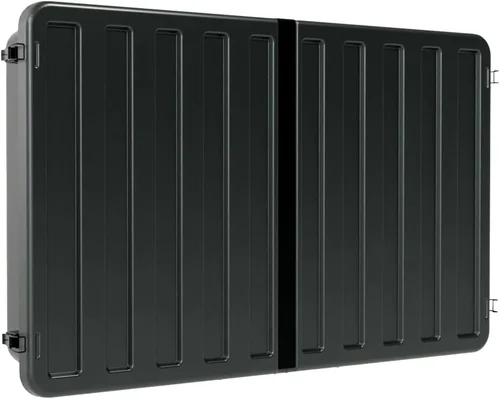
Cleaning a garden TV for cold weather isn’t just about wiping off dust or smudges—it’s about protecting your investment from the harsh realities of winter. Whether you’ve installed a weatherproof outdoor display in your patio, gazebo, or backyard entertainment area, maintaining it through freezing temperatures, snow, ice, and moisture is essential to ensure longevity, performance, and safety. Many homeowners assume that because their garden TV is labeled “outdoor-rated,” it requires no special care during winter months. Unfortunately, that’s a dangerous misconception. Even the most rugged outdoor displays can suffer from corrosion, screen damage, or internal component failure if not properly cleaned and maintained before, during, and after cold weather exposure.
This comprehensive guide is designed to help you understand exactly how to clean and care for your garden TV in cold climates, ensuring it remains functional, clear, and reliable year after year. You’ll learn not only the step-by-step cleaning process but also how to choose the right tools, avoid common pitfalls, and prepare your unit for seasonal storage or continued use. We’ll cover everything from understanding your TV’s build quality and environmental ratings to selecting the best cleaning products and techniques tailored to winter conditions. Whether you’re a first-time buyer or a seasoned outdoor tech enthusiast, this guide will equip you with expert-level knowledge to make informed decisions and extend the life of your outdoor entertainment setup.
The market for outdoor televisions has grown significantly in recent years, driven by increased demand for outdoor living spaces and smart home integration. Brands like SunBrite, Seura, Peerless, and Samsung now offer a range of all-weather displays specifically engineered to withstand rain, humidity, UV exposure, and temperature extremes. However, not all outdoor TVs are created equal—some are built for mild climates, while others are rated for sub-zero conditions. Understanding these differences is crucial when it comes to cleaning and maintenance. This guide will walk you through the key factors to consider when purchasing an outdoor TV, compare different types and models, highlight common mistakes to avoid, and provide actionable tips to get the most value from your investment. By the end, you’ll be confident in your ability to keep your garden TV spotless, safe, and ready for action—no matter how low the thermometer drops.

What to Look for When Buying Buying Guide
1. Weather Resistance Rating (IP Rating)
One of the most critical factors when selecting a garden TV for cold weather is its Ingress Protection (IP) rating. This two-digit code indicates how well the TV resists dust and moisture. For outdoor use in cold climates, look for a minimum IP55 rating—this means the TV is protected against low-pressure water jets from any direction and limited dust ingress. However, for areas with heavy snow, ice, or frequent freeze-thaw cycles, an IP65 or higher rating is strongly recommended. An IP65-rated TV is dust-tight and protected against water projected from a nozzle, making it ideal for harsh winter environments. Always check the manufacturer’s specifications to confirm the IP rating applies to the entire unit, including vents, ports, and mounting hardware. A high IP rating not only ensures durability but also simplifies cleaning, as you can safely use water-based methods without risking internal damage.
2. Operating Temperature Range
Not all outdoor TVs are built to handle freezing temperatures. While many are rated for outdoor use, their operating temperature range can vary significantly. Standard models may function between 32°F and 104°F (0°C to 40°C), which means they could fail or suffer damage if used below freezing. For cold weather cleaning and operation, choose a TV with an extended低温 range—ideally one that operates down to -4°F (-20°C) or lower. This ensures the internal components, including the LCD or LED panel, power supply, and cooling system, remain stable during winter months. Additionally, TVs with built-in heaters or thermal management systems are better equipped to prevent condensation and screen fogging when transitioning from cold outdoor air to warmer indoor environments. Always verify the operating and storage temperature ranges in the product manual, as improper use outside these limits can void your warranty.
3. Screen Type and Anti-Glare Coating
The type of screen your garden TV uses plays a major role in how it performs and cleans in cold weather. Most outdoor TVs feature either LCD or LED panels with enhanced brightness (measured in nits) to combat sunlight glare. For winter use, look for models with anti-reflective or anti-glare coatings, which reduce snow and ice glare and make the screen easier to view on bright, sunny winter days. Additionally, some premium models use optically bonded glass, which eliminates the air gap between the screen and the outer glass layer. This not only improves image clarity but also prevents condensation from forming inside the display—a common issue in cold, humid conditions. When cleaning, avoid abrasive cloths or harsh chemicals that can scratch or degrade these specialized coatings. Instead, use microfiber cloths and approved screen cleaners to maintain clarity and protect the surface.
4. Build Material and Corrosion Resistance
The materials used in the TV’s chassis and mounting hardware are vital for long-term durability in cold, wet environments. Aluminum and stainless steel are ideal choices because they resist rust and corrosion, even when exposed to snow, ice melt, and road salt. Avoid TVs with plastic housings or painted steel components, as these can crack in freezing temperatures or deteriorate over time. Look for powder-coated finishes, which provide an extra layer of protection against moisture and UV damage. Additionally, ensure that all screws, brackets, and cable glands are made from corrosion-resistant materials. If you live in a coastal area or a region with heavy winter road treatments, consider models with marine-grade construction or additional protective seals. A well-built TV not only lasts longer but also requires less frequent cleaning and maintenance.
5. Sealed Design and Ventilation
A properly sealed design is essential for preventing moisture, snow, and ice from entering the TV’s internal components. Look for models with fully sealed enclosures, including sealed ports, cable entries, and ventilation systems. Some outdoor TVs use passive cooling with sealed heat sinks, while others incorporate active cooling with filtered vents that prevent water ingress. Avoid units with open vents or unsealed speaker grilles, as these can allow snow and condensation to accumulate inside. However, be cautious with completely sealed units in extreme cold—without proper thermal regulation, internal components can overheat when the TV is used in direct sunlight after a cold night. The best models balance sealing with intelligent thermal management, ensuring safe operation across a wide temperature range. When cleaning, never spray water directly into vents or ports, even if the TV is rated for outdoor use.
6. Ease of Access and Maintenance Features
Even the most durable outdoor TV will require periodic cleaning and maintenance, especially in winter when snow, ice, and salt can accumulate. Choose a model that allows easy access to the screen, ports, and mounting hardware. Some TVs feature removable front panels or tool-less access for quick cleaning and cable management. Others include built-in drainage channels or sloped designs that help snow and water slide off the screen naturally. Consider the TV’s mounting options as well—wall mounts, ceiling mounts, and articulating arms should be sturdy and allow for tilt adjustments to prevent snow buildup. Additionally, look for models with accessible filter systems (if applicable) that can be cleaned or replaced to maintain airflow and prevent overheating. A TV that’s easy to maintain will save you time and effort, especially when cleaning in cold, uncomfortable conditions.
7. Brand Reputation and Customer Support
When investing in a garden TV for cold weather, brand reputation matters. Established manufacturers like SunBrite, Seura, and Peerless have years of experience designing outdoor displays and offer reliable customer support, detailed user manuals, and responsive service teams. Research customer reviews and look for feedback specific to winter performance, cleaning ease, and durability in cold climates. A reputable brand is more likely to provide accurate specifications, honor warranties, and offer replacement parts if needed. Additionally, check if the company provides region-specific guidance for cold weather care, such as recommended cleaning schedules or storage tips. Avoid lesser-known brands with limited support networks, as you may struggle to get help if your TV develops issues during the winter months.
8. Warranty and Return Policy
A strong warranty is a sign of confidence in a product’s durability, especially for outdoor electronics exposed to extreme conditions. Look for a minimum 2- to 3-year warranty that covers both parts and labor, with specific mention of cold weather performance. Some manufacturers offer extended warranties or optional service plans for added peace of mind. Pay close attention to warranty terms—some exclude damage caused by improper cleaning, ice buildup, or use outside the specified temperature range. Also, check the return policy before purchasing. A 30-day return window allows you to test the TV in your specific climate and ensure it meets your expectations. If the TV fails to perform in cold weather or is difficult to clean, you’ll have the option to return or exchange it without financial loss.
Different Types of Buying Guide
Common Buying Mistakes to Avoid
❌ Mistake: Assuming All Outdoor TVs Are Winter-Proof
Why it’s bad: Many buyers assume that any TV labeled “outdoor” can handle snow, ice, and sub-zero temperatures. However, most standard outdoor TVs are only rated for mild climates and can suffer screen cracking, battery failure, or internal condensation when exposed to freezing conditions. Using an under-rated TV in cold weather drastically reduces its lifespan and may pose safety risks.
What to do instead: Always check the operating temperature range and IP rating before purchasing. Choose a model specifically designed for cold weather, with features like built-in heaters, sealed enclosures, and低温-resistant components. When in doubt, consult the manufacturer or a certified installer.
❌ Mistake: Using Household Cleaners on the Screen
Why it’s bad: Common household cleaners like Windex, ammonia-based sprays, or vinegar solutions can damage anti-glare coatings, scratch the screen, or leave streaks that are especially noticeable in winter sunlight. These chemicals may also seep into seams and damage internal electronics over time.
What to do instead: Use only screen-safe cleaners designed for outdoor or anti-reflective displays. Look for alcohol-free, ammonia-free formulas. Apply the cleaner to a microfiber cloth first—never spray directly onto the screen—and wipe gently in circular motions.
❌ Mistake: Neglecting Regular Cleaning During Winter
Why it’s bad: Snow, ice, and road salt can accumulate on the screen and housing, leading to corrosion, reduced visibility, and potential electrical shorts. Ice buildup can also crack the screen or damage mounting hardware if not removed carefully.
What to do instead: Establish a weekly cleaning routine during winter months. Use a soft brush to remove snow, a squeegee for ice, and a damp microfiber cloth for salt residue. Always clean during daylight hours when temperatures are above freezing to prevent water from freezing on the surface.
❌ Mistake: Mounting in a Poor Location
Why it’s bad: Installing the TV in a spot that collects snow, faces prevailing winds, or is exposed to road spray increases the risk of damage and makes cleaning more difficult. Poor placement can also lead to signal interference or overheating when the sun reflects off snow.
What to do instead: Choose a sheltered location under an eave, pergola, or awning. Ensure the TV is tilted slightly downward to allow snow to slide off. Use a weatherproof cover when the TV is not in use for extended periods.
❌ Mistake: Ignoring Cable and Port Maintenance
Why it’s bad: Moisture can seep into HDMI, power, and antenna ports, causing corrosion and connection failures. In cold weather, this moisture can freeze and expand, damaging internal circuits.
What to do instead: Use silicone port covers or weatherproof cable glands to seal all connections. Inspect cables monthly for cracks or fraying, and replace them if necessary. Disconnect and clean ports with a dry cloth before winter storage.
❌ Mistake: Storing the TV Improperly Off-Season
Why it’s bad: Leaving the TV exposed during off-seasons or storing it in an unheated garage without protection can lead to moisture buildup, mold, and component degradation. Extreme temperature swings can also damage the screen and internal electronics.
What to do instead: If not using the TV year-round, disconnect it, clean it thoroughly, and store it in a climate-controlled indoor space. Use a breathable cover to prevent dust accumulation, and avoid plastic bags that can trap moisture.
❌ Mistake: Overlooking Firmware and Software Updates
Why it’s bad: Outdated firmware can cause performance issues, especially in extreme temperatures. Some updates include thermal management improvements or bug fixes that enhance cold weather operation.
What to do instead: Check the manufacturer’s website or app regularly for firmware updates. Connect the TV to Wi-Fi during mild weather to download and install updates. Keep a record of update dates and versions for troubleshooting.
Budget Guidelines: How Much Should You Spend?
Entry-Level ($600 – $1,200): These TVs are ideal for mild winter climates or seasonal use. They typically feature basic weather resistance (IP54), standard brightness, and limited低温 tolerance. While affordable, they may require more frequent cleaning and are not recommended for areas with heavy snow or sub-zero temperatures. Best for covered patios or three-season use.
Mid-Range ($1,200 – $2,500): This is the sweet spot for most homeowners. These models offer improved build quality, higher IP ratings (IP55-IP65), and better低温 performance (down to 14°F or -10°C). Many include anti-glare screens, sealed designs, and easy-access ports. They balance cost and durability, making them suitable for most cold weather conditions with proper maintenance.
Premium ($2,500 – $4,500): Designed for harsh winters and year-round use, premium outdoor TVs feature IP66 or higher ratings, built-in heaters, thermal management systems, and optically bonded screens. They operate reliably in temperatures as low as -4°F (-20°C) and often include smart features and remote monitoring. Ideal for open decks, mountain homes, or commercial applications.
Luxury ($4,500+): These top-tier models are built for extreme environments and professional use. They offer military-grade durability, 24/7 operation, advanced cooling, and custom mounting solutions. Some include integrated soundbars, ambient light sensors, and AI-powered climate adaptation. Best for luxury resorts, public venues, or tech enthusiasts who demand the absolute best.

Expert Tips for Getting the Best Deal
- Buy in Spring or Early Summer: Many retailers offer discounts on outdoor TVs before the peak outdoor season. You’ll have more selection and can install the TV before winter arrives.
- Check Manufacturer Rebates: Brands like SunBrite and Seura often run seasonal promotions or offer rebates for bundled purchases (e.g., TV + mount + cover).
- Shop Certified Refurbished: Reputable sellers offer certified refurbished outdoor TVs with full warranties at 20–30% off retail. These are thoroughly tested and ideal for budget-conscious buyers.
- Compare Total Cost of Ownership: Factor in the cost of mounts, cables, covers, and potential repairs. A cheaper TV may cost more long-term if it requires frequent maintenance or replacement.
- Read Region-Specific Reviews: Look for user feedback from buyers in similar climates. A TV that performs well in Florida may fail in Minnesota.
- Negotiate with Local Installers: Many outdoor TV retailers offer installation services. Ask for package deals that include mounting, cable management, and a cleaning kit.
- Use Price Tracking Tools: Set up alerts on Amazon, Best Buy, or manufacturer websites to catch flash sales or price drops.
- Consider Extended Warranties: For premium models, an extended warranty can save hundreds in repair costs if the TV fails during winter.

Frequently Asked Questions
Q: Can I use my indoor TV outdoors in winter if I cover it?
A: No. Indoor TVs lack the necessary weatherproofing, temperature tolerance, and UV protection for outdoor use. Even with a cover, moisture, temperature swings, and condensation can cause irreversible damage. Always use a TV specifically designed for outdoor use.
Q: How often should I clean my garden TV in winter?
A: Clean the screen and housing at least once a week during active winter use. Increase frequency after snowstorms, ice events, or salt exposure. Always clean during daylight hours when temperatures are above freezing.
Q: Is it safe to use a pressure washer to clean my outdoor TV?
A: No. High-pressure water can force moisture into sealed areas, damage coatings, or dislodge components. Use a gentle spray from a hose or a damp cloth instead.
Q: What should I do if ice forms on the screen?
A: Never use sharp tools to scrape ice. Turn off the TV and allow it to warm naturally. Use a soft, dry brush to remove loose snow, then gently wipe with a microfiber cloth once the ice begins to melt.
Q: Can I leave my outdoor TV on during a snowstorm?
A: It depends on the model. TVs with built-in heaters and thermal management can operate safely in light snow. However, heavy snowfall can block vents or overload the system. Turn off the TV and cover it during severe storms.
Q: How do I prevent condensation when bringing the TV indoors?
A: Allow the TV to acclimate to room temperature for several hours before turning it on. Place it in a dry, warm area and avoid sudden temperature changes. Use a dehumidifier if necessary.
Q: Are outdoor TV covers necessary in winter?
A: Yes, especially for extended periods of non-use. A breathable, weatherproof cover protects against snow, ice, and UV damage. Avoid plastic covers that trap moisture.
Q: Can I clean the TV with rubbing alcohol?
A: Only if it’s diluted (70% or less) and the manufacturer approves it. Pure alcohol can damage anti-reflective coatings. Always test on a small area first.
Q: What’s the best way to store cables during winter?
A: Coil cables loosely, label them, and store in a dry, labeled bag. Use zip ties to prevent tangling, but avoid over-tightening, which can damage wires.
Q: How do I know if my TV is too cold to turn on?
A: Most outdoor TVs have thermal sensors that prevent operation below safe limits. If the screen remains dark or shows error codes, allow the TV to warm up before retrying. Check the manual for specific低温 startup procedures.
Our Final Recommendations
- Best for Budget-Conscious Buyers: SunBrite Veranda Series – Offers solid weather resistance, good brightness, and reliable performance in mild to moderate winters. Priced under $1,200, it’s a great entry point for covered outdoor spaces.
- Best Overall Value: Seura Shade 4K Outdoor TV – Combines IP65 rating, anti-glare screen, and smart features at a mid-range price. Ideal for most cold weather conditions with minimal maintenance.
- Best Premium Option: Peerless-AV Xtreme Outdoor TV – Built for extreme climates with IP66 rating, built-in heater, and military-grade durability. Perfect for open decks and harsh winters.
- Best for Beginners: Samsung The Terrace Partial Sun – User-friendly setup, intuitive interface, and excellent customer support. Great for first-time outdoor TV owners.
- Best for Advanced Users: SunBrite Pro Series with Thermal Management – Features AI climate adaptation, remote diagnostics, and 24/7 operation. Designed for tech enthusiasts and commercial use.
Conclusion: Making the Right Choice
Choosing and maintaining a garden TV for cold weather is a significant investment in your outdoor lifestyle. It’s not just about picking the shiniest screen or the lowest price—it’s about understanding your climate, your usage patterns, and the long-term care required to keep your TV performing at its best. From selecting a model with the right IP rating and temperature tolerance to establishing a regular cleaning routine, every decision you make contributes to the longevity and reliability of your outdoor entertainment system.
Remember, the best TV for cold weather is one that’s built to handle the elements, easy to clean, and supported by a reputable brand. Avoid common pitfalls like using the wrong cleaners, neglecting maintenance, or choosing an under-rated model. Instead, prioritize durability, accessibility, and smart features that make winter care simpler and more effective. Whether you’re watching the snowfall from your heated patio or hosting a winter movie night under the stars, a well-maintained garden TV can enhance your experience for years to come.
Take the time to assess your needs, compare options, and invest wisely. With the knowledge from this guide, you’re now equipped to make an informed decision, keep your TV spotless through every season, and enjoy uninterrupted outdoor entertainment—no matter how cold it gets. Don’t wait for the first snowflake to start thinking about maintenance. Prepare now, clean regularly, and your garden TV will reward you with crystal-clear viewing and reliable performance, winter after winter.

