
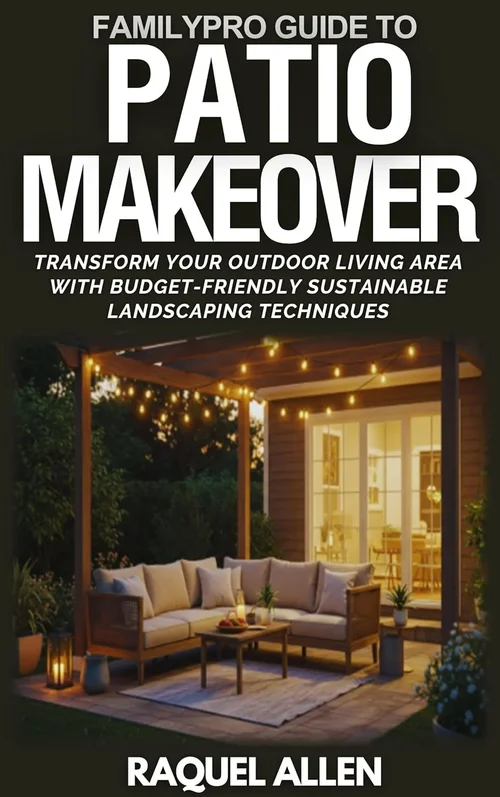
When you’re renting a home, your outdoor space often becomes one of the most valuable—and underutilized—parts of your living area. Whether it’s a cozy balcony, a spacious backyard patio, or a rooftop terrace, transforming that space into an entertainment zone can dramatically improve your quality of life. And what better way to do that than with a dedicated patio TV? Unlike standard indoor televisions, outdoor TVs are engineered to withstand the elements, deliver bright, clear images in direct sunlight, and enhance your alfresco experience year-round.
But here’s the catch: not all TVs are created equal when it comes to outdoor use. Many renters assume they can just drag their living room TV outside and call it a day—only to find it overheating in the sun, failing in light rain, or delivering a washed-out picture on a bright afternoon. That’s why a specialized patio TV isn’t just a luxury—it’s a necessity for anyone serious about outdoor entertainment. This guide is designed specifically for renters who want to enjoy high-quality outdoor viewing without breaking the bank or violating lease agreements. We’ll walk you through everything you need to know to make a smart, informed purchase that fits your space, lifestyle, and budget.
In this comprehensive buyer’s guide, you’ll learn how to evaluate patio TVs based on critical factors like weather resistance, brightness, installation flexibility, and portability. We’ll compare different types of outdoor TVs, highlight common pitfalls to avoid, and provide expert tips for getting the best value. Whether you’re hosting summer barbecues, watching the big game under the stars, or simply unwinding with a movie after sunset, this guide will help you choose the perfect patio TV for your rental home. By the end, you’ll have the confidence and knowledge to invest in a setup that enhances your outdoor living—without the stress of damage, poor performance, or landlord disputes.

What to Look for When Buying Buying Guide
1. Weather Resistance & IP Rating
One of the most critical factors when choosing a patio TV is its ability to withstand outdoor conditions. Unlike indoor TVs, outdoor models must endure temperature fluctuations, humidity, dust, and even light rain or snow. The key metric to look for is the Ingress Protection (IP) rating, which indicates how well the TV resists solid particles (like dust) and liquids (like water). For example, an IP55 rating means the TV is protected against dust and water jets from any direction—ideal for covered patios. If your TV will be exposed to more extreme weather, consider models with IP65 or higher ratings.
Additionally, look for TVs with sealed internal components and corrosion-resistant materials. Many outdoor TVs feature powder-coated aluminum housings and fully enclosed ventilation systems to prevent moisture buildup. Avoid TVs that rely on passive cooling alone, as they may overheat in direct sunlight. Some premium models even include built-in heaters or fans to regulate internal temperature, ensuring consistent performance in both hot summers and chilly evenings.
2. Brightness & Display Technology
Outdoor visibility is a major challenge—standard indoor TVs typically max out at 300–500 nits of brightness, which is insufficient for daylight viewing. Patio TVs need to be significantly brighter to combat glare and ambient light. Look for models with at least 700 nits, though 1,000 nits or higher is ideal for full sun exposure. High-brightness LED or QLED panels are common in outdoor TVs, offering excellent color accuracy and contrast even in bright conditions.
Another consideration is anti-reflective coating. Many outdoor TVs feature matte or anti-glare screens that reduce reflections from the sun or nearby lights. OLED panels, while stunning indoors, are generally not recommended for outdoor use due to their lower peak brightness and susceptibility to burn-in under constant high-brightness operation. Instead, opt for LED-backlit LCDs with local dimming for deeper blacks and better overall image quality in variable lighting.
3. Size & Viewing Distance
Choosing the right screen size depends on your patio layout and typical viewing distance. A common rule of thumb is that the optimal viewing distance is 1.5 to 2.5 times the diagonal screen size. For example, a 55-inch TV is best viewed from 6.5 to 11 feet away. On smaller balconies or compact patios, a 43- to 50-inch model may be more appropriate, while larger decks or backyard setups can accommodate 65-inch or even 75-inch screens.
However, size isn’t just about immersion—it’s also about practicality. Larger TVs require more robust mounting solutions and may be harder to move if you relocate. Renters should also consider whether the TV will fit through doorways or stairwells during move-in or move-out. Some manufacturers offer modular designs or detachable stands to ease transportation. Always measure your space and plan for at least 6 inches of clearance on all sides for ventilation and cable management.
4. Installation & Mounting Flexibility
Since you’re renting, you likely can’t drill permanent holes into walls or structures. This makes installation flexibility a top priority. Look for TVs that support versatile mounting options, such as freestanding bases, clamp-on brackets, or portable stands that don’t require wall anchoring. Some models come with weighted bases or anti-tip designs for stability on flat surfaces like tables or outdoor furniture.
Wall-mounted installations are still possible in many rental scenarios—especially if you use removable adhesive mounts or tension-based systems that leave no residue. Always check with your landlord before making any modifications. For added peace of mind, consider TVs with VESA-compatible mounting patterns (e.g., 200×200 or 400×400), which allow you to use third-party mounts designed for renters. Cable management is also important; look for models with built-in channels or covers to keep cords tidy and protected from the elements.
5. Connectivity & Smart Features
Modern patio TVs should offer robust connectivity to support streaming, gaming, and external devices. Ensure the model includes multiple HDMI ports (at least two, preferably three), USB inputs, and audio outputs. Wi-Fi and Bluetooth are essential for wireless streaming from smartphones, tablets, or smart home systems. Many outdoor TVs now come with built-in smart platforms like Android TV, Roku, or webOS, allowing access to Netflix, YouTube, Disney+, and other apps without needing an external streaming box.
For renters, smart features add convenience and reduce clutter. However, be cautious about over-reliance on built-in apps—some outdoor TVs have slower processors or limited software updates, which can lead to lag or compatibility issues over time. If possible, test the interface responsiveness before buying. Also, consider whether the TV supports voice control via Alexa or Google Assistant, which can be especially useful when your hands are full during outdoor gatherings.
6. Portability & Ease of Relocation
One of the biggest advantages for renters is the ability to take your TV with you when you move. Portability isn’t just about weight—it’s about design. Look for TVs with integrated handles, lightweight frames, and compact footprints. Some models are specifically marketed as “portable outdoor TVs” and include carrying cases or wheels for easy transport.
Battery-powered options are rare but emerging, especially in smaller form factors like 32-inch portable outdoor displays. These are ideal for renters who frequently change locations or want to use the TV in multiple outdoor areas (e.g., balcony during the day, patio at night). However, most patio TVs still require a power outlet, so plan your setup accordingly. If you’re concerned about cords, consider using outdoor-rated extension cords or hiring an electrician to install a discreet outlet near your seating area.
7. Audio Quality & Sound Solutions
Outdoor acoustics are inherently challenging—sound dissipates quickly in open spaces, and background noise from traffic, wind, or neighbors can interfere with dialogue. While many patio TVs include built-in speakers, they’re often underpowered for outdoor use. Expect tinny or muffled audio, especially at higher volumes.
To compensate, consider pairing your TV with external weather-resistant speakers or a soundbar designed for outdoor use. Look for models with Bluetooth or optical audio outputs to connect wirelessly. Some premium outdoor TVs even feature enhanced audio systems with subwoofers or Dolby Atmos support, but these come at a higher price point. For renters, a compact wireless speaker system is often the most flexible and cost-effective solution.
8. Warranty & Support
Outdoor electronics are inherently more prone to wear and damage, so a strong warranty is essential. Most reputable brands offer at least a one-year limited warranty, but some extend coverage to two or three years, especially for commercial-grade models. Pay attention to what’s covered—does the warranty include accidental damage, water ingress, or power surges? Also, check if the manufacturer provides on-site service or requires you to ship the unit back for repairs.
Customer support responsiveness is another key factor. Read reviews to see how quickly the company responds to issues and whether they offer troubleshooting guides or live chat. For renters, quick resolution is crucial—you don’t want to be without your TV for weeks while waiting for a repair. Some brands also offer extended warranty plans or protection bundles that cover theft or vandalism, which may be worth considering depending on your location.
Different Types of Buying Guide

Common Buying Mistakes to Avoid

❌ Mistake: Using an Indoor TV Outdoors
Why it’s bad: Indoor TVs lack weatherproofing, have lower brightness, and are not designed to handle temperature extremes. Exposure to moisture, dust, or direct sunlight can cause permanent damage, void warranties, and even create safety hazards like electrical shorts.
What to do instead: Invest in a purpose-built outdoor TV or use a certified outdoor enclosure if you must repurpose an indoor model. Always check the manufacturer’s guidelines—most explicitly state that indoor TVs are not suitable for outdoor use.
❌ Mistake: Ignoring Sunlight Exposure
Why it’s bad: Even on cloudy days, ambient light can wash out the picture on a standard TV. Without sufficient brightness (nits), you’ll struggle to see content clearly, especially during daytime viewing.
What to do instead: Choose a TV with at least 700 nits of brightness, and position it in a shaded area whenever possible. Consider installing a retractable awning or umbrella to reduce glare without blocking the view.
❌ Mistake: Overlooking Power and Cable Management
Why it’s bad: Exposed cords are tripping hazards, can degrade in UV light, and may violate rental agreements. Poor cable management also makes the setup look cluttered and unprofessional.
What to do instead: Use outdoor-rated extension cords, cable raceways, or in-ground conduit. Choose TVs with built-in cable management systems, and keep all connections elevated off the ground to prevent water damage.
❌ Mistake: Choosing the Wrong Size for the Space
Why it’s bad: A TV that’s too large can overwhelm a small patio, while one that’s too small becomes hard to see from seating areas. Both scenarios reduce enjoyment and value.
What to do instead: Measure your viewing distance and use a screen size calculator. Test with a cardboard cutout or projector before committing. Remember: it’s better to slightly undersize than oversize in a rental setting.
❌ Mistake: Skipping the Landlord Approval
Why it’s bad: Drilling holes, running wires, or installing heavy mounts without permission can lead to security deposit deductions or lease violations.
What to do instead: Discuss your plans with your landlord in writing. Propose non-invasive solutions like freestanding stands or adhesive mounts. Offer to restore the space to its original condition upon move-out.
❌ Mistake: Neglecting Audio Needs
Why it’s bad: Poor sound ruins the outdoor experience—muffled dialogue and weak bass make movies and sports unwatchable, especially with background noise.
What to do instead: Pair your TV with weather-resistant wireless speakers or a soundbar. Test audio at typical volume levels before finalizing your setup.
❌ Mistake: Buying Without Testing Brightness In Person
Why it’s bad: Online specs don’t always reflect real-world performance. A TV that looks bright in a showroom may struggle in your specific outdoor lighting conditions.
What to do instead: If possible, visit a retailer with an outdoor display section. View the TV in daylight and ask to see it under direct sun simulation. Read user reviews that mention brightness in real settings.
Budget Guidelines: How Much Should You Spend?
Patio TVs span a wide price range, and your budget will significantly influence your options. Here’s a breakdown of what to expect at each tier:
Entry-Level ($400–$800): These are typically portable outdoor displays or basic covered patio models. They offer decent brightness (500–700 nits), limited smart features, and minimal weather resistance (IP54). Ideal for small balconies or occasional use. Brands like SunBrite and Seura offer budget-friendly options in this range, though build quality may be lighter-duty.
Mid-Range ($800–$2,000): This is the sweet spot for most renters. TVs in this category provide 700–1,000 nits of brightness, IP55 or higher ratings, and reliable smart platforms. You’ll find better audio, more connectivity options, and improved durability. Models like the Samsung The Terrace (smaller sizes) or LG’s outdoor-compatible displays fall here. These offer the best balance of performance, portability, and price.
Premium ($2,000–$4,000): Designed for serious outdoor enthusiasts, these TVs feature 1,000+ nits, full IP65 sealing, advanced cooling systems, and premium materials. They often include built-in heaters, anti-reflective coatings, and high-end audio. Perfect for large patios or year-round use in harsh climates. Brands like Peerless-AV and SkyVue dominate this space.
Luxury ($4,000+): These are commercial-grade or custom-built outdoor displays with ultra-high brightness (2,000+ nits), modular designs, and professional installation support. They’re overkill for most renters but may be justified for luxury rentals or high-end outdoor theaters. Expect features like motorized sunshades, integrated lighting, and remote monitoring.

Expert Tips for Getting the Best Deal
- Buy During Off-Season: Outdoor TVs see peak demand in spring and summer. Shop in late fall or winter (October–February) for discounts of 15–30%. Retailers often clear inventory before new models launch.
- Check Manufacturer Refurbished Programs: Many brands sell certified refurbished outdoor TVs at significant savings. These units are tested, come with warranties, and are often indistinguishable from new.
- Compare Online vs. In-Store: Online retailers like Amazon, Best Buy, and specialty outdoor tech sites often have better prices and return policies. However, in-store visits let you test brightness and build quality firsthand.
- Look for Bundle Deals: Some sellers offer packages that include mounts, speakers, or installation services. These can save money compared to buying components separately.
- Read Return Policies Carefully: Outdoor TVs are bulky and expensive to return. Ensure the seller offers at least a 30-day return window and covers return shipping for defective units.
- Test Before Committing: If buying locally, ask to see the TV powered on outdoors. Check for dead pixels, color accuracy, and interface responsiveness.
- Consider Leasing or Financing: Some retailers offer 0% APR financing for 12–24 months. This spreads the cost and preserves cash flow—ideal for renters who may move soon.
- Join Loyalty Programs: Sign up for newsletters from outdoor tech brands. They often send exclusive promo codes or early access to sales.

Frequently Asked Questions
Q: Can I use my regular indoor TV outside if it’s under a covered patio?
A: Technically, yes—but it’s not recommended. Even under cover, indoor TVs aren’t built to handle humidity, temperature swings, or dust. Over time, these factors can damage internal components. For reliable, long-term use, invest in an outdoor-rated model or a protective enclosure.
Q: Do outdoor TVs consume more power than indoor ones?
A: Not necessarily. While they may have brighter backlights, modern outdoor TVs use energy-efficient LED panels. Many are ENERGY STAR certified. Power usage depends more on screen size and settings than outdoor capability.
Q: How do I clean my outdoor TV?
A: Use a soft, dry microfiber cloth to wipe the screen and housing. For stubborn smudges, lightly dampen the cloth with water or a screen-safe cleaner. Never spray liquid directly on the TV. Avoid abrasive materials or ammonia-based cleaners.
Q: Will an outdoor TV work in winter?
A: Yes, if it’s rated for cold weather. Look for models with operating temperatures down to -22°F (-30°C). Some include built-in heaters to prevent condensation and ensure startup in freezing conditions.
Q: Can I mount an outdoor TV on a balcony railing?
A: Only if the mount is specifically designed for railings and doesn’t damage the structure. Use clamp-style mounts with rubber padding to avoid scratches. Always get landlord approval first.
Q: Do outdoor TVs come with remotes that work in bright light?
A: Most use standard IR remotes, which can struggle in direct sunlight. Consider upgrading to a Bluetooth remote or using a smartphone app for control. Some premium models include backlit or RF remotes for better reliability.
Q: What’s the lifespan of an outdoor TV?
A: With proper care, a quality outdoor TV can last 7–10 years or more. Exposure to extreme conditions may shorten this, but regular maintenance (cleaning, covering during storms) extends longevity.
Q: Can I stream 4K content outdoors?
A: Absolutely. Most modern outdoor TVs support 4K resolution and HDR. Ensure your internet connection is strong enough for streaming—consider a Wi-Fi extender if your patio is far from the router.
Q: Are outdoor TVs secure against theft?
A: They can be targeted, especially in visible areas. Use locking mounts, security cables, or store the TV indoors when not in use. Some models include tamper alerts or GPS tracking (premium feature).
Q: Do I need a special antenna for outdoor TV reception?
A: If you’re using over-the-air broadcasts, a weather-resistant outdoor antenna is recommended. Indoor antennas often don’t provide strong enough signal for outdoor use, especially in areas with obstructions.
Our Final Recommendations
Best for Budget-Conscious Buyers: SunBrite Veranda Series (43″) – At around $700, this model offers solid 700-nit brightness, IP55 rating, and Roku built-in. Perfect for covered patios and renters who want reliability without overspending.
Best Overall Value: Samsung The Terrace (55″) – Priced around $1,800, it delivers 1,000+ nits, excellent color accuracy, and a sleek design. Its modular stand makes it renter-friendly, and it supports Alexa and Google Assistant.
Best Premium Option: Peerless-AV Xtreme Outdoor TV (65″) – At $3,500+, this is built like a tank with IP65 sealing, dual cooling fans, and a heated screen. Ideal for uncovered decks in harsh climates.
Best for Beginners: Seura Shadow 4K (50″) – User-friendly interface, easy setup, and good brightness (800 nits). Comes with a comprehensive warranty and excellent customer support.
Best for Advanced Users: SkyVue Pro Series (75″) – Features 2,000-nit brightness, motorized sunshade, and integrated smart home control. Designed for tech-savvy renters who want a cinematic outdoor experience.
Conclusion: Making the Right Choice
Choosing the right patio TV for your rental home doesn’t have to be overwhelming. By focusing on weather resistance, brightness, size, and installation flexibility, you can find a model that enhances your outdoor space without compromising your lease or budget. Remember: this isn’t just about watching TV—it’s about creating a lifestyle. Whether you’re hosting friends, relaxing solo, or enjoying family movie nights under the stars, the right patio TV transforms your rental into a true home.
Prioritize your needs. If you move frequently, portability and ease of setup are paramount. If you entertain often, invest in better audio and a larger screen. And always communicate with your landlord to ensure your setup is both safe and compliant. With the insights from this guide, you’re equipped to make a confident, informed decision that delivers years of outdoor enjoyment.
So go ahead—step outside, press play, and make your patio the heart of your home. Your perfect outdoor entertainment experience is just a smart purchase away.

