
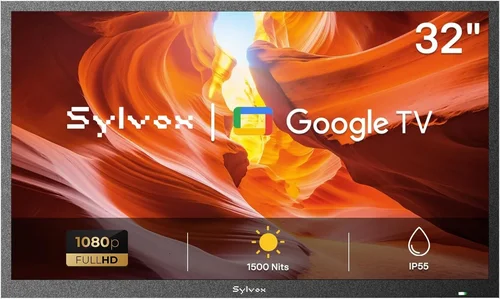
If you’ve ever dreamed of enjoying your favorite shows, sports games, or movies under the open sky—whether it’s a cozy evening in your backyard gazebo or a lively summer barbecue—you’re not alone. Outdoor living spaces have evolved from simple patios into fully functional extensions of our homes, complete with grills, seating, lighting, and yes, even televisions. But bringing entertainment outdoors comes with unique challenges, especially when it comes to protecting your tech from the elements. That’s where weatherproof TVs come in.
Unlike standard indoor TVs, weatherproof models are specifically engineered to withstand rain, snow, dust, humidity, extreme temperatures, and even direct sunlight. They’re built for durability without sacrificing picture quality or smart functionality. Whether you’re installing one in a covered gazebo, an outdoor kitchen, or a screened-in porch, choosing the right weatherproof TV can make all the difference between a long-lasting entertainment hub and a costly mistake. This guide is designed to help you navigate the growing market with confidence, so you can invest wisely and enjoy years of reliable outdoor viewing.
In this comprehensive buying guide, we’ll walk you through everything you need to know before purchasing a weatherproof TV for your gazebo or outdoor space. You’ll learn how to evaluate key performance specs, understand build quality standards, compare different types of outdoor TVs, avoid common pitfalls, and determine how much to spend based on your needs and budget. We’ll also share expert tips on timing your purchase, where to buy, and what warranty considerations matter most. By the end, you’ll have a clear roadmap to find the perfect weatherproof TV that delivers stunning visuals, rugged reliability, and seamless integration into your outdoor lifestyle.

What to Look for When Buying a Weatherproof TV
1. IP Rating & Weather Resistance
The first and most critical factor when choosing a weatherproof TV is its Ingress Protection (IP) rating. This standardized code tells you exactly how well the TV resists dust and water. For outdoor use—especially in a gazebo that may be partially exposed to rain or wind-driven moisture—you’ll want at least an IP54 rating, but ideally IP55 or higher.
An IP55 rating means the TV is protected against dust (limited ingress, no harmful deposits) and low-pressure water jets from any direction. If your gazebo is fully enclosed or covered, IP54 might suffice, but for areas with frequent rain or high humidity, aim for IP65 (dust-tight and protected against water projected from a nozzle). Some premium models even offer IP66 or IP67 ratings, making them suitable for near-pool installations or coastal environments.
Don’t assume all “outdoor” TVs are created equal. Many manufacturers market TVs as “weather-resistant” without providing an official IP rating—this is a red flag. Always verify the IP code in the product specifications. Also, note that while the screen and internal components are sealed, the mounting hardware and cable connections must also be weatherproofed. Look for models with sealed ports, rubber grommets, and included outdoor-rated cables or conduit kits.
2. Display Technology & Brightness
Outdoor visibility is a major challenge. Sunlight glare, ambient light, and reflections can wash out images on even the best indoor screens. That’s why brightness—measured in nits—is crucial. For a gazebo that gets partial sun, you’ll need a TV with at least 700 nits of peak brightness. For fully sunlit areas or south-facing installations, look for 1,000 nits or more.
Most weatherproof TVs use either LED-LCD or OLED panels. LED-LCDs are more common in outdoor models due to their higher brightness capabilities and lower cost. Many top-tier outdoor TVs now feature high-brightness LED backlighting with anti-reflective coatings to reduce glare. OLEDs, while offering superior contrast and deeper blacks, typically max out around 800 nits and are less common in fully weatherproof designs due to cost and longevity concerns in extreme temperatures.
Resolution matters too. While 4K UHD is now standard even in outdoor TVs, ensure the model supports HDR (High Dynamic Range) for better color accuracy and contrast in bright conditions. Look for HDR10 or Dolby Vision compatibility if you plan to stream premium content. Also, consider viewing angles—especially if your gazebo seats multiple people. IPS (In-Plane Switching) panels offer wider viewing angles than VA panels, though they may sacrifice some contrast.
3. Temperature Tolerance & Operating Range
Outdoor temperatures fluctuate dramatically—from freezing winters to scorching summer afternoons. A weatherproof TV must operate reliably across a wide thermal range. Most quality models specify an operating temperature range between -22°F (-30°C) and 122°F (50°C). Storage temperatures may extend even further.
Internal components like capacitors, processors, and display drivers degrade faster under thermal stress. Premium weatherproof TVs often include built-in heaters and cooling fans to maintain optimal internal temperatures. For example, some models activate a small heater when temps drop below freezing to prevent LCD fluid from thickening, which can cause image lag or damage.
If you live in a region with harsh winters or intense summer heat, prioritize TVs with active thermal management. Passive designs (no fans or heaters) may save energy but risk performance issues or shortened lifespan in extreme climates. Check the manufacturer’s specs for both operating and non-operating temperature ranges—and don’t assume “weatherproof” means “all-weather ready.”
4. Build Quality & Enclosure Design
A weatherproof TV isn’t just a standard TV in a plastic box. It’s a fully integrated system with a sealed, corrosion-resistant enclosure. Look for housings made from powder-coated aluminum or marine-grade stainless steel—materials that resist rust, UV degradation, and warping.
The screen itself should be protected by tempered glass or a durable polycarbonate layer with anti-reflective and anti-scratch properties. Avoid models with thin plastic covers; they yellow over time and scratch easily. The entire unit should be fully sealed, with no ventilation holes that could allow moisture ingress.
Pay attention to cable management. Outdoor-rated TVs often include rear access panels with rubber seals for HDMI, power, and antenna connections. Some models come with pre-installed weatherproof cable glands or junction boxes. Ensure all ports are covered when not in use—even Ethernet and USB ports should have protective caps.
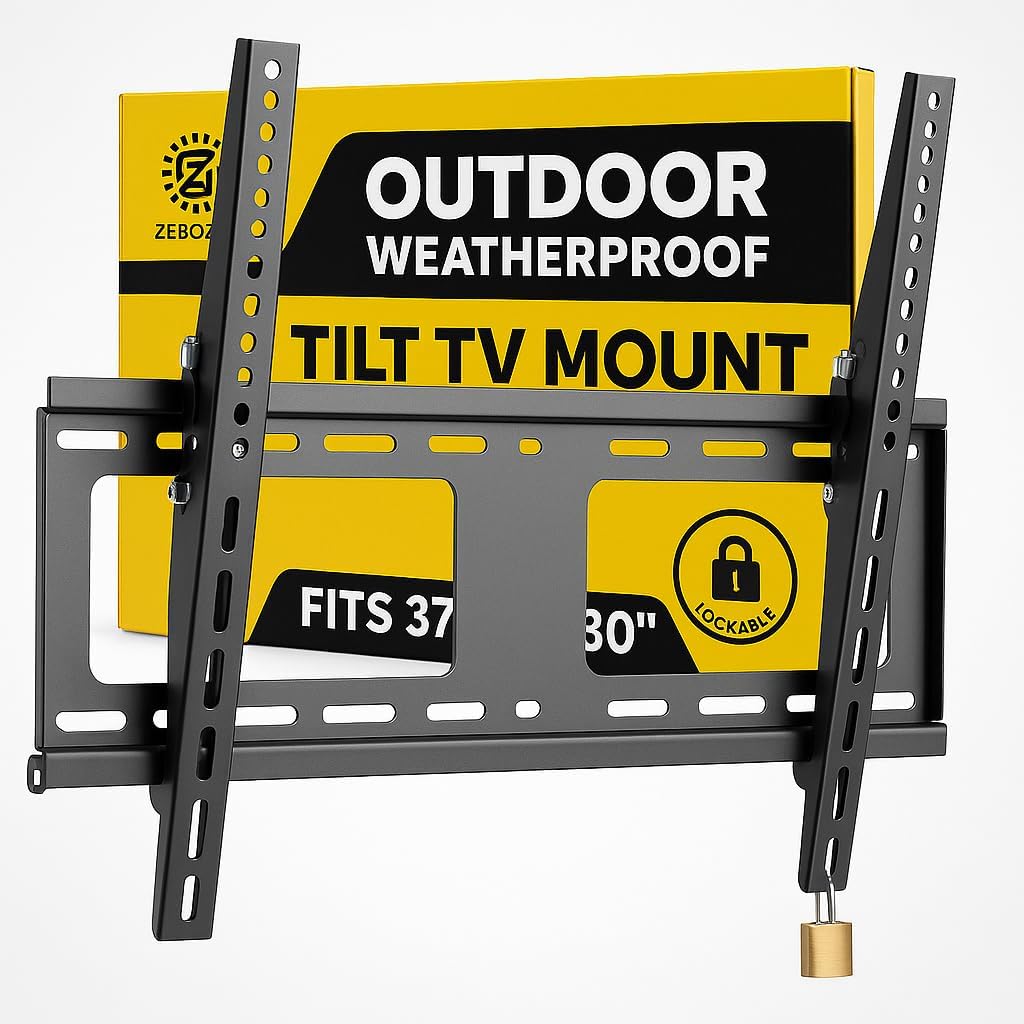
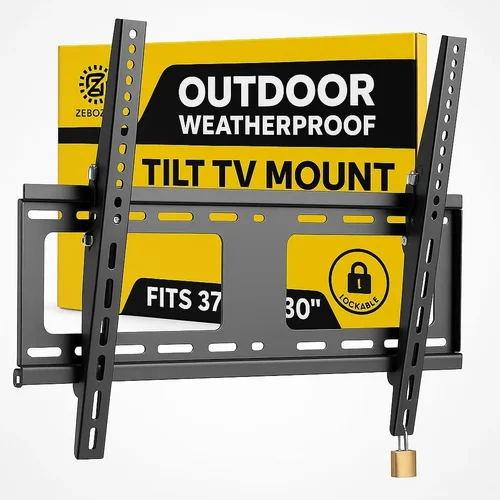
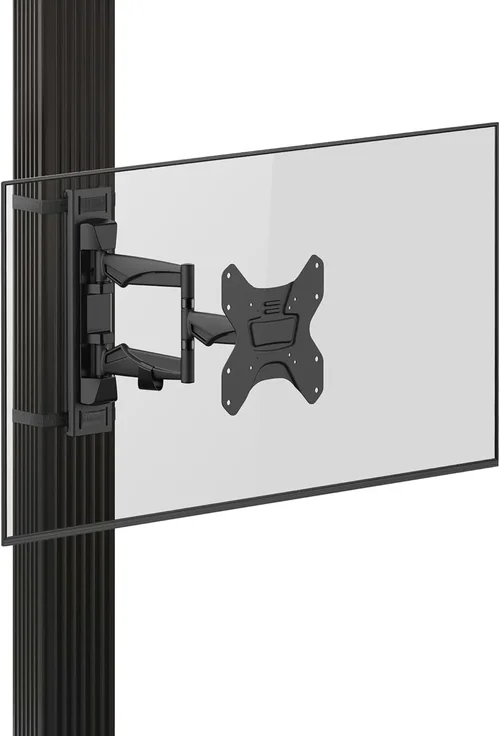
Mounting is another consideration. Most weatherproof TVs are VESA-compatible, but you’ll need an outdoor-rated mount that’s also corrosion-resistant. Many manufacturers sell matching wall or ceiling mounts designed specifically for their TVs, which often include tilt and swivel features for optimal viewing angles.
5. Smart Features & Connectivity
Just because it’s outdoors doesn’t mean you should sacrifice smart functionality. Most modern weatherproof TVs run full smart platforms like Android TV, webOS, or Roku TV, giving you access to Netflix, YouTube, Disney+, and more—right from your gazebo.
Wi-Fi connectivity is essential, but outdoor signal strength can be weak. Look for dual-band Wi-Fi (2.4GHz and 5GHz) with MIMO antennas for better range and stability. Some models include optional external antenna ports for boosting reception. Bluetooth is also useful for connecting wireless speakers or headphones.
HDMI ports are a must—at least two, preferably three. One might be used for a streaming stick (like a Fire Stick or Apple TV), another for a soundbar, and a third for occasional gaming or Blu-ray playback. Ensure the ports are labeled as “weatherproof” or come with protective covers.
Audio is often overlooked. Built-in speakers on outdoor TVs are usually modest due to space and sealing constraints. If you plan to watch without external audio, look for models with at least 10W per channel and support for Dolby Audio. For better sound, pair your TV with weatherproof outdoor speakers or a soundbar mounted nearby.
6. Brand Reputation & Reliability
Not all brands that sell weatherproof TVs are created equal. Stick with manufacturers known for outdoor electronics or those with a proven track record in ruggedized displays. Established names like Samsung (via their Terrace line), SunBriteTV (a pioneer in outdoor TVs), Seura, and LG offer models specifically engineered for outdoor use.
Avoid generic or off-brand “outdoor TVs” sold on discount marketplaces. These often repackage indoor TVs with minimal weatherproofing and lack proper certifications. They may fail within months and offer little to no customer support.
Research brand history: How long have they been making outdoor TVs? Do they provide detailed installation guides? Are replacement parts available? Brands with strong reputations typically invest in R&D, rigorous testing, and long-term support—critical for a product expected to last 5–10 years outdoors.
7. Warranty & Customer Support
Outdoor electronics are expensive, and you deserve protection. A robust warranty is a strong indicator of a manufacturer’s confidence in their product. Look for at least a 2-year limited warranty, with some premium brands offering 3–5 years.
Pay attention to what’s covered. Does the warranty include damage from moisture, temperature extremes, or power surges? Is accidental damage covered? Can you get in-home service, or do you need to ship the unit back? Some companies offer extended warranties or service plans for an additional fee.
Customer support matters too. Can you reach a real person quickly? Are there local service centers? Check online reviews for experiences with returns, repairs, and responsiveness. A brand that stands behind its products will make the ownership experience far less stressful.
8. Size & Viewing Distance
Choosing the right screen size depends on your gazebo’s layout and typical seating arrangement. A common rule of thumb: divide your viewing distance (in inches) by 1.5 to get the ideal screen diagonal in inches. For example, if viewers sit 8 feet (96 inches) away, a 65-inch TV (96 ÷ 1.5 ≈ 64) is ideal.
However, outdoor environments often have more ambient light and less controlled seating, so you may prefer a slightly larger screen for better visibility. Common sizes for gazebos range from 43 inches (for small, intimate spaces) to 75 inches (for larger entertaining areas).
Avoid going too big—oversized TVs can overwhelm a cozy gazebo and strain your budget. Also, ensure your mounting location can support the weight and that cables can be routed safely and discreetly.
Different Types of Weatherproof TVs
Common Buying Mistakes to Avoid
❌ Mistake: Assuming All “Outdoor” TVs Are Equal
Why it’s bad: The term “outdoor TV” is not regulated. Some manufacturers slap the label on barely modified indoor models with minimal weatherproofing. These units often lack proper IP ratings, thermal management, or sealed enclosures, leading to premature failure.
What to do instead: Always verify the IP rating, operating temperature range, and enclosure materials. Stick to brands with a proven outdoor TV lineup and read third-party reviews from actual users in similar climates.
❌ Mistake: Ignoring Viewing Conditions
Why it’s bad: Installing a TV with only 500 nits brightness in a sunny gazebo will result in a washed-out, unwatchable image—even on cloudy days. Conversely, overspending on a 1,500-nit commercial display for a shaded porch is unnecessary.
What to do instead: Assess your gazebo’s sun exposure. Use a light meter app or observe shadow patterns throughout the day. Match the TV’s brightness (nits) to your environment: 700+ nits for partial sun, 1,000+ for full sun.
❌ Mistake: Skimping on Mounting Hardware
Why it’s bad: Standard indoor mounts aren’t designed for outdoor conditions. Rust, corrosion, and wind load can cause failure, potentially damaging the TV or creating a safety hazard.
What to do instead: Invest in a marine-grade, powder-coated outdoor mount rated for your TV’s weight and size. Consider tilt and swivel features for optimal viewing angles, and ensure all bolts and anchors are stainless steel.
❌ Mistake: Overlooking Audio Needs
Why it’s bad: Built-in TV speakers are often muffled due to sealing requirements and lack power. Relying on them in an open gazebo results in poor dialogue clarity and weak bass.
What to do instead: Plan for external audio from the start. Pair your TV with weatherproof outdoor speakers or a soundbar. Use Bluetooth or wired connections, and consider a receiver with volume control for convenience.
❌ Mistake: Neglecting Power Protection
Why it’s bad: Outdoor electrical systems are prone to surges from lightning, grid fluctuations, or nearby appliances. Without protection, a power spike can fry your TV’s internal components.
What to do instead: Use a high-quality outdoor surge protector with at least 2,000 joules of protection. For added safety, install a whole-house surge suppressor or consider a UPS (uninterruptible power supply) for critical setups.
❌ Mistake: Buying Based on Price Alone
Why it’s bad: The cheapest “outdoor” TV may save you $500 upfront but cost you $1,500 in replacements over five years. Low-cost models often use inferior components and lack durability.
What to do instead: Focus on total cost of ownership. A mid-range weatherproof TV with a 3-year warranty and proven reliability often offers better long-term value than a budget model that fails in two years.
❌ Mistake: Forgetting About Maintenance
Why it’s bad: Even the best weatherproof TVs require occasional cleaning and inspection. Dust, pollen, and bird droppings can accumulate on screens and vents, affecting performance and longevity.
What to do instead: Clean the screen monthly with a microfiber cloth and mild cleaner. Inspect seals and cables annually. Keep the area around the TV clear of debris and vegetation.
Budget Guidelines: How Much Should You Spend?
Entry-Level ($800–$1,500): These are typically partial-weather or convertible models suitable for fully covered, shaded gazebos. Expect brightness around 500–700 nits, basic smart features, and limited thermal management. Ideal for occasional use in mild climates. Brands like Element and some Vizio outdoor kits fall here.
Mid-Range ($1,500–$3,500): This is the sweet spot for most homeowners. You’ll get IP55+ ratings, 700–1,000 nits brightness, full smart platforms, and reliable build quality. Models from SunBriteTV’s Veranda series or Samsung’s Terrace Lite fit here. Perfect for year-round use in covered outdoor spaces.
Premium ($3,500–$6,000): Designed for serious outdoor entertainers. These TVs offer 1,000+ nits, active cooling/heating, premium materials, and extended warranties. Great for partially exposed gazebos or homes in extreme climates. Look at SunBriteTV’s Pro series or Seura’s Shadow Series.
Luxury ($6,000+): Top-tier all-weather or commercial-grade displays with 1,500+ nits, 24/7 operation capability, and vandal-resistant designs. Ideal for large gazebos, outdoor bars, or coastal properties. Samsung’s full Terrace line and custom commercial solutions reside here.
Expert Tips for Getting the Best Deal
– Buy during off-seasons: Prices drop significantly in late fall and winter when outdoor demand slows. Many retailers offer 20–30% discounts from November to February.
– Check manufacturer refurbished programs: Brands like SunBriteTV and Seura sell certified refurbished units with full warranties at 15–25% off retail.
– Bundle with installation: Some dealers offer free or discounted mounting and cable management when you purchase the TV and install together.
– Compare total package costs: Factor in mounts, cables, surge protectors, and audio gear. A slightly more expensive TV with included accessories may be cheaper overall.
– Read real user reviews: Look for feedback from buyers in similar climates and installations. Forums like AVS Forum and Reddit’s r/outdoortv are goldmines of honest experiences.
– Verify return policies: Outdoor TVs are bulky and expensive to return. Ensure the retailer offers at least 30 days to test and return if needed.
– Consider energy efficiency: Higher brightness and thermal systems consume more power. Look for ENERGY STAR ratings to save on electricity over time.
– Plan for future upgrades: Choose a TV with multiple HDMI ports and smart platform support so you can easily add streaming devices or gaming consoles later.

Frequently Asked Questions
Q: Can I use a regular TV in my gazebo if it’s covered?
A: Technically, you can—but it’s not recommended. Even covered areas experience humidity, temperature swings, and accidental moisture. Indoor TVs lack proper sealing and thermal management, leading to corrosion, screen fogging, or component failure within 1–2 years. The warranty will almost certainly be voided.
Q: Do weatherproof TVs need special power outlets?
A: Not necessarily, but they should be connected to a GFCI (Ground Fault Circuit Interrupter) outlet for safety, especially in damp locations. Use a dedicated circuit if possible, and always include a surge protector rated for outdoor use.
Q: How do I clean my weatherproof TV screen?
A: Use a soft, lint-free microfiber cloth slightly dampened with water or a 50/50 mix of water and isopropyl alcohol. Never spray liquid directly on the screen. Avoid ammonia-based cleaners like Windex, which can damage anti-reflective coatings.
Q: Can I leave my weatherproof TV outside year-round?
A: Yes, if it’s rated for your climate’s temperature range and properly installed. However, in areas with heavy snow or ice, consider a protective cover during extreme weather to prolong lifespan.
Q: Are weatherproof TVs compatible with streaming devices?
A: Absolutely. Most have HDMI ports and support popular streaming sticks like Roku, Fire TV, or Apple TV. Just ensure the device is also protected from moisture—mount it inside the TV’s rear compartment or use a weatherproof enclosure.
Q: What’s the difference between a weatherproof TV and a TV enclosure?
A: A weatherproof TV is a complete, factory-sealed unit designed for outdoor use. A TV enclosure is a protective case you buy separately to house a standard indoor TV. Enclosures are cheaper upfront but may limit airflow, brightness, and smart functionality.
Q: How long do weatherproof TVs last?
A: With proper care, most last 5–10 years. Premium models with robust build quality and thermal management often exceed 8 years, even in harsh environments.
Q: Can I mount a weatherproof TV on a ceiling in my gazebo?
A: Yes, but only with a certified outdoor ceiling mount. Ensure the structure can support the weight and that cables are routed safely through weatherproof conduits.
Q: Do weatherproof TVs come with remotes that work outdoors?
A: Most include standard IR remotes, which can struggle in bright sunlight. Consider upgrading to a Bluetooth remote or using a smartphone app for better reliability.
Q: Is professional installation worth it?
A: For most buyers, yes. Proper mounting, cable management, and electrical setup require expertise. A botched installation can void warranties or create safety hazards. Many dealers offer affordable installation packages.
Our Final Recommendations
Best for Budget-Conscious Buyers: SunBriteTV Veranda Series (55-inch) – Offers excellent value with IP55 rating, 700 nits brightness, and full smart features under $2,000. Ideal for covered gazebos in moderate climates.
Best Overall Value: Samsung The Terrace Lite (65-inch) – Combines Samsung’s reliability with 1,000 nits brightness, IP55 protection, and seamless integration with Samsung ecosystems. Priced around $2,800.
Best Premium Option: SunBriteTV Pro Series (75-inch) – Built for extreme conditions with 1,500 nits, active cooling, and military-grade durability. Perfect for partially exposed or coastal gazebos. Around $5,500.
Best for Beginners: Element 50-inch Outdoor TV – Simple setup, solid performance, and affordable at under $1,200. Great for first-time outdoor TV owners with fully covered spaces.
Best for Advanced Users: Seura Shadow Series (65-inch) – Ultra-slim design with 1,200 nits, hidden cable management, and customizable bezels. Ideal for high-end outdoor living spaces. Priced at $4,200.
Conclusion: Making the Right Choice
Choosing the right weatherproof TV for your gazebo is about balancing performance, protection, and budget. It’s not just about surviving the elements—it’s about enhancing your outdoor lifestyle with reliable, high-quality entertainment. By focusing on IP ratings, brightness, thermal tolerance, and build quality, you’ll avoid costly mistakes and enjoy years of seamless viewing.
Remember, your gazebo is an extension of your home. Investing in a purpose-built weatherproof TV ensures that your investment lasts, performs well, and integrates beautifully into your space. Don’t cut corners on safety or durability. Read reviews, compare specs, and prioritize your specific needs—whether that’s all-day sun exposure, seasonal use, or premium audio-visual experiences.
With the insights from this guide, you’re now equipped to make a confident, informed decision. So go ahead—transform your gazebo into the ultimate outdoor entertainment zone. Your future self will thank you every time you press play under the stars.

