
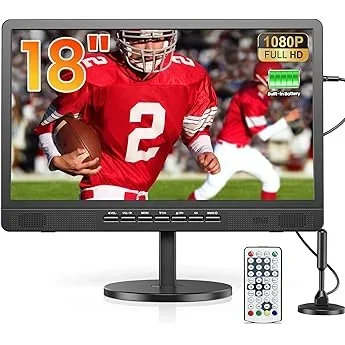
Choosing the right patio TV for a rental home might seem like a straightforward task—after all, it’s just a television for outdoor use, right? Not quite. The reality is that selecting an outdoor display for a space you don’t own introduces a unique set of challenges and considerations that go far beyond screen size or resolution. Unlike homeowners who can invest in permanent, high-end installations, renters need solutions that are flexible, damage-resistant, easy to install and remove, and often budget-conscious. Whether you’re managing a short-term vacation rental, a long-term apartment with a balcony, or a shared outdoor living area, your choice of patio TV must balance performance with practicality.
This comprehensive guide is designed specifically for renters and property managers who want to enhance outdoor entertainment without breaking the lease agreement—or the bank. You’ll learn how to evaluate key factors like weather resistance, portability, installation requirements, and smart features, all while keeping an eye on cost and long-term value. We’ll walk you through the different types of patio TVs available in 2026, compare their strengths and weaknesses, and help you avoid common pitfalls that could lead to buyer’s remorse. By the end, you’ll have a clear roadmap to make a confident, informed decision tailored to your specific rental situation.
The market for outdoor televisions has evolved significantly in recent years. What was once a niche category dominated by bulky, expensive commercial-grade models has now expanded to include sleek, consumer-friendly options that blend seamlessly into modern outdoor living spaces. From fully weatherproof 4K displays to portable smart screens with built-in batteries, there’s never been more choice—but also more confusion. With brands like Samsung, LG, SunBrite, and newer entrants like TCL and Hisense offering specialized outdoor models, it’s essential to understand what truly matters when your installation isn’t permanent and your access to power or mounting points may be limited. This guide cuts through the noise to deliver expert-level insights grounded in real-world rental scenarios.
What to Look for When Buying Buying Guide
1. Weather Resistance & IP Rating
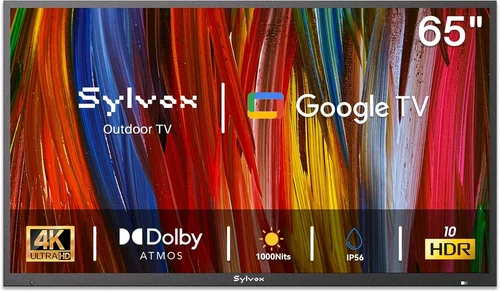
When it comes to patio TVs, weather resistance isn’t optional—it’s essential. Unlike indoor TVs, outdoor models are exposed to rain, humidity, dust, extreme temperatures, and UV radiation. The most reliable indicator of a TV’s ability to withstand these elements is its Ingress Protection (IP) rating. Look for a minimum IP55 rating, which means the TV is protected against low-pressure water jets and limited dust ingress. For full outdoor exposure—especially in rainy or coastal climates—opt for IP65 or higher, indicating complete dust protection and resistance to water projected from any direction.
However, don’t assume all “outdoor” TVs are created equal. Some manufacturers market indoor TVs with weatherproof covers as “patio-ready,” but these setups often lack proper ventilation and can overheat. True outdoor TVs are engineered with sealed components, corrosion-resistant materials, and internal climate control systems (like fans or heaters) to maintain optimal operating temperatures. For renters, this means less risk of malfunction and fewer maintenance headaches. Always verify the IP rating in the product specifications and avoid models that rely solely on external enclosures unless you’re prepared to monitor them closely.
2. Brightness & Display Quality
Outdoor visibility is one of the biggest challenges for any display. Sunlight glare can wash out even the best indoor screens, making content unwatchable during daytime hours. That’s why brightness—measured in nits—is critical. For shaded patios or evening use, a brightness of 500–700 nits may suffice, but for direct sunlight exposure, you’ll need at least 1,000 nits, with premium models offering 2,000 nits or more. High Dynamic Range (HDR) support further enhances contrast and color accuracy, helping images pop even in bright conditions.
In 2026, most reputable outdoor TVs feature OLED or advanced QLED panels optimized for outdoor viewing. OLED offers superior contrast and deeper blacks, ideal for nighttime movie nights, while QLED provides brighter, more vibrant colors that hold up well in daylight. Avoid standard LED-LCD TVs unless they’re explicitly rated for outdoor use—they rarely deliver the luminance needed for comfortable viewing outside. Also consider anti-reflective coatings and optically bonded glass, which reduce glare and improve clarity. For renters hosting guests or using the space frequently, investing in a brighter, higher-quality display pays off in user satisfaction.
3. Installation Flexibility & Mounting Options
One of the biggest advantages of renting is mobility—but that same freedom can become a liability if your patio TV requires permanent modifications. Landlords typically prohibit drilling into walls, concrete, or railings, so your TV must be installable without causing damage. Look for models compatible with freestanding stands, clamp mounts, or weighted bases that don’t require screws or anchors. Some outdoor TVs come with optional pedestal stands or are designed to sit securely on a table or shelf.
Wall-mountable models should include VESA-compatible brackets and allow for easy removal without leaving large holes. If you must mount to a surface, consider using removable adhesive strips rated for outdoor use (like heavy-duty Command Outdoor Hooks) or temporary rail clamps for balconies. Always check your lease agreement before installing anything, even if it claims to be “damage-free.” Additionally, cable management is crucial—look for TVs with built-in cable channels or routing systems to keep wires tidy and protected from the elements. The goal is a setup that looks professional, functions reliably, and leaves no trace when you move out.
4. Portability & Weight
For renters who move frequently or share outdoor spaces (like apartment courtyards or co-living setups), portability is a major advantage. A lightweight, compact TV that can be easily relocated or stored during off-seasons adds significant value. While most outdoor TVs are heavier than their indoor counterparts due to reinforced casings, some models prioritize mobility. Look for units under 30 pounds with integrated handles or optional carrying cases.
Portable outdoor TVs often feature built-in rechargeable batteries, eliminating the need for constant proximity to an outlet. These are ideal for poolside lounging, rooftop gatherings, or camping trips. However, battery life varies widely—ranging from 2 to 8 hours—so match the runtime to your typical usage patterns. Keep in mind that battery-powered models may sacrifice screen size or brightness to conserve energy. If you plan to use the TV primarily in one fixed location, weight and portability matter less, but for maximum flexibility, a lighter, more mobile option is worth the investment.
5. Smart Features & Connectivity
In 2026, even outdoor TVs are expected to deliver smart functionality. Built-in Wi-Fi, streaming apps (Netflix, YouTube, Disney+, etc.), voice control via Alexa or Google Assistant, and screen mirroring capabilities transform your patio into a true entertainment hub. For renters, this means no need for additional streaming devices cluttering the setup—everything is integrated and ready to go.
Check for HDMI ports (at least two), USB inputs, and Bluetooth connectivity to support external devices like soundbars, gaming consoles, or media players. Some models also include weatherproof external input boxes that protect cables from moisture—a smart addition for long-term outdoor use. Avoid TVs that require proprietary apps or subscriptions to access basic features; open ecosystems like Android TV or webOS offer more flexibility and longer software support. Also consider whether the remote control is backlit or weather-resistant—small details that make a big difference during evening use.
6. Audio Quality & Sound Solutions
Most outdoor TVs have limited built-in speakers due to space and weatherproofing constraints. While adequate for casual listening, they often lack the depth and volume needed for immersive outdoor viewing. This is especially true in open spaces where sound dissipates quickly. For renters, adding a separate outdoor sound system is usually the best solution.
Look for TVs with optical audio output, HDMI ARC, or Bluetooth 5.0+ to easily connect to weatherproof speakers or soundbars. Many manufacturers offer matching audio accessories designed to withstand the same conditions as their TVs. Alternatively, wireless Bluetooth speakers with IPX5 or higher ratings can be placed strategically around the patio for surround-like effects. Avoid relying solely on the TV’s internal audio unless you’re only watching quiet content like news or podcasts. Good sound dramatically enhances the outdoor viewing experience and justifies the investment in a quality display.
7. Brand Reputation & Reliability
Not all TV brands are equally committed to the outdoor market. While mainstream manufacturers like Samsung and LG offer some outdoor-compatible models, specialists like SunBrite (by Peerless-AV), Seura, and SkyVue have built their reputations on rugged, purpose-built outdoor displays. These companies conduct rigorous environmental testing and often provide longer warranties specifically for outdoor use.
For renters, brand reliability translates to fewer service calls, better customer support, and longer product lifespan—even if you move every few years. Read professional reviews from outlets like CNET, Wirecutter, or Outdoor Electronics Review, and pay attention to user feedback regarding durability and after-sales service. Avoid unknown brands that promise premium features at suspiciously low prices; they often cut corners on materials and firmware updates. A reputable brand may cost more upfront but saves money and frustration in the long run.
8. Warranty & Support
Outdoor electronics are inherently more vulnerable to failure, so a strong warranty is non-negotiable. Most quality patio TVs come with at least a 2-year limited warranty, with some premium models offering 3–5 years. Importantly, ensure the warranty explicitly covers outdoor use—some indoor TV warranties are voided if used outside, even with a cover.
Check what the warranty includes: Does it cover accidental damage? Power surges? Corrosion? Is on-site service available, or must you ship the unit? For renters, remote troubleshooting and quick replacement options are ideal, as you may not have easy access to repair centers. Also verify the manufacturer’s support responsiveness—look for brands with dedicated outdoor product support lines and online resources like installation guides and FAQs. A solid warranty isn’t just peace of mind; it’s a reflection of the manufacturer’s confidence in their product’s durability.
Different Types of Buying Guide

Common Buying Mistakes to Avoid
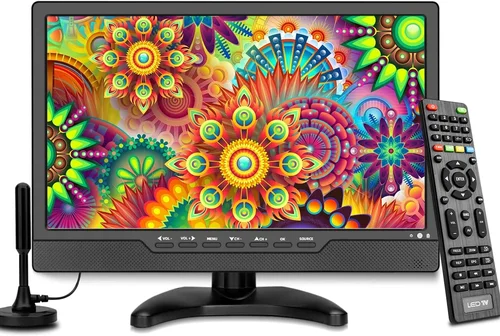
❌ Mistake: Buying an Indoor TV and Assuming It’s Outdoor-Ready
Why it’s bad: Indoor TVs lack the sealing, brightness, and thermal regulation needed for outdoor environments. Even with a cover, they’re prone to overheating, moisture damage, and screen washout in sunlight. Many warranties are voided if used outside.
What to do instead: Only purchase TVs explicitly rated for outdoor use (IP55 or higher) or pair an indoor model with a certified, ventilated outdoor enclosure from a reputable brand like Peerless-AV or VIVO.
❌ Mistake: Ignoring Power Requirements and Cable Management
Why it’s bad: Outdoor setups often lack convenient outlets, and exposed cords create tripping hazards and invite water damage. Running extension cords across walkways is unsafe and unsightly.
What to do instead: Choose a TV with low power consumption or battery operation. Use outdoor-rated extension cords with GFCI protection, and route cables through conduit or under outdoor rugs. Consider solar-powered options for eco-friendly setups.
❌ Mistake: Overlooking Lease Restrictions Before Installing
Why it’s bad: Drilling holes or mounting hardware without permission can result in security deposit deductions or lease violations—even if you plan to patch the walls later.
What to do instead: Review your lease agreement carefully. Opt for non-permanent mounting solutions like weighted bases, clamp mounts, or freestanding stands. Get written approval from your landlord if modifications are necessary.
❌ Mistake: Prioritizing Size Over Brightness
Why it’s bad: A large screen is useless if you can’t see it in daylight. Many buyers choose bigger TVs only to find them unwatchable outside due to low brightness.
What to do instead: Prioritize nits over inches. A 55-inch TV with 1,500 nits will outperform a 75-inch model with 400 nits in sunny conditions. Match screen size to viewing distance and ambient light levels.
❌ Mistake: Skipping Audio Upgrades
Why it’s bad: Built-in TV speakers are rarely loud or clear enough for outdoor spaces, leading to a frustrating viewing experience—especially for movies or sports.
What to do instead: Budget for a compatible outdoor soundbar or wireless speaker system. Even a modest IPX5-rated Bluetooth speaker can dramatically improve audio quality without permanent installation.
❌ Mistake: Choosing Based Solely on Price
Why it’s bad: The cheapest option often lacks essential features like proper weatherproofing, smart capabilities, or reliable support—leading to early replacement costs.
What to do instead: Focus on total value, not just upfront cost. Consider longevity, warranty coverage, and how well the TV meets your specific rental needs. A mid-range model with strong reviews often outperforms a budget pick over time.
❌ Mistake: Not Testing Before Committing
Why it’s bad: Outdoor conditions vary widely—what works on a shaded balcony may fail on a sun-drenched deck. Buying without real-world testing risks disappointment.
What to do instead: If possible, test the TV during peak sunlight hours. Check return policies and opt for retailers with generous trial periods (30 days or more). Some brands offer demo units for short-term rental.
Budget Guidelines: How Much Should You Spend?
- Entry-Level ($400–$900): Ideal for covered patios with minimal sun exposure. Expect basic weather resistance (IP55), 500–700 nits brightness, and limited smart features. Often indoor TVs with third-party covers. Best for occasional use or small spaces.
- Mid-Range ($900–$2,000): The sweet spot for most renters. These models offer true outdoor ratings (IP65), 1,000+ nits brightness, full smart platforms, and better build quality. Great for shaded decks, balconies, or evening entertainment.
- Premium ($2,000–$4,000): For serious outdoor entertainers or property managers. Features include 2,000+ nits brightness, OLED/QLED panels, advanced thermal systems, and comprehensive warranties. Suitable for full sun exposure and frequent use.
- Luxury ($4,000+): Top-tier commercial-grade displays with 24/7 operation capability, extreme durability, and custom integration options. Best for high-end vacation rentals or luxury apartment complexes where reliability and aesthetics are paramount.
Expert Tips for Getting the Best Deal
- Buy During Off-Seasons: Patio TVs see peak demand in spring and summer. Shop in late fall or winter (November–February) for discounts of 15–30% as retailers clear inventory.
- Check Retailer Return Policies: Look for stores with 30- to 60-day return windows and free return shipping. This gives you time to test the TV in your actual outdoor conditions.
- Bundle with Accessories: Some manufacturers offer discounts when you buy a TV with a matching mount or sound system. Ask about package deals before purchasing separately.
- Consider Refurbished or Open-Box Models: Certified refurbished outdoor TVs from reputable sellers (like Best Buy Outlet or manufacturer websites) often come with full warranties and significant savings.
- Negotiate with Landlords: If you’re a long-term renter, propose a cost-sharing arrangement where the landlord covers part of the TV in exchange for enhanced property value. Document everything in writing.
- Use Price Tracking Tools: Set alerts on Google Shopping, CamelCamelCamel (for Amazon), or Honey to monitor price drops on your desired model.
- Verify Local Regulations: Some HOAs or apartment complexes restrict outdoor electronics. Confirm rules before buying to avoid forced removal.
- Prioritize Energy Efficiency: Look for ENERGY STAR-certified models to reduce electricity costs, especially if using the TV frequently or in areas with high utility rates.

Frequently Asked Questions
Q: Can I use a regular TV outdoors if I cover it?
A: Technically yes, but it’s not recommended for anything beyond very occasional, covered use. Indoor TVs lack proper ventilation and brightness, and most warranties won’t cover outdoor damage. For reliable, safe performance, invest in a true outdoor model or a certified enclosure system.
Q: Do I need a special outlet for an outdoor TV?
A: Not necessarily, but you should use a Ground Fault Circuit Interrupter (GFCI) outlet for safety. If your patio doesn’t have one, hire an electrician to install it—this is often required by code for outdoor electrical devices.
Q: How do I protect my patio TV from theft?
A: Use security cables or locks compatible with VESA mounts. Choose a location that’s visible from inside the home but not easily accessible from the street. For high-risk areas, consider a portable model you can store indoors when not in use.
Q: Will an outdoor TV work in winter or cold climates?
A: Yes, but only if it’s rated for low-temperature operation (typically down to -22°F or -30°C). Premium models include internal heaters to prevent condensation and ensure startup in cold weather. Avoid using non-outdoor TVs in freezing conditions.
Q: Can I stream content reliably outdoors?
A: It depends on your Wi-Fi signal strength. Outdoor areas often have weak coverage. Consider a Wi-Fi extender, mesh network, or powerline adapter to boost connectivity. Some TVs also support Ethernet via weatherproof external boxes.
Q: Are outdoor TVs worth it for short-term rentals?
A: Absolutely—if positioned correctly. A patio TV can significantly increase booking rates and guest satisfaction for vacation rentals. Just ensure it’s easy to secure, maintain, and doesn’t violate local short-term rental regulations.
Q: How long do outdoor TVs typically last?
A: With proper care, a quality outdoor TV can last 7–10 years or more. Cheaper indoor-TV-with-cover setups may fail within 2–3 years due to moisture or overheating. Regular cleaning and seasonal storage (if applicable) extend lifespan.
Q: Do I need professional installation?
A: Not usually. Most outdoor TVs are designed for DIY setup. However, if you’re mounting on a complex surface (like stucco or tile) or running cables through walls, hiring a pro ensures safety and avoids damage.
Q: Can I use my patio TV during rain?
A: Only if it has an IP65 or higher rating. Lower-rated models (IP55) can handle splashes but shouldn’t be left in heavy rain. Always check the manual—and when in doubt, bring it under cover.
Q: What’s the difference between partial and full sun outdoor TVs?
A: Partial sun models (1,000–1,500 nits) work well in shaded or covered areas. Full sun TVs (2,000+ nits) are engineered for direct sunlight with enhanced brightness, anti-glare coatings, and superior thermal management.
Our Final Recommendations
- Best for Budget-Conscious Buyers: TCL 55″ 4K UHD Outdoor TV with IP55 Rating – Offers solid brightness (600 nits), basic smart features, and a lightweight design perfect for covered balconies. Priced under $800, it’s a great entry point without sacrificing core functionality.
- Best Overall Value: SunBrite Veranda Series 55″ 4K Outdoor TV – Combines true outdoor durability (IP65), 1,000 nits brightness, and Android TV in a sleek, renter-friendly package. Easy to mount and remove, with excellent customer support.
- Best Premium Option: Seura Shadow 65″ Ultra-Bright Outdoor TV – Boasts 2,500 nits, OLED panel, and a nearly invisible bezel design. Ideal for luxury rentals or sun-drenched patios where image quality is paramount.
- Best for Beginners: Hisense 50″ Portable Outdoor TV with Battery – Simple setup, built-in streaming, and 6-hour battery life make this perfect for first-time outdoor TV users. No installation required.
- Best for Advanced Users: SkyVue Pro 75″ Commercial Outdoor Display – Built for 24/7 operation with advanced cooling, modular design, and remote management. Ideal for property managers overseeing multiple units.
Conclusion: Making the Right Choice
Choosing a patio TV for a rental home isn’t just about picking the shiniest screen—it’s about finding a balance between performance, practicality, and peace of mind. You need a display that can handle the elements, respect your lease terms, and deliver a great viewing experience without requiring permanent changes to the property. By focusing on weather resistance, brightness, installation flexibility, and smart features, you’ll avoid the common traps that lead to frustration and wasted money.
Remember, the best patio TV for you depends on your specific situation: How much sun does your space get? How often will you use it? Are you likely to move soon? Answering these questions honestly will guide you toward the right type, size, and price point. Don’t rush the decision—take advantage of return policies, read real user reviews, and consider the total cost of ownership, including accessories and potential repairs.
Ultimately, a well-chosen patio TV transforms your outdoor space from a passive area into a vibrant hub for relaxation, entertainment, and connection. Whether you’re hosting friends for a summer barbecue or unwinding with a movie under the stars, the right TV enhances every moment. So invest wisely, install thoughtfully, and enjoy the freedom of outdoor viewing—no ownership required.

