
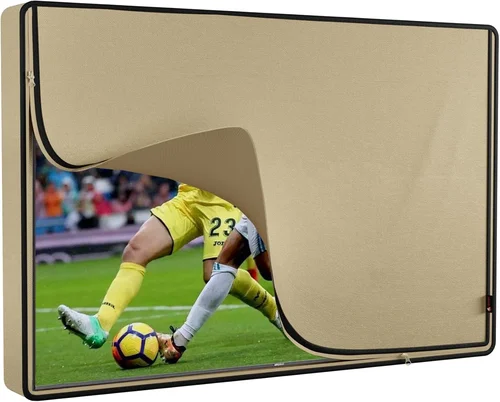
When it comes to enhancing outdoor or semi-outdoor spaces in rental properties—whether it’s a covered patio, a sunroom, a balcony, or even a backyard entertainment area—a weatherproof TV can be a game-changer. Unlike traditional indoor televisions, weatherproof TVs are specifically engineered to withstand the elements: rain, snow, humidity, dust, and extreme temperatures. For landlords and property managers, installing a weatherproof TV isn’t just about luxury—it’s a smart investment that boosts tenant satisfaction, increases property value, and sets your rental apart in a competitive market.
But choosing the right weatherproof TV isn’t as simple as picking the biggest screen or the most recognizable brand. These specialized displays come with unique engineering, performance trade-offs, and installation requirements that differ significantly from standard TVs. A poorly chosen model could fail within months due to moisture damage, overheating, or inadequate brightness for outdoor viewing. That’s why this comprehensive buying guide exists: to help you make an informed, confident decision that balances durability, performance, budget, and long-term reliability.
In this guide, you’ll learn everything you need to know before purchasing a weatherproof TV for rental homes. We’ll break down the critical factors to consider—from IP ratings and thermal management to brightness levels and smart features—and compare different types of weatherproof TVs on the market. You’ll also discover common pitfalls to avoid, realistic budget expectations, expert tips for getting the best deal, and answers to frequently asked questions. Whether you’re managing a single vacation rental or a portfolio of long-term units, this guide will equip you with the knowledge to choose a TV that delivers both performance and peace of mind.
The weatherproof TV market has evolved rapidly over the past few years. What once consisted of bulky, expensive outdoor enclosures has now transformed into sleek, all-in-one units designed for permanent outdoor use. Brands like SunBriteTV, Samsung, LG, and Seura have pioneered technologies that allow high-definition viewing even under direct sunlight. At the same time, more affordable options have emerged, making it feasible for landlords to offer premium amenities without breaking the bank. However, this growth has also led to confusion—many products claim to be “weatherproof” but lack the certifications or build quality to back it up. Our goal is to cut through the marketing noise and give you a clear, actionable roadmap for selecting the best weatherproof TV for your rental property.

What to Look for When Buying Buying Guide
1. IP Rating and Weather Resistance
The Ingress Protection (IP) rating is the most important specification when evaluating a weatherproof TV. This two-digit code indicates how well the TV resists dust and water. The first digit (0–6) measures protection against solid particles like dust, while the second digit (0–8) rates resistance to liquids. For outdoor use, you should look for a minimum rating of IP55—this means the TV is protected against dust (not fully sealed, but sufficient for most outdoor environments) and low-pressure water jets from any direction. However, for areas with heavy rain, snow, or high humidity, aim for IP65 or higher. An IP65-rated TV is dust-tight and can withstand water projected from a nozzle, making it ideal for uncovered patios or coastal climates.
Beyond the IP rating, consider the TV’s overall weatherproofing design. Look for sealed ports, corrosion-resistant materials, and internal heating or cooling systems that prevent condensation and overheating. Some models include built-in heaters to keep the screen functional in freezing temperatures, while others use passive cooling to avoid fan noise and mechanical failure. Always verify that the manufacturer specifies the TV for outdoor or semi-outdoor use—many indoor TVs marketed as “weather-resistant” are not truly built for prolonged exposure.
2. Brightness and Anti-Glare Technology
One of the biggest challenges with outdoor TVs is visibility in bright daylight. Standard indoor TVs typically have a brightness of 300–500 nits, which is insufficient for outdoor use. A quality weatherproof TV should deliver at least 700 nits, with premium models reaching 1,500 to 2,000 nits or more. Higher brightness ensures the image remains clear and vibrant even under direct sunlight.
Equally important is anti-glare technology. Many outdoor TVs feature optically bonded glass or anti-reflective coatings that reduce screen glare and improve contrast. Optically bonded screens eliminate the air gap between the LCD panel and the outer glass, which minimizes reflections and enhances color accuracy. This is especially crucial for south-facing patios or areas with large windows. When comparing models, look for terms like “high-brightness display,” “sunlight-readable,” or “anti-reflective coating” in the specifications.
3. Thermal Management and Operating Temperature Range
Weatherproof TVs must operate reliably across a wide range of temperatures. Most are designed to function between -22°F and 122°F (-30°C to 50°C), but this can vary by model. Extreme heat can cause internal components to overheat, leading to shutdowns or permanent damage, while freezing temperatures can make screens sluggish or unresponsive.
Effective thermal management is key. Look for TVs with passive cooling systems (no fans) to reduce noise and maintenance, or active cooling with sealed, filtered vents that prevent moisture ingress. Some models include internal heaters that activate automatically when temperatures drop below a certain threshold. This is especially important in northern climates or mountain rentals where winter viewing is desired. Always check the manufacturer’s stated operating temperature range and ensure it matches your local climate conditions.
4. Build Quality and Durability
Durability goes beyond weather resistance. A weatherproof TV should be built to last—especially in rental environments where tenants may not handle equipment with the same care as homeowners. Look for robust construction with powder-coated aluminum or stainless-steel frames that resist rust and corrosion. The screen should be made of tempered glass to prevent shattering from accidental impacts.
Pay attention to the quality of internal components as well. Cheaper models may use lower-grade capacitors or power supplies that degrade faster under constant temperature fluctuations. Brands with a proven track record in outdoor electronics—such as SunBriteTV or Seura—often use industrial-grade parts designed for 24/7 operation. Additionally, consider the mounting system. A sturdy, VESA-compatible mount with corrosion-resistant hardware is essential for secure installation and long-term stability.
5. Smart Features and Connectivity
Modern renters expect smart functionality, and weatherproof TVs are no exception. Most outdoor models now come with built-in Wi-Fi, Bluetooth, and popular streaming platforms like Netflix, YouTube, and Disney+. Look for models with intuitive interfaces—such as Android TV, webOS, or Tizen—that are easy for tenants to navigate.
Connectivity options are equally important. Ensure the TV has multiple HDMI ports, USB inputs, and possibly an Ethernet port for wired internet connections, which can be more reliable than Wi-Fi in outdoor settings. Some models include weatherproof cable glands or sealed input panels to protect connections from moisture. If you plan to connect external devices like soundbars, gaming consoles, or streaming sticks, verify that the ports are accessible and well-protected.
6. Size and Viewing Distance
Choosing the right screen size depends on the viewing area and distance. For a small balcony or covered porch, a 43- to 55-inch TV is usually sufficient. For larger patios, decks, or outdoor entertainment zones, consider 65 inches or larger. A general rule of thumb is to sit at a distance of 1.5 to 2.5 times the screen’s diagonal measurement for optimal viewing.
However, size isn’t just about screen real estate—it also affects installation and cost. Larger TVs require stronger mounts and may need professional installation, especially if wall-mounted on exterior surfaces. Additionally, bigger screens consume more power and may require dedicated electrical circuits. Always measure your space and consider sightlines, seating arrangements, and potential obstructions like railings or plants.
7. Brand Reputation and Reliability
Not all weatherproof TVs are created equal. Some brands specialize in outdoor electronics and have years of field-tested reliability, while others repurpose indoor models with minimal modifications. Research brands with a strong reputation in the outdoor TV space. SunBriteTV, for example, has been a leader since 2004 and offers models specifically engineered for extreme conditions. Samsung and LG have also entered the market with high-brightness outdoor displays that leverage their expertise in display technology.
Read professional reviews and user feedback to gauge long-term performance. Look for patterns in complaints—such as premature screen burn-in, Wi-Fi connectivity issues, or failure after a few seasons—and avoid brands with consistent problems. A reputable brand may cost more upfront but can save you money in replacements and tenant complaints down the line.
8. Warranty and Customer Support
Given the harsh operating conditions, a strong warranty is essential. Most quality weatherproof TVs come with a 2- to 3-year limited warranty that covers defects and workmanship. Some premium models offer extended coverage or on-site service, which can be invaluable for rental properties where downtime affects tenant experience.
Check what the warranty includes: Does it cover accidental damage? What about power surges or lightning strikes? Is there a service center nearby, or will you need to ship the unit for repairs? Also, evaluate the manufacturer’s customer support responsiveness. Can you reach a human quickly? Are troubleshooting guides and installation manuals readily available? A good warranty and support system can make the difference between a minor inconvenience and a major headache.
Different Types of Buying Guide

Common Buying Mistakes to Avoid
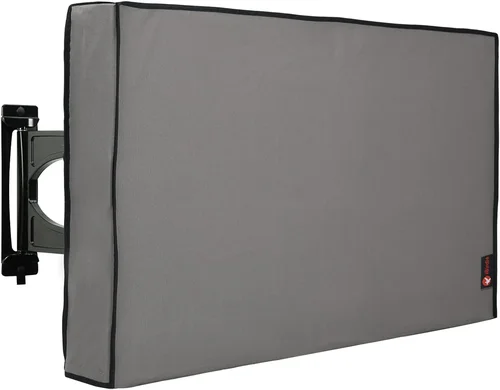
❌ Mistake: Buying an Indoor TV and Assuming It’s Weatherproof
Why it’s bad: Indoor TVs are not designed to handle moisture, temperature swings, or UV exposure. Even if placed under a roof, condensation, humidity, and dust can seep into vents and damage internal components. Many landlords have learned this the hard way—after a few months of outdoor use, the TV fails, and the warranty is voided because it wasn’t rated for outdoor use.
What to do instead: Always purchase a TV explicitly rated for outdoor or semi-outdoor use. Look for certifications like IP55 or higher and verify the manufacturer’s intended use case.
❌ Mistake: Ignoring Brightness Requirements
Why it’s bad: A dim screen is useless in daylight. Tenants will struggle to see the picture, leading to frustration and negative reviews. This is especially true for vacation rentals where guests expect a premium experience.
What to do instead: Choose a TV with at least 700 nits of brightness, and ideally 1,000+ nits for sunny locations. Prioritize models with anti-glare coatings and optically bonded screens for better visibility.
❌ Mistake: Overlooking Thermal Management
Why it’s bad: Without proper cooling or heating, the TV may shut down in extreme temperatures or suffer premature component failure. In hot climates, internal temperatures can soar, while cold weather can cause screen lag or failure to turn on.
What to do instead: Select a model with passive or active thermal management. Check the operating temperature range and ensure it matches your climate. Consider models with built-in heaters for cold regions.
❌ Mistake: Choosing the Wrong Size for the Space
Why it’s bad: A TV that’s too small won’t provide an immersive experience, while one that’s too large can overwhelm the space and be difficult to mount securely.
What to do instead: Measure the viewing distance and use the 1.5x to 2.5x screen diagonal rule. For example, a 65-inch TV is ideal for seating 8 to 14 feet away. Also, ensure the wall or structure can support the weight.
❌ Mistake: Skimping on the Mount and Installation
Why it’s bad: A flimsy mount can fail, especially in windy conditions, potentially causing injury or property damage. Improper installation can also void the warranty.
What to do instead: Invest in a heavy-duty, weatherproof mount rated for the TV’s weight and size. Hire a professional installer if needed, especially for exterior walls or high locations.
❌ Mistake: Not Checking Warranty and Support
Why it’s bad: If the TV fails and the warranty doesn’t cover outdoor use or has poor support, you’re stuck with a costly repair or replacement.
What to do instead: Read the warranty terms carefully. Choose brands with strong customer service and local repair options. Consider extended warranties for high-value units.
❌ Mistake: Forgetting About Connectivity and Future-Proofing
Why it’s bad: Limited ports or outdated smart platforms can make the TV obsolete quickly, reducing its appeal to tenants.
What to do instead: Choose a model with multiple HDMI 2.1 ports, USB, Ethernet, and a modern smart OS. Ensure it supports 4K HDR and future updates.
Budget Guidelines: How Much Should You Spend?
Entry-Level ($800 – $1,500): This range typically includes semi-outdoor TVs designed for covered areas like screened-in porches or garages. These models offer basic weather resistance (IP54 or IP55), moderate brightness (500–700 nits), and standard smart features. While not built for full exposure, they’re a cost-effective option for landlords who want to offer outdoor entertainment without a major investment. Expect shorter warranties (1–2 years) and fewer durability features.
Mid-Range ($1,500 – $3,000): This is the sweet spot for most rental properties. TVs in this tier offer full outdoor certification (IP65), high brightness (1,000–1,500 nits), anti-glare screens, and robust build quality. Brands like SunBriteTV and Seura dominate this space with models that balance performance and price. These units often include 2- to 3-year warranties and reliable thermal management. Ideal for uncovered patios, decks, and vacation rentals.
Premium ($3,000 – $5,000): For landlords seeking top-tier performance and longevity, premium weatherproof TVs deliver exceptional brightness (1,500–2,000+ nits), commercial-grade durability, and advanced features like built-in heaters, fanless cooling, and 24/7 operation capability. These are best suited for high-end vacation homes, luxury rentals, or properties in extreme climates. Expect longer warranties and superior customer support.
Luxury ($5,000+): At this level, you’re investing in the best of the best—large-screen commercial displays, custom installations, and cutting-edge technology. These TVs are overkill for most residential rentals but may be justified for luxury resorts, high-end Airbnbs, or properties with extensive outdoor entertainment systems. Features include ultra-high brightness, modular designs, and integration with home automation systems.
Expert Tips for Getting the Best Deal
1. Buy During Off-Season Sales: The best time to purchase a weatherproof TV is during late fall or winter, when demand is lowest. Retailers often discount outdoor electronics to clear inventory before spring. Look for Black Friday, Cyber Monday, and post-holiday sales.
2. Compare Online and In-Store Options: While online retailers like Amazon, Best Buy, and specialty outdoor electronics stores offer convenience and reviews, don’t overlook local AV integrators. They may provide better warranties, installation services, and personalized advice.
3. Look for Bundled Deals: Some retailers offer packages that include the TV, mount, and cables at a discounted rate. These can save you 10–20% compared to buying separately.
4. Check for Manufacturer Rebates: Brands like SunBriteTV occasionally run rebate programs, especially for commercial or multi-unit purchases. Sign up for newsletters to stay informed.
5. Consider Refurbished or Open-Box Models: Certified refurbished units from reputable sellers can offer significant savings (20–40% off) with full warranties. Just ensure they’re specifically rated for outdoor use.
6. Read the Fine Print on Returns: Weatherproof TVs are often large and expensive to return. Make sure the retailer offers a generous return window (30 days or more) and covers return shipping in case of defects.
7. Test Before Finalizing Installation: Once delivered, power on the TV and test all functions—brightness, sound, Wi-Fi, and ports—before mounting. This ensures you can return it if there’s an issue.
8. Plan for Long-Term Maintenance: Even the best weatherproof TVs require occasional cleaning and inspection. Schedule annual maintenance to check seals, mounts, and connections.
Frequently Asked Questions
Q: Can I use a regular TV outdoors if it’s under a roof?
A: Technically, yes—but it’s not recommended. Even under cover, humidity, temperature swings, and dust can damage internal components over time. Most indoor TV warranties void coverage if used outdoors. For long-term reliability and tenant satisfaction, invest in a true weatherproof model.
Q: Do weatherproof TVs use more electricity?
A: Yes, due to higher brightness and thermal systems, they typically consume 20–50% more power than indoor TVs. However, many modern models are Energy Star certified and include power-saving modes. Consider this in your utility cost calculations.
Q: Can I leave a weatherproof TV on all the time?
A: Most are designed for 24/7 operation, but continuous use can reduce lifespan. Use sleep timers or smart plugs to turn it off when not in use, especially in vacation rentals.
Q: Are weatherproof TVs compatible with streaming devices?
A: Absolutely. Most have HDMI ports for Roku, Apple TV, or Fire Stick. Some even include built-in streaming apps. Just ensure the device is protected from moisture if placed externally.
Q: How do I clean a weatherproof TV screen?
A: Use a microfiber cloth and a mild cleaner designed for electronics. Avoid ammonia-based cleaners or abrasive materials. Power off the TV before cleaning.
Q: Can I mount a weatherproof TV on a brick or concrete wall?
A: Yes, but you’ll need a masonry drill and appropriate anchors. Use a heavy-duty mount rated for the TV’s weight and ensure it’s sealed against moisture.
Q: Do weatherproof TVs come with remotes?
A: Yes, most include weather-resistant remotes. Some models also support smartphone control via apps.
Q: What’s the lifespan of a weatherproof TV?
A: With proper care, 5–7 years is typical. Premium models can last longer, especially in moderate climates.
Q: Can I use a soundbar with a weatherproof TV?
A: Yes, but the soundbar must also be weatherproof or placed in a protected area. Look for outdoor-rated soundbars or wireless options.
Q: Are there solar-powered weatherproof TV options?
A: Not yet mainstream, but some integrators offer solar setups for off-grid rentals. These require additional investment in panels, batteries, and inverters.
Our Final Recommendations
Best for Budget-Conscious Buyers: Seura 43″ Outdoor TV (Semi-Outdoor Model) – At around $1,200, this TV offers solid IP55 protection, 700 nits brightness, and a sleek design perfect for covered patios. It’s a great entry point for landlords wanting to add value without overspending.
Best Overall Value: SunBriteTV Veranda 55″ 4K UHD – Priced around $2,500, this model delivers IP65 rating, 1,000 nits brightness, anti-glare screen, and a 3-year warranty. It’s reliable, tenant-friendly, and built to last in most climates.
Best Premium Option: SunBriteTV Pro Series 65″ 4K – At $4,000+, this commercial-grade TV features 2,000 nits brightness, fanless cooling, and a rugged aluminum chassis. Ideal for luxury rentals or extreme environments.
Best for Beginners: LG 50″ Outdoor Smart TV (Covered Area) – With webOS, 800 nits brightness, and easy setup, this model is user-friendly and perfect for landlords new to outdoor tech.
Best for Advanced Users: Samsung The Terrace 75″ Full Sun Outdoor TV – A premium choice with 2,000 nits, IP55 rating, and seamless integration with Samsung SmartThings. Best for tech-savvy landlords or high-end properties.
Conclusion: Making the Right Choice
Choosing a weatherproof TV for your rental property is more than just a purchase—it’s an investment in tenant experience, property value, and long-term satisfaction. By focusing on key factors like IP rating, brightness, thermal management, and build quality, you can avoid common pitfalls and select a model that performs reliably year after year. Whether you’re outfitting a cozy cabin or a luxury villa, the right TV can transform an ordinary outdoor space into a sought-after amenity.
Remember, the cheapest option isn’t always the best. A poorly chosen TV can lead to frequent repairs, unhappy tenants, and negative reviews. Instead, prioritize durability, visibility, and ease of use. Use this guide to compare models, set a realistic budget, and make a decision that aligns with your property’s needs and your long-term goals.
Take the time to research, read reviews, and consult with professionals if needed. And when you do install that weatherproof TV, you’ll not only enhance your rental’s appeal—you’ll also create memorable experiences for your guests. So go ahead, upgrade that patio, and let the outdoor entertainment begin.

