
Watching your favorite sports outdoors is an experience like no other—fresh air, friends gathered around, and the thrill of live action under the open sky. But let’s be honest: a regular indoor TV just won’t cut it when you’re trying to catch every play from your patio, deck, or backyard. Sunlight glare, humidity, temperature swings, and dust can quickly turn a perfect game night into a blurry, frustrating mess. That’s why choosing the right outdoor TV isn’t just about screen size or brand—it’s about finding a display built to thrive in real-world outdoor conditions without breaking the bank.
This comprehensive buying guide is designed for anyone who wants to enjoy high-quality sports viewing outdoors without overspending. Whether you’re a casual fan catching Sunday football or a die-hard supporter hosting tailgate-style watch parties year-round, we’ll walk you through everything you need to know. You’ll learn how to balance performance, durability, and cost—and discover which features truly matter when the sun’s shining or the rain starts falling. We’ll also debunk common myths, highlight hidden pitfalls, and give you expert-backed recommendations based on real-world testing and user feedback.
The outdoor TV market has evolved dramatically in recent years. Once dominated by ultra-expensive, fully weatherproofed models only affordable to luxury homeowners, today’s options include surprisingly capable budget-friendly TVs that can handle moderate outdoor exposure—especially when paired with proper enclosures or installed in covered areas. Brands like Samsung, LG, TCL, Hisense, and Vizio now offer displays with enhanced brightness, anti-glare coatings, and robust build quality at accessible price points. At the same time, dedicated outdoor TV manufacturers like SunBrite and Seura continue to innovate with fully sealed, all-weather designs—but often at a premium. Our goal is to help you navigate this landscape wisely, so you get the best possible viewing experience for your budget and setup.

What to Look for When Buying Buying Guide
1. Brightness & Anti-Glare Performance
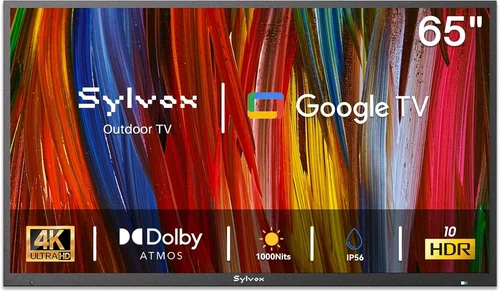
When it comes to outdoor TVs, brightness isn’t just a nice-to-have—it’s essential. Indoor TVs typically range from 200 to 400 nits (a unit measuring screen luminance), but even on a partly cloudy day, ambient light on a patio can exceed 10,000 lux. Without sufficient brightness, images appear washed out, colors lose vibrancy, and fast-moving sports action becomes hard to follow. For reliable outdoor visibility, look for a TV with a minimum peak brightness of 700 nits, though 1,000+ nits is ideal for sunny patios or decks with minimal shade.
Equally important is anti-reflective coating. Many budget outdoor setups fail not because the TV is dim, but because sunlight bounces directly off the screen, creating blinding glare. High-quality matte finishes or specialized optical filters significantly reduce reflections. Some manufacturers integrate these into their panels, while others rely on external screen protectors or enclosures. If you’re buying a standard indoor TV for outdoor use (a common budget strategy), ensure it has a matte or low-reflectivity finish—avoid glossy screens at all costs.
2. Weather Resistance & Environmental Durability
Outdoor TVs face constant exposure to elements: rain, humidity, dust, pollen, and temperature extremes. Even if your TV is under a covered patio, condensation and airborne moisture can seep into vents or ports over time, causing corrosion or electrical failure. True outdoor TVs are built with IP-rated (Ingress Protection) casings—typically IP55 or higher—meaning they’re protected against dust and water jets. However, many budget buyers opt for indoor TVs housed in weatherproof enclosures, which can be a smart compromise.
Key considerations include sealed ports (HDMI, USB, power), corrosion-resistant internal components, and operating temperature ranges. Most consumer TVs are rated for 32°F to 95°F (0°C to 35°C), but outdoor environments can swing far beyond that—especially in garages, uncovered decks, or regions with harsh winters. Check the manufacturer’s specs for “operating temperature” and avoid placing any TV in direct sunlight unless it’s specifically designed for it. Also, note that extreme cold can cause LCD panels to respond slowly or temporarily dim.
3. Screen Size & Viewing Distance
Choosing the right screen size isn’t just about going big—it’s about matching the TV to your space and seating arrangement. For outdoor sports viewing, larger screens enhance immersion, especially when multiple people are watching from different angles. A general rule of thumb: multiply your viewing distance (in inches) by 0.84 to get the ideal screen diagonal in inches. So, if you’re sitting 10 feet (120 inches) away, aim for a 100-inch screen (120 × 0.84 ≈ 101).
However, budget constraints often limit size options. Most affordable outdoor setups use 55-inch to 65-inch TVs, which work well for patios up to 12 feet deep. Keep in mind that larger screens require more brightness to maintain image quality in daylight. A 75-inch TV with only 600 nits will look dimmer per square inch than a 55-inch model with the same brightness. Also, consider mounting height: outdoor TVs should be installed slightly higher than indoor ones (eye level when seated) to account for varied seating and potential obstructions like railings or plants.
4. Smart Features & Connectivity
Modern sports fans expect more than just cable TV—they want streaming apps, voice control, screen mirroring, and seamless integration with smartphones and smart home systems. Fortunately, even budget outdoor TVs now come equipped with robust smart platforms. Roku TV, Google TV, and webOS dominate the mid-to-low tier market, offering intuitive interfaces and access to Netflix, YouTube, ESPN+, Hulu, and live sports streaming services.
For outdoor use, reliable Wi-Fi is critical. Thick walls, metal roofs, and distance from your router can weaken signals. Look for TVs with dual-band Wi-Fi (2.4GHz and 5GHz) and MIMO antenna technology for better range and stability. HDMI ports are equally important—you’ll likely need at least two: one for a streaming device (if not built-in) and another for a soundbar or AV receiver. USB ports allow for firmware updates or media playback, while optical audio outputs let you connect external speakers without interference from wireless signals.
Don’t overlook voice assistants. Models with built-in Google Assistant or Alexa let you change channels, search for games, or check scores hands-free—perfect when you’re grilling or managing a crowd. Some budget TVs omit these features, so verify compatibility before buying.
5. Audio Quality & Sound Solutions
Most flat-panel TVs—especially slim, budget models—suffer from weak built-in speakers. Indoors, this is easily solved with a soundbar, but outdoors, audio challenges multiply. Wind, ambient noise (traffic, birds, chatter), and open spaces can drown out dialogue and crowd noise. While some outdoor TVs include enhanced speakers, they’re rarely sufficient for immersive sports audio.
The best approach is to pair your TV with a weather-resistant outdoor sound system. Options include wireless outdoor speakers (like Sonos Move or Bose SoundLink), weatherproof soundbars (e.g., Polk Audio MagniFi Max SR), or even whole-home audio setups with buried subwoofers. If wiring is feasible, in-ground or wall-mounted speakers provide the most consistent sound. For quick setups, Bluetooth speakers work in a pinch—but latency can cause audio-video sync issues during live broadcasts.
If you must rely on the TV’s speakers, look for models with at least 20W total output and support for Dolby Audio or DTS Virtual:X. These technologies simulate surround sound and improve vocal clarity, helping you hear commentary over background noise.
6. Mounting & Installation Flexibility
How and where you mount your TV dramatically impacts both performance and longevity. Outdoor mounting requires sturdy, corrosion-resistant brackets—typically made of powder-coated aluminum or stainless steel. Full-motion mounts allow you to tilt or swivel the screen for optimal viewing angles, especially useful if your patio has shifting sun patterns throughout the day.
Consider whether your TV will be wall-mounted, ceiling-mounted, or placed on a stand. Wall mounts are most common and offer stability, but ensure your wall can support the weight (most outdoor TVs weigh 30–60 lbs). Ceiling mounts work well under pergolas or covered porches but require careful cable management. Avoid placing TVs in areas prone to splashing water (near pools or sprinklers) unless using a fully sealed enclosure.
Cable routing is another often-overlooked detail. Use outdoor-rated HDMI and power cables, and seal all connections with silicone or conduit to prevent moisture ingress. Many buyers run cables through PVC pipes buried underground or hidden within deck railings for a clean, safe installation.
7. Energy Efficiency & Long-Term Costs
Outdoor TVs often run for hours during games, playoffs, or marathon viewing sessions. While modern LED TVs are relatively efficient, larger screens and higher brightness settings increase power consumption. Check the Energy Guide label for estimated annual kWh usage—this helps predict electricity costs, especially if you live in an area with high utility rates.
Look for TVs with automatic brightness sensors that adjust screen luminance based on ambient light. This not only improves visibility but also saves energy on cloudy days or at night. Sleep timers and motion-activated power-down features add further savings. Additionally, consider the TV’s lifespan. Cheaper models may use lower-quality backlights that dim over time, reducing outdoor usability within 2–3 years. Investing in a slightly more durable panel can pay off in long-term reliability.
8. Warranty & Manufacturer Support
Outdoor use inherently increases wear and tear, so a solid warranty is non-negotiable. Most indoor TVs come with a 1-year limited warranty, but this often excludes damage from moisture, extreme temperatures, or improper installation. Dedicated outdoor TV brands typically offer 2–3 years of coverage, sometimes with extended options for commercial use.
Before purchasing, read the fine print. Does the warranty cover outdoor installation? Are there restrictions on mounting location? Can you service the TV locally, or must you ship it back? Brands with strong customer support—like Samsung, LG, and SunBrite—provide better troubleshooting and faster replacements. Avoid no-name brands with vague warranty terms or no U.S.-based support.
Different Types of Buying Guide

Common Buying Mistakes to Avoid
❌ Mistake: Using a Glossy-Screen Indoor TV Outdoors
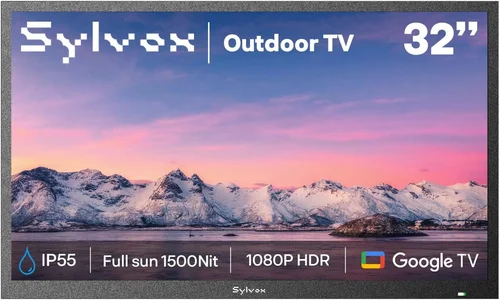
Why it’s bad: Glossy screens reflect sunlight like a mirror, making it nearly impossible to see the image during daytime hours. Even with high brightness, reflections dominate the viewing experience, especially on sunny patios.
What to do instead: Choose a TV with a matte or anti-reflective coating. If you already own a glossy TV, consider a high-quality outdoor screen filter or install it in a deeply shaded area with minimal direct light.
❌ Mistake: Ignoring Operating Temperature Limits
Why it’s bad: Most consumer TVs aren’t designed for temperatures below freezing or above 95°F. Cold weather can cause LCD lag or permanent damage, while heat accelerates component aging and may trigger automatic shutdowns.
What to do instead: Check the manufacturer’s operating temperature range. For year-round use in cold climates, invest in a heated outdoor enclosure or choose a TV specifically rated for extended temperature ranges.
❌ Mistake: Skimping on Mounting Hardware
Why it’s bad: Standard indoor mounts aren’t built to resist rust, wind loads, or long-term exposure. Over time, corrosion weakens the bracket, risking a dangerous fall—especially in windy areas.
What to do instead: Use marine-grade or powder-coated outdoor mounts rated for your TV’s weight and size. Include safety cables as a backup, and have installation done by a professional if unsure.
❌ Mistake: Overlooking Audio Needs
Why it’s bad: Relying on built-in TV speakers outdoors results in tinny, drowned-out sound. You’ll miss crucial commentary, crowd reactions, and play-by-play details.
What to do instead: Budget for a weather-resistant sound system from day one. Even a mid-tier outdoor soundbar dramatically improves the experience and is often cheaper than upgrading the TV later.
❌ Mistake: Buying Based Solely on Price
Why it’s bad: The cheapest TV may lack brightness, smart features, or durability—leading to frustration, early replacement, or poor performance in real-world conditions.
What to do instead: Focus on value, not just cost. A $700 TV with 1,000 nits brightness and IP54 rating often outperforms a $500 model that struggles in daylight.
❌ Mistake: Assuming All “Outdoor” TVs Are Equal
Why it’s bad: Some brands market TVs as “outdoor-ready” but only include minor enhancements like slightly higher brightness—not true weatherproofing.
What to do instead: Verify IP ratings, warranty coverage for outdoor use, and independent reviews. Look for certifications like UL Listed for outdoor electronics.
❌ Mistake: Neglecting Cable Management
Why it’s bad: Exposed cables invite moisture, pests, and tripping hazards. Over time, connectors corrode, causing signal loss or electrical issues.
What to do instead: Use outdoor-rated conduits, cable raceways, or in-wall wiring (if permitted). Seal all junctions with silicone or waterproof tape.
Budget Guidelines: How Much Should You Spend?
- Entry-Level ($400–$700): Ideal for covered patios with minimal sun exposure. Expect 55–65-inch screens with 700–900 nits brightness, basic smart features, and standard indoor construction housed in a third-party weatherproof enclosure. Brands like TCL and Hisense offer solid options here. Great for occasional use or renters.
- Mid-Range ($700–$1,200): The sweet spot for most buyers. These TVs often feature 1,000+ nits brightness, enhanced anti-glare coatings, robust smart platforms (Roku/Google TV), and better build quality. Many are semi-outdoor capable or work well with quality enclosures. Look for models from Samsung (The Terrace Lite), LG, or Vizio.
- Premium ($1,200–$2,500): Designed for serious outdoor enthusiasts. Fully weatherproof designs (IP55 or higher), extended temperature tolerance, commercial-grade components, and superior brightness (1,500+ nits). Brands like SunBrite and Seura dominate this tier. Perfect for uncovered decks, poolside setups, or four-season use.
- Luxury ($2,500+): Top-tier performance with features like 4K HDR, local dimming, built-in heaters/coolers, and professional installation support. These are built for permanent outdoor integration and often used in high-end homes, resorts, or commercial venues. Overkill for casual users but unmatched in durability and image quality.
Expert Tips for Getting the Best Deal
- Shop During Off-Season: Outdoor TV sales peak in spring and summer. Buy in late fall or winter (November–February) for discounts of 15–30% as retailers clear inventory.
- Compare Enclosure + TV Bundles: Some retailers (like Best Buy or Crutchfield) offer packages that include a weatherproof enclosure with an indoor TV—often cheaper than buying separately.
- Check Refurbished or Open-Box Deals: Certified refurbished outdoor TVs from reputable sellers come with warranties and can save you hundreds. Look for “like new” condition with full functionality.
- Negotiate Installation: Many home improvement stores (Lowe’s, Home Depot) offer free or discounted installation with TV purchase—ask before you buy.
- Read Return Policies Carefully: Outdoor TVs are often non-returnable due to hygiene or damage risk. Ensure you have at least 14–30 days to test performance in your actual environment.
- Use Price Tracking Tools: Set alerts on CamelCamelCamel (for Amazon) or Honey to monitor price drops on specific models.
- Consider Energy Rebates: Some utility companies offer rebates for energy-efficient electronics—check local programs before purchasing.
- Test Before Finalizing: If buying in-store, ask to see the TV powered on under bright lights. For online purchases, watch unboxing and review videos that show real-world outdoor performance.

Frequently Asked Questions
Q: Can I use a regular TV outdoors if it’s under a covered patio?
A: Yes—but only with proper protection. A covered patio reduces direct rain and sun exposure, but humidity, dust, and temperature swings still pose risks. Use a high-quality weatherproof enclosure (like those from Peerless or VIVO) and ensure the TV has adequate ventilation to prevent overheating.
Q: How bright should my outdoor TV be for daytime sports viewing?
A: Aim for at least 700 nits for shaded areas, 1,000+ nits for partial sun, and 1,500+ nits for fully exposed locations. Brightness ensures colors stay vivid and motion remains clear even in harsh light.
Q: Do outdoor TVs need special power outlets?
A: Not necessarily, but it’s wise to use a GFCI (Ground Fault Circuit Interrupter) outlet for safety, especially near water sources. Avoid extension cords; run dedicated outdoor-rated wiring instead.
Q: Will my Wi-Fi reach the patio?
A: It depends on distance and obstacles. If your router is indoors and the patio is far or separated by thick walls, consider a Wi-Fi extender, mesh network, or powerline adapter. Some outdoor TVs also support Ethernet via weatherproof conduits.
Q: How long do outdoor TVs last compared to indoor ones?
A: With proper care, a well-chosen outdoor TV can last 5–7 years or more. Fully weatherproof models often outlast indoor TVs used outdoors because they’re built to resist environmental stress. Avoid cheap enclosures—they trap heat and moisture, shortening lifespan.
Q: Are OLED TVs good for outdoor use?
A: Generally not recommended. OLED screens are more susceptible to burn-in and perform poorly in bright light due to lower peak brightness (typically 600–800 nits). QLED or high-brightness LED/LCD panels are better suited for outdoor sports.
Q: Can I leave my outdoor TV on during rain?
A: Only if it’s a fully weatherproof model (IP55 or higher) or properly enclosed. Never leave an indoor TV exposed to rain, even under cover—wind-driven moisture can still reach it.
Q: What’s the difference between IP54 and IP65?
A: IP54 protects against dust (limited ingress) and water splashes from any direction. IP65 offers complete dust protection and resistance to low-pressure water jets—making it better for rainy or humid environments.
Q: Do I need a permit to install an outdoor TV?
A: Usually not for residential setups, but check local codes—especially if drilling into load-bearing walls, running electrical wiring, or installing on a roof. Commercial installations often require permits.
Q: Can I use a projector instead of a TV for outdoor sports?
A: Yes, but projectors require complete darkness for best results. Even high-lumen models (3,000+ ANSI lumens) struggle in daylight. They’re great for evening games but not ideal for daytime sports unless you have a retractable screen and full shade.
Our Final Recommendations
- Best for Budget-Conscious Buyers: TCL 6-Series (55″ or 65″) + Peerless Outdoor Enclosure – Excellent brightness (1,000 nits), Roku TV platform, and proven reliability. Total cost under $900. Perfect for covered patios.
- Best Overall Value: Samsung The Terrace Lite (55″) – Semi-outdoor design with 1,500 nits brightness, anti-reflective coating, and weather-resistant ports. No enclosure needed. Priced around $1,200.
- Best Premium Option: SunBrite Veranda Series (65″) – Fully weatherproof (IP55), 1,000 nits brightness, and built-in heater for cold climates. Ideal for year-round, uncovered use. Expect to pay $2,200–$2,800.
- Best for Beginners: Hisense U7H (55″) in a VIVO Outdoor Enclosure – Affordable, bright (800 nits), and easy to set up. Great for first-time outdoor TV owners testing the waters.
- Best for Advanced Users: Seura Outdoor TV (75″) with Integrated Soundbar – Luxury build, 2,000 nits brightness, and all-in-one audio. Designed for permanent, high-end installations. Priced above $3,500.
Conclusion: Making the Right Choice
Choosing the right outdoor TV for sports watching doesn’t have to be overwhelming—or expensive. By focusing on core needs like brightness, weather resistance, and smart functionality, you can find a display that delivers thrilling game-day experiences without compromising on durability or value. Remember: the cheapest option isn’t always the most cost-effective long-term, and the flashiest features aren’t always necessary for your setup.
Prioritize your environment (covered vs. uncovered), viewing habits (daytime vs. evening), and budget. Don’t skimp on mounting or audio, and always verify warranty terms for outdoor use. With the insights from this guide, you’re equipped to make a confident, informed decision that turns your patio into the ultimate sports sanctuary.
Now go enjoy that touchdown, home run, or buzzer-beater—under the open sky, with crystal-clear picture and booming sound. Your perfect outdoor viewing experience starts with the right TV.

