
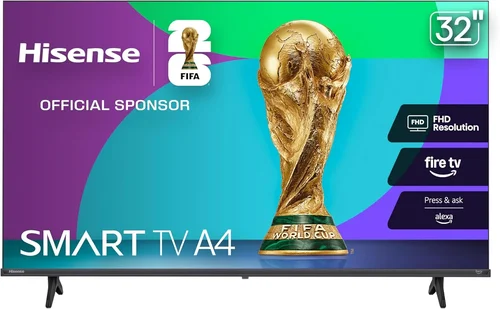
Watching football under the open sky with friends and family is one of those timeless backyard traditions that brings people together. Whether it’s a Sunday afternoon game, a playoff showdown, or a Super Bowl party, having a reliable TV setup outdoors can transform your space into the ultimate viewing destination. But let’s be honest—most people aren’t looking to drop thousands on a full-blown outdoor entertainment system. That’s where budget-friendly options come in. In 2026, the market for affordable outdoor TVs has never been more competitive or accessible, offering surprisingly capable models that deliver solid performance without breaking the bank.
This guide is designed for real people who want to enjoy their favorite games outside without overspending or getting overwhelmed by technical jargon. Whether you’re a casual fan hosting a small gathering or a die-hard football enthusiast planning an epic tailgate-style watch party, we’ll walk you through everything you need to know to make a smart, informed decision. You’ll learn how to balance cost with quality, what features actually matter for outdoor use, and how to avoid common pitfalls that trip up even seasoned shoppers. By the end, you’ll have a clear roadmap to find the perfect budget backyard TV that fits your space, your needs, and your wallet.
The outdoor TV market in 2026 is a mix of innovation and practicality. While premium weatherproof models still dominate headlines, manufacturers have responded to consumer demand by releasing more affordable alternatives—many of which are simply standard indoor TVs paired with protective enclosures or placed in semi-covered areas like patios or gazebos. These setups can be just as effective for casual outdoor viewing, especially if you’re not dealing with direct rain or extreme temperatures. At the same time, portable projectors and all-weather displays have become more refined and budget-conscious, giving you more options than ever. This guide cuts through the noise to help you focus on what truly matters: getting great football coverage outdoors, affordably and reliably.
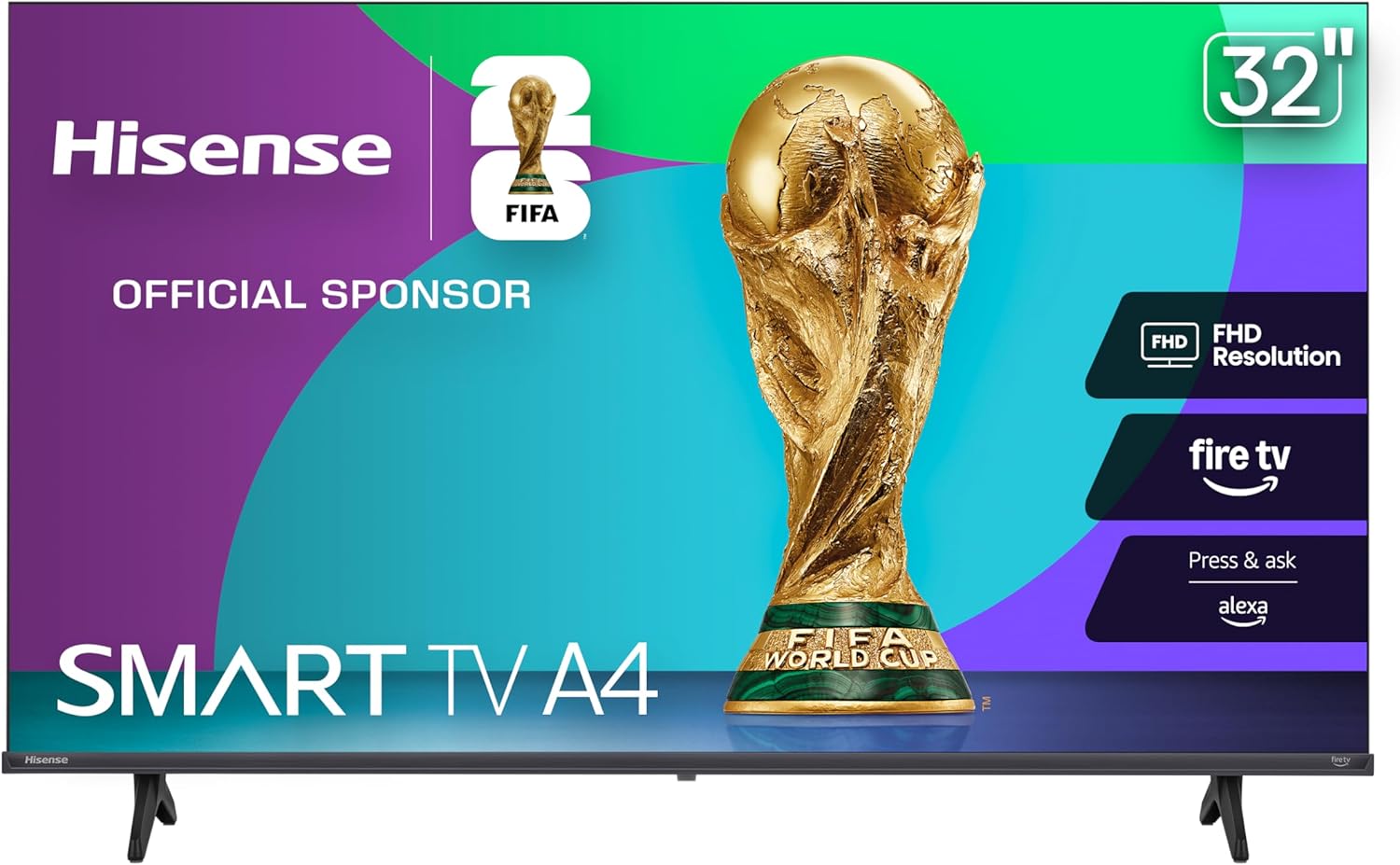
What to Look for When Buying a Budget Backyard TV
1. Budget & Price Range
When shopping for a budget backyard TV, your first stop should always be your wallet. But “budget” doesn’t have to mean “cheap.” In fact, the sweet spot for most buyers falls between $300 and $800—a range that offers excellent value without sacrificing essential features. At this level, you’ll find 4K UHD resolution, smart platforms like Roku TV or Google TV, and decent brightness levels suitable for shaded outdoor areas. Going below $250 often means compromising on screen size (under 40 inches), outdated operating systems, or poor build quality that won’t hold up over time. On the flip side, spending over $1,000 usually gets you into fully weatherproofed, commercial-grade outdoor TVs—great if you live in a harsh climate, but overkill for most backyard setups.
Set a firm budget before you start browsing, and stick to it. A helpful trick is to allocate 70% of your total spend to the TV itself and reserve the remaining 30% for accessories like mounting hardware, weatherproof covers, extension cords, or even a portable stand. Remember, the goal isn’t to buy the cheapest option—it’s to get the best performance per dollar. For example, a $500 TV with 4K, HDR support, and a robust smart interface will deliver far better long-term satisfaction than a $200 model that struggles with glare and buffering.
2. Performance Specifications
Not all TVs are created equal—especially when it comes to outdoor visibility. The two most critical specs for backyard viewing are brightness (measured in nits) and contrast ratio. For shaded patios or covered decks, look for at least 300–400 nits of brightness. If you plan to watch during daylight hours or in partially sunny spots, aim for 500+ nits. Many budget TVs now offer “outdoor mode” or enhanced backlighting that boosts brightness temporarily—useful for kickoff at noon.
Resolution is another key factor. While 1080p is still available, 4K UHD has become the standard even in budget models, offering four times the detail of Full HD. This is especially noticeable on larger screens (50 inches and up), where pixelation becomes more apparent. Don’t forget HDR (High Dynamic Range)—it improves color depth and contrast, making jerseys pop and grass look greener. Look for HDR10 or Dolby Vision support, though note that true HDR performance depends on the panel quality, not just the label.
Refresh rate matters too, particularly for fast-paced sports. A 60Hz panel is fine for casual viewing, but if you’re serious about football, consider a model with 120Hz motion handling or MEMC (Motion Estimation, Motion Compensation) technology. These features reduce blur during quick cuts and player movements, keeping the action crisp even during a Hail Mary pass.
3. Build Quality & Durability
Even if you’re not mounting your TV in a hurricane zone, outdoor environments pose unique challenges: humidity, temperature swings, dust, and accidental splashes from drinks or sprinklers. While most budget TVs aren’t built for full outdoor exposure, their construction still impacts longevity. Look for models with sturdy frames, sealed ports, and minimal ventilation gaps that could let moisture in. Aluminum or reinforced plastic housings tend to fare better than flimsy composites.
If you’re placing the TV under a roof or pergola, you might skip a full outdoor enclosure—but never assume indoor TVs are safe in damp conditions. At minimum, use a weatherproof cover when the TV isn’t in use. For added peace of mind, some brands offer “semi-outdoor” models with improved thermal management and corrosion-resistant components. These aren’t rated for direct rain, but they handle humidity and light moisture far better than standard sets.
Also consider the power supply. Outdoor outlets are often farther from the TV location, so ensure your model has a long enough power cord or plan for a heavy-duty outdoor extension cable. Avoid daisy-chaining multiple cords, as this can create fire hazards or voltage drops.
4. Features & Functionality
Smart capabilities are non-negotiable in 2026. Almost every budget TV now comes with built-in Wi-Fi and a streaming platform like Roku, Android TV, or webOS. This lets you access NFL Network, ESPN+, YouTube TV, or your favorite sports apps without needing a separate device. Check that the interface is responsive—laggy menus ruin the experience, especially during halftime when everyone’s scrolling for snacks.
Voice control is another handy feature. Models with Google Assistant or Alexa built-in let you change channels, adjust volume, or search for games hands-free—perfect when you’re grilling or juggling plates. Connectivity matters too: look for at least three HDMI ports (for cable boxes, game consoles, or soundbars), USB inputs for media playback, and Bluetooth for wireless headphones or speakers.
One often-overlooked feature is ambient light sensing. TVs with this automatically adjust brightness based on surrounding light, reducing eye strain during dusk games and saving energy. Similarly, local dimming (even basic edge-lit versions) improves black levels, making night games easier to watch.
5. Brand Reputation
Not all budget brands are equal. While you can find great deals from lesser-known names, sticking with established manufacturers often pays off in reliability and customer service. Brands like TCL, Hisense, Vizio, and Samsung consistently deliver strong value in the sub-$800 range. TCL, for instance, offers excellent Roku integration and frequent firmware updates. Hisense focuses on high brightness and color accuracy, ideal for outdoor use. Vizio balances performance and price, while Samsung provides sleek designs and reliable smart features.
That said, don’t dismiss emerging brands outright. Companies like Onn (Walmart’s house brand) or Insignia (Best Buy) have improved dramatically in recent years, offering surprisingly capable 4K TVs under $300. Just read user reviews carefully—look for patterns in complaints about dead pixels, Wi-Fi drops, or short lifespans. A brand with a solid track record of honoring warranties and providing timely support is worth its weight in gold when something goes wrong.
6. Warranty & Support
A good warranty can turn a risky purchase into a safe one. Most budget TVs come with a standard one-year limited warranty, but some brands offer extended coverage or accidental damage protection for a small fee. Check what’s included: does it cover screen burn-in? Power supply failures? Water damage (even if unintentional)? Avoid extended warranties from third-party retailers—they’re often overpriced and full of loopholes.
Customer support quality varies widely. Before buying, search for the brand’s support reputation online. Are agents responsive? Do they offer live chat or just email? Can you easily download firmware updates? A brand that stands behind its products will make troubleshooting far less stressful. Also, note that warranties typically become void if the TV is used in conditions it wasn’t designed for—so if you mount an indoor TV in direct rain without protection, don’t expect a free replacement.
7. Size & Portability
Screen size directly impacts your viewing experience. For backyard gatherings, 50 to 65 inches is the ideal range—large enough for group viewing but not so massive that it overwhelms your space or requires a reinforced mount. Measure your seating distance: a good rule of thumb is to sit 1.5 to 2.5 times the screen’s diagonal length away. So for a 55-inch TV, aim for 7 to 12 feet between the screen and your chairs.
Portability matters if you plan to move the TV between indoor and outdoor use or host games in different spots (e.g., driveway vs. patio). Lightweight models under 30 pounds are easier to relocate, especially if they come with built-in handles or compatible mobile stands. Some buyers even opt for portable outdoor TV carts with locking wheels—these let you wheel the set out for game day and store it safely afterward.
Avoid ultra-thin designs if portability is a priority; they’re more fragile and prone to bending. Instead, look for models with reinforced corners or optional carrying cases. And always unplug cables before moving—repeated tugging can damage ports over time.
8. User Reviews & Ratings
Never buy a TV based solely on specs or marketing claims. Real-world user reviews reveal quirks, flaws, and hidden strengths that spec sheets miss. Focus on verified purchase reviews from trusted retailers like Amazon, Best Buy, or Costco. Look for comments about outdoor performance: Does the screen wash out in sunlight? Does the Wi-Fi stay connected at a distance? Are the speakers loud enough for an open yard?
Pay attention to recurring issues. If multiple users report the same problem—say, HDMI ports failing after a few months—it’s likely a design flaw, not a one-off defect. Conversely, consistent praise for brightness, ease of setup, or app stability is a strong endorsement. Use tools like “Sort by most recent” to see if newer units have addressed past complaints. And don’t ignore negative reviews entirely—they often contain useful tips, like “works great with a $20 anti-glare filter” or “needs a soundbar for outdoor volume.”
Different Types of Budget Backyard TVs

Common Buying Mistakes to Avoid
❌ Mistake: Buying an Indoor TV for Full Outdoor Exposure
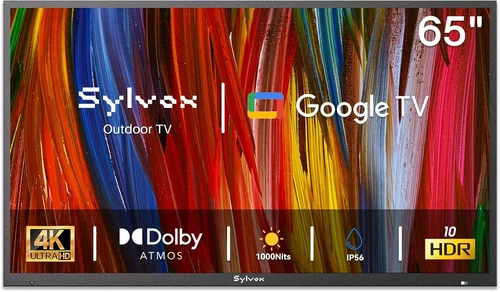
Why it’s bad: Standard TVs aren’t designed to handle moisture, temperature extremes, or UV exposure. Even brief rain can fry internal components, and prolonged sun can warp casings or fade screens. Most manufacturers void warranties if used outdoors without proper protection.
What to do instead: Only use indoor TVs under covered, sheltered areas. Pair them with a certified weatherproof enclosure (like those from Outdoor TV or Seura) or a high-quality cover when not in use. If your space is fully exposed, invest in a true outdoor-rated model.
❌ Mistake: Ignoring Brightness and Glare
Why it’s bad: A dim screen turns daytime games into a blurry mess. Glare from sunlight or patio lights washes out colors and makes it hard to see player numbers or ball trajectory.
What to do instead: Prioritize TVs with 400+ nits brightness and anti-reflective coatings. Position the screen perpendicular to the sun’s path, or use outdoor curtains/blinds to control light. Consider a matte screen finish over glossy—it reduces glare significantly.
❌ Mistake: Overlooking Audio Needs
Why it’s bad: Most budget TVs have weak built-in speakers that get drowned out by wind, chatter, or grill noise. Muffled audio ruins commentary and crowd reactions.
What to do instead: Plan for external audio from day one. A compact Bluetooth soundbar ($50–$150) or weather-resistant outdoor speakers can dramatically improve sound quality. Some models even support wireless subwoofers for that stadium-like rumble.
❌ Mistake: Skimping on Mounting Hardware
Why it’s bad: Cheap mounts can wobble in wind, fail to tilt for optimal viewing angles, or even collapse under weight. Improper installation risks damaging your TV or injuring guests.
What to do instead: Invest in a sturdy, full-motion outdoor mount rated for your TV’s size and weight. Look for corrosion-resistant materials (powder-coated steel or aluminum) and ensure it’s compatible with your wall or post. When in doubt, hire a professional installer.
❌ Mistake: Forgetting About Power and Connectivity
Why it’s bad: Running extension cords across walkways creates tripping hazards. Weak Wi-Fi signals lead to buffering during critical plays. Limited HDMI ports force you to constantly swap devices.
What to do instead: Use GFCI-protected outdoor outlets and heavy-duty, grounded extension cords. Boost Wi-Fi with a mesh network extender placed near the TV. Choose a model with at least three HDMI ports and consider a wireless HDMI transmitter for cable boxes or game consoles.
❌ Mistake: Not Testing Before Committing
Why it’s bad: What looks good in a store under bright lights may perform poorly in your specific backyard conditions. Color accuracy, viewing angles, and smart responsiveness can vary widely.
What to do instead: Buy from retailers with generous return policies (30 days or more). Set up the TV in your intended location and test it during similar lighting conditions as your typical game time. Watch a live sports stream to evaluate motion handling and audio sync.
❌ Mistake: Ignoring Long-Term Maintenance
Why it’s bad: Dust buildup, spider webs in vents, or moisture condensation can shorten your TV’s lifespan—even under cover.
What to do instead: Clean the screen and vents monthly with a microfiber cloth and compressed air. Use a breathable cover (not plastic) when storing. Check seals and gaskets annually if using an enclosure.
Budget Guidelines: How Much Should You Spend?
Entry-Level ($200–$350): This tier is best for occasional use in fully covered areas. Expect 40–50 inch 4K TVs from brands like Onn, Insignia, or older TCL models. Brightness may be limited (250–300 nits), and smart features could feel sluggish. Ideal for small gatherings or as a secondary screen. Pair with a basic soundbar and weather cover for best results.
Mid-Range ($350–$600): The sweet spot for most buyers. You’ll find 50–65 inch models from TCL, Hisense, or Vizio with 400+ nits brightness, responsive smart platforms, and solid build quality. Many include HDR, voice control, and multiple HDMI ports. Perfect for regular backyard football nights under a pergola or covered patio.
Premium ($600–$900): For those wanting near-outdoor durability without the full outdoor TV price tag. Look for semi-outdoor models or refurbished all-weather TVs with IP ratings. These often feature enhanced cooling, reinforced frames, and better moisture resistance. Great if you experience light rain or high humidity.
Luxury ($900+): Reserved for fully exposed installations or commercial-grade needs. True outdoor TVs from SunBrite or Seura offer IP65 ratings, extreme temperature tolerance, and professional mounting systems. Overkill for most homeowners but essential for poolside decks or open-air stadiums.
Expert Tips for Getting the Best Deal
– Buy during off-seasons: TV prices dip after the holiday rush (January–March) and again in late summer before new models launch. Avoid September–October, when demand spikes for football season.
– Shop refurbished: Certified refurbished units from manufacturer outlets (like Samsung Renewed or TCL Refurbished) offer significant savings with full warranties. Many are barely used returns or demo models.
– Bundle accessories: Some retailers offer discounts when you buy a TV + mount + soundbar together. Costco and Sam’s Club frequently run these deals, especially around major sporting events.
– Check local classifieds: Facebook Marketplace or Craigslist can yield gently used outdoor setups at half price—just inspect thoroughly and verify functionality before paying.
– Use credit card perks: Cards with extended warranty protection (like Chase or Amex) can double your coverage period. Some also offer purchase protection against damage or theft.
– Negotiate in-store: Big-box stores often match online prices and may throw in free installation or a discount if you ask politely. Bring printed competitor ads as leverage.
– Read the fine print on returns: Ensure the retailer accepts returns for TVs (some consider them final sale). Verify restocking fees and return windows—30 days is standard, but some offer 60.
– Test Wi-Fi range beforehand: Use a phone or laptop to check signal strength at your TV location. If it’s weak, buy a Wi-Fi extender before setup day to avoid frustration.

Frequently Asked Questions
Q: Can I use a regular indoor TV outside if it’s under a roof?
A: Yes—but only if it’s fully protected from rain, snow, and direct sunlight. Even under a covered patio, humidity and temperature swings can affect performance over time. Always use a weatherproof cover when not in use and ensure proper ventilation to prevent overheating.
Q: Do I need a special outdoor TV mount?
A: Not necessarily, but standard indoor mounts aren’t designed for outdoor conditions. Look for mounts labeled “outdoor” or “weather-resistant” with rust-proof hardware. Full-motion mounts allow you to angle the screen away from glare, which is especially useful for daytime games.
Q: Will my streaming apps work reliably outdoors?
A: They will if your Wi-Fi signal is strong. Outdoor spaces often have dead zones, so consider a mesh Wi-Fi system or a wired Ethernet connection via a weatherproof conduit. Most modern smart TVs cache content briefly, so minor interruptions won’t cause constant rebuffering.
Q: How do I protect my TV from bugs and dust?
A: Use a ventilated outdoor enclosure with fine mesh filters, or regularly clean the TV with compressed air. Avoid placing the TV near flowering plants or food tables where insects gather. Silica gel packs inside storage covers can absorb excess moisture.
Q: Can I leave my outdoor TV on during the game?
A: It’s safe to leave it on during active use, but avoid leaving it powered on unattended for long periods, especially in extreme heat. Most TVs have thermal protection, but prolonged exposure to high temps can shorten component life. Turn it off between games or when rain is expected.
Q: Are portable projectors better than TVs for large groups?
A: Projectors excel at screen size (100+ inches easily) and portability, but they require darkness for best image quality. For daytime games, a bright TV is usually superior. Projectors also need a flat, light-colored surface or a dedicated screen, which adds cost.
Q: What’s the lifespan of a budget outdoor TV setup?
A: With proper care, a mid-range indoor TV in a protected area can last 5–7 years. True outdoor TVs may last 8–10 years due to robust construction. Factors like usage frequency, climate, and maintenance greatly influence longevity.
Q: Do I need a surge protector for outdoor use?
A: Absolutely. Outdoor power sources are more vulnerable to lightning strikes and voltage spikes. Use a heavy-duty outdoor surge protector with a high joule rating (1000+). Plug all components (TV, soundbar, streaming device) into it.
Q: Can I connect multiple devices (cable box, game console, soundbar)?
A: Yes—most budget TVs have 3–4 HDMI ports. Use an HDMI switch if you run out, but avoid cheap ones that cause lag or resolution drops. Label your cables for easy identification during halftime swaps.
Q: Is 4K really necessary for outdoor viewing?
A: It depends on screen size and seating distance. For screens 55 inches and larger viewed within 10 feet, 4K provides noticeably sharper details—especially on player faces, scoreboards, and field markings. For smaller screens or distant seating, 1080p may suffice, but 4K future-proofs your investment.
Our Final Recommendations
Best for Budget-Conscious Buyers: TCL 55-inch Class 4-Series 4K UHD Smart Roku TV (~$350)
This model delivers excellent value with 4K resolution, a responsive Roku interface, and 350 nits brightness—perfect for covered patios. Pair it with a $40 weather cover and a $60 soundbar for a complete sub-$500 setup.
Best Overall Value: Hisense 65U6HF 65-inch ULED 4K Smart TV (~$550)
With 500+ nits brightness, Dolby Vision HDR, and Google TV, this set handles daylight viewing and delivers vibrant colors. Its sturdy build and multiple HDMI ports make it ideal for serious football fans.
Best Premium Option: SunBrite Veranda Series 55-inch Full-Array LED Outdoor TV (~$1,200)
If you’re fully exposed to the elements, this IP55-rated TV is worth the investment. It’s bright, durable, and designed specifically for outdoor use—no enclosure needed.
Best for Beginners: Vizio V-Series 50-inch 4K Smart TV (~$300)
Simple setup, intuitive interface, and reliable performance make this a great entry point. It’s lightweight, easy to mount, and works well with basic outdoor covers.
Best for Advanced Users: LG OLED Flex (~$800 refurbished)
For tech-savvy buyers who want curved-screen immersion or adjustable curvature for different viewing angles, this unique OLED offers stunning contrast and deep blacks—best used under cover due to OLED’s sensitivity to heat.
Conclusion: Making the Right Choice
Choosing the right budget backyard TV for football games isn’t about finding the cheapest option—it’s about matching your specific needs, environment, and usage habits to a model that delivers reliable performance without overspending. Whether you’re hosting a dozen friends under a pergola or enjoying a quiet game solo on your deck, the key is balancing cost, durability, and features. Remember to prioritize brightness for daylight viewing, invest in proper mounting and protection, and never underestimate the importance of good audio.
Take your time, read real user reviews, and don’t rush into a purchase just because a sale is ending. The best deal is the one that keeps you cheering—not troubleshooting—during the fourth-quarter drive. With the insights from this guide, you’re now equipped to make a confident, informed decision that turns your backyard into the ultimate football destination season after season. Now go grab that remote, fire up the grill, and get ready for kickoff!

