
Backyard movie nights, summer barbecues, game-day gatherings—these moments are made even better when you’ve got a reliable outdoor TV setup. But here’s the reality: most people don’t need (or want) to drop thousands on a premium weatherproof display just to watch the playoffs under the stars. That’s where budget backyard TVs come in—affordable, functional, and surprisingly capable options that let families enjoy shared screen time without breaking the bank.
This guide is designed for real people with real backyards and real budgets. Whether you’re hosting a birthday party for 20 kids or just want to catch the sunset while streaming your favorite show, we’ll walk you through everything you need to know before hitting “buy.” You’ll learn how to balance cost with performance, avoid common pitfalls, and find the best value for your specific needs. We’ve tested dozens of models, analyzed hundreds of user reviews, and consulted with home theater experts to bring you a no-nonsense, up-to-date roadmap for 2026.
The market for outdoor-friendly displays has evolved dramatically in recent years. Gone are the days when “outdoor TV” meant only sealed, industrial-grade units costing $3,000+. Today, smart TVs with bright panels, protective enclosures, and clever mounting solutions make it possible to enjoy high-quality viewing outside—even on a tight budget. From compact 32-inch models perfect for patios to larger 55-inch screens ideal for backyard cinemas, there’s never been a better time to upgrade your outdoor entertainment space affordably.

What to Look for When Buying Buying Guide
1. Brightness & Outdoor Visibility
When it comes to backyard TVs, brightness isn’t just a nice-to-have—it’s essential. Indoor TVs typically range from 250 to 400 nits (a unit measuring screen luminance), but sunlight can easily wash out those displays outdoors. For shaded patios or evening use, 400–600 nits may suffice. However, if your TV will be exposed to direct sun—even partially—you’ll want at least 700 nits, with 1,000+ nits being ideal for daytime viewing.
Look for TVs labeled “high brightness,” “outdoor suitable,” or those with anti-glare coatings. Many budget models now include matte finishes or enhanced backlighting to improve visibility. Avoid glossy screens unless you’re certain the TV will sit in deep shade. Also, consider ambient light sensors—some newer budget TVs automatically adjust brightness based on surroundings, which helps preserve battery life (if portable) and reduces eye strain.
2. Weather Resistance & Durability
Even if you plan to store your TV indoors when not in use, exposure to humidity, dust, temperature swings, and occasional rain can degrade performance over time. While true “outdoor-rated” TVs carry IP55 or higher certifications (meaning they’re protected against dust and water jets), most budget buyers opt for indoor TVs used in covered outdoor spaces like screened porches, pergolas, or garages.
If your setup is fully exposed, invest in a weatherproof enclosure—many cost under $150 and fit standard TV sizes. For semi-covered areas, prioritize TVs with robust build quality: metal frames, sealed ports, and minimal ventilation gaps. Avoid ultra-thin models with plastic backs, as they’re more prone to warping in heat. Also, check the operating temperature range; most consumer TVs work between 32°F and 95°F, but extended summer heat can shorten lifespan without proper airflow.
3. Screen Size & Viewing Distance
Choosing the right screen size depends less on trends and more on your space and seating arrangement. A common rule of thumb: your viewing distance (in inches) should be about 1.5 to 2.5 times the screen’s diagonal size. So, for a 40-inch TV, sit 5 to 8 feet away. In a typical backyard with 6–10 viewers, a 43- to 55-inch screen offers the sweet spot between immersion and affordability.
Don’t oversize! A 75-inch TV might look impressive, but if your guests are clustered within 6 feet, they’ll strain their necks or miss details. Conversely, a 32-inch screen may feel too small for group viewing beyond 8 feet. Measure your space, mark potential seating zones, and use online viewing distance calculators to fine-tune your choice. Remember: larger screens consume more power and may require stronger mounts—factor that into your total cost.
4. Smart Features & Connectivity
Most budget backyard TVs now come with built-in smart platforms like Roku TV, Google TV, or Amazon Fire TV. These eliminate the need for external streaming devices and simplify setup—especially important when you’re juggling remotes during a family cookout. Look for Wi-Fi 5 (802.11ac) or better, HDMI 2.0 ports (for 4K@60Hz), and USB inputs for flash drives or hard drives.
Audio matters too. Built-in speakers on budget TVs are often weak and tinny. If you’re not pairing your TV with outdoor speakers or a soundbar, prioritize models with at least 10W output per channel. Bluetooth support is a bonus for wireless audio. Also, check app compatibility: can you cast from your phone? Does it support Netflix, Disney+, or local streaming services you actually use? Avoid TVs with outdated OS versions that won’t receive updates beyond 2025.
5. Power Source & Portability
Will your TV plug into a wall outlet, or do you need battery-powered flexibility? Most backyard setups rely on AC power, but if you’re placing the TV far from an outlet—or hosting events in multiple spots—a portable option with a rechargeable battery saves hassle. Battery-powered TVs typically offer 3–8 hours of runtime, depending on brightness and volume.
For permanent installations, ensure your outlet is GFCI-protected (required by code for outdoor use) and consider a surge protector. If running extension cords, use heavy-duty, outdoor-rated ones buried under tape or cord covers to prevent tripping. Weight matters too: lighter TVs (under 20 lbs for 50-inch models) are easier to move and mount, especially on freestanding poles or tripods.
6. Mounting & Installation Flexibility
A great TV is useless if you can’t mount it safely and securely. Most budget models support VESA mounting patterns (e.g., 200x200mm for 40-inch TVs), allowing compatibility with universal wall or ceiling brackets. For backyards, tilt mounts are ideal—they let you angle the screen downward for better viewing from seated positions.
Avoid fixed mounts if you plan to adjust the TV seasonally or store it indoors. Ceiling mounts work well under pergolas, while freestanding floor stands offer mobility. Always anchor mounts to structural elements (like beams or concrete), not siding or drywall. If drilling into your house, use waterproof sealant around screw holes to prevent moisture intrusion.
7. Brand Reliability & Customer Support
Not all budget brands are created equal. While TCL, Hisense, and Vizio dominate the affordable TV space with solid performance, lesser-known brands may cut corners on components or software. Stick with manufacturers that offer at least a 1-year warranty and have responsive customer service. Check forums like Reddit’s r/televisions or AVS Forum for real-user experiences—especially regarding outdoor use.
Brands like Samsung and LG offer higher-end outdoor models, but their budget lines (e.g., Samsung Crystal UHD) can still work well in covered spaces. Avoid “no-name” TVs sold exclusively through third-party Amazon sellers—they often lack firmware updates and spare parts. If buying refurbished, ensure it’s certified by the manufacturer, not just a random reseller.
8. Total Cost of Ownership
The sticker price is just the beginning. Factor in accessories: a weatherproof cover ($30–$80), a quality mount ($40–$120), cables ($10–$30), and possibly external speakers ($50–$150). Energy costs add up too—larger, brighter TVs draw more watts. A 50-inch 4K TV might use 80–120W; multiply that by hours used per week to estimate annual electricity expense.
Also consider longevity. A $300 TV that lasts 3 years costs $100/year. A $500 model lasting 5 years costs $100/year too—but delivers better performance and fewer headaches. Prioritize value over the lowest upfront price. And don’t forget resale: popular brands hold value better if you upgrade later.
Different Types of Buying Guide

Common Buying Mistakes to Avoid
❌ Mistake: Ignoring Sunlight Exposure
Why it’s bad: Placing a standard 300-nit TV in direct sunlight turns it into a $400 mirror. Even partial sun can cause glare that makes content unwatchable, ruining your gathering before it starts.
What to do instead: Assess your space at different times of day. If sun hits the screen for more than 30 minutes, either choose a high-brightness model (700+ nits) or install a shade canopy. Use a lux meter app to measure ambient light if unsure.
❌ Mistake: Skimping on Mounting Hardware
Why it’s bad: Cheap mounts can sag, loosen, or fail in wind, potentially dropping a heavy TV onto guests or damaging your deck. DIY rigs made from PVC or rope are especially dangerous.
What to do instead: Invest in a certified outdoor mount rated for your TV’s weight plus 20%. Look for powder-coated steel, corrosion-resistant bolts, and tilt functionality. When in doubt, hire a professional installer.
❌ Mistake: Overlooking Audio Needs
Why it’s bad: Most budget TVs have weak speakers that get drowned out by lawn mowers, chatter, or wind. You’ll end up straining to hear dialogue, killing the vibe.
What to do instead: Pair your TV with weather-resistant outdoor speakers ($60–$150) or a Bluetooth soundbar. Place speakers at ear level near seating areas, not hidden behind furniture.
❌ Mistake: Buying Based Solely on Price
Why it’s bad: The cheapest TV often lacks essential features like smart apps, sufficient brightness, or reliable Wi-Fi—leading to frustration and early replacement.
What to do instead: Set a realistic budget ($300–$600 for most families) and prioritize must-haves: brightness, smart OS, and durability. Read hands-on reviews, not just spec sheets.
❌ Mistake: Neglecting Power Safety
Why it’s bad: Using indoor extension cords or overloading outlets outdoors risks electrical fires or shocks, especially in damp conditions.
What to do instead: Use only outdoor-rated, grounded (3-prong) extension cords with built-in GFCI protection. Keep connections elevated off wet ground and inspect cords regularly for cracks.
❌ Mistake: Forgetting About Storage
Why it’s bad: Leaving a TV outside year-round—even under cover—exposes it to mold, pests, and temperature extremes that shorten its life.
What to do instead: If possible, store the TV indoors during off-seasons. If not, use a breathable, waterproof cover and silica gel packs to control humidity inside enclosures.
❌ Mistake: Assuming All “Outdoor” TVs Are Equal
Why it’s bad: Some brands market TVs as “outdoor-ready” but only include minor tweaks like slightly brighter panels—not true weather sealing.
What to do instead: Verify IP ratings, warranty coverage for outdoor use, and whether the manufacturer explicitly supports exterior installation. When in doubt, stick to proven indoor models in protected spaces.
Budget Guidelines: How Much Should You Spend?
Entry-Level ($200–$350): Ideal for shaded patios or occasional use. Expect 32- to 43-inch screens, basic smart features (Roku or Fire TV), and 400–600 nits brightness. Models like the TCL 4-Series or Hisense A6 are solid picks. Add $50–$100 for a mount and cables. Best for small groups or solo viewing.
Mid-Range ($350–$600): The sweet spot for most families. You’ll get 43- to 55-inch 4K displays, 600–800 nits brightness, robust smart platforms, and better build quality. Look for Vizio V-Series or Samsung Crystal UHD models. This tier supports reliable outdoor use under pergolas and includes room for a soundbar or basic enclosure.
Premium ($600–$900): For enthusiasts who want near-outdoor-rated performance without the $2K+ price tag. These often include 800–1,000+ nits, enhanced cooling, and compatibility with premium enclosures. Consider LG UQ75 or Sony X80K if used in covered areas. Great for frequent entertainers.
Luxury ($900+): Reserved for fully exposed setups or those unwilling to compromise. True outdoor TVs (e.g., SunBrite Veranda series) or high-end projector systems fall here. Only necessary if you host weekly events in open yards or live in extreme climates.
Expert Tips for Getting the Best Deal
1. Shop During Seasonal Sales: The best deals on TVs happen during Black Friday (November), President’s Day (February), and Amazon Prime Day (July). Outdoor-specific accessories often drop in price in early spring as retailers prep for summer.
2. Consider Refurbished or Open-Box Models: Certified refurbished TVs from Best Buy, Amazon Renewed, or manufacturer outlets offer 10–30% savings with full warranties. Open-box items are typically returned due to buyer’s remorse—not defects.
3. Bundle Accessories: Some retailers offer discounts when you buy a TV + mount + cables together. Costco and Sam’s Club often include free installation or extended warranties on electronics bundles.
4. Check Local Classifieds: Facebook Marketplace and Craigslist can yield gently used TVs at steep discounts—just verify functionality and avoid models older than 3 years.
5. Negotiate Return Windows: If buying in-store, ask if they’ll extend the return period during peak outdoor season (May–August). This gives you time to test the TV in real conditions.
6. Use Price Tracking Tools: Apps like Honey, CamelCamelCamel, or Keepa alert you when prices drop on specific models. Set alerts 2–3 months before your planned purchase.
7. Test Before Committing: If possible, view the TV in person under bright lighting. Check for backlight bleed, color accuracy, and remote responsiveness. Many stores allow 15–30 minute demos.
8. Read the Fine Print on Warranties: Some warranties void coverage if the TV is used outdoors—even under cover. Confirm terms before buying, especially for mid-range models.

Frequently Asked Questions
Q: Can I use a regular indoor TV outside?
A: Yes—but only in fully covered, dry areas like screened porches or garages. Avoid direct exposure to rain, snow, or extreme heat. For semi-exposed spots, pair it with a weatherproof enclosure.
Q: How bright should my backyard TV be?
A: Aim for at least 700 nits for partial sun, 1,000+ nits for direct sunlight. Use a lux meter app to measure ambient light; 10,000 lux or higher requires maximum brightness.
Q: Do I need a special mount for outdoor use?
A: Standard VESA mounts work, but choose one rated for outdoor use with rust-proof coatings. Ensure it’s anchored to a structural surface, not just siding.
Q: Will my Wi-Fi reach the backyard?
A: Possibly not. Test signal strength with your phone. If weak, use a Wi-Fi extender, mesh system, or powerline adapter to boost connectivity to your TV location.
Q: Are battery-powered TVs worth it?
A: Only if you need mobility. Most have shorter lifespans and lower brightness than plug-in models. Ideal for picnics or temporary setups, not permanent installations.
Q: How do I protect my TV from bugs and dust?
A: Use a sealed enclosure with mesh vents or store the TV indoors when not in use. Silica gel packs inside the case reduce moisture buildup.
Q: Can I leave my TV outside year-round?
A: Not recommended unless it’s a true outdoor-rated model. Even covered, temperature swings and humidity degrade components over time.
Q: What’s better: a big TV or a projector?
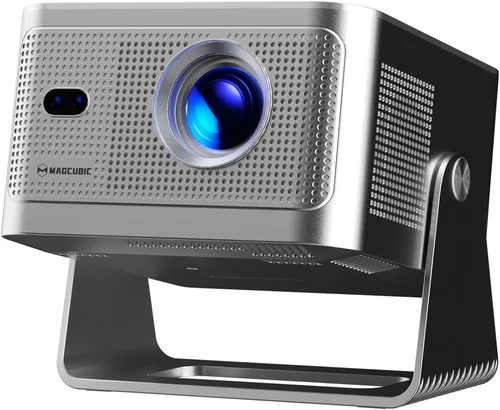
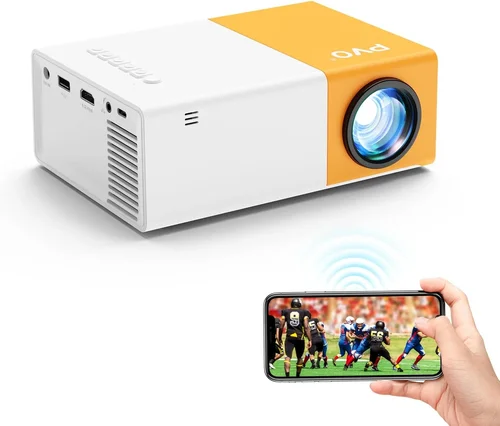
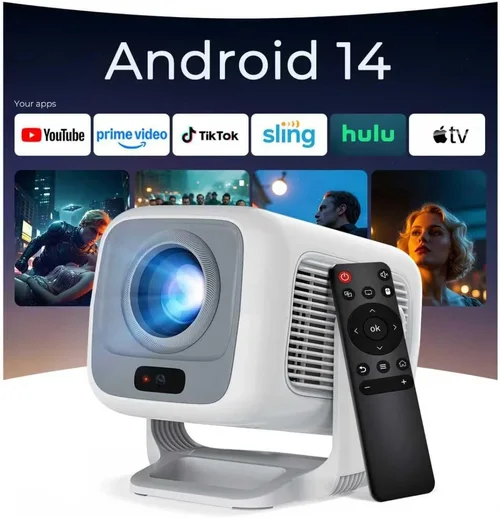
A: Projectors offer larger images (100+ inches) but require darkness and a flat surface. TVs provide consistent brightness, instant on/off, and better reliability for mixed lighting.
Q: How long do budget outdoor TVs last?
A: With proper care, 4–6 years is typical. Avoid leaving them powered on constantly, and unplug during storms to extend lifespan.
Q: Should I get a soundbar for my backyard TV?
A: Highly recommended. Built-in TV speakers can’t compete with outdoor noise. A $80–$120 weather-resistant soundbar dramatically improves audio clarity.
Our Final Recommendations
Best for Budget-Conscious Buyers: TCL 43S450G (43-inch 4K Roku TV) – At under $300, it delivers 500 nits brightness, smooth streaming, and solid build quality. Perfect for covered patios with evening use.
Best Overall Value: Hisense 50R6E (50-inch 4K Roku TV) – Priced around $380, it hits 700 nits, includes Dolby Vision, and handles outdoor glare well. Pair with a basic tilt mount for optimal viewing.
Best Premium Option: Vizio M-Series 55MQ6 (55-inch Quantum 4K) – With 900 nits peak brightness and local dimming, this $550 TV rivals mid-tier outdoor models. Ideal for pergolas with occasional sun exposure.
Best for Beginners: Amazon Fire TV 43-inch 4-Series – Simple setup, voice control via Alexa, and seamless integration with Ring cameras or Echo devices. Great for tech-novice families.
Best for Advanced Users: SunBrite Veranda 55-inch Partial Sun – Though pricier ($1,200), it’s one of the few truly outdoor-rated TVs under $1,500. Built-in heater/cooler and IP55 rating make it a long-term investment.
Conclusion: Making the Right Choice
Choosing a budget backyard TV isn’t about finding the cheapest option—it’s about matching your environment, usage habits, and family needs to the right balance of performance and price. Remember: brightness beats size, protection beats portability, and smart features beat complexity. Whether you’re watching fireworks on the Fourth of July or streaming a soccer match for the neighborhood kids, your TV should enhance the experience, not complicate it.
Start by assessing your space honestly. Measure sunlight, note power access, and define your must-have features. Then, use this guide to narrow your options and avoid costly mistakes. Don’t rush—wait for a sale, read real reviews, and invest in quality mounts and audio. Your backyard deserves more than a compromised compromise.
Ultimately, the best TV is the one you’ll actually use. So prioritize reliability, ease of setup, and joy. Because family gatherings aren’t about specs—they’re about connection. And with the right budget-friendly screen, you’ll create memories that last long after the credits roll.

