
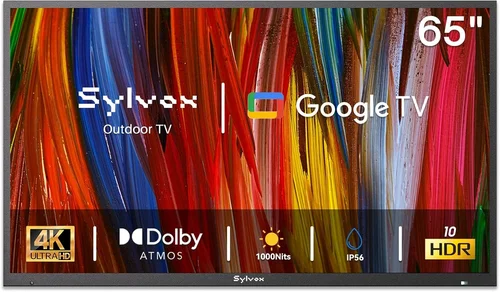
When it comes to transforming your deck into a true outdoor entertainment hub, few upgrades deliver as much impact as a dedicated backyard TV. Whether you’re hosting summer barbecues, watching the big game under the stars, or simply enjoying a quiet evening with a movie, having a reliable television outdoors elevates the entire experience. But here’s the catch: not all TVs are built to handle the elements. Sunlight glare, humidity, temperature swings, and even dust can wreak havoc on a standard indoor television. That’s why choosing the right budget-friendly outdoor TV requires more than just picking the cheapest screen you can find.
This guide is designed for homeowners, renters, and outdoor enthusiasts who want to enjoy high-quality video entertainment in their backyard—without breaking the bank. We’ll walk you through everything you need to know to make a smart, informed decision, from understanding key performance specs to avoiding common pitfalls. You’ll learn how to balance cost with durability, what features truly matter for outdoor use, and where to find the best deals in 2026. Whether you’re working with a tight budget or just looking for the best value, this comprehensive buying guide will help you select a backyard TV that delivers great picture quality, stands up to the weather, and fits seamlessly into your deck setup.
The market for outdoor TVs has evolved significantly in recent years. What was once a niche category dominated by ultra-expensive, fully weatherproof models now includes a growing range of affordable options that blend indoor performance with outdoor resilience. From partial outdoor enclosures to TVs specifically engineered for shaded or covered areas, there are now viable budget solutions for nearly every deck configuration. However, with so many choices—and so much marketing hype—it’s easy to get overwhelmed. Some products claim “outdoor-ready” status but lack critical protections, while others offer impressive specs but fall short in real-world durability. Our goal is to cut through the noise and give you the tools to identify the best budget backyard TV for your specific needs, space, and lifestyle.

What to Look for When Buying Buying Guide
1. Budget & Price Range
Setting a realistic budget is the first and most important step in your backyard TV purchase. Unlike indoor TVs, outdoor models often come with a premium due to specialized components like anti-glare screens, weather-resistant casings, and enhanced brightness. However, “budget” doesn’t have to mean “low quality.” In 2026, you can find excellent outdoor-capable TVs starting as low as $400 for smaller sizes (32–43 inches), with mid-range options between $600 and $1,200 offering the best balance of performance and protection. Premium outdoor TVs from brands like SunBrite or Seura can exceed $2,500, but for most deck setups—especially those under cover or in shaded areas—a well-chosen budget model will perform admirably.
When determining your budget, consider not just the TV itself but also additional costs like mounting hardware, weatherproof enclosures (if needed), cables rated for outdoor use, and possibly a soundbar or external speakers. A common mistake is allocating the entire budget to the screen and then skimping on essential accessories, which can compromise both performance and longevity. Aim to reserve at least 15–20% of your total budget for these extras. Also, keep in mind that investing slightly more upfront in a durable, bright, and properly protected TV can save you money in the long run by avoiding premature replacements.
2. Performance Specifications
Not all TVs are created equal, especially when it comes to outdoor visibility. The two most critical performance specs for backyard use are brightness (measured in nits) and contrast ratio. Indoor TVs typically range from 250 to 500 nits, which is fine for a dim living room but inadequate under direct or even partial sunlight. For deck use, aim for a minimum of 700 nits, with 1,000+ nits being ideal for areas with significant ambient light. Some budget outdoor TVs now feature high-brightness LED backlighting or quantum dot technology to enhance visibility without drastically increasing cost.
Resolution is another key factor. While 4K UHD is now standard even in budget models, ensure the TV supports HDR (High Dynamic Range) for better color depth and contrast in varying lighting conditions. Look for HDR10 or Dolby Vision compatibility, which can make a noticeable difference when watching sports or nature documentaries outdoors. Refresh rate matters too—60Hz is acceptable for casual viewing, but if you plan to stream fast-paced content like football or action movies, a 120Hz panel will reduce motion blur and provide smoother playback.
Don’t overlook audio performance. Most budget TVs have underpowered built-in speakers that struggle outdoors due to open space and ambient noise. Consider pairing your TV with a weather-resistant soundbar or outdoor speakers. Check the TV’s audio output options—optical, HDMI ARC, or Bluetooth—to ensure compatibility with external audio systems. Finally, smart functionality is almost expected in 2026. Ensure the TV runs a modern platform like Roku TV, Google TV, or webOS, which offer seamless streaming, voice control, and regular software updates.
3. Build Quality & Durability
Outdoor environments are harsh on electronics. Even on a covered deck, your TV will be exposed to humidity, temperature fluctuations, dust, and occasional splashes. That’s why build quality is non-negotiable. Look for TVs with robust, sealed casings that prevent moisture and debris from entering internal components. While fully weatherproof outdoor TVs (IP55 or higher rated) are ideal for open patios, many budget-friendly models are designed for “partial outdoor use”—meaning they’re safe under a roof, pergola, or awning but not in direct rain or snow.
Check the materials used in the chassis and bezel. Metal frames and reinforced plastics offer better protection than all-plastic constructions. Some brands use powder-coated finishes to resist rust and UV degradation. Also, examine the ventilation design—overheating is a common cause of failure in outdoor TVs. Avoid models with enclosed backs unless they’re specifically engineered with passive cooling systems. If you live in a region with extreme temperatures (below freezing or above 95°F), verify that the TV’s operating temperature range matches your climate.
Another durability consideration is the screen itself. Standard glass can reflect sunlight, making it hard to see the picture. Look for anti-reflective or matte finishes that reduce glare. Some budget models now include optically bonded screens, which minimize air gaps between layers and improve clarity in bright conditions. While these features may add a small cost, they significantly enhance usability on a sunny deck.
4. Features & Functionality
Modern outdoor TVs come packed with features, but not all are essential. Focus on those that enhance outdoor usability. One of the most valuable is automatic brightness adjustment, which uses ambient light sensors to optimize screen luminance based on surrounding conditions. This not only improves visibility but also extends the TV’s lifespan by reducing unnecessary strain on the backlight.
Connectivity is another area where budget models have improved. Ensure the TV has multiple HDMI ports (at least three), USB inputs for media playback, and Wi-Fi 6 or Ethernet for stable streaming. Bluetooth support is useful for wireless headphones or speakers. Some models include built-in streaming apps, but if yours doesn’t, consider using an external device like a Roku Streaming Stick or Amazon Fire Stick—just make sure it’s protected from the elements.
Mounting flexibility is crucial for deck installations. Look for TVs that support VESA mounting standards (e.g., 200×200, 400×400) so you can use a wide range of wall or ceiling mounts. Tilt and swivel capabilities allow you to adjust the angle for optimal viewing from different seating areas. If space is limited, consider ultra-thin models that sit flush against the wall. Finally, remote control design matters—opt for models with backlit remotes or smartphone app control, as outdoor lighting can make small buttons hard to see at night.
5. Brand Reputation
Not all TV brands are equally reliable when it comes to outdoor performance. While mainstream manufacturers like Samsung, LG, and Sony offer excellent indoor TVs, their standard models aren’t built for outdoor use. However, some have introduced “outdoor-ready” versions or partner with third-party enclosure companies. Brands like SunBrite, Seura, and Avid Power specialize in outdoor displays and have strong reputations for durability and customer support.
For budget buyers, consider brands that offer hybrid solutions—indoor TVs with optional outdoor kits. Vizio, TCL, and Hisense now sell models that, when paired with a weatherproof enclosure, can function effectively on covered decks. These brands are known for delivering high value, with strong picture quality and smart features at competitive prices. Read user reviews and check professional ratings from sources like CNET, RTINGS.com, or Wirecutter to gauge real-world performance.
Avoid unknown or generic brands that promise “outdoor TVs” at suspiciously low prices. These often cut corners on materials, lack proper certifications, and offer minimal customer support. A reputable brand may cost a bit more upfront, but it provides peace of mind, better warranty coverage, and access to replacement parts if needed.
6. Warranty & Support
A solid warranty is a strong indicator of a manufacturer’s confidence in their product. For outdoor TVs, look for at least a one-year limited warranty, with two years being preferable. Some premium brands offer extended coverage for outdoor use, including protection against humidity and temperature damage. Check what the warranty covers—does it include the screen, internal components, and remote? Is labor included for repairs?
Customer support is equally important. Outdoor TVs can be tricky to troubleshoot, especially if issues arise from environmental factors. Choose brands with responsive support teams, preferably with phone, email, and live chat options. Online resources like setup guides, FAQs, and video tutorials are also valuable. Avoid companies that only offer email support with slow response times.
If you’re buying from a third-party seller or marketplace (like Amazon or eBay), verify the warranty terms. Some sellers offer “international” versions of TVs that may not be covered in your region. Always purchase from authorized dealers to ensure full warranty eligibility.
7. Size & Portability
Choosing the right screen size depends on your deck layout and viewing distance. A general rule of thumb: for every foot of viewing distance, you can comfortably watch a TV that’s about 1.5 to 2 inches in diagonal size. So, if your seating is 8 feet from the TV, a 50- to 65-inch screen is ideal. Larger screens enhance immersion but may overwhelm a small deck, while smaller screens can feel cramped for group viewing.
Portability is a consideration if you plan to move the TV between indoor and outdoor spaces—for example, bringing it inside during winter. Some budget outdoor TVs are lightweight and come with carrying handles, making them easy to relocate. However, frequent movement increases the risk of damage, so ensure the TV is well-protected during transport. If you’re mounting it permanently, weight becomes less of an issue, but still check the mount’s weight capacity.
For multi-purpose use, consider a TV with a detachable stand or one that can be easily unmounted. This flexibility allows you to use the same TV indoors during colder months, maximizing your investment. Just remember that moving a TV between environments requires careful handling to avoid exposing it to sudden temperature or humidity changes.
8. User Reviews & Ratings
Never rely solely on manufacturer claims. User reviews provide invaluable insights into real-world performance, especially for outdoor use. Look for reviews from buyers who have used the TV on decks, patios, or gazebos—these will highlight issues like glare, overheating, or connectivity problems that specs alone won’t reveal.
Pay attention to patterns in feedback. If multiple users report the same issue—such as poor brightness in sunlight or Wi-Fi dropouts—it’s likely a genuine flaw. Conversely, consistent praise for features like ease of setup, picture quality, or durability is a good sign. Use review platforms like Amazon, Best Buy, or specialized forums like AVS Forum to gather diverse opinions.
Be cautious of overly positive or suspiciously uniform reviews, which may be fake. Look for detailed, balanced feedback that discusses both pros and cons. Verified purchase badges add credibility. Also, check the date of reviews—older models may have been updated, so prioritize recent feedback from 2025–2026.
Different Types of Buying Guide

Common Buying Mistakes to Avoid
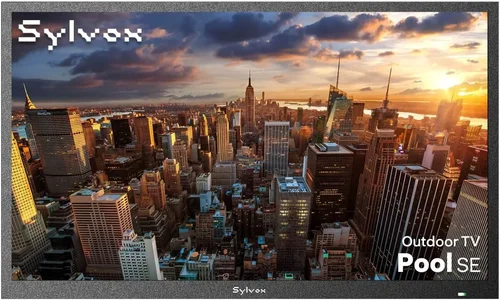
❌ Mistake: Buying a Standard Indoor TV for Outdoor Use
Why it’s bad: Indoor TVs lack the brightness, weather resistance, and thermal management needed for outdoor environments. Even under cover, they can overheat, suffer from glare, or fail prematurely due to humidity. The cost of replacing a damaged indoor TV often exceeds the price difference for a proper outdoor model.
What to do instead: Invest in a TV specifically designed for partial or full outdoor use, or pair an indoor TV with a certified weatherproof enclosure. Always check the manufacturer’s guidelines for environmental limits.
❌ Mistake: Ignoring Sunlight and Glare
Why it’s bad: A dim screen with high reflectivity will be unwatchable on a sunny deck, no matter how good the content. This leads to frustration and underuse of your outdoor space.
What to do instead: Prioritize TVs with high brightness (700+ nits) and anti-glare coatings. Consider the orientation of your deck—south-facing areas need the brightest screens. Use curtains, awnings, or strategic mounting to reduce direct sunlight.
❌ Mistake: Overlooking Audio Needs
Why it’s bad: Built-in TV speakers are rarely powerful enough for open outdoor spaces. Wind, ambient noise, and distance can make dialogue inaudible, ruining the viewing experience.
What to do instead: Plan for external audio from the start. Invest in weather-resistant speakers or a soundbar with outdoor certification. Bluetooth or wireless options reduce cable clutter and simplify setup.
❌ Mistake: Skimping on Mounting and Installation
Why it’s bad: Improper mounting can lead to instability, vibration, or even the TV falling. Using indoor mounts outdoors risks corrosion and failure.
What to do instead: Use mounts rated for outdoor use with rust-resistant hardware. Ensure the wall or structure can support the weight. Consider professional installation for permanent setups, especially for larger screens.
❌ Mistake: Not Checking Return and Warranty Policies
Why it’s bad: Outdoor TVs can have unique issues that aren’t apparent until after installation. Without a good return window or warranty, you’re stuck with a defective product.
What to do instead: Choose retailers with at least 30-day return policies and brands with comprehensive warranties. Read the fine print to understand coverage for outdoor-related damage.
❌ Mistake: Forgetting About Power and Connectivity
Why it’s bad: Running power and HDMI cables outdoors requires weatherproof conduits and proper grounding. DIY setups can pose safety risks or violate electrical codes.
What to do instead: Use outdoor-rated cables and enclosures. Consult an electrician if extending power lines. Consider wireless streaming devices to minimize cable runs.
❌ Mistake: Choosing Based on Price Alone
Why it’s bad: The cheapest TV may lack essential features like brightness, durability, or smart functionality, leading to poor performance and early replacement.
What to do instead: Focus on value—balance cost with key specs like brightness, build quality, and warranty. A slightly higher upfront cost often results in better long-term satisfaction.
Budget Guidelines: How Much Should You Spend?
- Entry-Level ($400 – $600): Ideal for small decks or seasonal use. Expect 32–43 inch screens with 700–800 nits brightness, basic smart features, and partial outdoor compatibility. Best paired with a weatherproof enclosure. Look for brands like TCL or Hisense with outdoor kits.
- Mid-Range ($600 – $1,200): The sweet spot for most buyers. Offers 50–65 inch screens, 1,000+ nits brightness, HDR support, and durable builds for covered decks. Models from Vizio, SunBrite (entry line), or Avid Power deliver excellent value.
- Premium ($1,200 – $2,500): For enthusiasts who want top-tier performance and durability. Features include full weatherproofing, ultra-bright displays (1,500+ nits), advanced cooling, and premium audio. Brands like Seura and SunBrite dominate this tier.
- Luxury ($2,500+): Reserved for large commercial installations or high-end residential decks. These TVs offer 24/7 operation, extreme environmental resistance, and professional-grade components. Often require custom installation.
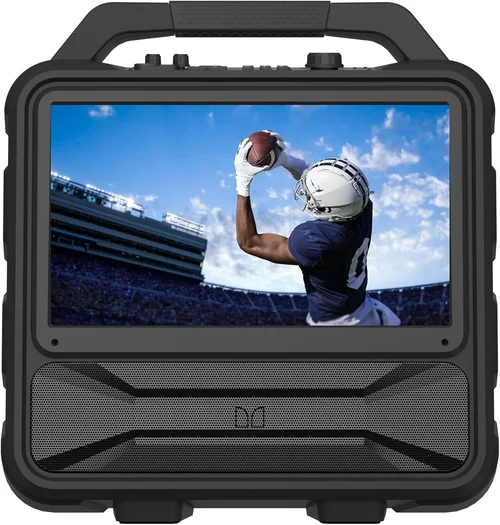
Expert Tips for Getting the Best Deal
- Shop During Seasonal Sales: The best time to buy is late winter (February–March) or early fall (September–October), when retailers clear out inventory for new models. Black Friday and Prime Day also offer significant discounts.
- Compare Online and In-Store: Online retailers often have lower prices and wider selections, but in-store purchases allow you to inspect build quality and speak with experts. Use price-matching policies when available.
- Look for Open-Box or Refurbished Models: Certified refurbished outdoor TVs from reputable sellers can save 20–30% off retail. Ensure they come with a warranty and have been tested for outdoor use.
- Bundle Accessories: Many retailers offer discounts when you buy a TV with a mount, cables, or speakers. These bundles ensure compatibility and can be cheaper than buying items separately.
- Check for Manufacturer Rebates: Some brands offer mail-in rebates or instant discounts during promotional periods. Sign up for newsletters to stay informed.
- Test Before Committing: If possible, view the TV in person under bright lighting to assess glare and brightness. Some stores have outdoor display areas for this purpose.
- Read the Return Policy Carefully: Outdoor TVs can be difficult to return due to size and weight. Ensure the retailer covers return shipping and accepts opened items.
- Consider Long-Term Costs: Factor in energy efficiency, expected lifespan, and potential repair costs. A more efficient TV may cost more upfront but save money over time.

Frequently Asked Questions
Q: Can I use a regular TV outdoors if it’s under cover?
A: It’s not recommended. Even under cover, indoor TVs are vulnerable to humidity, temperature changes, and dust. Over time, these factors can damage internal components. For covered decks, opt for a partial outdoor TV or use a weatherproof enclosure.
Q: How bright should my outdoor TV be?
A: Aim for at least 700 nits for shaded areas and 1,000+ nits for decks with direct or partial sunlight. Brightness ensures the picture remains visible and vibrant in ambient light.
Q: Do I need a special mount for an outdoor TV?
A: Yes. Use mounts rated for outdoor use with rust-resistant hardware. Ensure the mount supports the TV’s weight and VESA pattern. Tilt and swivel features improve viewing angles.
Q: Can I leave my outdoor TV on all the time?
A: Only if it’s a commercial-grade model designed for 24/7 operation. Most consumer outdoor TVs should be turned off when not in use to prolong lifespan and save energy.
Q: What’s the difference between IP55 and IP65 ratings?
A: IP55 protects against dust and low-pressure water jets, suitable for most covered decks. IP65 offers complete dust protection and resistance to water jets, ideal for open patios.
Q: Can I use streaming devices like Roku or Fire Stick outdoors?
A: Yes, but protect them from the elements. Use weatherproof enclosures or place them in a sealed compartment behind the TV. Ensure strong Wi-Fi signal strength.
Q: How do I clean my outdoor TV screen?
A: Use a microfiber cloth and a mild cleaning solution designed for electronics. Avoid ammonia-based cleaners, which can damage anti-glare coatings. Power off the TV before cleaning.
Q: Will my outdoor TV work in cold weather?
A: Most outdoor TVs operate between 32°F and 104°F. If temperatures drop below freezing, consider bringing the TV indoors or using a model with cold-weather certification.
Q: Can I connect multiple devices to my outdoor TV?
A: Yes, as long as the TV has enough HDMI ports. Use an HDMI switch if needed. Ensure all cables are outdoor-rated and properly sealed.
Q: Is it worth buying a soundbar for outdoor use?
A: Absolutely. Built-in TV speakers are inadequate outdoors. A weather-resistant soundbar significantly improves audio clarity and volume, enhancing the overall experience.
Our Final Recommendations
- Best for Budget-Conscious Buyers: TCL 55-inch 4K UHD Smart TV with Avid Power Outdoor Enclosure – Combines excellent picture quality, smart features, and weather protection under $700.
- Best Overall Value: Vizio M-Series 65-inch Quantum Smart TV – High brightness (1,100 nits), HDR10+, and durable build for covered decks. Priced around $900.
- Best Premium Option: SunBrite Veranda Series 55-inch – Fully weatherproof, 1,500 nits brightness, and superior thermal management. Ideal for open patios. $1,800.
- Best for Beginners: Hisense 50-inch U6 Series with Outdoor Kit – Easy setup, intuitive interface, and reliable performance for first-time outdoor TV users. $650.
- Best for Advanced Users: Seura 65-inch Shadow Series – Ultra-bright, anti-reflective, and designed for extreme conditions. Perfect for tech-savvy homeowners. $2,400.
Conclusion: Making the Right Choice
Choosing the right budget backyard TV for your deck doesn’t have to be overwhelming. By focusing on key factors like brightness, build quality, and intended use, you can find a model that delivers excellent performance without exceeding your budget. Remember that “budget” doesn’t mean “compromise”—with the advancements in 2026, even affordable outdoor TVs offer impressive features and durability.
Prioritize your specific needs: if your deck is covered, a partial outdoor TV or indoor model with an enclosure may suffice. For open areas, invest in a fully weatherproof unit. Don’t forget audio, mounting, and connectivity—these details make a big difference in real-world use. And always read reviews, check warranties, and shop during sales to maximize value.
Your backyard is an extension of your home, and a great TV can turn it into a year-round entertainment destination. With the insights from this guide, you’re equipped to make a confident, informed decision. So go ahead—bring the screen outside, fire up your favorite show, and enjoy the ultimate deck experience under the open sky.

