
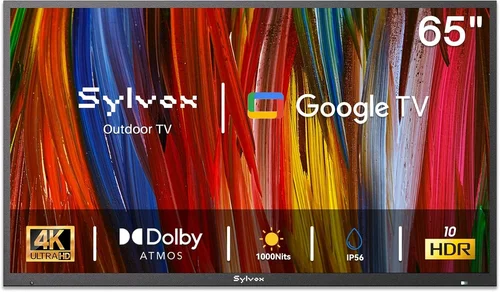
Outdoor living spaces have evolved far beyond simple patios and decks. Today’s gazebos are fully equipped entertainment zones—complete with lighting, sound systems, and even full-sized televisions. But not just any TV will do when it’s exposed to the elements. A standard indoor television left under a gazebo roof may survive a light drizzle, but it won’t withstand humidity, temperature swings, UV exposure, or seasonal storms. That’s where weatherproof TVs come in—specially engineered for outdoor use, built to resist moisture, dust, extreme heat, and cold.
This comprehensive buying guide is designed for homeowners, outdoor enthusiasts, and smart-home integrators who want to make an informed decision when selecting the best weatherproof TV for their gazebo. Whether you’re upgrading your backyard oasis or building a new outdoor entertainment area from scratch, we’ll walk you through everything you need to know—from technical specifications and build quality to budget considerations and installation tips. By the end of this guide, you’ll understand exactly what makes a TV truly “weatherproof,” how to avoid common pitfalls, and which models offer the best value for your specific needs.
The market for outdoor TVs has grown significantly in recent years, driven by advances in display technology and increasing demand for year-round outdoor living. Major brands like Samsung, Sony, and LG now offer outdoor-specific models, while niche manufacturers such as SunBriteTV, Seura, and Peerless have built entire product lines around weather-resistant displays. However, not all “outdoor TVs” are created equal. Some are merely indoor TVs with optional outdoor enclosures, while others are purpose-built from the ground up with sealed components, anti-glare screens, and thermal management systems. This guide cuts through the marketing noise to help you identify the real deal—and choose a TV that will deliver stunning picture quality, reliable performance, and long-term durability in your gazebo.

What to Look for When Buying a Weatherproof TV for Your Gazebo
1. True Outdoor Certification and IP Rating
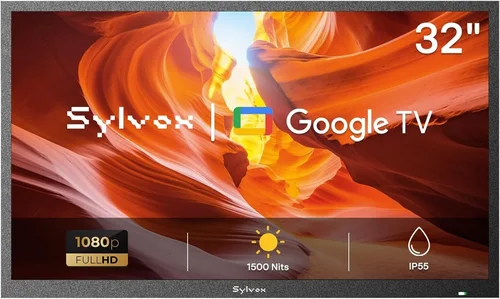
When shopping for a weatherproof TV, the first thing to verify is whether the model is genuinely designed for outdoor use—not just an indoor TV marketed as “outdoor-ready.” Look for official certifications like an IP (Ingress Protection) rating, which indicates resistance to dust and water. For gazebo installations, an IP55 or higher rating is ideal. IP55 means the TV can withstand low-pressure water jets from any direction and is protected against dust ingress that could interfere with operation. Higher ratings like IP65 offer even greater protection, making them suitable for more exposed locations.
Avoid models that rely solely on third-party enclosures to achieve weather resistance. While these can work, they often compromise airflow, increase bulk, and may void the manufacturer’s warranty. A true outdoor TV integrates weatherproofing into its core design—sealed ports, corrosion-resistant materials, and internal components rated for extreme conditions. For example, SunBriteTV’s Veranda series carries an IP55 rating and is tested to operate in temperatures from -22°F to 122°F (-30°C to 50°C), making it ideal for four-season gazebos.
2. Display Brightness and Anti-Glare Technology
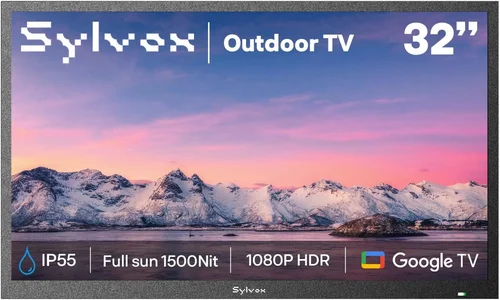
One of the biggest challenges with outdoor TVs is visibility in bright daylight. Standard indoor TVs typically peak at 300–500 nits of brightness—fine for a dim living room but nearly invisible under direct sunlight. Weatherproof TVs for gazebos must deliver significantly higher brightness, ideally 700 nits or more, with advanced anti-reflective coatings to reduce glare from the sun or ambient lighting.
Look for models featuring direct-lit LED backlighting or full-array local dimming (FALD), which enhance contrast and brightness uniformity. Some premium outdoor TVs, like the Samsung The Terrace, use quantum dot technology (QLED) combined with anti-glare filters to maintain color accuracy and deep blacks even in full sun. Additionally, consider the screen’s viewing angle—wide-angle panels (178°) ensure consistent image quality whether you’re seated directly in front or off to the side, which is common in gazebo setups with multiple seating areas.
3. Thermal Management and Operating Temperature Range
Outdoor environments experience dramatic temperature fluctuations—from freezing winter nights to scorching summer afternoons. A weatherproof TV must have robust thermal management to prevent overheating in summer and ensure reliable startup in cold weather. Internal cooling fans, heat-dissipating chassis materials, and low-power components all contribute to stable performance.
Check the manufacturer’s specified operating temperature range. Most quality outdoor TVs function reliably between -22°F and 122°F (-30°C to 50°C). Avoid models that only list a narrow range (e.g., 32°F to 95°F), as these may fail in extreme conditions. Also, ensure the TV has passive or active cooling systems that don’t rely on external airflow, which can be blocked by dust or debris in a gazebo setting.
4. Build Quality and Materials
The physical construction of a weatherproof TV is just as important as its electronic specs. Look for a rugged, powder-coated aluminum or stainless-steel chassis that resists rust, corrosion, and UV degradation. Avoid plastic casings, which can become brittle and crack over time when exposed to sunlight and moisture.
Sealed cable ports, waterproof gaskets, and reinforced mounting points are essential for long-term durability. The TV should also be resistant to pests—some models include mesh filters to prevent insects from entering ventilation areas. For gazebos near coastal areas or high-humidity regions, marine-grade materials and conformal coating on internal circuit boards provide added protection against salt spray and condensation.
5. Smart Features and Connectivity
Modern outdoor TVs aren’t just about picture quality—they’re also smart hubs for your backyard entertainment. Ensure the model you choose supports Wi-Fi, Bluetooth, and popular streaming platforms like Netflix, YouTube, and Disney+. Built-in voice assistants (Google Assistant or Amazon Alexa) allow hands-free control, which is especially useful when you’re grilling or relaxing outdoors.
Connectivity options matter too. Look for multiple HDMI ports (preferably HDMI 2.1 for 4K/120Hz gaming), USB inputs, and optical audio outputs. If you plan to connect a soundbar or outdoor speakers, ensure the TV supports ARC (Audio Return Channel) or eARC for high-quality audio passthrough. Some models also include weatherproof HDMI cables or built-in cable management systems to keep connections secure and protected.
6. Mounting Compatibility and Installation Ease
Even the best weatherproof TV won’t perform well if it’s poorly mounted. Most outdoor TVs are VESA-compatible, meaning they work with standard wall or ceiling mounts. However, outdoor-specific mounts are recommended—they’re often heavier-duty, corrosion-resistant, and designed to handle wind loads.
Consider whether you want a fixed, tilt, or full-motion mount. For gazebos, a tilt or swivel mount allows you to adjust the viewing angle based on seating arrangements and sun position. Some manufacturers, like Peerless-AV, offer all-in-one outdoor mounting kits that include the TV, mount, and weatherproof enclosure. These simplify installation but may limit flexibility if you want to upgrade later.
7. Audio Performance and Speaker Quality
While many homeowners pair outdoor TVs with external sound systems, built-in audio quality shouldn’t be overlooked. Standard indoor TVs often have weak speakers that struggle to compete with outdoor noise. Weatherproof models typically feature weather-resistant speakers with enhanced bass and clarity.
Look for TVs with at least 20W of total audio output and support for Dolby Audio or DTS:X. Some high-end models include upward-firing speakers or dedicated subwoofer outputs. If audio is a priority, consider models like the Seura Shadow Series, which integrate premium soundbars directly into the TV frame for a sleek, all-in-one solution.
8. Warranty and Customer Support
Outdoor electronics are an investment, and a strong warranty reflects manufacturer confidence in their product. Most reputable outdoor TV brands offer 2–3 years of coverage, with some extending to 5 years for commercial use. Check what the warranty covers—does it include labor, parts, and on-site service? Is accidental damage or power surge protection included?
Customer support is equally important. Brands like SunBriteTV and Samsung offer dedicated outdoor TV support lines with technicians experienced in installation and troubleshooting. Avoid brands with limited service networks or vague warranty terms. A good warranty can save you hundreds in repair costs if the TV fails due to environmental stress.
Different Types of Weatherproof TVs for Gazebos

Common Buying Mistakes to Avoid
❌ Mistake: Assuming All “Outdoor TVs” Are Equal
Why it’s bad: Many retailers market standard indoor TVs as “outdoor-ready” simply because they can be placed in a weatherproof box. These setups often lack proper thermal management, have limited brightness, and may void the TV’s warranty when modified.
What to do instead: Only consider TVs explicitly designed and certified for outdoor use. Look for models with IP ratings, outdoor-specific cooling, and manufacturer-backed warranties for outdoor installation.
❌ Mistake: Ignoring Brightness Requirements
Why it’s bad: A TV with only 400 nits of brightness will appear washed out in daylight, even under a gazebo roof. You’ll end up squinting or watching only at night, defeating the purpose of an outdoor setup.
What to do instead: Choose a TV with at least 700 nits of brightness and an anti-glare screen. For south-facing gazebos with direct sun exposure, aim for 1,000+ nits.
❌ Mistake: Overlooking Audio Needs
Why it’s bad: Built-in speakers on outdoor TVs are often underpowered. Relying solely on them results in muffled dialogue and weak sound that gets lost in outdoor noise.
What to do instead: Plan for a weatherproof soundbar or outdoor speaker system from the start. Look for TVs with audio outputs and consider models with integrated high-quality speakers.
❌ Mistake: Skimping on Mounting Hardware
Why it’s bad: Using indoor mounts or flimsy brackets can lead to sagging, vibration, or even collapse in windy conditions. This risks damaging the TV and creating a safety hazard.
What to do instead: Invest in a heavy-duty, corrosion-resistant outdoor mount rated for your TV’s size and weight. Consider tilt or swivel options for optimal viewing angles.
❌ Mistake: Not Planning for Cable Management
Why it’s bad: Exposed cables are vulnerable to moisture, UV damage, and pests. Poor cable routing also looks messy and can interfere with airflow.
What to do instead: Use weatherproof conduit, cable raceways, or built-in cable channels. Choose TVs with rear cable management systems or consider in-wall wiring if your gazebo structure allows.
❌ Mistake: Forgetting About Power and Connectivity
Why it’s bad: Running power and HDMI cables over long distances without proper protection can lead to signal loss, electrical hazards, or tripping risks.
What to do instead: Use outdoor-rated, shielded cables and consider a wireless HDMI transmitter for video. Install a dedicated outdoor GFCI outlet near the TV location.
❌ Mistake: Buying Without Testing Viewing Conditions
Why it’s bad: A TV that looks great in a store may perform poorly in your specific gazebo due to lighting, reflections, or distance.
What to do instead: Measure your viewing distance, assess sun exposure throughout the day, and read real-world reviews from users in similar environments.
Budget Guidelines: How Much Should You Spend?
Entry-Level ($800 – $1,500): This tier typically includes indoor TVs paired with third-party outdoor enclosures. While cost-effective, these setups often lack true weatherproofing, have limited brightness (under 600 nits), and may not include outdoor-rated warranties. Best for temporary or seasonal use in fully covered, low-sun gazebos.
Mid-Range ($1,500 – $3,500): The sweet spot for most homeowners. These are purpose-built partial-shade outdoor TVs like the SunBriteTV Veranda series or Samsung The Terrace (partial-shade model). They offer 700–1,000 nits brightness, IP55 ratings, smart features, and 2–3 year warranties. Ideal for covered gazebos with indirect sunlight.
Premium ($3,500 – $6,000): Designed for all-weather performance, these models (e.g., SunBriteTV Pro Series, Seura Shadow) deliver 1,000+ nits brightness, full IP65 protection, advanced thermal management, and premium audio. Suitable for gazebos with partial exposure or high-end outdoor entertainment systems.
Luxury ($6,000+): Commercial-grade displays built for 24/7 operation in extreme conditions. These include features like fanless cooling, military-grade components, and custom calibration. Best for large gazebos, luxury homes, or public venues where reliability and image quality are paramount.
Expert Tips for Getting the Best Deal
1. Buy During Off-Season Sales: The best deals on outdoor TVs occur in late fall and winter (October–February), when demand is lowest. Retailers often discount previous-year models to clear inventory. Sign up for alerts from brands like SunBriteTV and Samsung to catch seasonal promotions.
2. Compare Total Cost of Ownership: A cheaper TV with a short warranty or poor efficiency may cost more long-term. Factor in energy use, repair likelihood, and expected lifespan. Premium models often last 7–10 years outdoors, while budget options may fail in 3–5.
3. Shop at Specialized Retailers: Stores like Crutchfield, Abt Electronics, and Outdoor TV Direct offer expert advice, bundle deals, and extended return windows. They often include free shipping and installation guides—valuable for complex outdoor setups.
4. Look for Bundled Packages: Many manufacturers offer TV + mount + cable kits at a discount. For example, Peerless-AV’s outdoor TV bundles can save $200–$400 compared to buying components separately.
5. Check for Rebates and Incentives: Some utility companies offer rebates for energy-efficient outdoor electronics. Additionally, luxury home builders or integrators may qualify for trade pricing.
6. Test Before Committing: If possible, visit a showroom or ask for a demo unit. View the TV in conditions similar to your gazebo—bright daylight, angled viewing, and with audio playing.
7. Prioritize Return Policies: Outdoor TVs are hard to return once installed. Choose retailers with 30–60 day return windows and clear policies on restocking fees. Avoid final-sale items unless you’re confident in your choice.
8. Consider Professional Installation: While DIY is possible, a certified installer ensures proper mounting, cable routing, and weather sealing. This reduces risk and often extends the warranty.

Frequently Asked Questions
Q: Can I use a regular TV in my gazebo if it’s covered?
A: Technically yes, but it’s not recommended. Even covered gazebos experience humidity, temperature swings, and dust. A standard TV lacks the sealing, cooling, and brightness needed for reliable outdoor use. Over time, moisture can damage internal components, and the screen will be hard to see in daylight.
Q: Do weatherproof TVs need to be plugged into a special outlet?
A: Not necessarily, but they should be connected to a GFCI (Ground Fault Circuit Interrupter) outlet for safety. This protects against electrical shock in wet conditions. Use outdoor-rated extension cords if needed, and avoid daisy-chaining multiple devices.
Q: How do I clean a weatherproof TV screen?
A: Use a microfiber cloth and a mild solution of water and isopropyl alcohol (50/50). Avoid ammonia-based cleaners like Windex, which can damage anti-glare coatings. Never spray liquid directly on the screen—apply it to the cloth first.
Q: Will a weatherproof TV work in winter?
A: Yes, if it’s rated for low temperatures. Most quality outdoor TVs operate down to -22°F (-30°C). However, allow the TV to warm up gradually if moved from a cold storage area. Avoid turning it on immediately in freezing conditions.
Q: Can I mount a weatherproof TV on a ceiling?
A: Absolutely. Many outdoor TVs support ceiling mounts, and some manufacturers offer specialized brackets. Ensure the mount is rated for outdoor use and can handle wind loads. Tilt adjustments help optimize the viewing angle.
Q: Do outdoor TVs consume more power?
A: Slightly, due to higher brightness and cooling systems. However, modern models are energy-efficient. Look for ENERGY STAR certification or check the wattage rating. A 55-inch outdoor TV typically uses 100–150 watts under normal use.
Q: What’s the difference between partial-shade and all-weather TVs?
A: Partial-shade models (like SunBriteTV Veranda) are designed for covered areas with indirect light. All-weather models (like SunBriteTV Pro) have higher brightness, better sealing, and enhanced cooling for direct sun or exposed locations.
Q: Can I use a projector instead of a TV in my gazebo?
A: Projectors can work but require a dark environment and a weatherproof screen. They’re less bright than outdoor TVs and more vulnerable to dust and moisture. For consistent daytime viewing, a weatherproof TV is usually the better choice.
Q: How long do weatherproof TVs last?
A: With proper care, most last 7–10 years. Factors like climate, usage frequency, and maintenance affect longevity. Coastal or high-humidity areas may see shorter lifespans unless the TV has marine-grade protection.
Q: Are outdoor TVs compatible with streaming devices?
A: Yes. Most have built-in smart platforms (Android TV, webOS, Tizen), but you can also connect external devices like Apple TV, Roku, or Fire Stick via HDMI. Use weatherproof HDMI cables and secure connections to prevent corrosion.
Our Final Recommendations
Best for Budget-Conscious Buyers: Samsung The Terrace (Partial Shade, 55″) – At around $2,200, this QLED TV delivers 700+ nits brightness, IP55 rating, and excellent smart features. Ideal for covered gazebos with moderate sun exposure.
Best Overall Value: SunBriteTV Veranda Series (55″) – Priced at $2,800, it offers true outdoor durability, 800 nits brightness, and a 3-year warranty. A reliable, no-compromise choice for most homeowners.
Best Premium Option: SunBriteTV Pro Series (65″) – With 1,200 nits brightness, IP65 rating, and fanless cooling, this $5,500 model is built for extreme conditions and delivers cinema-quality visuals.
Best for Beginners: Seura Shadow Series (50″) – Combines a weatherproof TV with an integrated soundbar in a sleek design. Easy to install and perfect for those who want an all-in-one solution.
Best for Advanced Users: Peerless-AV Xtreme Outdoor Display (75″) – A commercial-grade powerhouse with 2,000 nits brightness, 24/7 operation, and customizable mounting. Ideal for large gazebos or smart home integrators.
Conclusion: Making the Right Choice
Choosing the best weatherproof TV for your gazebo isn’t just about picking the shiniest screen—it’s about matching technology to your environment, lifestyle, and long-term goals. From understanding IP ratings and brightness requirements to avoiding common installation pitfalls, this guide has equipped you with the knowledge to make a confident, informed decision.
Remember, the right TV will enhance your outdoor experience for years, not just seasons. Prioritize durability, visibility, and ease of use. Don’t sacrifice quality for a lower price—outdoor electronics are an investment in your home’s value and your enjoyment. Whether you’re watching the big game under the stars or enjoying a movie night with family, a properly selected weatherproof TV turns your gazebo into a true extension of your living space.
Take your time, compare models, and consult with experts if needed. And when you’re ready, invest in a TV that’s built to last—because the best outdoor moments deserve the best picture.

