
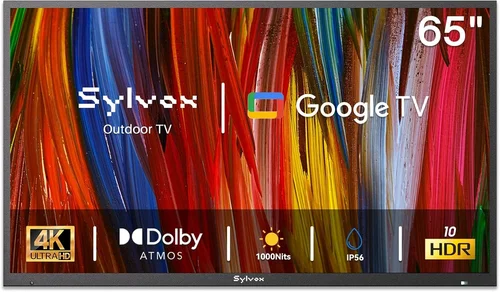
Outdoor family gatherings have evolved far beyond simple barbecues and backyard games. Today’s families are turning patios, decks, and pool areas into fully functional entertainment zones—complete with sound systems, outdoor kitchens, and yes, even televisions. But unlike indoor TVs, outdoor models face a unique set of challenges: scorching sun, heavy rain, freezing temperatures, dust, humidity, and even curious critters. That’s why choosing the right weatherproof TV isn’t just about picture quality—it’s about durability, reliability, and long-term performance in unpredictable environments.
This comprehensive buying guide is designed to help you navigate the often-confusing world of outdoor televisions. Whether you’re hosting summer movie nights under the stars, watching the big game with friends during fall tailgates, or enjoying cozy winter evenings by the fire pit, a weatherproof TV can elevate your outdoor experience. In this guide, we’ll break down everything you need to know—from key technical specifications and build standards to budget considerations and real-world performance tips. You’ll learn how to distinguish between marketing hype and genuine weather resistance, compare different types of outdoor TVs, avoid common pitfalls, and ultimately select a model that delivers both stunning visuals and rugged dependability.
The market for weatherproof TVs has grown significantly in recent years, driven by advances in display technology and increased demand for outdoor living spaces. Major brands like Samsung, Sony, LG, and specialized outdoor manufacturers such as SunBriteTV, Seura, and Peerless have entered the space, offering models ranging from basic weather-resistant displays to fully sealed, climate-controlled units. However, not all “outdoor” TVs are created equal. Some are simply indoor TVs housed in protective enclosures, while others are engineered from the ground up for outdoor use. Understanding these differences—and knowing what matters most for your specific setup—is crucial to making a smart investment. By the end of this guide, you’ll be equipped with expert-level knowledge to choose the best weatherproof TV for your family’s needs.

What to Look for When Buying Buying Guide
1. IP Rating & Weather Resistance Standards
One of the most critical factors when selecting a weatherproof TV is its Ingress Protection (IP) rating. This international standard measures how well a device resists dust and water. For outdoor TVs, look for an IP55 or higher rating—IP55 means the TV is protected against dust (limited ingress) and low-pressure water jets from any direction. Premium models often feature IP65 or IP66 ratings, offering full dust protection and resistance to powerful water jets or even temporary immersion.
However, don’t stop at the IP rating alone. True outdoor TVs go beyond basic sealing. They include features like corrosion-resistant coatings, UV-protected casings, and internal components rated for extreme temperatures. For example, some models can operate safely between -30°F and 140°F (-34°C to 60°C), ensuring reliable performance whether you’re in snowy Minnesota or sunbaked Arizona. Always verify that the manufacturer specifies operational temperature ranges—not just storage limits.
2. Display Brightness & Anti-Glare Technology
Outdoor visibility is arguably more important than resolution when it comes to weatherproof TVs. Even the sharpest 4K image will be washed out under direct sunlight if the screen isn’t bright enough. Look for models with a minimum brightness of 700 nits, though 1,000 nits or higher is ideal for full sun exposure. Many top-tier outdoor TVs now feature high-brightness LED or OLED panels specifically tuned for daylight viewing.
Equally important is anti-glare or anti-reflective coating. Without it, sunlight reflecting off the screen can make content nearly impossible to see. Some manufacturers use optically bonded glass, which reduces internal reflections and improves contrast in bright conditions. Additionally, consider the screen finish: matte finishes generally perform better outdoors than glossy ones. If your TV will be mounted under a covered patio or pergola, you may get away with slightly lower brightness, but for open-air setups, prioritize luminance above all else.
3. Build Quality & Durability
A weatherproof TV isn’t just about surviving rain—it must withstand years of environmental stress. Start by examining the materials used in the chassis and bezel. Aluminum or powder-coated steel offers excellent corrosion resistance compared to plastic, which can become brittle over time when exposed to UV rays. Check for reinforced seams, sealed ports, and gaskets around buttons and inputs.
Also consider the mounting system. Outdoor TVs should come with or be compatible with VESA-standard mounts that are also weatherproof. Some models include built-in cooling fans or passive ventilation systems to prevent overheating, while others use sealed, fanless designs to avoid dust ingress. Pay attention to cable management solutions too—exposed wires can degrade quickly outdoors. Finally, look for certifications like UL Listed for outdoor use or compliance with MIL-STD-810G for ruggedness, which indicate rigorous testing under real-world conditions.
4. Performance Specifications
While durability is paramount, you still want a TV that delivers a great viewing experience. Resolution-wise, 4K UHD is now the standard for outdoor models, offering crisp detail even on larger screens. HDR support (HDR10, Dolby Vision, or HLG) enhances color depth and contrast, making movies and sports pop—even in challenging lighting.
Refresh rate matters too, especially for live sports or action-packed content. Aim for at least 60Hz, though 120Hz panels provide smoother motion. Smart TV capabilities are increasingly common, with platforms like Android TV, webOS, or Roku built into outdoor models. This allows streaming directly from Netflix, YouTube, or Disney+ without needing an external box—though ensure the OS receives regular updates for security and feature improvements. Audio is another often-overlooked spec: built-in speakers on outdoor TVs tend to be underpowered, so plan to connect external weatherproof speakers or a soundbar for fuller sound.
5. Size & Viewing Distance
Choosing the right screen size depends on your outdoor space and typical seating arrangement. For patios or small decks, a 43- to 55-inch TV is usually sufficient. Larger backyards or poolside setups may benefit from 65-inch or even 75-inch models. Use the 1.5x rule as a guideline: multiply your viewing distance (in inches) by 1.5 to estimate ideal screen size. For example, if viewers sit 10 feet (120 inches) away, a 65-inch TV (120 ÷ 1.5 ≈ 80, but rounded down for comfort) works well.
Keep in mind that larger screens require more brightness to maintain image quality in daylight. Also, consider the TV’s depth and weight—outdoor enclosures add bulk, so ensure your mounting solution can support it. If space is tight, look for slim-profile models or those with front-facing speakers to reduce protrusion.
6. Brand Reputation & Specialization
Not all TV brands are equally equipped to handle outdoor demands. While mainstream manufacturers like Samsung and LG offer some outdoor-compatible models, companies like SunBriteTV, Seura, and Peerless have built their entire business around weatherproof displays. These specialists often provide better warranties, more robust construction, and deeper expertise in outdoor installation.
Research customer reviews focusing on long-term reliability—look for comments about performance after 1–2 years of outdoor use. Brands with dedicated outdoor support teams or local installer networks can also simplify setup and troubleshooting. Avoid generic “weatherproof” TVs sold by unknown brands on e-commerce platforms; they often lack proper certifications and fail prematurely.
7. Warranty & Support
Outdoor TVs represent a significant investment, so robust warranty coverage is essential. Most reputable brands offer 2- to 3-year limited warranties that cover both parts and labor, with some extending to 5 years for premium models. Pay close attention to what’s included: does the warranty cover damage from moisture, temperature extremes, or power surges? Is on-site service available?
Also check return policies and support responsiveness. Can you easily contact technical support if issues arise? Do they provide detailed installation guides or partner with certified installers? A strong support ecosystem can save you headaches down the line, especially if you’re not comfortable with DIY mounting or wiring.
8. Connectivity & Future-Proofing
Ensure your weatherproof TV has enough HDMI ports (at least 3–4) for devices like streaming sticks, gaming consoles, cable boxes, and sound systems. Look for HDMI 2.1 if you plan to use next-gen consoles like PlayStation 5 or Xbox Series X for 4K/120Hz gaming. USB ports, Ethernet, and Wi-Fi 6 support add flexibility for firmware updates and wired networking.
Consider future needs: will you add smart home integration, voice control, or multi-room audio? Some outdoor TVs support Matter or Thread protocols for seamless smart home connectivity. Also, verify that the TV receives regular software updates—outdated firmware can lead to security vulnerabilities or compatibility issues with new streaming services.
Different Types of Buying Guide

Common Buying Mistakes to Avoid
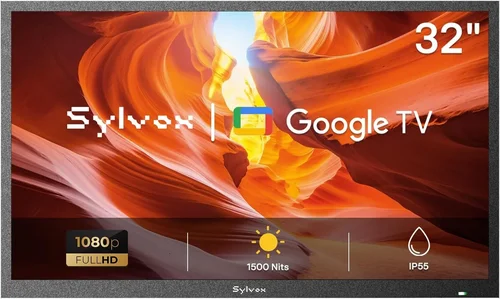
❌ Mistake: Assuming All “Outdoor” TVs Are Fully Weatherproof
Why it’s bad: Many retailers market indoor TVs as “suitable for outdoor use” simply because they come with a weatherproof cover. These covers often lack proper ventilation, leading to overheating, or fail to seal ports adequately, allowing moisture ingress. The result? Premature failure, fogged screens, or electrical damage.
What to do instead: Only purchase TVs explicitly designed and certified for outdoor installation. Look for terms like “all-weather,” “fully sealed,” or “IP65 rated.” Verify that the entire unit—not just the screen—is built for exterior use.
❌ Mistake: Ignoring Sun Exposure and Glare
Why it’s bad: A TV with low brightness (under 500 nits) will appear dim and washed out in direct sunlight, ruining the viewing experience. Even with anti-glare coating, insufficient luminance makes content hard to enjoy during daytime gatherings.
What to do instead: Prioritize brightness specs. Choose models with at least 700 nits for shaded areas and 1,000+ nits for full sun. Test the TV in similar lighting conditions if possible, or read detailed reviews that mention daytime visibility.
❌ Mistake: Overlooking Temperature Extremes
Why it’s bad: LCD panels can suffer from slow response times or permanent damage in extreme cold, while high heat can cause thermal shutdown or reduce lifespan. Indoor TVs aren’t engineered to handle these swings.
What to do instead: Confirm the TV’s operational temperature range matches your local climate. If you live in an area with harsh winters or scorching summers, opt for a model rated for -20°F to 120°F or wider.
❌ Mistake: Skimping on Mounting and Installation
Why it’s bad: Improper mounting can lead to water pooling, cable exposure, or even TV detachment during storms. DIY installations without weatherproof conduits or sealed brackets compromise the entire system’s integrity.
What to do instead: Use manufacturer-recommended mounts and hire a certified outdoor AV installer if unsure. Ensure all cables run through waterproof conduits and that the mount itself is corrosion-resistant.
❌ Mistake: Neglecting Audio Needs
Why it’s bad: Built-in speakers on outdoor TVs are typically weak and muffled, especially in open spaces where sound dissipates quickly. Relying solely on them results in poor dialogue clarity and lackluster audio.
What to do instead: Pair your TV with weatherproof outdoor speakers or a soundbar. Look for models with optical audio output or Bluetooth for easy connectivity. Consider speaker placement early in your planning.
❌ Mistake: Buying Based Solely on Price
Why it’s bad: The cheapest “outdoor” option may save money upfront but cost more in repairs or replacement within a year. Conversely, overspending on features you don’t need (e.g., commercial-grade brightness for a small patio) wastes resources.
What to do instead: Balance budget with intended use. A partial-cover TV suffices for a screened porch, while full exposure demands premium construction. Read long-term user reviews to assess value over time.
❌ Mistake: Forgetting About Power and Connectivity
Why it’s bad: Outdoor setups often lack convenient power outlets or network access. Running extension cords across decks creates tripping hazards, while weak Wi-Fi leads to buffering.
What to do instead: Plan electrical and networking needs before purchase. Install GFCI-protected outdoor outlets and consider a mesh Wi-Fi system to boost signal. Use wired Ethernet when possible for stable streaming.
Budget Guidelines: How Much Should You Spend?
Weatherproof TVs span a wide price spectrum, and your budget should align with usage intensity, environmental exposure, and desired features. Here’s a realistic breakdown:
- Entry-Level ($800–$1,500): These are typically indoor TVs paired with third-party outdoor enclosures. Best for covered patios with minimal sun/rain exposure. Expect basic weather resistance, moderate brightness (500–700 nits), and limited warranty coverage. Ideal for occasional use or temporary setups.
- Mid-Range ($1,500–$3,500): This is the sweet spot for most families. These TVs are purpose-built for partial outdoor use—think pergolas, screened-in porches, or shaded decks. They offer 700–1,000 nits brightness, IP55+ ratings, robust build quality, and 2–3 year warranties. Smart features and decent audio are common.
- Premium ($3,500–$6,000): Designed for full outdoor exposure, these models feature IP65/IP66 ratings, extreme temperature tolerance, 1,000+ nits brightness, and advanced cooling systems. Brands like SunBriteTV and Seura dominate this tier. Expect 3–5 year warranties, professional installation support, and superior longevity.
- Luxury ($6,000+): Reserved for large-scale installations or commercial applications, these TVs offer 24/7 operation, ultra-high brightness (2,000+ nits), remote monitoring, and custom configurations. Overkill for most homes but perfect for luxury resorts or expansive backyard theaters.
Expert Tips for Getting the Best Deal
- Buy During Off-Seasons: Prices drop significantly in late fall and winter when outdoor entertainment demand wanes. Look for Black Friday, Cyber Monday, or post-holiday sales for discounts up to 25%.
- Shop Specialized Retailers: Stores like Crutchfield, Abt Electronics, or Outdoor TV Direct often have better selection, expert advice, and bundled deals than big-box retailers. They may also offer free installation consultations.
- Compare Total Cost of Ownership: A cheaper TV might seem appealing, but factor in potential repair costs, shorter lifespan, or lack of warranty. Premium models often pay for themselves over 5–7 years of reliable service.
- Check Manufacturer Rebates: Some brands offer mail-in rebates or trade-in programs for old TVs. SunBriteTV, for example, occasionally runs seasonal promotions with free mounts or extended warranties.
- Read Long-Term Reviews: Focus on reviews from users who’ve owned the TV for 12+ months. Look for comments about durability, customer service, and real-world performance in various weather conditions.
- Test Before Committing: If possible, visit a showroom or ask retailers if they offer trial periods. Seeing the TV in person—especially under bright lighting—can reveal issues not apparent in specs.
- Negotiate Installation Packages: Many sellers offer discounted rates when you bundle TV purchase with professional installation. This ensures proper setup and often extends warranty coverage.
- Consider Refurbished Models: Certified refurbished outdoor TVs from reputable sellers can save 20–40% off retail. Ensure they come with full warranties and have been thoroughly tested.

Frequently Asked Questions
Q: Can I use a regular indoor TV outdoors if I cover it?
A: Technically yes, but it’s not recommended for long-term or exposed use. Indoor TVs lack proper sealing, temperature regulation, and UV protection. Even with a cover, moisture can seep in, and overheating is common. For anything beyond occasional, fully covered use, invest in a true outdoor model.
Q: Do weatherproof TVs need special maintenance?
A: Minimal maintenance is required. Wipe the screen with a microfiber cloth and mild cleaner monthly. Check seals and ports for debris or corrosion annually. Avoid abrasive cleaners or pressure washers, which can damage coatings.
Q: Will a weatherproof TV work in freezing temperatures?
A: Only if it’s rated for cold climates. Most outdoor TVs specify an operational low limit (e.g., -20°F). Below that, the screen may respond slowly or not turn on. Always check the manual—some models require pre-heating in extreme cold.
Q: Can I mount a weatherproof TV on a brick or concrete wall?
A: Yes, but use appropriate anchors and ensure the mount is rated for the TV’s weight. Consider hiring a professional to drill safely and run cables through walls without compromising weatherproofing.
Q: Do outdoor TVs consume more power than indoor ones?
A: Not necessarily. While high-brightness modes use more energy, many outdoor TVs are energy-efficient LEDs. Look for ENERGY STAR certification to keep electricity costs low.
Q: What happens if my outdoor TV gets rained on?
A: If it’s truly weatherproof (IP55+), rain won’t damage it. However, avoid spraying water directly into vents or ports. After heavy storms, inspect for standing water on the screen or mount.
Q: Can I connect my outdoor TV to a sound system?
A: Absolutely. Most models have optical audio, HDMI ARC, or Bluetooth outputs. Pair with weatherproof speakers for the best experience—just ensure all connections are sealed.
Q: Are outdoor TVs safe during lightning storms?
A: While the TV itself is sealed, it’s wise to unplug it during severe electrical storms to protect against power surges. Use a surge protector with outdoor rating for added safety.
Q: How long do weatherproof TVs typically last?
A: With proper care, high-quality outdoor TVs last 7–10 years or more. Cheaper enclosures or indoor TVs may fail within 2–3 years due to environmental stress.
Q: Can I stream Netflix or YouTube on an outdoor TV?
A: Yes, if it has smart TV capabilities. Most modern outdoor models run Android TV, Roku, or webOS, giving you access to all major streaming platforms. Ensure strong Wi-Fi or use Ethernet for stability.
Our Final Recommendations
- Best for Budget-Conscious Buyers: SunBriteTV Veranda Series (55-inch) – Offers excellent value with 700-nit brightness, IP55 rating, and solid build quality for covered outdoor spaces. Priced around $2,200, it’s a reliable entry into true outdoor viewing.
- Best Overall Value: Seura Shadow 4K Ultra Bright (65-inch) – Combines 1,000-nit brightness, anti-glare glass, and sleek design at a competitive $3,800. Perfect for patios with partial sun exposure and delivers stunning picture quality day or night.
- Best Premium Option: SunBriteTV Pro Series (75-inch) – Built for full exposure with IP66 rating, -30°F to 140°F operation, and 1,500-nit brightness. At $5,500, it’s an investment that pays off in durability and performance for serious outdoor entertainers.
- Best for Beginners: Peerless-AV Xtreme Outdoor TV (50-inch) – User-friendly setup, clear documentation, and responsive customer support make this a great first outdoor TV. Ideal for those new to outdoor AV with a $2,800 price tag.
- Best for Advanced Users: LG OLED G3 Outdoor Edition (65-inch) – For tech enthusiasts who want cutting-edge picture quality outdoors. Features self-lit OLED pixels, Dolby Vision IQ, and AI-enhanced brightness control. Priced at $4,900, it’s the pinnacle of outdoor cinematic experience.
Conclusion: Making the Right Choice
Choosing the best weatherproof TV for family gatherings isn’t just about picking the shiniest screen or the biggest brand name—it’s about matching your specific environment, usage patterns, and budget to a product engineered to thrive outdoors. From understanding IP ratings and brightness requirements to avoiding common installation pitfalls, this guide has equipped you with the knowledge to make a confident, informed decision.
Remember, the goal is to enhance your outdoor living space, not compromise it with a TV that fails after one season. Prioritize durability where it matters most: sealing, temperature tolerance, and build materials. Don’t sacrifice visibility for resolution—outdoor viewing demands brightness and anti-glare performance above all. And always consider the total ecosystem: mounting, audio, connectivity, and long-term support.
Whether you’re hosting a Fourth of July barbecue, a cozy fall football watch party, or a starlit movie night, the right weatherproof TV transforms your backyard into a true extension of your home. Take your time, compare options, and invest wisely. Your family—and your future self—will thank you every time you press play under the open sky.

