
Transforming your backyard into a year-round entertainment hub starts with one key upgrade: a dedicated outdoor TV for your gazebo. Whether you’re hosting summer barbecues, watching the big game under string lights, or enjoying a quiet evening movie with loved ones, the right outdoor television can elevate your outdoor living experience from ordinary to extraordinary. But unlike indoor TVs, choosing a backyard TV isn’t as simple as picking the biggest screen with the best resolution. Outdoor environments present unique challenges—direct sunlight, humidity, temperature swings, dust, and even wildlife—that demand specialized engineering and rugged design.
This comprehensive buyer’s guide is designed to help you navigate the complex world of outdoor televisions with confidence. We’ll walk you through everything you need to know, from understanding critical performance specs like brightness and weather resistance to comparing different types of outdoor TVs and avoiding costly purchasing mistakes. Whether you’re a first-time buyer or upgrading from an older model, this guide will equip you with expert-level insights so you can make a smart, informed decision that fits your budget, lifestyle, and gazebo setup. By the end, you’ll know exactly what to look for—and what to avoid—when investing in a backyard TV that delivers stunning picture quality, reliable durability, and long-term value.
The outdoor TV market has evolved dramatically over the past decade. What once consisted of bulky, expensive all-weather enclosures now includes sleek, purpose-built models from trusted consumer electronics brands like Samsung, LG, Sony, and specialized outdoor manufacturers such as SunBriteTV, Seura, and Peerless-AV. These units are engineered from the ground up to withstand the elements while delivering picture quality that rivals their indoor counterparts. With options ranging from weatherproof 4K displays to fully integrated outdoor entertainment systems, there’s never been a better time to bring the living room experience outdoors. However, with so many choices, it’s easy to get overwhelmed. That’s where this guide comes in—to cut through the noise and help you find the perfect backyard TV for your gazebo.

What to Look for When Buying Buying Guide
1. Weather Resistance & IP Rating
When it comes to outdoor electronics, weather resistance isn’t just a nice-to-have—it’s essential. Your backyard TV will be exposed to rain, snow, humidity, dust, and even insects, so it must be built to handle these conditions without compromising performance or safety. The most important indicator of weather resistance is the IP (Ingress Protection) rating, a two-digit code that tells you how well the TV protects against solids and liquids.
The first digit refers to protection against solid particles like dust, while the second digit indicates resistance to moisture. For outdoor use, look for a minimum IP55 rating—this means the TV is protected against dust (not fully sealed, but enough for outdoor use) and low-pressure water jets from any direction. However, for gazebos in areas with heavy rain or high humidity, an IP65 or IP66 rating is ideal. These ratings ensure the TV can withstand powerful water jets and are dust-tight, making them suitable for year-round outdoor exposure.
Beyond the IP rating, check for additional weatherproofing features such as sealed ports, corrosion-resistant materials, and internal heating or cooling systems. Some premium models include thermal management systems that prevent overheating in summer or freezing in winter, ensuring consistent performance in extreme temperatures. For example, SunBriteTV’s Veranda series includes a built-in heater that activates when temperatures drop below 40°F, preventing screen damage and maintaining optimal operation.
2. Brightness & Anti-Glare Technology
One of the biggest challenges with outdoor TVs is visibility in bright daylight. Unlike indoor screens, which are viewed in controlled lighting, backyard TVs must compete with direct sunlight, reflections, and ambient glare. A standard indoor TV typically has a brightness of 300–500 nits, which is fine for a dimly lit room but completely inadequate outdoors. For a gazebo setup, you’ll need a display with significantly higher brightness—ideally 700 nits or more—to ensure a clear, vibrant picture even on sunny afternoons.
Look for TVs specifically labeled as “outdoor” or “sunlight-readable,” as these are engineered with high-brightness LED backlights and anti-reflective coatings. For example, Seura’s Outdoor TVs feature up to 1,500 nits of brightness, making them visible even in direct sunlight. Additionally, many outdoor models include anti-glare screens that reduce reflections from windows, water, or nearby surfaces. These screens use advanced optical filters to scatter incoming light, improving contrast and color accuracy.
Another key feature to consider is local dimming, which enhances contrast by adjusting brightness in specific zones of the screen. This is especially important for outdoor viewing, where high contrast helps maintain image clarity in varying light conditions. Some models also include ambient light sensors that automatically adjust brightness based on the time of day, optimizing energy use and viewing comfort.
When evaluating brightness, don’t rely solely on manufacturer claims. Check independent reviews and real-world testing to see how the TV performs in actual outdoor conditions. A TV that looks great in a showroom may struggle in your backyard due to local lighting, tree cover, or reflective surfaces.
3. Display Technology & Resolution
The type of display technology used in your outdoor TV plays a major role in picture quality, energy efficiency, and longevity. The two most common options for outdoor TVs are LED-LCD and OLED, each with distinct advantages and trade-offs.
LED-LCD TVs are the most common choice for outdoor use due to their high brightness, durability, and affordability. They use a backlight to illuminate liquid crystal pixels, allowing for excellent brightness levels—critical for outdoor visibility. Modern LED-LCD models often feature quantum dot technology (QLED), which enhances color accuracy and vibrancy. For example, Samsung’s The Terrace QLED TV delivers rich, lifelike colors with deep blacks and wide viewing angles, making it a top pick for outdoor entertainment.
OLED TVs, on the other hand, offer superior contrast ratios and true blacks because each pixel emits its own light and can be turned off completely. This results in stunning picture quality with infinite contrast, ideal for nighttime viewing. However, OLEDs are generally less bright than LED-LCDs and can be more susceptible to burn-in if static images (like sports tickers or news banners) are displayed for long periods. Additionally, OLEDs are typically more expensive and less common in outdoor models due to their sensitivity to moisture and UV exposure.
Resolution is another critical factor. For a gazebo setup, a 4K Ultra HD (3840 x 2160) resolution is the sweet spot, offering four times the detail of Full HD. This ensures sharp, detailed images even on larger screens. If you’re planning to mount a 65-inch or larger TV, 4K is essential to avoid pixelation when viewed up close. Some premium models even support 8K resolution, though content availability and cost make this overkill for most backyard setups.
When comparing models, also consider refresh rate (measured in Hz), which affects motion smoothness. A 60Hz refresh rate is standard, but for sports or action movies, look for 120Hz or higher with motion interpolation technology to reduce blur and judder.
4. Size & Viewing Distance
Choosing the right screen size for your gazebo depends on several factors, including the size of your outdoor space, seating arrangement, and typical viewing distance. A TV that’s too small will be hard to see from a distance, while one that’s too large can overwhelm the space and strain your eyes.
As a general rule, the optimal viewing distance is 1.5 to 2.5 times the diagonal screen size. For example, a 55-inch TV should be viewed from 6.5 to 11 feet away. In a typical gazebo setup with seating 8–10 feet from the screen, a 55-inch to 65-inch TV is ideal. Larger gazebos or those with extended seating areas may benefit from a 75-inch or even 85-inch model, especially if you’re hosting larger gatherings.
Consider the physical dimensions of the TV, including bezel width and overall depth. Some outdoor TVs come with slim bezels and compact designs that blend seamlessly into your outdoor decor. Also, check the VESA mounting pattern to ensure compatibility with your chosen wall or ceiling mount. Most outdoor TVs support standard VESA sizes (e.g., 200×200, 400×400), but always verify before purchasing.
Another factor is viewing angle. If your gazebo has seating on multiple sides or a wide arc, choose a TV with wide viewing angles (at least 178 degrees) to maintain color and contrast consistency. IPS (In-Plane Switching) panels offer better viewing angles than VA (Vertical Alignment) panels, though they may have slightly lower contrast.
5. Audio Quality & Sound Solutions
While picture quality often takes center stage, audio is equally important for an immersive outdoor entertainment experience. Unfortunately, most outdoor TVs have limited built-in speakers due to space and weatherproofing constraints. The sound is often tinny, lacks bass, and struggles to compete with outdoor noise like wind, traffic, or birds.
To overcome this, many outdoor TV buyers opt for external audio solutions. Wireless outdoor speakers, soundbars, or full outdoor audio systems can dramatically improve sound quality and volume. Look for weather-resistant speakers with IP ratings of IPX5 or higher, and consider models with Bluetooth or Wi-Fi connectivity for easy pairing.
Some premium outdoor TVs, like the LG Outdoor OLED, include enhanced audio features such as AI Sound Pro or Dolby Atmos support, which simulate surround sound from the TV itself. However, these are exceptions rather than the rule. For most setups, a dedicated outdoor sound system is the best investment.
When planning your audio setup, consider speaker placement. Corner-mounted or ceiling-mounted speakers can provide even coverage across your gazebo. For larger spaces, a multi-zone audio system allows you to control sound in different areas independently. Also, check if your TV supports audio output via optical, HDMI ARC, or Bluetooth to ensure compatibility with your chosen speakers.
Don’t forget about volume control. Outdoor environments require higher volume levels, so choose speakers with sufficient power (measured in watts) and sensitivity (measured in dB). A sensitivity of 90dB or higher ensures loud, clear sound even at a distance.
6. Connectivity & Smart Features
Modern outdoor TVs are more than just displays—they’re smart entertainment hubs. Connectivity options and smart features can greatly enhance your viewing experience, especially if you plan to stream content, connect gaming consoles, or integrate with home automation systems.
Start with input options. Look for multiple HDMI ports (at least 3–4), USB ports for media playback, and audio outputs. HDMI 2.1 support is ideal for future-proofing, especially if you plan to connect a 4K gaming console or streaming device. Some models also include Ethernet ports for wired internet connections, which can be more stable than Wi-Fi in outdoor environments.
Smart TV platforms are another key consideration. Most outdoor TVs run on popular operating systems like Android TV, webOS (LG), or Tizen (Samsung). These platforms give you access to streaming apps like Netflix, Hulu, Disney+, and YouTube, as well as voice control via Google Assistant or Alexa. Ensure the TV supports the latest app updates and has regular firmware upgrades to maintain security and functionality.
For seamless integration, check if the TV supports screen mirroring (Miracast, AirPlay 2) or casting from smartphones and tablets. This allows you to share photos, videos, or presentations directly to the big screen. Some models also include built-in tuners for over-the-air (OTA) broadcasts, so you can watch local news and sports without a cable subscription.
If you’re tech-savvy, consider models with advanced features like voice control, gesture recognition, or compatibility with smart home ecosystems (e.g., Apple HomeKit, Google Home). These can streamline your outdoor entertainment experience and make it easier to control lighting, audio, and climate from a single interface.
7. Installation & Mounting Options
Proper installation is crucial for both performance and safety. Unlike indoor TVs, outdoor models require specialized mounting hardware and careful planning to ensure stability, accessibility, and protection from the elements.
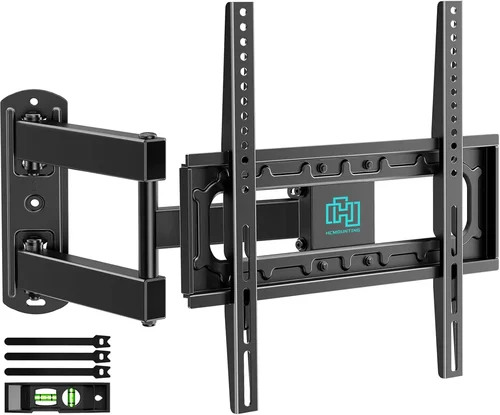
Most outdoor TVs are designed for wall or ceiling mounting, with VESA-compatible brackets. However, standard indoor mounts are not suitable—outdoor mounts must be made from corrosion-resistant materials like stainless steel or powder-coated aluminum and include weatherproofing gaskets. Look for mounts rated for outdoor use, such as those from Peerless-AV or Sanus, which offer tilt, swivel, and extension features for optimal viewing angles.
Consider the mounting location carefully. The TV should be positioned to minimize glare from windows, water features, or reflective surfaces. It should also be easily accessible for maintenance and cable management. If mounting on a gazebo beam or wall, ensure the structure can support the TV’s weight—most outdoor TVs weigh 30–60 pounds, plus the mount.
Cable management is another important aspect. Use weatherproof conduit or cable raceways to protect HDMI, power, and Ethernet cables from moisture and UV damage. Some outdoor TVs include built-in cable channels or rear access panels to simplify routing. For a cleaner look, consider in-wall cable installation, though this requires professional help and may not be feasible in all gazebos.
If you’re not comfortable with DIY installation, hire a certified technician. Many manufacturers offer professional installation services, which can include site assessment, mounting, and system setup. This ensures your TV is securely installed and covered under warranty.
8. Brand Reputation & Warranty
When investing in a high-end outdoor TV, brand reputation and warranty coverage are critical. Not all manufacturers specialize in outdoor electronics, and some indoor TV brands may offer “weather-resistant” models that aren’t truly built for long-term outdoor use.
Stick with brands known for outdoor expertise, such as SunBriteTV, Seura, Peerless-AV, and Samsung (with its Terrace series). These companies design their TVs from the ground up for outdoor conditions, with rigorous testing for temperature, humidity, and UV resistance. They also offer comprehensive customer support and detailed installation guides.
Warranty is another key factor. Most outdoor TVs come with a 1–3 year limited warranty, but some premium models offer extended coverage or on-site service. For example, SunBriteTV provides a 2-year warranty with optional extended plans, while Seura offers a 3-year warranty with free replacement for defective units. Always read the warranty terms carefully—some exclude damage from improper installation or extreme weather.
Customer reviews and ratings can also provide valuable insights. Look for feedback on durability, picture quality, and customer service. Sites like Amazon, Best Buy, and specialized outdoor electronics retailers often include detailed user reviews with photos and real-world performance notes.
Finally, consider the availability of replacement parts and service. Outdoor TVs may require maintenance over time, such as filter cleaning or component replacement. Choose a brand with a strong service network and readily available parts to avoid long downtimes.
Different Types of Buying Guide
Common Buying Mistakes to Avoid
❌ Mistake: Using an Indoor TV Outdoors
Why it’s bad: Indoor TVs are not designed to handle moisture, temperature changes, or UV exposure. Even under a gazebo, they can suffer from condensation, screen damage, or electrical failure, leading to costly repairs or replacements.
What to do instead: Always choose a TV specifically rated for outdoor use. Look for models with IP ratings, weatherproof casings, and outdoor certifications.
❌ Mistake: Ignoring Brightness Requirements
Why it’s bad: A dim screen will be washed out in daylight, making it impossible to see details or enjoy vibrant colors. This leads to frustration and underutilization of your outdoor space.
What to do instead: Choose a TV with at least 700 nits of brightness and anti-glare technology. Test visibility during peak sunlight hours if possible.
❌ Mistake: Overlooking Audio Needs
Why it’s bad: Built-in TV speakers are often weak and lack bass, resulting in poor sound quality that ruins the viewing experience, especially for movies or sports.
What to do instead: Invest in weather-resistant outdoor speakers or a soundbar. Consider a multi-speaker setup for even coverage across your gazebo.
❌ Mistake: Choosing the Wrong Size
Why it’s bad: A TV that’s too small is hard to see, while one that’s too large can dominate the space and cause eye strain. Both scenarios reduce enjoyment and functionality.
What to do instead: Use the 1.5–2.5x screen size rule for viewing distance. Measure your space and mock up the size before buying.
❌ Mistake: Skimping on Mounting Hardware
Why it’s bad: Standard indoor mounts can rust, loosen, or fail under outdoor conditions, posing a safety risk and potentially damaging your TV.
What to do instead: Use certified outdoor mounts made from corrosion-resistant materials. Ensure they’re rated for your TV’s weight and include weatherproofing features.
❌ Mistake: Not Checking Warranty & Support
Why it’s bad: Outdoor TVs are expensive investments. Without proper warranty coverage, repairs or replacements can be costly and time-consuming.
What to do instead: Choose brands with strong reputations and comprehensive warranties. Read the fine print and consider extended coverage plans.
❌ Mistake: Forgetting About Cable Management
Why it’s bad: Exposed cables can degrade from UV exposure, moisture, or pests, leading to signal loss, electrical hazards, or unsightly clutter.
What to do instead: Use weatherproof conduit, raceways, or in-wall solutions. Plan cable routes during installation to ensure a clean, safe setup.
Budget Guidelines: How Much Should You Spend?
- Entry-Level ($500–$1,200): These are typically indoor TVs in outdoor enclosures or basic partial-cover models. They offer decent picture quality but limited brightness and durability. Best for seasonal use or covered patios with minimal exposure.
- Mid-Range ($1,200–$2,500): The sweet spot for most backyard gazebo owners. These TVs are purpose-built for outdoor use, with high brightness, weather resistance, and smart features. Models like the SunBriteTV Veranda or Samsung Terrace offer excellent value.
- Premium ($2,500–$4,000): For enthusiasts who want top-tier performance and durability. These include full all-weather TVs with advanced thermal management, ultra-high brightness, and premium audio. Ideal for year-round use in harsh climates.
- Luxury ($4,000+): Commercial-grade or custom outdoor displays with 24/7 operation, extreme durability, and professional installation. Best for large venues, luxury homes, or high-end resorts.

Expert Tips for Getting the Best Deal
- Buy During Off-Season: Prices drop in fall and winter when demand is lower. Look for end-of-season sales from retailers like Best Buy, Costco, or specialty outdoor electronics stores.
- Compare Retailers: Check prices at online retailers (Amazon, B&H, Crutchfield), big-box stores, and local electronics shops. Some offer price matching or bundle deals with mounts and cables.
- Look for Bundles: Many brands offer packages that include the TV, mount, and cables at a discounted rate. These can save you $100–$300 compared to buying separately.
- Check for Rebates: Some manufacturers offer mail-in rebates or instant discounts during promotional periods. Sign up for newsletters to stay informed.
- Consider Refurbished Models: Certified refurbished outdoor TVs from reputable sellers can offer significant savings with full warranty coverage.
- Read Return Policies: Ensure the retailer offers a generous return window (30+ days) in case the TV doesn’t meet your expectations.
- Test Before Finalizing: If possible, visit a showroom to see the TV in person. Check brightness, color accuracy, and remote responsiveness.
- Negotiate Installation: Some retailers offer free or discounted installation with purchase. Don’t hesitate to ask.

Frequently Asked Questions
Q: Can I use a regular TV in my gazebo?
A: Technically yes, but it’s not recommended. Indoor TVs lack weatherproofing and can fail prematurely due to moisture, temperature changes, or UV exposure. For long-term reliability, choose a purpose-built outdoor TV.
Q: How do I protect my outdoor TV from theft?
A: Use a locking mount, install security cameras, and consider a GPS tracker. Some models also include anti-theft features like PIN codes or remote disable functions.
Q: Do outdoor TVs consume more power?
A: They can, especially high-brightness models. Look for ENERGY STAR-certified units or those with eco modes to reduce power consumption.
Q: Can I leave my outdoor TV on all the time?
A: Most outdoor TVs are designed for continuous use, but it’s best to turn them off when not in use to extend lifespan and save energy.
Q: What’s the difference between IP55 and IP65?
A: IP55 protects against dust and low-pressure water jets. IP65 is dust-tight and resistant to powerful water jets, making it better for heavy rain or hose cleaning.
Q: Do I need a special remote for outdoor use?
A: Most outdoor TVs come with standard remotes, but some include weather-resistant or RF remotes that work through walls and in bright light.
Q: Can I connect a gaming console to an outdoor TV?
A: Yes, as long as the TV has HDMI 2.1 and low input lag. Check specs for gaming-friendly features like VRR and ALLM.
Q: How often should I clean my outdoor TV?
A: Clean the screen and vents every 1–2 months with a microfiber cloth and mild cleaner. Avoid harsh chemicals or abrasive materials.
Q: Will my outdoor TV work in winter?
A: Most outdoor TVs are rated for temperatures from -22°F to 122°F. Models with built-in heaters can operate in freezing conditions.
Q: Can I stream Netflix on an outdoor TV?
A: Yes, if the TV has smart features and Wi-Fi connectivity. Ensure your internet signal is strong at the TV location.
Our Final Recommendations
- Best for Budget-Conscious Buyers: SunBriteTV Veranda Series – Excellent value with high brightness, weather resistance, and reliable performance under covered areas.
- Best Overall Value: Samsung The Terrace QLED – Premium picture quality, smart features, and robust outdoor design at a competitive price.
- Best Premium Option: Seura Outdoor TV – Ultra-bright display, sleek design, and top-tier durability for luxury outdoor spaces.
- Best for Beginners: Peerless-AV Outdoor TV with Enclosure – Easy setup, affordable, and great for first-time outdoor TV owners.
- Best for Advanced Users: LG Outdoor OLED – Stunning contrast, smart features, and professional-grade performance for tech-savvy enthusiasts.
Conclusion: Making the Right Choice
Choosing the right backyard TV for your gazebo is about more than just picking a screen—it’s about creating a reliable, enjoyable outdoor entertainment experience that lasts for years. From weather resistance and brightness to audio quality and smart features, every detail matters. By focusing on your specific needs, budget, and environment, you can find a TV that delivers exceptional performance and withstands the challenges of outdoor living.
Remember, the best TV is the one that fits your lifestyle. Whether you’re hosting summer parties, watching fall football, or enjoying quiet evenings under the stars, your outdoor TV should enhance those moments—not complicate them. Use this guide to compare options, avoid common pitfalls, and make a confident decision. With the right setup, your gazebo can become the heart of your home’s outdoor entertainment, offering comfort, connection, and unforgettable experiences for family and friends. Start your search today, and bring the magic of the big screen to your backyard.

