
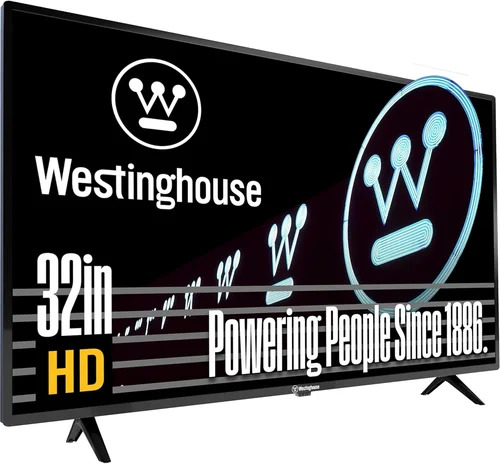
If you’re a renter with a green thumb or simply someone who loves spending time outdoors, the idea of having a TV in your garden might sound like a dream come true. Whether you’re hosting weekend barbecues, enjoying quiet mornings with coffee under the trees, or catching up on your favorite shows while tending to your plants, an outdoor TV can transform your backyard into a true living space. But here’s the catch: most outdoor TVs are expensive, often costing thousands of dollars—making them impractical for rental homes where you can’t make permanent modifications or invest heavily in property-specific upgrades.
That’s where the concept of a “cheap garden TV” comes in. These aren’t just regular indoor TVs shoved outside (which would be a disaster), but affordable, weather-resistant, or at least weather-protected display solutions designed specifically for temporary outdoor use. In 2026, the market has evolved significantly, offering renters more options than ever—from portable outdoor TV enclosures to budget-friendly smart displays built to withstand mild weather conditions. This guide is here to help you navigate that landscape with confidence.
By the end of this comprehensive buying guide, you’ll know exactly what to look for when choosing a garden TV that fits your rental lifestyle. We’ll break down the key factors that matter most—like durability, portability, connectivity, and cost—and compare different types of outdoor-ready displays so you can make an informed decision. You’ll also learn how to avoid common pitfalls, maximize your budget, and find the best deals without sacrificing quality. Whether you’re on a tight budget or just want a no-fuss setup you can take with you when you move, this guide will equip you with everything you need to bring entertainment outdoors—without breaking the bank or violating your lease.
The market for affordable outdoor viewing solutions has expanded rapidly in recent years. Traditional outdoor TVs from brands like SunBrite or Samsung’s Terrace line offer excellent performance but come with premium price tags—often exceeding $2,000 even for smaller sizes. For renters, that’s rarely a justifiable expense. Instead, manufacturers and third-party innovators have responded with clever alternatives: weatherproof TV covers, portable projector-TV hybrids, ruggedized smart displays, and even modular outdoor entertainment kits designed for easy installation and removal. These products prioritize flexibility, affordability, and renter-friendly design, making outdoor entertainment accessible to a much broader audience. As smart home technology continues to evolve, so do the options for bringing your living room experience into the garden—safely, legally, and economically.

What to Look for When Buying Buying Guide
1. Budget & Price Range
When shopping for a cheap garden TV, your budget is the single most important starting point. Unlike permanent outdoor installations, rental-friendly solutions should be cost-effective enough that you won’t regret replacing or upgrading them in a few years. Most renters aim to spend between $200 and $600 for a functional outdoor viewing setup—this range typically gets you a decent 32- to 43-inch smart TV paired with a basic weatherproof enclosure or a purpose-built outdoor display.
It’s tempting to go ultra-cheap—say, under $150—but beware: many budget indoor TVs marketed as “outdoor-ready” are not actually designed for exterior use. They may lack proper sealing, UV protection, or temperature tolerance, leading to premature failure. On the other hand, spending over $800 often means you’re paying for features you don’t need as a renter, such as extreme weather resistance or built-in heating/cooling systems meant for year-round exposure.
Instead, focus on value. Look for models that balance price with essential protections—like IP-rated enclosures (we’ll cover those shortly) or TVs with reinforced casings. A good rule of thumb: if you can’t comfortably afford to replace the unit within two years, it’s probably overpriced for your needs. Also consider total cost of ownership—including mounting hardware, cables, and optional accessories like solar-powered remotes or wireless speakers.
2. Weather Resistance & Protection Level
This is non-negotiable. Even if you plan to use your garden TV only during mild weather, exposure to humidity, morning dew, light rain, or intense sunlight can quickly damage an unprotected screen. The key metric here is the Ingress Protection (IP) rating, which tells you how well a device resists dust and water.
For garden use, aim for at least an IP54 rating—this means the unit is protected against splashing water from any direction and limited dust ingress. If you live in a region with frequent rain or high humidity, consider IP65 or higher. However, remember that most affordable “outdoor” TVs aren’t fully sealed like commercial-grade models; instead, they rely on external enclosures.
That’s why many renters opt for a two-part system: a standard indoor smart TV (like a TCL or Hisense) housed inside a ventilated, UV-resistant outdoor TV cover or cabinet. These enclosures often feature lockable doors, anti-glare glass, and passive cooling vents. Just ensure there’s adequate airflow to prevent overheating—a common cause of failure in enclosed setups.
Avoid placing any TV directly on grass or soil, as moisture wicking can occur. Always use a stand or mount elevated off the ground, and never leave the unit exposed during storms or extended periods of rain unless it’s specifically rated for full weather immersion (which is rare in budget models).
3. Portability & Ease of Installation
Since you’re renting, you likely won’t have permission to drill holes in walls or install permanent mounts. That makes portability a top priority. Look for lightweight TVs (under 20 lbs for screens up to 43 inches) and enclosures that don’t require complex assembly.
Many renters prefer TVs with VESA-compatible backs so they can use freestanding tripod mounts or rolling TV carts—these can be moved easily and stored indoors when not in use. Some brands even offer all-in-one portable outdoor TV stations with built-in wheels, Bluetooth speakers, and battery packs (though these are usually more expensive).
Another smart approach: choose a TV that fits snugly into a weatherproof storage box when not in use. This doubles as protection during transport and extends the TV’s lifespan. Avoid heavy, bulky units that require two people to move—you want something you can set up solo in under 10 minutes.
Also consider cable management. Wireless streaming reduces clutter, but power cords and HDMI cables still need routing. Look for enclosures with built-in cable channels or grommets to keep wires tidy and protected from pests or weather.
4. Display Quality & Brightness
Outdoor viewing demands higher brightness than indoor use. Sunlight glare can wash out even the best screens, so look for TVs with at least 400 nits of brightness—ideally 500 nits or more. Many budget indoor TVs hover around 250–300 nits, which simply won’t cut it on a sunny patio.
That said, you don’t need a professional-grade outdoor display with 2,000+ nits (those are overkill and costly). A mid-tier LED TV with good anti-reflective coating and local dimming can perform surprisingly well in shaded or evening settings. OLEDs, while stunning indoors, often struggle outdoors due to lower peak brightness and potential burn-in risks—so stick with LED/LCD for garden use.
Resolution matters too. A 1080p (Full HD) screen is acceptable for 32- to 40-inch models viewed from 6–8 feet away, but if you’re going 43 inches or larger, 4K is worth the small price bump for sharper detail—especially for sports or nature documentaries.
Don’t forget viewing angle. If your seating is spread out (e.g., around a fire pit), choose a TV with wide viewing angles (IPS panels are better than VA for this). And always position the screen to minimize direct sun exposure—under an awning, pergola, or large tree works best.
5. Smart Features & Connectivity
Most modern garden TVs are smart TVs, meaning they run platforms like Roku TV, Android TV, or webOS. This is a huge advantage for renters—you can stream directly without needing a separate box, reducing clutter and setup time.
Look for built-in Wi-Fi (dual-band 2.4GHz/5GHz is ideal for stable streaming outdoors, where signals may weaken). HDMI ports are essential for connecting gaming consoles, soundbars, or streaming sticks (though built-in apps reduce this need). USB ports allow for media playback or firmware updates.
Voice control via Alexa or Google Assistant is a nice-to-have, especially if you’re controlling the TV from a distance. Some budget models now include far-field microphones, so you can say “Hey Google, play Netflix” without reaching for the remote.
Avoid TVs with outdated operating systems or slow processors—they’ll lag when loading apps or switching inputs. Check recent user reviews for performance notes. A TV that takes 10 seconds to open YouTube isn’t enjoyable for casual viewing.
6. Power Source & Energy Efficiency
Outdoor outlets aren’t always convenient. If your garden lacks nearby power, consider a TV with low energy consumption (look for ENERGY STAR certification) and pair it with an extension cord rated for outdoor use (SJTW or SJTOW type). Never use indoor extension cords outside—they’re not weatherproof and pose a safety hazard.
For truly cordless setups, some renters use portable power stations (like Jackery or EcoFlow) to run their TV for a few hours. This works well for movie nights or weekend gatherings but requires planning—fully charge the battery beforehand and monitor usage to avoid shutdowns mid-show.
Energy-efficient TVs (typically LED models under 100W for 43-inch screens) drain batteries slower and reduce electricity costs if plugged in regularly. Avoid older plasma or large CRT-style designs—they’re power hogs and outdated.
7. Brand Reputation & Reliability
Stick with known brands when possible. TCL, Hisense, Samsung, and LG offer reliable budget smart TVs with good customer support and readily available replacement parts. Lesser-known brands may seem tempting due to lower prices, but they often cut corners on build quality, software updates, or warranty service.
Check if the brand offers outdoor-specific accessories—some sell compatible weatherproof covers or mounts, which simplifies setup. Also, reputable brands are more likely to honor warranties even if the TV is used outdoors (as long as it’s within stated guidelines).
Avoid “no-name” TVs from unknown online sellers, especially those with vague specifications or missing certifications (like FCC or UL). These may not meet safety standards and could pose fire or shock risks when exposed to moisture.
8. Warranty & Return Policy
Since outdoor use inherently increases risk of damage, a solid warranty is crucial. Most indoor TVs come with a 1-year limited warranty, but using them outside may void coverage unless explicitly permitted. Always read the fine print.
Some manufacturers now offer “outdoor use” clauses in their warranties for certain models—look for this if possible. Alternatively, purchase through retailers with generous return policies (like Amazon, Best Buy, or Costco), which often allow 30–90 days to return defective units.
Consider extended warranties only if they cover accidental damage or weather-related issues. Standard extended plans usually don’t, so they’re often not worth the cost for garden TVs.
Different Types of Buying Guide

Common Buying Mistakes to Avoid
❌ Mistake: Using a Regular Indoor TV Without Protection
Why it’s bad: Indoor TVs aren’t designed to handle moisture, temperature swings, or UV exposure. Even brief rain can cause internal corrosion, and sunlight can degrade the screen and plastic casing over time. Most warranties are voided if used outdoors without proper enclosure.
What to do instead: Always use a certified weatherproof enclosure or choose a TV specifically rated for outdoor use. If budget is tight, store the TV indoors when not in use and only bring it out for planned viewing sessions.
❌ Mistake: Ignoring Power Safety
Why it’s bad: Using indoor extension cords or daisy-chaining multiple power strips outdoors creates serious electrocution and fire hazards, especially when wet. GFCI (Ground Fault Circuit Interrupter) outlets are essential for outdoor electrical safety.
What to do instead: Use only outdoor-rated extension cords with built-in GFCI protection. Plug into a GFCI outlet if available, or install a portable GFCI adapter. Never run cords under rugs or through doorways where they can be damaged.
❌ Mistake: Overlooking Sun Glare and Viewing Angles
Why it’s bad: A dim or reflective screen makes outdoor viewing frustrating, defeating the purpose of having a garden TV. You’ll squint, adjust seating constantly, or give up altogether.
What to do instead: Position your TV in a shaded area—under a pergola, awning, or large tree. Choose a model with high brightness (500+ nits) and anti-glare coating. Consider a retractable outdoor screen shade for daytime use.
❌ Mistake: Buying Based Solely on Screen Size
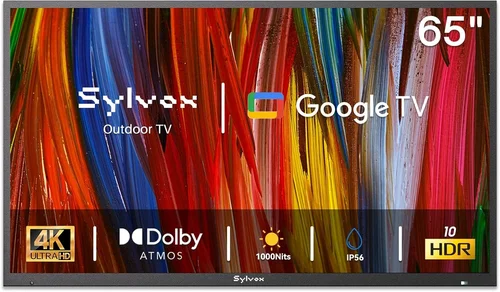
Why it’s bad: A massive 65-inch TV might look impressive, but it’s heavy, expensive, power-hungry, and hard to protect outdoors. It may also overwhelm a small garden space.
What to do instead: Match screen size to your typical viewing distance and garden layout. For most patios, 32–43 inches is ideal. Measure your space and simulate placement before buying.
❌ Mistake: Skipping the Return Policy Check
Why it’s bad: Outdoor conditions can reveal defects not apparent indoors—like overheating, poor Wi-Fi reception, or seal failures. Without a good return window, you’re stuck with a faulty unit.
What to do instead: Buy from retailers with at least 30-day return policies (Costco and Amazon are great for this). Test the TV thoroughly during the first week—including outdoor setup—to catch issues early.
❌ Mistake: Forgetting About Sound Quality
Why it’s bad: Most budget TVs have weak built-in speakers that get drowned out by wind, birds, or distant traffic. You’ll end up straining to hear dialogue.
What to do instead: Pair your TV with a wireless Bluetooth speaker or a compact outdoor soundbar. Many enclosures have speaker cutouts or mounting points for this purpose.
❌ Mistake: Assuming All “Outdoor” Labels Are Equal
Why it’s bad: Some brands slap “outdoor” on indoor TVs with minimal changes. These may lack proper sealing, UV resistance, or thermal management.
What to do instead: Verify IP ratings, read independent reviews, and check if the manufacturer explicitly states the model is safe for covered outdoor use. When in doubt, opt for a proven indoor TV + enclosure combo.
Budget Guidelines: How Much Should You Spend?
Entry-Level ($200–$350): This tier is perfect for casual viewers who want occasional garden entertainment. Expect a 32-inch Full HD smart TV (like a TCL 3-Series or Hisense A4) paired with a basic weatherproof cover (e.g., from Outdoor TV Covers or Yardcraft). Total setup includes a freestanding mount or TV cart. Performance is adequate for evening use in mild weather, but brightness and durability are limited. Ideal for renters who move frequently or use the TV only a few times per month.
Mid-Range ($350–$550): The sweet spot for most renters. You’ll get a 40- to 43-inch 4K smart TV (such as a TCL 5-Series or Hisense U6) with better brightness, color accuracy, and processing power. Pair it with a mid-tier enclosure featuring ventilation, lockable doors, and cable management. Some kits include a rolling stand or wall mount that doesn’t require permanent installation. This range offers the best balance of quality, protection, and portability—great for regular weekend use or small gatherings.
Premium ($550–$800): For renters who treat their garden like a second living room. Options include all-in-one portable outdoor displays (like the SunBrite Veranda series Lite models) or high-end enclosures with active cooling, anti-reflective glass, and integrated sound systems. TVs in this range often have 500+ nits brightness, wide color gamut, and robust smart platforms. You might also find modular kits that include LED lighting, wireless charging pads, or solar-compatible power options. Worth it if you entertain often or live in a climate with moderate but consistent outdoor use.
Luxury ($800+): Reserved for long-term renters or those in high-end properties where outdoor living is a priority. These are fully commercial-grade outdoor TVs (e.g., Samsung Terrace, Peerless-AV Xtreme) with IP66 ratings, built-in heaters/coolers, and 2,000+ nits brightness. While overkill for most renters, they’re viable if you’re in a luxury apartment with a private terrace and plan to stay for 3+ years. However, consider whether the investment aligns with your transient lifestyle—these units are difficult to resell and costly to replace.
Expert Tips for Getting the Best Deal
1. Shop During Off-Seasons: Outdoor TV sales peak in spring and summer. Buy in late fall or winter (November–February) when demand is low. Retailers often discount previous-year models to clear inventory. Black Friday and Cyber Monday are also prime times for TV deals—even outdoor-specific ones.
2. Consider Refurbished or Open-Box Units: Certified refurbished TVs from reputable sellers (like Amazon Renewed, Best Buy Outlet, or manufacturer websites) can save you 20–40% off retail. These units are tested, cleaned, and usually come with a warranty. Open-box items are even cheaper and often indistinguishable from new.
3. Bundle with Enclosures: Some retailers offer discounts when you buy a TV and outdoor enclosure together. Check sites like Walmart, Home Depot, or specialty outdoor electronics stores for package deals. You might save $50–$100 compared to buying separately.
4. Use Price Tracking Tools: Set up alerts on CamelCamelCamel (for Amazon) or Honey (for multiple retailers) to notify you when prices drop. Many garden TV enclosures and mid-range TVs fluctuate by $30–$80 throughout the year.
5. Leverage Renter-Friendly Retailers: Stores like IKEA, Target, and Costco cater to renters with modular, easy-to-assemble products. Costco, in particular, offers generous return policies and often carries outdoor TV accessories at competitive prices.
6. Test Before Committing: If possible, set up the TV in your garden during the return window. Check for overheating after 2+ hours of use, Wi-Fi stability, and visibility in daylight. Return it immediately if anything feels off.
7. Negotiate with Landlords: In some cases, landlords may allow a temporary outdoor TV setup if it’s non-damaging and removable. Offer to use adhesive mounts or freestanding units. A happy tenant is less likely to break a lease early—so they may be more flexible than you think.
8. Join Online Communities: Reddit’s r/Renters and r/OutdoorLiving, as well as Facebook groups for garden enthusiasts, often share deal alerts, DIY enclosure ideas, and brand recommendations from real users.
Frequently Asked Questions
Q: Can I really use a regular TV outside if it’s under cover?
A: Yes—but only with proper protection. A covered patio or gazebo helps, but you still need a weatherproof enclosure to guard against humidity, dust, and accidental splashes. Never rely solely on overhead cover; always use an IP-rated case or cabinet.
Q: Will using my TV outdoors void the warranty?
A: It depends. Most indoor TV warranties exclude outdoor use unless specified. However, if you use a certified outdoor enclosure and follow the manufacturer’s guidelines, some brands (like TCL) may still honor repairs. Always check the warranty terms before setup.
Q: How do I keep my garden TV cool in summer?
A: Ensure your enclosure has ventilation slots or fans. Avoid placing the TV in direct sunlight, and never seal it in an airtight box. If temperatures exceed 90°F (32°C), limit usage to shorter sessions and allow cooldown periods.
Q: What’s the difference between IP54 and IP65?
A: IP54 protects against water splashes and limited dust. IP65 offers protection against low-pressure water jets and more complete dust resistance. For garden use, IP54 is usually sufficient unless you expect heavy rain exposure.
Q: Can I mount my garden TV on a balcony railing?
A: Only if the mount is designed for railings and doesn’t damage the structure. Use clamp-style mounts rated for your TV’s weight. Avoid drilling into balcony walls or railings—this typically violates lease agreements.
Q: Are solar-powered garden TVs worth it?
A: Not yet for full TV operation, but solar can power accessories like lights or speakers. Portable power stations charged via solar panels are a greener alternative to gas generators for off-grid setups.
Q: How long will a budget garden TV last?
A: With proper care—storing indoors during bad weather, using a quality enclosure, and avoiding extreme temperatures—a $300–$500 setup can last 3–5 years. Indoor TVs used occasionally outdoors often outlast their warranties if protected well.
Q: Can I use a projector instead of a TV for my garden?
A: Absolutely! Projectors are cheaper for large-screen experiences and highly portable. Just remember they require darkness for best results and a flat, white surface (or portable screen). Great for movie nights, less ideal for daytime sports.
Q: Do I need a special remote for outdoor use?
A: Standard IR remotes work but can be finicky in bright light. Consider a Bluetooth remote (like those from Sofabaton) or use your smartphone as a remote via the TV’s app. Some enclosures include remote signal passthrough windows.
Q: What if my Wi-Fi doesn’t reach the garden?
A: Use a Wi-Fi extender or mesh node placed near the house edge. Powerline adapters can also bridge the gap by using your home’s electrical wiring. For ultimate reliability, download content beforehand or use a mobile hotspot.
Our Final Recommendations
Best for Budget-Conscious Buyers: TCL 32S350G 32-inch Roku TV + Yardcraft Outdoor TV Cover
This combo delivers reliable 1080p streaming in a compact, protected package for under $300. Perfect for small patios or balcony use. The Roku interface is user-friendly, and the cover provides solid IP54 protection.
Best Overall Value: Hisense 43A6H 43-inch 4K Smart TV + Outdoor TV Covers Premium Enclosure
At around $450 total, this setup offers excellent picture quality, 450 nits brightness, and a ventilated, lockable enclosure. Ideal for renters who want a balance of performance, protection, and portability.
Best Premium Option: SunBrite Veranda Series 43-inch Outdoor TV (VB43-C)
Priced around $750, this is a true outdoor TV with IP55 rating, 600 nits brightness, and built-in anti-glare. Best for long-term renters in covered outdoor spaces who want hassle-free, year-round use.
Best for Beginners: Insignia F30 40-inch Fire TV + Rolling TV Cart with Umbrella Mount
Simple, plug-and-play setup with Amazon Fire OS. The cart includes a shade umbrella to reduce glare. Easy to move and store—great for first-time outdoor viewers.
Best for Advanced Users: Custom Modular Kit: LG 43LM6300 + Peerless-AV Outdoor Enclosure + Bluetooth Soundbar
For tech-savvy renters who want full control. Mix and match components for optimal performance, sound, and protection. Total cost ~$650, but highly customizable and upgradeable.
Conclusion: Making the Right Choice
Choosing a cheap garden TV for your rental home doesn’t have to be overwhelming—or expensive. By focusing on key factors like weather protection, portability, brightness, and smart features, you can find a solution that enhances your outdoor lifestyle without violating your lease or draining your wallet. Remember, the goal isn’t to replicate a luxury outdoor cinema, but to create a flexible, enjoyable space where you can relax, entertain, and connect with nature—all while keeping your options open for your next move.
Prioritize your needs: if you’re a casual viewer, a budget indoor TV with a good enclosure will serve you well. If you entertain often or live in a climate with mild year-round weather, investing a bit more in a portable outdoor display makes sense. Avoid the temptation to cut corners on safety or protection—your TV’s lifespan (and your peace of mind) depend on it.
Finally, don’t forget the human element. A garden TV is more than a gadget—it’s a tool for creating memories. Whether it’s a family movie night under the stars, a solo morning with the news and coffee, or a lively game day with friends, the right setup can turn your outdoor space into the heart of your home. So go ahead, take the plunge, and start enjoying your garden in a whole new way. Your future self—and your guests—will thank you.

