
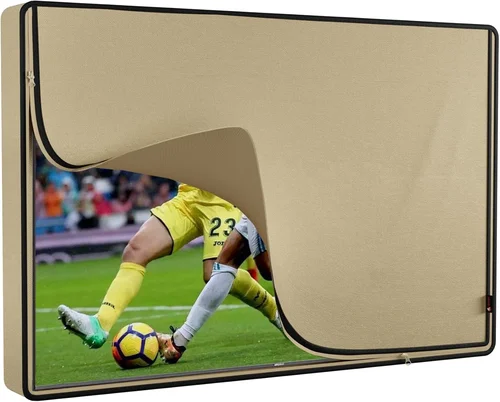
When it comes to creating the ultimate outdoor living space, few upgrades deliver the same blend of luxury, entertainment, and relaxation as a poolside TV. Whether you’re hosting summer barbecues, enjoying quiet evenings under the stars, or simply unwinding after a long day with a refreshing dip, having a television within view from the pool area transforms your backyard into a true resort-style oasis. But what happens when Mother Nature doesn’t cooperate? If you live in a rainy climate—think Seattle, Portland, London, or even parts of the Pacific Northwest and Southeastern U.S.—you might wonder: can you actually use a poolside TV year-round without risking damage, safety hazards, or constant maintenance?
The short answer is yes—but only if you choose the right equipment and plan carefully. Modern outdoor TVs are engineered specifically for exposure to the elements, including rain, humidity, UV rays, and temperature swings. However, not all “outdoor” TVs are created equal, and many buyers make costly mistakes by assuming any weather-resistant screen will do. That’s where this comprehensive buying guide comes in. We’ll walk you through everything you need to know to select, install, and maintain a poolside TV that thrives in wet, unpredictable climates—without compromising on picture quality, sound, or longevity.
In this guide, you’ll learn how to evaluate critical factors like IP ratings, enclosure types, mounting solutions, and climate-specific features. You’ll discover the key differences between indoor, semi-outdoor, and fully outdoor TVs, and understand why some models are better suited for rainy environments than others. We’ll also break down common pitfalls—like overlooking ventilation needs or underestimating cable management—and provide expert-backed tips to help you get the best value for your investment. Whether you’re working with a tight budget or ready to splurge on a premium setup, this guide equips you with the knowledge to make a confident, informed decision.
The market for outdoor televisions has exploded in recent years, driven by advances in display technology, increased demand for outdoor entertainment, and the growing popularity of smart home integration. Major brands like Samsung, LG, Sony, and specialized manufacturers such as SunBriteTV, Seura, and Peerless have introduced ruggedized models designed to withstand everything from light drizzle to heavy downpours. Yet, despite these innovations, confusion still abounds. Many consumers mistakenly believe that placing a standard indoor TV under a covered patio qualifies as “outdoor use”—a risky assumption that often leads to premature failure, electrical issues, or even safety concerns.
Our goal is to cut through the marketing noise and give you a clear, actionable roadmap tailored specifically to rainy climates. We’ll cover budget considerations, performance specs, build quality, brand reliability, and real-world usability—all through the lens of moisture resistance and long-term durability. By the end of this guide, you’ll know exactly what to look for, what to avoid, and how to maximize both enjoyment and ROI from your poolside TV investment.

What to Look for When Buying Buying Guide
1. IP Rating & Weather Resistance
The most critical factor for any poolside TV in a rainy climate is its Ingress Protection (IP) rating—a standardized measure of how well a device resists dust and water. For outdoor use, especially near pools where splashing and high humidity are constant, you need a TV with at least an IP55 rating. This means the unit is protected against low-pressure water jets from any direction and limited dust ingress. However, for maximum peace of mind in heavy rain or coastal areas with salt spray, aim for IP65 or higher. An IP65-rated TV is dust-tight and can withstand powerful water jets, making it ideal for uncovered or partially covered pool decks.
Don’t confuse IP ratings with vague terms like “weather-resistant” or “all-weather.” These marketing phrases lack standardization and can be misleading. Always check the official IP code listed in the product specifications. Also, note that IP ratings apply to the entire unit—including ports, vents, and mounting hardware—not just the screen. Some manufacturers offer optional weatherproof covers, but these should complement, not replace, a robust IP-rated design.
2. Enclosure Type: Partial vs. Full Outdoor
Outdoor TVs fall into two main categories based on their enclosure design: partial outdoor (or “covered patio”) and full outdoor (or “all-weather”). Partial outdoor models are built for spaces with overhead protection—like a screened-in porch or a roofed pergola—where direct rain exposure is minimal. They typically have better cooling systems and brighter screens but aren’t sealed against water ingress. Full outdoor TVs, on the other hand, feature fully sealed casings with no external vents, preventing moisture, insects, and debris from entering the internal components.
In rainy climates, full outdoor enclosures are strongly recommended. These units often include heated screens to prevent condensation, anti-reflective coatings to combat glare from wet surfaces, and internal temperature regulation to handle rapid shifts from cool rain to warm sun. Brands like SunBriteTV and Seura specialize in this category, offering models that operate reliably in temperatures ranging from -22°F to 122°F (-30°C to 50°C). If your pool area lacks full overhead coverage—or if you experience frequent wind-driven rain—investing in a full outdoor model isn’t just wise; it’s essential.
3. Screen Brightness & Anti-Glare Technology
Rainy days often come with overcast skies, but that doesn’t mean your TV should fade into the background. In fact, wet surfaces like pool decks, umbrellas, and nearby foliage can create unexpected reflections that wash out lower-brightness screens. For optimal visibility in variable lighting—including bright sun after a storm—you need a TV with high nits (brightness) output. Look for a minimum of 700 nits, though 1,000 nits or more is ideal for poolside use.
Equally important is anti-glare or anti-reflective coating. Standard indoor TVs rely on glossy finishes that amplify reflections, making them nearly unwatchable in daylight. Outdoor-specific models use matte or optically bonded screens that diffuse ambient light and reduce glare. Some premium units even feature automatic brightness adjustment based on ambient light sensors. This ensures consistent picture quality whether you’re watching at noon under scattered clouds or during a dramatic sunset after a rain shower.
4. Build Quality & Materials
Durability goes beyond water resistance. In rainy climates, your TV will also face challenges like mold, corrosion, UV degradation, and thermal stress. High-quality outdoor TVs use marine-grade aluminum or powder-coated steel for their chassis, which resist rust and fading. Internal components are often conformal-coated—a protective layer that shields circuitry from moisture and salt air.
Avoid plastic-heavy designs, especially in coastal or high-humidity regions. While cheaper, plastic housings can warp, crack, or become brittle over time when exposed to constant moisture and temperature fluctuations. Also, check the quality of seals and gaskets around ports and joints. Silicone or rubber gaskets should be thick, flexible, and securely fitted. A well-built outdoor TV should feel solid and weighty—not flimsy or hollow—when handled.
5. Smart Features & Connectivity
Today’s outdoor TVs aren’t just rugged displays—they’re full-fledged smart entertainment hubs. Look for models with built-in Wi-Fi, Bluetooth, and support for popular streaming platforms like Netflix, YouTube, and Disney+. Many outdoor TVs now run on Android TV, webOS, or Roku OS, giving you access to thousands of apps without needing an external streaming device.
Connectivity is equally vital. Ensure the TV has sufficient HDMI ports (at least two, preferably three), USB inputs, and audio outputs for soundbars or outdoor speakers. Some models include weatherproof cable conduits or pass-through ports that keep connections dry. If you plan to connect a cable box, gaming console, or sound system, verify compatibility and cable routing options before purchasing. Also, consider models with voice control (via Alexa or Google Assistant) for hands-free operation while lounging poolside.
6. Mounting & Installation Considerations
How and where you mount your TV significantly impacts its performance and lifespan in rainy conditions. Wall mounts should be corrosion-resistant (powder-coated or stainless steel) and rated for outdoor use. For pool areas, choose a mounting location that avoids direct splash zones but still offers a clear viewing angle from loungers, chairs, or the water itself.
Many buyers overlook the importance of proper ventilation—even in sealed outdoor TVs. While full outdoor models don’t require airflow like indoor sets, they still generate heat and need space around the unit for passive cooling. Avoid enclosing the TV in tight cabinets or behind glass without manufacturer approval. Additionally, ensure all cables are routed through waterproof conduits or channels to prevent water from seeping into connection points. Professional installation is highly recommended, especially for complex setups involving in-wall wiring or integrated audio systems.
7. Warranty & Support
Given the premium price of outdoor TVs—and the harsh environment they endure—a strong warranty is non-negotiable. Reputable brands typically offer 2–3 years of coverage, with some extending to 5 years for commercial or high-end residential use. Read the fine print: does the warranty cover water damage? What about accidental drops or power surges? Some manufacturers void warranties if the TV is installed in an uncovered area, so confirm usage guidelines upfront.
Customer support matters too. Can you reach a human quickly if something goes wrong? Are replacement parts readily available? Brands like SunBriteTV and Peerless offer dedicated outdoor support teams, while generic retailers may redirect you to standard consumer service lines. Check online reviews for insights into post-purchase experiences, especially regarding repair times and technician availability in your region.
8. User Reviews & Real-World Performance
Spec sheets tell part of the story—but real user feedback reveals the rest. Search for reviews from buyers in similar climates (e.g., “SunBriteTV in Seattle” or “Seura in Florida rain”) to gauge long-term reliability. Pay attention to comments about screen fogging, speaker distortion after storms, or Wi-Fi dropouts during humid weather.
Also, look for consistency in ratings across multiple platforms (Amazon, Best Buy, specialty outdoor retailers). A TV with 4.8 stars on one site but 3.2 on another may have hidden issues. Video reviews are particularly helpful—they often show the TV in action during rain or high humidity, giving you a sense of actual brightness, sound quality, and ease of use.
Different Types of Buying Guide
Common Buying Mistakes to Avoid
❌ Mistake: Using an Indoor TV Outdoors
Why it’s bad: Indoor TVs lack weatherproofing, have poor brightness for daylight viewing, and are not designed to handle humidity or temperature swings. Placing one poolside—even under cover—risks electrical shorts, screen fogging, and permanent damage from moisture ingress.
What to do instead: Invest in a purpose-built outdoor TV or use a high-quality weatherproof enclosure specifically rated for your climate. Never assume “it’ll be fine under the eaves.”
❌ Mistake: Ignoring the IP Rating
Why it’s bad: Without a proper IP rating, you have no objective measure of water resistance. A TV labeled “water-resistant” might only handle light mist, not a sudden downpour or pool splash.
What to do instead: Always verify the IP code (e.g., IP55, IP65) and match it to your exposure level. For rainy climates, IP65 is the minimum safe threshold.
❌ Mistake: Overlooking Ventilation Needs
Why it’s bad: Even sealed outdoor TVs generate heat. Blocking airflow with tight enclosures or decorative covers can cause overheating, reduced lifespan, or component failure.
What to do instead: Follow manufacturer spacing guidelines (usually 2–4 inches around all sides) and avoid enclosing the unit unless using an approved outdoor cabinet.
❌ Mistake: Skimping on Mounting Hardware
Why it’s bad: Standard indoor mounts aren’t built for outdoor conditions. Rust, corrosion, or weak joints can lead to TV detachment—posing a serious safety hazard near water.
What to do instead: Use marine-grade or powder-coated outdoor mounts rated for your TV’s weight and wind load. Consider tilt/swivel options for optimal viewing angles.
❌ Mistake: Neglecting Cable Management
Why it’s bad: Exposed cables are vulnerable to water damage, UV degradation, and animal chewing. Water can travel along cables into the TV or source devices.
What to do instead: Route all cables through waterproof conduits or in-wall channels. Use silicone-sealed grommets at entry points and label connections for easy maintenance.
❌ Mistake: Assuming All “Outdoor” TVs Are Equal
Why it’s bad: The term “outdoor TV” is unregulated. Some models are merely indoor TVs repackaged with minor upgrades, while others are engineered from the ground up for harsh environments.
What to do instead: Research brands with proven outdoor expertise (e.g., SunBriteTV, Seura) and read independent reviews focusing on real-world durability.
❌ Mistake: Forgetting About Audio
Why it’s bad: Built-in TV speakers often sound tinny outdoors, especially with pool noise and wind. Poor audio ruins the viewing experience.
What to do instead: Pair your TV with weather-resistant outdoor speakers or a soundbar. Look for models with optical or Bluetooth audio output for flexible setups.
Budget Guidelines: How Much Should You Spend?
Entry-Level ($800 – $1,500): This tier includes partial outdoor TVs or indoor models paired with basic weatherproof enclosures. Ideal for covered patios in mild rainy climates. Expect decent brightness (500–700 nits), limited smart features, and 1-year warranties. Brands like Vizio and TCL offer budget-friendly options, but durability may be compromised in heavy rain.
Mid-Range ($1,500 – $3,500): The sweet spot for most homeowners. These are typically full outdoor TVs with IP65 ratings, 700–1,000 nits brightness, and robust build quality. You’ll get reliable smart platforms, better audio, and 2–3 year warranties. Models from SunBriteTV’s Veranda series or Seura’s Shadow series fall here—perfect for uncovered pool decks in temperate rainy zones.
Premium ($3,500 – $6,000): For enthusiasts and those in extreme climates (coastal, high-altitude, or frequent storms). These TVs feature heated screens, anti-reflective coatings, advanced thermal management, and commercial-grade materials. Expect 1,000+ nits, full Android TV integration, and 3–5 year warranties. SunBriteTV’s Pro series and Peerless’ Xtreme line excel here.
Luxury ($6,000+): Top-tier units designed for luxury homes, resorts, or commercial installations. Include features like 4K HDR, Dolby Vision, integrated subwoofers, remote monitoring, and custom finishes. These are overkill for casual use but unmatched in performance and longevity. Ideal if you want a seamless, resort-like experience regardless of weather.

Expert Tips for Getting the Best Deal
- Buy during off-season: Prices drop significantly in late fall and winter (October–February) when demand for outdoor electronics is lowest. Many retailers clear inventory before spring.
- Shop specialty outdoor retailers: Stores like Outdoor TV Direct, Seura, or SunBriteTV often offer bundle deals (TV + mount + cables) and expert advice you won’t get at big-box stores.
- Check for open-box or refurbished units: Reputable sellers refurbish returned outdoor TVs to like-new condition with full warranties—saving you 20–30%.
- Negotiate installation packages: Some dealers include free or discounted installation if you buy the TV and mount together.
- Verify return policies: Ensure you can return the TV if it doesn’t perform as expected in your specific climate. Some brands offer 30–60 day trial periods.
- Test brightness in person: If possible, view the TV outdoors during daylight. Glare and brightness are hard to assess from specs alone.
- Invest in a surge protector: Rain often brings lightning. A high-quality outdoor-rated surge protector safeguards your investment.
- Register your warranty immediately: Some brands require registration within 30 days to activate full coverage.

Frequently Asked Questions
Q: Can I use a regular TV by the pool if it’s under a roof?
A: Technically yes, but it’s not recommended. Even under cover, humidity, splashes, and temperature swings can damage internal components over time. A partial outdoor TV is a safer, longer-lasting choice.
Q: Will rain damage an IP65-rated TV?
A: No. IP65 means the TV is protected against low-pressure water jets from any direction. It can safely operate during rain, splashes, and even light hosing for cleaning.
Q: Do outdoor TVs need special power outlets?
A: They use standard 120V outlets, but you should install a GFCI (Ground Fault Circuit Interrupter) outlet near water sources for safety. This cuts power if a fault is detected.
Q: How do I clean an outdoor TV screen?
A: Use a microfiber cloth and distilled water only. Avoid ammonia-based cleaners or paper towels, which can scratch the anti-reflective coating.
Q: Can I leave my outdoor TV on during a storm?
A: While the TV itself is weatherproof, it’s wise to turn it off during severe storms to avoid power surges. Use a smart plug to schedule automatic shutoff.
Q: Do outdoor TVs consume more energy?
A: Slightly, due to brighter backlights and internal cooling. However, modern LED models are still energy-efficient—typically using 100–200 watts.
Q: What’s the lifespan of an outdoor TV?
A: With proper care, 7–10 years is common. Full outdoor models often outlast partial ones due to superior sealing and materials.
Q: Can I mount an outdoor TV on a post or pillar?
A: Yes, using a compatible outdoor post mount. Ensure the post is anchored securely and rated for wind loads in your area.
Q: Are outdoor TVs compatible with streaming devices?
A: Most have built-in Wi-Fi and apps, but you can also connect Fire Stick, Roku, or Apple TV via HDMI—just protect the port with a weatherproof cover.
Q: What if my TV fogs up inside the screen?
A: This indicates a seal failure. Contact the manufacturer immediately—it’s usually covered under warranty and requires professional repair.
Our Final Recommendations
Best for Budget-Conscious Buyers: SunBriteTV Veranda Series (55″) – At around $1,800, it offers full outdoor durability, 700 nits brightness, and reliable smart features without breaking the bank.
Best Overall Value: Seura Shadow 2 (65″) – Priced near $3,200, it delivers 1,000 nits, heated screen, excellent anti-glare, and sleek design—perfect for rainy backyards.
Best Premium Option: SunBriteTV Pro 2 (75″) – For $5,500+, this commercial-grade beast handles extreme weather, offers 2,000 nits brightness, and includes advanced thermal management.
Best for Beginners: Peerless-AV Xtreme Outdoor TV (50″) – User-friendly setup, strong warranty, and solid performance at $2,400 make it ideal for first-time buyers.
Best for Advanced Users: LG OLED G3 with Outdoor Enclosure – Pair LG’s stunning OLED picture with a custom IP65 enclosure for unparalleled image quality in a protected setup (~$4,000 total).
Conclusion: Making the Right Choice
Choosing a poolside TV for a rainy climate isn’t just about picking the shiniest screen—it’s about balancing durability, performance, and practicality in the face of constant moisture and variable weather. From understanding IP ratings to selecting the right enclosure type, every decision impacts how well your TV will perform season after season. Remember: cutting corners on weather resistance or build quality may save money upfront but will cost you in repairs, replacements, and frustration down the line.
Prioritize your specific needs—whether that’s full rain exposure, coastal humidity, or frequent temperature swings—and let those factors guide your budget and feature requirements. Don’t hesitate to invest in professional installation and quality accessories; they’re part of the total ownership experience. And always lean on trusted brands with proven track records in outdoor environments.
Ultimately, a well-chosen poolside TV transforms your backyard into a year-round sanctuary—rain or shine. With the insights from this guide, you’re equipped to make a smart, confident purchase that delivers entertainment, elegance, and resilience for years to come. So go ahead: dive in, relax, and enjoy your favorite shows from the comfort of your pool, knowing your TV is built to handle whatever the weather throws its way.

