
Installing a poolside TV for apartments brings luxury and entertainment to compact outdoor spaces. This guide walks you through every step, from choosing the right TV to secure mounting and weatherproofing, ensuring a safe and stylish setup.
Key Takeaways
- Choose a weatherproof outdoor TV: Standard indoor TVs aren’t built for humidity, sun, or rain—opt for a certified outdoor model or use a weatherproof enclosure.
- Check apartment rules and permissions: Always consult your landlord or HOA before drilling, mounting, or running cables to avoid violations.
- Use secure, low-profile mounting: Wall or ceiling mounts should be sturdy, discreet, and designed for outdoor use to save space and maintain aesthetics.
- Protect cables and power sources: Run wires through conduit, use outdoor-rated cables, and connect to GFCI outlets for safety near water.
- Optimize viewing angle and glare: Position the TV to avoid direct sunlight and ensure comfortable viewing from seating areas.
- Consider wireless streaming options: Use devices like Apple TV or Roku to reduce cable clutter and simplify setup.
- Maintain regularly: Clean the screen, check seals, and inspect mounts seasonally to extend the TV’s lifespan.
How to Install Poolside TV for Apartments
Imagine sipping a cold drink by the pool, catching up on your favorite show under the stars—all from the comfort of your apartment’s outdoor space. With the right setup, a poolside TV for apartments can transform a simple balcony or patio into a luxurious entertainment zone. But unlike installing a TV indoors, outdoor setups come with unique challenges: weather, space limits, safety near water, and landlord restrictions.
The good news? It’s totally doable—even in a rental. This step-by-step guide will walk you through everything you need to know to safely and stylishly install a poolside TV in your apartment. From choosing the right equipment to securing permissions and avoiding common pitfalls, we’ve got you covered. By the end, you’ll have a weather-resistant, space-efficient outdoor entertainment system that enhances your lifestyle without breaking the rules.
Step 1: Check Apartment Rules and Get Permission
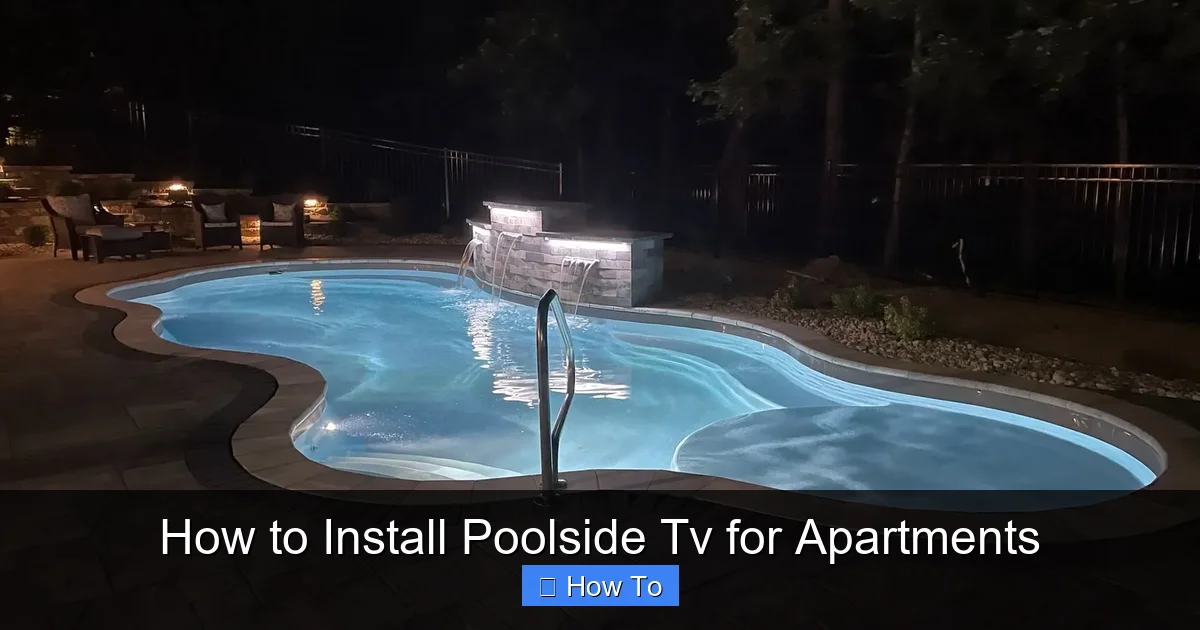
Visual guide about How to Install Poolside Tv for Apartments
Image source: lirp.cdn-website.com
Before you buy a single piece of equipment, the most important step is to review your lease agreement and talk to your landlord or property manager. Many apartment complexes have strict rules about modifications, especially those involving drilling, wiring, or attaching fixtures to walls or railings.
Why This Step Matters
Installing a TV outdoors often requires mounting hardware, running cables, or altering the building’s exterior. Even if you plan a “non-permanent” setup, landlords may still consider it a violation. Getting written permission protects you from fines, eviction threats, or being forced to remove the setup later.
How to Approach Your Landlord
Be professional and prepared. Explain your plan clearly:
– Mention you’re using a weatherproof outdoor TV or enclosure.
– Emphasize safety: GFCI outlets, waterproof cables, and secure mounting.
– Offer to use removable mounting solutions like freestanding stands or tension mounts if drilling isn’t allowed.
– Provide photos or links to the products you plan to use.
Many landlords appreciate tenants who enhance their units responsibly. If they say no to permanent mounts, don’t worry—there are still great alternatives (we’ll cover those later).
HOA and Local Regulations
If your apartment is part of a homeowners’ association (HOA) or governed by local building codes, check their rules too. Some areas restrict visible wiring, external devices, or anything that alters the building’s appearance. A quick call or email can save you a lot of hassle.
Step 2: Choose the Right TV for Poolside Use
Not all TVs are created equal—especially when it comes to outdoor use. A standard indoor TV exposed to sun, humidity, or rain will fail quickly. For a poolside TV for apartments, you need a model built to withstand the elements.
Option 1: Outdoor-Rated TVs
These are specifically designed for outdoor environments. Brands like Samsung, SunBrite, and Seura offer models with:
– Weatherproof casings (IP55 or higher rating)
– Anti-glare screens
– Temperature-regulated internal cooling
– UV-resistant materials
Best for: Permanent or semi-permanent setups where you want maximum durability and performance.
Option 2: Indoor TV + Weatherproof Enclosure
If an outdoor TV is out of budget, you can use a high-quality indoor TV inside a protective outdoor enclosure. Look for enclosures with:
– IP65 or higher waterproof rating
– Ventilation with dust and moisture filters
– Anti-reflective glass or acrylic front
– Secure locking mechanism
Popular brands include Peerless, Vivitek, and Outdoor TV Enclosures.
Best for: Renters or those on a tighter budget who want flexibility.
Screen Size and Placement
In small apartment patios or balconies, less is often more. A 32- to 43-inch screen is usually ideal—big enough to enjoy, small enough to avoid overwhelming the space. Consider:
– Viewing distance: Sit 5–8 feet away for a 32–43” TV.
– Glare: Avoid placing the TV where direct sunlight hits the screen.
– Height: Mount at eye level when seated (about 42–48 inches from the ground).
Smart Features and Connectivity
Choose a TV with built-in Wi-Fi and smart features (like Roku, Android TV, or webOS). This lets you stream content without extra boxes—reducing clutter and cable runs. If your TV isn’t smart, add a streaming device (Apple TV, Fire Stick, etc.) later.
Step 3: Select the Right Mounting Solution
Mounting is where many apartment installations go wrong. You need a secure, stable setup that won’t damage the building—and won’t fall in a storm.
Permanent Wall Mounts (If Allowed)
If your landlord approves drilling, a wall-mounted bracket is the most secure option. Use:
– Stainless steel or powder-coated aluminum mounts (rust-resistant)
– Lag bolts into studs or concrete anchors (never just drywall!)
– A tilt or full-motion arm for adjustable viewing
Tip: Use a stud finder to locate solid support. On concrete or brick, use a masonry drill bit and anchors.
Freestanding or Portable Stands
For renters or no-drill situations, a heavy-duty outdoor TV stand is a great alternative. Look for:
– Wide, weighted base (filled with sand or water for stability)
– Adjustable height and tilt
– Cable management clips
– Locking wheels (for moving, but lock in place)
Place the stand on a flat, level surface away from pool splash zones. Anchor it with sandbags or tie-downs if wind is a concern.
Ceiling or Overhang Mounts
If you have a covered patio or pergola, a ceiling mount can save wall space and improve viewing angles. Ensure the structure can support the weight—consult a professional if unsure.
Tension or Rail Mounts
Some systems attach to balcony railings using clamps or tension rods. These are non-invasive but must be very secure. Test stability before mounting the TV.
Step 4: Plan Power and Cable Management
Power and cables are the trickiest part of any outdoor TV setup—especially near water. Safety is non-negotiable.
Use a GFCI Outlet
A Ground Fault Circuit Interrupter (GFCI) outlet is essential near pools and wet areas. It shuts off power instantly if it detects a fault, preventing electrocution. If your outdoor outlet isn’t GFCI-protected, hire an electrician to install one.
Never use indoor extension cords or power strips outdoors. They’re not rated for moisture and can overheat.
Outdoor-Rated Cables and Conduit
Use:
– Outdoor-rated power cords (look for “SJTW” or “SJTOW” labels)
– Weatherproof HDMI and coaxial cables
– PVC conduit or flexible waterproof tubing to protect wires
Run cables along walls, under decking, or through conduit buried slightly underground (if allowed). Avoid tripping hazards—use cable covers or tape them down securely.
Wireless Alternatives
To reduce cable clutter:
– Use a wireless HDMI transmitter (like Nyrius or J-Tech Digital)
– Stream via Wi-Fi using a Roku, Apple TV, or Chromecast
– Connect Bluetooth speakers for audio (keeps sound wires hidden)
Power Source Location
If the nearest outlet is far away, consider:
– A licensed electrician running a new outdoor outlet
– A weatherproof power inlet box (installed on the exterior wall)
– Solar-powered battery packs (for low-power devices like streaming sticks)
Step 5: Install the TV and Mount
Now for the fun part—putting it all together. Take your time and follow instructions carefully.
Mount the Bracket First
– Hold the wall mount in place and mark drill points.
– Drill pilot holes, then secure with appropriate anchors and bolts.
– Use a level to ensure it’s straight.
Attach the TV to the Mount
– Have a helper hold the TV while you attach the mounting arms.
– Tighten all screws securely—don’t overtighten and crack the screen.
– Double-check that the TV is locked in place.
Connect Cables
– Plug in power, HDMI, and any other cables.
– Route them through conduit or along the mount’s cable management system.
– Use zip ties or clips to keep wires neat and out of sight.
Test Before Finalizing
Turn on the TV and check:
– Picture and sound quality
– Wi-Fi or streaming connection
– Remote control range
– Stability of the mount (give it a gentle shake)
Make adjustments as needed before securing everything permanently.
Step 6: Optimize Viewing and Reduce Glare
Even the best TV won’t look good if it’s washed out by sunlight or hard to see from your seating area.
Position for Minimal Glare
– Avoid direct sunlight on the screen.
– Use a pergola, awning, or umbrella for shade.
– Choose a matte or anti-reflective screen (most outdoor TVs have this).
Adjust TV Settings
Increase brightness and contrast for daytime viewing. Many outdoor TVs have an “outdoor mode” that auto-adjusts based on ambient light.
Seating Arrangement
Arrange chairs, loungers, or benches so everyone has a clear view. Avoid placing seats too close or at extreme angles.
Lighting for Night Viewing
Add soft, ambient lighting—like string lights or LED path lights—to reduce eye strain and enhance the mood. Avoid bright lights that reflect on the screen.
Step 7: Secure Audio and Streaming
Great picture needs great sound. But you don’t want bulky speakers ruining the vibe.
Outdoor Speakers
Mount weatherproof speakers on walls or railings. Choose models with:
– IPX5 or higher rating
– Wireless connectivity (Bluetooth or Wi-Fi)
– Compact design
Soundbars or All-in-One Systems
Some outdoor TVs come with built-in soundbars. Alternatively, use a compact outdoor soundbar mounted below the TV.
Wireless Audio
Pair Bluetooth speakers or use a wireless audio system to stream sound from your TV. Keep speakers elevated and away from water.
Streaming Devices
Plug a streaming stick into the TV’s HDMI port. Connect to Wi-Fi and log into your accounts (Netflix, Hulu, etc.). Use the TV remote or a smartphone app to control playback.
Step 8: Maintain Your Poolside TV
Outdoor electronics need regular care to last.
Monthly Checks
– Wipe the screen with a microfiber cloth and mild cleaner.
– Inspect seals on enclosures for cracks or wear.
– Check cables for fraying or moisture damage.
Seasonal Maintenance
– Before summer: Test all connections and clean vents.
– After storms: Look for water intrusion or loose mounts.
– In winter (if applicable): Cover or store the TV if temperatures drop below freezing.
Cover When Not in Use
Use a breathable, waterproof TV cover to protect against dust, pollen, and UV rays. Avoid plastic covers that trap moisture.
Troubleshooting Common Issues
Even with careful planning, problems can arise. Here’s how to fix the most common ones.
TV Won’t Turn On
– Check the power source: Is the outlet working? Test with another device.
– Inspect the power cord: Look for damage or loose connections.
– Reset the GFCI outlet: Press the “test” and “reset” buttons.
Poor Picture or Signal
– Ensure HDMI cables are securely connected.
– Move the streaming device closer to the router or use a Wi-Fi extender.
– Check for interference from other electronics.
Overheating
– Make sure vents aren’t blocked.
– Avoid placing the TV in direct sunlight for long periods.
– Use an outdoor TV with built-in cooling.
Water Damage
– If moisture gets inside, power off immediately and let it dry completely.
– Check enclosure seals and replace if damaged.
– Consider upgrading to a higher IP-rated model.
Mount Feels Loose
– Tighten all bolts and screws.
– Re-anchor if the wall has shifted or degraded.
– Switch to a freestanding stand if wall mounting isn’t secure.
Conclusion
Installing a poolside TV for apartments is a smart way to elevate your outdoor living space—even in a rental. With the right equipment, careful planning, and respect for safety and rules, you can enjoy movie nights, sports games, and binge-watching sessions by the water.
Start by getting permission, choose a weatherproof TV or enclosure, and select a secure mounting method that fits your space. Manage cables safely, optimize your viewing angle, and maintain the system regularly. Whether you go high-tech with a full outdoor setup or keep it simple with a portable stand and streaming stick, the result is a luxurious, functional addition to your apartment lifestyle.
Remember: safety first, style second, and always communicate with your landlord. With this guide, your dream of a poolside entertainment zone is not just possible—it’s within reach.

