
Transform your backyard into the ultimate summer party spot by installing a patio TV. This guide walks you through choosing the right outdoor TV, mounting it safely, and setting up weatherproof connections for nonstop entertainment.
Key Takeaways
- Choose an outdoor-rated TV: Regular indoor TVs can’t handle sun, rain, or humidity—opt for a weatherproof model designed for outdoor use.
- Pick the right mounting location: Install your TV under a covered area like a pergola or awning to protect it from direct sunlight and rain.
- Use weatherproof cables and enclosures: Protect all connections with outdoor-rated cables and waterproof junction boxes to prevent damage.
- Secure mounting is essential: Use heavy-duty, rust-resistant brackets and anchors to ensure your TV stays safe in windy conditions.
- Test audio and streaming setups: Pair your TV with weather-resistant speakers and a strong Wi-Fi signal for seamless movie nights and game days.
- Plan for power and safety: Hire a licensed electrician to run outdoor-safe wiring and install GFCI outlets to prevent electrical hazards.
- Maintain your setup seasonally: Clean the screen regularly and inspect seals and mounts before each summer to keep everything in top shape.
How to Install Patio TV for Summer Parties
Summer is the perfect time to take your entertainment outdoors. Whether you’re hosting a backyard barbecue, watching the big game under the stars, or enjoying a family movie night on the patio, adding a TV to your outdoor space can elevate the experience. But installing a patio TV isn’t as simple as dragging your living room set outside. Outdoor environments bring unique challenges—sunlight glare, rain, humidity, wind, and temperature swings—that can damage standard electronics.
In this comprehensive guide, you’ll learn how to install a patio TV safely and effectively, so you can enjoy summer parties with crystal-clear picture and sound. We’ll cover everything from choosing the right TV and mounting hardware to setting up weatherproof connections and optimizing your audio. By the end, you’ll have a durable, high-performing outdoor entertainment system ready for every summer celebration.
Step 1: Choose the Right Outdoor TV
The first and most important step in installing a patio TV is selecting the right television. Not all TVs are created equal—especially when it comes to outdoor use.
Indoor vs. Outdoor TVs
Standard indoor TVs are not built to withstand the elements. They lack proper ventilation for heat dissipation, aren’t sealed against moisture, and their screens can wash out in direct sunlight. Using an indoor TV outside voids most warranties and can lead to overheating, fogging, or permanent damage.
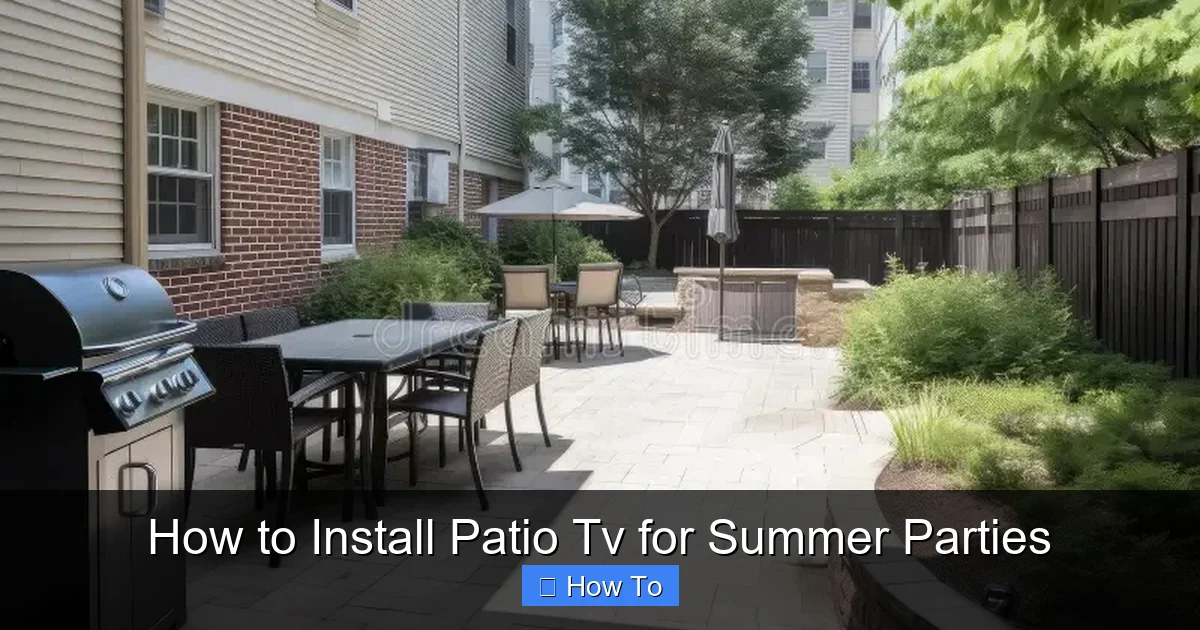
Visual guide about How to Install Patio Tv for Summer Parties
Image source: thumbs.dreamstime.com
Outdoor TVs, on the other hand, are specifically engineered for exterior environments. They feature:
- Weatherproof casings: Sealed against rain, dust, and insects.
- Anti-glare screens: Brighter displays (often 2–3 times brighter than indoor models) to combat sunlight.
- Temperature regulation: Built-in cooling and heating systems to operate in extreme heat or cold.
- Rust-resistant materials: Aluminum or powder-coated frames that resist corrosion.
Types of Outdoor TVs
There are two main types of outdoor TVs to consider:
- Fully Outdoor (All-Weather) TVs: These are built to be placed in fully exposed areas. They’re the most durable and expensive option, ideal for patios without full coverage.
- Partial-Coverage (Covered Outdoor) TVs: Designed for use under eaves, pergolas, or awnings. They’re less expensive than all-weather models but still offer excellent protection from light rain and sun.
For most summer party setups—especially under a covered patio—partial-coverage TVs offer the best balance of performance and value.
Recommended Brands and Models
Some top-rated outdoor TV brands include:
- SunBriteTV: Known for high brightness and rugged durability. Their Veranda series is perfect for covered patios.
- Seura: Offers sleek designs with excellent weather resistance and smart TV features.
- Kodak Outdoor TVs: Budget-friendly options with solid performance for shaded areas.
Look for models with at least 400 nits of brightness (500+ is better for sunny spots), HDMI inputs, and smart capabilities like built-in Wi-Fi and streaming apps.
Step 2: Select the Ideal Mounting Location
Once you’ve chosen your TV, it’s time to find the perfect spot to install it. Location is critical for both performance and longevity.
Consider Sun and Shade Patterns
Even with an anti-glare screen, direct sunlight can make it hard to see your TV. Observe your patio throughout the day to identify areas that stay shaded during peak party hours (usually late afternoon to evening).
A covered area like a pergola, gazebo, or under the roof overhang is ideal. If you don’t have coverage, consider installing a retractable awning or shade sail to protect both the TV and your guests.
Check for Obstructions and Viewing Angles
Mount the TV at a height that allows comfortable viewing from your main seating area—typically 42 to 60 inches from the ground to the center of the screen. Avoid placing it behind glass doors or windows, which can cause glare and signal interference.
Also, ensure there’s enough space around the TV for airflow. Outdoor TVs need ventilation to prevent overheating, so don’t box them in tightly.
Assess Structural Support
The wall or structure you mount to must be strong enough to hold the TV and withstand wind forces. Brick, concrete, or solid wood frames are best. Avoid mounting to thin siding or weak structures.
If you’re unsure, consult a contractor or use a stud finder to locate solid support beams. For freestanding setups, consider a heavy-duty outdoor TV stand or pole mount anchored into concrete.
Step 3: Choose the Right Mounting Hardware
Using the correct mount is just as important as the TV itself. A flimsy or indoor-rated bracket can fail in outdoor conditions.
Outdoor-Rated TV Mounts
Look for mounts labeled “outdoor use” or “weatherproof.” These are made from rust-resistant materials like stainless steel or powder-coated aluminum and include sealed pivot points to prevent water intrusion.
Common types include:
- Fixed mounts: Hold the TV flush against the wall. Great for permanent setups with a clear viewing angle.
- Tilt mounts: Allow you to angle the TV up or down to reduce glare and improve viewing.
- Full-motion (articulating) mounts: Let you swivel and extend the TV for flexible positioning—ideal if you move furniture around.
For most patio setups, a tilt or full-motion mount offers the best versatility.
Anchoring and Fasteners
Use heavy-duty lag bolts or concrete anchors designed for outdoor use. Never use standard drywall anchors—they’ll pull out in wind or over time.
For brick or concrete, use masonry anchors and a hammer drill. For wood frames, use lag screws into studs. Always follow the manufacturer’s weight and size recommendations.
Step 4: Run Power and Data Safely
Powering your patio TV requires careful planning to ensure safety and reliability.
Hire a Licensed Electrician
Outdoor electrical work must meet local building codes. A licensed electrician can run a dedicated circuit from your home’s breaker panel to the patio, using weatherproof conduit and outdoor-rated wiring.
They’ll also install a GFCI (Ground Fault Circuit Interrupter) outlet near the TV. This critical safety feature shuts off power if it detects a ground fault, preventing electric shock in wet conditions.
Use Outdoor-Rated Cables
All cables—HDMI, power, audio—must be rated for outdoor use. Look for labels like “CMR,” “CMX,” or “outdoor direct burial” for in-wall runs. For surface runs, use UV-resistant, waterproof cable raceways or conduits.
For HDMI, consider a high-speed, weatherproof cable with built-in signal boosters if running over 25 feet. Alternatively, use an HDMI extender over Cat6 cable for longer distances.
Protect Connections with Enclosures
Use a weatherproof junction box to house all cable connections. These sealed boxes prevent moisture from entering and damaging your gear. Mount the box near the TV or on the wall below it for easy access.
Apply dielectric grease to metal connections to prevent corrosion, and use zip ties or clamps to keep cables tidy and secure.
Step 5: Mount the TV Securely
Now it’s time to install the mount and hang your TV.
Prepare the Mounting Surface
Clean the wall area and mark the drill points using a level. Double-check measurements to ensure the mount is straight and at the correct height.
Install the Wall Plate
Drill pilot holes, insert anchors if needed, and secure the wall plate with bolts. Use a torque wrench if specified by the manufacturer to avoid over-tightening.
Attach the TV Bracket
Most mounts come with a bracket that attaches to the back of the TV. Use the provided screws and ensure they’re tight. Have a helper hold the TV while you lift it onto the wall plate.
Secure and Test
Lock the TV in place using safety screws or locking mechanisms. Gently tug to confirm it’s secure. Test the tilt or swivel function (if applicable) to ensure smooth movement.
Step 6: Set Up Audio and Streaming
A great picture deserves great sound. Enhance your patio TV experience with quality audio and seamless streaming.
Outdoor Speakers
Pair your TV with weather-resistant outdoor speakers. Options include:
- Rock speakers: Blend into landscaping and provide natural sound.
- Wall-mounted speakers: Install near the TV for clear, directional audio.
- Wireless Bluetooth speakers: Portable and easy to reposition for different events.
For larger gatherings, consider a powered outdoor soundbar or a multi-zone audio system.
Streaming and Connectivity
Ensure your patio has a strong Wi-Fi signal. If the signal is weak, install a weatherproof Wi-Fi extender or mesh network node near the TV.
Use a streaming device like a Roku, Apple TV, or Amazon Fire Stick for access to Netflix, YouTube, and live sports. Mount the device inside the junction box or use a protective case.
Control Options
Use a universal remote or smartphone app to control the TV, speakers, and streaming device. Some outdoor TVs come with IR extenders so you can control them from inside the house.
Step 7: Test and Optimize
Before your first party, run a full system test.
Check Picture and Sound
Play a variety of content—sports, movies, music videos—to test brightness, color accuracy, and audio sync. Adjust picture settings for outdoor viewing (e.g., increase brightness, reduce motion smoothing).
Test All Connections
Verify that HDMI, power, and network cables are secure and functioning. Check for signal dropouts or interference.
Simulate Party Conditions
Turn on outdoor lights, fans, and other electronics to ensure they don’t interfere with the TV or speakers. Test the system at night and during the day.
Troubleshooting Common Issues
Even with careful planning, problems can arise. Here’s how to fix the most common issues:
TV Won’t Turn On
Check the GFCI outlet—it may have tripped. Press the reset button. If it trips again, there’s a ground fault. Call an electrician.
Poor Picture Quality
Adjust the TV’s brightness and contrast settings. Ensure the screen is clean and free of smudges. If using an indoor TV, consider upgrading to an outdoor model.
Weak Wi-Fi Signal
Reposition your router or add a Wi-Fi extender. Use a wired Ethernet connection if possible for the most reliable streaming.
Audio Delay or Dropouts
Check speaker connections and update firmware on streaming devices. Use HDMI ARC or optical audio for better sync.
Moisture Inside the TV
If you see condensation, power off the TV and let it dry completely. Check seals and ensure it’s mounted in a covered area. Never use a hair dryer or heat source to speed drying.
Maintenance Tips for Long-Term Use
To keep your patio TV in top condition, follow these seasonal maintenance steps:
- Clean the screen weekly: Use a microfiber cloth and outdoor-safe screen cleaner. Avoid ammonia-based products.
- Inspect seals and mounts: Before each summer, check for cracks, rust, or loose bolts. Tighten or replace as needed.
- Cover during off-seasons: If you live in a cold climate, consider using a weatherproof TV cover or storing the TV indoors during winter.
- Update software: Keep your TV and streaming devices updated for security and performance.
Conclusion
Installing a patio TV for summer parties is a smart investment that brings entertainment, comfort, and value to your outdoor space. By choosing an outdoor-rated TV, mounting it securely under cover, and protecting all connections from the elements, you’ll create a reliable setup that lasts for years.
With the right planning and tools, you can enjoy movie nights, sports events, and backyard gatherings with friends and family—all from the comfort of your patio. Follow this guide step by step, and your summer parties will never be the same.
So grab some popcorn, fire up the grill, and get ready to host the best outdoor events on the block. Your new patio TV is ready for action.

