
Transform your backyard into a cinematic oasis with a poolside TV setup perfect for movie nights under the stars. This guide walks you through selecting the right equipment, mounting safely near water, and optimizing audio and lighting for an unforgettable outdoor experience.
Key Takeaways
- Choose a weatherproof outdoor TV: Standard indoor TVs aren’t built for humidity, heat, or rain—opt for a certified outdoor model with an IP55 or higher rating.
- Use a marine-grade or outdoor-rated mount: Regular wall mounts can corrode near pools; invest in stainless steel or powder-coated mounts designed for wet environments.
- Position the TV for safety and viewing comfort: Install at least 6–8 feet above the pool deck and avoid direct splash zones to prevent water damage and ensure clear sightlines.
- Protect cables with conduit and waterproofing: Run all power and HDMI cables through sealed conduit and use waterproof connectors to prevent shorts and corrosion.
- Add ambient lighting and sound wisely: Use dimmable LED path lights and weatherproof speakers to enhance the mood without creating glare or echo.
- Test everything before the first movie night: Run a full system check—picture, sound, Wi-Fi, and remote access—to avoid last-minute surprises.
- Consider a retractable or portable option: If permanent installation isn’t ideal, explore pop-up screens or portable outdoor projectors as flexible alternatives.
How to Install Poolside TV for Backyard Movie Night
Imagine this: the sun sets, the pool glows under soft string lights, and your favorite film begins to play on a crisp, bright screen just steps from the water. No need to haul chairs into the living room—your backyard is now the ultimate entertainment hub. Installing a poolside TV for backyard movie night isn’t just about mounting a screen outdoors; it’s about creating a safe, immersive, and weather-resistant experience that brings friends and family together under the open sky.
In this comprehensive guide, you’ll learn everything you need to know to set up a poolside TV system that’s both functional and fabulous. From choosing the right outdoor-rated television to mounting it securely near your pool, running cables safely, and optimizing audio and lighting, we’ll walk you through each step with practical tips and real-world advice. Whether you’re a DIY enthusiast or working with a professional installer, this guide ensures your backyard movie nights are seamless, safe, and seriously fun.
By the end, you’ll have a fully operational outdoor entertainment zone that’s ready for summer blockbusters, cozy fall films, or even holiday classics—rain or shine.
Step 1: Assess Your Space and Viewing Needs
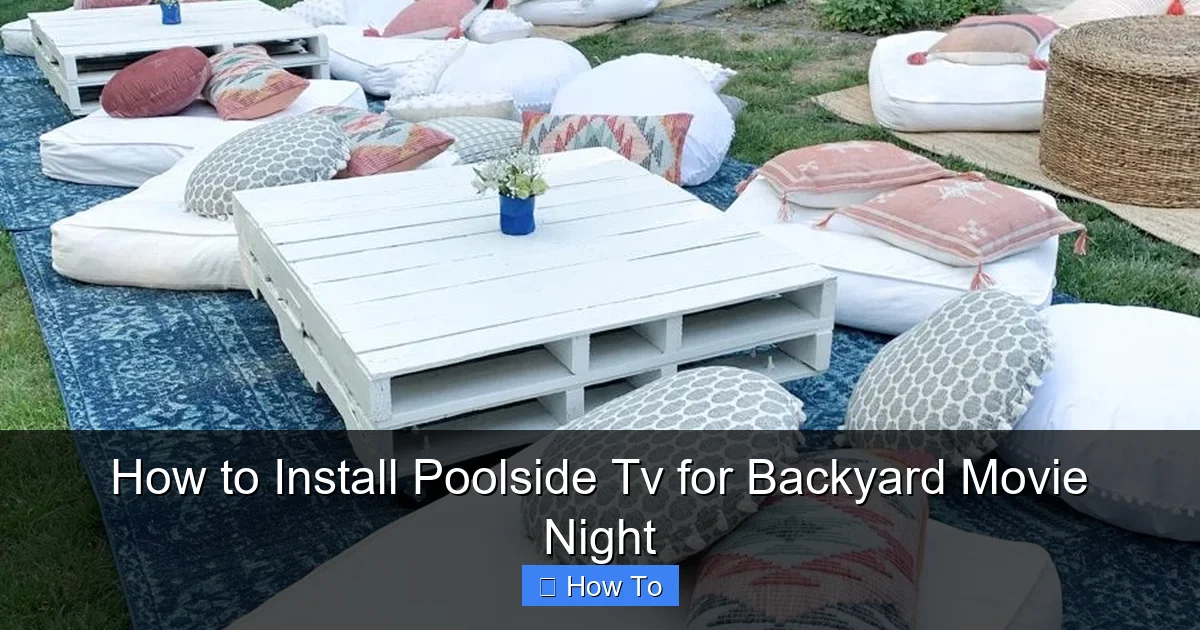
Visual guide about How to Install Poolside Tv for Backyard Movie Night
Image source: i.pinimg.com
Before you buy a single piece of equipment, take a good look at your backyard setup. The success of your poolside TV installation starts with understanding your space.
Evaluate the Viewing Area
Walk around your pool deck and imagine where people will sit during movie night. Are there lounge chairs, outdoor sofas, or built-in seating? Note the distance between seating and potential TV locations. For a comfortable viewing experience, aim for a screen size that matches the distance:
– For 6–8 feet away: 40–50 inches
– For 8–12 feet away: 55–65 inches
– For 12+ feet: 70+ inches
Also, consider sightlines. Will trees, umbrellas, or garden features block the view? Choose a mounting spot that offers an unobstructed angle from all seating areas.
Check for Sun and Glare
Outdoor TVs are brighter than indoor models, but direct sunlight can still cause glare. Observe how sunlight hits your pool area throughout the day. South- and west-facing walls get the most sun. If your ideal spot gets afternoon glare, consider installing the TV under a pergola, awning, or roof overhang. Alternatively, choose a TV with high brightness (at least 700 nits) and anti-glare coating.
Consider Weather Exposure
Is your pool area covered or fully exposed? If it’s open to the elements, you’ll need a TV rated for full outdoor use. If it’s under a covered patio, a partial outdoor or “all-weather” model may suffice. Always check the manufacturer’s specifications for temperature ranges and humidity tolerance.
Step 2: Choose the Right Outdoor TV
Not all TVs are created equal—especially when it comes to outdoor use. Using a standard indoor TV near a pool is a recipe for disaster. Humidity, temperature swings, and accidental splashes can fry internal components in no time.
Look for Outdoor Certification
Choose a TV specifically designed for outdoor use. These models are built with sealed casings, corrosion-resistant materials, and enhanced cooling systems. Look for an IP (Ingress Protection) rating of at least IP55, which means the TV is protected against dust and low-pressure water jets.
Top outdoor TV brands include:
– SunBriteTV
– Samsung Terrace
– LG Outdoor
– Seura
These models often come with built-in heaters and fans to regulate internal temperature, ensuring performance in both hot summers and chilly evenings.
Screen Type Matters
Outdoor TVs typically use LED or QLED panels with high brightness levels (700–2,500 nits) to combat ambient light. Avoid OLED screens for outdoor use—they’re more prone to burn-in and don’t perform as well in bright conditions.
Size and Resolution
Go big! Outdoor viewing distances are longer, so a larger screen enhances the experience. A 55-inch TV might feel small from 10 feet away, but a 65-inch or 75-inch model fills the space beautifully. Opt for 4K resolution for sharp, detailed images, especially if you’re streaming modern films or playing video games.
Smart Features and Connectivity
Most outdoor TVs come with smart platforms like Android TV, Roku, or webOS, allowing you to stream Netflix, Disney+, or YouTube directly. Ensure the model you choose has Wi-Fi, Ethernet, HDMI ports, and USB inputs. Some even support Bluetooth for wireless audio.
Step 3: Select a Weatherproof Mount and Location
Mounting your TV correctly is critical for both safety and performance. A poorly installed mount can lead to water damage, electrical hazards, or even a fallen TV.
Choose an Outdoor-Rated Mount
Standard indoor mounts aren’t built to withstand moisture, salt (if you’re near the ocean), or temperature changes. Invest in a marine-grade or outdoor-specific mount made from stainless steel or aluminum with a powder-coated finish. Look for mounts labeled “weatherproof,” “all-weather,” or “for outdoor use.”
Popular options include:
– Full-motion articulating mounts (for adjustable viewing angles)
– Fixed mounts (for a sleek, low-profile look)
– Tilt mounts (to reduce glare)
Ensure the mount is compatible with your TV’s VESA pattern (the screw hole layout on the back).
Pick the Right Mounting Location
Avoid mounting directly over the pool or in areas where splashing is common. The National Electrical Code (NEC) recommends keeping electrical equipment at least 6 feet away from the pool edge. A safe distance is 8–10 feet from the water’s edge, mounted on a wall, fence, or sturdy post.
Ideal locations include:
– The side of a covered patio
– A freestanding wall near the pool
– The back of an outdoor kitchen or bar
– Under a pergola with a solid roof
Ensure Structural Support
The mounting surface must be strong enough to hold the TV and mount. Brick, concrete, or wood studs are ideal. Avoid drywall, stucco, or vinyl siding unless reinforced with backing boards. Use a stud finder to locate studs, and anchor the mount with heavy-duty lag bolts or concrete anchors.
Step 4: Run and Protect Cables Safely
Exposed wires are not only unsightly—they’re dangerous near water. Proper cable management is essential for safety and longevity.
Use Outdoor-Rated Cables
Standard indoor HDMI and power cables aren’t designed for outdoor conditions. Use cables labeled “outdoor,” “burial-rated,” or “UV-resistant.” These are coated to resist moisture, sunlight, and temperature changes.
Route Cables Through Conduit
Run all cables through waterproof electrical conduit (PVC or metal). This protects them from physical damage, rodents, and water intrusion. Bury the conduit underground if running from your home to the pool area, or attach it to the wall with outdoor-rated clips.
For power:
– Use a GFCI (Ground Fault Circuit Interrupter) outlet within 6 feet of the TV. This shuts off power instantly if it detects a fault, preventing electric shock.
– Hire a licensed electrician to install a dedicated outdoor circuit if needed.
For HDMI and audio:
– Use a high-speed HDMI cable with Ethernet (up to 50 feet). For longer runs, consider an HDMI over Ethernet extender or wireless HDMI transmitter.
– Label both ends of each cable for easy identification.
Seal All Connections
Use waterproof junction boxes and silicone sealant around cable entry points. For added protection, wrap connections with electrical tape and place them inside a sealed enclosure.
Step 5: Install the TV and Mount
Now it’s time to put everything together. Take your time—rushing can lead to mistakes.
Mount the Bracket First
Attach the wall plate of the mount to the wall using a level to ensure it’s straight. Drill pilot holes, insert anchors, and tighten lag bolts securely. Double-check that the mount is level and can support the TV’s weight.
Attach the TV to the Mount
With a helper, lift the TV and hook it onto the wall plate. Secure it with the provided locking screws or safety bolts. Never leave the TV unattended during this step—outdoor TVs are heavy and slippery.
Connect the Cables
Plug in the power, HDMI, and any other cables. Tuck excess cable into the conduit or use cable clips to keep them tidy. Avoid sharp bends in HDMI cables, which can damage the internal wires.
Test the Setup
Turn on the TV and check the picture quality. Adjust the angle if using an articulating mount. Test the remote, Wi-Fi, and streaming apps. Make sure the TV responds quickly and the image is clear from all seating areas.
Step 6: Enhance the Experience with Audio and Lighting
A great picture is only half the battle. Sound and lighting complete the cinematic vibe.
Add Weatherproof Speakers
Built-in TV speakers often sound tinny outdoors. Upgrade with outdoor-rated speakers placed around the seating area. Options include:
– In-ground rock speakers (blend into landscaping)
– Wall-mounted speakers (on fences or walls)
– Soundbars designed for outdoor use
Use a Bluetooth transmitter or wired connection to sync audio with the TV. For a surround sound effect, place speakers at the front and back of the seating zone.
Set the Mood with Lighting
Avoid bright overhead lights that cause glare. Instead, use soft, ambient lighting:
– LED string lights around the pool or pergola
– Solar-powered path lights along walkways
– Dimmable recessed lights under eaves
Use smart bulbs or a lighting controller to adjust brightness remotely. Turn lights down low during the movie and back up for intermission.
Control Everything with a Remote or App
Simplify your setup with a universal remote or smart home system (like Alexa, Google Home, or Control4). Control the TV, lights, and speakers from one device. Some outdoor TVs even come with weatherproof remotes.
Step 7: Maintain and Protect Your Setup
Outdoor electronics need regular care to last.
Clean the Screen Regularly
Use a microfiber cloth and screen-safe cleaner to remove dust, pollen, and water spots. Avoid ammonia-based cleaners, which can damage anti-glare coatings.
Check for Corrosion and Wear
Inspect the mount, cables, and connections every few months. Look for rust, loose screws, or frayed wires. Re-tighten bolts and replace damaged parts promptly.
Cover During Off-Season
If you live in a cold climate, consider using a weatherproof TV cover during winter. Some homeowners remove the TV entirely and store it indoors when not in use.
Troubleshooting Common Issues
Even the best setups can run into problems. Here’s how to fix the most common ones:
TV Won’t Turn On
– Check the GFCI outlet—press the reset button.
– Ensure the power cable is securely connected.
– Test the outlet with another device.
Poor Wi-Fi Signal
– Move your router closer or install a Wi-Fi extender.
– Use a wired Ethernet connection if possible.
– Avoid placing the TV near metal structures that block signals.
Audio Out of Sync
– Adjust audio delay settings in the TV menu.
– Use a wired connection instead of Bluetooth for better sync.
Screen Glare or Washout
– Reposition the TV to avoid direct sunlight.
– Use a TV with higher brightness or an anti-glare screen.
– Add a shade or awning above the TV.
Water Damage Concerns
– If the TV gets wet, unplug it immediately and let it dry completely before use.
– Never operate a wet TV—this can cause short circuits or electrocution.
Conclusion
Installing a poolside TV for backyard movie night is more than a weekend project—it’s an investment in outdoor living and family fun. With the right equipment, careful planning, and attention to safety, you can create a luxurious entertainment space that rivals any indoor home theater.
From choosing a weatherproof TV and secure mount to running protected cables and enhancing the experience with sound and lighting, every step brings you closer to unforgettable nights under the stars. Whether you’re hosting a summer blockbuster party or enjoying a quiet film with your partner, your poolside TV setup will become the heart of your backyard.
So grab some popcorn, dim the lights, and press play. Your backyard cinema awaits.

