
Installing an outdoor television in your outdoor kitchen lets you enjoy movies, sports, and music while cooking or dining alfresco. This guide walks you through choosing the right TV, mounting it safely, running cables, and protecting it from the elements.
Key Takeaways
- Choose a true outdoor TV: Not all weather-resistant TVs are built for full exposure—opt for models rated for outdoor use with sealed components and UV protection.
- Pick the right mounting location: Install the TV where it’s visible from seating areas but shielded from direct rain, snow, and harsh sunlight.
- Use weatherproof conduits and cables: Protect wiring from moisture and temperature swings with outdoor-rated cables and sealed conduit.
- Ensure proper ventilation: Even outdoor TVs need airflow—avoid enclosing them in tight cabinets without ventilation.
- Secure power safely: Use GFCI outlets and consider a dedicated circuit to prevent electrical hazards near water sources.
- Test before finalizing: Power on the TV and check signal strength, audio, and remote functionality before sealing everything up.
- Maintain regularly: Clean the screen and inspect seals seasonally to extend your TV’s lifespan.
How to Install Outdoor Television for Outdoor Kitchen
Imagine sizzling steaks on the grill, friends laughing around the island, and your favorite game playing clearly on a crisp outdoor screen. That’s the magic of an outdoor kitchen with a TV. But installing an outdoor television isn’t as simple as mounting a regular TV on the wall. You’re dealing with weather, moisture, temperature swings, and safety concerns. Don’t worry—this complete guide will walk you through every step, from choosing the right TV to final testing, so you can enjoy entertainment under the stars without worry.
Whether you’re building a new outdoor kitchen or upgrading an existing one, adding a TV enhances comfort and functionality. In this guide, you’ll learn how to select a weatherproof television, pick the ideal mounting spot, run cables safely, and protect your investment from the elements. We’ll also cover troubleshooting tips and maintenance advice to keep your setup running smoothly for years.
Let’s get started!
Step 1: Choose the Right Outdoor Television
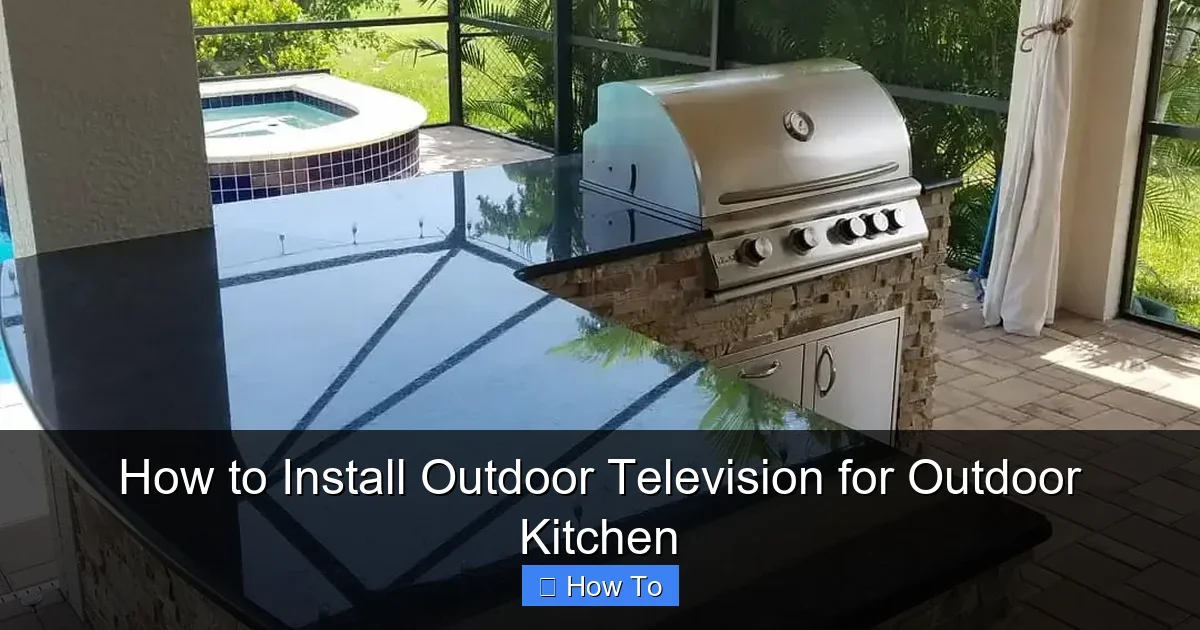
Visual guide about How to Install Outdoor Television for Outdoor Kitchen
Image source: i0.wp.com
Not all TVs are created equal—especially when it comes to outdoor use. A regular indoor TV might survive a light drizzle, but it won’t last long in a real outdoor kitchen environment. You need a television specifically designed for outdoor conditions.
Look for True Outdoor Ratings
Outdoor TVs are built with sealed casings, rust-resistant materials, and components that resist humidity, dust, and temperature extremes. Look for models labeled as “all-weather,” “outdoor-rated,” or “weatherproof.” These TVs often carry certifications like IP55 or IP65, which indicate protection against water and dust.
For example, brands like Samsung, SunBriteTV, and Seura offer dedicated outdoor models. SunBriteTV’s Veranda series is a popular choice for covered outdoor kitchens because it’s designed for partial shelter and handles rain, snow, and direct sunlight.
Consider Screen Brightness and Anti-Glare
Outdoor spaces are naturally brighter than living rooms. Sunlight reflecting off countertops or water can wash out a standard TV screen. Choose a TV with high brightness (measured in nits)—ideally 700 nits or higher. Many outdoor TVs also feature anti-glare coatings or optical bonding to improve visibility in daylight.
If your outdoor kitchen is under a pergola or covered patio, a mid-range brightness model may suffice. But if the TV will be exposed to direct sun, go for a high-brightness display.
Decide on Size and Placement
Think about viewing distance. A general rule: for every inch of screen size, sit about 1.5 feet away. So a 55-inch TV is best viewed from 6–8 feet away. Measure your outdoor kitchen layout and seating areas to find the sweet spot.
Also, consider whether the TV will be mounted above a grill, near a sink, or beside cabinets. Avoid placing it too high—neck strain ruins the experience. Eye level when seated is ideal.
Step 2: Plan the Mounting Location
Where you mount the TV is just as important as the TV itself. A poor location can lead to glare, water damage, or limited visibility.
Assess Weather Exposure
Even if your outdoor kitchen has a roof, wind-driven rain or snow can still reach the TV. Choose a spot under an overhang, pergola, or awning that provides consistent shelter. Avoid areas directly above grills or sinks where steam, grease, or splashes could damage the screen.
If your space is fully exposed, consider a TV with a higher weather rating (like IP66) or install a weatherproof cover.
Check for Obstructions and Glare
Walk around the area at different times of day. Note where sunlight hits the wall or countertop. A TV mounted opposite a large window or reflective surface will suffer from glare. Use a swivel or tilt mount to adjust the angle and reduce reflections.
Also, ensure nothing blocks the view—like hanging plants, cabinets, or lighting fixtures. You want a clear line of sight from your primary seating area.
Ensure Access to Power and Signal
Your TV needs electricity and a signal source (cable, satellite, or streaming). Plan the location so you can run cables neatly and safely. If you’re using a streaming device like a Roku or Apple TV, make sure it’s accessible and protected from moisture.
Pro tip: Install a small outdoor-rated media cabinet or weatherproof box near the TV to house your streaming device, cables, and power strip.
Step 3: Select the Right Mounting Hardware
Outdoor TVs are heavier and face more stress than indoor models. You need a sturdy, weather-resistant mount.
Choose a Full-Motion or Fixed Mount
– Fixed mounts are simple and secure—great if the TV will stay in one position.
– Tilt mounts let you angle the screen down for better viewing from seated positions.
– Full-motion (articulating) mounts allow you to swivel and extend the TV—ideal if you want to watch from multiple areas (e.g., grill station and dining table).
For most outdoor kitchens, a tilt or full-motion mount offers the best flexibility.
Ensure the Mount is Outdoor-Rated
Standard indoor mounts aren’t built for moisture, rust, or temperature changes. Look for mounts labeled “outdoor use” or “weatherproof.” They’re typically made of powder-coated steel or aluminum and include stainless steel hardware.
Brands like Peerless, Sanus, and Vogel’s offer outdoor-specific mounts. Check the weight and VESA compatibility (the bolt pattern on the back of the TV) to ensure a proper fit.
Reinforce the Wall Structure
Outdoor walls may be made of stucco, brick, or concrete—materials that require special anchors. Never mount directly into drywall or siding outdoors.
– For concrete or brick, use masonry anchors or Tapcon screws.
– For wood framing, locate studs and use heavy-duty lag bolts.
– For metal studs, use toggle bolts or metal stud anchors.
If you’re unsure about wall strength, consult a contractor. A falling TV isn’t just expensive—it’s dangerous.
Step 4: Run Cables Safely and Neatly
Exposed wires are a tripping hazard and a magnet for moisture. Proper cable management is essential for safety and longevity.
Use Outdoor-Rated Cables
Standard HDMI and power cables aren’t built for outdoor conditions. Use cables labeled “outdoor,” “direct burial,” or “UV-resistant.” These have thicker insulation and resist cracking from sun and temperature changes.
For HDMI, consider a high-speed cable with Ethernet support if you’re streaming 4K content. If running cables over 25 feet, use an active HDMI cable or an HDMI extender to prevent signal loss.
Protect Cables with Conduit
Run all cables through waterproof electrical conduit. PVC or flexible metal conduit works well. Seal all entry and exit points with silicone caulk or rubber grommets to keep water out.
Route cables along the back of cabinets, under countertops, or inside wall cavities. Avoid sharp bends or pinching wires.
Connect to a GFCI Outlet
Outdoor electrical outlets must be GFCI (Ground Fault Circuit Interrupter) protected to prevent shocks near water. If your outlet isn’t GFCI, have an electrician install one.
Use a weatherproof outlet cover with a flip-up lid to protect the plug when not in use. For added safety, consider a surge protector rated for outdoor use.
Step 5: Mount the Television
Now it’s time to install the TV. Take your time—rushing can lead to mistakes.
Pre-Assemble the Mount
Follow the manufacturer’s instructions to attach the mounting bracket to the TV. Use the provided screws and double-check that they’re tight. Some mounts require you to attach a plate to the TV first, then hang it on the wall bracket.
Mark and Drill Wall Holes
Hold the wall bracket in place and use a level to ensure it’s straight. Mark the screw holes with a pencil. Drill pilot holes slightly smaller than your anchors to ensure a tight fit.
If mounting into concrete, use a hammer drill and masonry bits. For wood, a regular drill works fine.
Secure the Wall Bracket
Insert anchors (if needed), then screw the bracket into place. Use a torque wrench or drill with a clutch setting to avoid over-tightening. Have a helper hold the bracket while you secure it.
Hang the TV
With the help of a friend, lift the TV and hook it onto the wall bracket. Lock it in place using the provided security screws or pins. Give it a gentle tug to ensure it’s secure.
Step 6: Connect and Test the System
Before you celebrate, make sure everything works.
Plug in and Power On
Connect the power cable, HDMI, and any other devices (like a soundbar or streaming stick). Plug into the GFCI outlet and turn on the TV.
Check Picture and Sound
Test the screen for dead pixels, color accuracy, and brightness. Play a high-motion video to check for lag or stuttering. Adjust picture settings if needed.
If using external speakers or a soundbar, test audio clarity and volume. Outdoor spaces can echo, so consider a soundbar with outdoor tuning.
Test Remote and Connectivity
Make sure the remote works from your seating area. If using Wi-Fi, check signal strength. Weak Wi-Fi can cause buffering. Consider a Wi-Fi extender if needed.
If using cable or satellite, verify the signal is strong and channels load quickly.
Step 7: Weatherproof and Finish the Installation
Even with an outdoor-rated TV, extra protection helps.
Seal All Connections
Use silicone sealant around cable entry points and mounting holes. This prevents water from seeping behind the wall or into the TV.
Install a Weatherproof Cover (Optional)
If your TV isn’t fully sealed or your kitchen is exposed, consider a custom-fit outdoor TV cover. These zip or snap over the screen when not in use and protect against dust, pollen, and light rain.
Label and Organize Cables
Use zip ties or cable clips to bundle wires neatly. Label each cable (e.g., “HDMI to Roku,” “Power”) so you can troubleshoot easily later.
Troubleshooting Common Issues
Even with careful planning, problems can arise.
TV Won’t Turn On
– Check the GFCI outlet—press the “reset” button.
– Ensure all cables are plugged in securely.
– Test the power cable with another device.
Poor Picture Quality
– Verify HDMI cable is high-speed and undamaged.
– Check signal source (cable box, streaming device).
– Adjust TV brightness and contrast settings.
Remote Not Working
– Replace batteries.
– Ensure no obstructions between remote and TV sensor.
– Try using the TV’s mobile app as a backup remote.
Water or Condensation Inside TV
This is serious. Turn off and unplug the TV immediately. Contact the manufacturer—most outdoor TVs have sealed designs, so internal moisture suggests a defect or improper installation.
Maintenance Tips for Long-Term Use
Keep your outdoor TV in top shape with regular care.
Clean the Screen Monthly
Use a microfiber cloth and screen-safe cleaner. Avoid ammonia-based products. Gently wipe in circular motions.
Inspect Seals and Cables
Every few months, check that seals around the TV and cables are intact. Look for cracks, fraying, or loose connections.
Protect During Extreme Weather
If a storm is coming, turn off and unplug the TV. Use a cover if available. Avoid using the TV during lightning.
Conclusion
Installing an outdoor television in your outdoor kitchen transforms your space into a true entertainment hub. With the right TV, proper mounting, and weatherproofing, you can enjoy your favorite shows, movies, and sports while cooking, dining, or relaxing outside.
Remember: safety and preparation are key. Choose a true outdoor-rated TV, mount it in a protected location, run cables through conduit, and connect to a GFCI outlet. Test everything before finalizing, and maintain your setup regularly.
Now grab a cold drink, fire up the grill, and press play—your perfect outdoor kitchen experience is ready.

