
Installing an outdoor TV in cold weather requires special planning and equipment to ensure safety, performance, and longevity. This guide walks you through choosing the right TV, preparing the space, mounting securely, and protecting against snow, ice, and freezing temperatures—so you can enjoy outdoor entertainment all year long.
Key Takeaways
- Choose a cold-weather-rated outdoor TV: Not all outdoor TVs are built for freezing temperatures. Look for models rated for cold climates with wide operating temperature ranges.
- Use a weatherproof enclosure if needed: If your TV isn’t fully outdoor-rated, a high-quality weatherproof enclosure can protect it from snow, rain, and temperature swings.
- Install in a sheltered location: Position the TV under an eave, pergola, or awning to reduce exposure to wind, snow, and direct sunlight.
- Secure mounting is critical: Use heavy-duty, corrosion-resistant mounts designed for outdoor use and ensure they’re anchored to a solid structure like a wall or post.
- Protect cables and connections: Use waterproof cable conduits and connectors to prevent moisture damage and ensure reliable signal transmission.
- Plan for power and signal access: Run power and HDMI/coaxial cables through sealed conduits and use outdoor-rated surge protectors.
- Maintain and inspect regularly: Check seals, mounts, and cables seasonally to prevent wear and ensure safe operation in winter conditions.
How to Install Outdoor Television for Cold Weather
Imagine sipping hot cocoa on your patio while watching the big game or your favorite winter movie—without worrying about your TV freezing or getting damaged. Installing an outdoor television in cold weather isn’t just about mounting a screen outside. It’s about creating a safe, reliable, and weather-resistant entertainment setup that stands up to snow, ice, wind, and sub-zero temperatures.
In this comprehensive guide, you’ll learn everything you need to know to install an outdoor TV in cold climates. From choosing the right equipment to mounting, wiring, and maintaining your system, we’ll walk you through each step with practical tips and expert advice. Whether you’re setting up a backyard theater, a garage entertainment zone, or a cozy outdoor living room, this guide will help you do it right—so your TV lasts for years, even in the harshest winter conditions.
Why Cold Weather Matters for Outdoor TVs
Most indoor TVs aren’t designed to handle extreme temperatures. When exposed to cold weather, standard electronics can suffer from condensation, cracked screens, battery failure (in remotes), and internal component damage. Even some “outdoor” TVs aren’t built for freezing climates unless specifically rated for it.
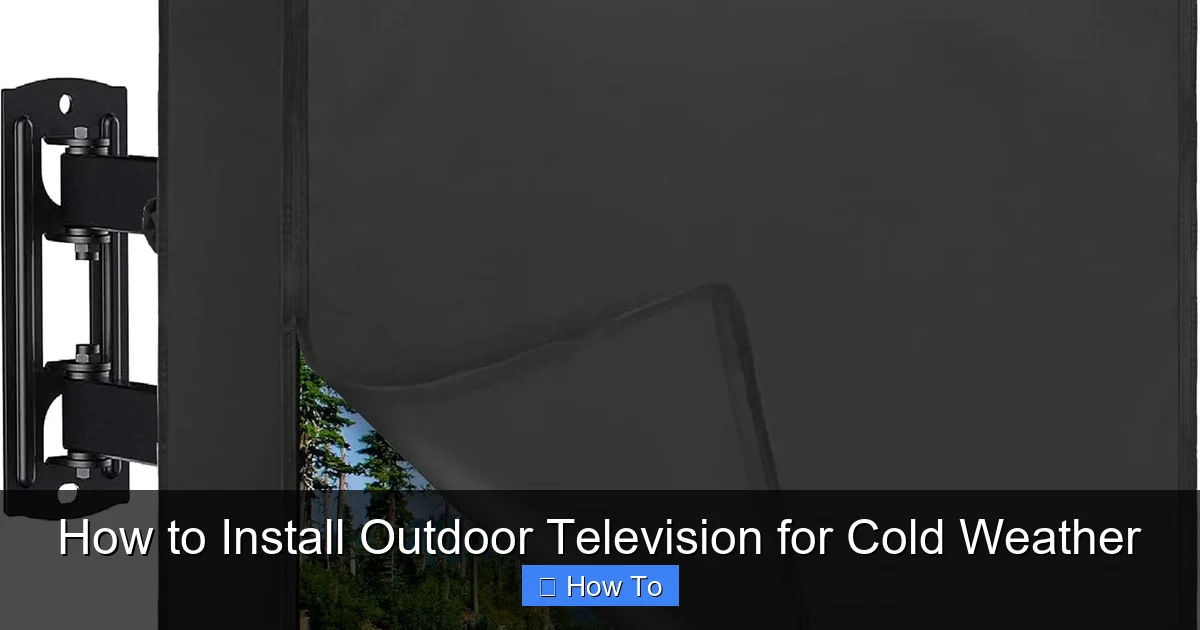
Visual guide about How to Install Outdoor Television for Cold Weather
Image source: m.media-amazon.com
Cold weather affects TVs in several ways:
- Battery drain: Remote controls and wireless devices lose power faster in the cold.
- Condensation: When a cold TV is powered on, moisture can form inside, leading to short circuits.
- Screen damage: LCD and LED screens can become brittle or develop dead pixels in freezing temps.
- Power issues: Cold wiring and connectors may become less efficient or fail.
That’s why it’s essential to use equipment designed for outdoor and cold-weather use. The good news? With the right preparation, your outdoor TV can perform flawlessly—even when the temperature drops below freezing.
Step 1: Choose the Right Outdoor TV for Cold Weather
The foundation of a successful cold-weather outdoor TV setup is selecting the right television. Not all outdoor TVs are created equal, and many are only rated for mild climates.
Look for Cold-Weather Ratings
Check the manufacturer’s specifications for the TV’s operating temperature range. For cold climates, you’ll want a model that can function reliably at temperatures as low as -20°F (-29°C) or lower. Brands like SunBrite, Samsung Terrace, and LG Outdoor offer models specifically engineered for extreme conditions.
For example, the SunBrite Veranda series is rated for temperatures from -22°F to 122°F (-30°C to 50°C), making it ideal for snowy winters and hot summers. Always verify the specs before purchasing.
Consider Screen Type and Brightness
Outdoor TVs need high brightness to combat glare from snow and sunlight. Look for a minimum brightness of 700 nits, but 1000 nits or higher is better for snowy or bright winter days. Anti-reflective coatings also help improve visibility.
LED and OLED screens are common, but OLEDs can be more sensitive to extreme cold. If you live in a very cold region, an LED-backlit LCD may be more reliable.
Decide Between All-Weather and Partial-Weather Models
There are two main types of outdoor TVs:
- All-weather (fully sealed): These are built to withstand rain, snow, dust, and temperature extremes. They have sealed casings, heated components, and corrosion-resistant materials. Best for fully exposed areas.
- Partial-weather (sheltered use): These are designed for covered patios, under eaves, or pergolas. They’re not fully waterproof but offer better protection than indoor TVs. Ideal if your TV is mostly shielded from the elements.
If your installation spot is exposed to snow and wind, go for an all-weather model. If it’s under a roof or awning, a partial-weather TV with a weatherproof enclosure may suffice.
Step 2: Select the Right Mount and Location
Where and how you mount your TV is just as important as the TV itself. A poor location or weak mount can lead to damage, safety hazards, or poor viewing angles.
Choose a Sheltered Spot
Avoid placing your TV in direct exposure to snow, wind, or sunlight. Ideal locations include:
- Under a covered patio or pergola
- On a wall beneath an eave
- Inside a screened-in porch
- On a garage wall with overhead protection
Even a small overhang can make a big difference. Snow accumulation on the screen or mount can cause damage or block the view, so elevation and shelter are key.
Use a Heavy-Duty Outdoor Mount
Standard indoor mounts won’t cut it. You need a mount rated for outdoor use, with features like:
- Corrosion-resistant materials (e.g., powder-coated steel or aluminum)
- Weatherproof seals
- Secure locking mechanisms
- Adjustable tilt and swivel (for optimal viewing angles)
Popular brands include Sanus, Peerless, and Vogel’s. Look for mounts labeled “outdoor” or “all-weather.” For cold climates, ensure the mount can handle thermal expansion and contraction without loosening.
Anchor to a Solid Structure
Never mount a TV to drywall, siding, or weak framing. Use a stud finder to locate solid wood or metal studs in the wall. For concrete or brick, use masonry anchors rated for the TV’s weight.
If mounting on a post or freestanding structure, ensure it’s anchored securely into the ground with concrete footings. A wobbly mount in winter winds can be dangerous.
Step 3: Prepare for Power and Signal Connections
Running power and signal cables outdoors requires careful planning to prevent water intrusion, electrical hazards, and signal loss.
Use Outdoor-Rated Cables
Standard indoor cables degrade quickly when exposed to moisture and UV rays. Use:
- Outdoor-rated HDMI cables (look for “CMR” or “CMX” ratings)
- Weatherproof coaxial cables for antennas or cable boxes
- Direct-burial Ethernet cables if using wired internet
These cables have thicker insulation, UV protection, and moisture-resistant jackets.
Run Cables Through Conduit
Protect cables by running them through PVC or metal conduit. This prevents damage from rodents, snowplows, or accidental cuts. Use conduit with watertight fittings and seal all entry points with silicone or outdoor-rated caulk.
For power, use a dedicated outdoor circuit with a GFCI (Ground Fault Circuit Interrupter) outlet. This protects against electrical shocks, especially in wet conditions.
Install a Weatherproof Enclosure for Equipment
If you’re using a cable box, streaming device, or soundbar, don’t leave them exposed. Use a weatherproof outdoor media enclosure—like those from Budge or Kanto—to house your devices. These boxes are sealed, ventilated, and often include power outlets and cable passthroughs.
Mount the enclosure near the TV but out of direct sight for a clean look. Ensure it’s easily accessible for maintenance.
Step 4: Install the TV and Mount
Now it’s time to put everything together. Follow these steps carefully to ensure a safe and secure installation.
Assemble the Mount
Follow the manufacturer’s instructions to assemble the wall plate and arm. Use a level to ensure the mount is straight. Tighten all bolts securely, but don’t overtighten—this can strip threads or crack materials.
Attach the Mount to the Wall
Mark the drill holes using a template (most mounts include one). Drill pilot holes, then secure the mount with appropriate anchors. Double-check that it’s level and firmly attached.
Connect Cables Before Mounting the TV
Thread HDMI, power, and other cables through the mount’s cable management system. Connect them to the TV before lifting it into place. This prevents strain on ports and makes adjustments easier.
Mount the TV
With a helper, lift the TV and attach it to the mount according to the instructions. Most mounts use a quick-release mechanism or locking screws. Ensure the TV is secure and doesn’t wobble.
Test the Setup
Power on the TV and test all inputs, sound, and remote functionality. Check for signal issues, loose connections, or interference. Make sure the screen is visible from your seating area.
Step 5: Protect Against Cold Weather Hazards
Even with the right equipment, cold weather poses unique challenges. Take these extra steps to protect your investment.
Prevent Condensation
When a cold TV is turned on, moisture can form inside the casing. To avoid this:
- Let the TV acclimate indoors for a few hours before first use in cold weather.
- Use a TV with built-in heaters (some all-weather models include this).
- Avoid turning the TV on and off rapidly in freezing temps.
Use a Weatherproof Cover When Not in Use
Even all-weather TVs benefit from a cover during heavy snow or storms. Use a breathable, waterproof cover designed for outdoor TVs. Avoid plastic tarps—they trap moisture and cause condensation.
Clear Snow and Ice Regularly
Use a soft brush or cloth to gently remove snow from the screen and mount. Never use sharp tools or hot water, which can crack the screen or damage seals.
Check for Ice Dams and Icing
In freezing rain or snowmelt conditions, ice can build up around the mount or cables. Inspect weekly and remove ice carefully to prevent structural stress.
Step 6: Maintain Your Outdoor TV Year-Round
Regular maintenance ensures your TV stays in top condition through every season.
Monthly Checks
- Inspect seals and gaskets for cracks or wear.
- Check mount tightness and corrosion.
- Clean the screen with a microfiber cloth and mild cleaner.
Seasonal Maintenance
- In fall: Clear debris, check cable integrity, and test heating elements (if applicable).
- In spring: Deep clean the TV and enclosure, inspect for winter damage.
Professional Inspection
Consider having a technician inspect your setup every 2–3 years, especially if you live in an area with harsh winters. They can check electrical safety, signal strength, and structural integrity.
Troubleshooting Common Cold-Weather Issues
Even with the best setup, problems can arise. Here’s how to handle common issues:
TV Won’t Turn On in Cold Weather
This is often due to battery drain or internal condensation. Try warming the remote batteries indoors, or use a TV with a heated startup feature. Let the TV sit for 1–2 hours before powering on.
Screen Flickering or Distorted Image
Could be a loose cable or cold-related component stress. Check all connections and ensure cables aren’t pinched or frozen. If the issue persists, consult the manufacturer.
Remote Not Working
Cold reduces battery life. Replace batteries with fresh ones, or use a remote with a longer range. Consider a universal remote with better cold-weather performance.
Water Inside the TV or Enclosure
This indicates a seal failure. Power off immediately and let the unit dry completely. Check gaskets and reseal if necessary. If damage is severe, contact the manufacturer.
Conclusion
Installing an outdoor television for cold weather is a smart way to extend your living space and enjoy entertainment year-round. While it requires more planning than a standard indoor setup, the rewards are worth it—cozy movie nights under the stars, game-day gatherings in the snow, and the simple joy of watching your favorite shows in the fresh air.
By choosing a cold-weather-rated TV, mounting it securely in a sheltered spot, protecting cables and connections, and maintaining the system regularly, you’ll ensure reliable performance and long-term durability. Don’t cut corners—invest in quality equipment and follow best practices to avoid costly repairs or replacements.
With this guide, you’re equipped to install your outdoor TV safely and confidently, no matter how low the temperature drops. So grab a blanket, fire up the hot cocoa, and enjoy your outdoor oasis—even in the heart of winter.

