
Installing an outdoor television in an apartment is easier than you think—even without permanent modifications. This guide walks you through choosing the right TV, mounting options, weatherproofing, and cable management to enjoy your favorite shows under the sky.
Key Takeaways
- Choose an outdoor-rated TV: Regular indoor TVs aren’t built for weather, so invest in a model designed for outdoor use or use a weatherproof enclosure.
- Check your lease agreement: Always get permission from your landlord before drilling or making structural changes to your balcony or patio.
- Use non-permanent mounting solutions: Freestanding mounts, clamp-on brackets, or weighted bases let you install without damaging walls.
- Protect cables from the elements: Use weatherproof conduit, cable covers, or raceways to keep wires safe and tidy.
- Ensure proper ventilation and sun protection: Avoid direct sunlight on the screen and allow airflow to prevent overheating.
- Test signal strength outdoors: Wi-Fi and antenna signals weaken outside—use extenders or outdoor-rated antennas if needed.
- Follow safety guidelines: Never run power cords across walkways or expose electronics to rain without protection.
How to Install Outdoor Television for Apartments
Imagine sipping your morning coffee on the balcony while catching up on the news, or hosting a movie night under the stars with friends. An outdoor television can turn your apartment’s outdoor space into a cozy entertainment zone. But unlike homeowners, apartment dwellers face unique challenges—limited space, rental restrictions, and exposure to the elements. The good news? With the right tools and approach, you can enjoy outdoor TV without breaking your lease or your budget.
In this complete guide, we’ll walk you through every step of installing an outdoor television in your apartment. From choosing the right TV and mounting system to managing cables and ensuring weather protection, you’ll learn how to create a safe, functional, and stylish setup. Whether you have a small balcony, a rooftop terrace, or a shared patio, this guide is designed for renters and apartment owners who want to enjoy outdoor entertainment without permanent changes.
Let’s get started!
Step 1: Assess Your Outdoor Space
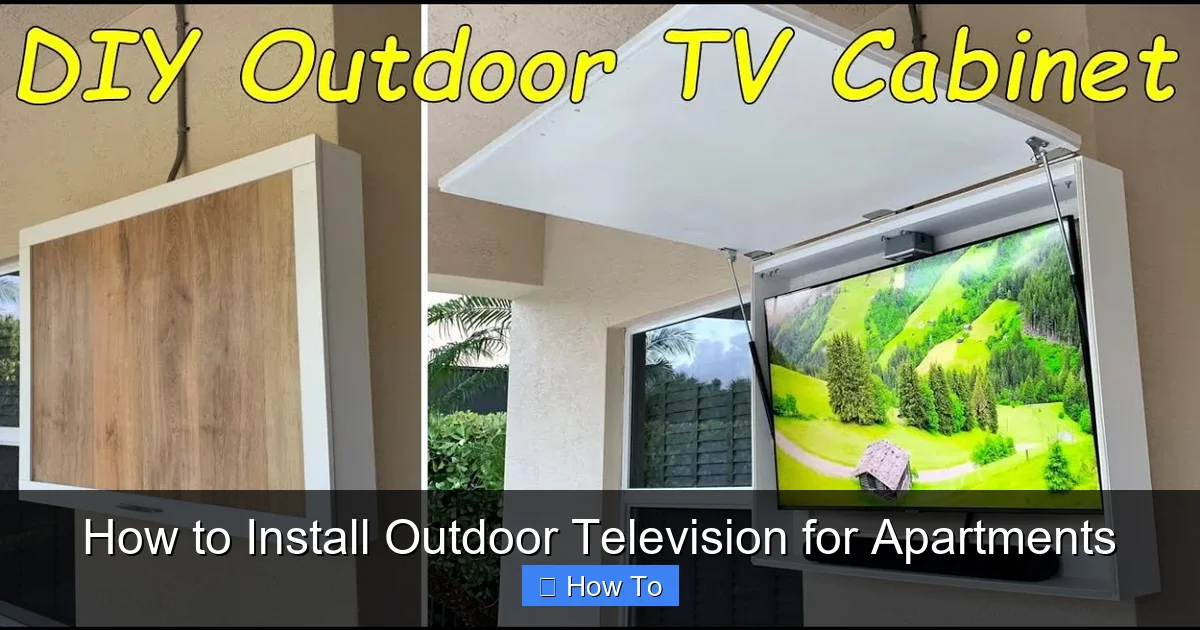
Visual guide about How to Install Outdoor Television for Apartments
Image source: i.ytimg.com
Before buying any equipment, take a close look at your outdoor area. Not all spaces are created equal, and understanding your environment will help you make smart decisions.
Measure the Area
Grab a tape measure and note the dimensions of your balcony, patio, or terrace. Consider:
– The size of the wall or surface where you plan to mount the TV
– Available floor space for a freestanding mount
– Distance from power outlets and internet sources
– Shade and sun exposure throughout the day
For example, a 32-inch TV needs at least 3–4 feet of viewing distance for comfort. If your balcony is only 6 feet deep, a smaller screen or a swivel mount might be better.
Check for Structural Limitations
Most apartment balconies have weight limits. Check your lease or ask your building manager about load restrictions. A typical outdoor TV setup (TV + mount) can weigh 30–50 pounds, so ensure your railing or wall can support it.
Also, look for:
– Concrete or brick walls (ideal for mounting)
– Metal railings (may require clamp-on mounts)
– Slatted or glass railings (limit mounting options)
Evaluate Weather Exposure
Is your space covered? Partially shaded? Fully exposed to sun, wind, and rain? This will determine whether you need a fully weatherproof TV or can get away with a protected indoor model.
– Covered patios: Great for standard TVs with added protection.
–
– Full sun/rain exposure: Only outdoor-rated TVs should be used.
Step 2: Choose the Right Outdoor Television
Not all TVs are built for the outdoors. Indoor models can overheat, suffer from glare, or get damaged by moisture. Here’s how to pick the best option for your apartment.
Outdoor-Rated TVs
These are specifically designed for outdoor use. They come in three categories:
– Fully Weatherproof (All-Weather): Built to withstand rain, snow, dust, and extreme temperatures. Examples include Samsung Terrace, SunBriteTV, and Seura.
– Partial Weatherproof (Weather-Resistant): Suitable for covered areas with some protection from elements.
– Indoor TVs with Enclosures: Regular TVs placed inside weatherproof casings.
For apartments, a partial weatherproof TV or an indoor TV with a protective enclosure is often the most practical and affordable choice.
Screen Size and Resolution
Choose a screen size based on your viewing distance:
– 32–43 inches: Ideal for small balconies (6–8 feet viewing distance)
– 50–65 inches: Best for larger patios or rooftop decks
Opt for at least 1080p resolution, but 4K is recommended if you plan to stream high-definition content.
Brightness and Anti-Glare
Outdoor TVs need high brightness (measured in nits) to combat sunlight. Look for:
– 700 nits or higher for shaded areas
– 1000+ nits for direct sunlight
Anti-glare coatings and matte screens reduce reflections, making it easier to see the picture during the day.
Smart Features and Connectivity
Most modern outdoor TVs come with built-in Wi-Fi, streaming apps (like Netflix, YouTube), and multiple HDMI ports. This reduces the need for external devices.
If your TV isn’t smart, consider adding a streaming stick (like Roku or Fire Stick) in a weatherproof box.
Step 3: Select a Mounting Solution
Since you’re in an apartment, permanent wall mounts may not be allowed. Fortunately, there are several non-damaging options.
Freestanding TV Stands
These are perfect for renters. They sit on the floor and don’t require drilling. Look for:
– Heavy, stable bases to prevent tipping
– Adjustable height and tilt
– Wheels for easy movement (lockable)
Example: The Kanto Freestanding Outdoor TV Stand supports up to 65-inch TVs and includes cable management.
Clamp-On or Railing Mounts
These attach directly to balcony railings without screws. They’re ideal for metal or wooden railings.
– Ensure the clamp fits your railing size (usually 1.5–4 inches thick)
– Check weight capacity (typically 50–100 lbs)
Tip: Use rubber padding between the clamp and railing to prevent scratches.
Wall-Mounted Brackets (If Allowed)
If your landlord approves, a wall mount offers the most secure and space-saving option.
– Use a full-motion arm for adjustable viewing angles
– Choose a rust-resistant, powder-coated bracket for outdoor use
Always use a stud finder and secure anchors for concrete or brick walls.
Ceiling or Overhang Mounts
If you have a covered patio with a ceiling, consider a drop-down mount. These are great for saving floor space and keeping the TV out of the way.
Step 4: Power and Connectivity Setup
Getting power and internet to your outdoor TV is crucial. Here’s how to do it safely.
Power Supply
– Use a GFCI (Ground Fault Circuit Interrupter) outlet if available. These shut off power if they detect a fault, preventing shocks.
– If no outdoor outlet exists, consult an electrician. Never run extension cords across walkways or under doors.
– Use a weatherproof outdoor extension cord rated for outdoor use (look for “SJTW” or “SJTOW” labels).
Internet and Signal
Wi-Fi signals weaken outdoors. To improve connectivity:
– Use a Wi-Fi extender or mesh system placed near the balcony
– Consider a powerline adapter that sends internet through electrical wires
– For antenna TV, use an outdoor HDTV antenna mounted on the railing or wall
Tip: Test your signal strength with your phone or laptop before mounting the TV.
Cable Management
Exposed cables are unsafe and unattractive. Keep them organized and protected:
– Use outdoor-rated cable raceways to hide wires along walls or railings
– Secure cables with zip ties or adhesive clips
– Run power and HDMI cables through conduit or flexible tubing for added protection
Example: The Legrand Outdoor Cable Management Kit includes raceways, clips, and covers designed for patios and balconies.
Step 5: Weatherproofing and Protection
Even with an outdoor-rated TV, extra protection extends its life and improves performance.
Use a Weatherproof Enclosure
If you’re using an indoor TV, invest in a sealed outdoor enclosure. These are like protective cases with ventilation, anti-glare glass, and waterproof seals.
Popular brands: Peerless-AV, VIVO, and Outdoor TV Enclosures.
Install a Sunshade or Awning
Direct sunlight causes glare and overheating. Add:
– A retractable awning
– A shade sail
– A pergola with climbing plants
Even a simple umbrella can help during peak sun hours.
Protect from Rain and Dust
– Ensure all connections (HDMI, power) are sealed with waterproof tape or covers
– Use silicone sealant around wall penetrations (if drilling is allowed)
– Cover the TV with a weatherproof TV cover when not in use
Tip: Choose a cover with UV protection to prevent fading.
Ensure Proper Ventilation
TVs generate heat. Avoid enclosing them in tight spaces without airflow. Most outdoor enclosures include fans or vents.
Never block ventilation ports, even with decorations or plants.
Step 6: Install the TV and Mount
Now it’s time to put everything together. Follow these steps carefully.
Assemble the Mount
– Lay out all parts and tools (usually included)
– Follow the manufacturer’s instructions
– Use a level to ensure the mount is straight
Attach the Mount to the Surface
– For freestanding stands: Place on a flat, stable surface. Add sandbags or weights if needed.
– For clamp mounts: Tighten securely, but don’t over-tighten and damage the railing.
– For wall mounts: Drill pilot holes, insert anchors, and screw in place. Double-check stability.
Mount the TV
– Have a helper assist—TVs are heavy and awkward to handle
– Attach the mounting brackets to the back of the TV
– Lift and hook the TV onto the mount
– Secure with locking screws or pins
Connect Cables
– Plug in power, HDMI, and antenna cables
– Route cables through raceways or conduit
– Test all connections before finalizing
Test the Setup
– Turn on the TV and check the picture and sound
– Test Wi-Fi or antenna signal
– Adjust the angle for optimal viewing
Step 7: Enhance Your Outdoor Entertainment
Your TV is installed—now make the experience even better.
Add Outdoor Speakers
Built-in TV speakers often sound weak outdoors. Consider:
– Weatherproof Bluetooth speakers
– Outdoor soundbars
– In-ground or wall-mounted speakers (if allowed)
Example: The JBL Charge 5 is waterproof and delivers rich sound for small spaces.
Install Lighting
Create ambiance with:
– String lights
– LED strip lights under the TV or along railings
– Solar-powered path lights
Avoid bright lights that cause glare on the screen.
Furniture and Comfort
Pair your TV with:
– Weather-resistant outdoor seating
– A small table for snacks and drinks
– Throw blankets for cooler evenings
Smart Home Integration
Control your setup with voice assistants:
– Use Alexa or Google Assistant to turn on the TV
– Set up routines like “Movie Night” to dim lights and start streaming
Troubleshooting Common Issues
Even with careful planning, problems can arise. Here’s how to fix them.
Poor Signal or Buffering
– Move the Wi-Fi extender closer to the TV
– Switch to a 5GHz network (less interference)
– Use an Ethernet cable if running one is feasible
TV Overheating
– Ensure ventilation isn’t blocked
– Move the TV to a shadier spot
– Use a fan or cooling pad (for enclosures)
Glare on the Screen
– Adjust the TV angle
– Install a sunshade or anti-glare filter
– Watch during early morning or evening hours
Water Damage
– Immediately unplug the TV
– Dry all components thoroughly
– Check seals and covers for damage
Mount Instability
– Tighten all bolts and clamps
– Add counterweights to freestanding stands
– Avoid placing the TV in high-wind areas
Safety Tips for Apartment Outdoor TVs
Safety should always come first.
- Never drill without permission. Unauthorized modifications can lead to fines or eviction.
- Avoid overloading circuits. Don’t plug too many devices into one outlet.
- Secure all cables. Prevent tripping hazards by keeping wires off walkways.
- Unplug during storms. Lightning can damage electronics even with surge protectors.
- Regularly inspect your setup. Check for rust, loose parts, or wear every few months.
Conclusion
Installing an outdoor television in your apartment is a rewarding project that enhances your lifestyle without requiring major renovations. By choosing the right TV, using non-permanent mounting solutions, and protecting your setup from the elements, you can enjoy high-quality entertainment under the open sky.
Remember to always respect your lease agreement, prioritize safety, and plan for weather challenges. With the tips and steps in this guide, you’re well-equipped to create a comfortable, stylish, and functional outdoor media space—whether you’re watching the big game, streaming a movie, or just relaxing with a show.
So go ahead—step outside, press play, and make your apartment balcony the best seat in the house.

