
Transform your backyard into a cozy outdoor cinema with a properly installed outdoor TV. This guide walks you through choosing the right TV, mounting it safely, running power and cables, and creating the perfect viewing experience for unforgettable movie nights under the stars.
Key Takeaways
- Choose an outdoor-rated TV: Standard indoor TVs aren’t built to withstand weather, temperature changes, or humidity. Opt for a TV specifically designed for outdoor use with weatherproofing and anti-glare screens.
- Pick the right location: Install your TV under a covered area like a pergola, gazebo, or patio roof to protect it from direct rain and sun. Ensure it’s at a comfortable viewing height and angle.
- Use proper mounting hardware: Invest in a sturdy, weather-resistant outdoor TV mount that can support your TV’s weight and allow for tilt or swivel adjustments.
- Run power and cables safely: Hire a licensed electrician to install an outdoor-rated GFCI outlet and use in-wall rated or conduit-protected cables to prevent electrical hazards.
- Enhance the experience: Add outdoor speakers, string lights, cozy seating, and blackout curtains or screens to improve sound, ambiance, and picture quality.
- Test and maintain regularly: Before each movie night, check connections, clean the screen, and inspect for wear. Perform seasonal maintenance to extend your TV’s lifespan.
- Consider alternatives: If a permanent outdoor TV isn’t feasible, a high-lumen outdoor projector with a weatherproof screen offers a flexible and cost-effective option.
How to Install Outdoor Television for Backyard Movie Night
Imagine this: it’s a warm summer evening, the sun has just dipped below the horizon, and your backyard is lit with soft string lights. Friends and family are lounging on outdoor sofas, popcorn in hand, as the opening credits roll on a big screen under the stars. Sounds magical, right? With the right setup, you can turn this dream into a regular reality—starting with installing an outdoor television for your backyard movie night.
In this comprehensive guide, we’ll walk you through every step of installing an outdoor TV, from choosing the right model to mounting it safely, running power and cables, and creating a cozy viewing environment. Whether you’re planning a solo movie night or hosting a backyard film festival, this guide will help you build a reliable, weather-resistant outdoor entertainment system that lasts for years.
By the end of this article, you’ll know exactly how to install an outdoor television, avoid common pitfalls, and create a cinematic experience that rivals any indoor setup. Let’s get started!
Step 1: Choose the Right Outdoor Television
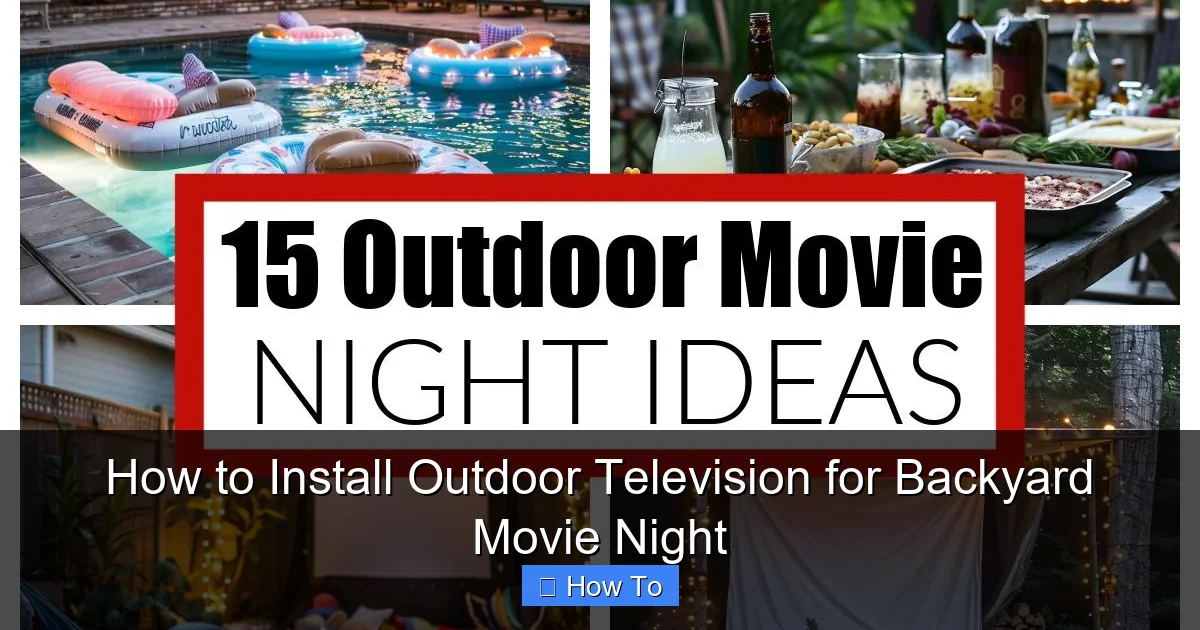
Visual guide about How to Install Outdoor Television for Backyard Movie Night
Image source: i.pinimg.com
Not all TVs are created equal—especially when it comes to outdoor use. Standard indoor televisions are not built to handle the elements, and exposing them to moisture, temperature swings, or direct sunlight can lead to overheating, screen damage, or even electrical failure.
Look for Outdoor-Rated Models
When shopping for an outdoor TV, make sure it’s specifically labeled as “outdoor-rated” or “all-weather.” These models are engineered with sealed casings, corrosion-resistant materials, and enhanced cooling systems to withstand rain, snow, humidity, and extreme temperatures. Brands like Samsung, SunBriteTV, and Seura offer high-quality outdoor televisions designed for permanent outdoor installation.
Consider Screen Brightness and Anti-Glare Features
Outdoor lighting can wash out your picture, especially during twilight or on overcast days. Look for a TV with a high brightness rating—measured in nits—ideally 700 nits or higher. Many outdoor TVs also feature anti-reflective coatings or direct sunlight-readable screens to maintain image clarity even in bright conditions.
Decide on Size and Resolution
Choose a screen size that fits your space and viewing distance. For a typical backyard setup with seating 8–12 feet away, a 55- to 65-inch TV is ideal. Go for at least 4K resolution for crisp, detailed images, especially if you plan to stream high-definition content or play video games.
Indoor TVs in Outdoor Enclosures: A Budget Option?
Some homeowners consider using a standard indoor TV inside a weatherproof outdoor TV enclosure. While this can be a more affordable option, it comes with risks. Enclosures can trap heat, leading to overheating, and may not provide the same level of protection as a true outdoor TV. If you go this route, ensure the enclosure is well-ventilated and rated for your climate.
Step 2: Pick the Perfect Location
Where you install your outdoor TV is just as important as the TV itself. The right location ensures optimal viewing, protects your investment, and enhances the overall experience.
Choose a Covered, Sheltered Area
Avoid installing your TV in an open area exposed to direct rain, snow, or harsh sunlight. Instead, look for a covered space like a screened-in porch, pergola with a roof, gazebo, or under a sturdy awning. These areas provide natural protection from the elements while still offering an open-air feel.
Ensure Proper Viewing Angle and Height
Mount your TV at eye level when seated. A general rule of thumb is to position the center of the screen about 42–48 inches from the ground. If you’re using a swivel mount, make sure there’s enough clearance for the TV to rotate without hitting walls or furniture.
Check for Obstructions and Glare
Walk around the seating area and look at the TV from different angles. Are there trees, fences, or bright lights that could block the view or cause glare? Trim back foliage if needed, and consider installing blackout curtains or retractable screens to reduce ambient light during evening showings.
Proximity to Power and Entertainment Sources
Your TV will need access to power, and likely to streaming devices, gaming consoles, or cable boxes. Choose a location close to an outdoor electrical outlet or plan to run a safe, concealed power line. Keep in mind that wireless signals can weaken outdoors, so a strong Wi-Fi connection or wired Ethernet may be necessary for smooth streaming.
Step 3: Select and Install a Weatherproof TV Mount
A sturdy, weather-resistant mount is essential for securing your outdoor TV and ensuring it stays safe and stable in all conditions.
Choose the Right Mount Type
There are several types of outdoor TV mounts:
– Fixed mounts: Hold the TV flush against the wall. Best for permanent, straight-on viewing.
– Tilt mounts: Allow you to angle the TV up or down for better viewing from different seating positions.
– Full-motion (articulating) mounts: Let you swivel, tilt, and extend the TV for flexible viewing angles. Ideal for larger spaces or multiple seating areas.
For most backyard setups, a tilt or full-motion mount offers the best versatility.
Ensure the Mount is Outdoor-Rated
Not all mounts are built for outdoor use. Look for mounts labeled as “weatherproof,” “rust-resistant,” or “outdoor-rated.” These are typically made from powder-coated steel or aluminum and include sealed hardware to prevent corrosion.
Install the Mount Securely
Follow the manufacturer’s instructions carefully. Use a stud finder to locate wall studs, and anchor the mount with heavy-duty lag bolts or concrete anchors if mounting on brick or concrete. If you’re unsure about structural integrity, consult a professional installer.
Allow for Cable Management
Choose a mount with built-in cable management channels or plan to route cables through the wall or use outdoor-rated conduit. This keeps wires organized, protected, and out of sight.
Step 4: Run Power and Cables Safely
Electrical safety is critical when installing electronics outdoors. Water and electricity don’t mix, so proper wiring and protection are a must.
Hire a Licensed Electrician
Unless you’re experienced with electrical work, hire a licensed electrician to install an outdoor GFCI (Ground Fault Circuit Interrupter) outlet near your TV location. GFCI outlets detect electrical faults and shut off power instantly, preventing shocks.
Use Outdoor-Rated Cables and Conduit
All cables—power, HDMI, Ethernet—should be rated for outdoor use. Look for “in-wall rated” (CL2 or CL3) or “outdoor-rated” cables. Run them through PVC conduit or use cable raceways to protect them from moisture, pests, and physical damage.
Plan Your Entertainment Setup
Decide what devices you’ll connect to your TV: streaming stick (like Roku or Fire Stick), gaming console, soundbar, or cable box. Keep these devices in a weatherproof media cabinet or enclosure near the TV to protect them from the elements.
Consider a Surge Protector
Outdoor electronics are vulnerable to power surges from lightning or grid fluctuations. Use a heavy-duty outdoor surge protector to safeguard your TV and connected devices.
Step 5: Set Up Audio for an Immersive Experience
Great picture is only half the battle—sound matters too. While many outdoor TVs have decent built-in speakers, adding external audio can dramatically improve your movie night experience.
Use Weatherproof Outdoor Speakers
Mount weather-resistant speakers on posts, under eaves, or on nearby structures. Look for models with UV protection and rust-resistant grilles. Pair them with a compact outdoor amplifier or a soundbar designed for outdoor use.
Wireless Audio Options
For a cleaner setup, consider Bluetooth or Wi-Fi-enabled outdoor speakers. Just ensure they have a strong connection and long battery life if not hardwired.
Position Speakers for Best Sound
Place speakers at ear level and slightly angled toward the seating area. Avoid placing them too close to walls or corners, which can cause sound distortion.
Step 6: Create a Cozy Backyard Cinema Atmosphere
Now that your TV is installed and working, it’s time to set the mood. A few thoughtful touches can turn your backyard into a true outdoor theater.
Add Comfortable Seating
Use outdoor sofas, lounge chairs, or bean bags with weather-resistant cushions. Arrange seating in a semi-circle facing the screen for optimal viewing.
Install Ambient Lighting
String lights, lanterns, or LED path lights create a warm, inviting glow without washing out the screen. Avoid bright overhead lights that can cause glare.
Control Ambient Light
If your viewing area gets too much light from the moon, streetlights, or neighbors, consider installing retractable blackout screens or outdoor curtains. These can be pulled down during showtime to improve picture contrast.
Provide Snacks and Drinks
Set up a small outdoor bar or snack station with popcorn, drinks, and blankets. Keep a cooler nearby for refreshments.
Step 7: Test and Maintain Your Outdoor TV
Before your first movie night, run a full system test. Turn on the TV, check all inputs, test the audio, and stream a short video to ensure everything works smoothly.
Regular Maintenance Tips
– Clean the screen weekly with a microfiber cloth and mild cleaner.
– Inspect cables and connections for wear or corrosion.
– Check the mount and hardware for tightness and rust.
– Cover the TV during extreme weather if it’s not fully sealed.
Seasonal Checks
Before summer and winter, inspect your setup. Clear debris, check seals, and ensure all components are secure. If you live in a cold climate, confirm your TV is rated for low temperatures.
Troubleshooting Common Issues
Even with careful planning, you might run into problems. Here’s how to fix the most common issues:
TV Won’t Turn On
Check the power outlet with another device. If it works, inspect the power cord and surge protector. Ensure the TV isn’t in standby mode or affected by a power surge.
Poor Picture Quality
Adjust brightness and contrast settings. Check for loose HDMI cables or weak Wi-Fi. If using a streaming device, restart it or update the software.
Audio Issues
Ensure speakers are powered and connected. Check audio settings on the TV and source device. Test with different content to rule out file issues.
Overheating
Make sure the TV has proper ventilation. Avoid enclosing it in tight spaces. If using an indoor TV in an enclosure, ensure fans are working.
Signal Interference
Move Wi-Fi routers closer or use a Wi-Fi extender. For wired connections, check for damaged cables or loose connections.
Conclusion
Installing an outdoor television for backyard movie night is a rewarding project that brings entertainment, comfort, and joy to your outdoor space. By choosing the right outdoor-rated TV, mounting it securely, running safe electrical connections, and enhancing the experience with great sound and ambiance, you’ll create a cinematic retreat right in your own yard.
Remember, safety and preparation are key. Don’t cut corners on weatherproofing or electrical work—your investment and peace of mind are worth it. With regular maintenance and a little creativity, your outdoor TV will provide countless hours of entertainment for years to come.
So grab some popcorn, invite your friends, and press play. Your backyard movie night awaits!

