
If you’re lucky enough to have a pool in your backyard, you already know that it’s more than just a place to cool off—it’s a lifestyle hub. Whether you’re hosting summer barbecues, relaxing with a cocktail after work, or enjoying a quiet morning swim, your pool area is where memories are made. But let’s be honest: nothing ruins the vibe faster than a sudden gust of wind knocking over your tablet or sending your phone flying into the deep end. That’s where a dedicated poolside TV comes in—not just any TV, but one built to handle the unique challenges of outdoor living, especially in windy environments.
This guide is designed for homeowners, outdoor entertainment enthusiasts, and anyone who refuses to let unpredictable weather compromise their relaxation. Whether you live in a coastal region with constant sea breezes, a mountain area prone to sudden gusts, or a suburban backyard with unpredictable microclimates, choosing the right poolside TV requires more than just picking the biggest screen you can find. You need a display that’s weather-resistant, securely mounted, energy-efficient, and capable of delivering clear visuals even under bright sunlight. In this comprehensive buying guide, we’ll walk you through every critical factor—from build quality and mounting solutions to smart features and budget considerations—so you can make an informed decision that lasts for years.
The outdoor TV market has evolved dramatically in recent years. What once meant bulky, expensive commercial-grade displays now includes sleek, consumer-friendly options from trusted brands like Samsung, LG, SunBriteTV, and Seura. These TVs are engineered specifically for outdoor use, with enhanced durability, anti-glare screens, and weatherproof enclosures. However, not all outdoor TVs are created equal—especially when it comes to handling wind. A poorly mounted or lightweight TV can become a dangerous projectile in high winds, not to mention a costly replacement. This guide will help you navigate the options, avoid common pitfalls, and find the perfect poolside TV that stands up to Mother Nature while delivering a premium viewing experience.

What to Look for When Buying Buying Guide
1. Weather Resistance & IP Rating
When it comes to outdoor electronics, weather resistance isn’t optional—it’s essential. Unlike indoor TVs, poolside displays are constantly exposed to moisture, humidity, salt air (if you’re near the coast), dust, and temperature fluctuations. That’s why the Ingress Protection (IP) rating is one of the most important specs to check. The IP rating consists of two numbers: the first indicates protection against solid particles (like dust), and the second against liquids (like rain or splashes). For poolside use, look for a minimum rating of IP55, but IP65 or higher is ideal. An IP65-rated TV is dust-tight and protected against water jets from any direction—perfect for areas where pool splashes or heavy rain are common.
Beyond the IP rating, consider the materials used in the TV’s construction. High-quality outdoor TVs often feature powder-coated aluminum frames, sealed ports, and corrosion-resistant components. These materials prevent rust and degradation over time, especially in humid or salty environments. For example, SunBriteTV’s Veranda series uses a fully sealed design with no ventilation holes, which prevents moisture from entering the internal components. This is crucial because even a small amount of condensation can damage circuitry over time.
Another factor to consider is the operating temperature range. Most outdoor TVs are rated to function between -22°F and 122°F (-30°C to 50°C), which covers most climates. However, if you live in an area with extreme seasonal swings, verify that the model you’re considering can handle both winter cold and summer heat. Some manufacturers also offer optional heater or cooling kits for added protection in harsh conditions.
2. Wind Resistance & Mounting Security
In windy areas, the biggest threat to your poolside TV isn’t rain or sun—it’s the wind itself. A strong gust can easily topple a poorly mounted TV, causing damage to the unit, your property, or even injury. That’s why wind resistance and secure mounting are non-negotiable. Start by choosing a TV with a low center of gravity and a sturdy, heavy-duty build. Avoid ultra-thin models designed for indoor use; they’re often too lightweight and lack the structural integrity needed for outdoor exposure.
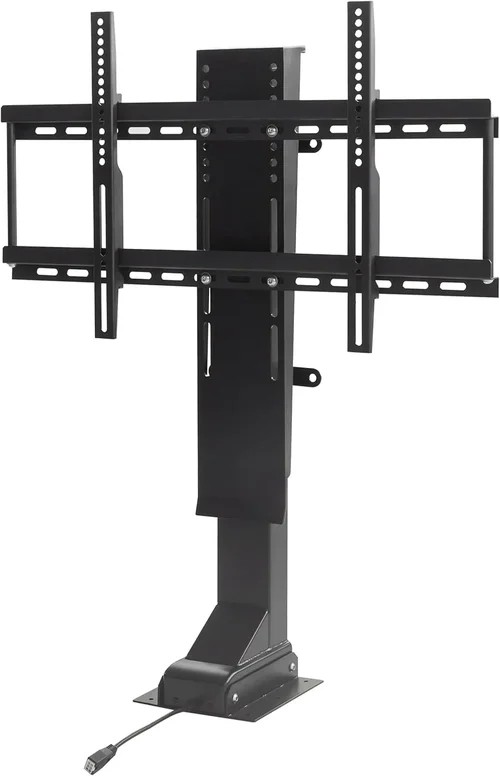
The mounting system is just as important as the TV itself. Look for a wall or ceiling mount rated for outdoor use, preferably made from galvanized steel or aluminum with a weatherproof coating. The mount should be anchored securely into a solid surface—such as a concrete wall, brick, or reinforced stud—using heavy-duty lag bolts or concrete anchors. For added stability, consider a full-motion articulating mount that allows you to angle the TV away from prevailing winds or retract it when not in use.
Some outdoor TVs come with integrated mounting solutions designed specifically for high-wind environments. For example, Seura’s Outdoor TVs include a reinforced back panel and optional wind-resistant brackets that distribute stress across multiple anchor points. If you’re installing the TV on a pergola or freestanding pole, ensure the structure itself is anchored and rated to withstand local wind speeds. In hurricane-prone areas, consult a structural engineer or professional installer to verify load capacity.
3. Screen Brightness & Anti-Glare Technology
Watching TV by the pool means dealing with intense sunlight, reflections, and glare—especially during midday. A standard indoor TV with 300–400 nits of brightness will appear washed out and nearly impossible to see outdoors. That’s why outdoor TVs are engineered with significantly higher brightness levels, typically ranging from 700 to 2,500 nits. The higher the nit count, the better the visibility in direct sunlight.
But brightness alone isn’t enough. You also need advanced anti-glare and anti-reflective coatings. These technologies reduce the amount of light bouncing off the screen, improving contrast and color accuracy. Look for TVs with optical bonding—a process where the display panel is directly bonded to the protective glass layer. This eliminates the air gap that causes reflections and enhances image clarity.
Some premium models, like the Samsung Terrace, feature direct-lit LED backlighting with local dimming, which boosts contrast and black levels even in bright conditions. Others use quantum dot technology (QLED) to deliver vibrant colors that remain vivid under sunlight. Additionally, consider the screen’s viewing angle. A wide viewing angle (178 degrees or more) ensures that everyone around the pool can enjoy the show without color distortion.
4. Smart Features & Connectivity
Today’s outdoor TVs aren’t just about durability—they’re also packed with smart features that enhance convenience and functionality. Most modern outdoor models run on popular platforms like Android TV, webOS (LG), or Tizen (Samsung), giving you access to streaming services like Netflix, Disney+, and YouTube. This means you can watch your favorite shows without needing a separate streaming device.
Connectivity is another key consideration. Look for multiple HDMI ports (at least 3), USB inputs, and support for wireless technologies like Wi-Fi 6 and Bluetooth 5.0. This allows you to connect gaming consoles, soundbars, or external storage devices. Some models also include built-in speakers, though for the best audio experience, we recommend pairing your TV with weather-resistant outdoor speakers.
Voice control is becoming increasingly common, with support for Amazon Alexa, Google Assistant, or Apple Siri. This lets you change channels, adjust volume, or search for content hands-free—perfect when you’re lounging by the pool with a drink in hand. Additionally, check for app compatibility and regular software updates, which ensure long-term usability and security.
5. Size & Viewing Distance
Choosing the right screen size depends on your pool layout, seating arrangement, and typical viewing distance. A TV that’s too small will be hard to see from a distance, while one that’s too large can overwhelm the space and create glare issues.
As a general rule, divide your viewing distance (in inches) by 1.5 to 2.5 to determine the ideal screen size. For example, if your seating is 10 feet (120 inches) away, a 50- to 80-inch TV would be appropriate. For larger pools or outdoor theaters, consider a 75- or 85-inch model.
Keep in mind that outdoor TVs are often heavier and more expensive than their indoor counterparts. A 65-inch outdoor TV can weigh over 50 pounds and cost significantly more than a similar-sized indoor model. Also, larger screens require stronger mounts and more robust installation, especially in windy areas.
6. Energy Efficiency & Power Consumption
Outdoor TVs tend to consume more power than indoor models due to their high-brightness displays and additional cooling systems. However, energy efficiency is still important—especially if you plan to leave the TV on for extended periods or live in an area with high electricity costs.
Look for TVs with ENERGY STAR certification, which indicates they meet strict efficiency guidelines set by the U.S. Environmental Protection Agency. These models use advanced power management features, such as automatic brightness adjustment based on ambient light, to reduce energy consumption.
Additionally, consider the TV’s standby power usage. Some outdoor models draw minimal power when off, while others may require a separate power switch or smart plug to fully disconnect. If you’re concerned about energy use, choose a model with a physical power switch or integrate it into a smart home system for scheduled on/off times.
7. Brand Reputation & Reliability
Not all outdoor TV brands are created equal. While some companies specialize in outdoor electronics, others simply repackage indoor models with weatherproof casings. Stick with reputable brands known for quality, innovation, and customer support.
Top-tier brands like SunBriteTV, Seura, and Samsung have years of experience designing TVs for harsh environments. They offer comprehensive warranties, detailed installation guides, and responsive customer service. In contrast, lesser-known brands may cut corners on materials or lack proper testing, leading to premature failure.
Research customer reviews and professional ratings from sources like Consumer Reports, CNET, or Outdoor Living Today. Pay attention to feedback about durability, ease of installation, and long-term performance in real-world conditions.
8. Warranty & Support
Outdoor TVs are a significant investment, so protecting that investment with a solid warranty is crucial. Most reputable brands offer 2- to 3-year limited warranties that cover defects in materials and workmanship. However, coverage can vary widely—some exclude damage from improper installation, extreme weather, or power surges.
Read the fine print carefully. Look for warranties that include on-site service, free replacement parts, and coverage for both the TV and mounting hardware. Some brands, like SunBriteTV, offer extended warranty options for added peace of mind.
Customer support is equally important. Choose a brand with accessible support channels—phone, email, live chat—and a reputation for timely responses. A good support team can help troubleshoot issues, guide you through installation, and assist with warranty claims.
Different Types of Buying Guide
Common Buying Mistakes to Avoid
❌ Mistake: Buying an Indoor TV for Outdoor Use
Why it’s bad: Indoor TVs lack weatherproofing, have lower brightness, and are not designed to handle temperature swings or humidity. Installing one outdoors—even under a covered area—can lead to condensation, corrosion, and premature failure. In windy conditions, the lightweight build increases the risk of tipping or damage.
What to do instead: Invest in a TV specifically designed for outdoor use. These models are built with sealed components, anti-glare screens, and reinforced frames. If budget is a concern, consider a partial-shade outdoor TV or an indoor model in a certified outdoor enclosure.
❌ Mistake: Ignoring Wind Load and Mounting Strength
Why it’s bad: A TV that isn’t securely mounted can become a dangerous projectile in high winds. This not only destroys the TV but can also cause property damage or injury. Many homeowners underestimate wind forces, especially in coastal or open areas.
What to do instead: Use a heavy-duty, weatherproof mount rated for outdoor use. Anchor it into a solid structure with appropriate hardware. For added safety, choose a TV with a low profile and consider retractable or tiltable mounts that allow you to angle the screen away from wind.
❌ Mistake: Overlooking Screen Brightness
Why it’s bad: A dim screen will be unusable during daylight hours, defeating the purpose of having a poolside TV. Even under partial shade, ambient light can wash out the image.
What to do instead: Choose a TV with at least 700 nits of brightness, preferably 1,000 nits or more. Look for anti-reflective coatings and optical bonding to improve visibility. Test the screen in similar lighting conditions if possible.
❌ Mistake: Skimping on Audio
Why it’s bad: Most outdoor TVs have limited built-in speakers that struggle to overcome pool noise, wind, and distance. Relying solely on the TV’s audio results in a poor listening experience.
What to do instead: Pair your TV with weather-resistant outdoor speakers or a soundbar. Look for models with Bluetooth or wired connectivity. For larger areas, consider a multi-zone audio system.
❌ Mistake: Not Planning for Power and Connectivity
Why it’s bad: Running cables through walls or across the yard can be messy and unsafe. Without proper planning, you may end up with exposed wires or insufficient power.
What to do instead: Hire a licensed electrician to install weatherproof outlets and conduit. Use in-wall rated HDMI and power cables. Consider wireless solutions like Wi-Fi extenders or Bluetooth audio to reduce cable clutter.
❌ Mistake: Choosing the Wrong Size
Why it’s bad: A TV that’s too small is hard to see from a distance, while one that’s too large can dominate the space and create glare issues.
What to do instead: Measure your viewing distance and use the 1.5–2.5x rule to determine the ideal screen size. Use a mockup to visualize the fit before buying.
❌ Mistake: Neglecting Maintenance
Why it’s bad: Dust, pollen, and salt buildup can degrade the screen and internal components over time. Without regular cleaning, performance and lifespan suffer.
What to do instead: Clean the screen monthly with a microfiber cloth and mild cleaner. Inspect seals and mounts annually. Follow the manufacturer’s maintenance guidelines.
Budget Guidelines: How Much Should You Spend?
– Entry-Level ($500 – $1,200): These are typically indoor TVs in outdoor enclosures or basic partial-shade models. They offer limited brightness (500–700 nits) and basic weather resistance. Best for covered patios with minimal wind exposure. Expect shorter lifespans and fewer smart features.
– Mid-Range ($1,200 – $2,500): This is the sweet spot for most homeowners. These TVs are fully outdoor-rated with IP55 or higher, 700–1,500 nits brightness, and solid smart platforms. Brands like SunBriteTV Veranda and Samsung Terrace fall here. They offer excellent value, durability, and performance in windy conditions.
– Premium ($2,500 – $4,500): For enthusiasts and those in harsh climates, premium models deliver top-tier brightness (1,500–2,500 nits), advanced anti-glare tech, and robust build quality. These TVs often include features like local dimming, voice control, and extended warranties. Ideal for open pools in coastal or high-wind areas.
– Luxury ($4,500+): These are commercial-grade or custom-built displays designed for 24/7 operation. They feature extreme durability, modular designs, and professional installation support. Best for large estates, resorts, or public pools where reliability is critical.

Expert Tips for Getting the Best Deal
– Buy during off-season: Prices drop significantly in fall and winter when demand is low. Look for end-of-summer sales or holiday promotions.
– Compare retailers: Check prices at specialty outdoor electronics stores, big-box retailers, and online marketplaces. Some offer free installation or extended warranties.
– Bundle with accessories: Some sellers offer discounts when you buy the TV, mount, and speakers together.
– Check for rebates: Utility companies or manufacturers may offer rebates for energy-efficient models.
– Read return policies: Ensure you can return the TV if it doesn’t perform as expected, especially after installation.
– Test before finalizing: If possible, visit a showroom with an outdoor setup to evaluate brightness and sound.
– Invest in surge protection: Use a weatherproof surge protector to safeguard against power spikes.
– Consider financing: Many retailers offer 0% APR financing for large purchases.

Frequently Asked Questions
Q: Can I use a regular TV outdoors if it’s under a covered patio?
A: Technically yes, but it’s not recommended. Even under cover, humidity, temperature changes, and occasional splashes can damage an indoor TV. For long-term reliability, use a TV designed for outdoor use or place the indoor model in a certified outdoor enclosure.
Q: How do I protect my poolside TV from wind damage?
A: Use a heavy-duty, weatherproof mount anchored into a solid structure. Choose a TV with a low center of gravity and consider a retractable or tiltable mount. In hurricane-prone areas, consult a professional installer.
Q: Do outdoor TVs need special cables?
A: Yes. Use in-wall rated HDMI and power cables that are UV-resistant and waterproof. Avoid standard indoor cables, which can degrade outdoors.
Q: Can I leave my outdoor TV on all the time?
A: Most outdoor TVs are designed for continuous use, but it’s best to turn them off when not in use to save energy and extend lifespan. Use a smart plug or timer for automation.
Q: How do I clean my outdoor TV screen?
A: Use a microfiber cloth and a mild, non-abrasive cleaner. Avoid ammonia-based products or paper towels, which can scratch the screen. Clean gently to avoid damaging anti-reflective coatings.
Q: Will my Wi-Fi work outdoors?
A: It depends on your router’s range and obstacles. Use a weatherproof Wi-Fi extender or mesh system to boost signal strength to the pool area.
Q: Are outdoor TVs worth the extra cost?
A: Absolutely—if you value durability, performance, and safety. The higher upfront cost pays off in longevity, reliability, and peace of mind, especially in windy or harsh environments.
Q: Can I install the TV myself?
A: If you’re experienced with electrical work and mounting, yes. However, for safety and warranty purposes, we recommend hiring a professional, especially for high-wind areas.
Our Final Recommendations
– Best for Budget-Conscious Buyers: SunBriteTV Veranda 55-inch – A reliable partial-shade model with 700 nits brightness and solid build quality at an affordable price.
– Best Overall Value: Samsung The Terrace 65-inch – Combines high brightness (1,500 nits), smart features, and excellent wind resistance in a sleek design.
– Best Premium Option: Seura Outdoor TV 75-inch – Offers top-tier durability, 2,000+ nits brightness, and a fully sealed design for extreme conditions.
– Best for Beginners: LG Outdoor TV (Partial Shade) – Easy setup, intuitive webOS interface, and good performance under cover.
– Best for Advanced Users: SunBriteTV Pro Series 85-inch – Commercial-grade build, 24/7 operation capability, and customizable mounting for large installations.
Conclusion: Making the Right Choice
Choosing the right poolside TV for a windy area is about more than just picture quality—it’s about safety, durability, and long-term enjoyment. By prioritizing weather resistance, secure mounting, screen brightness, and smart features, you can create an outdoor entertainment space that withstands the elements and enhances your lifestyle. Avoid common mistakes like using indoor TVs or ignoring wind loads, and invest in a model that matches your budget and environment.
Remember, the best TV is the one that fits your specific needs. Whether you’re watching the big game with friends or enjoying a quiet movie night under the stars, your poolside TV should be a reliable, high-performing centerpiece—not a liability. Take the time to research, compare options, and consult professionals when needed. With the right choice, your pool area will become the ultimate destination for relaxation, entertainment, and unforgettable moments.

