
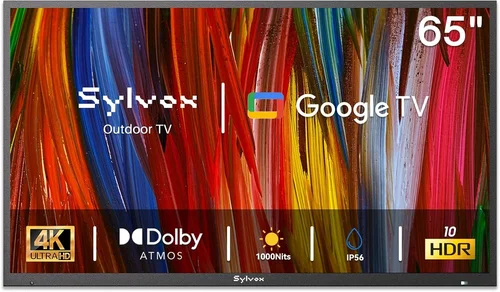
If you’ve ever tried to enjoy a movie night under the stars only to have your TV screen freeze up or lose signal in sub-zero temperatures, you know how critical it is to choose the right outdoor display for cold climates. Patio TVs aren’t just about weather resistance—they’re engineered to perform reliably in extreme conditions, from icy winds to snow-covered decks. Whether you’re hosting a winter barbecue, watching the big game from your heated gazebo, or simply relaxing on a chilly evening with a hot cocoa in hand, having a television that can handle the cold is essential. Unfortunately, not all outdoor TVs are created equal, and many standard indoor models fail spectacularly when exposed to low temperatures. This guide exists to help you navigate the complex world of cold-weather patio TVs, so you can make an informed decision that delivers both performance and peace of mind.
In this comprehensive buying guide, you’ll learn everything you need to know about selecting the best patio TV for cold weather environments. We’ll break down the key technical specifications, durability standards, and design features that matter most when temperatures drop below freezing. You’ll discover how to evaluate build quality, understand IP ratings, compare heating and cooling systems, and assess real-world performance in harsh conditions. We’ll also walk you through common pitfalls—like assuming all “outdoor” TVs are built for winter—and show you how to avoid overspending on features you don’t need. By the end of this article, you’ll be equipped with expert-level knowledge to confidently choose a TV that not only survives but thrives in your cold-weather outdoor space.
The market for outdoor televisions has evolved significantly over the past decade, driven by advances in display technology, improved weatherproofing, and growing consumer demand for year-round outdoor entertainment. Today’s patio TVs range from basic weather-resistant models designed for mild climates to fully ruggedized systems capable of operating in temperatures as low as -22°F (-30°C). Brands like SunBriteTV, Samsung, LG, and Seura have led the charge in developing specialized outdoor displays, while newer entrants offer more budget-friendly alternatives. However, with so many options available—and so much marketing jargon—it’s easy to get overwhelmed. This guide cuts through the noise, focusing specifically on cold-weather performance, so you can find the perfect balance of reliability, image quality, and value for your unique setup.

What to Look for When Buying Buying Guide
1. Temperature Operating Range
One of the most critical factors when choosing a patio TV for cold weather is its official operating temperature range. Unlike indoor TVs, which typically function between 50°F and 95°F (10°C to 35°C), outdoor models must be rated for much broader extremes. Look for TVs explicitly labeled for operation in sub-freezing conditions—ideally those that can handle temperatures as low as -22°F (-30°C). This specification isn’t just a suggestion; it’s a guarantee that internal components like the LCD panel, backlight, and circuitry will function properly without damage or performance degradation.
Why does this matter? LCD screens rely on liquid crystals that can become sluggish or even freeze in extreme cold, leading to slow response times, ghosting, or complete failure to display an image. Additionally, cold temperatures can cause condensation when the TV is powered on after being stored in freezing conditions, potentially damaging sensitive electronics. A true cold-weather patio TV includes built-in thermal management systems—such as internal heaters—that gradually warm the display to a safe operating temperature before turning on. Always check the manufacturer’s documentation for the exact operating range, and avoid models that only list “storage” temperatures, as these don’t reflect real-world usage.
2. Weatherproofing & IP Rating
While temperature tolerance is crucial, it’s only part of the equation. Your patio TV must also be fully protected against moisture, snow, ice, and dust. This is where the Ingress Protection (IP) rating comes into play. The IP rating consists of two digits: the first indicates protection against solid particles (like dust), and the second refers to resistance to liquids (like rain or snow). For cold-weather outdoor use, you should look for a minimum IP55 rating, but IP65 or higher is strongly recommended.
An IP65-rated TV is dust-tight and protected against low-pressure water jets from any direction—perfect for snowy or rainy environments. Higher ratings like IP66 or IP67 offer even greater resilience, withstanding powerful water jets or temporary immersion. Beyond the rating itself, examine the TV’s construction: sealed ports, gaskets around buttons and vents, and corrosion-resistant materials (like aluminum or powder-coated steel) are all signs of serious weatherproofing. Avoid TVs with exposed screws, unsealed speaker grilles, or plastic housings that can crack in freezing temperatures. Remember, a TV might survive a light snowfall, but repeated freeze-thaw cycles can degrade poorly sealed units over time.
3. Display Technology & Brightness
Not all outdoor TVs use the same display technology, and this has a major impact on visibility in cold, bright, or shaded conditions. Most premium patio TVs use high-brightness LCD panels with anti-reflective coatings, but some also incorporate OLED or QLED for superior contrast and color accuracy. However, brightness is the real game-changer for outdoor viewing—especially in winter when snow reflects sunlight and creates glare.
Look for a TV with a peak brightness of at least 700 nits, though 1,000 nits or more is ideal for full sun exposure. Many outdoor-specific models now offer 1,500 to 2,000 nits, rivaling commercial digital signage. This high luminance ensures that images remain vivid and readable even on sunny winter days. Additionally, consider the panel type: VA panels offer deeper blacks and better contrast in shaded areas, while IPS panels provide wider viewing angles—useful if your seating is spread across a large patio. Avoid standard indoor TVs, which rarely exceed 300–500 nits and quickly become unwatchable outdoors. Also, check for local dimming or full-array backlighting, which enhances contrast and reduces blooming in dark scenes—a common issue in high-brightness displays.
4. Built-In Thermal Management
Cold-weather patio TVs aren’t just sealed—they’re actively managed. Thermal management systems are what set true outdoor models apart from indoor TVs with weatherproof enclosures. These systems typically include internal heaters that activate when ambient temperatures drop below a certain threshold (often around 40°F or 4°C). The heater warms the LCD panel and internal components to a safe operating range before the TV powers on, preventing damage from thermal shock.
Some advanced models also feature cooling fans or passive heat sinks to prevent overheating during summer months, ensuring year-round reliability. Look for TVs with automatic thermal regulation—this means the system adjusts heating and cooling based on real-time temperature readings, rather than relying on manual settings. This is especially important if your patio TV will be mounted in an exposed location without climate control. Additionally, check whether the TV includes a delay start feature, which prevents immediate power-on after being plugged in during cold weather. This gives the internal heater time to warm up the components safely. Without proper thermal management, even a high-end TV can suffer from reduced lifespan, color shifts, or permanent screen damage in freezing conditions.
5. Mounting & Installation Flexibility
How and where you mount your patio TV significantly affects its performance and longevity in cold weather. Unlike indoor TVs, outdoor models often require specialized mounting solutions that account for wind load, thermal expansion, and accessibility for maintenance. Look for TVs that support standard VESA mounting patterns (like 200×200, 400×400, or 600×400) so you can use compatible outdoor-rated wall or ceiling mounts.
Consider the mounting location carefully: south-facing walls may receive more sunlight but also experience greater temperature swings, while shaded areas stay cooler but may accumulate snow or ice. Use a tilt or full-motion mount to adjust the angle for optimal viewing and to shed snow. Ensure the mount is made of rust-resistant materials like stainless steel or aluminum, and rated for outdoor use. Also, check cable management options—exposed wires can freeze, crack, or attract pests. Some patio TVs include built-in cable channels or rear access panels for clean, protected routing. If you’re installing in a region with heavy snowfall, consider a ceiling-mounted or under-eave setup to minimize snow buildup on the screen. Professional installation is highly recommended for permanent mounts, especially in high-wind areas.
6. Audio Performance & Speaker Quality
Outdoor audio is often overlooked, but it’s just as important as picture quality—especially in cold, open spaces where sound dissipates quickly. Most patio TVs include built-in speakers, but their performance varies widely. Cold air is denser than warm air, which can slightly alter sound propagation, but the bigger issue is volume and clarity. Wind, snow, and distance from the TV can all muffle audio, so you need speakers that deliver clear, powerful sound without distortion.
Look for TVs with at least 20W of total audio output, though 30W or more is preferable for larger patios. Some models feature front-firing or side-firing speakers to project sound toward the audience, while others include bass enhancement or virtual surround sound. However, for the best experience, consider pairing your TV with external outdoor speakers or a soundbar designed for weather resistance. Many patio TVs include optical audio or HDMI ARC outputs for easy connection to external audio systems. Avoid TVs with rear-mounted speakers, as these can be blocked by walls or enclosures. Also, check for volume leveling or night mode features, which help maintain consistent audio levels during quiet scenes—useful for late-night viewing when neighbors are asleep.
7. Smart Features & Connectivity
Modern patio TVs aren’t just dumb displays—they come packed with smart features that enhance convenience and functionality. Most outdoor models now run on popular platforms like Android TV, webOS (LG), or Tizen (Samsung), giving you access to streaming apps like Netflix, Disney+, and YouTube. This is especially valuable in cold weather when you want to browse content without going inside.
Look for Wi-Fi 5 (802.11ac) or Wi-Fi 6 support for reliable streaming, even at a distance from your router. Ethernet ports are also useful for wired connections, which are more stable in areas with weak wireless signals. HDMI ports (preferably HDMI 2.0 or 2.1) allow you to connect gaming consoles, Blu-ray players, or streaming devices. USB ports let you play media files directly from a flash drive. Some TVs also include Bluetooth for wireless audio or keyboard/mouse input. However, be cautious with voice assistants like Alexa or Google Assistant—while convenient, they may not function reliably in windy or noisy outdoor environments. Also, check app availability: not all smart TV platforms offer the same selection of streaming services, so verify that your favorites are supported.
8. Warranty & Customer Support
Outdoor TVs are a significant investment, and cold-weather performance adds another layer of risk. That’s why warranty and support are critical. Most reputable outdoor TV brands offer extended warranties—typically 2 to 3 years—compared to the standard 1-year coverage on indoor models. Look for warranties that explicitly cover cold-weather operation, thermal management systems, and weather-related damage.
Read the fine print: some warranties void coverage if the TV is installed incorrectly or used outside its specified temperature range. Also, check whether the warranty includes on-site service or requires you to ship the unit back for repairs—this can be a major hassle for large, wall-mounted TVs. Customer support responsiveness is equally important. Brands like SunBriteTV and Seura are known for excellent technical support, with dedicated outdoor TV specialists who understand installation challenges. Avoid no-name brands with limited service networks, as replacement parts or repairs may be difficult to obtain. Finally, consider purchasing an extended warranty or service plan if available, especially if you live in an area with extreme seasonal temperature swings.
Different Types of Buying Guide

Common Buying Mistakes to Avoid
❌ Mistake: Assuming All “Outdoor” TVs Are Built for Cold Weather
Why it’s bad: Many TVs marketed as “outdoor” are only designed for mild climates and lack the thermal management needed for freezing temperatures. Using one in cold weather can lead to screen damage, poor performance, or complete failure.
What to do instead: Always verify the operating temperature range in the specifications. Look for models explicitly rated for sub-freezing use, and check for built-in heaters or thermal regulation systems.
❌ Mistake: Skimping on the Mounting System
Why it’s bad: A high-quality TV can be ruined by a weak or incompatible mount. Standard indoor mounts aren’t designed for wind, snow load, or thermal expansion, increasing the risk of collapse or damage.
What to do instead: Invest in a VESA-compatible, outdoor-rated mount made from rust-resistant materials. Consider tilt or full-motion options for better viewing and snow shedding. Hire a professional installer if needed.
❌ Mistake: Ignoring Audio Needs
Why it’s bad: Built-in speakers on outdoor TVs are often underpowered and poorly positioned, resulting in muffled or distant sound—especially in windy or snowy conditions.
What to do instead: Pair your TV with weather-resistant outdoor speakers or a soundbar. Use optical or HDMI ARC connections for high-quality audio. Test sound levels before finalizing your setup.
❌ Mistake: Overlooking Power and Connectivity Requirements
Why it’s bad: Running extension cords across snowy patios is unsafe and unreliable. Poor connectivity can lead to buffering, signal loss, or damaged ports.
What to do instead: Plan for a dedicated outdoor-rated power outlet near the TV. Use Ethernet for stable internet, and protect all cables with conduit or weatherproof channels.
❌ Mistake: Buying Based on Price Alone
Why it’s bad: Cheaper TVs may save money upfront but often lack durability, brightness, or cold-weather features, leading to higher long-term costs from repairs or replacements.
What to do instead: Focus on value, not just price. Consider total cost of ownership, including installation, accessories, and expected lifespan. Mid-range models often offer the best balance.
❌ Mistake: Not Testing Before Committing
Why it’s bad: Outdoor viewing conditions vary widely—what looks good in a showroom may be unwatchable in direct sunlight or snow glare.
What to do instead: If possible, test the TV in similar conditions or read detailed user reviews from people in cold climates. Check return policies in case the TV doesn’t meet expectations.
❌ Mistake: Neglecting Maintenance
Why it’s bad: Snow, ice, and condensation can accumulate on screens and vents, blocking visibility or causing corrosion over time.
What to do instead: Clean the screen regularly with a soft, dry cloth. Clear snow buildup gently. Inspect seals and ports annually for wear or damage.
Budget Guidelines: How Much Should You Spend?
Entry-Level ($800 – $1,500): These are typically indoor TVs housed in weatherproof enclosures or basic outdoor models with limited cold-weather capability. Best for covered patios in mild climates. Expect lower brightness (500–700 nits), shorter warranties, and minimal thermal management. Suitable for occasional use but not recommended for sub-freezing temperatures.
Mid-Range ($1,500 – $3,000): This is the sweet spot for most buyers. These TVs offer true outdoor performance with IP65 ratings, built-in heaters, 1,000+ nits brightness, and reliable smart features. Brands like SunBriteTV and Seura dominate this tier. Ideal for year-round use in cold climates with proper installation.
Premium ($3,000 – $5,000): Designed for enthusiasts and professionals, these models feature ultra-high brightness (1,500–2,000 nits), advanced thermal systems, commercial-grade durability, and extended warranties. Perfect for large patios, heated outdoor rooms, or high-end homes. Often include professional installation support.
Luxury ($5,000+): Top-tier commercial displays with 24/7 operation capability, vandal-resistant casings, and custom mounting solutions. Used in resorts, stadiums, or luxury estates. Overkill for most residential users but unmatched in performance and longevity.
Expert Tips for Getting the Best Deal
- Buy during off-season sales: Look for discounts in late winter or early spring when demand is lowest. Many retailers clear out inventory before the summer patio season.
- Compare total cost of ownership: A cheaper TV may cost more in the long run if it requires frequent repairs or early replacement. Factor in warranty, energy use, and durability.
- Check manufacturer rebates: Brands like Samsung and LG often offer rebates on outdoor models, especially during holiday sales or new product launches.
- Buy from authorized dealers: This ensures full warranty coverage and access to genuine parts. Avoid third-party sellers on auction sites.
- Negotiate installation packages: Some retailers offer bundled deals on TV + mount + installation. This can save time and money compared to sourcing separately.
- Read cold-weather user reviews: Look for feedback from buyers in similar climates. Real-world performance often differs from lab specs.
- Test return policies: Ensure you can return the TV if it doesn’t perform as expected in your specific environment. Some brands offer 30-day trials.
- Consider refurbished models: Certified refurbished outdoor TVs from reputable sellers can offer significant savings with full warranties.

Frequently Asked Questions
Q: Can I use a regular indoor TV on my cold-weather patio?
A: Technically yes, but it’s not recommended. Indoor TVs lack the thermal management, weatherproofing, and brightness needed for reliable outdoor use. They can suffer from screen damage, condensation, and poor visibility in cold or bright conditions. For anything below 40°F, invest in a true outdoor model.
Q: How do I protect my patio TV from snow and ice?
A: Use a tilt or full-motion mount to angle the screen downward, allowing snow to slide off. Avoid horizontal surfaces where snow can accumulate. Consider a protective cover when not in use, but only for short-term storage—never leave it on during operation.
Q: Will my patio TV work in -10°F weather?
A: Only if it’s specifically rated for that temperature. Check the operating range in the manual. Most cold-weather models can handle -22°F, but standard outdoor TVs may fail below 32°F.
Q: Do I need a special power outlet for my outdoor TV?
A: Yes. Use a GFCI (ground fault circuit interrupter) outlet rated for outdoor use. This protects against electrical shock in wet conditions. Have it installed by a licensed electrician.
Q: Can I leave my patio TV outside year-round?
A: Yes, if it’s a true all-weather model with proper thermal management and weatherproofing. Avoid covering it with tarps or plastic, as this can trap moisture and cause condensation.
Q: How bright should my outdoor TV be for snowy conditions?
A: Aim for at least 1,000 nits, but 1,500+ is better. Snow reflects sunlight, creating intense glare that can wash out dimmer screens.
Q: Are outdoor TVs energy efficient?
A: Modern models are surprisingly efficient, especially with LED backlighting. Look for ENERGY STAR certification. Built-in heaters do use extra power, but only when needed.
Q: Can I connect a gaming console to my patio TV?
A: Yes, via HDMI. Ensure the TV has low input lag and supports HDMI 2.0 or 2.1 for 4K gaming. Test performance in cold weather, as some consoles may throttle in low temps.
Q: What’s the difference between IP65 and IP66?
A: IP65 protects against low-pressure water jets, while IP66 handles powerful water jets. Both are dust-tight. For snowy areas, IP65 is usually sufficient unless you expect heavy wind-driven rain.
Q: How long do outdoor TVs last?
A: With proper care, 7–10 years is typical. Cold-weather models with thermal management often outlast indoor TVs due to reduced thermal stress.
Our Final Recommendations
Best for Budget-Conscious Buyers: SunBriteTV Veranda Series – Offers excellent cold-weather performance, 1,000 nits brightness, and IP55 rating at a competitive price. Great for covered patios in moderate climates.
Best Overall Value: Seura Shade Series – Combines 1,500 nits brightness, built-in heater, IP65 rating, and sleek design. Ideal for year-round use in cold regions with strong smart features.
Best Premium Option: SunBriteTV Pro Series – Built for extreme conditions with 2,000 nits brightness, full thermal management, and commercial-grade durability. Perfect for unheated patios in sub-zero climates.
Best for Beginners: Samsung The Terrace – User-friendly smart platform, excellent picture quality, and reliable cold-weather performance. Comes with professional installation support.
Best for Advanced Users: LG UltraBright Outdoor TV – Features webOS, 1,800 nits brightness, and advanced HDR support. Ideal for tech-savvy users who want top-tier performance and customization.
Conclusion: Making the Right Choice
Choosing the right patio TV for cold weather isn’t just about picking the brightest or most expensive model—it’s about matching the TV’s capabilities to your specific environment, usage patterns, and budget. From understanding temperature operating ranges and IP ratings to evaluating thermal management and audio performance, every detail matters when you’re investing in outdoor entertainment that needs to withstand the elements. By avoiding common pitfalls, prioritizing durability and functionality, and leveraging expert tips for timing and purchasing, you can find a TV that delivers stunning visuals and reliable performance season after season.
Remember, the best TV for your patio is the one that fits your lifestyle. Whether you’re watching a holiday movie under the stars or catching the playoffs from your snow-covered deck, your TV should enhance the experience—not detract from it. Take the time to research, compare, and plan your setup carefully. And when in doubt, lean toward models with proven cold-weather credentials and strong customer support. With the right choice, your outdoor space becomes a true extension of your home, ready for enjoyment in any weather. So go ahead—bring the screen outside, and make every season a viewing season.

