
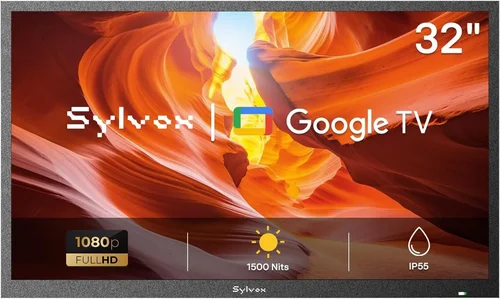
When it comes to enhancing the guest experience at a rental property—especially one with a pool—adding entertainment options can make all the difference. A poolside TV isn’t just a luxury; it’s a strategic upgrade that boosts guest satisfaction, encourages longer stays, and increases your property’s appeal in a competitive short-term rental market. Whether you manage a beachfront villa, a suburban Airbnb with a backyard oasis, or a high-end vacation home, installing a durable, weather-resistant TV by the pool can transform downtime into delight. But not all outdoor TVs are created equal, and choosing the right one requires careful consideration of performance, durability, installation, and cost.
This comprehensive buying guide is designed specifically for property managers, Airbnb hosts, and vacation rental owners who want to invest wisely in a poolside TV. You’ll learn how to evaluate key features like weather resistance, screen brightness, smart functionality, and long-term reliability—all through the lens of rental property use. We’ll walk you through the types of outdoor TVs available, common pitfalls to avoid, budget considerations, and expert tips to help you get the best value. By the end, you’ll have a clear roadmap to select a TV that withstands the elements, delights your guests, and delivers a strong return on investment.
The market for outdoor televisions has evolved significantly in recent years. What once required custom-built enclosures or expensive marine-grade displays now includes a range of purpose-built models from reputable brands like SunBriteTV, Samsung, LG, and Seura. These units are engineered to handle sun, rain, humidity, dust, and temperature swings—conditions that would quickly destroy a standard indoor TV. With advancements in display technology, smart platforms, and mounting systems, today’s poolside TVs offer near-indoor performance in a ruggedized package. This guide will help you navigate those options with confidence.

What to Look for When Buying Buying Guide
1. Weather Resistance & IP Rating
When installing a TV outdoors—especially near a pool—weather resistance isn’t optional; it’s essential. Exposure to direct sunlight, rain, chlorine mist, humidity, and temperature fluctuations can quickly degrade electronics not built for such conditions. The first thing to check is the TV’s Ingress Protection (IP) rating, which indicates how well the unit resists dust and water. For poolside use, look for a minimum IP55 rating, though IP65 or higher is ideal. IP65 means the TV is dust-tight and protected against water jets from any direction—perfect for pool environments where splashing is common.
Beyond the IP rating, consider the TV’s operating temperature range. Most outdoor TVs are designed to function between -22°F and 122°F (-30°C to 50°C), which covers nearly all climates. However, if your rental property is in an extreme environment—like a desert or mountain region—verify that the model you choose can handle those conditions. Also, ensure the TV has a sealed chassis to prevent moisture from seeping into internal components. Some models even include internal heaters or cooling fans to regulate temperature automatically.
2. Screen Brightness & Anti-Glare Technology
One of the biggest challenges with outdoor TVs is visibility in bright sunlight. A standard indoor TV typically has a brightness of 300–500 nits, which is easily washed out by direct sun. For poolside viewing, you need a display with at least 700 nits, but ideally 1,000 nits or more. High brightness ensures that images remain clear and vibrant even at midday. Additionally, look for TVs with anti-reflective coatings or optically bonded screens. These reduce glare from the sun and improve contrast by minimizing light scattering.
Some premium models use quantum dot or OLED technology to enhance color accuracy and black levels, which is especially noticeable in shaded areas or during evening use. However, OLEDs can be more susceptible to burn-in if static images (like logos or menus) are displayed for long periods—something to consider if your TV will show news tickers or streaming service interfaces frequently. For most rental properties, a high-brightness LED or QLED display with anti-glare treatment offers the best balance of performance and durability.
3. Build Quality & Durability
Rental properties face more wear and tear than private homes. Guests may not handle equipment with the same care, and outdoor environments are inherently harsh. Therefore, build quality is a critical factor. Look for TVs with metal casings instead of plastic, as they offer better heat dissipation and resistance to impact. The internal components should be sealed and protected from corrosion, especially in coastal areas where salt air can accelerate degradation.
Mounting hardware is another durability consideration. Ensure the TV comes with or is compatible with a robust, weatherproof mount that can withstand wind, vibration, and tampering. Some models include tamper-resistant screws or lockable enclosures to deter theft or unauthorized adjustments. Additionally, check the warranty—many outdoor TVs come with extended coverage (3–5 years) that reflects the manufacturer’s confidence in their durability. A well-built TV may cost more upfront but will save you money in replacements and maintenance over time.
4. Smart Features & Connectivity
Today’s guests expect seamless streaming and connectivity. A smart TV with built-in Wi-Fi, Bluetooth, and popular apps like Netflix, YouTube, and Spotify enhances the guest experience without requiring additional devices. Look for models running Android TV, webOS, or Tizen, as these platforms offer regular updates and a wide app ecosystem. Voice control via Google Assistant or Alexa is also a nice touch, especially for hands-free operation while lounging poolside.
Connectivity options matter too. Ensure the TV has multiple HDMI ports (at least two), USB inputs, and possibly an Ethernet port for a wired internet connection, which can be more reliable than Wi-Fi in outdoor settings. Some models include built-in streaming sticks or support for external devices like Roku or Apple TV. For rental properties, consider a TV with guest mode or easy reset functionality, so you can wipe personal data between stays. Also, check if the remote is weather-resistant or if the TV supports smartphone control via an app—this reduces the risk of losing or damaging the remote outdoors.
5. Size & Viewing Distance
Choosing the right screen size depends on your pool area’s layout and typical guest behavior. A 43-inch TV might be sufficient for a small patio with seating close to the screen, while a 65-inch or larger model is better for expansive decks or outdoor living rooms. As a rule of thumb, the viewing distance should be about 1.5 to 2.5 times the screen’s diagonal measurement. For example, a 55-inch TV is ideal for viewers sitting 6.5 to 11 feet away.
Consider how the TV will be mounted. Will it be on a wall, under a pergola, or on a freestanding stand? Ensure the mounting location provides a clear line of sight from common seating areas and isn’t obstructed by umbrellas, plants, or railings. Also, think about whether the TV will be used primarily during the day (requiring higher brightness) or in the evening (where lower brightness and better contrast matter more). Some models offer adjustable brightness settings or ambient light sensors that automatically optimize the picture based on lighting conditions.
6. Installation & Maintenance
Ease of installation is crucial, especially if you manage multiple properties or plan to move the TV seasonally. Most outdoor TVs are designed for wall mounting, but some come with optional stands or can be integrated into outdoor cabinets. Professional installation is recommended for permanent setups, particularly if running cables through walls or under decks. However, many models are plug-and-play, requiring only a power source and Wi-Fi connection.
Maintenance should also be minimal. Look for TVs with easy-access panels for cleaning or servicing internal components. Regular maintenance includes wiping down the screen and casing with a soft, damp cloth and checking for debris or moisture buildup. Avoid using harsh chemicals or abrasive materials. Some manufacturers offer cleaning kits or recommend specific products. Additionally, consider whether the TV has a removable filter or ventilation system that needs periodic cleaning to prevent overheating.
7. Brand Reputation & Customer Support
Not all outdoor TV brands are equal. Established names like SunBriteTV, Samsung, and Seura have a proven track record of reliability and customer service. These companies specialize in outdoor displays and understand the unique challenges of poolside environments. Reading customer reviews—especially from other rental property owners—can provide valuable insights into real-world performance, common issues, and how responsive the brand is to support requests.
Check if the brand offers local service centers or partnerships with installation professionals. For international properties, verify warranty coverage and support availability in your region. A strong warranty (3 years or more) and responsive customer service can save you significant time and money if something goes wrong. Avoid lesser-known brands that may offer lower prices but lack long-term support or spare parts availability.
8. Warranty & Return Policy
A solid warranty is a sign of a manufacturer’s confidence in their product. For outdoor TVs, a minimum 3-year warranty is standard, with some premium models offering up to 5 years. The warranty should cover both parts and labor, including damage from environmental factors like moisture or temperature extremes. Be sure to register your purchase and keep all documentation, as some warranties require proof of professional installation.
Return policies are equally important, especially if you’re ordering online. Look for retailers that offer at least a 30-day return window with free return shipping. This gives you time to test the TV in your actual environment and ensure it meets your expectations. Some companies also offer trial periods or satisfaction guarantees. If you’re buying for multiple properties, consider bulk purchase discounts or extended service plans that cover all units under one agreement.
Different Types of Buying Guide

Common Buying Mistakes to Avoid
❌ Mistake: Buying a Standard Indoor TV for Outdoor Use
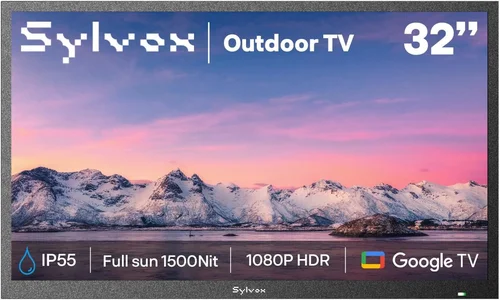
Why it’s bad: Indoor TVs are not designed to handle moisture, temperature changes, or UV exposure. Even in a covered area, humidity from the pool and occasional splashes can cause internal corrosion, screen fogging, or electrical failure. The result is frequent breakdowns, costly repairs, and unhappy guests.
What to do instead: Invest in a TV specifically rated for outdoor use. Look for models with weatherproof casings, sealed ports, and high IP ratings. If budget is tight, consider a partial-weather model for covered patios or a portable unit that can be stored indoors when not in use.
❌ Mistake: Ignoring Sunlight and Glare
Why it’s bad: A dim screen will be unwatchable during the day, defeating the purpose of having a poolside TV. Guests will be frustrated, and the feature will go unused, wasting your investment.
What to do instead: Prioritize brightness (1,000+ nits) and anti-glare technology. Test the TV in similar lighting conditions if possible. Consider installing it under a shaded structure or using outdoor curtains to reduce direct sun exposure.
❌ Mistake: Overlooking Installation Challenges
Why it’s bad: Poorly mounted TVs can fall, get damaged, or create safety hazards. DIY installations without proper knowledge can void warranties or lead to electrical issues.
What to do instead: Hire a professional installer experienced with outdoor AV setups. Ensure cables are properly routed, grounded, and protected from the elements. Use weatherproof conduits and surge protectors.
❌ Mistake: Choosing the Wrong Size
Why it’s bad: A TV that’s too small will be hard to see from a distance, while one that’s too large can overwhelm the space and increase cost unnecessarily.
What to do instead: Measure your viewing area and calculate the ideal screen size based on distance. Use online viewing distance calculators and consider the layout of seating and shade structures.
❌ Mistake: Skimping on Smart Features
Why it’s bad: Guests expect modern conveniences. A TV without apps or Wi-Fi will feel outdated and may require you to provide external streaming devices, which can get lost or damaged.
What to do instead: Choose a smart TV with built-in streaming, guest mode, and easy reset options. Ensure it supports popular platforms and has regular software updates.
❌ Mistake: Not Planning for Maintenance
Why it’s bad: Dust, pollen, and moisture can accumulate on the screen and vents, reducing performance and lifespan. Neglecting maintenance leads to premature failure.
What to do instead: Create a simple maintenance schedule—clean the screen weekly, check for debris monthly, and inspect seals and mounts seasonally. Use recommended cleaning products and soft cloths.
❌ Mistake: Buying Based Solely on Price
Why it’s bad: The cheapest option often lacks durability, brightness, or support. You may end up replacing it within a year, costing more in the long run.
What to do instead: Focus on total cost of ownership, including warranty, expected lifespan, and guest satisfaction. A mid-range outdoor TV often offers the best value for rental properties.
Budget Guidelines: How Much Should You Spend?
When budgeting for a poolside TV, it’s important to balance upfront cost with long-term value. Here’s a breakdown of what to expect at different price points:
- Entry-Level ($500 – $1,000): These are typically indoor TVs in weatherproof enclosures or basic partial-weather models. Best for covered patios in mild climates. Expect lower brightness (500–700 nits), limited smart features, and shorter warranties (1–2 years). Ideal for budget-conscious hosts or seasonal use.
- Mid-Range ($1,000 – $2,500): This is the sweet spot for most rental properties. These TVs offer full weather resistance (IP65), high brightness (1,000+ nits), smart functionality, and 3-year warranties. Brands like SunBriteTV and Samsung offer reliable models in this range. Great for permanent installations in most climates.
- Premium ($2,500 – $4,000): Designed for luxury rentals and extreme environments. Features include OLED or QLED displays, advanced cooling systems, tamper-proof designs, and 5-year warranties. Ideal for high-end villas, beachfront properties, or areas with harsh weather.
- Luxury ($4,000+): Top-tier models like Seura’s Mirror TVs or custom-built outdoor displays. These double as art or decor when off, offer ultra-high brightness, and include premium materials and finishes. Best for five-star rentals where aesthetics and performance are equally important.
Expert Tips for Getting the Best Deal
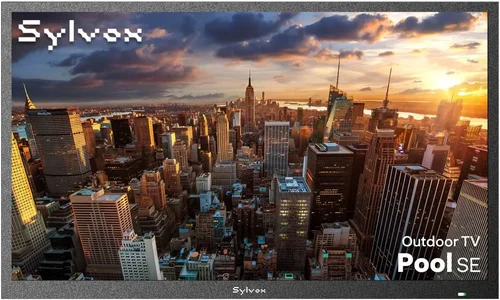
- Buy During Off-Season: Outdoor TVs are in highest demand during spring and summer. Shop in late fall or winter for discounts, clearance sales, or bundle deals.
- Compare Retailers: Check specialty outdoor AV stores, big-box retailers, and online marketplaces. Some offer price matching, free installation, or extended warranties.
- Look for Bundles: Many brands sell TVs with mounts, cables, and surge protectors at a discount. These can save you 10–20% compared to buying separately.
- Negotiate for Multiple Units: If you manage several properties, ask for a bulk discount. Some manufacturers offer special pricing for property managers.
- Check Return Policies: Ensure you can return or exchange the TV if it doesn’t perform as expected. Test it thoroughly during the return window.
- Verify Professional Installation: Some warranties require professional installation. Get quotes from certified technicians and factor this into your budget.
- Read Real User Reviews: Look for feedback from other rental hosts. They’ll highlight issues like remote durability, app performance, and ease of resetting between guests.
- Consider Energy Efficiency: Outdoor TVs can consume more power due to high brightness. Look for Energy Star ratings or models with power-saving modes to reduce electricity costs.

Frequently Asked Questions
Q: Can I use a regular TV outdoors if it’s under a covered patio?
A: It’s not recommended. Even under cover, humidity, temperature swings, and occasional splashes can damage internal components. A partial-weather outdoor TV is a safer, more reliable choice.
Q: How do I protect the TV from theft or vandalism?
A: Use tamper-resistant mounts, lockable enclosures, or install the TV in a secure, visible area. Some models include security features like Kensington locks or motion sensors.
Q: Do outdoor TVs need special cables?
A: Yes. Use weatherproof HDMI and power cables rated for outdoor use. Avoid standard indoor cables, which can degrade when exposed to moisture.
Q: Can guests control the TV with their phones?
A: Many smart outdoor TVs support smartphone control via apps. Check if the model you choose is compatible with Google Home, Apple HomeKit, or the manufacturer’s app.
Q: How do I reset the TV between guests?
A: Look for TVs with guest mode or factory reset options. Some models allow you to clear data with a button press or remote command.
Q: Are outdoor TVs loud?
A: Most are designed to operate quietly. Internal fans (if present) are low-noise, and the TV itself doesn’t produce sound beyond normal audio output.
Q: Can I stream 4K content outdoors?
A: Yes, many outdoor TVs support 4K resolution and HDR. Ensure your internet connection is strong enough to stream high-bandwidth content without buffering.
Q: What if the TV gets rained on?
A: A properly rated outdoor TV (IP65 or higher) is designed to withstand rain. However, avoid directing high-pressure water jets at the screen or ports.
Q: Do I need a separate sound system?
A: Built-in speakers are usually sufficient for casual viewing. For larger areas or parties, consider adding weatherproof outdoor speakers or a soundbar.
Q: How long do outdoor TVs last?
A: With proper care, most last 5–7 years. Premium models with better build quality and cooling systems can last even longer.
Our Final Recommendations
- Best for Budget-Conscious Buyers: SunBriteTV Veranda Series (43″) – A reliable partial-weather TV with 700 nits brightness, smart features, and a 3-year warranty. Ideal for covered patios.
- Best Overall Value: Samsung The Terrace (55″) – Full weather resistance, 1,500 nits brightness, and excellent smart platform. Perfect for most rental properties.
- Best Premium Option: Seura Outdoor Mirror TV (65″) – Doubles as a mirror when off, ultra-bright display, and luxury design. Ideal for high-end rentals.
- Best for Beginners: LG Outdoor Smart TV (50″) – Easy setup, intuitive interface, and strong customer support. Great for first-time outdoor TV buyers.
- Best for Advanced Users: SunBriteTV Pro Series (75″) – Commercial-grade durability, extreme temperature tolerance, and customizable mounting. Built for demanding environments.
Conclusion: Making the Right Choice
Adding a poolside TV to your rental property is more than just a nice-to-have—it’s a smart investment that enhances guest experience, increases bookings, and sets your property apart. By focusing on weather resistance, screen brightness, smart features, and long-term durability, you can choose a TV that performs reliably year after year. Avoid common pitfalls like using indoor TVs or ignoring installation needs, and prioritize brands with strong reputations and support.
Remember, the best TV for your property depends on your specific environment, budget, and guest expectations. Whether you’re outfitting a cozy cabin or a luxury estate, there’s an outdoor TV solution that fits. Use this guide to evaluate your options, compare models, and make a confident decision. With the right setup, your poolside TV will become one of your property’s most beloved amenities—delighting guests and boosting your bottom line for years to come.

