
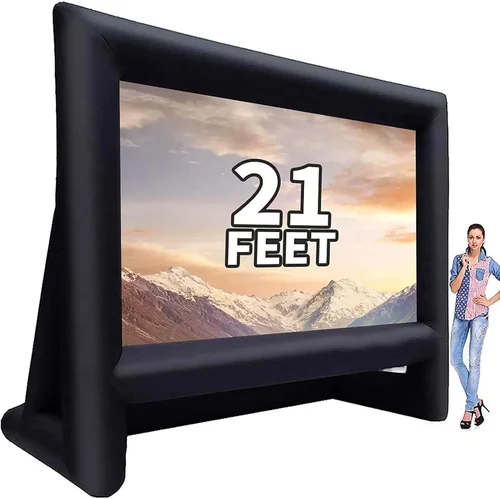
Backyard movie nights have evolved from a quirky weekend idea into a full-fledged lifestyle trend—and for good reason. There’s something magical about gathering friends and family under the stars, popcorn in hand, watching your favorite film on a big screen surrounded by nature. But to make that dream a reality, you need more than just a projector and a white sheet. You need a reliable, high-quality outdoor TV setup that can handle the elements, deliver crisp visuals in ambient light, and offer the smart features you’ve come to expect from modern home entertainment.
That’s where a smart deck TV comes in. Unlike traditional indoor TVs, these specialized displays are built—or at least optimized—for outdoor use. Whether you’re mounting one on your covered patio, installing it under a pergola, or placing it on a weatherproof stand near your fire pit, a smart deck TV transforms your backyard into a cinematic oasis. But with so many options flooding the market in 2026, choosing the right one can feel overwhelming. From brightness levels and weather resistance to streaming capabilities and audio performance, every detail matters when you’re trying to create an immersive outdoor viewing experience.
This comprehensive buying guide is designed to cut through the noise and help you make an informed decision. Whether you’re a first-time buyer or upgrading from an older model, you’ll learn exactly what to look for, which specs truly matter, and how to avoid common pitfalls. We’ll break down key factors like durability, display technology, smart platform integration, and budget considerations. You’ll also get expert tips on timing your purchase, comparing brands, and maximizing value. By the end, you’ll have a clear roadmap to finding the perfect smart deck TV that fits your space, your lifestyle, and your wallet.

What to Look for When Buying Buying Guide
1. Brightness & Outdoor Visibility
One of the most critical—and often overlooked—factors when choosing a smart deck TV is brightness, measured in nits. Indoor TVs typically range from 300 to 500 nits, which is fine for dimly lit living rooms but completely inadequate for outdoor environments where sunlight, moonlight, and ambient lighting from nearby houses or landscape fixtures can wash out the image. For true outdoor usability, you need a display with a minimum brightness of 700 nits, but ideally 1,000 nits or higher. This ensures that colors remain vibrant and details stay sharp even during twilight or on overcast days.
Look for TVs specifically marketed as “outdoor,” “weather-resistant,” or “high-brightness” models. Many manufacturers now offer “sunlight-readable” panels with anti-glare coatings and enhanced backlighting systems. For example, some 2026 models from brands like SunBrite and Samsung feature Quantum Dot technology combined with local dimming zones to boost contrast and brightness simultaneously. Avoid standard indoor TVs placed in outdoor enclosures unless you’re certain the enclosure includes active cooling and UV protection—otherwise, you risk overheating and premature panel degradation.
2. Weather Resistance & Durability
Your deck TV will be exposed to rain, humidity, dust, pollen, and temperature swings—sometimes all in one evening. That’s why weather resistance isn’t just a nice-to-have; it’s essential. Check the IP (Ingress Protection) rating, which indicates how well the TV resists solids and liquids. For outdoor use, aim for at least IP55 (protected against dust and water jets), though IP65 or higher is ideal for full exposure. Some premium models even boast IP67 ratings, meaning they can withstand temporary immersion—perfect if you live in a region with heavy downpours.
Beyond the rating, examine the build materials. Aluminum chassis, sealed ports, and corrosion-resistant screws are signs of a well-engineered outdoor TV. Also consider thermal management: look for models with passive cooling (no fans) or quiet, sealed fan systems to prevent dust buildup. In colder climates, ensure the TV can operate down to at least 20°F (-6°C); in hotter areas, verify it won’t throttle performance above 104°F (40°C). Remember, even covered decks aren’t immune to moisture—morning dew or sudden showers can damage an unprepared unit.
3. Display Technology & Picture Quality
Not all outdoor TVs are created equal when it comes to picture quality. While OLED offers stunning contrast and deep blacks, it struggles in bright environments due to lower peak brightness compared to QLED or Mini-LED alternatives. For deck use, QLED (Quantum Dot LED) is often the sweet spot—it delivers excellent color accuracy, high brightness, and better longevity under constant use. Mini-LED backlighting, found in higher-end 2026 models, provides superior local dimming, reducing blooming and improving HDR performance.
Resolution is another key consideration. While 4K UHD remains the standard, some budget outdoor TVs still offer only 1080p—fine for smaller screens (under 50 inches) viewed from a distance, but lacking detail for larger setups or close seating. Always check the refresh rate too: 60Hz is acceptable for movies, but if you plan to stream sports or play games outdoors, aim for 120Hz with VRR (Variable Refresh Rate) support. And don’t forget HDR compatibility—Dolby Vision, HDR10+, and HLG ensure you get the most out of modern streaming content.
4. Smart Platform & Connectivity
A “smart” deck TV should live up to its name. The built-in operating system determines how easily you can access Netflix, Disney+, YouTube, and other streaming services without needing an external device. In 2026, the dominant platforms are Google TV (used by Sony, TCL, and others), webOS (LG), and Tizen (Samsung). Each has strengths: Google TV excels in content aggregation and voice search via Google Assistant; webOS offers smooth navigation and broad app support; Tizen is lightweight and integrates seamlessly with Samsung ecosystems.
Connectivity is equally important. Ensure your TV has multiple HDMI 2.1 ports (for future-proofing with next-gen consoles or soundbars), USB-A/USB-C for media playback, and robust Wi-Fi 6 or Ethernet for stable streaming. Bluetooth 5.2 allows wireless audio pairing with outdoor speakers or headphones. Some models even include built-in Chromecast or AirPlay 2 for easy screen mirroring from phones and tablets. Avoid TVs that rely solely on proprietary dongles or outdated interfaces—they limit flexibility and increase long-term costs.
5. Audio Performance & Speaker Quality
Many buyers assume they’ll just use external speakers, but built-in audio matters—especially if you want a plug-and-play solution or don’t have space for a full sound system. Unfortunately, most outdoor TVs prioritize slim designs over audio power, resulting in tinny, weak sound that gets lost in open-air environments. Look for models with at least 20W total output, preferably with dedicated woofers or bass radiators. Some 2026 outdoor TVs now feature Dolby Atmos decoding (even if they can’t reproduce it fully), which enhances spatial awareness when paired with compatible soundbars.
If you do plan to use external audio, verify that the TV supports ARC (Audio Return Channel) or eARC over HDMI for lossless transmission to your receiver or soundbar. Optical audio outputs are also useful for older systems. And don’t underestimate the value of a headphone jack or Bluetooth audio—perfect for late-night viewing without disturbing neighbors.
6. Size, Placement & Viewing Distance
Choosing the right screen size isn’t just about aesthetics—it directly impacts immersion and comfort. A general rule: your viewing distance (in inches) should be about 1.5 to 2.5 times the screen’s diagonal size. So for a 65-inch TV, sit 8 to 13 feet away. On a typical deck, 55 to 75 inches is ideal; anything larger may overwhelm the space or require mounting too high for comfortable viewing.
Consider placement carefully. Will the TV be wall-mounted, on a stand, or in a weatherproof cabinet? Measure your available space, including clearance for ventilation and cable routing. Also think about sightlines: avoid placing the screen where glare from windows, lights, or reflective surfaces (like glass tables) could interfere. Some manufacturers offer tilt or swivel mounts specifically designed for outdoor use—worth the investment if you want adjustable viewing angles.
7. Brand Reputation & Ecosystem Integration
Not all TV brands treat outdoor viewing seriously. Stick with manufacturers known for reliable outdoor products: SunBrite (a pioneer in weatherproof TVs), Samsung (with its Terrace series), LG (OLED Flex for semi-outdoor use), and TCL (with ruggedized Roku TV models). These companies invest in R&D for outdoor-specific features and offer better customer support for niche issues like condensation or UV damage.
Also consider ecosystem compatibility. If you already use smart home devices from a particular brand (e.g., Google Nest, Apple HomeKit, or Samsung SmartThings), choosing a TV that integrates smoothly can simplify control and automation. Voice assistants, routines, and multi-room audio sync are more seamless within a unified ecosystem.
8. Warranty, Support & Long-Term Value
Outdoor electronics face harsher conditions than indoor gear, so warranty coverage is crucial. Standard warranties often exclude “environmental damage,” so look for extended or outdoor-specific plans that cover weather-related failures. Reputable brands typically offer 2–3 years of coverage, with optional extensions. Check if the warranty includes on-site service—especially valuable if your deck is hard to access.
Long-term value also depends on software updates. A smart TV that stops receiving OS updates after two years becomes a security risk and loses app compatibility. In 2026, leading brands promise 5+ years of updates, so prioritize those with a track record of support. Finally, consider resale value: well-known brands with strong outdoor reputations hold their worth better if you upgrade later.
Different Types of Buying Guide
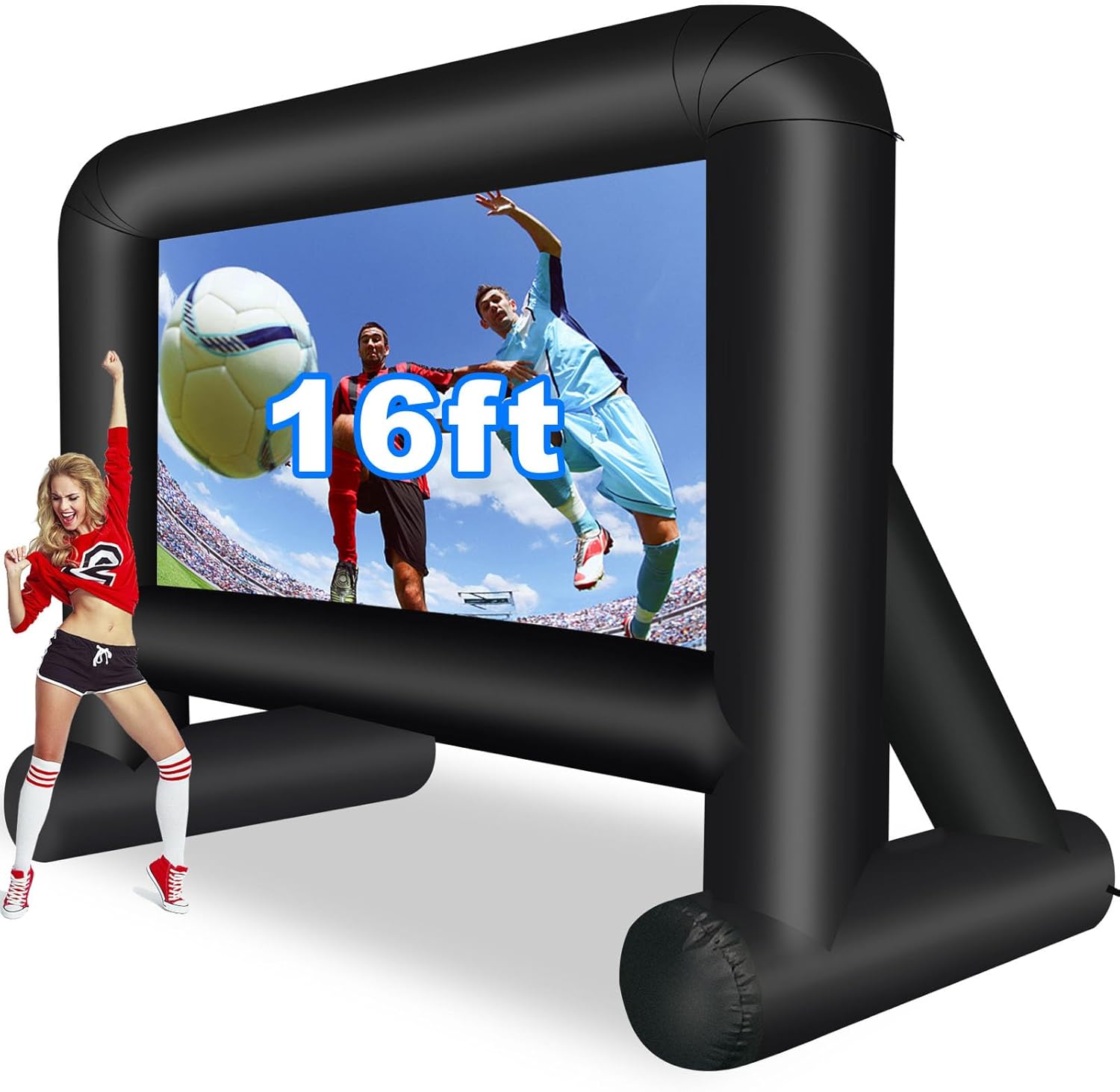
Common Buying Mistakes to Avoid
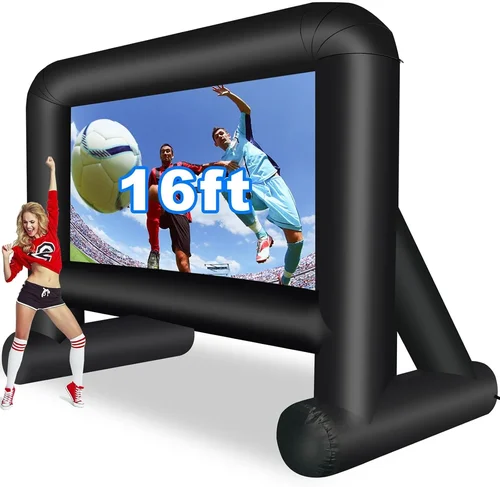
❌ Mistake: Buying a Standard Indoor TV for Outdoor Use
Why it’s bad: Indoor TVs lack weatherproofing, have lower brightness, and aren’t designed for temperature extremes. Even under cover, moisture, dust, and heat buildup can cause premature failure—often voiding the warranty.
What to do instead: Invest in a purpose-built outdoor TV or a high-quality outdoor enclosure rated for your climate. If budget is tight, choose a semi-outdoor model with at least IP54 rating and 700+ nits brightness.
❌ Mistake: Ignoring Viewing Angle and Glare
Why it’s bad: Placing your TV where sunlight hits the screen directly turns your movie night into a squinting contest. Wide viewing angles are also crucial if guests sit off-center.
What to do instead: Use an anti-glare screen protector or choose a TV with an IPS or VA panel known for wide viewing angles. Position the TV perpendicular to the sun’s path and consider retractable shades or pergola louvers for daytime use.
❌ Mistake: Overlooking Audio Needs
Why it’s bad: Weak built-in speakers can’t compete with outdoor ambient noise (wind, traffic, crickets), ruining dialogue clarity and immersion.
What to do instead: Pair your TV with weather-resistant outdoor speakers or a soundbar. Look for models with optical or HDMI eARC outputs for clean audio transmission. Test audio setup during daylight to simulate real conditions.
❌ Mistake: Skimping on Mounting Hardware
Why it’s bad: Cheap mounts may not support the TV’s weight, resist rust, or allow proper ventilation—leading to sagging, corrosion, or overheating.
What to do instead: Use marine-grade stainless steel mounts rated for outdoor use. Ensure the mount allows airflow behind the TV and includes cable management. For windy areas, consider a fixed (non-tilting) mount for stability.
❌ Mistake: Not Planning for Power and Cables
Why it’s bad: Running extension cords across your deck creates tripping hazards and looks messy. Exposed cables degrade quickly outdoors.
What to do instead: Hire an electrician to install a weatherproof outlet near the TV location. Use in-wall rated (CL2/CL3) HDMI cables and conduit for permanent runs. Label all connections for easy troubleshooting.
❌ Mistake: Assuming All “Smart” TVs Are Equal
Why it’s bad: Some budget smart platforms lag in updates, lack key apps, or have clunky interfaces—making streaming frustrating.
What to do instead: Research the OS before buying. Google TV and webOS offer the best app ecosystems and update policies. Avoid obscure platforms with limited support.
❌ Mistake: Forgetting About Seasonal Storage
Why it’s bad: In harsh winters, leaving your TV outside can crack components or freeze internal circuits—even if it’s “weatherproof.”
What to do instead: If you live in a region with freezing temps, consider a removable model or store the TV indoors during off-seasons. Use a breathable cover (not plastic) if leaving it outside.
Budget Guidelines: How Much Should You Spend?
- Entry-Level ($600–$1,200): These are typically portable displays or indoor TVs in basic enclosures. Expect 1080p resolution, 500–700 nits brightness, and limited smart features. Best for occasional use under full cover. Examples: TCL 55S06, Vizio V-Series in a generic outdoor case.
- Mid-Range ($1,200–$2,500): The sweet spot for most homeowners. You’ll find 4K QLED or Mini-LED panels with 1,000+ nits brightness, IP55+ ratings, and robust smart platforms (Google TV, webOS). Ideal for covered decks with partial exposure. Examples: Samsung The Terrace Partial Sun, SunBrite Veranda Series.
- Premium ($2,500–$4,500): Designed for full outdoor exposure with IP65+ ratings, 1,500–2,500 nits brightness, and advanced cooling. Often include premium audio, local dimming, and 5+ years of software support. Perfect for poolside or uncovered decks. Examples: SunBrite Pro 2 Series, Samsung The Terrace Full Sun.
- Luxury ($4,500+): Commercial-grade or custom-built solutions with ultra-high brightness (3,000+ nits), 24/7 operation capability, and professional installation support. Suited for large properties, hospitality venues, or tech enthusiasts who want the absolute best. Examples: Peerless-AV Xtreme, Planar Outdoor Displays.
Expert Tips for Getting the Best Deal
- Time your purchase around major sales: Look for discounts during Black Friday, Prime Day (July), and post-summer clearance events (September). Many outdoor TV retailers offer bundle deals (TV + mount + speakers) during these periods.
- Buy directly from manufacturer websites: Brands like SunBrite and Samsung often offer exclusive colors, extended warranties, or free shipping when you order online. You’ll also get access to customer service teams familiar with outdoor-specific issues.
- Check refurbished or open-box options: Certified refurbished outdoor TVs from reputable sellers can save you 20–30% with full warranty coverage. Just ensure they’re specifically labeled as “outdoor” refurbished—not just returned indoor models.
- Negotiate with local AV installers: Many custom integrators carry outdoor TV inventory and may discount units to win installation contracts. They can also handle mounting, wiring, and calibration—saving you hassle.
- Read real user reviews, not just specs: Look for feedback from buyers in similar climates. Comments about condensation, Wi-Fi range, or app crashes reveal flaws that spec sheets hide.
- Test before committing (if possible): Some retailers allow in-home trials for outdoor TVs. If not, choose a seller with a generous return policy (30+ days) and free return shipping.
- Consider total cost of ownership: A cheaper TV may need replacement in 2–3 years, while a premium model lasts 7–10. Calculate cost per year to compare value accurately.
- Protect your investment: Use a whole-home surge protector and unplug the TV during thunderstorms. Even weatherproof units aren’t lightning-proof.

Frequently Asked Questions
Q: Can I use a regular TV outdoors if it’s under a covered deck?
A: Technically yes, but it’s risky. Even covered areas experience humidity, temperature swings, and dust. Without proper ventilation and weather sealing, indoor TVs can overheat or suffer moisture damage. For reliable performance, choose a semi-outdoor model or a high-quality enclosure.
Q: Do outdoor TVs consume more power?
A: Yes, due to higher brightness and cooling systems. Expect 20–40% more energy use than an equivalent indoor TV. Look for ENERGY STAR-certified models to minimize impact. Some 2026 units feature auto-brightness sensors that adjust based on ambient light, saving power during darker hours.
Q: How do I clean my outdoor TV screen?
A: Use a microfiber cloth and distilled water only. Avoid ammonia-based cleaners (like Windex)—they can damage anti-glare coatings. For stubborn grime, lightly dampen the cloth (never spray directly on the screen) and wipe gently. Turn off and unplug the TV before cleaning.
Q: Will my outdoor TV work in winter?
A: Most outdoor TVs operate down to 20°F (-6°C), but performance may degrade in extreme cold. If temperatures drop below freezing regularly, consider a heated outdoor enclosure or seasonal storage. Never power on a TV that’s been exposed to sub-zero temps without letting it acclimate indoors first.
Q: Can I stream 4K HDR content reliably outdoors?
A: Yes, provided your internet connection is strong. Outdoor Wi-Fi signals can weaken due to distance or interference. Use a mesh network extender or run an Ethernet cable to the TV location. Ensure your plan supports 25+ Mbps for smooth 4K streaming.
Q: Are outdoor TVs compatible with voice assistants?
A: Absolutely. Most 2026 smart outdoor TVs support Google Assistant, Amazon Alexa, or Siri (via AirPlay 2). You can control volume, change inputs, or search content hands-free—perfect for when your hands are full of snacks.
Q: What’s the difference between IP55 and IP65?
A: IP55 protects against low-pressure water jets and limited dust ingress. IP65 offers complete dust protection and resistance to water projected from a nozzle. For decks with any exposure, IP65 is strongly recommended.
Q: Do I need a special mount for an outdoor TV?
A: Yes. Standard indoor mounts aren’t rated for outdoor conditions. Use corrosion-resistant, weatherproof mounts with adequate weight capacity and ventilation clearance. Tilt mounts are useful for reducing glare but ensure they’re sealed against moisture.
Q: How long do outdoor TVs typically last?
A: With proper care, 7–10 years is realistic. Brightness may diminish slightly over time, but weatherproofing and component quality determine longevity. Premium brands often outlast budget options by 2–3 years.
Q: Can I connect a gaming console to my outdoor TV?
A: Definitely. Look for HDMI 2.1 ports with VRR and ALLM (Auto Low Latency Mode) for smooth gameplay. Just remember that outdoor acoustics may require a soundbar for immersive audio—headphones work great too.
Our Final Recommendations
- Best for Budget-Conscious Buyers: Samsung The Terrace Partial Sun (55″) – At around $1,600, it delivers 1,500 nits brightness, IP55 rating, and excellent Tizen smart platform. Perfect for covered decks with occasional sun exposure.
- Best Overall Value: SunBrite Veranda Series (65″) – Priced at $2,200, this 4K QLED model offers 1,000 nits, IP55 protection, and Google TV. It balances performance, durability, and price for most homeowners.
- Best Premium Option: SunBrite Pro 2 Series (75″) – For $3,800, you get 2,500 nits, IP65 rating, Mini-LED backlighting, and commercial-grade build quality. Ideal for full-exposure setups and serious cinephiles.
- Best for Beginners: TCL 6-Series Roku TV in a Peerless-AV Outdoor Enclosure – A flexible, affordable solution (~$1,100 total) that lets you start small and upgrade later. Great for learning your preferences before investing in a dedicated outdoor unit.
- Best for Advanced Users: Samsung The Terrace Full Sun (85″) – With 3,000 nits, IP65+, and AI-powered upscaling, this flagship model handles anything you throw at it—from daytime sports to midnight horror marathons.
Conclusion: Making the Right Choice
Choosing the right smart deck TV isn’t just about picking the shiniest screen or the biggest brand name—it’s about aligning your purchase with your lifestyle, environment, and long-term goals. Whether you’re hosting weekly family film nights or throwing occasional backyard parties, the right TV will enhance every moment with vivid visuals, reliable performance, and seamless smart features. By focusing on brightness, weather resistance, audio quality, and ecosystem integration, you’ll avoid costly mistakes and enjoy years of outdoor entertainment.
Remember, the best TV for your deck is the one that fits your space, meets your technical needs, and stays within your budget—without cutting corners on durability. Take time to compare models, read real user experiences, and plan for installation logistics. And don’t hesitate to invest in quality: a well-chosen outdoor TV pays dividends in enjoyment, convenience, and home value.
So grab your favorite blanket, fire up the string lights, and get ready to transform your backyard into the neighborhood’s premier cinema. With this guide in hand, you’re not just buying a TV—you’re creating memories under the stars. Happy viewing!

