
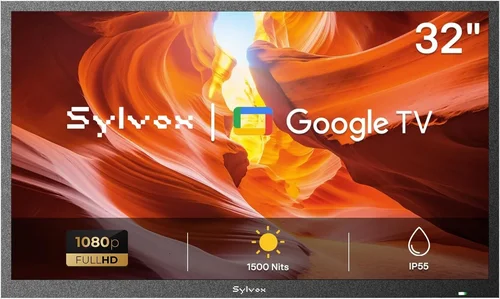
Garden TVs have become one of the most exciting trends in outdoor living over the past few years. Whether you’re lounging by the pool, hosting a summer barbecue, or simply enjoying a quiet evening under the stars, having a reliable television in your outdoor space can transform the way you experience entertainment. But let’s be honest—most people aren’t looking to drop thousands on a high-end outdoor display just to catch the game or stream a movie by the water. That’s where cheap garden TVs come in: affordable, weather-resistant, and surprisingly capable options that bring indoor-quality viewing to your backyard.
This guide is designed for homeowners, renters, and outdoor enthusiasts who want to enjoy TV in their garden or pool area without breaking the bank. Whether you’re on a tight budget or simply prefer to spend wisely, we’ll walk you through everything you need to know to make a smart, informed decision. From understanding key technical specs to avoiding common pitfalls, we’ve got you covered. You’ll learn how to balance cost with performance, durability, and usability—so you can enjoy your favorite shows poolside without worrying about rain, humidity, or glare.
The market for outdoor TVs has expanded dramatically, with more manufacturers entering the space and prices becoming increasingly accessible. While premium models from brands like SunBrite and Samsung offer top-tier protection and performance, there are now plenty of budget-friendly alternatives that deliver solid value. These cheaper garden TVs may not have all the bells and whistles of their luxury counterparts, but many are more than capable of handling the demands of outdoor viewing—especially if you’re using them in a covered or semi-sheltered area like a pergola, gazebo, or screened-in patio. By the end of this guide, you’ll know exactly what to look for, how to avoid overspending, and which models offer the best bang for your buck.

What to Look for When Buying a Cheap Garden TV for Your Pool Area
1. Weather Resistance & IP Rating
One of the most critical factors when choosing a garden TV is its ability to withstand the elements. Unlike indoor TVs, outdoor models must endure rain, humidity, dust, and temperature fluctuations—especially near pools where moisture levels are high. The first thing to check is the TV’s IP (Ingress Protection) rating. This two-digit code tells you how well the device is protected against solids (like dust) and liquids (like water). For example, an IP55 rating means the TV is protected against dust (not fully sealed) and low-pressure water jets from any direction—ideal for most poolside setups.
Look for a minimum IP54 rating, but IP55 or higher is strongly recommended, especially if the TV will be exposed to direct rain or splashing. Some budget models claim to be “weather-resistant” but lack a certified IP rating—be wary of vague marketing terms. Also, consider the TV’s operating temperature range. A good outdoor TV should function reliably between 32°F and 104°F (0°C to 40°C), which covers most seasonal conditions in temperate climates. If you live in an area with extreme heat or cold, make sure the model you choose can handle it.
Another often-overlooked aspect is ventilation. Even weather-resistant TVs generate heat, and poor airflow can lead to overheating. Avoid fully enclosed cabinets unless they’re specifically designed for outdoor use with proper ventilation. Instead, opt for open mounts or enclosures with built-in fans or passive cooling systems.
2. Screen Brightness & Anti-Glare Technology
Outdoor viewing presents a unique challenge: sunlight. Even on a cloudy day, ambient light can wash out the picture on a standard TV. That’s why screen brightness—measured in nits—is crucial. For poolside use, you’ll want a TV with at least 500 nits of brightness, but 700 nits or higher is ideal for clear visibility in direct sunlight. Many cheap garden TVs fall short here, so don’t assume all “outdoor” models are created equal.
Look for displays with anti-reflective coatings or matte finishes. These help reduce glare from the sun, water reflections, or nearby lighting. Some budget models use standard glossy screens, which can make viewing nearly impossible on bright days. Additionally, consider the screen’s viewing angle. An IPS (In-Plane Switching) panel offers wider viewing angles than VA (Vertical Alignment) panels, which is helpful if people will be watching from different positions around the pool.
HDR (High Dynamic Range) support is another plus, as it enhances contrast and color depth, making images pop even in challenging lighting. While HDR isn’t essential for casual viewing, it significantly improves the experience when streaming movies or sports. Just remember: brightness and anti-glare features are more important than resolution when it comes to outdoor visibility.
3. Build Quality & Durability
Cheap doesn’t have to mean flimsy—but it often does. When shopping for a budget garden TV, pay close attention to the materials used in the chassis and screen. Look for models with metal or reinforced plastic frames, as these are more resistant to warping, cracking, or corrosion over time. Avoid TVs with thin, lightweight plastic bodies that feel cheap or fragile.
The screen itself should be made of tempered glass or a durable polymer that resists scratches and impacts. This is especially important near pools, where splashing water, salt (if you’re near the ocean), or accidental bumps from pool toys can damage a weaker display. Some manufacturers offer optional screen protectors or reinforced bezels—worth considering if you’re concerned about longevity.
Also, check the quality of the ports and connectors. Outdoor TVs are exposed to moisture, so look for models with rubberized or sealed input covers. HDMI, USB, and power ports should be well-protected to prevent corrosion. If the TV comes with a remote, make sure it’s also weather-resistant or consider using a universal remote with a protective case.
4. Smart Features & Connectivity
Even on a budget, you’ll want a TV that’s easy to use and integrates well with your existing devices. Most modern garden TVs come with smart platforms like Android TV, Roku, or webOS, allowing you to stream content directly without needing an external box. This is a huge convenience, especially if you’re mounting the TV in a hard-to-reach spot.
Check which apps are pre-installed and whether the interface is user-friendly. Some budget models run outdated software or have slow processors, leading to laggy performance. Look for at least 2GB of RAM and a quad-core processor for smooth operation. Also, ensure the TV supports Wi-Fi (preferably dual-band 2.4GHz and 5GHz) for reliable streaming. Ethernet ports are a bonus if you plan to hardwire the connection for better stability.
Connectivity options matter too. You’ll want at least two HDMI ports for devices like a streaming stick, gaming console, or cable box. USB ports are useful for playing media files or powering accessories. Some models include built-in Bluetooth for wireless audio, which is great if you’re using outdoor speakers. Avoid TVs with only one HDMI port—this limits your flexibility and may require constant swapping of devices.
5. Size & Placement Considerations
Choosing the right screen size depends on your viewing distance and available space. For a typical pool area, a 43-inch to 55-inch TV is usually ideal. If you’re sitting 6 to 8 feet away, a 43-inch screen offers a comfortable viewing experience. At 8 to 10 feet, go for 50 inches or larger. Avoid going too big—oversized screens can be overwhelming in small outdoor spaces and may require more power and a sturdier mount.
Consider where you’ll place the TV. Will it be wall-mounted under a pergola? On a stand near the pool? Make sure the model you choose fits your intended location. Wall-mounted TVs should come with VESA-compatible mounting holes (common sizes include 200×200, 400×400). If you’re using a stand, ensure it’s stable and weather-resistant.
Also, think about cable management. Outdoor setups often involve running power and HDMI cables through walls or along fences. Look for TVs with rear access panels or cable routing channels to keep wires tidy and protected. Some budget models skimp on this, making installation messy and less secure.
6. Audio Quality & Speaker Performance
Most budget garden TVs have underwhelming built-in speakers. While they’re fine for casual listening, they often lack bass and clarity—especially in open outdoor spaces where sound dissipates quickly. If you plan to use the TV without external audio, look for models with at least 10W of total speaker output. Some include virtual surround sound or audio enhancement features, but don’t expect theater-level quality.
For the best experience, consider pairing your TV with outdoor speakers. Many budget TVs have a 3.5mm audio output, optical audio, or Bluetooth, making it easy to connect wireless or wired speakers. If you’re near a pool, choose speakers with their own weather resistance (IPX4 or higher). Soundbars designed for outdoor use are also a great option—they’re compact, powerful, and often include mounting hardware.
Keep in mind that audio quality can be affected by wind, water noise, and distance. Test your setup before finalizing the installation. If the TV’s speakers aren’t sufficient, investing in external audio is usually worth the extra cost.
7. Power Consumption & Energy Efficiency
Outdoor TVs are often left on for extended periods, especially during parties or movie nights. That means power consumption can add up over time. Look for models with Energy Star certification or low wattage ratings. Most modern LED TVs are relatively efficient, but larger screens and higher brightness settings draw more power.
Check the TV’s power usage in watts (usually listed in the specs). A 50-inch LED TV typically uses between 50W and 100W when operating. Compare this to your electricity rate to estimate monthly costs. Some budget models include eco modes that reduce brightness and power consumption when full performance isn’t needed—useful for daytime viewing.
Also, consider using a smart plug or timer to automatically turn the TV off when not in use. This not only saves energy but also extends the TV’s lifespan by reducing wear on components.
8. Brand Reputation & Customer Support
Just because a TV is cheap doesn’t mean you should sacrifice reliability. Stick with brands that have a proven track record in consumer electronics, even if they’re not the biggest names in outdoor TVs. Companies like LG, Sony, TCL, and Hisense offer budget-friendly models with decent build quality and customer support.
Read customer reviews on trusted sites like Amazon, Best Buy, or Consumer Reports. Pay attention to comments about durability, customer service, and long-term performance. Avoid no-name brands with limited reviews or vague return policies. A reputable brand may cost a little more upfront, but it often saves you money in the long run by reducing the risk of early failure or poor support.
Also, check if the manufacturer offers firmware updates. Smart TVs receive software updates to fix bugs, improve performance, and add new features. Brands that regularly update their devices tend to have better long-term usability.
Different Types of Garden TVs for Pool Areas

Common Buying Mistakes to Avoid
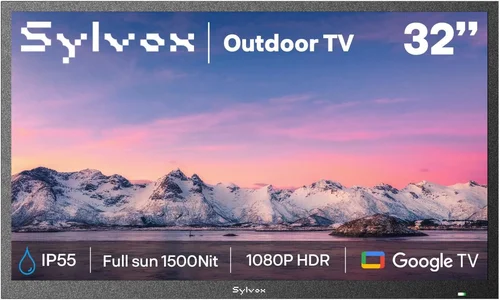
❌ Mistake: Assuming All “Outdoor” TVs Are Fully Weatherproof
Why it’s bad: Many budget models are marketed as “outdoor-ready” but only offer partial protection. They may resist light rain but fail in heavy downpours or high humidity. Using an underprotected TV in an exposed area can lead to water damage, electrical shorts, or complete failure.
What to do instead: Always check the IP rating and read the fine print. If the TV isn’t rated for outdoor use, consider a weatherproof enclosure or choose a different model.
❌ Mistake: Ignoring Screen Brightness
Why it’s bad: A dim screen will be nearly unwatchable in daylight, especially near reflective surfaces like water. You’ll end up squinting or waiting for sunset to enjoy your TV.
What to do instead: Prioritize brightness (700+ nits) and anti-glare coatings. Test the screen in similar lighting conditions if possible, or rely on verified user reviews.
❌ Mistake: Overlooking Audio Needs
Why it’s bad: Built-in speakers on budget TVs are often weak and muffled. In an open pool area, sound gets lost quickly, making dialogue hard to hear.
What to do instead: Plan for external speakers from the start. Even a basic Bluetooth speaker can dramatically improve audio quality.
❌ Mistake: Choosing the Wrong Size
Why it’s bad: A TV that’s too small forces viewers to sit too close, while one that’s too large overwhelms the space and costs more to power.
What to do instead: Use a screen size calculator based on your viewing distance. For most pool setups, 43–55 inches is the sweet spot.
❌ Mistake: Skipping the Mounting Plan
Why it’s bad: Poorly mounted TVs can fall, get damaged, or create tripping hazards. DIY mounts may not support the weight or withstand wind.
What to do instead: Invest in a sturdy, weather-resistant mount designed for outdoor use. Have it professionally installed if needed.
❌ Mistake: Forgetting About Power and Cables
Why it’s bad: Running extension cords across the pool deck is unsafe and unsightly. Exposed cables can degrade or become tripping hazards.
What to do instead: Plan cable routes in advance. Use outdoor-rated extension cords or hire an electrician to install a dedicated outdoor outlet.
❌ Mistake: Not Checking Return Policies
Why it’s bad: If the TV fails or doesn’t meet expectations, a strict return policy could leave you stuck with a dud.
What to do instead: Buy from retailers with at least a 30-day return window and clear warranty terms. Keep all packaging until you’re sure the TV works as expected.
Budget Guidelines: How Much Should You Spend?
Entry-Level ($200 – $400): This tier includes basic indoor TVs used with weatherproof enclosures or low-cost outdoor models with minimal protection. Expect lower brightness (300–500 nits), basic smart features, and limited durability. Best for covered areas with minimal exposure. Ideal for renters or temporary setups.
Mid-Range ($400 – $800): The sweet spot for most buyers. These TVs offer IP54 or IP55 ratings, 500–700 nits brightness, decent smart platforms, and better build quality. Suitable for semi-sheltered pool areas. You’ll get good value without overspending.
Premium ($800 – $1,500): For those who want reliability and performance. These models feature full weather resistance, high brightness (700+ nits), superior audio, and advanced smart features. Great for open pool decks or coastal homes.
Luxury ($1,500+): Top-tier outdoor TVs with heated/cooled enclosures, military-grade durability, and ultra-bright displays (1,000+ nits). Designed for extreme conditions and year-round use. Overkill for most casual users but ideal for luxury homes or commercial installations.
Expert Tips for Getting the Best Deal
- Shop during seasonal sales: Look for discounts during Black Friday, Cyber Monday, or end-of-summer clearance events. Many retailers slash prices on outdoor electronics as the season winds down.
- Compare online and in-store prices: Online retailers often have lower prices and better return policies. Use price-tracking tools like Honey or CamelCamelCamel to monitor deals.
- Consider refurbished or open-box models: These can save you 20–40% off retail and often come with warranties. Just make sure they’re certified by the manufacturer.
- Check for bundle deals: Some sellers offer TVs with mounts, cables, or speakers included. These can be cheaper than buying items separately.
- Read the warranty carefully: Look for at least a 1-year warranty. Some brands offer extended coverage for outdoor use—worth the extra cost if available.
- Test before finalizing: If possible, view the TV in person to check brightness, color accuracy, and interface responsiveness.
- Use a surge protector: Outdoor electronics are vulnerable to power surges. Invest in a high-quality outdoor surge protector to safeguard your investment.
- Install during dry weather: Avoid mounting or wiring your TV during rain or high humidity to prevent moisture damage during setup.

Frequently Asked Questions
Q: Can I use a regular indoor TV outside by the pool?
A: Technically yes, but it’s not recommended unless it’s in a fully enclosed, weatherproof cabinet with proper ventilation. Indoor TVs lack the necessary protection against moisture, dust, and temperature changes. Even brief exposure to splashing water can cause permanent damage.
Q: Do I need a special mount for an outdoor TV?
A: Yes. Standard indoor mounts aren’t designed to withstand outdoor conditions. Look for mounts rated for outdoor use, with rust-resistant materials and secure locking mechanisms. Tilt and swivel mounts offer flexibility for optimal viewing angles.
Q: How do I protect my TV from pool chemicals?
A: Chlorine and salt can corrode electronics over time. Choose a TV with a sealed design and avoid placing it directly downwind of the pool. Regularly wipe down the exterior with a damp cloth to remove residue.
Q: Can I leave my garden TV on all the time?
A: It’s not advisable. Continuous use generates heat and wears out components faster. Use a timer or smart plug to turn it off when not in use. Most outdoor TVs are designed for intermittent use.
Q: What’s the difference between IP54 and IP65?
A: IP54 protects against dust and water splashes from any direction. IP65 offers the same dust protection but can withstand low-pressure water jets—better for areas with heavy rain or cleaning.
Q: Do outdoor TVs come with remotes?
A: Most do, but standard remotes aren’t weather-resistant. Consider using a universal remote with a protective case or controlling the TV via a smartphone app.
Q: Can I stream Netflix or YouTube on a cheap garden TV?
A: Yes, as long as the TV has a smart platform with app support. Most budget models include popular streaming services. Just ensure your Wi-Fi signal reaches the pool area.
Q: How long do outdoor TVs last?
A: With proper care, a quality outdoor TV can last 5–7 years. Cheaper models may fail sooner due to inferior components or lack of weather protection.
Q: Is it safe to install a TV near a pool?
A: Yes, as long as it’s mounted securely and all electrical connections are up to code. Keep power sources away from water and use GFCI outlets for safety.
Q: Can I use my garden TV in the winter?
A: Only if it’s rated for cold temperatures. Most outdoor TVs operate down to 32°F (0°C). For colder climates, look for all-season models with heated enclosures.
Our Final Recommendations
Best for Budget-Conscious Buyers: TCL 43S5400 43-inch 4K Smart TV with IP55-rated outdoor enclosure. Offers excellent value at under $400, with 600 nits brightness and Roku TV built-in. Perfect for covered patios.
Best Overall Value: Hisense 50A7H 50-inch Outdoor TV. Priced around $650, it features IP55 protection, 700 nits brightness, and Android TV. A great balance of performance and price.
Best Premium Option: SunBrite Veranda 55-inch Series. At $1,200, it’s a step up in durability and brightness (1,000 nits), ideal for open pool decks and harsh weather.
Best for Beginners: LG 43LM6300 43-inch with weatherproof stand. Easy setup, reliable performance, and strong customer support. Great for first-time outdoor TV owners.
Best for Advanced Users: Samsung The Terrace 65-inch. A high-end model with 2,000 nits brightness, anti-glare coating, and professional-grade weather resistance. For those who want the best.
Conclusion: Making the Right Choice
Choosing the right cheap garden TV for your pool area doesn’t have to be overwhelming. By focusing on key factors like weather resistance, screen brightness, build quality, and smart features, you can find a model that delivers great performance without draining your wallet. Remember, the cheapest option isn’t always the best long-term investment—balance cost with durability and usability.
Avoid common pitfalls like ignoring IP ratings or skipping external audio. Plan your installation carefully, from mounting to cable management, and always prioritize safety. With the right TV, your pool area can become the ultimate outdoor entertainment hub—whether you’re watching the big game, streaming a movie, or just enjoying the sunset with a cold drink in hand.
Take your time, do your research, and don’t rush into a purchase. Use this guide as your roadmap, and you’ll be well on your way to enjoying high-quality TV in your garden for years to come. Happy viewing!

