
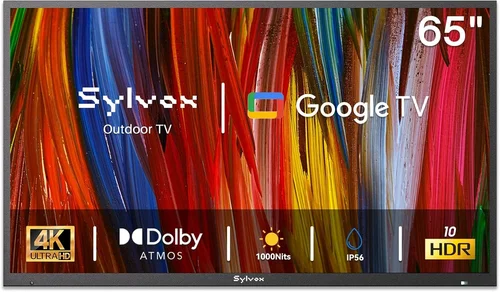
If you’ve ever tried watching a movie or live sports event in your backyard during a crisp autumn evening or a snowy winter night, you already know the magic—and the challenge—of outdoor entertainment. The fresh air, the stars overhead, the cozy ambiance of string lights and a fire pit… it’s an experience that brings people together like few other settings can. But there’s one major hurdle: finding a TV that can handle the cold without breaking the bank. That’s exactly why this guide exists.
Many people assume that outdoor TVs must be expensive, weatherproofed luxury models built for permanent installation. While those high-end options do exist, they’re often overkill—and overpriced—for casual backyard use, especially if you’re just looking for something affordable to enjoy during colder months. The good news? You can find a reliable, budget-friendly TV that performs well in cold weather, as long as you know what to look for. This guide will walk you through every critical factor, from temperature tolerance and build quality to smart features and portability, so you can make a smart, informed decision—no matter your budget.
The market for affordable outdoor-friendly TVs has evolved significantly in recent years. Thanks to advancements in display technology and smarter manufacturing, brands now offer indoor TVs with features that make them surprisingly capable in cooler environments. Whether you’re setting up a temporary viewing area for a holiday party, creating a seasonal outdoor lounge, or simply want to enjoy your favorite shows while shoveling snow (hey, we don’t judge!), there’s a solution out there for you. By the end of this guide, you’ll know exactly how to balance cost, performance, and durability—so you can enjoy your backyard screen time, rain or shine, warm or cold.

What to Look for When Buying Buying Guide
1. Temperature Operating Range
One of the most critical factors when choosing a TV for cold-weather use is its operating temperature range. Most standard indoor TVs are designed to function optimally between 50°F and 95°F (10°C to 35°C). Go below that threshold—especially into freezing or sub-freezing temperatures—and you risk performance issues like delayed startup, screen flickering, sluggish response times, or even permanent damage to internal components.
Look for TVs that explicitly state a lower operating limit of at least 32°F (0°C), though ideally down to 20°F (-7°C) or lower. Some manufacturers, like Samsung and LG, publish detailed environmental specifications in their product manuals. For example, certain Samsung QLED models can operate safely down to 14°F (-10°C), making them viable for unheated garages, patios, or covered porches in colder climates. Always check the user manual or manufacturer’s website—not just the marketing copy—for verified data.
If you live in an area where winter temps regularly dip below 20°F, consider investing in a protective enclosure or only using the TV during milder parts of the day. Alternatively, opt for a model with a wider thermal tolerance. Remember: cold doesn’t just affect the screen—it can also slow down processors, reduce battery life in remote controls, and cause condensation when the TV is brought indoors after being outside.
2. Screen Brightness & Anti-Glare Technology
Even in winter, ambient light can be a problem—especially on sunny days when snow reflects sunlight onto your screen. A dim display will look washed out and hard to see, ruining the viewing experience. For outdoor or semi-outdoor use, aim for a TV with a brightness rating of at least 400 nits, but ideally 500 nits or higher. Many modern LED and QLED TVs now offer 600–1000+ nits, which is more than sufficient for most backyard setups.
Equally important is anti-glare or anti-reflective coating. Matte finishes diffuse light rather than reflecting it directly into your eyes, making a huge difference when viewing in daylight. Avoid glossy screens unless you’re using the TV under a fully shaded pergola or awning. Some budget models skimp on this feature, so read reviews carefully. Look for terms like “anti-glare,” “matte finish,” or “low reflectivity” in the specs.
Also consider HDR (High Dynamic Range) support. While not strictly necessary for casual viewing, HDR enhances contrast and color vibrancy, which helps compensate for lower brightness in bright conditions. Even entry-level HDR10 support can make a noticeable difference compared to standard dynamic range (SDR) displays.
3. Build Quality & Durability
Cheap doesn’t have to mean flimsy—but it often does. When shopping for a budget backyard TV, pay close attention to the chassis material, button quality, and overall construction. Plastic casings are common in lower-priced models, but they should still feel solid and well-assembled. Avoid TVs with loose bezels, wobbly stands, or creaky panels—these are signs of poor manufacturing that could lead to premature failure.
While true outdoor TVs are sealed against moisture and dust (rated IP55 or higher), most affordable options are indoor units used in sheltered outdoor spaces. That means you’ll need to protect them from direct rain, snow, and humidity. However, even in covered areas, temperature swings and occasional splashes can degrade components over time. Look for models with better-than-average ventilation (to prevent overheating when brought indoors) and sealed ports (to reduce dust ingress).
Another durability consideration: remote control design. Cold weather can make plastic brittle, and moisture can seep into button seams. Some budget TVs now include remotes with rubberized coatings or basic water resistance—small details that add up in real-world use.
4. Smart Features & Connectivity
You don’t need a top-tier smart TV to enjoy backyard entertainment, but having reliable streaming capabilities makes a big difference. Most budget TVs today run on platforms like Roku TV, Google TV, or Fire TV OS—all of which offer access to Netflix, YouTube, Disney+, and other popular services. These systems are user-friendly, regularly updated, and compatible with voice assistants like Alexa or Google Assistant.
Check for sufficient HDMI ports (at least two, preferably three), USB inputs for media playback, and Bluetooth support for wireless headphones or speakers. If you plan to connect a soundbar, gaming console, or streaming stick, ensure the TV has the right ports and supports ARC (Audio Return Channel) for simplified audio routing.
Beware of ultra-budget models that use proprietary or outdated smart platforms. These may lack app support, receive infrequent updates, or become obsolete quickly. Stick with well-known ecosystems to ensure long-term usability. Also, verify Wi-Fi performance—some cheaper TVs have weak antennas that struggle with outdoor signal penetration, especially through walls or metal siding.
5. Size & Viewing Distance
Choosing the right screen size isn’t just about preference—it’s about practicality. A 32-inch TV might be perfect for a small patio near your grill, while a 55-inch model suits a larger deck or backyard theater setup. Use the 1.5x rule as a guideline: your viewing distance (in inches) should be about 1.5 times the screen size (in inches). So for a 50-inch TV, sit roughly 6.25 feet away.
Keep in mind that larger screens consume more power and may require stronger mounting hardware. If you’re placing the TV on a tripod or movable stand, ensure it’s stable enough to handle wind or accidental bumps. Wall mounts should be rated for the TV’s weight and VESA pattern. For temporary setups, consider lightweight models under 25 pounds.
Portability matters too. If you plan to move the TV between indoors and outdoors seasonally, look for models with built-in handles or slim profiles. Some brands even offer optional carrying cases—though these are rare in the budget segment.
6. Power Efficiency & Energy Costs
Running a TV outdoors—even seasonally—can impact your electricity bill, especially if you leave it on for extended periods. Modern LED TVs are generally energy-efficient, but wattage varies significantly by size and technology. A 43-inch LED TV typically uses 50–80 watts, while a 65-inch model may draw 100–150 watts.
Look for ENERGY STAR certification, which indicates compliance with strict efficiency guidelines. This not only saves money but also reduces heat output—a plus if you’re storing the TV in an unheated space where excess heat could attract pests or cause condensation.
Some smart TVs include power-saving modes that dim the screen or disable unused features when idle. These can extend component life and lower能耗, particularly useful for overnight movie marathons or background music playback.
7. Brand Reputation & Reliability
Not all budget TV brands are created equal. While you can find great deals from lesser-known names, sticking with established manufacturers often means better quality control, longer firmware support, and easier access to replacement parts. Brands like TCL, Hisense, Vizio, Samsung, and LG dominate the affordable TV market and consistently receive positive reviews for value and reliability.
TCL, for instance, offers excellent Roku-powered models at aggressive price points, while Hisense has made strides with its ULED technology in mid-range offerings. Avoid obscure brands with no customer service presence or limited warranty coverage—these can become expensive paperweights if something goes wrong.
Check professional review sites (like RTINGS.com or CNET) and user forums for real-world feedback on cold-weather performance. Sometimes, a TV that looks great on paper fails in practice due to poor thermal management or fragile components.
8. Warranty & Return Policy
A solid warranty can be the difference between a smart purchase and a costly mistake. Most budget TVs come with a standard 1-year limited warranty, but some retailers or manufacturers offer extended coverage. Pay attention to what’s covered: does it include labor? Are there exclusions for “environmental damage” (a common loophole for outdoor use)?
When buying online, prioritize retailers with generous return windows—at least 30 days, preferably 60. This gives you time to test the TV in your actual backyard conditions. Amazon, Best Buy, and Costco often have flexible policies, while smaller e-commerce sites may charge restocking fees or limit returns.
If you’re purchasing during a sale (like Black Friday), confirm that the warranty still applies and that the product isn’t a refurbished or open-box unit unless explicitly stated. Refurbished TVs can be great deals, but they may have shorter warranties or prior wear.
Different Types of Buying Guide

Common Buying Mistakes to Avoid
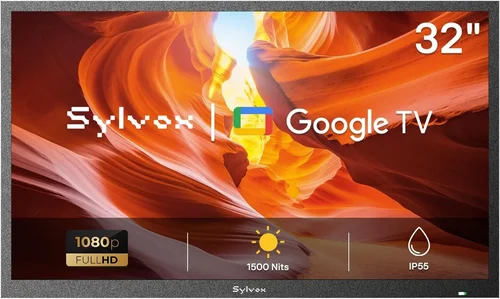
❌ Mistake: Assuming All Indoor TVs Work in Cold Weather
Why it’s bad: Many buyers grab the cheapest TV they can find without checking its operating temperature range. Result? The TV won’t turn on in winter, displays ghosting, or suffers permanent LCD damage from thermal stress.
What to do instead: Always verify the manufacturer’s specified operating temperature. If it’s not listed, assume it’s not suitable for cold use. When in doubt, choose a model known for robust thermal performance or limit outdoor use to above-freezing days.
❌ Mistake: Skimping on Brightness for the Sake of Price
Why it’s bad: A dim TV might look fine indoors, but outdoors—even in winter—ambient light washes out the image. You’ll end up squinting or watching in total darkness, defeating the purpose of outdoor viewing.
What to do instead: Prioritize brightness (500+ nits) over fancy features like 8K resolution. A brighter 1080p TV will outperform a dim 4K model in real-world backyard conditions.
❌ Mistake: Ignoring Condensation Risks
Why it’s bad: Bringing a cold TV indoors causes moisture to form on internal components, potentially leading to short circuits or corrosion. This is especially risky in humid climates.
What to do instead: Let the TV acclimate to room temperature for several hours before powering it on. Store it in a sealed plastic bag with desiccant packs if moving between extreme temperatures frequently.
❌ Mistake: Buying Without Checking Return Policies
Why it’s bad: If the TV fails in cold weather and the retailer won’t accept returns, you’re stuck with a useless appliance. Some sellers exclude “environmental damage” from coverage.
What to do instead: Purchase from retailers with at least a 30-day return window and clear warranty terms. Test the TV in your intended environment immediately after delivery.
❌ Mistake: Overlooking Audio Needs
Why it’s bad: Most budget TVs have weak built-in speakers that get drowned out by wind, traffic, or nature sounds. You’ll miss dialogue and immersion.
What to do instead: Budget for a compact Bluetooth speaker or soundbar. Many affordable options (like the TaoTronics SoundSurge or Anker Soundcore) deliver rich audio and pair easily with your TV.
❌ Mistake: Choosing the Wrong Mounting Solution
Why it’s bad: A wobbly stand or incompatible wall mount can lead to falls, especially in windy conditions. Outdoor mounting requires sturdier hardware than indoor use.
What to do instead: Use a heavy-duty, weather-resistant mount rated for your TV’s size and weight. For temporary setups, consider a weighted base or anti-tip strap.
❌ Mistake: Neglecting Software Updates
Why it’s bad: Outdated firmware can cause app crashes, connectivity issues, or security vulnerabilities—especially problematic if you rely on streaming services.
What to do instead: Choose a TV with a reputable smart platform (Roku, Google TV, Fire TV) that receives regular updates. Manually check for updates every few months.
Budget Guidelines: How Much Should You Spend?
Entry-Level ($150–$250): At this price point, expect basic 32- to 43-inch LED TVs with 1080p resolution, limited smart features, and minimal brightness (300–400 nits). These are best for fully covered, sheltered areas and mild winter use. Brands like TCL 3-Series or Hisense A4 offer decent value, but don’t expect cold-weather resilience or long-term durability. Ideal for occasional use or as a secondary screen.
Mid-Range ($250–$400): This is the sweet spot for most backyard viewers. You’ll find 43- to 55-inch models with 4K resolution, 500+ nits brightness, and robust smart platforms (Roku or Google TV). Many include better thermal tolerances and improved build quality. Look for TCL 5-Series, Hisense U6, or Vizio V-Series. These handle light cold exposure well and offer excellent picture quality for the price.
Premium ($400–$600): Here, you gain access to higher-end features like QLED panels, local dimming, and wider operating temperature ranges. Models like the Samsung Q60C or LG UR20 can function down to 14°F and deliver vibrant colors even in daylight. These are suitable for semi-permanent outdoor setups with basic weather protection.
Luxury ($600+): While true outdoor TVs (like those from SunBrite or Samsung’s Terrace line) start around $1,500, you can approach luxury territory with premium indoor models paired with high-quality enclosures. These offer the best performance, longevity, and peace of mind—but are overkill unless you’re committed to year-round outdoor entertainment.
Expert Tips for Getting the Best Deal
- Shop During Off-Season Sales: The best time to buy a TV for cold-weather use is late winter or early spring (February–April). Retailers clear out inventory before new models arrive, offering discounts of 20–40% on previous-year models.
- Compare Refurbished Options: Certified refurbished TVs from manufacturers like Samsung, LG, or Best Buy often come with full warranties and sell for 25–50% less than new. Just ensure they’re not “open-box” returns with cosmetic flaws.
- Use Price Tracking Tools: Websites like CamelCamelCamel (for Amazon) or Honey track price history and alert you to drops. Set alerts for your desired model and pounce when prices hit yearly lows.
- Check Warehouse Clubs: Costco, Sam’s Club, and BJ’s often carry exclusive TV bundles with extended warranties or free installation—great for added value.
- Negotiate at Big-Box Stores: If you’re buying in-store, ask about price matching, bundle deals, or open-box discounts. Employees may have flexibility, especially near closing time.
- Test Before Committing: If possible, visit a store to check screen brightness, remote responsiveness, and menu navigation. Online specs don’t always reflect real-world performance.
- Read the Fine Print on Warranties: Some warranties void coverage if the TV is used outdoors—even under cover. Confirm terms before purchasing.
- Consider Total Cost of Ownership: A slightly more expensive TV with better efficiency and durability may save you money long-term compared to a cheap model that fails after one season.

Frequently Asked Questions
Q: Can I use a regular indoor TV outside in winter?
A: Yes—but only in protected areas like covered patios, screened porches, or garages. Ensure the TV’s operating temperature range includes your local winter lows, and never expose it to direct rain, snow, or high humidity. Always bring it indoors or power it off during extreme cold snaps.
Q: Will my TV turn on if it’s below freezing?
A: It depends on the model. Many modern TVs will refuse to power on below 32°F as a safety measure. Check your user manual. If your TV won’t start, let it warm up indoors for several hours before trying again.
Q: Do I need a special outdoor TV enclosure?
A: Only if you’re placing the TV in an uncovered area. Enclosures protect against rain, dust, and UV damage but add cost and complexity. For covered spaces, a standard indoor TV is usually sufficient.
Q: How do I prevent condensation when moving my TV between indoors and outdoors?
A: Seal the TV in a plastic bag with silica gel packets before moving it. Let it acclimate to the new temperature for 4–6 hours before unsealing and powering on. Avoid rapid temperature changes.
Q: Are portable TVs worth it for backyard use?
A: Absolutely—if you value mobility. Battery-powered models like the SunBrite Veranda or smaller 12V TVs are perfect for camping, tailgating, or temporary setups. Just expect shorter battery life (2–6 hours) and smaller screens (24–32 inches).
Q: What’s the minimum brightness I should look for?
A: Aim for at least 500 nits for decent visibility in daylight. If your viewing area is fully shaded, 400 nits may suffice—but brighter is always better for outdoor use.
Q: Can I leave my backyard TV plugged in all winter?
A: It’s not recommended. Power surges, moisture buildup, and temperature fluctuations can degrade components over time. Unplug and store the TV indoors during prolonged cold spells or when not in use.
Q: Do smart TVs work well with weak Wi-Fi signals outdoors?
A: Not always. Walls, metal siding, and distance can weaken signals. Consider a Wi-Fi extender or mesh network to boost coverage to your backyard. Alternatively, use a wired Ethernet connection if running a cable is feasible.
Q: Is 4K necessary for a backyard TV?
A: Not really. At typical outdoor viewing distances (6–10 feet), the difference between 1080p and 4K is barely noticeable. Save your budget for brightness, durability, and smart features instead.
Q: How long will a budget backyard TV last?
A: With proper care, 3–5 years is realistic. Avoid extreme temperatures, protect from moisture, and update firmware regularly. Higher-quality mid-range models may last longer.
Our Final Recommendations
Best for Budget-Conscious Buyers: TCL 43S5400 – A 43-inch 4K Roku TV with 500 nits brightness, solid build quality, and reliable cold-weather performance down to 23°F. Priced under $250, it’s hard to beat for value.
Best Overall Value: Hisense 50U6HF – This 50-inch ULED model offers quantum dot color, 600 nits brightness, and Google TV integration. It handles temperatures down to 14°F and delivers stunning picture quality for under $400.
Best Premium Option: Samsung QN50Q60CA – With QLED technology, 700 nits brightness, and an operating range down to 14°F, this 50-inch TV is ideal for serious outdoor enthusiasts who want top-tier performance without buying a full outdoor model.
Best for Beginners: Vizio V435-J01 – Simple setup, intuitive SmartCast platform, and decent 450 nits brightness make this a great starter TV for casual backyard use. Affordable at $220.
Best for Advanced Users: LG 55UR20 – Features AI-enhanced picture processing, webOS smart platform, and excellent thermal management. Supports HDMI 2.1 for future-proofing and works reliably in cold conditions.
Conclusion: Making the Right Choice
Finding a cheap backyard TV that performs well in cold weather isn’t about sacrificing quality—it’s about making smart, informed decisions. By focusing on temperature tolerance, brightness, build quality, and smart features, you can enjoy outdoor entertainment without overspending. Remember: the cheapest option isn’t always the best value, and the most expensive model isn’t necessary for casual use.
Prioritize your specific needs—whether that’s portability, durability, or ease of use—and don’t overlook accessories like mounts, speakers, and protective covers. With the insights from this guide, you’re equipped to navigate the market confidently and choose a TV that delivers years of enjoyment, season after season.
So go ahead—set up that backyard cinema, host a winter movie night, or simply unwind under the stars with your favorite show. The perfect affordable outdoor TV is out there. All you have to do is pick the one that fits your life.

