
Outdoor sports watching has evolved dramatically over the past decade. No longer confined to the living room, passionate fans now want to catch every touchdown, goal, or home run while enjoying fresh air, backyard barbecues, or poolside relaxation. But standard indoor TVs simply aren’t built to withstand the elements—rain, humidity, extreme temperatures, dust, and even intense sunlight can damage sensitive electronics in minutes. This is where weatherproof TVs come into play: purpose-built displays designed specifically for outdoor use. Whether you’re setting up a permanent outdoor entertainment zone or planning a seasonal viewing area, investing in a weatherproof TV ensures reliable performance, longevity, and an immersive sports-watching experience no matter the forecast.
This comprehensive buying guide is crafted for anyone serious about bringing high-quality sports viewing outdoors—from weekend grill masters to dedicated sports fans who refuse to miss a game. You’ll learn how to evaluate critical factors like durability ratings, display brightness, smart features, and installation requirements. We’ll walk you through the different types of weatherproof TVs available, highlight common pitfalls to avoid, and provide expert-backed recommendations based on real-world performance and value. By the end, you’ll have the knowledge and confidence to choose a TV that delivers crisp visuals, robust protection, and years of reliable service—even when Mother Nature throws her worst at it.
The market for outdoor TVs has matured significantly, with major brands like Samsung, LG, Sony, and specialized manufacturers such as SunBriteTV, Seura, and Peerless-AV offering models tailored to various climates and budgets. From fully sealed “all-weather” units to partial enclosures paired with indoor TVs, options abound—but not all are created equal. Some prioritize brightness for daytime viewing, while others focus on thermal management or resistance to condensation. Understanding these nuances is key to making a smart investment. This guide cuts through the marketing noise and delivers actionable insights so you can pick the right weatherproof TV for your unique setup, whether it’s a covered patio, an open-air deck, or a fully exposed backyard stadium.

What to Look for When Buying Buying Guide
1. IP Rating & Weather Resistance
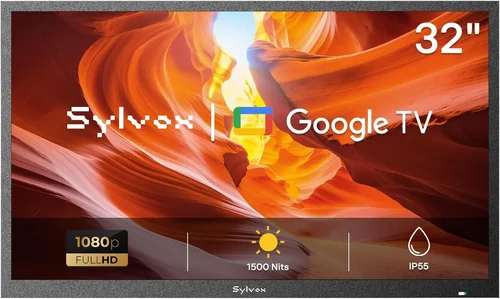
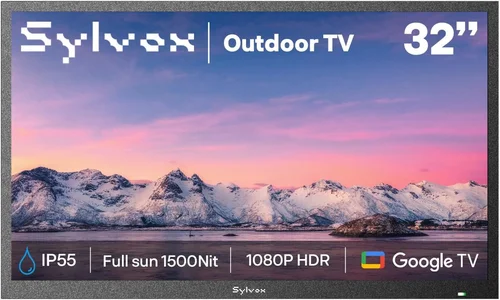
The Ingress Protection (IP) rating is your first line of defense when evaluating a weatherproof TV. This two-digit code tells you exactly how well the TV resists dust and water. The first digit ranges from 0 to 6 (dust protection), and the second from 0 to 9 (water resistance). For outdoor use, look for a minimum rating of IP54—this means the TV is protected against splashing water and limited dust ingress. However, for full outdoor exposure (like an uncovered patio or beachfront deck), aim for IP55 or higher. An IP55-rated TV can handle low-pressure water jets from any direction, making it ideal for rainy climates. Some premium models even reach IP65 or IP66, offering near-total protection against dust and powerful water streams.
Beyond the IP rating, consider additional sealing features. High-end weatherproof TVs often include gasket-sealed ports, corrosion-resistant internal components, and vent-free designs that prevent moisture buildup. These features are crucial for long-term reliability, especially in humid or coastal environments where salt air can accelerate corrosion. Don’t assume that “outdoor-rated” automatically means fully weatherproof—some manufacturers use vague marketing terms without rigorous testing. Always verify the IP rating and look for third-party certifications or independent lab test results.
2. Display Brightness & Anti-Glare Technology
One of the biggest challenges for outdoor TVs is visibility in bright daylight. Standard indoor TVs typically peak at 300–500 nits of brightness, which is easily overpowered by direct sunlight. For outdoor sports viewing—especially during afternoon games or sunny weekends—you need a display capable of at least 700 nits, with many premium models exceeding 1,000 nits. This high luminance ensures that colors remain vibrant and details stay sharp even under harsh lighting conditions.
Equally important is anti-glare or anti-reflective coating. Without it, sunlight reflecting off the screen can create blinding glare, ruining the viewing experience. Look for TVs with optically bonded glass and matte finishes that diffuse light rather than reflect it. Some manufacturers, like SunBriteTV, use proprietary technologies such as “OptiView” to enhance contrast and reduce reflections. Additionally, consider the screen’s viewing angle—wide-angle panels (like those using IPS technology) allow multiple viewers to enjoy consistent image quality from different positions around the TV, which is essential for group sports gatherings.
3. Thermal Management & Operating Temperature Range
Outdoor environments experience extreme temperature fluctuations—from freezing winter nights to scorching summer afternoons. A weatherproof TV must be engineered to operate reliably across these conditions. Most quality outdoor TVs specify an operating temperature range, typically between -22°F (-30°C) and 122°F (50°C). This ensures the internal components won’t fail during sudden weather changes or prolonged exposure.
Effective thermal management is critical. Unlike indoor TVs that rely on passive cooling, outdoor models often include active cooling systems such as internal fans or heat sinks. These help dissipate heat generated by the high-brightness backlight and prevent overheating during extended use. Conversely, in cold climates, some TVs feature built-in heaters to keep internal temperatures above the minimum threshold. Poor thermal design can lead to premature component failure, color shifting, or even complete shutdowns. Always check the manufacturer’s specifications for both operating and storage temperature ranges, and avoid placing the TV in direct sunlight without adequate ventilation or shade.
4. Build Quality & Enclosure Design
The physical construction of a weatherproof TV is just as important as its electronic specs. The enclosure should be made from durable, UV-resistant materials like powder-coated aluminum or reinforced polymer. These materials resist fading, cracking, and warping caused by prolonged sun exposure. Avoid plastic housings that may degrade over time—especially in regions with intense UV radiation.
Pay attention to cable management and port protection. Outdoor TVs should feature sealed input panels with rubber grommets or flip-up covers to prevent water and dust from entering HDMI, USB, or power ports. Some models include built-in cable channels or rear access panels for clean, protected wiring. Additionally, the mounting system must be robust and compatible with outdoor-rated brackets. Many weatherproof TVs are VESA-compatible but require specialized mounts designed to handle wind loads and corrosion. A flimsy mount can lead to instability or even detachment during storms.
5. Smart Features & Connectivity
Modern outdoor TVs aren’t just about durability—they also need to deliver a seamless smart experience. Look for models running full-featured operating systems like Android TV, webOS (LG), or Tizen (Samsung), which support popular streaming apps such as Netflix, YouTube, ESPN+, and Hulu. This allows you to watch live sports, replays, and highlights without needing an external streaming device.
Connectivity options are equally vital. Ensure the TV has multiple HDMI ports (preferably HDMI 2.0 or higher for 4K/60Hz), USB ports for media playback, and Wi-Fi/Bluetooth for wireless streaming. Some models include built-in tuners for over-the-air broadcasts, which is useful for accessing local sports channels without a cable subscription. Voice control via Google Assistant or Alexa is a nice bonus, enabling hands-free operation during cookouts or gatherings. However, avoid TVs with limited app support or outdated software—these can become obsolete quickly and limit your content options.
6. Audio Performance & External Speaker Compatibility
While visuals are paramount, audio quality shouldn’t be overlooked—especially when cheering for your team outdoors. Most weatherproof TVs come with built-in speakers, but these are often modest due to space and sealing constraints. Expect basic stereo sound that may lack depth or volume, particularly in noisy environments like pool parties or windy patios.
To enhance the audio experience, look for TVs with audio output options such as optical digital audio, RCA, or Bluetooth. This allows you to connect external weatherproof speakers, soundbars, or even a full outdoor audio system. Some manufacturers offer matching speaker kits designed to withstand the same environmental conditions as the TV. If you plan to host large gatherings, investing in a dedicated outdoor audio setup will significantly improve immersion and ensure everyone hears the commentary and crowd noise clearly.
7. Installation & Mounting Flexibility
Proper installation is crucial for both performance and safety. Weatherproof TVs are heavier than indoor models due to their reinforced enclosures, so they require sturdy mounting solutions. Most are compatible with standard VESA patterns (e.g., 200×200, 400×400), but always verify compatibility with your chosen mount.
Consider the TV’s placement carefully. Ideally, it should be installed under a covered area like a pergola, gazebo, or roof overhang to minimize direct exposure to rain and sun. If full coverage isn’t possible, use a weatherproof TV cover when the TV is not in use. Tilt and swivel mounts offer flexibility for adjusting the viewing angle, which is helpful if the TV is placed high on a wall or in a corner. Professional installation is recommended for permanent setups, especially in high-wind areas or elevated locations.
8. Warranty & Manufacturer Support
Outdoor electronics face harsher conditions than indoor devices, so a strong warranty is essential. Look for manufacturers that offer at least a 2–3 year warranty covering both parts and labor. Some premium brands, like SunBriteTV, provide up to 3 years of comprehensive coverage, including protection against weather-related damage. This is a significant advantage over standard indoor TV warranties, which typically exclude environmental factors.
Customer support responsiveness matters too. If your TV develops an issue, you’ll want prompt service—especially during peak sports seasons. Research user reviews to gauge the brand’s reputation for reliability and after-sales support. Avoid lesser-known brands with limited service networks or unclear warranty terms. A good warranty not only protects your investment but also reflects the manufacturer’s confidence in their product’s durability.
Different Types of Buying Guide

Common Buying Mistakes to Avoid
❌ Mistake: Assuming All “Outdoor TVs” Are Fully Weatherproof
Why it’s bad: Many retailers market TVs as “outdoor-ready” even if they’re just indoor models sold with a basic cover. These setups often lack proper sealing, thermal management, or UV protection, leading to rapid degradation or failure when exposed to rain, humidity, or sunlight.
What to do instead: Always verify the IP rating and look for dedicated all-weather models from reputable brands. If using an indoor TV, pair it with a certified outdoor enclosure that matches the TV’s dimensions and provides adequate ventilation and sealing.
❌ Mistake: Ignoring Brightness Requirements for Daytime Viewing
Why it’s bad: A dim screen will appear washed out under direct sunlight, making it impossible to see player movements, scoreboards, or fast-paced action—ruining the entire sports-watching experience.
What to do instead: Choose a TV with at least 700 nits of brightness and anti-glare coating. For peak daytime use, aim for 1,000+ nits. Test the screen in similar lighting conditions if possible, or rely on verified user reviews from buyers in sunny climates.
❌ Mistake: Overlooking Audio Needs in Outdoor Spaces
Why it’s bad: Built-in TV speakers are often too quiet for outdoor environments, where ambient noise (wind, traffic, chatter) can drown out commentary and sound effects.
What to do instead: Plan for external weatherproof speakers or a soundbar from the start. Look for TVs with optical audio output or Bluetooth support to easily connect high-quality audio systems.
❌ Mistake: Skimping on Mounting Hardware
Why it’s bad: Using indoor mounts or flimsy brackets can result in instability, vibration, or even the TV falling during windy conditions—posing a serious safety risk.
What to do instead: Invest in a heavy-duty, corrosion-resistant outdoor mount rated for your TV’s weight and size. Consider tilt/swivel features for optimal viewing angles and consult a professional installer if needed.
❌ Mistake: Neglecting Power and Cable Management
Why it’s bad: Exposed cables are vulnerable to water damage, rodent chewing, and tripping hazards. Poor cable routing can also compromise the TV’s weather sealing.
What to do instead: Use waterproof conduit, cable raceways, or in-wall wiring where permitted. Ensure all connections are sealed with grommets or silicone, and keep power sources protected with GFCI outlets.
❌ Mistake: Buying Based Solely on Price
Why it’s bad: The cheapest option may save money upfront but cost more in repairs, replacements, or poor performance over time. Outdoor TVs are long-term investments.
What to do instead: Balance budget with key features like IP rating, brightness, warranty, and build quality. A mid-range model with solid specs often offers better value than a bargain bin TV or an overly expensive luxury unit.
❌ Mistake: Forgetting About Software Updates and App Support
Why it’s bad: Outdated operating systems may lose app compatibility, security patches, or streaming service support, leaving you unable to access live sports or new content.
What to do instead: Choose a TV with a modern OS and a track record of regular updates. Check the manufacturer’s update policy and user forums for long-term software reliability.
Budget Guidelines: How Much Should You Spend?
- Entry-Level ($800 – $1,500): Ideal for covered patios or temporary setups. Expect basic weather resistance (IP54), moderate brightness (500–700 nits), and limited smart features. Often involves pairing an indoor TV with a third-party enclosure. Best for casual viewers who prioritize affordability over premium performance.
- Mid-Range ($1,500 – $2,800): The sweet spot for most homeowners. These TVs offer full weatherproofing (IP55+), high brightness (800–1,200 nits), robust build quality, and full smart functionality. Brands like SunBriteTV and Seura dominate this tier with reliable, well-supported models perfect for year-round sports viewing.
- Premium ($2,800 – $4,500): Designed for enthusiasts and serious outdoor entertainers. Features include extreme brightness (1,500+ nits), advanced thermal systems, commercial-grade materials, and extended warranties. Ideal for fully exposed areas or high-end backyard setups where performance and durability are non-negotiable.
- Luxury ($4,500+): Top-tier models with cutting-edge displays (OLED or QLED), ultra-high brightness, integrated audio systems, and bespoke design options. Often used in luxury homes, resorts, or commercial venues. While overkill for most, they deliver unparalleled image quality and longevity.
Expert Tips for Getting the Best Deal
- Buy During Off-Season: Prices for outdoor TVs drop significantly in late fall and winter (November–February) when demand is lowest. Retailers often clear inventory before spring launches. You can save 15–25% by timing your purchase right.
- Compare Bundled Packages: Some manufacturers offer TV + mount + speaker bundles at a discount. These can be more cost-effective than buying components separately, especially if the bundle includes professional installation.
- Check Manufacturer Refurbished Programs: Brands like SunBriteTV sell certified refurbished units with full warranties at 20–30% off retail. These are thoroughly tested and ideal for budget-conscious buyers who want premium quality.
- Read Real User Reviews: Look beyond star ratings. Focus on reviews from buyers in similar climates or usage scenarios (e.g., “used by the pool in Florida” or “mounted on a windy deck in Colorado”). Their experiences reveal long-term reliability issues not covered in specs.
- Verify Return and Exchange Policies: Outdoor TVs are difficult to return due to size and weight. Ensure the retailer offers a generous return window (30+ days) and covers return shipping in case of defects.
- Consider Energy Efficiency: High-brightness displays consume more power. Look for ENERGY STAR-certified models to reduce electricity costs, especially if the TV runs for hours during games.
- Test Before Finalizing Installation: Once mounted, run the TV through a full cycle—day and night, with streaming, live TV, and gaming—to confirm performance, connectivity, and audio sync before sealing cables or closing access panels.
- Register Your Warranty Immediately: Some manufacturers require registration within 30 days to activate full coverage. Keep receipts and documentation in a safe place.

Frequently Asked Questions
Q: Can I use a regular indoor TV outdoors if I cover it?
A: Technically yes, but it’s not recommended for long-term or fully exposed use. Indoor TVs lack proper sealing, thermal management, and UV protection. Even with a cover, moisture can seep in, and overheating is likely. For reliable performance, invest in a purpose-built weatherproof TV or a certified outdoor enclosure.
Q: Do weatherproof TVs work in extreme cold or heat?
A: Yes, but only if they’re rated for those conditions. Check the operating temperature range in the specs. Most quality models function from -22°F to 122°F. Avoid turning on the TV if it’s been stored in extreme cold—let it acclimate to room temperature first to prevent condensation.
Q: How do I clean a weatherproof TV screen?
A: Use a microfiber cloth slightly dampened with water or a screen-safe cleaner. Avoid ammonia-based products or abrasive materials. Never spray liquid directly on the screen—apply it to the cloth first. Wipe gently to avoid scratching the anti-glare coating.
Q: Can I mount a weatherproof TV on a swing arm or articulating bracket?
A: Yes, as long as the mount is rated for outdoor use and supports the TV’s weight and VESA pattern. Ensure all pivot points are sealed and corrosion-resistant. Avoid overextending the arm in high winds.
Q: Do weatherproof TVs support 4K and HDR?
A: Absolutely. Most modern outdoor TVs offer 4K resolution and HDR10/Dolby Vision support. This enhances sports viewing with richer colors, deeper contrasts, and finer detail—especially noticeable during fast-paced action.
Q: How long do weatherproof TVs typically last?
A: With proper installation and maintenance, a quality weatherproof TV can last 7–10 years or more. Indoor TVs used outdoors may fail within 1–3 years due to environmental stress.
Q: Can I use streaming devices like Roku or Apple TV with an outdoor TV?
A: Yes, but ensure the device is also protected from the elements. Use a weatherproof media box or place the streaming device indoors with an HDMI extender. Some outdoor TVs have built-in streaming platforms, eliminating the need for external devices.
Q: Are weatherproof TVs worth the extra cost?
A: If you plan to use your outdoor TV regularly—especially for sports—yes. The durability, brightness, and reliability justify the premium over indoor models. Think of it as investing in a long-term entertainment solution rather than a disposable gadget.
Q: What’s the difference between IP55 and IP65?
A: IP55 protects against low-pressure water jets and limited dust. IP65 offers complete dust protection and resistance to water projected from a nozzle. IP65 is better for areas with heavy rain or pressure washing.
Q: Can I leave my weatherproof TV on during a storm?
A: While the TV itself is weather-resistant, lightning poses a risk to all electronics. It’s safest to turn off and unplug the TV during severe storms. Use a surge protector for added protection.
Our Final Recommendations
- Best for Budget-Conscious Buyers: SunBriteTV Veranda Series (55″) – Offers excellent value with IP55 rating, 700-nit brightness, and full smart features under $2,000. Ideal for covered patios.
- Best Overall Value: Seura Shadow 43″ Outdoor TV – Combines sleek design, 1,000-nit brightness, and robust build quality at a competitive mid-range price. Great for semi-exposed areas.
- Best Premium Option: SunBriteTV Pro Series (65″) – Built for extreme conditions with 2,000-nit brightness, IP66 rating, and military-grade durability. Perfect for open decks or commercial use.
- Best for Beginners: Peerless-AV Neptune 50″ All-Weather TV – Easy setup, reliable performance, and strong customer support. A great entry point into outdoor viewing.
- Best for Advanced Users: LG OLED Posé Outdoor Edition – Cutting-edge OLED technology with exceptional contrast, ultra-thin design, and smart features. For those who demand the best image quality outdoors.
Conclusion: Making the Right Choice
Choosing the right weatherproof TV for outdoor sports watching isn’t just about picking the shiniest screen or the lowest price—it’s about matching your specific environment, usage habits, and performance expectations to a TV engineered to thrive outside. From understanding IP ratings and brightness needs to avoiding common installation pitfalls, this guide has equipped you with the knowledge to make a confident, informed decision. Remember: outdoor electronics face relentless challenges, so prioritize durability, visibility, and support over flashy extras.
Start by assessing your space—Is it fully exposed or covered? How many people will typically watch? What’s your typical viewing time (day vs. night)? Then, align those needs with the right budget tier and feature set. Don’t rush the process. A well-chosen weatherproof TV will deliver years of thrilling game days, unforgettable playoff moments, and seamless streaming—rain or shine. When you’re ready, use our recommendations and expert tips to find the perfect model, and get ready to take your sports fandom to the great outdoors.

