
If you’re lucky enough to live in an apartment with access to a shared or private pool area, you already know that outdoor living spaces are more than just a luxury—they’re lifestyle enhancers. But what if you could elevate that experience even further? Enter the poolside TV: a sleek, weather-resistant display that turns your pool deck into a full-fledged entertainment zone. Whether you’re hosting summer barbecues, unwinding after work with a movie under the stars, or catching the big game while floating on an inflatable lounger, a poolside TV adds convenience, comfort, and a touch of modern sophistication.
However, buying a TV for outdoor use—especially in an apartment setting—isn’t as simple as grabbing the biggest screen from your local electronics store. Unlike indoor TVs, poolside models must withstand humidity, splashes, UV exposure, temperature swings, and sometimes even salt air if you’re near the coast. Plus, apartment dwellers often face unique constraints like limited space, shared walls, noise concerns, and strict building regulations. That’s why this comprehensive buying guide exists: to help you navigate the complexities of choosing the right poolside TV for your specific needs, budget, and environment.
In this guide, you’ll learn everything you need to know before making a purchase. We’ll break down the key factors that matter most—from weather resistance and brightness to smart features and installation options. You’ll discover the different types of outdoor TVs available, understand common pitfalls to avoid, and get expert-backed advice on how to stretch your dollar without sacrificing quality. Whether you’re working with a tight budget or ready to invest in a premium setup, this guide will empower you to make a confident, informed decision. By the end, you’ll not only know what to buy—but why it’s the right choice for your apartment poolside oasis.
What to Look for When Buying a Poolside TV
1. Weather Resistance & IP Rating
When it comes to outdoor electronics, weather resistance isn’t optional—it’s essential. A standard indoor TV will quickly fail when exposed to moisture, dust, or extreme temperatures. That’s why every poolside TV must have a robust Ingress Protection (IP) rating. The IP rating consists of two numbers: the first indicates protection against solid particles (like dust), and the second measures resistance to liquids (like rain or splashes).
For poolside use, look for a minimum IP55 rating—this means the TV is protected from limited dust ingress and water jets from any direction. However, if your TV will be directly exposed to rain, sprinklers, or frequent splashing (common in apartment pool decks), aim for IP65 or higher. IP65 offers complete dust protection and resistance to low-pressure water jets, making it ideal for most outdoor environments. Some premium models even boast IP66 or IP67 ratings, which provide even greater durability against heavy rain or temporary submersion.
Beyond the IP rating, consider the TV’s overall build. Look for sealed ports, corrosion-resistant materials (like aluminum or marine-grade steel), and UV-resistant coatings to prevent fading or cracking from sun exposure. Also, check whether the TV is designed for all-season use—some models can operate safely in temperatures ranging from -22°F to 122°F (-30°C to 50°C), which is crucial if you live in a region with harsh winters or scorching summers.
2. Brightness & Display Quality
One of the biggest challenges of outdoor viewing is glare. Sunlight reflecting off water, concrete, or glass can wash out even the brightest indoor screens. That’s why brightness—measured in nits—is arguably the most critical spec for a poolside TV. While most indoor TVs range from 200 to 500 nits, outdoor models typically start at 700 nits and go well beyond.
For shaded or partially covered pool areas, a TV with 1,000 to 1,500 nits is usually sufficient. But if your screen will be in direct sunlight for part of the day, aim for 2,000 nits or higher. Some high-end outdoor TVs now feature anti-glare coatings, optical bonding (which reduces internal reflections), and high dynamic range (HDR) support to maintain color accuracy and contrast even in bright conditions.
Display technology also matters. LED/LCD panels are the most common and cost-effective, offering good brightness and color reproduction. QLED models deliver richer colors and better brightness thanks to quantum dot technology, making them excellent for vibrant daytime viewing. OLEDs, while stunning indoors, are generally not recommended for outdoor use due to their lower peak brightness and susceptibility to burn-in under constant bright light.
Resolution is another factor. While 4K UHD is now standard even on mid-range models, ensure your chosen TV supports HDR10 or Dolby Vision for enhanced contrast and color depth. And don’t forget about viewing angles—especially important if multiple people will be watching from different spots around the pool. Look for TVs with wide viewing angles (178° horizontal/vertical) to avoid color shifts when viewed off-center.
3. Size & Placement Flexibility
Apartment pool areas are often compact, so size matters—not just in terms of screen diagonal, but also depth, weight, and mounting options. A 75-inch TV might seem tempting, but if your balcony or deck is only 10 feet wide, it could overwhelm the space and strain your mounting solution.
Start by measuring your available wall or stand space, including clearance for ventilation and cable management. Most outdoor TVs are slightly thicker than indoor models due to their protective enclosures, so factor in at least 2–3 extra inches of depth. Weight is another consideration: outdoor TVs can weigh 20–50% more than their indoor counterparts. Ensure your mounting hardware—and the wall itself—can support the load.
Mounting flexibility is key for apartments. Look for TVs compatible with VESA standards (common patterns like 200×200, 400×400, etc.) so you can use universal outdoor mounts. Tilt, swivel, and full-motion mounts allow you to adjust the screen angle for optimal viewing from loungers, chairs, or even the pool itself. Some models come with built-in mounting kits, while others require separate purchases—always verify compatibility before buying.
If wall mounting isn’t an option (due to rental restrictions or structural limitations), consider a freestanding outdoor TV enclosure or a portable outdoor TV cart. These allow you to move the TV as needed and store it indoors during off-seasons, which is ideal for renters.
4. Smart Features & Connectivity
Today’s best poolside TVs aren’t just displays—they’re smart entertainment hubs. Built-in Wi-Fi, Bluetooth, and streaming platforms like Android TV, webOS, or Roku make it easy to access Netflix, YouTube, Spotify, and more without needing a separate streaming box.
Look for models with voice control compatibility (Google Assistant or Alexa) so you can change channels or adjust volume hands-free—perfect when you’re lounging in the water. Multiple HDMI ports (at least 3–4) are essential for connecting soundbars, gaming consoles, cable boxes, or media players. USB ports allow for local media playback, while Ethernet ports offer a more stable connection than Wi-Fi in areas with weak signals.
Audio is often overlooked but critical. Most outdoor TVs have underpowered built-in speakers due to space constraints in their weatherproof casings. Consider pairing your TV with a waterproof Bluetooth speaker or a dedicated outdoor sound system for richer, louder audio that carries over pool noise. Some premium models include enhanced audio tech like Dolby Atmos or upward-firing speakers, but external audio is usually the better investment.
5. Power Requirements & Energy Efficiency
Outdoor TVs often run longer hours than indoor ones—think weekend movie marathons or all-day sports events—so energy efficiency matters. Check the TV’s power consumption (listed in watts) and look for ENERGY STAR certification, which indicates lower operational costs and reduced environmental impact.
Most outdoor TVs operate on standard 120V AC power, but running extension cords across a pool deck is a tripping hazard and potentially unsafe. If possible, have an electrician install a dedicated outdoor-rated outlet near your TV location. For added safety, use a GFCI (Ground Fault Circuit Interrupter) outlet, which cuts power instantly if it detects a fault—critical near water.
Some models offer low-power modes or automatic shutoff timers to save energy when not in use. Solar-powered outdoor TVs are emerging but still rare and expensive; they’re best suited for off-grid setups rather than apartment pools.
6. Brand Reputation & Reliability
Not all outdoor TV brands are created equal. Stick with manufacturers known for quality, innovation, and customer support. Established names like Samsung, LG, Sony, and Panasonic have expanded into outdoor markets with reliable, well-tested products. Specialized outdoor brands like SunBriteTV, Seura, and Avid Power focus exclusively on weather-resistant displays and often offer superior durability and features tailored to outdoor use.
Research brand reputation by reading professional reviews, checking BBB ratings, and scanning user forums. Pay attention to how companies handle warranty claims and whether they provide local service centers. A TV that breaks down after two years isn’t a bargain—even if it was cheap upfront.
7. Warranty & Support
Outdoor TVs are a significant investment, so protect it with a solid warranty. Most reputable brands offer 1–3 years of coverage, but some premium models include extended warranties or optional service plans. Read the fine print: many warranties are voided if the TV is installed incorrectly, used in unsupported climates, or exposed to conditions beyond its rating.
Look for brands that offer in-home service or easy return policies, especially important for heavy, bulky items. Customer support responsiveness matters too—can you reach a real person quickly if something goes wrong? Check online reviews for mentions of post-purchase support experiences.
8. Noise & Disturbance Considerations
In apartment complexes, noise travels. A loud TV can disturb neighbors, especially at night or in densely populated buildings. While you can’t control ambient pool noise, you can minimize TV-related disturbances.
Choose a TV with quiet operation—some outdoor models have nearly silent cooling fans or passive cooling systems. Avoid TVs with loud internal speakers; instead, use wireless headphones or direct audio to external speakers placed closer to your seating area. Also, be mindful of volume levels during evening hours—many apartments have quiet hours starting at 10 PM.
Some smart TVs include ambient light sensors that automatically adjust brightness based on surroundings, which can also help reduce glare and eye strain without cranking up the volume.
Different Types of Poolside TVs

Common Buying Mistakes to Avoid
❌ Mistake: Buying an Indoor TV for Outdoor Use
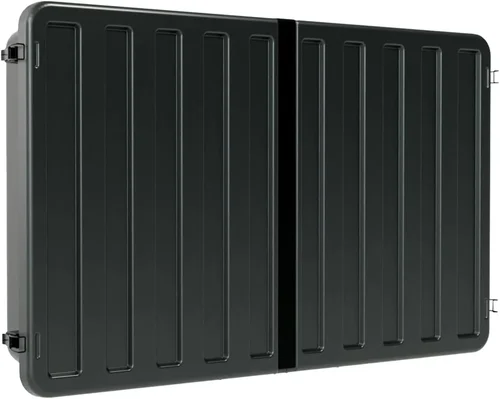
Why it’s bad: Indoor TVs lack weatherproofing, have low brightness, and aren’t built to handle temperature extremes. Using one outdoors risks electrical hazards, rapid degradation, and voided warranties. In humid or wet conditions, internal components can short-circuit, creating fire or shock risks.
What to do instead: Always choose a TV specifically designed for outdoor use. If budget is tight, pair a mid-range indoor TV with a certified outdoor enclosure—but never skip the enclosure.
❌ Mistake: Ignoring Brightness Requirements
Why it’s bad: A dim TV will be unwatchable in daylight, especially near reflective surfaces like water or light-colored concrete. You’ll end up squinting or only using it at night, defeating the purpose of a poolside setup.
What to do instead: Match brightness to your environment. Shaded areas need 1,000+ nits; sunny spots require 2,000+ nits. Check reviews that mention real-world outdoor visibility.
❌ Mistake: Overlooking Installation Constraints
Why it’s bad: Apartment walls may not support heavy mounts, and drilling into shared structures could violate lease agreements. Poorly mounted TVs can fall, causing injury or damage.
What to do instead: Consult your landlord or HOA before installing. Use freestanding stands or non-permanent mounts if drilling isn’t allowed. Hire a professional installer familiar with outdoor setups.
❌ Mistake: Skimping on Audio
Why it’s bad: Pool noise, wind, and distance drown out weak built-in speakers. You’ll constantly max out the volume, which disturbs neighbors and distorts sound.
What to do instead: Invest in a waterproof Bluetooth speaker or wired outdoor audio system. Place speakers near seating areas for clear, balanced sound without excessive volume.
❌ Mistake: Not Checking Local Regulations
Why it’s bad: Some apartment complexes restrict outdoor electronics due to noise, aesthetics, or safety concerns. Installing without approval could lead to fines or forced removal.
What to do instead: Review your lease agreement and HOA rules. Submit a formal request if needed—many communities allow outdoor TVs with proper documentation.
❌ Mistake: Forgetting About Seasonal Storage
Why it’s bad: Leaving a TV outside year-round in harsh climates (snow, ice, extreme heat) shortens its lifespan—even if it’s weather-rated.
What to do instead: Choose a portable model or plan to store the TV indoors during off-seasons. Use protective covers when not in use.
❌ Mistake: Prioritizing Size Over Usability
Why it’s bad: A massive TV in a tiny space feels overwhelming and may not fit viewing distance guidelines (ideal distance = 1.5x screen diagonal).
What to do instead: Measure your space and seating layout. A 55–65 inch TV is often perfect for most apartment pool areas.
Budget Guidelines: How Much Should You Spend?
Entry-Level ($500–$1,000): This tier includes indoor TVs paired with basic outdoor enclosures or older partial-cover models. Expect lower brightness (500–800 nits), limited smart features, and shorter lifespans. Best for shaded, temporary setups or renters on a tight budget. Examples: TCL 5-Series in a Sealoc enclosure.
Mid-Range ($1,000–$2,500): The sweet spot for most apartment dwellers. These are purpose-built partial-cover or all-weather TVs with 1,000–2,000 nits brightness, solid smart platforms, and reliable weather resistance. Great for covered decks or areas with indirect sun. Examples: SunBriteTV Veranda series, LG OLED Flex (with outdoor kit).
Premium ($2,500–$4,500): For enthusiasts who want top-tier performance and durability. These models offer 2,000+ nits, advanced anti-glare tech, premium audio, and robust all-weather construction. Ideal for direct sun exposure or luxury setups. Examples: Seura Shadow Series, Samsung The Terrace.
Luxury ($4,500+): Top-of-the-line mirror TVs, ultra-bright commercial-grade displays, or custom installations. These blend cutting-edge tech with high-end design, often doubling as art pieces. Best for penthouse pools or those unwilling to compromise on quality. Examples: Seura Mirror TV, Avid Power ProLux.
Expert Tips for Getting the Best Deal
– Buy during off-seasons: Prices drop significantly in fall and winter when demand for outdoor electronics slows. Look for Black Friday, Cyber Monday, or post-summer clearance sales.
– Compare bundled packages: Some retailers offer TV + mount + speaker bundles at discounted rates. These can save $200–$500 versus buying separately.
– Check refurbished or open-box deals: Reputable sellers like Best Buy Outlet or manufacturer-certified refurbished programs offer near-new TVs at 20–40% off.
– Negotiate with local installers: Many outdoor TV specialists offer package deals if you hire them for installation. Ask about discounts on both product and labor.
– Read return policies carefully: Outdoor TVs are often final sale due to their specialized nature. Ensure you have at least 14–30 days to test and return if needed.
– Verify compatibility before buying: Double-check VESA patterns, power requirements, and streaming app support. Don’t assume all smart platforms work equally well outdoors.
– Consider total cost of ownership: Factor in mounting hardware, cables, audio systems, and potential electrician fees. A cheaper TV may end up costing more overall.
– Join online communities: Forums like AVS Forum or Reddit’s r/outdoortv share real-user deals, installation tips, and brand reliability insights.
Frequently Asked Questions
Q: Can I use a regular TV by the pool if it’s under a roof?
A: Technically yes—but only if it’s fully protected from moisture, dust, and temperature swings. Even under cover, humidity and splashes can damage internal components over time. For long-term reliability, an outdoor-rated TV or enclosure is strongly recommended.
Q: Do outdoor TVs need special cables?
A: Yes. Use outdoor-rated HDMI and power cables that are UV-resistant and waterproof. Standard indoor cables degrade quickly when exposed to the elements.
Q: Will an outdoor TV work in winter?
A: It depends on the model. Check the operating temperature range. Most outdoor TVs function down to -22°F, but performance may degrade in extreme cold. Always store or cover the TV if temperatures drop below its rated limit.
Q: How do I clean an outdoor TV?
A: Use a microfiber cloth and mild glass cleaner. Avoid abrasive materials or ammonia-based cleaners, which can damage anti-glare coatings. Power off and unplug before cleaning.
Q: Can I mount an outdoor TV on a balcony railing?
A: Only if the railing is structurally sound and your lease allows it. Use a certified outdoor railing mount and ensure the TV is secured against wind. Consult your building manager first.
Q: Do outdoor TVs come with remotes that work in sunlight?
A: Most use standard IR remotes, which can struggle in bright light. Look for models with Bluetooth remotes or smartphone app control for better reliability outdoors.
Q: Is it safe to leave an outdoor TV on overnight?
A: Generally yes, but enable sleep timers or auto-shutoff features to save energy and reduce wear. Avoid leaving it on during storms or extreme weather.
Q: Can I stream 4K content outdoors without buffering?
A: Yes, if your Wi-Fi signal is strong. Use a 5GHz band for less interference, or hardwire via Ethernet. A mesh Wi-Fi system can boost coverage to your pool area.
Q: What’s the difference between “outdoor TV” and “weatherproof TV”?
A: “Outdoor TV” is a broad term; “weatherproof” implies full IP-rated protection against dust and water. Always check the IP rating—don’t rely on marketing terms alone.
Q: Can I use voice assistants outdoors?
A: Yes, but background noise (waves, chatter) can interfere. Place the TV in a quieter spot or use a dedicated outdoor voice remote for better accuracy.
Our Final Recommendations
Best for Budget-Conscious Buyers: TCL 6-Series (55″) + Sealoc Outdoor Enclosure
A fantastic value combo offering 4K HDR, 800+ nits brightness, and Roku OS—all protected by a durable, vented enclosure. Perfect for shaded apartment decks under $1,200.
Best Overall Value: SunBriteTV Veranda 3 (65″)
Purpose-built for partial-cover areas, this TV delivers 1,000 nits brightness, Android TV, and IP55 rating. Reliable, feature-rich, and priced fairly around $1,800.
Best Premium Option: Seura The Frame Outdoor (65″)
Blends stunning QLED display with art-mode functionality and full IP65 weatherproofing. Ideal for luxury apartment pools where design meets performance (~$3,500).
Best for Beginners: LG OLED Flex (48″) with Outdoor Kit
Compact, easy to set up, and incredibly bright for its size. Great for small balconies or first-time outdoor TV users (~$2,200 with kit).
Best for Advanced Users: Samsung The Terrace Full Sun (75″)
With 2,500 nits brightness, anti-reflective coating, and Dolby Atmos audio, this is the ultimate poolside experience—for those who demand the best (~$4,200).
Conclusion: Making the Right Choice
Choosing the right poolside TV for your apartment is about balancing performance, durability, budget, and practicality. It’s not just about having a screen outside—it’s about creating a seamless, enjoyable outdoor living experience that enhances your lifestyle without compromising safety or neighborly harmony. By prioritizing weather resistance, brightness, smart features, and proper installation, you’ll avoid costly mistakes and enjoy years of reliable entertainment.
Remember, the best TV for you depends on your specific environment. A shaded balcony doesn’t need the same specs as a fully exposed rooftop pool. Take time to assess your space, read real user reviews, and don’t rush into a purchase. And if you’re unsure, start with a mid-range partial-cover model—it offers the best blend of affordability and capability for most apartment dwellers.
Ultimately, a poolside TV should feel like a natural extension of your home, not a compromise. With the insights from this guide, you’re now equipped to make a smart, confident decision. So go ahead—transform your pool area into the ultimate urban retreat. Your future self (and your guests) will thank you.

