
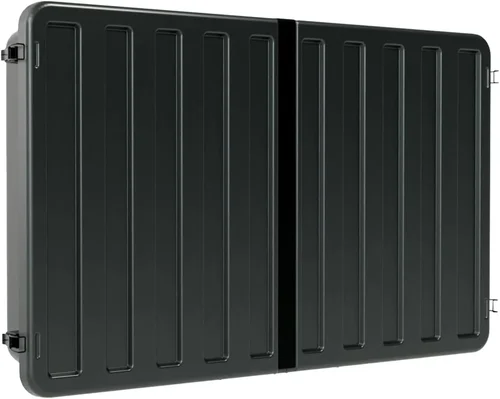
When it comes to enhancing outdoor living spaces in rental properties, few upgrades deliver as much value and tenant satisfaction as a well-chosen patio TV. Whether you’re managing a single-family home, a duplex, or an entire portfolio of vacation rentals, installing a weather-resistant television on the patio can significantly boost curb appeal, increase rental income, and set your property apart from the competition. But unlike indoor TVs, outdoor models face unique challenges—extreme temperatures, humidity, UV exposure, and potential vandalism or theft—all while needing to deliver reliable performance with minimal maintenance. That’s why choosing the right patio TV isn’t just about picture quality; it’s a strategic investment decision that balances durability, functionality, cost, and ease of use.
This comprehensive buying guide is designed specifically for landlords, property managers, and real estate investors who want to make smart, informed decisions when purchasing a patio TV for rental homes. You’ll learn how to evaluate key factors like weather resistance, installation requirements, smart features, and long-term reliability—without getting overwhelmed by technical jargon or marketing hype. We’ll walk you through the different types of outdoor TVs available, highlight common pitfalls to avoid, provide realistic budget guidelines, and share expert tips to help you get the best deal. By the end of this guide, you’ll have everything you need to select a patio TV that enhances your property’s value, delights your tenants, and stands up to the rigors of rental life.
The outdoor TV market has evolved dramatically over the past decade. What once required custom-built enclosures and expensive professional installations now includes a range of plug-and-play solutions tailored for both residential and commercial use. From fully sealed all-weather models to indoor TVs retrofitted with protective covers, options abound—but not all are created equal, especially in the context of rental properties where durability, security, and ease of replacement matter just as much as image quality. With advancements in display technology, smart connectivity, and ruggedized design, 2026 offers more viable choices than ever before. However, navigating this landscape requires a clear understanding of what truly matters when the screen lives under the sky.

What to Look for When Buying Buying Guide
1. Weather Resistance & IP Rating
Weather resistance is arguably the most critical factor when selecting a patio TV for a rental home. Unlike indoor televisions, outdoor models must withstand rain, snow, dust, extreme heat, and freezing temperatures without compromising performance or safety. The first thing to check is the TV’s Ingress Protection (IP) rating—a two-digit code that indicates how well the device resists solids (like dust) and liquids (like water). For outdoor use, look for a minimum rating of IP55, which means the TV is protected against dust ingress and low-pressure water jets from any direction. However, for full four-season protection—especially in areas with heavy rain or snow—an IP65 or higher rating is strongly recommended.
Beyond the IP rating, consider the TV’s operating temperature range. Most quality outdoor TVs can function between -22°F and 122°F (-30°C to 50°C), but cheaper models may fail in extreme cold or overheat in direct summer sun. Also, ensure the unit includes built-in thermal management, such as internal fans or heat sinks, to prevent overheating during prolonged use. Some premium models even feature automatic brightness adjustment based on ambient light, which not only improves visibility but also extends panel life by reducing strain in bright conditions.
2. Brightness & Display Quality
Outdoor visibility is a major challenge. Sunlight reflecting off glass or glare from nearby surfaces can wash out even the brightest indoor TVs. That’s why outdoor-specific models prioritize high luminance levels measured in nits. For shaded patios or covered decks, a brightness of 700–1,000 nits is usually sufficient. But if the TV will be installed in direct sunlight—even partially—you’ll need at least 1,500 nits, with 2,000+ nits being ideal for maximum clarity.
Look for displays with anti-reflective coatings and high contrast ratios to maintain image depth in bright conditions. OLED panels offer superior contrast but are rarely used in outdoor TVs due to cost and burn-in risks under constant static content (like news tickers or sports scores). Instead, most outdoor models use advanced LED-backlit LCDs with local dimming zones to enhance black levels. Resolution-wise, 4K UHD is now the standard, even for outdoor use, ensuring crisp detail whether you’re streaming nature documentaries or live sports. HDR support (HDR10, HLG, or Dolby Vision) further improves dynamic range, making skies bluer and shadows more detailed—but only if the content and source support it.
3. Build Quality & Durability
Rental properties demand equipment that can endure wear and tear, accidental bumps, and occasional misuse by tenants. A patio TV should be constructed with robust materials—powder-coated aluminum frames, tempered glass screens, and sealed internal components—to resist corrosion, rust, and physical damage. Avoid plastic-heavy builds, which degrade faster under UV exposure and are more prone to cracking.
Pay special attention to the mounting system. Many outdoor TVs come with proprietary wall mounts designed to integrate seamlessly with the unit’s weatherproofing. These mounts often include cable management channels and tilt/swivel adjustments for optimal viewing angles. Ensure the mount is included or readily available, and that it’s compatible with standard VESA patterns if you plan to use a third-party solution. Additionally, consider whether the TV has reinforced corners or rubberized edges to absorb impacts—a small detail that can prevent costly replacements after a tenant mishap.
4. Smart Features & Connectivity
Today’s renters expect smart functionality, and outdoor TVs are no exception. Built-in Wi-Fi, Bluetooth, and popular streaming platforms (like Netflix, YouTube, Disney+, and Amazon Prime Video) allow tenants to enjoy entertainment without needing external devices. Look for models running established operating systems such as Android TV, webOS, or Tizen, which offer regular updates, app stores, and voice control via Google Assistant or Alexa.
Connectivity options matter too. Ensure the TV has multiple HDMI ports (preferably HDMI 2.0 or higher for 4K/60Hz), USB inputs for media playback, and possibly an Ethernet port for stable wired internet—especially important in areas with weak Wi-Fi signals. Some models also include weatherproof external speaker outputs or optical audio ports for connecting soundbars or outdoor audio systems. Avoid TVs that rely solely on proprietary streaming sticks or dongles, as these can be lost, damaged, or incompatible with future updates.
5. Size & Viewing Distance
Choosing the right screen size depends on both the physical space and typical viewing distance. For most residential patios, a 43-inch to 55-inch TV strikes the ideal balance between visibility and proportion. Smaller screens (32–40 inches) work well for intimate seating areas or covered porches, while larger models (65+ inches) are better suited for spacious decks or poolside lounges where viewers sit 8–12 feet away.
Use the 1.5x rule as a guideline: multiply your average viewing distance (in inches) by 1.5 to estimate the ideal screen diagonal. For example, if tenants typically sit 6 feet (72 inches) from the TV, a 55-inch screen (72 ÷ 1.5 ≈ 48, rounded up) provides an immersive experience without overwhelming the space. Also, consider the TV’s bezel width—slim bezels create a more modern look and maximize screen real estate, which is especially valuable in compact outdoor setups.
6. Power Efficiency & Operating Costs
While outdoor TVs generally consume more power than indoor models due to higher brightness and cooling systems, energy efficiency still matters—especially in rental properties where utility costs may be passed on to tenants or factored into operating expenses. Look for ENERGY STAR-certified models, which use up to 30% less energy than standard units. LED backlighting, automatic brightness sensors, and sleep timers can further reduce consumption.
Consider the long-term cost of ownership. A slightly more expensive TV with lower wattage may save hundreds in electricity over its lifespan, particularly if it runs frequently during peak-rate hours. Also, check whether the TV supports scheduled on/off times—useful for automating usage during rental check-ins or seasonal closures. Some smart models even integrate with home automation systems, allowing remote control via smartphone apps—a handy feature for property managers overseeing multiple units.
7. Security & Theft Deterrence
In rental environments, theft and vandalism are real concerns. A patio TV left unattended can become a target, especially in high-traffic or short-term rentals like Airbnbs. To mitigate risk, choose models with built-in security features such as Kensington lock slots, tamper-resistant screws, or integrated alarm systems that trigger if the unit is moved or opened improperly.
Installation location also plays a role. Mount the TV high enough to discourage casual tampering but low enough for comfortable viewing. Use tamper-proof mounting hardware and consider adding a discreet security camera nearby. For added peace of mind, some landlords opt for removable or portable outdoor TVs that can be stored indoors when the property is vacant. While less convenient, this approach eliminates theft risk entirely and may be worth the trade-off for high-value units in vulnerable locations.
8. Warranty & Support
Given the harsh operating conditions, a strong warranty is non-negotiable. Most reputable outdoor TV manufacturers offer 2–3 years of coverage, with some extending to 5 years for commercial or rental use. Read the fine print: does the warranty cover weather-related damage? What about accidental breakage or power surges? Is on-site service available, or must you ship the unit back?
Customer support quality varies widely. Look for brands with responsive technical assistance, detailed installation guides, and readily available replacement parts. Avoid obscure or imported brands with limited U.S. support networks—you don’t want to be stuck with a broken TV and no way to fix it mid-season. Reading user forums and professional reviews can reveal which companies stand behind their products when issues arise.
Different Types of Buying Guide
Common Buying Mistakes to Avoid
❌ Mistake: Buying an Indoor TV for Outdoor Use
Why it’s bad: Indoor TVs lack weatherproofing, proper ventilation, and UV-resistant components. Exposure to moisture or temperature swings can cause immediate failure, electrical hazards, or voided warranties. Even with a cover, condensation buildup inside enclosures often leads to mold, corrosion, and screen damage.
What to do instead: Invest in a purpose-built outdoor TV or use a certified weatherproof enclosure designed for your specific indoor model. Never assume a plastic cover provides adequate protection—it doesn’t.
❌ Mistake: Ignoring Local Climate Conditions
Why it’s bad: A TV rated for mild coastal climates may fail in desert heat or northern winters. High humidity can corrode internal circuits, while freezing temps can crack screens or disable touch controls.
What to do instead: Match the TV’s specs to your region’s extremes. Check historical weather data and choose a model with an operating range that exceeds local records by at least 10–15 degrees.
❌ Mistake: Overlooking Installation Complexity
Why it’s bad: Poorly mounted TVs can fall, leak, or create tripping hazards. DIY installations without proper sealing may compromise weather resistance and void warranties.
What to do instead: Hire a certified installer familiar with outdoor AV setups, or choose plug-and-play models with simplified mounting systems. Always use waterproof conduit for cables.
❌ Mistake: Prioritizing Price Over Longevity
Why it’s bad: Cheap outdoor TVs often use inferior materials and lack thermal management, leading to frequent failures and high replacement costs over time.
What to do instead: View the purchase as a long-term investment. Spend slightly more upfront for a durable, well-supported model that lasts 5–7 years instead of replacing a $800 unit every 2 years.
❌ Mistake: Neglecting Tenant Usage Patterns
Why it’s bad: Installing a high-end 75-inch TV in a studio apartment patio wastes money and space. Conversely, a tiny 32-inch screen on a large deck frustrates viewers.
What to do instead: Survey typical tenant behavior—how many people gather? How far do they sit? Match screen size and features to actual usage, not marketing ideals.
❌ Mistake: Forgetting About Content Sources
Why it’s bad: A smart TV without reliable internet or compatible streaming apps limits usability. Tenants may resort to unauthorized devices, increasing clutter and security risks.
What to do instead: Ensure strong Wi-Fi coverage on the patio or provide a wired connection. Pre-load popular apps and consider a streaming device backup (e.g., Fire Stick in a locked box).
❌ Mistake: Skipping Theft Prevention Measures
Why it’s bad: Unsecured TVs are easy targets, especially in short-term rentals where turnover is high and accountability is low.
What to do instead: Use security mounts, visible signage (“Protected by 24/7 Surveillance”), and consider insurance coverage for high-value units.
Budget Guidelines: How Much Should You Spend?
- Entry-Level ($600–$1,200): Ideal for covered patios or seasonal use. Typically involves an indoor TV paired with a basic weatherproof enclosure. Expect 1080p or entry-level 4K resolution, limited smart features, and shorter lifespans (2–3 years). Best for landlords on tight budgets or low-demand properties.
- Mid-Range ($1,200–$2,500): The sweet spot for most rental homes. Includes true all-weather TVs with IP65 ratings, 1,500+ nits brightness, full smart platforms, and solid build quality. These models offer 4–6 years of reliable service and are easy to maintain. Perfect for year-round use in moderate climates.
- Premium ($2,500–$4,500): Designed for high-end rentals, luxury cabins, or properties in extreme environments. Features include 2,000+ nits brightness, advanced thermal management, commercial-grade components, and extended warranties. Often include professional installation support and remote monitoring capabilities.
- Luxury ($4,500+): Reserved for flagship vacation rentals or commercial hospitality use. These units boast 24/7 operation ratings, ultra-high brightness (3,000+ nits), modular designs for easy repair, and integration with smart home ecosystems. Expect top-tier brands like SunBrite, Samsung The Terrace, or LG OLED Flex Outdoor.

Expert Tips for Getting the Best Deal
- Buy During Off-Season: Prices drop significantly in late fall and winter (November–February) when demand for outdoor electronics declines. Many retailers clear inventory before spring launches.
- Bundle with Installation: Some manufacturers or AV specialists offer discounted rates when you purchase the TV and professional installation together—saving 15–25% versus separate purchases.
- Check Rental-Specific Programs: Brands like Seura and SkyVue offer leasing or bulk pricing for property managers. Inquire about commercial accounts or multi-unit discounts.
- Compare Total Cost of Ownership: Factor in warranty length, energy use, expected lifespan, and potential repair costs—not just the sticker price.
- Read Professional Installer Reviews: User reviews focus on picture quality; installer forums reveal real-world durability, ease of setup, and hidden flaws.
- Test Before Committing: If possible, rent or borrow a unit for a weekend to evaluate visibility, sound quality, and tenant reaction in your actual environment.
- Negotiate Return Policies: Ensure the retailer allows returns within 30–60 days, especially if the TV doesn’t perform as expected outdoors.
- Consider Refurbished Models: Certified refurbished outdoor TVs from reputable sellers often come with full warranties at 20–40% off retail—ideal for budget-conscious investors.

Frequently Asked Questions
Q: Can I use a regular TV outside if it’s under a covered patio?
A: Technically yes, but only with a certified weatherproof enclosure that provides active ventilation, moisture control, and UV protection. Passive covers are insufficient and can trap heat or humidity, leading to premature failure. Always check the enclosure’s IP rating and compatibility with your TV model.
Q: Do outdoor TVs need special wiring or electrical setups?
A: Most outdoor TVs use standard 120V outlets, but they should be connected to GFCI-protected circuits to prevent shock hazards. Run power cables through waterproof conduit, and avoid extension cords. For permanent installations, consult an electrician to ensure code compliance.
Q: How do I clean an outdoor TV screen?
A: Use a microfiber cloth slightly dampened with distilled water. Never spray liquid directly on the screen. For stubborn grime, mix water with a drop of mild dish soap. Avoid ammonia-based cleaners, which can damage anti-reflective coatings.
Q: Will an outdoor TV work in freezing temperatures?
A: Yes, if it’s rated for low-temperature operation (typically -22°F or lower). However, LCD screens may respond slower in extreme cold. Allow the TV to acclimate indoors before first use in winter.
Q: Can tenants damage the TV and avoid responsibility?
A: Include clear usage guidelines in your lease or rental agreement. Document the TV’s condition during move-in/move-out inspections. Consider requiring a security deposit addendum for high-value electronics.
Q: Are outdoor TVs loud enough for patio use?
A: Built-in speakers are often underpowered due to space and weather constraints. For better audio, connect a weather-resistant soundbar or outdoor speaker system via Bluetooth or optical output.
Q: Do I need internet on the patio for smart features?
A: Yes, for streaming. Extend your Wi-Fi with a weatherproof mesh node or use a wired Ethernet connection through the wall. Test signal strength before installation.
Q: How long do outdoor TVs typically last?
A: With proper care, quality models last 5–8 years. Cheaper units or those in harsh climates may fail in 2–3 years. Regular maintenance (cleaning vents, checking seals) extends lifespan.
Q: Can I mount an outdoor TV on a brick or stucco wall?
A: Absolutely. Use masonry anchors and ensure the mount is rated for the TV’s weight. Seal all drill holes with silicone caulk to prevent water intrusion.
Q: Is it worth buying a solar-powered outdoor TV for a rental?
A: Only if you’re off-grid or prioritize sustainability. Solar kits add complexity and cost, and most rentals have reliable grid power. Reserve solar for remote cabins or eco-certified properties.
Our Final Recommendations
- Best for Budget-Conscious Buyers: SunBrite Veranda Series 50-inch – A true all-weather TV under $2,000 with IP55 rating, 1,000 nits brightness, and Android TV. Great for covered patios and mild climates.
- Best Overall Value: Seura Outdoor 55-inch Ultra Bright – Priced around $2,800, it delivers 2,000 nits, IP65 protection, and excellent color accuracy. Ideal for year-round use in most U.S. regions.
- Best Premium Option: Samsung The Terrace 65-inch – At $4,200, it offers 3,000 nits, anti-glare coating, and seamless smart integration. Perfect for luxury rentals or high-exposure locations.
- Best for Beginners: SkyVue SV-43 Outdoor TV – Simple setup, includes mount, and priced at $1,600. No-frills but reliable for landlords new to outdoor AV.
- Best for Advanced Users: LG OLED Flex Outdoor (Custom Build) – Modular design, serviceable components, and 24/7 operation rating. Best for tech-savvy property managers who want full control and longevity.
Conclusion: Making the Right Choice
Selecting the right patio TV for your rental home is about more than just picking a screen that looks good outdoors—it’s about making a strategic investment that enhances property value, satisfies tenants, and minimizes long-term headaches. By focusing on weather resistance, brightness, durability, smart features, and security, you can avoid common pitfalls and choose a model that performs reliably season after season. Remember to align your choice with your property’s specific needs, local climate, and tenant expectations. Don’t let upfront cost alone drive your decision; consider total ownership expenses, warranty coverage, and ease of maintenance.
Whether you’re outfitting a cozy bungalow or a high-end vacation villa, the right patio TV can transform an ordinary outdoor space into a sought-after amenity. Use this guide as your roadmap, leverage the expert tips, and don’t hesitate to consult professionals when needed. With the right preparation, your investment will pay dividends in happier tenants, higher occupancy rates, and a stronger return on investment. Now’s the time to upgrade your rental’s outdoor experience—start shopping with confidence today.

