
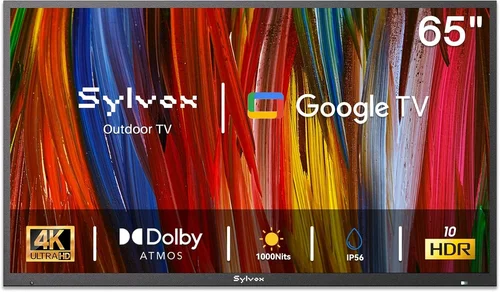
Whether you’re lounging by the pool on a hot summer afternoon or hosting a backyard barbecue under string lights, having a reliable TV on your covered patio can transform your outdoor living space into a true entertainment hub. But let’s be honest—most people don’t need (or want) to drop thousands of dollars on a fully weatherproof outdoor TV when they already have a functional indoor model gathering dust in the basement. That’s where budget poolside TVs come in: affordable, practical, and perfectly suited for covered outdoor areas that offer protection from direct rain, snow, and harsh UV exposure.
This guide is designed for homeowners, renters, and outdoor enthusiasts who want to enjoy their favorite shows, sports, or movies poolside without breaking the bank. You’ll learn how to identify the right TV for your covered patio, what features truly matter in an outdoor setting, and how to avoid common pitfalls that could leave you with a foggy screen or fried electronics. We’ll break down everything from display technology and brightness to mounting options and smart features—all through the lens of value and real-world usability.
The market for outdoor-friendly TVs has evolved significantly in recent years. While fully sealed, all-weather outdoor TVs from brands like SunBrite and Seura remain premium options costing $2,000+, many high-quality indoor TVs now perform exceptionally well in covered patios, gazebos, or screened-in porches—especially when paired with proper mounting and environmental safeguards. In this comprehensive buying guide, we’ll help you navigate the middle ground: finding a durable, bright, and feature-rich TV that delivers excellent performance outdoors without the luxury price tag. Whether you’re working with a tight budget or simply prioritizing smart spending, this guide will equip you with the knowledge to make a confident, informed decision.

What to Look for When Buying Buying Guide
1. Brightness & Display Technology
One of the most critical factors for any TV used in a semi-outdoor space is brightness. Even under a covered patio, ambient light from the sun—especially during midday or early evening—can wash out a dim screen. Look for a TV with a peak brightness of at least 400 nits, but ideally 500 nits or higher. For reference, most standard indoor TVs range between 250–400 nits, which may struggle in bright conditions.
Display technology also plays a key role. LED-LCD TVs dominate the budget and mid-range segments and offer excellent brightness at an affordable price. However, not all LED panels are created equal. Full-array local dimming (FALD) enhances contrast and black levels, but it’s rare in budget models. Instead, look for edge-lit LED TVs with good anti-reflective coatings—these help reduce glare from sunlight reflecting off the screen.
OLED TVs deliver superior contrast and viewing angles, but they’re generally more expensive and can suffer from burn-in if static images (like news tickers or sports scores) are displayed for long periods—something common during outdoor viewing. For covered patios, a high-brightness LED-LCD is usually the smarter, more durable choice.
2. Weather Resistance & Environmental Protection
Even though your TV will be under cover, it’s still exposed to humidity, temperature swings, dust, and occasional splashes—especially near pools. While you don’t need a fully waterproof TV, you do need one that can handle mild environmental stress. Avoid placing any TV directly above or adjacent to water features unless it’s specifically rated for outdoor use.
Look for TVs with sealed internal components or those that come with optional outdoor enclosures. Some manufacturers offer “weather-resistant” models designed for covered outdoor spaces. These often include protective coatings on circuit boards and enhanced ventilation to prevent moisture buildup. If your TV isn’t inherently weather-resistant, consider investing in a ventilated outdoor TV enclosure (more on that later).
Temperature tolerance is another factor. Most indoor TVs operate safely between 32°F and 95°F (0°C to 35°C). If your patio gets much hotter in summer or colder in winter—especially if it’s unheated—check the manufacturer’s operating temperature range. Prolonged exposure to extreme heat can degrade capacitors and other internal parts, while cold can cause temporary display issues.
3. Screen Size & Viewing Distance
Choosing the right screen size depends on how far you’ll be sitting from the TV. For poolside setups, viewers are often 8 to 12 feet away—sometimes more if you’re hosting a group. A 55-inch TV is a solid starting point for this range, but if your seating is closer (6–8 feet), a 65-inch model will provide a more immersive experience without overwhelming the space.
Use the 1.5x rule as a guideline: multiply your viewing distance (in inches) by 1.5 to estimate the ideal screen diagonal. For example, at 10 feet (120 inches), a 55- to 65-inch TV is appropriate. Going too large can strain your eyes, while too small may feel underwhelming during group viewings.
Also consider the physical space on your wall or mount. Measure the area where the TV will go, including clearance for ventilation (most TVs need at least 2–3 inches of space around the sides and top). Overcrowding can trap heat and reduce lifespan.
4. Smart Features & Connectivity
Modern budget TVs almost universally come with smart platforms like Roku TV, Google TV, or webOS. These allow you to stream content directly without needing a separate device—a major convenience when you’re relaxing poolside. Look for a TV with a responsive interface, regular software updates, and support for popular apps like Netflix, YouTube, Hulu, and Disney+.
Connectivity is equally important. Ensure the TV has enough HDMI ports (at least three) for devices like a streaming stick, gaming console, or soundbar. USB ports are useful for playing media files or powering accessories. If you plan to use wireless audio (like Bluetooth headphones or speakers), confirm the TV supports Bluetooth 4.0 or higher.
Wi-Fi performance matters too. Dual-band Wi-Fi (2.4GHz and 5GHz) ensures better streaming quality, especially if your router is far from the patio. Some budget TVs only include single-band Wi-Fi, which can lead to buffering during peak usage.
5. Audio Quality & Sound Solutions
Built-in TV speakers on budget models are often weak and lack bass—fine for casual viewing indoors but inadequate for outdoor environments where sound dissipates quickly. Wind, water noise, and distance can make dialogue hard to hear.
Consider pairing your TV with a compact outdoor soundbar or wireless speakers. Many budget soundbars (under $100) offer surprisingly good audio and connect easily via HDMI ARC or optical audio. For a more permanent setup, weather-resistant outdoor speakers mounted near the seating area can provide rich, room-filling sound.
If audio isn’t a priority (e.g., you mostly watch with subtitles or use headphones), built-in speakers may suffice. But for movie nights or sports events, external audio is almost essential.
6. Mounting Options & Installation
How you mount your TV affects both safety and viewing comfort. For covered patios, a full-motion articulating wall mount offers the most flexibility—you can tilt, swivel, and extend the TV to avoid glare or adjust for different seating arrangements. Fixed mounts are cheaper but limit adjustability.
Ensure your wall can support the TV’s weight. Most covered patios have wood-frame walls with studs spaced 16 or 24 inches apart. Use a stud finder to locate secure anchor points. If mounting on brick or concrete, use appropriate anchors and consult a professional if unsure.
Cable management is often overlooked but crucial. Exposed wires look messy and can be tripping hazards. Use in-wall cable conduits or raceways to hide power and HDMI cables. Keep power cords away from water sources and use outdoor-rated extension cords if needed.
7. Brand Reputation & Reliability
Not all budget TV brands are equal. Stick with reputable manufacturers known for consistent quality and customer support. Brands like TCL, Hisense, Samsung, and LG dominate the affordable TV market and offer reliable performance, regular firmware updates, and accessible service networks.
Avoid obscure or no-name brands that promise “premium features at half the price.” These often cut corners on components, lack proper certifications, and offer minimal warranty coverage. Reading long-term user reviews (especially on forums like Reddit or AVS Forum) can reveal hidden issues like early panel failure or poor customer service.
Also check for Energy Star certification—it indicates the TV meets efficiency standards and may qualify for utility rebates in some regions.
8. Warranty & Return Policy
A solid warranty protects your investment, especially when using a TV in a non-traditional environment. Most budget TVs come with a 1-year limited warranty covering defects. Some brands (like TCL) offer extended warranties or accidental damage coverage for an extra fee.
Before buying, review the retailer’s return policy. Ideally, you should have at least 30 days to test the TV in your actual patio setup. This lets you evaluate brightness, sound, and connectivity in real-world conditions. If the TV performs poorly in sunlight or overheats after a few hours, you’ll want the option to return it hassle-free.
Keep all packaging until you’re confident the TV works as expected—many retailers require original boxes for returns.
Different Types of Buying Guide

Common Buying Mistakes to Avoid
❌ Mistake: Buying a Standard Indoor TV for Full Sun Exposure
Why it’s bad: Most indoor TVs aren’t designed to combat glare or high ambient light. Placing one in direct or even partial sunlight will result in a washed-out, hard-to-see image—even if it’s technically “covered.”
What to do instead: Assess your patio’s lighting conditions honestly. If sunlight hits the screen for more than an hour a day, opt for a high-brightness model (500+ nits) or add blackout shades/awnings to reduce glare.
❌ Mistake: Ignoring Ventilation and Heat Buildup
Why it’s bad: TVs generate heat, and enclosed spaces (like under eaves or in cabinets) can trap it. Overheating shortens component life and may trigger automatic shutdowns.
What to do instead: Leave at least 3 inches of clearance around the TV. Avoid mounting inside sealed cabinets unless they have active ventilation. Consider a TV with rear exhaust fans or passive cooling vents.
❌ Mistake: Skimping on the Mount
Why it’s bad: A cheap or improperly installed mount can fail, causing the TV to fall—potentially damaging the TV, injuring someone, or creating a fire hazard.
What to do instead: Invest in a VESA-compatible, heavy-duty mount rated for your TV’s weight. For added safety, use safety straps or tethers, especially in areas prone to wind or earthquakes.
❌ Mistake: Overlooking Audio Needs
Why it’s bad: Relying solely on built-in speakers leads to poor dialogue clarity and lackluster sound—especially with pool noise, wind, or music playing.
What to do instead: Budget $80–$150 for a compact soundbar or pair of wireless outdoor speakers. Even basic models dramatically improve the viewing experience.
❌ Mistake: Assuming All “Smart” TVs Are Equal
Why it’s bad: Some budget smart platforms are slow, cluttered with ads, or lack app support. A sluggish interface ruins the convenience of streaming.
What to do instead: Research the TV’s OS beforehand. Roku and Google TV offer the smoothest, most user-friendly experiences in the budget tier. Avoid proprietary systems with limited app stores.
❌ Mistake: Not Testing Before Committing
Why it’s bad: A TV that looks great in a store may perform poorly in your specific lighting and acoustic environment.
What to do instead: Use the retailer’s return window to test the TV during different times of day. Watch a variety of content—sports, movies, news—to evaluate brightness, color accuracy, and sound.
❌ Mistake: Forgetting About Power and Cable Safety
Why it’s bad: Using indoor extension cords or leaving cables exposed to moisture can create electrical hazards.
What to do instead: Use outdoor-rated power strips with surge protection. Route cables through protective conduits and keep them elevated off wet surfaces.
Budget Guidelines: How Much Should You Spend?
Entry-Level ($200–$350): This tier includes basic 4K LED-LCD TVs from brands like Hisense or older TCL models. Expect modest brightness (300–400 nits), limited smart features, and average audio. Best for shaded patios used primarily in the evening. Look for refurbished units to maximize value.
Mid-Range ($350–$600): The sweet spot for most buyers. These TVs offer 500+ nits brightness, robust smart platforms (Roku or Google TV), multiple HDMI ports, and better build quality. Models like the TCL 5-Series or Hisense U6K deliver excellent picture quality and reliability for covered outdoor use.
Premium ($600–$900): For those who want enhanced durability and performance. Includes high-brightness panels, better color accuracy, and sometimes weather-resistant designs. You might also find TVs compatible with optional outdoor enclosures in this range. Ideal for patios with frequent daytime use or higher humidity.
Luxury ($900+): While still below full outdoor TV pricing, this tier includes top-tier indoor models with OLED displays, advanced HDR support, and premium audio. Only necessary if you demand cinematic quality and plan to use the TV heavily. Often overkill for casual poolside viewing.
Expert Tips for Getting the Best Deal
- Shop during seasonal sales: Black Friday, Prime Day, and post-holiday clearance events offer the deepest discounts on TVs. Many retailers discount previous-year models by 30–50% in January and July.
- Consider refurbished or open-box units: Certified refurbished TVs from reputable sellers (like Best Buy, Amazon Renewed, or manufacturer outlets) often come with full warranties and perform like new—at a fraction of the price.
- Compare total cost of ownership: A slightly more expensive TV with better energy efficiency or a longer warranty may save money long-term compared to a cheaper model that fails prematurely.
- Check local utility rebates: Some energy providers offer rebates for Energy Star-certified TVs. A $50 rebate can make a meaningful difference on a tight budget.
- Negotiate with retailers: Big-box stores often match online prices or throw in free installation/mounting if you ask. Don’t hesitate to inquire—especially for floor models.
- Read long-term user reviews: Professional reviews focus on lab performance, but real users reveal issues like early backlight failure, Wi-Fi dropouts, or poor customer service.
- Test return policies rigorously: Ensure the retailer allows returns even after setup. Some exclude “used” items, so clarify terms before purchasing.
- Bundle with other purchases: Buying a TV, mount, and soundbar together may qualify you for package discounts or free shipping.
Frequently Asked Questions
Q: Can I use a regular indoor TV on my covered patio?
A: Yes—as long as it’s truly covered and protected from direct rain, snow, and excessive moisture. Ensure the TV has adequate ventilation, isn’t placed near water sources, and is mounted securely. For best results, choose a model with high brightness and anti-reflective coating.
Q: Do I need a special outdoor TV enclosure?
A: Only if your patio is exposed to splashes, high humidity, or dust. Enclosures add cost and require ventilation, but they significantly extend a TV’s lifespan in challenging environments. For fully covered, dry patios, they’re usually unnecessary.
Q: What’s the minimum brightness needed for outdoor viewing?
A: Aim for at least 400 nits for shaded areas and 500+ nits for patios with ambient sunlight. Anything below 350 nits will likely appear dim during daytime use.
Q: How do I prevent my TV from overheating outdoors?
A: Ensure proper airflow around the TV (minimum 3 inches on all sides), avoid enclosing it in cabinets, and don’t block ventilation ports. If temperatures regularly exceed 95°F, consider a TV with enhanced thermal management or limit usage during peak heat.
Q: Are smart TVs reliable for outdoor use?
A: Yes, as long as they have a stable Wi-Fi connection. Use a Wi-Fi extender if your router is far from the patio. Keep the TV’s software updated to maintain performance and security.
Q: Can I leave my TV on the patio year-round?
A: Only if your climate stays within the TV’s operating range (typically 32°F to 95°F). In colder regions, bring the TV indoors during winter or use a weather-resistant model designed for seasonal outdoor use.
Q: What’s the best screen size for a poolside setup?
A: For most covered patios with seating 8–12 feet away, a 55- to 65-inch TV offers the best balance of immersion and comfort. Larger screens work well for group viewing but may overwhelm smaller spaces.
Q: Should I get an OLED or LED TV for my patio?
A: LED is generally better for outdoor use due to higher brightness and lower risk of burn-in. OLED excels in dark rooms but struggles in bright light and is more expensive.
Q: How important is HDR support?
A: HDR enhances color and contrast, making content look more vibrant—especially in daylight. Look for TVs with HDR10 or Dolby Vision support, but prioritize brightness over HDR format for outdoor viewing.
Q: Can I use my phone or tablet as a remote?
A: Most modern smart TVs support companion apps (like Roku or Google Home) that let you control volume, change inputs, and even cast content from your mobile device—handy when you’re lounging poolside.
Our Final Recommendations
Best for Budget-Conscious Buyers: TCL 4-Series (50S450G) – At under $300, this 50-inch 4K Roku TV delivers solid brightness (400 nits), reliable performance, and a user-friendly interface. Perfect for shaded patios used mainly in the evening.
Best Overall Value: Hisense U6K (55U6K) – Priced around $450, this 55-inch mini-LED TV boasts 600+ nits brightness, excellent color accuracy, and Google TV integration. Its anti-reflective screen handles daylight well, making it ideal for most covered outdoor setups.
Best Premium Option: Samsung QN90C Neo QLED (55-inch) – While pushing into the $800 range, this TV offers exceptional brightness (1,500+ nits), anti-glare coating, and robust build quality. Ideal for patios with significant ambient light or those wanting a near-outdoor-TV experience without the premium price.
Best for Beginners: Roku Streaming Stick 4K + Any Compatible TV – If you already have a decent TV, upgrade its smart capabilities with a Roku stick. It’s affordable ($50), easy to install, and delivers a smooth streaming experience—no need to buy a whole new TV.
Best for Advanced Users: LG OLED B3 + Outdoor Enclosure – For tech-savvy users who prioritize picture quality and don’t mind the extra setup, pairing a high-end OLED with a ventilated outdoor enclosure (like the Peerless-AV Outdoor Enclosure) offers stunning visuals with added protection.
Conclusion: Making the Right Choice
Choosing a budget poolside TV for your covered patio doesn’t have to be overwhelming—or expensive. By focusing on key factors like brightness, environmental protection, smart features, and proper mounting, you can create a comfortable, enjoyable outdoor entertainment space without overspending. Remember, the goal isn’t to replicate your living room setup exactly, but to enhance your outdoor lifestyle with reliable, accessible technology.
Prioritize your specific needs: if you watch mostly at night, a standard indoor TV may suffice. If you love afternoon sports or movie marathons, invest in higher brightness and better audio. And always factor in accessories—they’re not extras, but essential components of a safe and functional system.
Ultimately, the best TV is the one that fits your space, budget, and usage habits. Use this guide as your roadmap, take advantage of seasonal deals, and don’t rush the decision. With the right setup, your covered patio can become the ultimate relaxation zone—where every sunset comes with a side of your favorite show. Happy viewing!

