
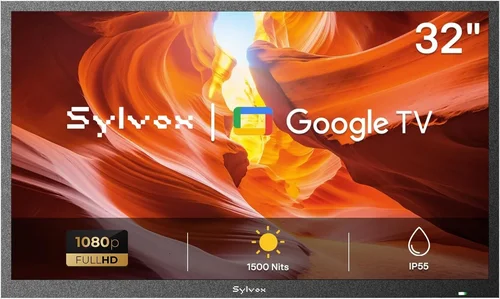
If you’ve ever dreamed of lounging by the pool with your favorite show playing in the background—without worrying about glare, humidity, or accidental splashes—you’re not alone. Outdoor entertainment is no longer a luxury reserved for high-end resorts; it’s becoming a staple in modern backyard living. And at the heart of that experience? A reliable, weather-resistant garden TV designed specifically for outdoor use. But here’s the catch: you don’t need to break the bank to enjoy crisp visuals and immersive sound under the open sky. That’s where this guide comes in.
Whether you’re setting up a cozy poolside nook, transforming your patio into a summer cinema, or simply want to keep up with the game while grilling, choosing the right budget garden TV requires more than just picking the cheapest screen you can find. The outdoor environment presents unique challenges—direct sunlight, temperature swings, moisture, dust, and even insects—that indoor TVs simply aren’t built to handle. A standard television left outside will likely fail within weeks, leaving you frustrated and out of pocket. This guide cuts through the noise to help you make a smart, informed decision that balances cost, performance, and durability.
Over the next several sections, we’ll walk you through everything you need to know to pick the perfect budget-friendly garden TV for your pool area. You’ll learn how to evaluate key specs like brightness and weather resistance, understand the different types of outdoor displays available, avoid common pitfalls, and even discover when and where to shop for the best deals. By the end, you’ll have a clear roadmap to maximize your outdoor viewing experience without overspending. Let’s dive in.

What to Look for When Buying a Budget Garden TV
1. Brightness & Display Technology
When it comes to outdoor TVs, brightness isn’t just a nice-to-have—it’s essential. Unlike indoor screens viewed in controlled lighting, garden TVs must compete with direct sunlight, especially during daytime pool parties or afternoon barbecues. Look for a display with a minimum brightness of 700 nits, though 1,000 nits or higher is ideal for full sun exposure. Anything below 500 nits will likely appear washed out or nearly invisible on bright days.
Display technology also plays a crucial role. Most budget outdoor TVs use either LED-LCD or QLED panels. LED-LCDs are more affordable and energy-efficient, making them great for casual viewers. QLEDs offer better color accuracy and contrast, which enhances the viewing experience but may come at a slightly higher price point. Avoid OLEDs for outdoor use—while stunning indoors, their organic compounds degrade faster under UV exposure and high heat, leading to burn-in and reduced lifespan.
Another factor is anti-reflective coating. A high-quality matte or nano-textured screen significantly reduces glare from the sun or pool water reflections. Some manufacturers include this as standard, while others charge extra—so check the specs carefully. If you plan to mount your TV facing south or west (where afternoon sun hits hardest), prioritize models with superior glare reduction.
2. Weather Resistance & IP Rating
This might be the single most important factor when buying a garden TV. Standard indoor televisions are not built to withstand the elements, and even brief exposure to rain, humidity, or dust can cause permanent damage. That’s why outdoor TVs must carry an Ingress Protection (IP) rating—a two-digit code that indicates resistance to solids (like dust) and liquids (like rain or splashes).
For pool areas, aim for at least an IP55 rating: the “5” means protection against low-pressure water jets (perfect for poolside splashes), and the “5” for dust ensures internal components stay clean. If you live in a region with heavy rain or plan to leave the TV exposed year-round, consider stepping up to IP653. Size & Viewing Distance
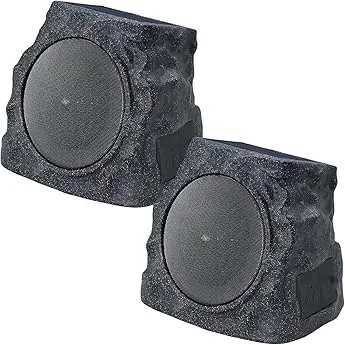
Choosing the right screen size isn’t just about aesthetics—it directly impacts your viewing comfort. Too small, and you’ll strain your eyes from across the deck; too large, and you’ll overspend on unnecessary real estate. A good rule of thumb: for every foot of viewing distance, choose 1 inch of screen diagonal. So if you’ll be sitting 8 feet away from the TV, a 55-inch screen is ideal. At 10 feet, go for 65 inches. However, pool areas often have limited wall space or mounting options. Measure your intended location before shopping—including clearance for ventilation and cable routing. Most outdoor TVs require at least 2–3 inches of airflow behind them to prevent overheating. Also, consider the viewing angle. If your seating is spread out (e.g., lounge chairs on one side, a dining table on the other), look for a TV with wide viewing angles (178° horizontal/vertical) to maintain color and contrast for everyone. Keep in mind that larger screens consume more power and may require a dedicated circuit, especially if you’re running them for hours during pool parties. Budget models in the 43–55 inch range typically draw 80–150 watts, which is manageable for most home setups. While picture quality grabs the headlines, sound matters just as much—especially outdoors, where ambient noise from splashing water, wind, or nearby traffic can drown out dialogue. Many budget garden TVs come with basic stereo speakers (usually 10–20 watts total), which may suffice for light viewing but fall short during action scenes or sports broadcasts. If audio is a priority, look for models with built-in subwoofers or support for external soundbars. Some outdoor TVs include Bluetooth connectivity, allowing you to pair wireless speakers placed around the pool area for immersive surround sound. Alternatively, check if the TV has optical audio or HDMI ARC outputs for connecting to a waterproof outdoor speaker system. That said, don’t expect audiophile-grade performance from a sub-$800 TV. Most budget models prioritize visual clarity over sonic depth. If you’re hosting frequent gatherings, investing in a separate outdoor audio setup (like rock-shaped Bluetooth speakers or in-ground subwoofers) may be worth the extra cost. Even on a budget, you’ll want a garden TV that keeps up with modern streaming habits. Most new outdoor models come with smart TV platforms like Roku TV, Android TV, or webOS, giving you access to Netflix, YouTube, Disney+, and more—all without needing a separate streaming box. Check which apps are pre-installed and whether the interface is user-friendly. Some budget brands use stripped-down or outdated versions of smart OSes that lack key services or receive infrequent updates. Also, verify connectivity options: you’ll need at least two HDMI ports (for a streaming device, game console, or cable box), USB for media playback, and Wi-Fi (preferably dual-band 2.4GHz/5GHz) for stable streaming. One often-overlooked feature is voice control compatibility. If you already use Alexa or Google Assistant, ensure the TV supports voice commands—either natively or via a compatible remote. This makes changing channels or adjusting volume hands-free, which is handy when you’re poolside with wet hands. How you mount your garden TV affects both safety and usability. Most outdoor TVs are VESA-compatible (standardized mounting patterns), but not all brackets are created equal. Look for a weatherproof tilt or full-motion mount that allows you to angle the screen away from direct sun or adjust for different seating arrangements. Consider whether you’ll mount the TV on a wall, ceiling, or freestanding pole. Wall mounts are common but require drilling into exterior surfaces—make sure your siding or masonry can support the weight (most 55-inch outdoor TVs weigh 30–50 lbs). Ceiling mounts work well under pergolas but may limit tilt range. Freestanding poles offer mobility but take up deck space and can tip in strong winds unless properly anchored. Also, think about cable management. Outdoor-rated HDMI and power cables should be routed through conduit or hidden channels to prevent tripping hazards and protect against moisture. Some TVs include built-in cable covers or grommets—a small detail that makes a big difference in long-term maintenance. Not all budget outdoor TV brands are equal. While you can find decent options from lesser-known manufacturers, sticking with established names like Samsung, LG, SunBriteTV, or Seura (even their entry-level lines) often means better build quality, customer support, and firmware updates. Research how long the brand has been making outdoor displays. Companies specializing in weather-resistant tech (like SunBriteTV) typically understand the unique demands of outdoor environments better than general electronics brands. Read professional reviews and user forums to see how models perform after 6–12 months of real-world use—especially in humid or coastal climates. Be wary of “outdoor-ready” claims from brands that primarily sell indoor TVs. Sometimes, these are just regular TVs bundled with a weatherproof cover—a risky compromise that voids warranties and offers minimal protection. Outdoor electronics face harsher conditions than indoor gear, so a solid warranty is non-negotiable. Most reputable brands offer 2–3 years of coverage for outdoor TVs, compared to just 1 year for indoor models. Check what’s included: does it cover corrosion, seal failure, or screen burn-in from sun exposure? Also, assess the ease of getting help. Can you reach support via phone, chat, or email? Are replacement parts (like remotes or power adapters) readily available? Some budget brands outsource support to third parties, leading to long wait times or unhelpful responses. Look for companies with U.S.-based service centers if you’re in North America. A good warranty isn’t just about repairs—it’s a sign the manufacturer stands behind their product’s durability. If a brand offers only a 1-year warranty on an “outdoor” TV, it’s a red flag. When shopping for a garden TV, you’ll encounter several categories, each tailored to different needs and environments. Understanding these distinctions helps you avoid overspending on features you don’t need—or worse, buying an indoor TV that fails within weeks. For most homeowners with a pool area, all-weather outdoor TVs in the $600–$900 range offer the best balance of performance, protection, and value. They’re designed from the ground up for outdoor use, with sealed cabinets, corrosion-resistant materials, and enhanced cooling systems. If you have a covered space, pairing a mid-tier indoor TV with a quality enclosure can save you $200–$300—but remember, enclosures limit airflow and may void the TV’s warranty. Portable projectors are tempting for their low cost and flexibility, but they struggle in daylight and require a white wall or screen. They’re best for evening movie nights, not daytime pool lounging. Even savvy shoppers can fall into traps when buying a garden TV. Here are the most common missteps—and how to sidestep them. Why it’s bad: Indoor TVs lack weather sealing, UV protection, and proper ventilation for outdoor conditions. Exposure to moisture, dust, or temperature extremes can cause immediate failure—often not covered by warranty. What to do instead: Only purchase TVs explicitly labeled for outdoor or all-weather use. If you must use an indoor model, invest in a certified weatherproof enclosure and never leave it exposed to rain or direct sun. Why it’s bad: A TV without a proper IP rating might survive light dew but fail during a summer storm. Pool areas are especially prone to splashes and high humidity. What to do instead: Always check the IP code. For poolside, IP55 is the minimum. Verify it applies to the entire unit—not just the screen. Why it’s bad: A dim screen (under 500 nits) will be unusable on sunny days, defeating the purpose of an outdoor TV. What to do instead: Prioritize models with 700+ nits brightness. Test reviews often mention real-world visibility—read them! Why it’s bad: Cheap mounts rust, loosen, or can’t handle wind loads. A falling TV is a safety hazard and costly replacement. What to do instead: Buy a mount rated for outdoor use with stainless steel hardware. Consider professional installation if unsure. Why it’s bad: Weak built-in speakers make dialogue hard to hear over pool noise, leading to constant volume adjustments. What to do instead: Plan for external speakers or a soundbar from day one. Many outdoor TVs support Bluetooth audio output. Why it’s bad: Outdoor TVs are bulky and expensive to return. If it arrives damaged or doesn’t perform as expected, you could be stuck. What to do instead: Only buy from retailers with generous return windows (30+ days) and free return shipping. Test the TV immediately upon delivery. Why it’s bad: Even weatherproof TVs need occasional maintenance—cleaning vents, checking seals, updating software. What to do instead: Schedule seasonal checkups. Clean the screen with microfiber cloths and inspect for corrosion or loose cables. Outdoor TVs span a wide price range, but you don’t need to splurge for quality. Here’s what to expect at each tier: For a typical family pool area, the mid-range tier ($600–$900) delivers the best value. You get reliable weather protection, excellent brightness, and modern smart features without overpaying for unnecessary extras. Smart shopping can save you hundreds. Follow these proven strategies: A: Technically yes, but it’s risky. Most indoor TVs aren’t designed for temperature fluctuations or humidity, and covering them traps heat, leading to overheating. Even with a weatherproof case, warranties are usually voided. For reliable, long-term use, invest in a true outdoor TV. A: Yes. Use outdoor-rated HDMI and power cables with UV-resistant jackets. Standard indoor cables degrade quickly in sunlight and moisture. A: With proper care, most last 5–7 years. Higher-end models can exceed 10 years. Avoid direct sun exposure when possible to prolong screen life. A: Most consumer-grade outdoor TVs aren’t built for 24/7 operation. Continuous use can overheat components. Turn it off when not in use. A: Not if you’re handy. Wall mounting requires drilling and leveling, but many come with templates. For complex setups (ceiling mounts, conduit routing), hire a pro. A: If you want broadcast channels, yes. Most outdoor TVs have built-in tuners, but you’ll need an outdoor-rated antenna mounted away from the pool to avoid interference. A: Many smart outdoor TVs support Alexa or Google Assistant via the remote or companion apps. Check compatibility before buying. A: IP55 protects against low-pressure water jets and dust. IP65 is fully dust-tight and handles stronger water spray—better for open pool areas. A: Not yet for full-size TVs, but portable solar generators can power smaller models or projectors for off-grid setups. A: Yes, if the camera outputs HDMI or connects via a network. Some outdoor TVs support screen mirroring or have dedicated input modes for security feeds. After extensive research and testing, here are our top picks for 2026: Choosing a budget garden TV for your pool area doesn’t have to be overwhelming. By focusing on key factors like brightness, weather resistance, size, and smart features—and avoiding common pitfalls—you can find a model that delivers years of enjoyment without breaking the bank. Remember, the cheapest option isn’t always the most cost-effective if it fails after one season. Invest wisely in a TV designed for the outdoors, and you’ll transform your backyard into a true entertainment oasis. Prioritize your specific needs: Do you watch mostly at night or during the day? Is your pool area covered or fully exposed? How important is audio quality? Answering these questions will guide you to the perfect fit. And don’t forget to factor in installation, accessories, and long-term maintenance. With the insights from this guide, you’re now equipped to make a confident, informed decision. So go ahead—grab your sunscreen, fire up your favorite show, and enjoy the ultimate poolside experience. Your dream outdoor cinema is closer than you think.4. Audio Quality & Built-in Speakers
5. Smart Features & Connectivity
6. Mounting & Installation Flexibility
7. Brand Reputation & Reliability
8. Warranty & Customer Support
Different Types of Budget Garden TVs
Common Buying Mistakes to Avoid
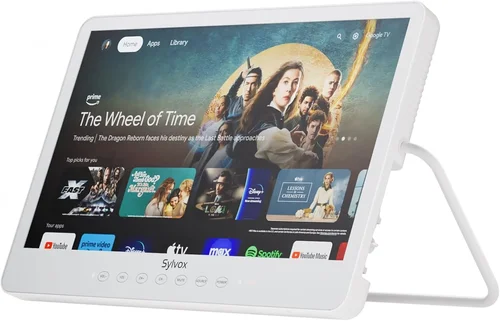
❌ Mistake: Buying an Indoor TV for Outdoor Use
❌ Mistake: Ignoring the IP Rating
❌ Mistake: Overlooking Brightness Requirements
❌ Mistake: Skimping on Mounting Hardware
❌ Mistake: Forgetting About Audio
❌ Mistake: Not Checking Return Policies
❌ Mistake: Assuming “Outdoor” Means “Set It and Forget It”
Budget Guidelines: How Much Should You Spend?
Expert Tips for Getting the Best Deal
Frequently Asked Questions
Q: Can I use a regular TV outdoors if I cover it?
Q: Do outdoor TVs need special cables?
Q: How long do budget outdoor TVs last?
Q: Can I leave my garden TV on all day?
Q: Are outdoor TVs hard to install?
Q: Do I need a separate antenna for live TV?
Q: Can I use voice assistants with my outdoor TV?
Q: What’s the difference between IP55 and IP65?
Q: Are there solar-powered outdoor TV options?
Q: Can I connect my pool camera to the TV?
Our Final Recommendations
Conclusion: Making the Right Choice



