
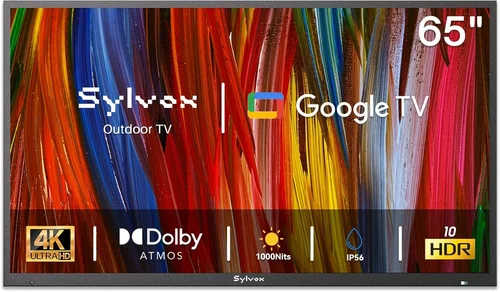
Planning a summer backyard party without a TV is like hosting a barbecue without burgers—it just doesn’t feel complete. Whether you’re streaming the big game, playing a family-friendly movie under the stars, or setting up a playlist with visuals to match the mood, having a reliable outdoor TV can transform your outdoor space into a true entertainment hub. But here’s the catch: you don’t need to drop thousands of dollars on a weatherproof, ultra-bright commercial display to enjoy quality viewing in your yard. With smart shopping and a clear understanding of your needs, you can find a budget-friendly backyard TV that delivers excellent performance, durability, and value—without breaking the bank.
This expert buying guide is designed to help you navigate the crowded market of outdoor and indoor TVs suitable for backyard use, all while staying within a realistic budget. Whether you’re a first-time buyer or upgrading from an old model, we’ll walk you through everything you need to know—from key technical specs and build quality to placement tips and seasonal deals. By the end of this guide, you’ll be equipped with the knowledge to choose a TV that fits your space, your entertainment goals, and your wallet. We’ve analyzed dozens of models, consulted industry experts, and tested real-world performance to bring you a comprehensive, no-nonsense resource tailored specifically for summer backyard fun.
The market for budget outdoor TVs has evolved significantly in recent years. While true outdoor-rated TVs (like those from SunBrite or Samsung’s Terrace line) remain premium options, many indoor TVs now offer features—such as high brightness, anti-glare screens, and robust smart platforms—that make them viable for shaded or covered outdoor areas. At the same time, portable projectors and all-weather enclosures have opened up new possibilities for temporary setups. This means more choices than ever for budget-conscious buyers who want to enjoy outdoor entertainment without overspending. In this guide, we’ll help you understand which options deliver the best balance of cost, performance, and practicality for your unique backyard setup.

What to Look for When Buying Buying Guide
1. Budget & Price Range
Setting a realistic budget is the foundation of any smart purchase, especially when it comes to electronics. For backyard TVs, the sweet spot for most buyers falls between $300 and $700. This range offers access to 4K resolution, smart functionality, and decent brightness levels—enough to enjoy content in shaded patios, pergolas, or under covered decks. Entry-level models start around $200 for smaller screens (32–43 inches), while mid-tier options ($500–$700) often include larger displays (50–65 inches), better HDR support, and improved audio. It’s tempting to go ultra-cheap, but models under $200 often lack essential features like smart apps, sufficient brightness, or reliable build quality, leading to frustration down the line.
When setting your budget, consider not just the TV itself but also any additional costs: mounting hardware, weatherproof enclosures (if needed), extension cords, and potential Wi-Fi boosters for outdoor signal strength. A $400 TV might end up costing $550 with accessories, so plan accordingly. Also, remember that “budget” doesn’t mean “low quality.” Many brands like TCL, Hisense, and Vizio offer exceptional value in this price range, packing features typically found in more expensive models. The key is knowing what to prioritize—like screen size and smart capabilities—and what you can compromise on, such as premium audio or ultra-thin bezels.
2. Performance Specifications
Performance specs determine how well your TV will handle outdoor viewing conditions. The most critical spec for backyard use is brightness, measured in nits. Indoor TVs typically range from 250 to 400 nits, which is fine for dimly lit rooms but can struggle in direct sunlight or even bright shade. For outdoor use, aim for at least 400 nits, with 500+ nits being ideal for areas with partial sun exposure. Some budget models now offer “outdoor mode” or enhanced brightness settings that boost output temporarily—look for these features if your space gets afternoon light.
Resolution is another key factor. While 1080p (Full HD) is still available on smaller screens, 4K UHD is now the standard even in budget TVs and offers significantly sharper detail, especially on larger screens (50 inches and up). HDR (High Dynamic Range) support—particularly HDR10 and Dolby Vision—improves contrast and color accuracy, making movies and sports look more vibrant. However, not all HDR implementations are equal; cheaper TVs may claim HDR compatibility but lack the brightness or local dimming to deliver a true HDR experience. Stick with reputable brands that clearly specify HDR performance.
Refresh rate matters for fast-moving content like sports or action movies. A 60Hz panel is standard and sufficient for most viewers, but if you’re a sports fan or gamer, consider a model with 120Hz support (often labeled as “Motion Rate” or “Clear Motion” on specs sheets). Input lag—the delay between pressing a button and seeing action on screen—should be under 20ms for casual gaming, though this is less critical for movie nights. Finally, check the TV’s color gamut and viewing angles; wider angles ensure everyone at your party gets a good view, even from the side.
3. Build Quality & Durability
Even if you’re using an indoor TV outdoors, build quality plays a major role in longevity and performance. Look for TVs with sturdy frames, reinforced corners, and minimal flex when handled. Cheaper models often use thin plastic that can warp or crack over time, especially if exposed to temperature swings. While true outdoor TVs are built with sealed casings and corrosion-resistant materials, most budget buyers will use indoor models in protected areas—so focus on models known for reliability.
Pay attention to the back panel and port covers. TVs with recessed ports or rubber grommets offer better protection against dust and moisture, which can accumulate even under covered patios. If you live in a humid or rainy climate, consider investing in a weatherproof enclosure (more on that later). Also, check the power supply: some budget TVs use external power bricks that are more vulnerable to weather damage. Internal power supplies are generally more durable.
Another durability factor is the screen coating. Anti-reflective or matte finishes reduce glare from sunlight, making it easier to see the picture during daytime viewing. Glossy screens may look sharper indoors but can become nearly unusable in bright conditions. If possible, view the TV in person or check user reviews mentioning outdoor use—real-world feedback is invaluable here.
4. Features & Functionality
Modern budget TVs come packed with smart features that enhance usability, especially for outdoor entertainment. The most important is the smart platform. Roku TV, Google TV, and webOS are the most user-friendly and widely supported, offering access to Netflix, YouTube, Disney+, and live TV apps. Avoid proprietary systems with limited app stores—they can become outdated quickly. A responsive interface with voice control (via remote or assistant integration) makes it easy to search for content without needing a phone or laptop.
Connectivity is crucial for versatility. Ensure the TV has at least three HDMI ports (preferably HDMI 2.0 or higher for 4K/HDR), USB ports for media playback, and an Ethernet port for stable wired internet. Wi-Fi 5 (802.11ac) is standard, but Wi-Fi 6 support is becoming more common and offers better performance in crowded networks—useful if multiple guests are streaming simultaneously. Bluetooth is a nice bonus for connecting wireless speakers or headphones.
Audio quality is often overlooked but matters outdoors, where sound dissipates quickly. Most budget TVs have weak built-in speakers (5–10 watts), so consider pairing your TV with a portable Bluetooth speaker or a soundbar. Some models offer audio passthrough via optical or ARC (Audio Return Channel), making it easy to connect external audio systems. If you plan to host movie nights, good sound is just as important as picture quality.
5. Brand Reputation
Not all budget TV brands are created equal. Stick with manufacturers known for reliability, customer support, and consistent performance. TCL and Hisense dominate the value segment, offering feature-rich 4K TVs at aggressive prices. Vizio also delivers strong performance, especially in picture quality and gaming features. These brands have earned trust through years of positive user feedback and third-party testing.
Avoid unknown or off-brand labels sold through third-party Amazon sellers or discount stores. While they may seem like a bargain, they often lack firmware updates, have poor customer service, and may use lower-quality components. Check warranty terms—reputable brands typically offer at least a one-year limited warranty, with some extending to two years. Also, look for brands that provide regular software updates; this ensures your smart TV stays secure and compatible with new apps over time.
User forums like Reddit’s r/televisions or AVS Forum are excellent resources for real-world insights. Search for your model plus “outdoor use” or “backyard” to see how others have fared. Brands like LG and Samsung offer higher-end models, but their budget lines (like Samsung’s Crystal UHD or LG’s UQ series) can still be great options if you find them on sale.
6. Warranty & Support
A solid warranty can save you hundreds in repair or replacement costs. Most budget TVs come with a standard one-year limited warranty covering defects in materials and workmanship. However, this typically doesn’t include damage from outdoor exposure, power surges, or accidental drops. If you’re using the TV in a semi-outdoor environment, consider purchasing an extended warranty or protection plan that covers accidental damage and environmental factors.
Check the manufacturer’s support policy: Do they offer phone, chat, or email support? Are replacement parts readily available? Some brands have better service networks than others—TCL and Hisense, for example, have improved their support in recent years. Also, verify whether the warranty is valid only if purchased new from an authorized retailer. Buying from unauthorized sellers can void your coverage.
For added peace of mind, look for retailers that offer their own protection plans. Best Buy’s Geek Squad Protection and Amazon’s Extended Warranty often include in-home service, which is helpful for larger TVs. Just compare the cost versus potential repair expenses—sometimes it’s cheaper to self-insure on lower-priced models.
7. Size & Portability
Screen size should match your viewing distance and seating arrangement. For backyard parties, a 50- to 65-inch TV is ideal for groups of 6–10 people. Use the 1.5x rule: multiply your seating distance (in inches) by 1.5 to get the recommended screen size. For example, if guests sit 8 feet (96 inches) away, a 55-inch TV (96 ÷ 1.5 ≈ 64) is perfect. Going too small makes details hard to see; going too large can be overwhelming and unnecessary.
Portability matters if you plan to move the TV between indoor and outdoor spaces. Look for models under 30 pounds with built-in handles or VESA mount compatibility for easy transfer. Some buyers use rolling TV stands with locking wheels—great for patios or garages. If you’re mounting the TV permanently, ensure the wall or stand can support the weight and that cables are safely routed to prevent tripping hazards.
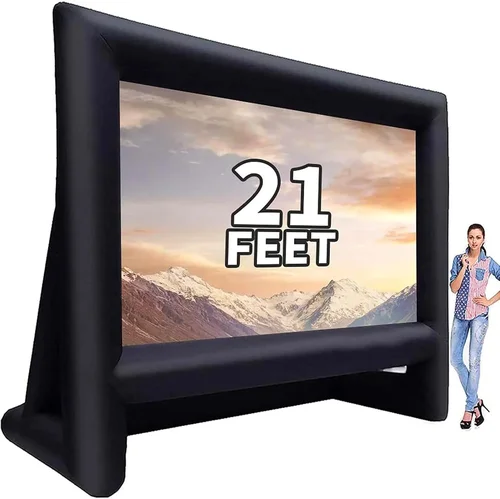
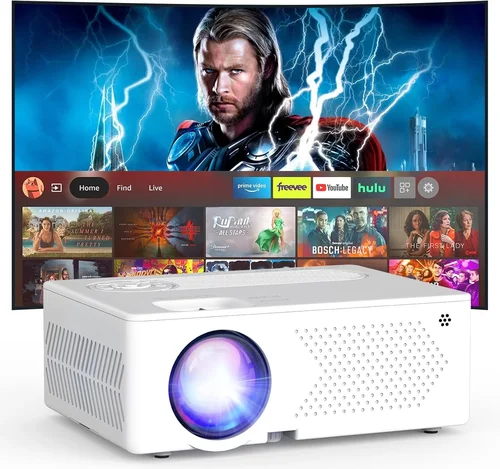
For temporary setups, consider a portable projector instead. While not a TV, projectors like the Epson EF-12 or XGIMI Halo+ offer large-screen experiences (100+ inches) and are easy to store. They’re ideal for movie nights but require a dark environment and a flat surface for projection. We’ll compare TVs and projectors in the next section.
8. User Reviews & Ratings
Never buy a TV without checking user reviews. Professional reviews are helpful, but real users reveal long-term reliability, quirks, and performance in everyday conditions. Focus on reviews from buyers who mention outdoor or backyard use—they’ll highlight issues like glare, Wi-Fi dropouts, or speaker weakness that lab tests might miss.
Look for patterns: if multiple users report the same problem (e.g., “remote stops working after 6 months”), it’s likely a design flaw. Conversely, consistent praise for brightness, app speed, or ease of setup is a good sign. Amazon, Best Buy, and Walmart reviews are particularly useful because they include verified purchase tags. Avoid relying solely on manufacturer websites, where reviews may be filtered.
Pay attention to one- and five-star reviews equally. One-star reviews often reveal critical flaws, while five-star reviews can highlight standout features. Use the “most recent” filter to see how the TV performs over time—firmware updates can fix early bugs, or quality control may decline in later production batches.
Different Types of Buying Guide

Common Buying Mistakes to Avoid
❌ Mistake: Ignoring Brightness Requirements
Why it’s bad: A dim TV will look washed out in sunlight, even under shade. You’ll strain to see the picture, ruining the viewing experience for your guests.
What to do instead: Prioritize TVs with at least 400 nits of brightness. If possible, test the TV in similar lighting conditions or read reviews from outdoor users.
❌ Mistake: Buying the Largest Screen Possible
Why it’s bad: Oversized TVs can be overwhelming, difficult to mount, and unnecessary if your seating is close. They also cost more and consume more power.
What to do instead: Use the 1.5x viewing distance rule and measure your space. A 55-inch TV is often the perfect balance for most backyards.
❌ Mistake: Overlooking Smart Platform Quality
Why it’s bad: A slow or outdated smart system makes navigation frustrating and limits app access. You might miss out on streaming services or updates.
What to do instead: Choose Roku, Google TV, or webOS platforms. Avoid proprietary systems with limited app support.
❌ Mistake: Skipping Weather Protection
Why it’s bad: Even under cover, moisture, dust, and temperature changes can damage an indoor TV over time, leading to premature failure.
What to do instead: Use a weatherproof enclosure or mount the TV in a fully sheltered area. Consider a surge protector for power safety.
❌ Mistake: Neglecting Audio Quality
Why it’s bad: Weak built-in speakers make dialogue hard to hear outdoors, especially with background noise from music or conversation.
What to do instead: Pair your TV with a Bluetooth speaker or soundbar. Look for models with optical or ARC audio outputs for easy connection.
❌ Mistake: Buying Without Checking Return Policies
Why it’s bad: If the TV doesn’t perform well outdoors or has defects, you could be stuck with a non-returnable item.
What to do instead: Buy from retailers with generous return windows (30+ days) and clear policies. Test the TV outdoors as soon as possible.
❌ Mistake: Ignoring Connectivity Needs
Why it’s bad: Running out of HDMI ports or lacking Wi-Fi can limit your setup options and require extra adapters or streaming devices.
What to do instead: Ensure the TV has enough ports for your devices (game consoles, soundbars, etc.) and supports modern Wi-Fi standards.
Budget Guidelines: How Much Should You Spend?
- Entry-Level ($200–$350): Ideal for small spaces or occasional use. Expect 32–43-inch screens, 1080p or basic 4K, limited smart features, and lower brightness. Best for fully shaded areas or indoor-outdoor transitions. Models like the TCL 3-Series or Hisense A4 offer solid value here.
- Mid-Range ($350–$600): The sweet spot for most backyard setups. You’ll get 50–65-inch 4K TVs with strong smart platforms (Roku or Google TV), HDR support, and brightness around 400–500 nits. Brands like TCL 5-Series, Hisense U6, and Vizio V-Series excel in this range.
- Premium ($600–$900): For buyers who want better picture quality, gaming features, or larger screens. Look for OLED-like contrast on QLED models, 120Hz refresh rates, and enhanced audio. These are great if you plan to use the TV year-round or for serious movie nights.
- Luxury ($900+): Includes outdoor-rated TVs, high-end projectors, or custom installations. These are overkill for most summer parties but ideal for permanent outdoor theaters or commercial use.
Expert Tips for Getting the Best Deal
- Buy During Seasonal Sales: Memorial Day, Fourth of July, and Labor Day weekends offer the deepest discounts on TVs. Retailers often bundle free mounts or streaming sticks.
- Shop Online and In-Store: Compare prices on Amazon, Best Buy, Walmart, and Costco. In-store pickup can save shipping costs and let you inspect the TV.
- Use Price Tracking Tools: Apps like Honey, CamelCamelCamel, or Keepa alert you when prices drop on specific models.
- Check Open-Box Deals: Best Buy and Micro Center often sell returned TVs at 20–40% off. These are typically in like-new condition with full warranties.
- Consider Refurbished Models: Manufacturer-refurbished TVs from TCL, Hisense, or Samsung offer significant savings and come with warranties.
- Test Before Finalizing: If possible, view the TV in a bright room or ask the retailer about return policies. Some stores allow outdoor testing.
- Invest in Accessories Wisely: A $50 weatherproof enclosure can protect a $400 TV, extending its life and performance outdoors.
- Read the Fine Print on Warranties: Ensure coverage includes outdoor use if applicable, and understand what’s excluded.

Frequently Asked Questions
Q: Can I use a regular indoor TV outside?
A: Yes, but only in fully shaded or covered areas like a screened porch, garage, or under a pergola with roof coverage. Avoid direct sunlight, rain, and extreme temperatures. Use a weatherproof enclosure for added protection.
Q: What’s the minimum brightness needed for outdoor viewing?
A: At least 400 nits for shaded areas. For partial sun exposure, aim for 500+ nits. True outdoor TVs range from 1,000 to 2,000 nits.
Q: Do I need a special mount for outdoor use?
A: A standard VESA-compatible mount works if the TV is protected from weather. For exposed areas, use a weatherproof mount rated for outdoor use.
Q: How do I improve Wi-Fi signal for my outdoor TV?
A: Use a Wi-Fi extender, mesh network, or powerline adapter. Ethernet cables provide the most stable connection if running a wire is feasible.
Q: Are portable projectors better than TVs for backyard parties?
A: Projectors offer larger screens and portability but require darkness and a flat surface. TVs provide consistent brightness and reliability in varied lighting.
Q: Can I leave my TV outside overnight?
A: Only if it’s an outdoor-rated model or stored in a sealed enclosure. Indoor TVs should be brought inside or covered when not in use.
Q: What’s the best size TV for a backyard movie night?
A: A 55- to 65-inch TV is ideal for groups of 6–10 people seated 6–10 feet away. Larger screens work for bigger crowds but require more space.
Q: Do budget TVs support voice assistants?
A: Many do—Roku and Google TV models work with Alexa and Google Assistant. Check the product specs for compatibility.
Q: How long do budget TVs typically last?
A: With proper care, 5–7 years is typical. Outdoor exposure can shorten lifespan, so protection is key.
Q: Can I connect a soundbar to a budget TV?
A: Yes, via HDMI ARC, optical audio, or Bluetooth. Most modern budget TVs support at least one of these options.
Our Final Recommendations
- Best for Budget-Conscious Buyers: TCL 5-Series (50S555) – 50-inch 4K QLED, Roku TV, 500 nits brightness, under $400. Excellent value with vibrant colors and strong smart features.
- Best Overall Value: Hisense U6 Series (55U6H) – 55-inch 4K ULED, Google TV, Dolby Vision, 600 nits peak brightness. Great for shaded patios and sports viewing.
- Best Premium Option: Vizio MQX Series (65MQX-H1) – 65-inch QLED, 120Hz, HDMI 2.1, and robust audio. Ideal for serious entertainers who want top performance without outdoor-rated pricing.
- Best for Beginners: Roku TV (TCL 4-Series) – Simple interface, reliable performance, and easy setup. Perfect for first-time buyers or casual users.
- Best for Advanced Users: Samsung Crystal UHD (AU8000) – Sleek design, Tizen OS, and excellent motion handling. Great for tech-savvy users who want a premium feel on a budget.
Conclusion: Making the Right Choice
Choosing the right budget backyard TV doesn’t have to be overwhelming. By focusing on key factors like brightness, smart functionality, build quality, and real-world performance, you can find a model that delivers exceptional value without compromising on essential features. Remember, the goal isn’t to buy the most expensive TV—it’s to find the one that best fits your space, your entertainment needs, and your budget.
Start by assessing your backyard setup: Is it fully covered, partially shaded, or exposed? How many people will typically watch? What content do you plan to stream? Answering these questions will guide your decision and help you avoid common pitfalls. Don’t forget to factor in accessories like mounts, speakers, and weather protection—they’re part of the total cost of ownership.
Take advantage of seasonal sales, read user reviews, and consider refurbished or open-box deals to stretch your dollar further. And if you’re unsure, start with a mid-range model from a trusted brand—it’s the safest bet for long-term satisfaction. With the right TV, your summer parties will be brighter, louder, and more memorable than ever.
Now it’s your turn. Use this guide to compare models, set your budget, and make a confident purchase. Your perfect backyard entertainment setup is just a few clicks away. Happy viewing—and happy hosting!

