
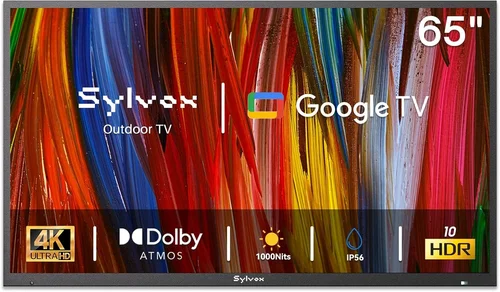
Outdoor living spaces have evolved far beyond simple patios and balconies—they’re now extensions of our homes, designed for relaxation, entertainment, and connection. Whether you’re sipping morning coffee on a city balcony or hosting weekend barbecues in your backyard, having a reliable TV outdoors can transform these moments into unforgettable experiences. But here’s the catch: most standard indoor TVs aren’t built to withstand the elements. Sunlight glare, humidity, temperature swings, and even dust can quickly degrade performance or cause permanent damage. That’s why choosing the right budget backyard TV isn’t just about finding the cheapest screen—it’s about balancing affordability with durability, visibility, and functionality.
This comprehensive guide is designed to help you navigate the often-confusing world of outdoor TVs without breaking the bank. We’ll walk you through everything you need to know—from understanding key technical specs like brightness and weather resistance to comparing different types of outdoor displays and avoiding common pitfalls. Whether you’re a first-time buyer or upgrading from an older model, this guide will equip you with expert-level insights to make a smart, informed decision. By the end, you’ll know exactly what to look for, how much to spend, and which models offer the best value for your specific setup.
The market for outdoor TVs has grown significantly in recent years, driven by increased demand for outdoor entertainment and smart home integration. While premium all-weather TVs from brands like SunBrite and Samsung can cost thousands, there are now more affordable options than ever—many under $800—that deliver surprisingly strong performance for casual use. From weather-resistant LED panels to portable smart displays, the choices are diverse. However, not all “outdoor-ready” TVs are created equal. Some are merely indoor TVs marketed for outdoor use (a risky gamble), while others are truly engineered for the elements but come with trade-offs in features or size. Our goal is to cut through the marketing noise and give you a clear, practical roadmap to finding the perfect budget-friendly TV for your balcony or patio.

What to Look for When Buying Buying Guide
1. Brightness & Outdoor Visibility
One of the most critical factors for any outdoor TV is brightness—measured in nits. Indoor TVs typically range from 250 to 500 nits, which is fine for dimly lit rooms but completely inadequate under direct sunlight. For outdoor use, you’ll want a minimum of 700 nits, but ideally 1,000 nits or higher for clear visibility during daytime hours. Look for TVs labeled as “high-brightness,” “sunlight-readable,” or “outdoor-rated.” These models use advanced backlighting and anti-glare coatings to maintain image clarity even in bright conditions.
Don’t confuse brightness with resolution. A 4K TV with low brightness will still look washed out outside. Also, consider the viewing angle—some budget outdoor TVs use VA panels that lose contrast when viewed from the side, which can be problematic if your seating area isn’t directly in front of the screen. IPS panels offer wider viewing angles but may sacrifice some contrast. For most patios and balconies, a balance between brightness and viewing angle is ideal.
2. Weather Resistance & IP Rating
Not all TVs labeled “outdoor” are truly weatherproof. The gold standard is an IP (Ingress Protection) rating, which indicates resistance to dust and water. For outdoor use, look for at least IP55 (protected against dust and low-pressure water jets) or higher. IP65 is even better, offering full dust protection and resistance to water from any direction. Avoid TVs without an official IP rating—they may claim to be “weather-resistant” but lack third-party certification.
Also consider the operating temperature range. Most outdoor TVs function between -22°F and 122°F (-30°C to 50°C), but cheaper models may shut down in extreme heat or cold. If you live in a region with harsh winters or scorching summers, verify the specs carefully. Additionally, check whether the TV includes a protective housing or requires a separate outdoor enclosure—some budget models are sold as “indoor/outdoor convertible” but still need a weatherproof case to survive long-term exposure.
3. Size & Viewing Distance
Size matters—but not always in the way you think. A larger screen isn’t automatically better if it’s too close or too far from your seating area. For balconies and small patios, a 32- to 43-inch TV is usually ideal. These sizes provide immersive viewing without overwhelming the space. Use the 1.5x rule: multiply your viewing distance (in inches) by 1.5 to estimate the optimal screen size. For example, if you’re sitting 6 feet (72 inches) away, a 43-inch TV (72 ÷ 1.5 ≈ 48) is a good fit—though you can go slightly smaller for comfort.
Keep in mind that outdoor TVs often have thicker bezels and heavier builds due to weatherproofing, so measure your mounting space carefully. Wall mounts should be rated for outdoor use and capable of supporting the TV’s weight. If you’re placing the TV on a stand, ensure the surface is stable and protected from rain or splashes.
4. Smart Features & Connectivity
Even on a budget, you’ll want a TV that supports modern streaming and connectivity. Look for built-in Wi-Fi, Bluetooth, and at least three HDMI ports—one for a streaming device (like a Roku or Fire Stick), one for a soundbar, and one for occasional gaming or laptop use. Most budget outdoor TVs now come with smart platforms like Roku TV, Android TV, or webOS, allowing direct access to Netflix, YouTube, and other apps without extra hardware.
However, be cautious: some ultra-low-cost models use outdated or sluggish operating systems that lag or crash frequently. Read user reviews to check for responsiveness. Also, verify audio output options—many outdoor TVs have weak built-in speakers, so you’ll likely want to connect a Bluetooth speaker or soundbar. Ensure the TV has an optical audio out or ARC (Audio Return Channel) for easy integration.
5. Power Consumption & Energy Efficiency
Outdoor TVs often run longer hours than indoor ones—think movie nights, sports events, or background music during gatherings. High brightness and constant use can drive up electricity costs, especially if the TV isn’t energy-efficient. Look for models with ENERGY STAR certification, which indicates lower power consumption without sacrificing performance.
LED-backlit LCDs are generally more efficient than older plasma or CCFL models. Also, check if the TV has an automatic brightness sensor that adjusts based on ambient light—this can save energy during cloudy days or evenings. While the difference per hour may seem small, over months of use, it adds up. For off-grid setups (like cabins or RVs), consider TVs with low standby power draw to preserve battery life.
6. Mounting & Installation Flexibility
How and where you mount your TV affects both safety and usability. Wall mounts should be corrosion-resistant (powder-coated steel or aluminum) and compatible with VESA patterns (the screw hole layout on the back of the TV). Most budget outdoor TVs support standard VESA sizes like 200×200 or 400×400, but always double-check.
If you’re mounting on a balcony railing or uneven surface, consider a full-motion articulating arm for adjustable viewing angles. For renters or temporary setups, portable TVs with stands or tripod mounts offer flexibility—just ensure they’re stable in windy conditions. Avoid placing TVs directly under eaves or awnings unless they’re fully sealed; dripping water or debris can still cause damage over time.
7. Brand Reputation & Reliability
Not all budget TV brands are equal. Established names like TCL, Hisense, and LG offer reliable performance and better customer support, even in their lower-priced lines. Lesser-known brands may advertise impressive specs at rock-bottom prices, but often cut corners on components, software, or build quality. Look for brands with a history of outdoor or commercial displays—even if you’re buying a consumer model, their engineering standards tend to be higher.
Check warranty terms: a one-year warranty is standard, but some brands offer two years or include accidental damage coverage. Avoid brands with no U.S.-based support or unclear return policies. Reading long-term user reviews (6+ months of use) can reveal issues like screen burn-in, Wi-Fi dropouts, or premature failure that don’t show up in initial impressions.
8. User Reviews & Real-World Performance
Specs on a box don’t tell the whole story. User reviews—especially detailed ones with photos or videos—offer invaluable insights into real-world performance. Pay attention to comments about brightness in sunlight, ease of setup, remote responsiveness, and durability after rain or heat exposure. Look for patterns: if multiple users report the same issue (e.g., “screen fades after 3 months”), it’s likely a design flaw.
Use trusted sources like Amazon, Best Buy, or specialized outdoor tech forums. Be wary of overly positive reviews that sound scripted or lack detail—they may be incentivized. Instead, focus on balanced reviews that mention both pros and cons. Also, check if the TV performs well with streaming services you use—some budget models struggle with 4K HDR content or have limited app support.
Different Types of Buying Guide

Common Buying Mistakes to Avoid
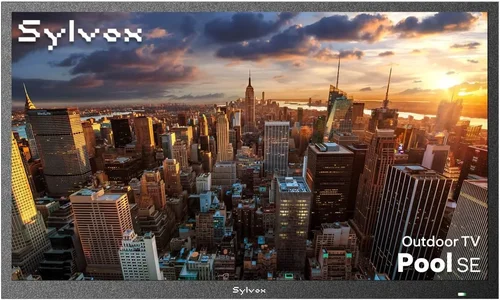
❌ Mistake: Buying a Standard Indoor TV for Outdoor Use
Why it’s bad: Indoor TVs lack weatherproofing, have low brightness, and aren’t designed for temperature extremes. Even under a covered patio, humidity and dust can corrode internal components, leading to early failure. Many users report screens dimming or dying within months.
What to do instead: Invest in a TV specifically rated for outdoor use—even a budget all-weather model will outperform an indoor TV in outdoor conditions. If you must use an indoor TV, house it in a certified outdoor enclosure, but this adds cost and complexity.
❌ Mistake: Ignoring Brightness Specs
Why it’s bad: A TV that looks great indoors will appear washed out or invisible in direct sunlight. Many buyers regret choosing a 4K TV with only 400 nits because they can’t see the picture during the day.
What to do instead: Prioritize brightness over resolution. Aim for at least 700 nits, and 1,000+ nits if you watch during peak sun hours. Check reviews that mention daytime visibility—specs alone can be misleading.
❌ Mistake: Overlooking Mounting Requirements
Why it’s bad: Improper mounting can lead to TVs falling, water damage, or restricted viewing angles. Using indoor mounts outdoors risks rust and instability.
What to do instead: Use outdoor-rated mounts with corrosion-resistant hardware. Ensure your wall or railing can support the weight. For balconies, consider a freestanding stand with a weighted base for safety.
❌ Mistake: Skipping the IP Rating Check
Why it’s bad: Without an IP rating, you have no guarantee the TV can handle rain, snow, or dust. Some brands use vague terms like “weather-resistant” without certification.
What to do instead: Only buy TVs with a verified IP55 or higher rating. Look for independent testing labels or manufacturer documentation. If the IP rating isn’t listed, assume it’s not protected.
❌ Mistake: Choosing the Cheapest Option Without Research
Why it’s bad: Ultra-low-cost TVs often use inferior panels, weak processors, and poor build quality. You may save $100 upfront but spend more on replacements or repairs.
What to do instead: Set a realistic budget and compare models within that range. Focus on value—features per dollar—rather than the lowest price. Read long-term reviews to assess reliability.
❌ Mistake: Neglecting Audio Quality
Why it’s bad: Most outdoor TVs have small, low-power speakers that sound tinny or muffled, especially in open spaces. Relying on built-in audio ruins the viewing experience.
What to do instead: Plan for external audio from day one. Pair your TV with a weather-resistant Bluetooth speaker or a soundbar with outdoor mode. Check for audio output options before buying.
❌ Mistake: Not Considering Power Source & Cord Management
Why it’s bad: Running extension cords across a patio creates tripping hazards and looks messy. Outdoor outlets may be limited or unsafe.
What to do instead: Use a heavy-duty outdoor-rated extension cord with GFCI protection. Consider a cord cover or conduit for permanent setups. For balconies, check if your building allows external wiring.
Budget Guidelines: How Much Should You Spend?
- Entry-Level ($200–$400): Best for small balconies or seasonal use under full cover. Expect 32- to 40-inch screens with 700–900 nits brightness, basic smart features, and IP54 or IP55 ratings. Brands like TCL and Hisense offer solid options here. Ideal for casual viewing but may struggle in direct sun or extreme weather.
- Mid-Range ($400–$700): The sweet spot for most buyers. You’ll find 43- to 50-inch TVs with 1,000+ nits, full smart platforms, better audio, and IP65 ratings. These models balance performance, durability, and price. Great for year-round use on patios or covered decks.
- Premium ($700–$1,200): For enthusiasts who want top-tier brightness (1,500+ nits), 4K HDR, advanced cooling systems, and robust build quality. Often include extended warranties and better customer support. Suitable for large backyards or areas with intense sunlight.
- Luxury ($1,200+): Reserved for commercial-grade or ultra-durable models from brands like SunBrite or Peerless. These are overkill for most homeowners but ideal for permanent installations in harsh climates or high-end outdoor theaters.
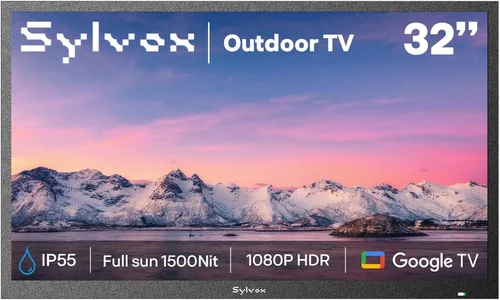
Expert Tips for Getting the Best Deal
- Shop During Off-Season: Outdoor TVs are in highest demand in spring and summer. Buy in late fall or winter (October–February) for discounts of 20–30%. Retailers clear inventory before new models arrive.
- Compare Online and In-Store: Online retailers like Amazon, Best Buy, and Walmart often have better prices and return policies. However, in-store shopping lets you check brightness and build quality firsthand. Use price-matching if available.
- Look for Refurbished or Open-Box Deals: Certified refurbished outdoor TVs from reputable sellers come with warranties and can save you 15–25%. Open-box items (returned but unused) are another great option—just verify the IP rating and functionality.
- Check for Bundle Offers: Some retailers include free mounts, HDMI cables, or streaming devices with TV purchases. These can add significant value, especially if you need those accessories.
- Read the Fine Print on Warranties: Ensure the warranty covers outdoor use. Some brands void coverage if the TV is used outside without proper installation. Register your product promptly to activate protection.
- Test Before Finalizing: If possible, visit a store to see the TV in action under bright lighting. Check menu navigation, app loading times, and remote responsiveness. A sluggish interface can ruin the experience.
- Use Price Tracking Tools: Set alerts on Google Shopping, Honey, or CamelCamelCamel to monitor price drops. Outdoor TVs often fluctuate by $50–$100 based on demand.
- Consider Long-Term Value: A slightly more expensive TV with better durability and efficiency may cost less over time than a cheap model that needs replacing in two years. Calculate cost per year of expected use.

Frequently Asked Questions
Q: Can I use a regular TV outdoors if it’s under a covered patio?
A: Technically yes, but it’s not recommended for long-term use. Even under cover, humidity, temperature changes, and dust can damage internal components. For reliable performance, use an outdoor-rated TV or house an indoor TV in a certified weatherproof enclosure.
Q: Do outdoor TVs need special cables?
A: Standard HDMI and power cables work, but for permanent installations, use outdoor-rated cables with UV-resistant jackets and waterproof connectors. This prevents degradation from sun and moisture.
Q: How do I clean an outdoor TV screen?
A: Use a microfiber cloth and a mild cleaner designed for electronics. Avoid ammonia-based cleaners or abrasive materials. Turn off and unplug the TV before cleaning. For bezels, a damp cloth with soapy water is safe.
Q: Will an outdoor TV work in the rain?
A: Only if it has an IP65 or higher rating. IP65 TVs can withstand rain from any direction. Never spray water directly on the screen or ports, even on weatherproof models.
Q: Can I mount an outdoor TV on a balcony railing?
A: Yes, but use a railing mount designed for outdoor TVs. Ensure the railing is sturdy and the mount is securely fastened. Check local building codes—some prohibit external fixtures.
Q: Do outdoor TVs consume more power?
A: High-brightness models do use more energy than indoor TVs, but modern LED-backlit screens are still efficient. Look for ENERGY STAR ratings to minimize electricity costs.
Q: What’s the difference between IP55 and IP65?
A: IP55 protects against dust (limited ingress) and low-pressure water jets. IP65 offers complete dust protection and resistance to water from any direction. IP65 is better for exposed areas.
Q: Can I use a projector instead of an outdoor TV?
A: Yes, and it’s often cheaper for large screens. However, projectors require darkness for best results and aren’t ideal for daytime viewing. They also need more setup and maintenance.
Q: How long do outdoor TVs last?
A: With proper care, most outdoor TVs last 5–8 years. Cheaper models may fail sooner due to component wear. Regular cleaning and avoiding extreme temperatures can extend lifespan.
Q: Are outdoor TVs worth the extra cost?
A: If you use your outdoor space frequently, absolutely. The durability, brightness, and reliability justify the investment. For occasional use, a convertible model or projector may be more cost-effective.
Our Final Recommendations
- Best for Budget-Conscious Buyers: TCL 4-Series 43S045 – A 43-inch smart TV with 800 nits brightness, Roku OS, and IP55 rating. Priced under $400, it’s perfect for covered patios and delivers excellent value.
- Best Overall Value: Hisense 50A7G – Offers 1,000 nits, 4K HDR, Dolby Vision, and IP65 protection for around $550. Great for year-round use with strong app performance and solid build quality.
- Best Premium Option: SunBrite Veranda Series 55-inch – While pricier (~$1,100), it’s built like a tank with 2,000 nits brightness, anti-reflective glass, and full weatherproofing. Ideal for exposed backyards.
- Best for Beginners: LG 32LM6300 – Simple setup, intuitive webOS, and reliable performance. At 32 inches and 750 nits, it’s ideal for small balconies and first-time outdoor TV users.
- Best for Advanced Users: Samsung The Terrace 55-inch – Features quantum dot color, 1,500 nits, and smart hub integration. Best for tech-savvy users who want top-tier picture quality and smart home compatibility.
Conclusion: Making the Right Choice
Choosing the right budget backyard TV doesn’t have to be overwhelming. By focusing on key factors like brightness, weather resistance, size, and smart features, you can find a model that fits both your space and your wallet. Remember, the cheapest option isn’t always the best long-term investment—prioritize durability and visibility to ensure your outdoor entertainment setup lasts for years.
Take the time to assess your specific needs: How much sun does your patio get? Will the TV be used year-round or seasonally? Do you need portability or permanent installation? Answering these questions will guide you toward the perfect match. And don’t forget to read real user reviews—they often reveal insights that specs alone can’t provide.
Ultimately, a great outdoor TV enhances your lifestyle, turning simple moments into memorable experiences. Whether you’re watching a sunset movie or catching the big game with friends, the right screen makes all the difference. Use this guide as your roadmap, shop smart, and enjoy your outdoor oasis to the fullest.

