
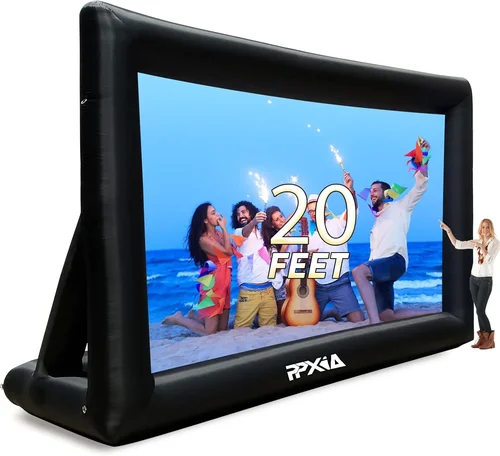
Backyard movie nights have evolved from simple projector setups on bedsheets to full-fledged outdoor entertainment experiences. With the rise of weatherproof TVs, families and outdoor enthusiasts can now enjoy crisp, vibrant visuals under the stars—without worrying about rain, humidity, or extreme temperatures ruining their investment. Whether you’re hosting a summer blockbuster night, watching the big game with friends, or simply unwinding after sunset, a high-quality outdoor TV transforms your patio, deck, or garden into a personal cinema.
But not all TVs are built for the great outdoors. Standard indoor televisions lack the durability, brightness, and protective features needed to withstand the elements. That’s where weatherproof TVs come in—specially engineered to perform reliably in challenging environments. These rugged displays combine advanced display technology with robust enclosures, making them ideal for year-round outdoor use. As demand grows, the market has expanded significantly, offering a wide range of options across price points, sizes, and capabilities.
This comprehensive buying guide is designed to help you navigate the complex world of outdoor TVs and make a confident, informed decision. Whether you’re a first-time buyer or upgrading from an older model, you’ll learn exactly what to look for—from brightness levels and weather resistance ratings to smart features and installation requirements. We’ll break down key factors, compare different types, highlight common pitfalls, and offer expert tips to ensure you get the best value for your money. By the end, you’ll know precisely which weatherproof TV fits your space, lifestyle, and budget.

What to Look for When Buying Buying Guide
1. Weather Resistance Rating (IP Rating)
One of the most critical factors when choosing a weatherproof TV is its Ingress Protection (IP) rating. This standardized code indicates how well the TV resists dust and moisture. For outdoor use, you’ll want a minimum IP55 rating—meaning the TV is protected against dust ingress and low-pressure water jets from any direction. However, for areas with heavy rain, snow, or high humidity, aim for IP65 or higher. IP65 ensures complete dust protection and resistance to water projected from a nozzle, while IP66 offers even greater water resistance against powerful jets.
It’s important to note that “weatherproof” doesn’t always mean “fully waterproof.” Some manufacturers use marketing terms loosely, so always verify the IP rating in the product specifications. Additionally, consider where you’ll mount the TV—under a covered patio, in an open yard, or near a pool. The more exposed the location, the higher the IP rating should be. A TV with a solid IP65 or IP66 rating will last longer and require less maintenance, especially in regions with unpredictable weather.
2. Brightness and Display Performance
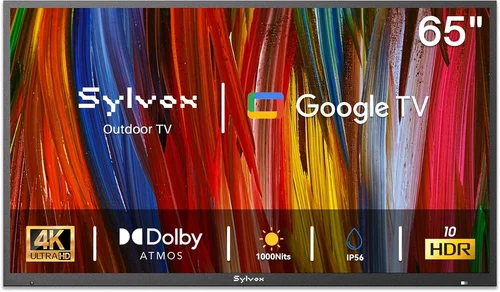
Outdoor viewing demands significantly higher brightness than indoor TVs. Sunlight, ambient light, and reflections can wash out images, making standard 300–500 nits TVs nearly unwatchable during the day. For outdoor use, look for a TV with a peak brightness of at least 700 nits, but ideally 1,000 nits or more. High-brightness panels ensure clear, vivid visuals even in direct sunlight or under bright patio lights.
In addition to brightness, consider the display technology. OLED offers superior contrast and deep blacks but may struggle with glare in bright conditions. QLED and high-end LED panels with anti-reflective coatings are often better suited for outdoor environments. Look for features like local dimming, HDR10, and Dolby Vision support to enhance picture quality. A wide viewing angle is also essential if your seating area spans a broad arc—this ensures everyone gets a great view, not just those sitting directly in front.
3. Build Quality & Durational Durability
Outdoor TVs must endure temperature swings, UV exposure, humidity, and physical wear. A durable build starts with a robust, corrosion-resistant chassis—typically made from powder-coated aluminum or stainless steel. These materials resist rust and fading, even after years of sun and rain exposure. Avoid plastic-heavy enclosures, which can crack or degrade over time.
Internal components should also be designed for outdoor conditions. Look for TVs with sealed cooling systems that prevent moisture from entering while allowing heat to dissipate. Some models include internal heaters or fans to regulate temperature in extreme cold or heat. Additionally, check the mounting hardware—outdoor TVs often require reinforced brackets and weatherproofing kits to ensure secure, long-term installation. A well-built TV not only performs better but also reduces the risk of costly repairs or replacements.
4. Size & Viewing Distance
Choosing the right screen size depends on your outdoor space and seating arrangement. For most backyard setups, a 55-inch to 75-inch TV strikes the perfect balance between visibility and practicality. If your seating is 8–12 feet away, a 65-inch model is ideal. For larger decks or pool areas with seating up to 15 feet away, consider a 75-inch or even 85-inch display.
Keep in mind that larger screens require more power and may need additional support during installation. Also, ensure your mounting location can accommodate the TV’s depth and weight—many outdoor models are thicker than indoor TVs due to protective casings. Measure your space carefully and account for cable management, ventilation, and accessibility for maintenance. A properly sized TV enhances the viewing experience without overwhelming your outdoor aesthetic.
5. Smart Features & Connectivity
Modern outdoor TVs often come with built-in smart platforms like Android TV, webOS, or Roku, allowing you to stream content directly without external devices. This is especially convenient for backyard movie nights—just connect to Wi-Fi and access Netflix, Disney+, or YouTube with ease. Look for models with voice control compatibility (Google Assistant or Alexa) for hands-free operation.
Connectivity is equally important. Ensure the TV has multiple HDMI ports (preferably HDMI 2.1 for 4K/120Hz content), USB ports, and audio outputs. Some models include weatherproof cable glands or pass-through ports to protect connections from moisture. If you plan to use a soundbar or external speakers, check for optical audio or Bluetooth support. For gaming or sports, low input lag and high refresh rates (120Hz) improve responsiveness and motion clarity.
6. Brand Reputation & Reliability
Not all outdoor TV brands are created equal. Established names like Samsung, LG, and Sony have strong reputations for quality and innovation, but they may not always offer the most rugged outdoor models. Specialized brands such as SunBriteTV, Seura, and Peerless-AV focus exclusively on outdoor displays and often lead in durability and performance.
Research customer reviews and professional ratings to gauge reliability. Look for brands with a history of positive feedback regarding longevity, customer service, and real-world performance. Avoid lesser-known brands that lack transparency about IP ratings or use vague marketing language like “weather-resistant” without certification. A reputable brand not only delivers better products but also stands behind them with solid warranties and support.
7. Warranty & Support
Outdoor TVs are a significant investment, so a strong warranty is essential. Most reputable brands offer 2–3 years of coverage, but some premium models come with up to 5 years. Pay attention to what’s covered—does the warranty include labor, parts, and on-site service? Is it valid only if installed by a certified professional?
Customer support is another key factor. Choose a brand with responsive service teams, accessible technical support, and clear documentation. Some companies offer installation guides, video tutorials, and even remote diagnostics. A good warranty and support system can save you time, money, and frustration if issues arise down the line.
8. Installation & Mounting Requirements
Proper installation is crucial for both performance and safety. Outdoor TVs should be mounted on sturdy, level surfaces using weatherproof brackets. Many models require professional installation to ensure stability and compliance with local building codes, especially in windy or seismic areas.
Consider the TV’s weight and dimensions when selecting a mount. Full-motion articulating arms offer flexibility but may not be suitable for all outdoor setups. Fixed or tilt mounts are often more secure. Also, plan for cable routing—use conduit or weatherproof raceways to protect wires from moisture and pests. If your TV includes built-in speakers, ensure they’re positioned for optimal sound distribution. For larger setups, consider adding external weatherproof speakers for a cinematic audio experience.
Different Types of Buying Guide

Common Buying Mistakes to Avoid
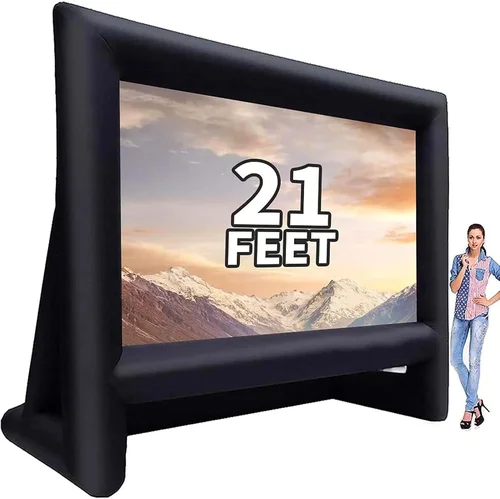
❌ Mistake: Buying an Indoor TV for Outdoor Use
Why it’s bad: Indoor TVs lack the necessary protection against moisture, dust, and temperature extremes. Even a light rain shower can cause internal damage, leading to costly repairs or complete failure. Additionally, indoor models aren’t bright enough for outdoor viewing, resulting in a washed-out image.
What to do instead: Always choose a TV specifically designed for outdoor use. Look for certified weatherproof models with proper IP ratings and outdoor-optimized brightness levels.
❌ Mistake: Ignoring the IP Rating
Why it’s bad: Without a verified IP rating, you can’t be sure how well the TV will handle real-world conditions. A TV labeled “weather-resistant” may only offer minimal protection, leaving it vulnerable to humidity, condensation, or light rain.
What to do instead: Prioritize models with IP55 or higher. Check the manufacturer’s documentation and avoid vague claims. If the IP rating isn’t clearly stated, consider it a red flag.
❌ Mistake: Overlooking Brightness Requirements
Why it’s bad: A dim screen ruins the outdoor viewing experience, especially during daytime or under bright patio lights. Many buyers are disappointed when their new TV looks great indoors but fails outside.
What to do instead: Aim for at least 700 nits, but 1,000+ nits is ideal for full sun exposure. Test the TV in similar lighting conditions if possible, or rely on professional reviews that measure real-world brightness.
❌ Mistake: Choosing the Wrong Size
Why it’s bad: A TV that’s too small forces viewers to squint, while an oversized screen can overwhelm a small space and strain the eyes. Both scenarios diminish enjoyment and value.
What to do instead: Use a viewing distance calculator: multiply the screen size by 1.5 to 2.5 for optimal distance. For example, a 65-inch TV is best viewed from 8 to 13 feet away.
❌ Mistake: Skimping on Installation
Why it’s bad: Improper mounting can lead to instability, water intrusion, or even the TV falling. DIY installations without proper tools or knowledge increase these risks.
What to do instead: Hire a certified installer or follow the manufacturer’s guidelines precisely. Use weatherproof mounts and seal all connections. Investing in professional installation ensures safety and longevity.
❌ Mistake: Neglecting Audio Quality
Why it’s bad: Built-in TV speakers are often weak and muffled, especially outdoors where sound dissipates quickly. Poor audio ruins the movie experience.
What to do instead: Pair your TV with weatherproof outdoor speakers or a soundbar. Look for models with Bluetooth or optical audio outputs for easy integration.
❌ Mistake: Not Considering Future Needs
Why it’s bad: Buying a basic model today may limit your options tomorrow. If you plan to expand your setup with smart home integration, gaming, or streaming, a limited-feature TV becomes obsolete.
What to do instead: Choose a TV with future-proof features like HDMI 2.1, smart platform support, and expandable audio options. It’s better to invest a little more now than replace the entire system later.
Budget Guidelines: How Much Should You Spend?
Entry-Level ($800 – $1,500): These are typically partial-shade or convertible models suitable for covered patios or seasonal use. Expect basic smart features, moderate brightness (500–700 nits), and limited weather protection (IP54). Ideal for casual viewers on a tight budget.
Mid-Range ($1,500 – $3,500): This is the sweet spot for most buyers. These TVs offer full weatherproofing (IP65), high brightness (800–1,200 nits), and robust build quality. Many include advanced smart platforms, HDR support, and better audio. Perfect for year-round use in moderate climates.
Premium ($3,500 – $6,000): Designed for enthusiasts and high-end outdoor spaces, these models feature top-tier displays (QLED or OLED), extreme durability, and professional-grade components. Expect features like internal cooling, anti-glare coatings, and extended warranties. Ideal for open yards, pool areas, or luxury homes.
Luxury ($6,000+): These are commercial-grade or custom-built outdoor displays with ultra-high brightness (1,500+ nits), vandal-resistant casings, and 24/7 operation capability. Often used in resorts, stadiums, or large estates. While overkill for most homeowners, they offer unmatched performance and longevity.
Expert Tips for Getting the Best Deal
1. Buy During Off-Season Sales: The best time to purchase an outdoor TV is during winter months (January–March) when demand is low. Retailers often offer discounts to clear inventory before the spring outdoor season.
2. Compare Retailers: Check prices across multiple platforms—Best Buy, Amazon, Costco, and specialty outdoor electronics stores. Some retailers offer price matching or bundle deals with installation services.
3. Look for Certified Refurbished Models: Reputable brands like SunBriteTV offer certified refurbished units at 20–30% off. These come with full warranties and are thoroughly tested, making them a smart value choice.
4. Negotiate Installation Packages: Many retailers include free or discounted installation with TV purchases. Ask about bundled deals that cover mounting, cable management, and setup.
5. Read Real User Reviews: Professional reviews are helpful, but user feedback reveals long-term reliability. Look for comments about durability, customer service, and real-world performance in various weather conditions.
6. Check Return Policies: Ensure the retailer offers a generous return window (30 days or more) in case the TV doesn’t meet your expectations. Some brands require professional installation for warranty validity, so confirm return terms upfront.
7. Test Before Committing: If possible, visit a showroom or ask for a demo. View the TV in bright conditions to assess brightness and glare. Bring a sample of your streaming content to test performance.
8. Consider Total Cost of Ownership: Factor in installation, mounting hardware, cables, and potential audio upgrades. A cheaper TV may end up costing more if it requires additional accessories or professional setup.

Frequently Asked Questions
Q: Can I use a regular TV outdoors if it’s under a covered patio?
A: While possible, it’s not recommended. Even under cover, humidity, temperature swings, and dust can damage internal components over time. A partial-shade outdoor TV is a safer, longer-lasting choice.
Q: Do outdoor TVs consume more power?
A: Yes, due to higher brightness and additional cooling systems, outdoor TVs typically use 20–40% more energy than indoor models. Look for ENERGY STAR-certified models to reduce long-term costs.
Q: How do I protect my outdoor TV from theft?
A: Use anti-theft mounting brackets, install security cameras, and consider a lockable enclosure. Some models come with built-in security features or can be integrated with smart home systems.
Q: Can I leave my outdoor TV on during rain?
A: Yes, if it has an IP65 or higher rating. These TVs are designed to withstand rain, snow, and humidity. However, avoid direct water jets from hoses or pressure washers.
Q: Do outdoor TVs come with built-in heaters for cold weather?
A: Some premium models include internal heaters to prevent condensation and ensure operation in freezing temperatures. Check the specifications if you live in a cold climate.
Q: Can I use my outdoor TV for gaming?
A: Absolutely. Many outdoor TVs support HDMI 2.1, 120Hz refresh rates, and low input lag—ideal for gaming. Just ensure your console or PC is also protected from the elements.
Q: How often do I need to clean my outdoor TV?
A: Clean the screen and casing every 2–4 weeks with a microfiber cloth and mild cleaner. Avoid abrasive materials that can scratch the anti-reflective coating.
Q: Are outdoor TVs compatible with streaming devices?
A: Yes, most support external devices like Roku, Apple TV, or Fire Stick via HDMI. Some even have weatherproof pass-through ports for easy connection.
Q: What’s the difference between partial-shade and all-weather TVs?
A: Partial-shade models are for covered areas with minimal exposure, while all-weather TVs are fully sealed and rated for direct sun, rain, and snow.
Q: Can I mount an outdoor TV on a wall or ceiling?
A: Yes, but ensure the mount is rated for outdoor use and can support the TV’s weight. Ceiling mounts require additional structural support and proper ventilation.
Our Final Recommendations
Best for Budget-Conscious Buyers: SunBriteTV Veranda Series 55-inch – Offers excellent value with IP55 rating, 700 nits brightness, and built-in smart features. Perfect for covered patios under $2,000.
Best Overall Value: Seura 65-inch Outdoor 4K Smart TV – Combines IP65 protection, 1,000 nits brightness, and a sleek design. Ideal for year-round use with strong performance and reliability.
Best Premium Option: Peerless-AV 75-inch Xtreme Outdoor TV – Built for extreme conditions with IP66 rating, 1,500 nits brightness, and commercial-grade durability. A top choice for luxury outdoor spaces.
Best for Beginners: LG 55-inch OLED Outdoor TV (Partial-Shade) – User-friendly smart platform, excellent picture quality, and easy setup. Great for first-time outdoor TV owners.
Best for Advanced Users: Samsung 85-inch QLED Outdoor Display – Features quantum dot technology, anti-glare coating, and advanced cooling. Designed for tech-savvy users who demand the best.
Conclusion: Making the Right Choice
Choosing the best weatherproof TV for your backyard movie night is about more than just screen size or price—it’s about finding a display that matches your environment, usage habits, and long-term goals. From understanding IP ratings and brightness requirements to avoiding common pitfalls and investing in quality installation, every decision impacts your overall experience.
Remember, the ideal outdoor TV isn’t necessarily the most expensive or the biggest—it’s the one that delivers reliable performance, stunning visuals, and peace of mind season after season. Prioritize durability, smart features, and proper setup to maximize enjoyment and minimize hassle.
As you embark on your search, use this guide as your roadmap. Compare models, read reviews, and consult with experts if needed. With the right TV, your backyard can become the ultimate entertainment destination—rain or shine, day or night.

