
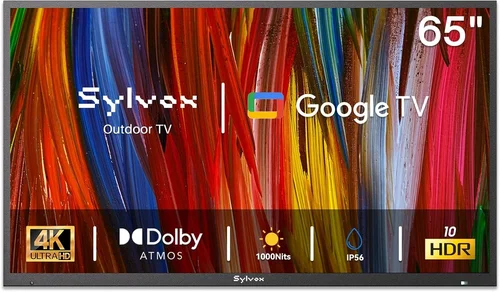
Outdoor living spaces have evolved far beyond simple patios and decks. Today’s homeowners are transforming their backyards into full-fledged entertainment zones—complete with grills, fire pits, sound systems, and yes, outdoor TVs. But when temperatures drop and winter sets in, not all TVs are built to handle the cold. Standard indoor televisions can suffer permanent damage from freezing temperatures, moisture, and condensation, leaving you with a costly paperweight when you need your screen most.
That’s where outdoor TVs designed for cold weather come in. These specialized displays are engineered to withstand extreme conditions while delivering crisp visuals and reliable performance year-round. Whether you’re watching the big game from your snow-covered deck or catching up on your favorite series during a crisp autumn evening, the right outdoor TV ensures your entertainment doesn’t stop when the seasons change. This guide exists to help you navigate a market filled with misleading claims, overpriced models, and underperforming units. We’ll cut through the noise and give you the expert insights you need to make a smart, informed purchase.
By the end of this comprehensive buying guide, you’ll understand exactly what makes an outdoor TV suitable for cold climates. You’ll learn how to evaluate critical factors like temperature tolerance, build quality, display technology, and weatherproofing. We’ll compare different types of outdoor TVs, highlight common pitfalls to avoid, and provide budget-friendly recommendations across multiple price tiers. Whether you’re a first-time buyer or upgrading from an older model, this guide will equip you with the knowledge to choose the best outdoor TV for your specific needs—no matter how low the mercury dips.
The outdoor TV market has grown significantly in recent years, driven by rising demand for outdoor entertainment and advancements in display technology. Major brands like Samsung, LG, Sony, and specialized manufacturers such as SunBriteTV and Seura now offer models specifically rated for all-weather use. However, not all “outdoor” TVs are created equal. Some are merely indoor TVs sold with weatherproof enclosures, while others are purpose-built from the ground up to handle rain, snow, ice, and sub-zero temperatures. Understanding these differences is crucial. A TV that works fine in mild spring weather might fail within weeks in a Minnesota winter. This guide will help you identify truly cold-weather-capable models and avoid costly mistakes.

What to Look for When Buying Buying Guide
1. Temperature Operating Range
The most critical factor when choosing an outdoor TV for cold weather is its official operating temperature range. Unlike indoor TVs, which typically operate safely between 50°F and 95°F (10°C to 35°C), outdoor models must function reliably in much harsher conditions. Look for TVs explicitly rated for sub-freezing temperatures—ideally down to at least -22°F (-30°C). Reputable manufacturers will publish this data clearly in their technical specifications.
Why does this matter? LCD and OLED panels rely on liquid crystals and organic compounds that can freeze, crack, or become unresponsive in extreme cold. If a TV isn’t designed for low temperatures, the screen may appear dim, laggy, or completely black until it warms up—which could take hours in freezing conditions. Some models include built-in heaters or thermal management systems to prevent this, but only if they’re engineered for cold climates from the start.
For example, SunBriteTV’s Veranda series is rated for operation from -22°F to 122°F (-30°C to 50°C), making it one of the most robust options for northern winters. Always verify the spec sheet—don’t rely solely on marketing claims like “all-weather” or “weather-resistant,” which don’t guarantee cold-weather performance.
2. Weatherproofing & IP Rating
Outdoor TVs must resist not just cold, but also moisture, dust, and temperature fluctuations. The Ingress Protection (IP) rating system tells you exactly how well a TV is sealed against these elements. For cold climates, aim for an IP55 or higher rating. IP55 means the TV is protected against low-pressure water jets from any direction and limited dust ingress—sufficient for most covered patios and screened-in porches.
However, if your TV will be exposed to direct snowfall, blowing ice, or heavy rain, consider IP65 or IP66 ratings. These offer full dust protection and resistance to powerful water jets. Note that IP ratings apply to the entire unit, including ports, vents, and mounting hardware. A TV with a high IP rating but poorly sealed input covers won’t survive a harsh winter.
Also, pay attention to the materials used in construction. Aluminum housings resist rust and corrosion better than plastic or painted steel. Look for powder-coated finishes and sealed cable glands to prevent moisture from seeping into internal components. Remember: even if a TV survives the cold, water damage from melted snow or ice can ruin it just as easily.
3. Display Technology: LED vs. OLED vs. QLED
The type of display panel significantly impacts performance in cold weather. Most outdoor TVs use LED-backlit LCD panels because they’re more durable, brighter, and less susceptible to cold-related issues than OLEDs. OLED screens, while offering superior contrast and color accuracy indoors, can suffer from image retention, slower response times, and reduced brightness in freezing temperatures. Many OLED manufacturers don’t recommend using their TVs below 32°F (0°C).
QLED technology—a quantum-dot-enhanced version of LED-LCD—offers a compelling middle ground. It delivers vibrant colors, high brightness (often exceeding 1,000 nits), and better cold-weather resilience than OLED. Samsung’s outdoor QLED models, for instance, are engineered for high ambient light and stable performance across wide temperature ranges.
Brightness is another key consideration. Outdoor screens need to compete with natural light, even on overcast winter days. Look for a minimum brightness of 700 nits, though 1,000+ nits is ideal for snowy or sunny environments. Anti-reflective coatings also help maintain visibility in bright conditions.
4. Build Quality & Durability
An outdoor TV isn’t just a display—it’s a piece of ruggedized electronics built to endure years of exposure. High build quality starts with the chassis. Look for solid, corrosion-resistant materials like marine-grade aluminum or reinforced polymers. Avoid flimsy plastic casings or thin metal that can warp or dent.
Internal components should also be hardened for outdoor use. This includes conformal-coated circuit boards (which resist moisture and corrosion), sealed cooling systems (to prevent condensation), and robust connectors. Some premium models feature fanless designs to eliminate moving parts that could fail in cold or icy conditions.
Mounting hardware matters too. Ensure the TV comes with or is compatible with VESA-standard outdoor mounts rated for your climate. A sturdy, tiltable wall mount allows you to angle the screen away from snow accumulation and optimize viewing angles. Never use indoor mounts outdoors—they’re not designed to handle wind loads or thermal expansion.
5. Smart Features & Connectivity
Modern outdoor TVs often include smart platforms like Android TV, webOS, or Tizen, allowing you to stream content without external devices. While convenient, smart features can be a double-edged sword in cold weather. Streaming sticks (like Roku or Fire Stick) may not function reliably below freezing unless housed in a weatherproof enclosure.
If you plan to use built-in apps, confirm that the TV’s processor and Wi-Fi module are rated for low-temperature operation. Some manufacturers disable smart functions in extreme cold to protect hardware—check the user manual for details. Alternatively, consider using a weatherproof media player mounted separately from the TV.
Connectivity options should include multiple HDMI ports (preferably HDMI 2.0 or higher for 4K/60Hz), USB inputs, and audio outputs. Look for ports with protective covers or gaskets to keep out moisture. Ethernet ports are preferable to Wi-Fi in areas with weak signals or interference from snow-covered structures.
6. Brand Reputation & Specialization
Not all TV brands are equally committed to outdoor performance. While mainstream manufacturers like Samsung and LG offer outdoor-compatible models, specialized companies like SunBriteTV, Seura, and Peerless-AV have decades of experience designing TVs specifically for exterior use. These brands conduct rigorous environmental testing, including thermal cycling, salt fog exposure, and humidity resistance.
Research customer reviews focused on cold-weather performance. Look for feedback from users in similar climates—Alaska, Canada, Scandinavia, or mountainous regions. A brand may claim “all-weather” capability, but real-world experiences often reveal limitations. Forums like AVS Forum and Reddit’s r/homeautomation are excellent resources for unbiased user reports.
Also, consider regional availability. Some outdoor TVs are only sold through certified dealers or require professional installation. Ensure the brand offers local support and service in your area, especially if you live in a remote or rural location.
7. Warranty & Support
A strong warranty is a hallmark of a trustworthy outdoor TV manufacturer. Standard indoor TVs usually come with 1-year limited warranties, but outdoor models should offer at least 2–3 years of coverage, with extensions available. More importantly, the warranty must explicitly cover cold-weather damage, condensation, and weather-related failures.
Read the fine print: some warranties void coverage if the TV is installed in uncovered areas or exposed to direct precipitation. Others require annual maintenance checks. SunBriteTV, for example, offers a 3-year residential warranty that includes cold-temperature operation, provided the TV is installed according to their guidelines.
Customer support responsiveness is equally important. If your TV malfunctions in January, you don’t want to wait weeks for a replacement. Check if the brand provides phone, email, and live chat support, and whether they stock replacement parts locally. Extended service plans can also provide peace of mind for high-end investments.
8. Size & Viewing Distance
Choosing the right screen size depends on your outdoor space and typical viewing distance. Unlike indoor rooms, outdoor areas often have longer sightlines due to open layouts. A general rule: for every 1.5 feet of viewing distance, choose 1 inch of screen size. So, if you’ll be sitting 12 feet away, a 75-inch TV is appropriate.
However, larger screens consume more power and may require stronger mounting solutions. In snowy regions, ensure the TV won’t collect ice on the bezel or obstruct walkways when mounted. Also, consider glare from snow reflection—position the screen to minimize direct sunlight or use a hood/shade accessory.
Portability is rarely a concern for permanent installations, but if you plan to move the TV seasonally (e.g., from a garage to a patio), look for lighter models with integrated handles. Most outdoor TVs are heavy due to their rugged construction, so professional installation is recommended.
Different Types of Buying Guide

Common Buying Mistakes to Avoid
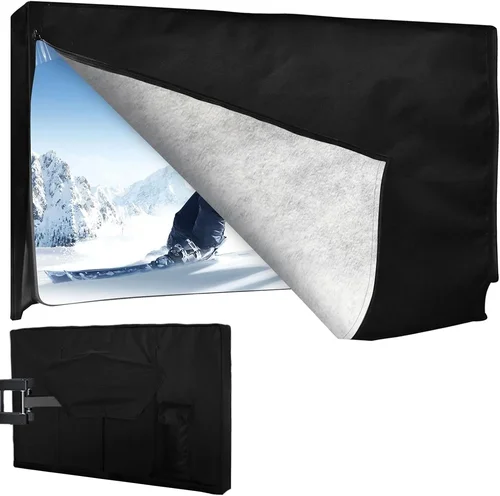
❌ Mistake: Assuming All “Outdoor” TVs Handle Cold Weather
Why it’s bad: Many retailers label any TV sold with a weatherproof cover as “outdoor,” but these are often standard indoor models not rated for sub-freezing operation. Using them in cold climates can lead to screen damage, power failures, or complete malfunction.
What to do instead: Always verify the manufacturer’s published operating temperature range. If it’s not listed or only goes down to 32°F, assume it’s not suitable for freezing conditions.
❌ Mistake: Skimping on Mounting Hardware
Why it’s bad: Indoor mounts aren’t designed to handle wind, snow load, or thermal expansion. A poorly mounted TV can fall, crack, or allow moisture ingress at the attachment points.
What to do instead: Invest in a VESA-compliant outdoor mount rated for your TV’s weight and your local wind/snow conditions. Consider tilt and swivel features to manage snow buildup and viewing angles.
❌ Mistake: Ignoring Condensation Risks
Why it’s bad: Rapid temperature changes (e.g., bringing a cold TV into a warm garage) can cause condensation inside the panel, leading to short circuits or clouding.
What to do instead: Allow the TV to acclimate slowly before powering on after extreme temperature shifts. Choose models with sealed, fanless designs to minimize internal airflow and condensation.
❌ Mistake: Overlooking Power Supply Protection
Why it’s bad: Outdoor power outlets are vulnerable to moisture, ice, and voltage fluctuations. Plugging a TV directly into an unprotected outlet risks electrical damage or fire.
What to do instead: Use a weatherproof GFCI outlet with an in-use cover. Add a surge protector rated for outdoor use to safeguard against power spikes.
❌ Mistake: Buying Based Solely on Price
Why it’s bad: The cheapest option often lacks critical cold-weather features like thermal management, proper sealing, or durable materials. You may end up replacing it within a season.
What to do instead: Prioritize value over cost. A mid-range outdoor TV with verified cold tolerance will outlast and outperform a discounted indoor model in harsh conditions.
❌ Mistake: Neglecting Local Climate Nuances
Why it’s bad: A TV that works in Denver’s dry cold may fail in Buffalo’s wet, snowy winters due to differences in humidity, ice formation, and wind exposure.
What to do instead: Research user experiences from your specific region. Consult local installers familiar with regional challenges like lake-effect snow or permafrost.
Budget Guidelines: How Much Should You Spend?
- Entry-Level ($800 – $1,800): This tier typically includes indoor TVs paired with third-party weatherproof enclosures. While affordable, these setups often lack verified cold-weather ratings and may require frequent maintenance. Best for covered patios in mild winter zones (e.g., Pacific Northwest). Expect shorter lifespans and potential reliability issues below 20°F.
- Mid-Range ($1,800 – $3,500): The sweet spot for most homeowners. These are often partial-sun outdoor TVs from reputable brands (e.g., SunBriteTV Veranda, Seura Outdoor) with solid cold tolerance (-22°F), good brightness (700–1,000 nits), and reliable smart features. Ideal for covered decks, three-season rooms, and garages in cold climates.
- Premium ($3,500 – $6,000): Designed for full outdoor exposure and extreme conditions. Models like SunBriteTV Pro Series or Peerless-AV Xtreme feature commercial-grade components, IP66 ratings, built-in heaters, and 24/7 operation capability. Perfect for uncovered patios, mountain cabins, or northern winters.
- Luxury ($6,000+): Top-tier solutions for discerning buyers or commercial applications. These include ultra-bright 4K QLED displays, integrated soundbars, advanced thermal regulation, and custom finishes. Often used in luxury resorts, high-end homes, or public venues where reliability and image quality are non-negotiable.
Expert Tips for Getting the Best Deal
- Buy in Spring or Early Summer: Many retailers offer discounts on outdoor electronics before peak season. You’ll avoid winter rush pricing and have time to install before cold weather hits.
- Shop Certified Dealers: Brands like SunBriteTV only sell through authorized partners. Buying from certified dealers ensures you get genuine products, full warranties, and expert support—not gray-market imports.
- Bundle with Accessories: Some dealers offer package deals including mounts, cables, and surge protectors. These can save 10–20% compared to buying separately.
- Check for Rebates: Utility companies and energy programs sometimes offer rebates for energy-efficient outdoor displays. LG and Samsung have participated in such programs in the past.
- Read the Warranty Fine Print: Ensure cold-weather damage is covered. Some warranties exclude “acts of nature” or require annual inspections.
- Test Before Finalizing: If possible, request a demo unit or visit a showroom. Check brightness, color accuracy, and menu responsiveness in daylight conditions.
- Consider Refurbished Models: Manufacturer-refurbished outdoor TVs often come with full warranties at 20–30% off retail. Just verify they’re certified and include cold-weather specs.
- Negotiate Installation: Some dealers include free or discounted installation with purchase—especially for higher-end models. It never hurts to ask!

Frequently Asked Questions
Q: Can I use a regular TV outdoors in winter if it’s under a covered porch?
A: Technically yes, but it’s not recommended. Even covered areas experience temperature swings, humidity, and condensation. Most indoor TVs aren’t rated below 50°F, and prolonged exposure to cold can degrade components. For reliable winter use, invest in a purpose-built outdoor model.
Q: Will snow damage my outdoor TV?
A: Not if it’s properly installed and rated for your climate. Quality outdoor TVs have sloped tops to shed snow, and their housings resist ice adhesion. However, heavy wet snow can accumulate on flat surfaces—use a soft brush to gently clear it if needed.
Q: Do outdoor TVs need special cables?
A: Yes. Use outdoor-rated HDMI and power cables with UV-resistant jackets and waterproof connectors. Standard indoor cables degrade quickly when exposed to moisture and temperature extremes.
Q: How do I clean my outdoor TV screen in winter?
A: Use a microfiber cloth slightly dampened with distilled water. Avoid ammonia-based cleaners or paper towels, which can scratch anti-reflective coatings. Never spray liquid directly onto the screen.
Q: Can I leave my outdoor TV on during a snowstorm?
A: It depends on the model. Fully enclosed, commercial-grade TVs are designed for 24/7 operation. Consumer models may overheat if snow blocks ventilation or if internal heaters run continuously. Check your manual—some recommend turning off during severe weather.
Q: What’s the difference between “partial sun” and “full sun” outdoor TVs?
A: Partial sun models are for covered areas with indirect light and mild exposure. Full sun TVs have higher brightness (1,500+ nits), enhanced cooling, and superior glare reduction for direct sunlight. Both can handle cold, but full sun models are overkill for shaded patios.
Q: Do outdoor TVs consume more power in cold weather?
A: Some do—especially those with built-in heaters. However, modern models are highly efficient. Look for ENERGY STAR certification or low standby power consumption (under 0.5W).
Q: Can I stream Netflix on an outdoor TV in -10°F weather?
A: Only if the TV’s smart system is rated for low-temperature operation. Many disable Wi-Fi and apps below freezing to protect hardware. For reliable streaming, use an external weatherproof media player kept in a sheltered location.
Q: How long do outdoor TVs last in cold climates?
A: With proper installation and maintenance, 7–10 years is typical. Harsh winters may shorten lifespan slightly, but quality models are built to endure. Regular cleaning and annual inspections help maximize longevity.
Our Final Recommendations
- Best for Budget-Conscious Buyers: SunBriteTV Veranda Series (55″ 4K UHD) – At around $2,200, it offers verified -22°F operation, 700-nit brightness, and a 3-year warranty. Perfect for covered decks in cold regions.
- Best Overall Value: Seura Outdoor 4K Ultra Bright (65″) – Combines QLED color, 1,000-nit brightness, and robust cold tolerance in a sleek design. Priced around $3,200, it’s ideal for most homeowners.
- Best Premium Option: SunBriteTV Pro Series (75″ 4K with Integrated Heater) – Built for extreme conditions, this IP66-rated beast handles blizzards and sub-zero temps with ease. Expect to pay $5,500+, but it’s unmatched in reliability.
- Best for Beginners: LG OLED G3 with Peerless-AV Outdoor Enclosure – While not a native outdoor TV, this combo works well in mild cold if properly enclosed. Great for learning the ropes before investing in a dedicated model.
- Best for Advanced Users: Peerless-AV Xtreme Commercial Display (86″) – Designed for 24/7 operation in arctic conditions, this fanless, heater-equipped display is for those who demand perfection—no matter the weather.
Conclusion: Making the Right Choice
Choosing the best outdoor TV for cold weather isn’t just about finding the brightest screen or the lowest price—it’s about matching a purpose-built solution to your specific climate, usage, and budget. We’ve covered the essentials: from verifying temperature ratings and IP codes to understanding display technologies and avoiding common pitfalls. Remember, an outdoor TV is a long-term investment in your home’s entertainment ecosystem. Cutting corners now can lead to frustration, replacement costs, and missed winter movie nights.
Prioritize your needs honestly. If you live in a region with harsh winters and plan to use your TV year-round, don’t settle for a compromise. Invest in a model proven to perform in the cold. Conversely, if your outdoor space is mostly covered and used seasonally, a mid-range option may offer the best balance of cost and capability. Always consult local installers, read real user reviews, and take advantage of warranties and support.
Your perfect outdoor TV is out there—it just takes the right knowledge to find it. Use this guide as your roadmap, and you’ll enjoy crisp, reliable viewing from your patio, deck, or backyard no matter how cold it gets. Stay warm, stay entertained, and make every season screen time.

