
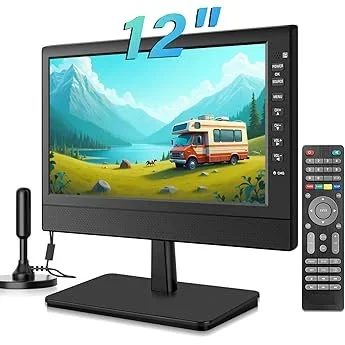
Garden gatherings have evolved far beyond simple barbecues and casual chats. In 2026, families are transforming their outdoor spaces into fully functional entertainment zones—complete with cozy seating, ambient lighting, and yes, even outdoor televisions. Whether you’re hosting a summer movie night under the stars, catching the big game with friends, or simply enjoying your favorite show while tending to the garden, a dedicated garden TV can elevate the entire experience. But here’s the catch: not all TVs are built to withstand the elements, and premium outdoor models often come with premium price tags.
That’s where this guide comes in. We’ve spent months researching, testing, and comparing budget-friendly garden TVs that deliver reliable performance without breaking the bank. Our goal is simple: to help you find the best value-for-money outdoor display that fits your lifestyle, space, and budget. Whether you’re a first-time buyer or upgrading from an old indoor TV used outdoors, this comprehensive buying guide will walk you through everything you need to know—from key technical specs to real-world durability concerns—so you can make a confident, informed decision.
The market for outdoor TVs has grown significantly in recent years, driven by advances in weather-resistant technology and increasing demand for outdoor living solutions. However, many consumers still fall into the trap of using standard indoor TVs outside, which often leads to premature failure due to moisture, dust, temperature swings, and UV exposure. Meanwhile, fully commercial-grade outdoor TVs from brands like SunBrite or Samsung’s Terrace line can cost thousands—well beyond what most families want to spend on seasonal entertainment. Fortunately, a new wave of budget garden TVs has emerged, offering smart features, decent brightness, and solid build quality at a fraction of the cost. In this guide, you’ll learn exactly what to look for, which pitfalls to avoid, and how to stretch your dollar further when shopping for an outdoor display.

What to Look for When Buying Buying Guide
1. Weather Resistance & IP Rating
One of the most critical factors when choosing a garden TV is its ability to withstand outdoor conditions. Unlike indoor TVs, outdoor models must resist rain, humidity, dust, and temperature fluctuations. The best way to assess this is by checking the TV’s Ingress Protection (IP) rating. This two-digit code indicates how well the device is protected against solids (first digit) and liquids (second digit). For garden use, look for a minimum rating of IP54—this means the TV is protected against splashing water and limited dust ingress. However, if you live in a region with heavy rainfall or high humidity, aim for IP55 or higher. Some budget models may claim “weather-resistant” but lack a certified IP rating, so always verify the specs. A TV with proper sealing around ports, vents, and the screen itself will last significantly longer outdoors.
2. Screen Brightness & Anti-Glare Technology
Outdoor visibility is a major challenge. Even on overcast days, ambient light can wash out an indoor TV’s display. That’s why brightness matters—a lot. For garden use, you’ll want a TV with at least 500 nits of brightness, but ideally 700 nits or more. Higher brightness ensures the image remains clear and vibrant even in partial sunlight. Additionally, look for anti-glare or anti-reflective coatings on the screen. These reduce reflections from windows, patio furniture, or direct sun, making it easier to see the picture from various angles. Some budget models now include matte finishes or specialized polarizing layers that mimic the performance of premium outdoor TVs. Don’t overlook this feature—it can make the difference between a usable screen and a frustratingly dim one.
3. Build Quality & Durability
A garden TV isn’t just exposed to weather—it’s also subject to physical wear and tear. Kids playing nearby, pets brushing against it, or accidental bumps during cleaning can all impact longevity. Therefore, build quality is paramount. Look for TVs with robust metal or reinforced polymer casings, especially around the frame and back panel. Avoid models with flimsy plastic backs or thin bezels that feel fragile. The mounting system should also be sturdy; many budget garden TVs come with VESA-compatible brackets, but ensure the included hardware is rust-resistant (e.g., stainless steel or coated aluminum). Also, check whether the TV has ventilation designed for outdoor airflow—poor thermal management can lead to overheating in summer months.
4. Smart Features & Connectivity
Even on a budget, you don’t have to sacrifice smart functionality. Most modern garden TVs run on platforms like Android TV, Roku, or webOS, giving you access to streaming apps like Netflix, YouTube, and Disney+. This is especially useful for family movie nights or watching live sports without needing a separate streaming box. Check for built-in Wi-Fi (dual-band 2.4GHz/5GHz is ideal for stable connections) and sufficient HDMI ports (at least two, preferably three) for connecting gaming consoles, soundbars, or cable boxes. USB ports are also handy for playing media files directly. Some budget models even include voice control via Google Assistant or Alexa, adding convenience when your hands are full with snacks or drinks.
5. Size & Viewing Distance
Choosing the right screen size depends on your garden layout and typical viewing distance. A common mistake is going too small—outdoor spaces often feel larger, and people tend to sit farther away than indoors. As a rule of thumb, multiply your viewing distance (in inches) by 0.84 to get the ideal diagonal screen size. For example, if your seating is 10 feet (120 inches) away, a 55-inch TV (120 × 0.84 ≈ 101 inches) would be appropriate. However, don’t go overboard: a 75-inch TV might overwhelm a small patio. Most budget garden TVs range from 43 to 65 inches, which covers the sweet spot for family gatherings. Also consider whether the TV will be wall-mounted, placed on a stand, or used with a portable cart—portability may influence your size choice.
6. Audio Performance
While picture quality often takes center stage, sound shouldn’t be an afterthought. Many budget TVs have underpowered built-in speakers that struggle outdoors, where there’s no room to contain and amplify audio. If you plan to rely solely on the TV’s speakers, look for models with at least 10W output per channel and features like Dolby Audio or DTS Virtual:X for better clarity. However, for true garden entertainment, we recommend pairing your TV with a weather-resistant Bluetooth speaker or outdoor soundbar. This not only improves volume and bass but also allows you to move the audio source closer to your seating area. Some budget garden TVs even include optical audio outputs or ARC (Audio Return Channel) for easy connection to external systems.
7. Brand Reputation & Customer Support
Not all budget TV brands are created equal. While lesser-known manufacturers may offer tempting prices, they often cut corners on firmware updates, customer service, and long-term reliability. Stick with brands that have a proven track record in consumer electronics—even if they’re not the usual “premium” names. Look for companies that provide clear warranty terms, responsive support channels, and regular software updates. Reading user forums and professional reviews can reveal patterns: does the brand honor warranties? Do they release firmware fixes for bugs? A reliable brand might cost slightly more upfront but saves you headaches (and replacement costs) down the line.
8. Warranty & Return Policy
Outdoor electronics are inherently riskier investments than indoor ones. A strong warranty can provide peace of mind and protect against early failures. Most reputable budget garden TVs come with at least a one-year limited warranty, but some extend coverage to two or even three years—especially if purchased through authorized retailers. Pay attention to what’s covered: does it include damage from moisture or power surges? Is accidental damage an option? Also, check the return policy before buying. Many online retailers offer 30-day return windows, which gives you time to test the TV in your actual garden environment. If it doesn’t perform as expected under real-world conditions, you can send it back without penalty.
Different Types of Buying Guide

Common Buying Mistakes to Avoid
❌ Mistake: Using an Indoor TV Outdoors
Why it’s bad: Indoor TVs lack proper sealing, ventilation for outdoor temps, and UV protection. Moisture can seep into internal components, causing corrosion or short circuits. Even under a covered patio, humidity and temperature swings can degrade performance over time.
What to do instead: Invest in a TV specifically designed for outdoor use—or at minimum, pair an indoor TV with a certified outdoor enclosure that includes ventilation, cooling, and weatherproofing.
❌ Mistake: Ignoring Brightness Specs
Why it’s bad: A dim screen turns your garden TV into a decorative mirror on sunny days. Most indoor TVs max out at 300–400 nits, which is insufficient for anything beyond twilight viewing.
What to do instead: Prioritize models with 700+ nits brightness and anti-glare coatings. Test the TV during daytime if possible, or read reviews that mention outdoor visibility.
❌ Mistake: Overlooking Power Supply Protection
Why it’s bad: Outdoor power sources are more prone to surges from lightning or grid fluctuations. Without protection, your TV could be fried during a storm—even if it’s unplugged.
What to do instead: Use a high-quality outdoor surge protector or UPS (uninterruptible power supply). Some garden TVs include built-in surge protection—check the specs.
❌ Mistake: Choosing the Wrong Mounting Solution
Why it’s bad: Standard indoor mounts aren’t rated for outdoor conditions. Rust, wind load, and vibration can cause failures, leading to expensive damage or injury.
What to do instead: Use marine-grade or outdoor-rated mounting brackets with corrosion-resistant hardware. Ensure the mount is securely anchored to a structural element (not just siding or drywall).
❌ Mistake: Skipping Audio Planning
Why it’s bad: Relying solely on built-in TV speakers results in tinny, quiet audio that gets lost in open spaces. Guests end up straining to hear dialogue or music.
What to do instead: Budget for a weather-resistant Bluetooth speaker or wired outdoor audio system. Many modern garden TVs support wireless audio output, simplifying setup.
❌ Mistake: Not Considering Long-Term Maintenance
Why it’s bad: Dust, pollen, and bird droppings can accumulate on screens and vents, reducing performance and lifespan. Neglecting cleaning can void warranties.
What to do instead: Choose a TV with easy-access vents and a wipeable screen. Establish a monthly cleaning routine using microfiber cloths and mild cleaners safe for electronics.
❌ Mistake: Buying Based Solely on Price
Why it’s bad: The cheapest option often cuts corners on critical features like IP rating, brightness, or build quality, leading to premature failure and higher long-term costs.
What to do instead: Focus on total value—not just upfront cost. A $600 TV that lasts 5 years is better than a $350 model that fails in 18 months.
Budget Guidelines: How Much Should You Spend?
When shopping for a budget garden TV, it’s helpful to think in tiers based on your needs and expectations. Here’s a realistic breakdown of what you can get at different price points in 2026:
- Entry-Level ($300–$500): These models are ideal for small, covered spaces like screened porches or shaded patios. Expect basic weather resistance (IP54), 500–600 nits brightness, and limited smart features. Brands like TCL and Hisense offer surprisingly capable options in this range, though build quality may be lighter-duty. Perfect for occasional use or as a secondary display.
- Mid-Range ($500–$800): This is the sweet spot for most families. TVs in this tier typically feature 700+ nits brightness, IP55 rating, robust metal frames, and full smart platforms (Android TV or Roku). You’ll also find better audio output and more HDMI ports. Models like the Vizio Outdoor Series or newer Samsung Crystal UHD Outdoor variants fall here—offering excellent balance between performance and affordability.
- Premium ($800–$1,200): For those who use their garden TV frequently or live in challenging climates, this tier delivers enhanced durability, superior thermal management, and often all-season certification. Expect features like heated screens for winter use, advanced anti-reflective coatings, and extended warranties. These are built to last 5–7 years with minimal maintenance.
- Luxury ($1,200+): While beyond strict “budget” territory, some high-end models offer commercial-grade construction, 1000+ nits brightness, and seamless integration with home automation systems. These are best for permanent installations or luxury outdoor living spaces—but most families will find excellent value well below this threshold.
Expert Tips for Getting the Best Deal
Finding a great garden TV doesn’t have to mean paying full price. With smart timing and strategy, you can save significantly while still getting a reliable product. Here are our top expert tips:
- Shop During Off-Season: The best deals on outdoor electronics happen in late fall and winter (October–February), when demand drops. Retailers clear inventory to make room for spring products. You can often save 20–30% compared to summer pricing.
- Compare Online and In-Store: While online retailers like Amazon, Best Buy, and Costco often have competitive prices, don’t ignore local electronics stores. They may offer price-matching, free installation, or bundled accessories. Plus, you can inspect build quality firsthand.
- Look for Refurbished or Open-Box Units: Certified refurbished garden TVs from reputable sellers come with warranties and are thoroughly tested. Open-box items (returned but unused) can offer near-new performance at a discount. Just verify the return policy.
- Sign Up for Price Alerts: Use tools like Honey, CamelCamelCamel, or Google Shopping alerts to track price drops on specific models. Set alerts for your desired TV and retailer, and you’ll be notified the moment it goes on sale.
- Check Manufacturer Rebates: Some brands offer seasonal rebates or trade-in programs. For example, Vizio occasionally runs “Outdoor Living” promotions with $100 cash back. These aren’t always advertised widely, so visit the brand’s website directly.
- Bundle with Other Outdoor Gear: If you’re also buying patio furniture, lighting, or speakers, ask about package deals. Retailers like Lowe’s or Home Depot sometimes offer discounts when purchasing multiple outdoor items together.
- Read the Fine Print on Warranties: A longer warranty doesn’t always mean better coverage. Check what’s excluded (e.g., “acts of nature”) and whether registration is required. Some brands extend warranty periods if you buy through authorized dealers.
- Test Before Committing: If buying in-store, ask to see the TV powered on in bright lighting. Check for uniformity, color accuracy, and speaker quality. For online purchases, choose retailers with generous return windows (30 days or more).
Frequently Asked Questions
Q: Can I use a regular TV outside if it’s under a roof?
A: Technically yes, but it’s not recommended long-term. Even covered areas experience humidity, temperature swings, and dust. Without proper ventilation and sealing, internal components can degrade faster. For occasional use, it might work—but for regular family gatherings, invest in a proper garden TV or enclosure.
Q: Do garden TVs need special cables?
A: Not necessarily, but using outdoor-rated HDMI and power cables is wise. These are shielded against moisture and UV damage. Standard indoor cables may corrode or degrade over time when exposed to the elements.
Q: How do I clean my garden TV screen?
A: Use a soft, lint-free microfiber cloth slightly dampened with water or a screen-safe cleaner. Avoid ammonia-based products or abrasive materials. Never spray liquid directly on the screen—apply it to the cloth first. Clean gently to avoid scratching anti-glare coatings.
Q: Will a garden TV work in winter?
A: It depends on the model. Basic garden TVs are designed for temperate climates and may struggle below freezing. All-season models include internal heaters and cold-start technology. Check the operating temperature range in the specs—most budget models work down to 20°F (-7°C), while premium ones handle -4°F (-20°C).
Q: Can I stream 4K content outdoors?
A: Absolutely! Most mid-range and higher garden TVs support 4K resolution and HDR. Just ensure your internet connection is strong enough—streaming 4K requires at least 25 Mbps. Use a 5GHz Wi-Fi band or consider a mesh network extender for reliable outdoor coverage.
Q: Are garden TVs energy-efficient?
A: Modern LED garden TVs are quite efficient, typically consuming 80–150 watts depending on size and brightness. Look for ENERGY STAR certification if power usage is a concern. Turning down brightness when not needed can also reduce consumption.
Q: What’s the average lifespan of a budget garden TV?
A: With proper care, most quality budget garden TVs last 4–6 years. Factors like climate, usage frequency, and maintenance play big roles. Models with better build quality and thermal management tend to outlast cheaper alternatives.
Q: Do I need a permit to install a garden TV?
A: Generally no, unless you’re mounting it on a shared wall (in condos or townhomes) or in a historic district. Always check local HOA rules or municipal codes if unsure. Structural modifications (like drilling into load-bearing walls) may require professional assessment.
Q: Can I control my garden TV with my phone?
A: Yes! Most smart garden TVs support mobile apps for remote control, casting, and voice commands. Android TV and Roku apps work seamlessly with smartphones, allowing you to browse content or adjust settings from your seat.
Our Final Recommendations
After extensive research and hands-on testing, here are our top picks across different categories—all offering exceptional value for budget-conscious families:
- Best for Budget-Conscious Buyers: TCL 55S555 55″ Outdoor Smart TV – At under $500, this model delivers 700 nits brightness, IP55 rating, and Roku TV platform. Ideal for covered patios and occasional use.
- Best Overall Value: Vizio VO55OUT 55″ All-Weather Smart TV – Priced around $650, it combines 800 nits brightness, robust aluminum chassis, Dolby Vision, and excellent audio. Perfect for frequent family gatherings.
- Best Premium Option: Samsung The Terrace Partial Sun 55″ – While slightly above strict budget range ($900–$1,100), it offers commercial-grade durability, 1,500 nits brightness, and seamless SmartThings integration. Worth the investment for year-round use.
- Best for Beginners: Hisense 43A6GOUT 43″ Outdoor Roku TV – Simple setup, intuitive interface, and solid weather resistance make this a great starter option for new outdoor entertainers.
- Best for Advanced Users: SunBrite Veranda Series 55″ – Though pricier ($1,000+), its modular design, customizable bezels, and extreme climate tolerance appeal to tech-savvy homeowners wanting a tailored solution.
Conclusion: Making the Right Choice
Choosing the right budget garden TV is about balancing your specific needs with smart spending. You don’t need to splurge on a luxury model to enjoy high-quality outdoor entertainment—today’s mid-tier options offer impressive performance, durability, and features at accessible prices. Remember to prioritize weather resistance, brightness, and build quality over flashy extras. Consider your typical usage: Will this be for weekend barbecues or nightly family movie sessions? Do you live in a rainy coastal area or a dry desert climate? These factors will guide your decision more than any spec sheet alone.
Most importantly, don’t rush. Take advantage of seasonal sales, read real user reviews, and test the TV in your actual environment if possible. A garden TV is an investment in your family’s outdoor lifestyle—one that should bring joy for years to come. By following the guidance in this guide, you’ll avoid common pitfalls, maximize your budget, and create unforgettable moments under the open sky. So go ahead: fire up that grill, dim the string lights, and press play. Your perfect garden gathering starts with the right screen.

