
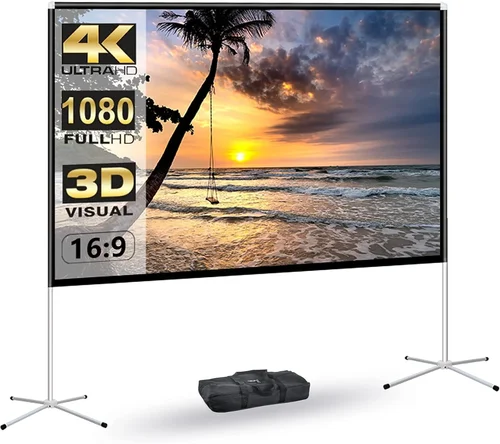
Outdoor movie nights have become one of the most beloved ways to enjoy entertainment under the stars. Whether you’re hosting a family gathering, a romantic evening, or a neighborhood block party, nothing beats the magic of watching your favorite film surrounded by nature, fresh air, and twinkling string lights. But to make that experience truly immersive, you need the right screen—and more importantly, the right display. While many people assume they need a high-end outdoor projector or an expensive weatherproof TV, the truth is that a well-chosen budget garden TV can deliver excellent performance without breaking the bank.
This guide is designed for anyone who wants to bring cinematic magic to their backyard without overspending. Whether you’re a first-time buyer or upgrading from an old setup, we’ll walk you through everything you need to know to make a smart, informed decision. You’ll learn how to evaluate key features like brightness, durability, and connectivity, understand the different types of outdoor displays available, and avoid common pitfalls that lead to buyer’s remorse. We’ll also share expert tips on timing your purchase, where to shop, and how to get the most value for your money. By the end, you’ll have a clear roadmap to choosing a garden TV that fits your space, your needs, and your budget.
The market for outdoor TVs has evolved significantly in recent years. What was once a niche category dominated by ultra-expensive models from brands like SunBriteTV has now opened up to include a range of affordable, high-performing options. From portable smart TVs to ruggedized outdoor displays, there’s never been a better time to invest in backyard entertainment. With advancements in LED technology, weather resistance, and smart features, even budget models now offer impressive picture quality and reliability. This guide cuts through the marketing noise and delivers practical, real-world advice to help you find the perfect garden TV for your 2026 outdoor movie nights.

What to Look for When Buying Buying Guide
1. Brightness and Outdoor Visibility
One of the most critical factors when choosing a garden TV is brightness. Unlike indoor TVs, which are designed to perform well in dimly lit rooms, outdoor displays must contend with ambient light—whether it’s the glow of sunset, moonlight, or nearby streetlights. A TV that looks great inside your living room may appear washed out or dim when placed in your backyard.
Look for a display with a brightness rating of at least 500 nits, but ideally 700 nits or higher. For full sun exposure or daytime viewing, aim for 1000+ nits. This ensures that colors remain vibrant and details stay sharp even in bright conditions. Many budget outdoor TVs now use anti-glare coatings and high-luminance panels to improve visibility. Additionally, consider the screen’s reflectivity—matte finishes tend to perform better outdoors than glossy ones, which can create distracting reflections.
2. Weather Resistance and Durability
Your garden TV will be exposed to the elements—rain, humidity, dust, and temperature fluctuations. Even if you plan to store it indoors when not in use, it’s wise to choose a model with some level of weather resistance. Look for an IP (Ingress Protection) rating, which indicates how well the TV is protected against solids and liquids. An IP54 rating means the TV is protected against dust and splashing water, while IP65 offers protection against dust and low-pressure water jets.
For permanent outdoor installations, IP65 or higher is recommended. However, many budget-friendly models are designed for semi-outdoor use and come with protective covers or enclosures. These can be a cost-effective way to extend the life of your TV. Also, consider the materials used in the chassis—aluminum or powder-coated steel resists rust and corrosion better than plastic.
Temperature tolerance is another key factor. Most consumer TVs are rated for indoor use between 32°F and 95°F (0°C to 35°C). Outdoor models often have wider operating ranges, sometimes from -4°F to 122°F (-20°C to 50°C). If you live in an area with extreme winters or scorching summers, this can make a big difference in longevity.
3. Screen Size and Viewing Distance
Choosing the right screen size depends on your viewing distance and the size of your outdoor space. A common mistake is going too small—what looks adequate on a spec sheet can feel underwhelming when you’re sitting 10 feet away. A good rule of thumb is to multiply your viewing distance (in feet) by 0.84 to get the ideal screen diagonal in inches. For example, if you’ll be sitting 8 feet from the screen, an 67-inch TV (8 × 0.84 ≈ 67) would be ideal.
For most backyard setups, a 55-inch to 75-inch TV strikes a great balance between immersion and practicality. Smaller screens (43–50 inches) work well for intimate gatherings or smaller patios, while larger screens (75+ inches) are perfect for open yards or community events. Keep in mind that larger screens require more power and may need a sturdier mounting solution.
Portability is also a consideration. If you plan to move your TV between the patio, garage, and backyard, a lighter model with built-in handles or a rolling stand can be a game-changer. Some budget outdoor TVs come with integrated stands or are compatible with universal outdoor mounts.
4. Smart Features and Connectivity
Modern garden TVs aren’t just about picture quality—they’re also entertainment hubs. Most budget models now come with built-in smart platforms like Android TV, Roku, or webOS, giving you access to streaming services like Netflix, Disney+, and YouTube without needing an external device. This is especially convenient for outdoor use, where running cables or setting up a streaming box can be cumbersome.
Check the available ports: HDMI, USB, Ethernet, and audio outputs are essential. At least two HDMI ports are recommended—one for a streaming device and one for a gaming console or Blu-ray player. USB ports allow you to play media from flash drives, while Ethernet ensures a stable internet connection if Wi-Fi is weak outdoors.
Voice control compatibility (via Alexa or Google Assistant) is a nice bonus, allowing you to change channels or search for content hands-free. Some models even support screen mirroring from smartphones or tablets, which is great for sharing photos or videos during gatherings.
5. Audio Quality and Sound Solutions
While picture quality often takes center stage, sound is just as important for an immersive experience. Most budget garden TVs have built-in speakers, but they’re typically underpowered and lack bass—especially when competing with outdoor noise like wind, traffic, or chatter.
For casual viewing, built-in audio may suffice, but for movie nights, we strongly recommend pairing your TV with external speakers. Bluetooth soundbars or wireless outdoor speakers are excellent options. Look for models with weather resistance (IPX5 or higher) and long battery life if you’re going wireless. Alternatively, you can run speaker wires to a powered outdoor sound system or use a receiver with outdoor speaker outputs.
Some TVs support audio passthrough via optical or HDMI ARC, making it easy to connect to external audio systems. If you’re using a projector instead of a TV, audio becomes even more critical—many projectors have very weak built-in speakers.
6. Power Requirements and Energy Efficiency
Outdoor setups often mean longer viewing sessions and less convenient access to power outlets. A TV’s power consumption can impact both your electricity bill and your setup flexibility. Most modern LED TVs are energy-efficient, but larger screens and higher brightness levels draw more power.
Check the TV’s wattage rating—typically listed in the specifications. A 55-inch LED TV might use 80–120 watts under normal use, while a 75-inch model could use 150–200 watts. If you’re planning extended movie marathons, consider a model with an Energy Star rating, which indicates lower power consumption.
For off-grid or remote setups, some users opt for portable power stations or solar generators. In these cases, a TV with low power draw is essential. Also, consider whether the TV supports sleep timers or automatic shutoff to conserve energy when not in use.
7. Mounting and Installation Options
How you mount your garden TV affects both safety and viewing comfort. Wall mounts are the most common choice, offering a clean, permanent installation. Look for a mount rated for outdoor use—these are typically made of rust-resistant materials and can support the TV’s weight in windy conditions.
Ceiling mounts are ideal for pergolas or covered patios, while portable stands or tripods offer flexibility for temporary setups. Some budget TVs come with built-in stands, but these may not be sturdy enough for outdoor use. Universal VESA-compatible mounts are widely available and work with most TVs.
Always ensure the mounting surface is secure—brick, concrete, or treated wood are best. Avoid mounting on vinyl siding or weak structures. If you’re unsure, consult a professional installer. Proper mounting not only protects your investment but also prevents accidents.
8. Brand Reputation and Customer Support
Not all budget TVs are created equal. While lesser-known brands may offer tempting prices, they often lack reliable customer support, firmware updates, or long-term durability. Stick with reputable manufacturers that have a track record of producing quality displays—even at lower price points.
Brands like TCL, Hisense, Samsung, and LG offer budget-friendly models with solid performance and good warranties. Read user reviews on trusted sites like Amazon, Best Buy, or CNET to gauge real-world reliability. Pay attention to comments about customer service—how quickly they respond, whether they honor warranties, and if replacement parts are available.
Avoid no-name brands that disappear after a year or two. A good warranty (at least one year, preferably two) is a sign the manufacturer stands behind its product. Some brands even offer extended outdoor warranties for an additional fee.
Different Types of Buying Guide

Common Buying Mistakes to Avoid
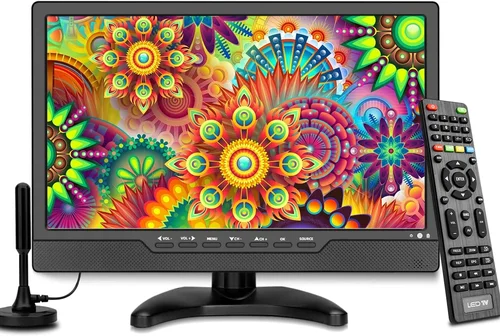
❌ Mistake: Choosing a TV Based Solely on Price
Why it’s bad: The cheapest TV may save you money upfront, but it could lack essential features like brightness, durability, or smart functionality. You might end up replacing it within a year, costing more in the long run.
What to do instead: Set a realistic budget and prioritize value over the lowest price. Look for models that offer the best balance of features, build quality, and performance within your range.
❌ Mistake: Ignoring Brightness and Glare
Why it’s bad: A dim TV will look washed out in daylight or under ambient lighting, ruining the movie experience. Glare from windows or lights can make the screen hard to see.
What to do instead: Always check the nits rating and opt for anti-glare screens. Test the TV in similar lighting conditions if possible, or read reviews that mention outdoor visibility.
❌ Mistake: Overlooking Weather Protection
Why it’s bad: Even occasional rain or humidity can damage an indoor TV, leading to malfunctions or safety hazards. Moisture can corrode internal components over time.
What to do instead: Choose a TV with at least IP54 rating or use a weatherproof enclosure. If storing indoors isn’t an option, invest in a model designed for outdoor use.
❌ Mistake: Neglecting Audio Quality
Why it’s bad: Poor sound can make even the best visuals feel flat. Built-in speakers often can’t compete with outdoor noise, leaving dialogue inaudible.
What to do instead: Plan for external audio from the start. Pair your TV with weather-resistant speakers or a soundbar. Test the setup before your first movie night.
❌ Mistake: Poor Placement and Mounting
Why it’s bad: Mounting a TV on an unstable surface or in a high-traffic area can lead to accidents. Incorrect height or angle can cause neck strain and reduce viewing comfort.
What to do instead: Mount the TV at eye level when seated, and ensure the structure can support the weight. Use a professional installer if needed.
❌ Mistake: Forgetting About Power and Connectivity
Why it’s bad: Running extension cords across the yard is unsafe and unsightly. Weak Wi-Fi can cause buffering, especially with 4K content.
What to do instead: Plan your power source in advance. Use outdoor-rated extension cords or hire an electrician to install a weatherproof outlet. Boost Wi-Fi with a mesh network or extender.
❌ Mistake: Not Reading Reviews or Testing Before Buying
Why it’s bad: Marketing specs don’t always reflect real-world performance. A TV might look great on paper but fail in practice due to poor software or build quality.
What to do instead: Read detailed user reviews and watch video demonstrations. If possible, test the TV in-store or choose a retailer with a generous return policy.
Budget Guidelines: How Much Should You Spend?
– Entry-Level ($250–$400): These are typically indoor smart TVs (43–50 inches) that can be used outdoors with a protective enclosure. Expect basic brightness (300–500 nits), standard smart features, and limited weather resistance. Best for occasional use in covered areas or short movie nights. Brands like TCL and Hisense offer solid options in this range.
– Mid-Range ($400–$700): This is the sweet spot for most backyard movie enthusiasts. You’ll find 55–65-inch TVs with 600–800 nits brightness, better smart platforms, and improved build quality. Some models include partial weather resistance or are compatible with outdoor enclosures. Great for regular use and small to medium gatherings.
– Premium ($700–$1,200): These are purpose-built outdoor TVs with high brightness (800–1,000+ nits), IP54 or IP65 ratings, and rugged construction. Ideal for permanent installations, full sun exposure, or larger groups. Brands like SunBriteTV and Seura offer models in this tier, but some mainstream brands now compete with outdoor-ready versions.
– Luxury ($1,200+): Top-tier outdoor displays with 1,000+ nits, full weatherproofing, advanced cooling systems, and premium audio. These are designed for year-round use in extreme conditions and often include professional installation services. Best for luxury homes, commercial venues, or serious outdoor entertainment setups.
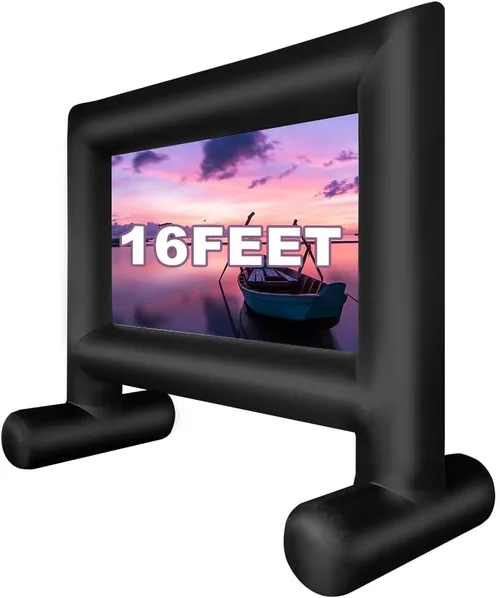
Expert Tips for Getting the Best Deal
– Shop During Seasonal Sales: The best time to buy a garden TV is during spring and early summer (March–June), when retailers promote outdoor living products. Black Friday and Cyber Monday also offer deep discounts, though selection may be limited.
– Compare Online and In-Store Prices: Online retailers like Amazon, Best Buy, and Costco often have better deals and return policies. However, in-store shopping lets you see the TV in person and test brightness and sound.
– Look for Open-Box or Refurbished Models: These can save you 20–40% off retail price. Ensure they come with a warranty and are certified by the manufacturer.
– Check for Bundle Deals: Some retailers offer packages that include a TV, mount, and soundbar at a discounted rate. These can be more cost-effective than buying separately.
– Read the Fine Print on Warranties: Outdoor use may void standard warranties on indoor TVs. Look for models with outdoor-specific coverage or consider purchasing an extended warranty.
– Test Before Committing: If possible, set up a trial run with a friend’s TV or rent one for a weekend. This helps you evaluate size, brightness, and audio in your actual space.
– Use Price Tracking Tools: Websites like Honey, CamelCamelCamel, or Google Shopping can alert you when prices drop on specific models.
– Consider Long-Term Value: A slightly more expensive TV with better durability and features may save you money over time by lasting longer and requiring fewer repairs.

Frequently Asked Questions
Q: Can I use a regular indoor TV outside?
A: Technically yes, but it’s not recommended for permanent outdoor use. Indoor TVs lack weather resistance and may overheat or suffer moisture damage. If you do use one, always store it indoors when not in use and protect it with a weatherproof enclosure.
Q: How bright should my garden TV be?
A: For evening use, 500–700 nits is sufficient. For daytime viewing or bright patios, aim for 800–1,000+ nits. Always check the TV’s brightness rating in the specifications.
Q: Do I need a special mount for outdoor use?
A: Yes. Use a mount rated for outdoor conditions—typically made of rust-resistant materials like powder-coated steel or aluminum. Ensure it’s compatible with your TV’s VESA pattern and weight.
Q: What’s the difference between IP54 and IP65?
A: IP54 protects against dust and splashing water, while IP65 adds protection against low-pressure water jets. For most backyard setups, IP54 is adequate, but IP65 is better for areas with heavy rain or sprinklers.
Q: Can I connect my smartphone to the garden TV?
A: Yes, most smart TVs support screen mirroring via Miracast, AirPlay, or Chromecast. Check compatibility with your device and ensure a strong Wi-Fi connection.
Q: How do I improve Wi-Fi signal outdoors?
A: Use a Wi-Fi extender, mesh network system, or powerline adapter. Position the router closer to the outdoor area or run an Ethernet cable for the most reliable connection.
Q: Are outdoor TVs energy efficient?
A: Modern LED models are quite efficient, but larger screens and higher brightness increase power use. Look for Energy Star ratings and use sleep timers to reduce consumption.
Q: What’s the best screen size for a backyard movie night?
A: For a viewing distance of 8–10 feet, a 55–65-inch TV is ideal. For larger groups or longer distances, consider 70–75 inches. Use the 0.84 rule (distance in feet × 0.84 = ideal screen size in inches) as a guideline.
Q: Can I leave my garden TV outside all year?
A: Only if it’s specifically designed for year-round outdoor use (IP65 or higher, wide temperature range). Otherwise, store it indoors during off-seasons to extend its lifespan.
Q: Do I need a streaming device if the TV is smart?
A: Not necessarily. Most smart TVs have built-in apps for Netflix, YouTube, and others. However, a streaming device like a Roku or Fire Stick can offer faster performance and more app options.
Our Final Recommendations
– Best for Budget-Conscious Buyers: TCL 55S555 55-inch QLED Smart TV ($399) – Offers excellent picture quality, 600 nits brightness, and Roku TV for under $400. Pair with a weatherproof enclosure for outdoor use.
– Best Overall Value: Hisense 65A7H 65-inch UHD Smart TV ($549) – Great brightness (700 nits), Dolby Vision, and Android TV. Durable enough for semi-outdoor setups with proper protection.
– Best Premium Option: SunBriteTV Veranda Series 55-inch ($1,199) – Fully weatherproof, 1,000+ nits brightness, and designed for permanent outdoor installation. Ideal for serious outdoor entertainers.
– Best for Beginners: LG 50NANO75 50-inch NanoCell Smart TV ($479) – Easy-to-use webOS, good color accuracy, and compact size. Perfect for first-time outdoor movie hosts.
– Best for Advanced Users: Samsung The Terrace 65-inch Outdoor TV ($1,499) – Ultra-bright (1,500 nits), IP55 rated, and includes built-in speakers. Designed for full sun and all-weather use.
Conclusion: Making the Right Choice
Choosing the right budget garden TV for your backyard movie nights doesn’t have to be overwhelming. By focusing on key factors like brightness, weather resistance, screen size, and smart features, you can find a display that delivers a cinematic experience without overspending. Avoid common pitfalls like ignoring audio quality or underestimating the importance of proper mounting, and always prioritize long-term value over the lowest price.
Remember, the best TV for you depends on your specific needs—your space, viewing habits, and budget. Whether you’re hosting a cozy family night or a large neighborhood event, the right setup can transform your backyard into a magical outdoor theater. Take your time, do your research, and don’t hesitate to invest in accessories that enhance the experience.
Now that you’re equipped with expert knowledge and practical tips, it’s time to make your move. Start comparing models, check for seasonal deals, and get ready to enjoy countless unforgettable movie nights under the stars. Your perfect garden TV is out there—go find it and make 2026 your best outdoor entertainment season yet.

