
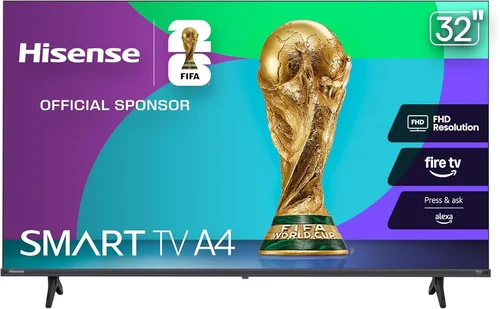
Outdoor living spaces have evolved dramatically over the past decade. What was once just a place for grilling and lounging has transformed into full-fledged entertainment zones—complete with outdoor kitchens, sound systems, and yes, televisions. Whether you’re hosting summer barbecues, watching the big game under string lights, or enjoying a movie night under the stars, a deck TV can elevate your outdoor experience in ways that indoor screens simply can’t match. But here’s the catch: not all TVs are built to withstand the elements. Sunlight glare, humidity, temperature swings, and even dust can wreak havoc on standard indoor models. That’s why choosing the right budget deck TV isn’t just about finding the cheapest screen—it’s about finding one that delivers reliable performance, durability, and value without breaking the bank.
This guide is designed to help you navigate the often-confusing world of outdoor TVs with a focus on affordability. We’ll walk you through everything you need to know to make an informed decision, from understanding key technical specs to avoiding common pitfalls that could cost you time and money down the line. Whether you’re a first-time buyer or upgrading from an older model, our goal is to arm you with practical, expert-level advice so you can enjoy years of seamless deck entertainment. The market for outdoor TVs has expanded significantly in recent years, with more manufacturers offering budget-friendly options that don’t sacrifice essential features. However, not all “outdoor-ready” claims are created equal—some are little more than marketing fluff. By the end of this article, you’ll know exactly what to look for, what to avoid, and how to stretch your dollar without compromising on quality.
What to Look for When Buying Buying Guide
1. Budget & Price Range
Setting a realistic budget is the foundation of any smart purchase, and deck TVs are no exception. While it’s tempting to go for the lowest price tag, remember that outdoor TVs face harsher conditions than their indoor counterparts. A true outdoor TV must be engineered to resist moisture, UV rays, extreme temperatures, and even pests—features that come at a cost. That said, you don’t need to spend thousands to get a reliable unit. In 2026, the sweet spot for budget-conscious buyers falls between $400 and $800. At this range, you’ll find models that offer solid weather resistance, decent brightness, and smart functionality without the premium price of fully sealed commercial-grade units.
When setting your budget, consider not just the upfront cost but also long-term value. A slightly more expensive TV with better build quality may last twice as long as a cheaper alternative, saving you money over time. Also factor in potential add-ons like wall mounts, protective covers, or extended warranties. Some retailers bundle these accessories at a discount, so always compare total package costs rather than just the TV’s sticker price. Finally, keep an eye out for seasonal promotions—many brands offer significant discounts during spring and early summer, coinciding with peak deck and patio season.
2. Performance Specifications
Performance specs matter even more for outdoor TVs because ambient light can easily wash out a dim screen. Start with brightness: look for a minimum of 700 nits, but ideally 1,000 nits or higher if your deck gets direct sunlight. For context, most indoor TVs range from 300 to 500 nits—fine for a dim living room but nearly invisible on a sunny afternoon. Resolution is another key factor. While 4K is now standard even in budget models, ensure the TV supports HDR (High Dynamic Range) for better contrast and color accuracy in bright conditions. Avoid models that only list “HDR-ready” without actual HDR processing—they won’t deliver the visual pop you expect.
Refresh rate is less critical for casual viewing but worth noting if you plan to stream sports or fast-action content. A 60Hz panel is sufficient for most users, but 120Hz models offer smoother motion and are increasingly common in mid-tier outdoor TVs. Input lag matters too if you’re connecting a gaming console or streaming device; aim for under 30ms for responsive gameplay. Lastly, check the viewing angle. Outdoor seating often spreads viewers across a wide arc, so an IPS panel (which offers wider viewing angles) is preferable to VA panels that lose contrast when viewed off-center.
3. Build Quality & Durability
Durability isn’t optional—it’s essential. Standard TVs aren’t designed for outdoor use and will fail quickly when exposed to humidity, rain, or temperature extremes. True outdoor TVs feature sealed chassis, corrosion-resistant components, and specialized coatings to prevent internal damage. Look for IP (Ingress Protection) ratings—specifically IP55 or higher—which indicate resistance to dust and water jets. While no consumer TV is fully waterproof, IP55 means it can handle splashes and light rain, which is sufficient for covered decks or pergolas.
Pay attention to materials: aluminum frames and powder-coated finishes resist rust and fading better than plastic. Internal components should be rated for operating temperatures between -22°F and 122°F (-30°C to 50°C), ensuring functionality in both winter chills and summer heat. Also consider ventilation—some outdoor TVs use passive cooling (no fans), which reduces noise and eliminates moving parts that could fail. However, ensure there’s adequate airflow around the unit to prevent overheating. Avoid models with exposed ports or unsealed speaker grilles, as these are vulnerable entry points for moisture.
4. Features & Functionality
Modern outdoor TVs pack impressive features, even at budget prices. Smart TV platforms like Roku TV, Android TV, or webOS allow direct streaming from Netflix, YouTube, and other apps without needing an external device. This is a huge convenience, especially when you want to avoid running cables across your deck. Voice control via Alexa or Google Assistant is increasingly common and useful for hands-free operation outdoors. Built-in Wi-Fi (preferably dual-band 2.4GHz/5GHz) ensures stable streaming, though consider a wired Ethernet option if your deck has network access—it’s more reliable for 4K content.
Audio is often overlooked but critical. Most outdoor TVs have slim profiles that limit speaker size, resulting in tinny sound. Look for models with enhanced audio output (10W or higher per channel) or optical/audio-out ports to connect external speakers or a soundbar. Some budget outdoor TVs even include Bluetooth for wireless audio pairing. Connectivity matters too: HDMI 2.0 ports (or higher) support 4K@60Hz, while USB ports let you play media files directly. If you plan to mount the TV high on a wall, ensure the remote has strong signal range or consider models with smartphone app control.
5. Brand Reputation
Not all brands are equal when it comes to outdoor electronics. Stick with manufacturers known for reliability and customer support. In the budget outdoor TV space, brands like SunBriteTV (now part of Sylvane), Seura, and newer entrants like OutdoorTV and SkyVue have established track records. Even mainstream brands like Samsung and LG offer limited outdoor-compatible models, though these are often pricier. Research user forums and professional reviews to gauge real-world performance—sometimes a lesser-known brand offers better value than a household name.
Avoid generic or “no-name” brands sold exclusively through third-party marketplaces. These often cut corners on weatherproofing and lack proper certifications. Check if the brand provides detailed installation guides, compatibility charts for mounts, and clear warranty terms. A reputable manufacturer will also offer firmware updates to fix bugs or improve performance over time—something rarely seen with off-brand units.
6. Warranty & Support
A solid warranty is your safety net against premature failure. Most reputable outdoor TV brands offer at least a 2-year limited warranty, covering defects and weather-related damage. Some extend this to 3 or even 5 years for added peace of mind. Read the fine print: many warranties require professional installation or void coverage if the TV is used in uncovered areas. If your deck is fully exposed to rain, you may need a higher-tier model with a more robust warranty.
Customer support quality varies widely. Look for brands with responsive U.S.-based support teams, online troubleshooting resources, and accessible service centers. Avoid companies that only offer email support with slow response times. Also check return policies—most retailers allow 14–30 days for returns, but outdoor TVs may incur restocking fees if the packaging is damaged. Always keep your receipt and original box until you’re confident the TV performs as expected.
7. Size & Portability
Size affects both viewing experience and installation logistics. For most decks, a 50- to 65-inch screen strikes the right balance between immersion and space efficiency. Smaller screens (40–49 inches) work well for intimate seating areas or smaller patios, while 70+ inch models are best for large gatherings but require sturdy mounting and ample viewing distance. Measure your space carefully—account for seating layout, sightlines, and clearance from railings or plants.
Portability is less about moving the TV frequently and more about ease of installation and seasonal storage. Some budget outdoor TVs are surprisingly lightweight (under 30 lbs for a 55-inch model), making them easier to mount without professional help. However, don’t sacrifice durability for weight—aluminum frames add heft but improve longevity. If you live in an area with harsh winters, consider whether the TV can be safely stored indoors during off-seasons. Most outdoor models are designed for year-round use, but extreme cold can affect battery life in remotes or cause temporary screen lag.
8. User Reviews & Ratings
Never rely solely on manufacturer specs—real user feedback reveals how a TV performs in actual outdoor conditions. Scour Amazon, Best Buy, and specialty outdoor electronics sites for detailed reviews. Pay attention to comments about brightness in sunlight, remote responsiveness, and long-term durability. Look for patterns: if multiple users report the same issue (e.g., “screen flickers after rain”), it’s likely a design flaw.
Be wary of overly positive reviews that lack specifics—they may be incentivized or fake. Instead, focus on balanced critiques that mention both pros and cons. Verified purchase badges add credibility. Also check YouTube for hands-on demos; seeing a TV in action on a bright deck is more informative than any spec sheet. Finally, note the review date—technology evolves quickly, and a model praised in 2023 might have been superseded by a better 2026 version.
Different Types of Buying Guide
Common Buying Mistakes to Avoid

❌ Mistake: Buying a Standard Indoor TV for Outdoor Use
Why it’s bad: Indoor TVs lack weatherproofing and will corrode, fog up, or short-circuit when exposed to moisture or temperature swings. Even brief rain exposure can cause permanent damage.
What to do instead: Invest in a TV specifically designed for outdoor use or pair an indoor model with a certified outdoor enclosure. Never assume “it’ll be fine under the eaves.”
❌ Mistake: Ignoring Brightness Requirements
Why it’s bad: A dim screen becomes unwatchable in daylight, turning your deck into a useless space during peak hours.
What to do instead: Prioritize brightness (nits) over resolution. A 1,000-nit 1080p TV will outperform a 500-nit 4K model in sunlight.
❌ Mistake: Overlooking Mounting Compatibility
Why it’s bad: Outdoor TVs often have unique VESA patterns or require specialized mounts that aren’t compatible with standard brackets.
What to do instead: Verify mount compatibility before purchasing. Many brands sell matching wall or ceiling mounts—buy them together to ensure fit and safety.
❌ Mistake: Skipping the Warranty Fine Print
Why it’s bad: Some warranties exclude weather damage or require professional installation. You could be stuck with a broken TV and no recourse.
What to do instead: Read warranty terms carefully. Choose brands that explicitly cover outdoor use and offer hassle-free claims.
❌ Mistake: Forgetting About Audio
Why it’s bad: Wind, ambient noise, and distance from seating can make built-in speakers inaudible.
What to do instead: Plan for external audio from day one. Budget for weather-resistant speakers or a Bluetooth soundbar.
❌ Mistake: Not Testing Before Final Installation
Why it’s bad: Mounting a TV permanently only to discover poor signal strength or Wi-Fi dropouts is frustrating and costly to fix.
What to do instead: Test the TV temporarily on a stand or table before drilling into your deck structure.
❌ Mistake: Assuming All “Outdoor” Labels Are Equal
Why it’s bad: Some manufacturers slap “outdoor” on indoor TVs with minimal modifications—these won’t last a season.
What to do instead: Look for third-party certifications (like IP ratings) and detailed specs, not just marketing buzzwords.
Budget Guidelines: How Much Should You Spend?
Entry-Level ($300–$500): This tier includes basic partial-sun models or indoor TVs paired with enclosures. Expect 700–900 nits brightness, limited smart features, and shorter warranties (1–2 years). Best for shaded decks or occasional use. Examples: refurbished SunBriteTV Veranda series or generic enclosure kits with mid-range indoor TVs.
Mid-Range ($500–$800): The sweet spot for most homeowners. These TVs offer 1,000+ nits, full smart platforms, IP55 ratings, and 2–3 year warranties. Ideal for covered decks with some sun exposure. Look for brands like OutdoorTV or newer Roku-powered outdoor models launching in 2026.
Premium ($800–$1,200): For uncovered decks or high-glare environments. Features include 1,500+ nits brightness, advanced anti-reflective coatings, fanless cooling, and robust build quality. Brands like Seura and premium SunBriteTV models dominate this space.
Luxury ($1,200+): Commercial-grade units built for extreme conditions. Fully sealed, vandal-resistant, and often used in restaurants or resorts. Overkill for most residential decks but worth considering if you live in a harsh climate or want a 10+ year lifespan.
Expert Tips for Getting the Best Deal
- Shop during off-peak seasons: Prices drop in late fall and winter when demand is low. Many retailers clear inventory before spring.
- Compare bundled packages: Some sellers include mounts, cables, or covers at a discount. Calculate total value, not just TV price.
- Use price-tracking tools: Set alerts on CamelCamelCamel (for Amazon) or Honey to catch sudden drops.
- Check refurbished or open-box deals: Reputable sellers like Best Buy or manufacturer outlets offer certified pre-owned units with full warranties at 20–30% off.
- Negotiate with local retailers: Small electronics stores may match online prices or throw in free installation to win your business.
- Verify return policies: Ensure you can return the TV if it doesn’t perform as expected—especially important for outdoor conditions that are hard to replicate indoors.
- Join loyalty programs: Retailers like Costco or Sam’s Club often offer exclusive discounts or extended return windows for members.
- Consider financing: Some brands offer 0% APR financing for 12–18 months, spreading cost without interest if paid on time.

Frequently Asked Questions
Q: Can I use a regular TV outside if it’s under a roof?
A: Technically yes, but it’s risky. Even under cover, humidity, temperature swings, and dust can damage internal components over time. For reliable long-term use, invest in a purpose-built outdoor TV or a certified enclosure.
Q: Do outdoor TVs need special power outlets?
A: No—they use standard 120V outlets. However, ensure your outdoor circuit is GFCI-protected for safety, especially near water features or grills.
Q: How do I protect my outdoor TV from theft?
A: Use security screws on mounts, install motion-sensor lights, or choose a locking mount. Some high-end models include built-in security slots for cables.
Q: Will my outdoor TV work in winter?
A: Most outdoor TVs operate down to -22°F (-30°C), but performance may lag in extreme cold. Avoid turning it on immediately after bringing it indoors from freezing temps—let it acclimate first.
Q: Can I stream 4K content reliably outdoors?
A: Yes, if you have strong Wi-Fi. Consider a mesh network extender or wired Ethernet connection to avoid buffering. 5GHz bands offer faster speeds but shorter range than 2.4GHz.
Q: Are outdoor TVs energy efficient?
A: Generally yes—modern LED models consume 30–50% less power than older plasma or CCFL screens. Look for ENERGY STAR certification for maximum efficiency.
Q: Do I need a special remote for outdoor use?
A: Most standard remotes work fine, but sunlight can interfere with IR signals. Models with RF or Bluetooth remotes (or smartphone apps) offer better reliability outdoors.
Q: How often should I clean my outdoor TV?
A: Wipe the screen monthly with a microfiber cloth and mild cleaner. Avoid ammonia-based products. Check vents and ports for debris quarterly.
Q: Can I mount an outdoor TV on a brick or stucco wall?
A: Yes, but use appropriate anchors and seal all drill holes with silicone to prevent moisture intrusion. Consult a professional if unsure.
Q: What’s the average lifespan of a budget outdoor TV?
A: With proper care, expect 5–7 years from a mid-range model. Cheaper units may last 3–4 years, while premium models can exceed 10 years.
Our Final Recommendations
Best for Budget-Conscious Buyers: OutdoorTV 55″ Partial Sun Smart TV (2026 Model) – Priced around $599, this Roku-powered TV delivers 1,000 nits brightness, IP55 rating, and solid smart features. Ideal for covered decks and offers excellent value.
Best Overall Value: SunBriteTV Veranda Series 55″ – At $749, it’s a step up in durability with enhanced cooling and a 3-year warranty. Perfect balance of price, performance, and longevity.
Best Premium Option: Seura 55″ Full Sun Outdoor TV – For $1,199, you get 1,500 nits, anti-glare coating, and commercial-grade construction. Worth it if your deck gets direct sun all day.
Best for Beginners: Roku Outdoor TV Kit (with Enclosure) – A 50″ Roku TV ($349) plus a weatherproof enclosure ($199) totals under $550. Great for DIYers who want flexibility and easy upgrades.
Best for Advanced Users: SkyVue Pro 65″ All-Weather Display – At $1,499, it includes built-in streaming, voice control, and a modular design for easy repairs. Designed for tech-savvy users who want future-proofing.
Conclusion: Making the Right Choice
Choosing a budget deck TV doesn’t have to be overwhelming—or expensive. By focusing on core needs like brightness, durability, and smart functionality, you can find a model that delivers years of reliable outdoor entertainment without overspending. Remember, the cheapest option isn’t always the most cost-effective; investing a little more upfront often pays dividends in performance and longevity. Prioritize your specific conditions: if your deck is mostly shaded, a partial-sun model will suffice. But if you’re battling glare from midday sun, don’t skimp on brightness.
Take the time to read real user reviews, verify warranty terms, and test the TV before final installation. And don’t forget the little things—like audio quality and remote reliability—that can make or break your outdoor movie nights. With the insights from this guide, you’re now equipped to navigate the market confidently and choose a deck TV that fits both your budget and your lifestyle. So go ahead: fire up that grill, invite some friends over, and enjoy your favorite shows under the open sky. Your perfect outdoor oasis is just a smart purchase away.

