
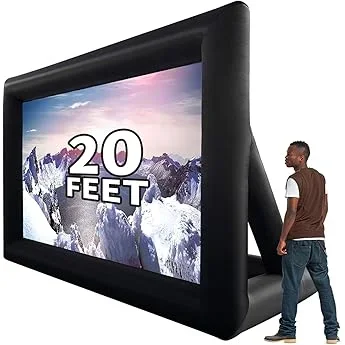
Planning a backyard movie night should be about fun, not financial stress. Whether you’re hosting friends for a summer blockbuster or enjoying a quiet evening under the stars with your family, having the right TV on your deck can make all the difference. But here’s the reality: you don’t need to spend thousands to get a great outdoor viewing experience. In fact, with smart shopping and a clear understanding of what matters most, you can find a reliable, high-performing deck TV that fits comfortably within a modest budget.
This guide is designed for real people—homeowners, renters, and outdoor entertainment enthusiasts—who want to elevate their backyard setup without breaking the bank. We’ll walk you through every critical decision point, from screen size and brightness to weather resistance and smart features. You’ll learn how to avoid common pitfalls, identify hidden value in budget models, and ultimately choose a TV that delivers excellent performance for outdoor use. Whether you’re new to outdoor tech or upgrading from an older model, this comprehensive buyer’s guide will equip you with the knowledge to make a confident, informed purchase.
The market for outdoor TVs has evolved significantly in recent years. While fully weatherproof, commercial-grade outdoor displays still carry premium price tags, manufacturers have responded to growing demand by offering more affordable options that blend indoor TV technology with outdoor-ready features. These budget-friendly models are now capable of delivering impressive picture quality, decent durability, and smart functionality—all at a fraction of the cost of traditional outdoor displays. Our goal is to help you navigate this expanding landscape, so you can enjoy cinematic nights under the open sky without overspending.
What to Look for When Buying Buying Guide
1. Budget & Price Range
Setting a realistic budget is the first and most important step in your search for a deck TV. While it’s tempting to aim for the lowest possible price, remember that outdoor use demands certain performance standards that cheaper models may not meet. A good rule of thumb is to allocate between $300 and $800 for a quality budget deck TV in 2026. This range typically covers 43-inch to 55-inch models with essential outdoor features like high brightness, basic weather resistance, and smart capabilities.
At the lower end ($300–$500), expect solid performance for shaded or covered decks, but limited durability in direct sunlight or harsh weather. Mid-range options ($500–$700) often include better brightness (measured in nits), improved color accuracy, and more robust build quality. Premium budget models ($700–$800) may offer enhanced weatherproofing, anti-glare coatings, and advanced smart platforms. Avoid going below $250 unless you’re only using the TV in fully protected areas and don’t mind frequent replacements.
2. Performance Specifications
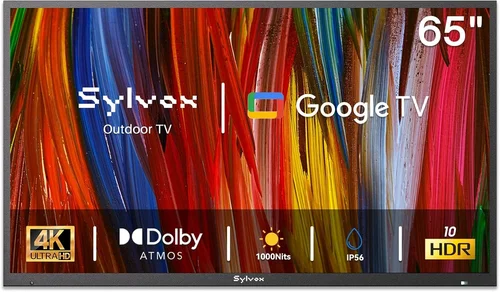
When evaluating performance, several specs directly impact how well your TV will perform in an outdoor setting. The most critical is brightness, measured in nits. For deck use—especially in partial sunlight—you’ll want a minimum of 400 nits, but ideally 500–700 nits or higher. Anything below 300 nits will appear washed out during daytime viewing, even in shade.
Resolution is another key factor. While 4K UHD (3840 x 2160) is now standard even in budget models, ensure the TV supports HDR (High Dynamic Range) for better contrast and color depth. Look for HDR10 or Dolby Vision compatibility, which enhances outdoor visuals by preserving detail in both bright and dark areas. Refresh rate matters less for movies but can improve motion clarity; a 60Hz panel is sufficient for most viewers, though 120Hz models offer smoother playback for sports or action scenes.
Color accuracy and contrast ratio also play a role. While OLEDs offer superior contrast, they’re rarely found in budget outdoor setups due to cost and burn-in risks. Instead, look for IPS or VA panels with good black levels and wide viewing angles—important when seating guests around a deck. Audio output is often overlooked, but built-in speakers on budget TVs are typically weak. Plan to connect external speakers or a soundbar for a true cinematic experience.
3. Build Quality & Durability
Even on a covered deck, your TV will face temperature swings, humidity, dust, and occasional splashes. That’s why build quality matters more than you might think. Start by checking the IP (Ingress Protection) rating, which indicates resistance to dust and moisture. For deck use, an IP54 rating is acceptable for covered areas, meaning it’s protected against splashing water and limited dust ingress. However, if your deck is exposed to rain or heavy humidity, aim for IP55 or higher.
Materials matter too. Look for TVs with metal chassis or reinforced plastic frames rather than flimsy all-plastic constructions. VESA mount compatibility is essential if you plan to wall-mount the TV, so verify the mounting pattern (e.g., 200x200mm or 400x400mm) matches your bracket. Also, consider the weight—lighter models are easier to install but may feel less sturdy in windy conditions.
Internal components should be designed for extended use. Some budget TVs throttle performance or dim the screen automatically to prevent overheating, which can ruin the viewing experience. Check user reviews for mentions of thermal management. Finally, ensure the remote control is responsive and preferably backlit—outdoor lighting can make standard remotes hard to read at night.
4. Features & Functionality
Smart functionality is no longer a luxury—it’s a necessity for modern outdoor entertainment. Most budget deck TVs now come with built-in platforms like Roku TV, Google TV, or Amazon Fire TV. These allow you to stream Netflix, Disney+, YouTube, and other services directly without needing a separate device. When comparing platforms, consider ease of use, app availability, and voice control support (via Alexa or Google Assistant).
Connectivity is equally important. Ensure the TV has at least three HDMI ports—one for a streaming stick or game console, one for a soundbar, and one spare for future use. USB ports are useful for playing media files or powering devices. Wi-Fi 5 (802.11ac) is standard, but Wi-Fi 6 support future-proofs your setup for faster streaming and better performance in crowded networks.
Gaming features are a bonus if you plan to use the TV for more than movies. Look for low input lag (under 20ms) and Auto Low Latency Mode (ALLM) for smoother gameplay. Some budget models now include HDMI 2.1 ports, though full 4K/120Hz gaming is rare at this price point. For casual gaming or retro consoles, however, even basic HDMI 2.0 support is sufficient.
5. Brand Reputation
Not all budget TV brands are created equal. While lesser-known manufacturers may offer tempting prices, established brands like TCL, Hisense, Samsung, and LG consistently deliver better reliability, customer service, and software updates. TCL, in particular, has earned a strong reputation for offering high-value 4K TVs with Roku integration at aggressive price points.
Research brand history with outdoor or semi-outdoor use. Some companies explicitly market certain models as “suitable for covered patios” or “damp location rated,” which can be a good indicator of durability. Avoid ultra-cheap no-name brands that lack customer support or warranty coverage—these often fail within a year of outdoor exposure.
Check third-party certifications like Energy Star (for efficiency) or THX (for performance), though these are less common in budget segments. More importantly, read long-term user reviews on sites like Amazon, Best Buy, or Reddit. Look for patterns: do users report screen burn-in? Do smart features slow down over time? Are replacement parts available?
6. Warranty & Support
A solid warranty can save you hundreds in repair or replacement costs. Most reputable brands offer at least a one-year limited warranty covering defects and hardware failures. However, outdoor use may void warranties if the TV isn’t rated for such conditions—so always check the fine print. Some manufacturers explicitly exclude “outdoor installation” from coverage unless the model is certified for it.
Extended warranties are available from retailers like Best Buy or Costco, but weigh the cost against the TV’s price. For a $400 TV, a $50 extended plan may not be worth it unless you live in a high-humidity or extreme climate region. Instead, prioritize brands with strong customer service reputations. Can you easily reach support? Do they offer in-home repair? Are firmware updates regular?
Return policies matter too. Aim for retailers with at least a 15–30 day return window and free return shipping. This gives you time to test the TV in real outdoor conditions. If the picture looks dim in daylight or the sound distorts at high volumes, you’ll want the option to swap it out without hassle.
7. Size & Portability
Screen size should match your viewing distance and deck layout. For most backyard setups, a 43-inch to 55-inch TV strikes the perfect balance between visibility and space efficiency. Use the 1.5x rule: multiply your seating distance (in inches) by 1.5 to get the ideal screen diagonal. So, if viewers sit 8 feet (96 inches) away, a 50–55 inch TV is optimal.
Portability matters if you plan to move the TV between indoor and outdoor spaces. Some models come with optional stands or lightweight designs that make relocation easier. However, frequent moving increases the risk of damage—especially to ports and screens. If portability is key, consider a TV with a carrying handle or compatible with universal outdoor enclosures.
Weight and thickness also affect installation. Thinner TVs look sleeker but may lack structural rigidity. Heavier models often have better internal cooling but require sturdier mounts. Always measure your deck railing, wall space, or TV cart before buying. And don’t forget cable management—outdoor setups benefit from clips or conduits to keep wires tidy and protected.
8. User Reviews & Ratings
Never rely solely on manufacturer specs. Real-world user feedback reveals nuances that specs can’t capture. Focus on reviews from buyers who’ve used the TV outdoors—they’ll mention issues like glare, overheating, or Wi-Fi dropouts in open areas. Look for verified purchase reviews and filter by “most recent” to get up-to-date insights.
Pay attention to recurring complaints. If multiple users report the same problem—say, the remote stops working after a few months—it’s likely a design flaw. Conversely, consistent praise for brightness, ease of setup, or app performance is a strong endorsement. Use aggregate ratings (4.0+ stars) as a starting point, but dive into the details.
YouTube unboxing and review videos are also valuable. They show the TV in action, demonstrate menu navigation, and often include side-by-side comparisons. Channels like RTINGS.com or HDTVTest provide professional insights, even for budget models. Cross-reference multiple sources to build a complete picture before deciding.
Different Types of Buying Guide

Common Buying Mistakes to Avoid
❌ Mistake: Ignoring Brightness Requirements
Why it’s bad: A dim TV turns your backyard movie night into a guessing game. Even in shade, ambient light washes out low-brightness screens, making colors dull and details hard to see. You’ll end up squinting or rushing to finish before sunset.
What to do instead: Prioritize TVs with at least 500 nits of brightness. Test the screen in daylight conditions before finalizing your purchase. If possible, view it outdoors during your typical movie time.
❌ Mistake: Buying a Non-Weather-Resistant Model for Exposed Areas
Why it’s bad: Moisture, dust, and temperature changes can fry internal components quickly. A standard indoor TV left on an open deck may fail within months—leaving you with a costly paperweight.
What to do instead: Match the TV’s IP rating to your deck’s exposure level. Use indoor TVs only under solid covers, and consider a weatherproof enclosure if upgrading later.
❌ Mistake: Overlooking Audio Quality
Why it’s bad: Built-in speakers on budget TVs are often tinny and weak, especially outdoors where sound dissipates quickly. You’ll miss dialogue and soundtrack depth, ruining immersion.
What to do instead: Budget for a soundbar or outdoor speakers from day one. Look for TVs with optical audio or HDMI ARC outputs for easy connection.
❌ Mistake: Choosing the Wrong Screen Size
Why it’s bad: A too-small TV forces guests to lean forward; a too-large one overwhelms the space and strains eyes at close range. Both hurt the viewing experience.
What to do instead: Measure your seating distance and use the 1.5x rule. Sketch your deck layout to visualize screen placement before buying.
❌ Mistake: Skipping Smart Platform Research
Why it’s bad: Not all smart systems are equal. Some lag, lack apps, or stop receiving updates. You could end up with a TV that can’t stream your favorite services.
What to do instead: Test the interface in-store or watch demo videos. Choose platforms like Roku or Google TV for reliability and broad app support.
❌ Mistake: Neglecting Cable Management
Why it’s bad: Exposed wires look messy, trip guests, and degrade over time from sun and rain. They also make future upgrades difficult.
What to do instead: Invest in outdoor-rated cable conduits, clips, or raceways. Plan your setup so power and HDMI cables are hidden and protected.
❌ Mistake: Forgetting About Power Access
Why it’s bad: Running extension cords across the deck creates hazards and limits placement options. You might settle for a suboptimal spot just to reach an outlet.
What to do instead: Install a weatherproof outdoor outlet near your TV location before purchasing. Consult an electrician if needed—it’s a small investment for long-term convenience.
Budget Guidelines: How Much Should You Spend?
- Entry-Level ($300–$500): Ideal for fully covered decks with minimal sun exposure. Expect 43-inch to 50-inch 4K TVs with 400–500 nits brightness, basic smart features, and limited weather resistance. Great for occasional use but may struggle in bright conditions or humid climates. Look for models from TCL or Hisense with Roku or Fire TV.
- Mid-Range ($500–$700): The sweet spot for most backyard setups. These TVs offer 500–700 nits brightness, better color accuracy, improved build quality, and stronger Wi-Fi. Many include anti-reflective coatings and damp location ratings. Perfect for semi-covered decks and regular movie nights. Brands like Samsung and LG offer reliable options here.
- Premium ($700–$900): For enthusiasts who want near-outdoor performance without commercial prices. Features may include IP55 ratings, enhanced cooling systems, voice control, and premium smart platforms. Some models support HDR10+ or Dolby Vision for stunning outdoor visuals. Worth the upgrade if your deck sees frequent use or variable weather.
- Luxury ($900+): Reserved for fully exposed decks or professional installations. These are often enclosed systems with heated/cooled cabinets, ultra-high brightness (1000+ nits), and military-grade durability. While beyond strict “budget” scope, they’re included for comparison—most homeowners won’t need this level unless hosting large events regularly.
Expert Tips for Getting the Best Deal
- Shop During Seasonal Sales: Major discounts happen during Black Friday, Prime Day (July), and post-holiday clearance (January). Outdoor TV demand peaks in spring, so buy early or wait for end-of-summer deals.
- Compare Retailers: Online stores like Amazon, Best Buy, and Costco often price-match. Check warehouse clubs for bundled deals (e.g., TV + mount + soundbar). Local electronics shops may offer free installation.
- Refurbished & Open-Box Options: Certified refurbished TVs from reputable sellers come with warranties and can save 20–30%. Open-box items at Best Buy are tested and discounted—great for budget shoppers.
- Use Price Tracking Tools: Apps like Honey, CamelCamelCamel, or Keepa alert you when prices drop. Set alerts for your target model and pounce when it hits your budget.
- Check Return Policies: Ensure you can return the TV if it doesn’t perform outdoors. Some retailers charge restocking fees—read the fine print.
- Test Before Committing: If buying in-store, ask to see the TV powered on. Check menu responsiveness, app loading times, and remote functionality. For online purchases, watch unboxing videos to spot potential issues.
- Bundle Accessories: Some retailers offer discounts when you buy a TV with a mount, soundbar, or streaming device. Even if slightly above budget, bundles often provide better overall value.
- Consider Long-Term Value: A $50 more expensive TV with a better warranty, brighter screen, and stronger brand support may save money over time by lasting longer and requiring fewer repairs.

Frequently Asked Questions
Q: Can I use a regular indoor TV on my deck?
A: Yes—but only if your deck is fully covered and protected from rain, humidity, and direct sunlight. Even then, ensure the TV has sufficient brightness (500+ nits) and consider using a weatherproof enclosure for added protection. Avoid this approach if your area experiences frequent moisture or temperature extremes.
Q: What’s the minimum brightness needed for outdoor viewing?
A: For shaded or evening use, 400 nits may suffice. However, for any daytime viewing or partial sun exposure, aim for 500–700 nits. Anything below 300 nits will appear too dim outdoors, even under cover.
Q: Do I need a special mount for outdoor TVs?
A: Not necessarily—most standard VESA-compatible mounts work. However, choose a mount rated for outdoor use if exposed to wind or weather. Full-motion mounts allow better angle adjustment for different seating positions.
Q: How do I protect my TV from rain and dust?
A: Use a weatherproof TV enclosure designed for your model, ensure all cables are sealed with silicone or conduit, and install the TV under an eave or pergola. Never leave ports exposed.
Q: Will my Wi-Fi reach the deck?
A: It depends on distance and obstacles. If the signal is weak, use a Wi-Fi extender, mesh network, or powerline adapter. Alternatively, connect via Ethernet using outdoor-rated cable.
Q: Are budget outdoor TVs reliable long-term?
A: With proper care and placement, yes. Models from reputable brands with good reviews can last 5+ years. Avoid ultra-cheap no-name brands and always follow manufacturer guidelines for outdoor use.
Q: Should I get a projector instead?
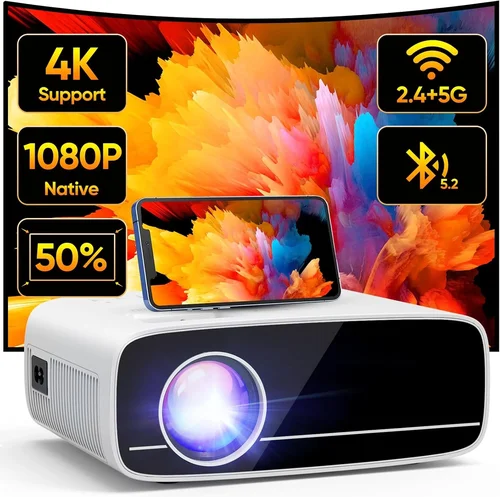
A: Projectors offer larger images and lower cost per inch, but require darkness and a clear projection surface. They’re less versatile than TVs and can’t be used during daylight. Choose based on your typical viewing conditions.
Q: Can I leave my deck TV on all night?
A: Most modern TVs are designed for extended use, but constant operation outdoors increases wear. Use sleep timers or smart plugs to automate shutdown. Ensure adequate ventilation to prevent overheating.
Q: What’s the best time of day for outdoor movies?
A: Aim for 30–60 minutes after sunset when ambient light is lowest but the sky isn’t completely dark. This reduces glare while maintaining comfortable viewing.
Q: Do I need a permit to install an outdoor TV?
A: Generally no, but check local regulations if mounting on a wall or structure. Electrical work (like adding an outdoor outlet) may require a licensed electrician and inspection.
Our Final Recommendations
- Best for Budget-Conscious Buyers: TCL 50S555 50-inch 4K QLED Roku TV – At around $450, this model delivers 600 nits brightness, excellent color via QLED tech, and a user-friendly Roku interface. Ideal for covered decks with occasional sun exposure.
- Best Overall Value: Hisense 55U6H 55-inch ULED Google TV – Priced near $600, it offers 700 nits peak brightness, Dolby Vision HDR, and robust build quality. Its Google TV platform provides seamless integration with smart home devices.
- Best Premium Option: Samsung The Terrace Partial Sun 55-inch – While pushing $900, this semi-outdoor model features IP55 rating, 2000 nits brightness, and anti-reflective coating. Perfect for uncovered decks in moderate climates.
- Best for Beginners: LG 43UQ7500 43-inch 4K Smart TV – Simple setup, reliable WebOS platform, and 500 nits brightness make this a hassle-free choice for first-time outdoor users. Great for small decks or patios.
- Best for Advanced Users: Sony X85K 55-inch with Outdoor Enclosure – Pair this high-performance 4K TV (750 nits, great motion handling) with a third-party weatherproof case for a custom outdoor solution. Ideal for tech-savvy users wanting maximum control.
Conclusion: Making the Right Choice
Choosing the right budget deck TV doesn’t have to be overwhelming. By focusing on brightness, build quality, smart features, and real-world usability, you can find a model that delivers exceptional value without compromising on performance. Remember: the goal isn’t to buy the cheapest TV, but the one that best fits your deck’s conditions, your viewing habits, and your long-term entertainment needs.
Start by assessing your space—how much sun does it get? Is it covered? How far will viewers sit? Then, set a realistic budget that includes accessories and installation. Read reviews from actual outdoor users, compare specs carefully, and don’t skip on audio. With the insights from this guide, you’re equipped to make a smart, confident decision.
Your backyard movie nights deserve to be magical. Whether it’s a family film fest, a date night under the stars, or a neighborhood block party, the right TV will turn your deck into a destination. So go ahead—press play on outdoor entertainment. The perfect setup is within reach, and it won’t break the bank.

