
Installing a deck TV in an apartment is easier than you think—even if you’re renting. This guide walks you through choosing the right TV, mounting it securely, managing cables, and staying within lease rules. Enjoy outdoor entertainment without damaging your space or breaking the bank.
Key Takeaways
- Choose a weather-resistant TV or outdoor enclosure: Standard indoor TVs aren’t built for outdoor conditions. Use an outdoor-rated TV or a protective enclosure to shield against sun, rain, and dust.
- Check your lease and building rules first: Many apartments restrict drilling or permanent modifications. Always get written permission before installing anything on your deck.
- Use a secure, renter-friendly mount: Opt for freestanding or clamp-on mounts that don’t require drilling into railings or walls, minimizing damage and easing removal.
- Plan cable management carefully: Run power and HDMI cables safely along railings or under deck boards. Use weatherproof conduits and clips to prevent tripping and water damage.
- Test everything before final setup: Power on the TV, check signal strength, and ensure all connections work before securing cables or closing enclosures.
- Prioritize safety and stability: Ensure the mount is rated for your TV’s size and weight. Anchor freestanding units to prevent tipping in windy conditions.
- Consider smart features and streaming: Use a streaming device like Roku or Fire Stick to access apps without needing a cable box, simplifying setup and reducing clutter.
How to Install Deck TV for Apartments
Imagine sipping your morning coffee or hosting a summer BBQ with your favorite show playing in the background—right on your apartment deck. Sounds dreamy, right? But if you’re renting or living in a shared building, installing a deck TV might seem tricky. The good news? It’s totally doable with the right approach.
In this guide, we’ll walk you through every step of installing a deck TV for apartments—safely, legally, and without damaging your rental. Whether you have a small balcony or a spacious rooftop deck, you’ll learn how to choose the right TV, pick a renter-friendly mount, manage cables, and enjoy outdoor entertainment without violating your lease.
We’ll cover everything from weatherproofing to smart streaming options, plus tips for troubleshooting common issues. By the end, you’ll have a stylish, functional outdoor TV setup that enhances your living space—and maybe even impresses your neighbors.
Let’s get started!
Why Install a Deck TV in an Apartment?
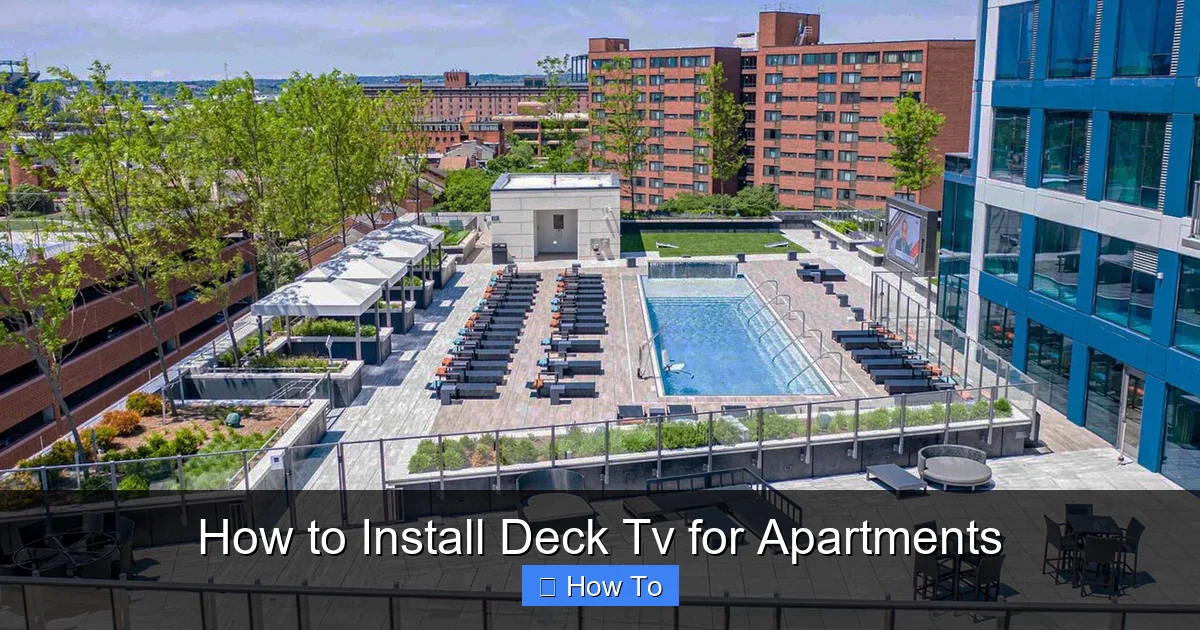
Visual guide about How to Install Deck Tv for Apartments
Image source: tiletechpavers.com
Outdoor living is more popular than ever, especially in urban areas where space is limited. A deck TV transforms your balcony or patio into a cozy entertainment zone. You can watch the big game, stream a movie under the stars, or follow along with a workout video—all from the comfort of your outdoor space.
But why specifically for apartments? Many renters assume outdoor TVs are only for homeowners with private yards. That’s not true. With smart planning and the right tools, apartment dwellers can enjoy the same perks.
A deck TV adds value to your rental experience. It encourages you to spend more time outside, boosts relaxation, and makes hosting friends easier. Plus, it’s a great way to personalize your space without making permanent changes.
Just remember: apartments come with rules. You’ll need to work within your lease agreement and building guidelines. But with the right setup, you can enjoy outdoor TV without risking your security deposit.
Step 1: Check Your Lease and Building Rules
Before you buy a single screw or cable, the most important step is to review your lease and talk to your landlord or property manager.
Many apartment leases prohibit drilling into walls, railings, or decks. Some buildings have strict rules about modifications, especially on shared or structural elements. Installing a TV without permission could lead to fines, forced removal, or even eviction.
What to Look For in Your Lease
- Modification clauses: Does your lease allow drilling, mounting, or attaching items to exterior surfaces?
- Outdoor usage rules: Are there restrictions on outdoor electronics, generators, or power usage?
- Liability and insurance: Who is responsible if the TV causes damage or injury?
- Removal requirements: Will you need to restore the deck to its original condition when you move out?
How to Get Approval
If your lease is unclear or restrictive, don’t assume you’re out of luck. Many landlords are open to reasonable requests—especially if you present a safe, reversible solution.
Write a polite email or letter explaining your plan. Include:
- The type of TV and mount you’ll use
- How it will be installed (e.g., no drilling, freestanding base)
- How you’ll manage cables and power
- A promise to remove it and repair any minor damage when you leave
Offer to share product links or photos. Some landlords may even appreciate the added appeal for future tenants.
Alternative: Use a Portable Setup
If you can’t get approval for a mounted TV, consider a portable option. Use a weatherproof TV cart or stand that sits on the deck floor. You can wheel it inside during storms or when not in use. This avoids any permanent changes and keeps your landlord happy.
Step 2: Choose the Right TV for Your Deck
Not all TVs are created equal—especially when it comes to outdoor use. Indoor TVs aren’t designed to handle temperature swings, humidity, rain, or direct sunlight. Using one outside can lead to overheating, screen glare, or permanent damage.
Option 1: Outdoor-Rated TVs
These are built specifically for outdoor environments. They feature:
- Weatherproof casings: Sealed against rain, dust, and insects
- Bright, anti-glare screens: Designed to be visible in daylight
- Temperature-resistant components: Operate safely in hot or cold weather
- Built-in ventilation: Prevent overheating without fans
Popular brands include Samsung Terrace, SunBriteTV, and Seura. These TVs are more expensive—typically $1,500 to $4,000—but they’re built to last and require no additional enclosure.
Option 2: Indoor TV + Outdoor Enclosure
If an outdoor TV is out of budget, you can use a standard indoor TV inside a weatherproof enclosure. These protective cases seal the TV from the elements while allowing remote control use.
Look for enclosures with:
- IP55 or higher rating: Protects against water and dust
- Anti-reflective glass or acrylic: Reduces glare and improves visibility
- Ventilation and heating/cooling: Some models include fans or heaters for extreme climates
- Secure locking mechanism: Prevents theft and tampering
Brands like Peerless, ENS, and Outdoor TV Enclosures offer quality options. Prices range from $300 to $1,200, depending on size and features.
What Size TV Should You Get?
For most apartment decks, a 43- to 55-inch TV is ideal. Larger screens may be too heavy for freestanding mounts or overwhelm a small space. Consider viewing distance: sit about 5 to 8 feet away for the best experience.
Smart Features to Look For
Choose a TV with built-in Wi-Fi and streaming apps (like Netflix, YouTube, or Disney+). This eliminates the need for a separate cable box or streaming device, reducing clutter and simplifying setup.
If your TV isn’t smart, add a streaming stick like Roku Streaming Stick+ or Amazon Fire Stick 4K. These plug into the HDMI port and connect to Wi-Fi.
Step 3: Pick the Right Mount for Your Deck
The mount is just as important as the TV. It needs to be secure, stable, and—crucially—renter-friendly.
Freestanding TV Stands
These are the best option for renters. They sit on the deck floor and don’t require any drilling or attachment to railings or walls.
Look for stands with:
- Wide, weighted base: Prevents tipping in wind
- Adjustable height and tilt: Lets you angle the screen for better viewing
- Built-in cable management: Hides wires inside the pole or base
- Weather-resistant materials: Powder-coated steel or aluminum
Popular models include the VIVO Outdoor TV Stand and the Kanto Freestanding Outdoor Mount. Prices range from $200 to $500.
Clamp-On or Rail-Mounted Brackets
If your deck has a sturdy railing, you can use a clamp-on mount. These attach directly to the railing without drilling.
Make sure the railing is strong enough—wood, metal, or composite railings work best. Avoid plastic or flimsy railings.
Clamp mounts are great because they:
- Don’t damage the deck or wall
- Are easy to install and remove
- Allow you to angle the TV for optimal viewing
Brands like Mount-It! and PERLESMITH offer reliable clamp-on options.
Wall-Mounted Brackets (If Allowed)
If your landlord approves drilling into the wall or siding, a wall-mounted bracket gives a clean, permanent look.
Use a full-motion arm for flexibility, or a fixed bracket for a sleek profile. Always use stainless steel lag bolts and seal the holes with exterior-grade caulk to prevent water intrusion.
Weight and Size Compatibility
Check the mount’s weight and VESA pattern (the screw hole layout on the back of the TV). Most mounts support TVs up to 100 lbs and VESA patterns from 200×200 to 600×400.
Never exceed the mount’s weight limit. An overloaded mount can fail, damaging your TV or causing injury.
Step 4: Plan Power and Cable Management
Power and cables are often the trickiest part of outdoor TV installation. You need safe, reliable power and a way to hide or protect wires.
Power Source
Your TV needs electricity. Options include:
- Outdoor outlet: If your deck has a GFCI (ground fault circuit interrupter) outlet, you’re in luck. Use a heavy-duty outdoor extension cord rated for wet locations.
- Indoor outlet with extension: Run a weatherproof extension cord from inside your apartment. Use a cord rated for outdoor use (look for “SJTW” or “SJTOW” on the label).
- Power inlet box: Install a weatherproof inlet on the deck wall. Run a short cord from the TV to the inlet, then connect a longer indoor extension cord inside. This keeps the outdoor cord short and protected.
Never use indoor extension cords outside. They’re not rated for moisture or UV exposure and can become brittle or dangerous.
Cable Management
Exposed cables are a tripping hazard and can get damaged by weather or pests. Here’s how to manage them:
Run Cables Along Railings
Use UV-resistant zip ties or adhesive cable clips to attach HDMI and power cables to the inside of the railing. Keep them tight and out of the way.
Use Conduit or Cable Raceways
For a cleaner look, install a plastic or metal conduit along the deck edge. These protective channels hide cables and shield them from rain and sun.
Bury Cables Under Deck Boards (If Possible)
If your deck has removable boards, you can route cables underneath. Use waterproof conduit and seal any gaps to prevent water entry.
Label and Secure Connections
Use waterproof tape or heat-shrink tubing to seal HDMI and power connections. Label each cable so you know what’s what during setup or troubleshooting.
Step 5: Install the TV and Mount
Now it’s time to put it all together. Follow these steps carefully to ensure a safe, stable installation.
Step 1: Assemble the Mount
Follow the manufacturer’s instructions to assemble the stand or bracket. Use the included hardware and tighten all bolts securely.
Step 2: Attach the Mounting Plate to the TV
Most mounts come with a plate that screws onto the back of the TV. Use the correct screws (usually M4, M6, or M8) and tighten them evenly. Don’t overtighten—this can crack the TV’s casing.
Step 3: Position the Mount on the Deck
Place the freestanding stand or clamp the bracket to the railing. Make sure it’s level and stable. For freestanding stands, add sandbags or weights to the base if needed.
Step 4: Hang the TV
With a helper, lift the TV and hook it onto the mount. Double-check that it’s secure and level.
Step 5: Connect Cables
Plug in the power cord and HDMI cable. If using a streaming device, connect it to the HDMI port and power it separately.
Step 6: Test Everything
Turn on the TV and check:
- Picture and sound quality
- Wi-Fi or streaming connection
- Remote control functionality
- All cables are secure and not pinched
Make adjustments as needed before finalizing the setup.
Step 6: Weatherproof and Secure Your Setup
Even with a weatherproof TV or enclosure, take extra steps to protect your investment.
Use a Weatherproof Cover
When the TV isn’t in use, cover it with a fitted outdoor TV cover. This protects against dust, bird droppings, and UV damage.
Anchor Freestanding Units
In windy areas, secure freestanding stands with straps or weights. Some models include anchor holes for deck screws (use only if approved by your landlord).
Check Regularly
Inspect cables, mounts, and enclosures monthly. Look for loose bolts, frayed wires, or signs of rust or wear.
Troubleshooting Common Issues
TV Won’t Turn On
Check the power source. Is the outlet working? Is the extension cord plugged in? Test with another device.
Poor Picture Quality
Ensure the HDMI cable is securely connected. Try a different cable or port. If using a streaming device, check your internet speed.
Remote Not Working
Replace the batteries. Make sure there’s no obstruction between the remote and the TV’s sensor. Some outdoor enclosures have IR pass-through windows—align the remote with it.
Overheating
If the TV feels hot, ensure the enclosure has proper ventilation. Avoid placing it in direct sunlight for long periods.
Wind or Vibration Issues
If the TV shakes or tilts in wind, add weights to the base or use a more secure mount. Avoid overhanging positions.
Conclusion
Installing a deck TV for apartments is a smart way to enhance your outdoor living space—without breaking the rules or your budget. By choosing the right TV, using a renter-friendly mount, and managing cables safely, you can enjoy movies, sports, and shows under the open sky.
Remember to always check your lease, prioritize safety, and test your setup before settling in. With a little planning, your apartment deck can become the ultimate entertainment spot.
So grab your favorite snack, invite some friends, and press play. Your outdoor TV oasis is ready.

