
Outdoor living has evolved far beyond simple patios and grills. Today’s homeowners are transforming their decks, patios, and backyards into fully functional entertainment zones—complete with outdoor kitchens, fire pits, and yes, even televisions. But when it comes to installing a TV in a humid environment like a seaside deck, lakeside retreat, or tropical backyard, one critical question often gets overlooked: how do you properly clean and maintain that investment to ensure it lasts?
Humidity is the silent enemy of electronics. It promotes corrosion, encourages mold and mildew growth, and can seep into ventilation ports, damaging internal components over time. A standard indoor TV placed on a deck in a humid climate won’t survive more than a season or two—even if it’s technically “weatherproof.” That’s why understanding how to clean and care for your deck TV in high-moisture environments isn’t just helpful—it’s essential for protecting your investment and ensuring safe, reliable performance year after year.
In this comprehensive buying guide, we’ll walk you through everything you need to know about selecting, maintaining, and cleaning a TV designed for humid outdoor spaces. You’ll learn what features truly matter, which materials resist moisture best, how to spot hidden damage early, and what cleaning methods actually work without voiding your warranty. Whether you’re planning a new setup or trying to extend the life of an existing deck TV, this guide will equip you with expert-level knowledge to make smart, informed decisions. We’ll also cover common pitfalls, budget considerations, and real-world maintenance routines so you can enjoy movie nights under the stars—without worrying about rust, foggy screens, or sudden failures.
The market for outdoor TVs has exploded in recent years, with brands like SunBriteTV, Samsung Terrace, LG Pro:Centric, and Seura leading the charge. However, not all “outdoor” TVs are created equal—especially when it comes to handling persistent humidity. Some are built for shaded patios with minimal exposure, while others are engineered for full sun and salt air. Understanding these differences is key. This guide cuts through the marketing noise and focuses on practical, actionable advice tailored specifically to humid environments. By the end, you’ll know exactly what to look for, how much to spend, and how to keep your deck TV spotless and functional for years to come.

What to Look for When Buying Buying Guide
1. Weather Resistance Rating (IP Rating)
When shopping for a deck TV in a humid area, the first thing to check is its Ingress Protection (IP) rating. This two-digit code tells you exactly how well the TV resists dust and moisture. For humid environments—especially those near oceans, pools, or rain-heavy regions—you’ll want at least an IP55 rating, but ideally IP65 or higher. The first digit refers to dust protection (6 is fully dust-tight), and the second digit indicates water resistance (5 means protected against water jets, 6 against powerful water jets, and 7 against temporary immersion). An IP65-rated TV can handle splashes, rain, and even direct hose cleaning, making it ideal for decks where morning dew or sudden storms are common. Avoid any model below IP54—it may survive light mist but will fail quickly in sustained humidity.
2. Anti-Corrosion Construction & Materials
Humidity doesn’t just cause surface dampness—it accelerates oxidation and corrosion, especially on metal components like screws, brackets, and internal circuitry. Look for TVs built with marine-grade aluminum frames, stainless steel hardware, and conformal-coated circuit boards. Conformal coating is a thin polymer layer applied to internal electronics that shields them from moisture, dust, and salt. Brands like SunBriteTV use this technology extensively in their Veranda and Pro series. Additionally, check if the mounting bracket is included and whether it’s also corrosion-resistant. A high-end TV mounted on a cheap, rust-prone bracket will fail just as fast as an unprotected unit. If you live within 10 miles of the coast, salt air demands extra vigilance—opt for TVs explicitly rated for coastal use.
3. Sealed Ventilation & Passive Cooling
One of the biggest challenges with outdoor TVs in humid climates is managing heat without letting moisture in. Most indoor TVs rely on active cooling fans, which suck in air—and with it, humidity and debris. Outdoor TVs designed for humid areas use passive cooling systems with sealed enclosures and heat-dissipating fins. These allow internal components to stay cool without exposing them to the elements. Look for models with no external vents or fan grilles. Instead, they should use conduction and convection through the chassis. This design prevents condensation buildup inside the screen, which can cause permanent clouding or electrical shorts. Also, ensure the TV has a wide operating temperature range (typically -22°F to 122°F or better) so it won’t shut down during humid summer days or chilly, damp evenings.
4. Screen Type & Anti-Glare Coating
Not all screens perform equally in humid outdoor settings. Standard LCD or OLED panels can suffer from reduced visibility due to glare, fogging, or moisture trapped between layers. For decks in humid areas, choose a TV with a high-brightness direct-lit LED screen (at least 700 nits, preferably 1000+ nits) and an anti-reflective, anti-glare coating. These coatings reduce sun glare while also repelling water droplets and fingerprints. Some premium models feature optically bonded glass, which eliminates the air gap between the LCD panel and the outer glass. This prevents internal condensation—a common issue in humid environments where temperature swings cause moisture to form inside the screen. Foggy or hazy images are often signs of internal condensation, which can’t be cleaned from the outside and usually requires professional repair.
5. Built-In Humidity Sensors & Auto-Protection
Advanced outdoor TVs now include smart sensors that monitor internal humidity levels. When moisture reaches a critical threshold, these systems can trigger protective measures like reducing brightness, activating internal heaters, or shutting down non-essential functions to prevent damage. While not yet standard across all brands, this feature is becoming more common in premium models like the Samsung Terrace QLED and LG Pro:Centric Outdoor. It’s particularly valuable in tropical or monsoon-prone regions where humidity can spike unexpectedly. Even if your TV doesn’t have auto-protection, pairing it with a smart outdoor enclosure or weatherproof cover with built-in dehumidifiers can add another layer of defense.
6. Ease of Cleaning & Maintenance Access
A TV that’s hard to clean will quickly accumulate grime, salt residue, or mold—especially in humid areas where organic growth thrives. Look for models with smooth, non-porous surfaces, minimal bezel gaps, and tool-free access panels for filters or vents (if applicable). The screen should be flush-mounted to prevent dirt from collecting in crevices. Avoid TVs with textured finishes or deep grooves—they trap moisture and are nearly impossible to sanitize properly. Also, consider the placement: install the TV under an eave, pergola, or retractable awning to reduce direct exposure to rain and morning dew. If wall-mounted, ensure there’s enough clearance behind it for airflow and occasional wiping. A cleanable TV is a long-lasting TV.
7. Warranty Coverage for Humid Environments
Standard warranties often exclude damage caused by “environmental factors” like humidity, salt air, or condensation. Always read the fine print. Reputable outdoor TV brands offer extended warranties that explicitly cover moisture-related issues—sometimes up to 3–5 years. For example, SunBriteTV provides a 3-year limited warranty that includes protection against corrosion and humidity damage when used as intended. Cheaper alternatives may offer only 1 year and void coverage if installed in “extreme conditions.” If humidity is a constant concern in your area, prioritize brands with robust, transparent warranty policies. Also, register your product immediately and keep installation records—many claims are denied due to improper mounting or lack of documentation.
8. Compatibility with Outdoor Cleaning Products
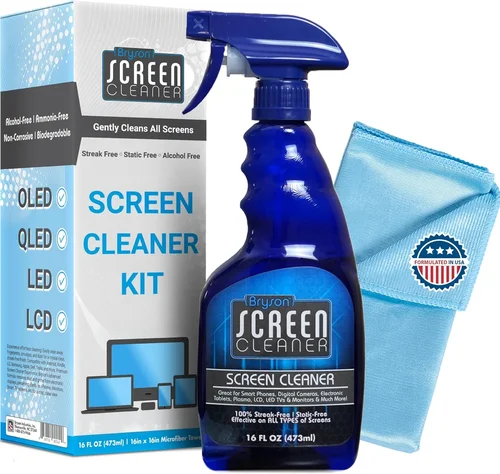
Not all screen cleaners are safe for outdoor TVs—especially those with special coatings. Ammonia-based glass cleaners (like Windex) can degrade anti-reflective layers over time, leading to streaking and reduced clarity. Instead, use only manufacturer-recommended cleaners or isopropyl alcohol solutions diluted to 70% or less. Microfiber cloths are essential—they won’t scratch the surface and effectively lift moisture without leaving lint. Avoid paper towels, sponges, or abrasive wipes. Some brands sell official cleaning kits designed specifically for their outdoor models. Before purchasing, verify that compatible cleaning supplies are readily available and affordable. You don’t want to risk damaging a $3,000 TV because you used the wrong spray.
Different Types of Buying Guide
Common Buying Mistakes to Avoid
❌ Mistake: Assuming All “Outdoor” TVs Are Equal
Why it’s bad: Many consumers buy a TV labeled “outdoor” without checking its specific environmental ratings. A unit designed for a covered porch in Arizona won’t survive a humid Florida summer. Humidity tolerance varies dramatically between models, and marketing terms like “all-weather” are not regulated.
What to do instead: Always verify the IP rating, operating humidity range (look for 95% non-condensing or higher), and whether the manufacturer explicitly states suitability for coastal or tropical climates. Cross-reference user reviews from buyers in similar geographic regions.
❌ Mistake: Using Indoor Cleaning Products
Why it’s bad: Ammonia, bleach, or vinegar-based cleaners can strip anti-reflective coatings, cause clouding, or leave permanent streaks. In humid areas, residue from harsh chemicals can attract more moisture and accelerate degradation.
What to do instead: Use only distilled water or a 70% isopropyl alcohol solution with a microfiber cloth. For stubborn salt buildup (common near oceans), rinse with distilled water first, then wipe gently. Never spray liquid directly onto the screen—apply it to the cloth instead.
❌ Mistake: Neglecting Regular Maintenance
Why it’s bad: Humidity causes invisible damage over time. Mold spores, salt crystals, and mineral deposits accumulate in bezels, ports, and behind screens. Without routine cleaning, these can lead to corrosion, electrical faults, or screen delamination.
What to do instead: Establish a bi-weekly cleaning routine during high-humidity seasons. Wipe down the entire unit, inspect for rust or fogging, and check cable connections for corrosion. Keep a maintenance log to track changes.
❌ Mistake: Improper Mounting or Lack of Overhang
Why it’s bad: Mounting a TV directly on an exposed wall without overhead protection exposes it to constant moisture, UV rays, and thermal cycling. This drastically shortens its lifespan—even if the TV itself is rated for outdoor use.
What to do instead: Install under a solid roof, pergola with waterproof canopy, or retractable awning. Ensure at least 6–12 inches of overhang on all sides. Use a tilt-adjustable mount to angle the screen downward slightly, helping water runoff.
❌ Mistake: Ignoring Cable Management
Why it’s bad: Exposed HDMI, power, and antenna cables are prime targets for moisture ingress. Water can travel along cables into the TV’s ports, causing short circuits or signal loss.
What to do instead: Use weatherproof cable conduits, silicone-sealed grommets, and outdoor-rated extension cords. Route cables through walls or under decking whenever possible. Apply dielectric grease to connectors for added protection.
❌ Mistake: Overlooking Power Surge Protection
Why it’s bad: Humid environments often coincide with storm-prone regions. Lightning strikes and power fluctuations can fry sensitive electronics, even if the TV is otherwise weatherproof.
What to do instead: Install a whole-house surge protector and use an outdoor-rated UPS (uninterruptible power supply) with battery backup. This safeguards against both surges and brief outages during thunderstorms.
❌ Mistake: Buying Based Solely on Price
Why it’s bad: Cheaper “outdoor” TVs often cut corners on sealing, materials, and coatings. A $1,200 model may seem like a bargain, but if it fails after one humid season, you’ve wasted money.
What to do instead: View your deck TV as a long-term investment. Spend wisely on proven brands with strong humidity resistance. Mid-range models ($2,000–$3,500) often offer the best balance of durability, features, and value.
Budget Guidelines: How Much Should You Spend?
Entry-Level ($800 – $1,500): This tier includes convertible indoor/outdoor TVs or basic enclosures for standard models. Best for seasonal use in partially covered areas with low to moderate humidity. Expect limited brightness (under 500 nits), minimal weather sealing (IP54 or lower), and shorter lifespans (2–3 years). Ideal for occasional movie nights but not recommended for year-round exposure in tropical or coastal zones.
Mid-Range ($1,500 – $3,500): The sweet spot for most homeowners. These are true partial-shade or full-sun outdoor TVs from reputable brands like SunBriteTV Veranda series or Samsung Terrace. They feature IP55–IP65 ratings, 700–1,200 nits brightness, anti-corrosion builds, and 2–3 year warranties. Perfect for covered decks in humid climates, offering reliable performance and easier maintenance.
Premium ($3,500 – $5,500): Designed for extreme conditions—think beach houses, pool decks, or full-sun exposure in high-humidity regions. Models like the SunBriteTV Pro series or LG Pro:Centric boast IP66 ratings, 1,500+ nits brightness, internal humidity sensors, and marine-grade construction. These units are built to last 7–10 years with proper care and are ideal for permanent installations.
Luxury ($5,500+): Commercial-grade systems for resorts, luxury homes, or mission-critical applications. These include features like 24/7 operation, redundant cooling, remote monitoring, and custom finishes. While overkill for most residential decks, they’re unmatched in durability and come with comprehensive service plans.
Expert Tips for Getting the Best Deal
- Buy during off-seasons: Retailers often discount outdoor TVs in late fall and winter (October–February) when demand drops. You can save 15–25% compared to spring/summer pricing.
- Bundle with installation: Many authorized dealers offer free or discounted professional installation when you purchase the TV. Proper mounting is critical in humid areas—don’t skip this.
- Check for rebates: Some utility companies or green energy programs offer rebates for energy-efficient outdoor electronics. LG and Samsung occasionally run trade-in promotions.
- Read real user reviews: Look for feedback from buyers in Florida, Hawaii, the Gulf Coast, or Southeast Asia—regions with consistently high humidity. Their experiences are far more relevant than generic 5-star ratings.
- Negotiate extended warranties: If the standard warranty doesn’t cover humidity damage, ask if an upgraded plan is available. Some retailers will include it at no extra cost during promotions.
- Test before finalizing: If buying in-store, ask to see a demo unit powered on. Check for fan noise (a sign of active cooling, which is risky in humidity), screen uniformity, and menu responsiveness.
- Consider refurbished models: Certified refurbished outdoor TVs from the manufacturer (not third-party sellers) often come with full warranties and can save you 20–30%. Ensure they’re specifically rated for your climate.
- Document everything: Take photos during installation, keep receipts, and register the product immediately. This protects you if a humidity-related claim arises later.

Frequently Asked Questions
Q: Can I use a regular indoor TV on my deck if I cover it?
A: Technically yes, but it’s not recommended for humid areas. Even with a cover, temperature swings cause internal condensation, and covers trap moisture against the screen. Over time, this leads to corrosion, mold, and premature failure. Invest in a proper outdoor TV or a sealed enclosure designed for your climate.
Q: How often should I clean my deck TV in a humid climate?
A: Clean the exterior every 1–2 weeks during high-humidity months (typically spring through fall). Focus on the screen, bezel, and ventilation areas. Deep-clean ports and mounts monthly. In coastal areas, rinse off salt residue weekly with distilled water.
Q: What’s the difference between “weather-resistant” and “weatherproof”?
A: “Weather-resistant” usually means it can handle light rain or splashes but isn’t fully sealed. “Weatherproof” implies a higher degree of protection, often with an IP65+ rating and no internal exposure to elements. Always check the IP code—not marketing terms.
Q: Will humidity cause my TV screen to fog up permanently?
A: Internal fogging usually indicates a seal failure, allowing moisture between the LCD and glass. This isn’t normal and often requires professional repair or replacement. Prevent it by choosing optically bonded screens and avoiding extreme temperature changes.
Q: Can I clean my outdoor TV with a pressure washer?
A: Absolutely not. High-pressure water can force moisture into seams, ports, and behind the screen, causing immediate damage. Use only gentle wiping with a damp microfiber cloth.
Q: Do outdoor TVs need special mounts?
A: Yes. Standard indoor mounts aren’t rated for outdoor conditions. Use marine-grade, powder-coated outdoor mounts with corrosion-resistant hardware. Ensure the mount allows airflow behind the TV to prevent heat buildup.
Q: Is it safe to leave my deck TV on during a thunderstorm?
A: No. Even with surge protection, lightning can induce power surges through cables. Turn off and unplug the TV during severe storms. Consider a smart plug that cuts power automatically when lightning is detected.
Q: How long should a quality outdoor TV last in a humid environment?
A: With proper installation, cleaning, and maintenance, a premium outdoor TV (IP65+, marine-grade) should last 7–10 years. Cheaper models may fail in 2–4 years due to corrosion or seal degradation.
Q: Can I install the TV myself?
A: If you’re experienced with electrical work and mounting, yes—but professional installation is strongly advised. Improper mounting compromises weather sealing and voids warranties. Many issues stem from DIY errors.
Q: What should I do if I notice rust or corrosion?
A: Act immediately. Remove the TV, clean affected areas with a rust converter, and inspect internal components if accessible. Contact the manufacturer—many will honor warranty claims if corrosion is due to material defects, not neglect.
Our Final Recommendations
Best for Budget-Conscious Buyers: SunBriteTV Veranda Series (55-inch) – At around $2,200, it offers excellent value with IP55 rating, 700-nit brightness, and solid anti-corrosion build. Ideal for covered decks in humid zones.
Best Overall Value: Samsung The Terrace QLED (65-inch) – Priced at ~$3,800, it combines stunning picture quality, 1,500-nit brightness, IP55 rating, and smart features. Its slim design and reliable performance make it a top choice for most homeowners.
Best Premium Option: SunBriteTV Pro Series (75-inch) – For ~$5,200, this full-sun beast delivers IP66 protection, 2,500-nit brightness, and military-grade durability. Perfect for open decks in tropical or coastal climates.
Best for Beginners: Seura Shade Outdoor TV (50-inch) – User-friendly setup, excellent customer support, and a straightforward cleaning guide. Great for first-time outdoor TV owners in moderately humid areas.
Best for Advanced Users: LG Pro:Centric 4K Ultra HD Outdoor Display – Packed with pro features like remote monitoring, custom scheduling, and enterprise-grade humidity control. Ideal for tech-savvy users or multi-TV installations.
Conclusion: Making the Right Choice
Choosing and maintaining a deck TV for a humid environment isn’t just about picking the shiniest screen—it’s about understanding how moisture, salt, heat, and time interact with electronics. From verifying IP ratings to establishing a cleaning routine, every decision impacts your TV’s longevity and performance. Prioritize weather resistance, anti-corrosion materials, and ease of maintenance. Don’t cut corners on mounting or surge protection. And remember: a little prevention goes a long way. Regular cleaning, proper installation, and smart usage habits can double or even triple your TV’s lifespan.
Ultimately, the right deck TV for your humid area is one that matches your climate, usage patterns, and budget—while offering peace of mind. Whether you’re watching sunset surf sessions or hosting backyard barbecues, your outdoor entertainment should enhance your lifestyle, not become a source of stress. Use this guide as your roadmap. Ask questions, read reviews from similar climates, and invest in quality. Your future self—and your movie nights—will thank you.

