
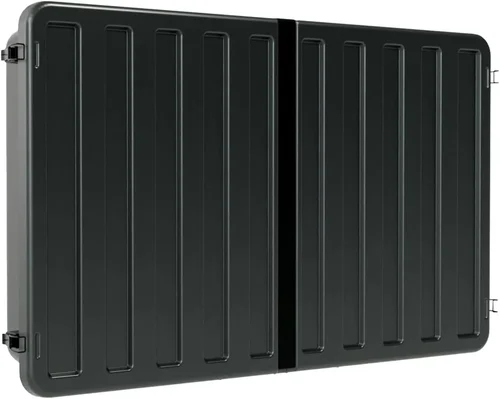
Outdoor living spaces have evolved far beyond simple patios and grills. In today’s homes—especially in hot climates like Arizona, Southern California, Texas, and Florida—the deck or patio has become an extension of the indoor entertainment area. And at the heart of many of these spaces? A weather-resistant outdoor TV. But with constant exposure to intense sun, high humidity, dust, pollen, and temperature swings, maintaining a deck TV isn’t just about aesthetics—it’s about performance, longevity, and safety.
That’s why a proper cleaning routine is essential. Neglecting your outdoor TV can lead to overheating, screen degradation, corrosion of internal components, and even premature failure. Unlike indoor TVs, deck TVs are engineered to withstand the elements, but they still require regular care—especially in hot climates where UV rays are stronger, dust accumulates faster, and thermal stress is more pronounced. This guide is designed to help you understand exactly how to clean and maintain your deck TV effectively, safely, and sustainably in high-heat environments. Whether you’re a first-time buyer or a seasoned outdoor tech enthusiast, you’ll learn everything from choosing the right model to mastering the cleaning process and avoiding common pitfalls.
The market for outdoor TVs has grown rapidly in recent years, driven by advances in display technology, weatherproofing, and consumer demand for year-round outdoor entertainment. Brands like SunBriteTV, Samsung (with its Terrace line), LG, and Seura now offer models specifically built for outdoor use, with features like anti-glare screens, sealed enclosures, and enhanced cooling systems. However, even the most rugged outdoor TVs aren’t maintenance-free. In fact, the very features that make them durable—such as sealed casings and passive cooling—can make them more vulnerable to dust buildup and heat retention if not cleaned properly. This guide will walk you through every step of the process, from pre-cleaning assessments to post-cleaning care, ensuring your investment lasts for years to come.

What to Look for When Buying Buying Guide
1. Weather Resistance Rating (IP Rating)
When shopping for a deck TV, the first and most critical factor to consider is its Ingress Protection (IP) rating. This two-digit code tells you how well the TV resists dust and moisture. For outdoor use in hot climates, look for a minimum IP55 rating—this means the TV is protected against dust ingress (limited) and low-pressure water jets from any direction. However, for full sun and rain exposure, especially in coastal or monsoon-prone areas, an IP65 or higher rating is ideal. IP65 offers complete dust protection and resistance to water projected from a nozzle, making it suitable for most outdoor installations.
Why does this matter in hot climates? High temperatures often come with sudden thunderstorms, high humidity, or morning dew. A TV with a lower IP rating may allow moisture to seep into the ventilation ports or control panels, leading to corrosion or electrical shorts over time. Additionally, dust and sand—common in desert regions—can accumulate inside the unit if the seals aren’t tight. Always verify the IP rating in the product specifications and avoid models that only claim “weather-resistant” without a certified IP code.
2. Display Technology & Screen Coating
The type of display and screen coating directly impacts how well your TV performs under direct sunlight—a major concern in hot climates. Traditional LED/LCD TVs struggle with glare and visibility when placed in full sun, but outdoor-specific models use advanced technologies to combat this. Look for TVs with anti-reflective, anti-glare, or optically bonded screens. These coatings reduce reflections and improve brightness, ensuring you can still see the picture even at noon.
Additionally, some outdoor TVs use high-brightness panels (measured in nits)—typically 700 nits or higher—compared to standard indoor TVs that range from 300 to 500 nits. This extra brightness compensates for ambient light. OLED screens, while stunning indoors, are generally not recommended for outdoor use due to their susceptibility to burn-in and lower peak brightness. Instead, opt for QLED or high-nit LED panels designed for outdoor visibility. Also, check if the screen has a protective layer that resists UV degradation, which can cause yellowing or fading over time in intense sunlight.
3. Thermal Management & Cooling System
Heat is the silent killer of electronics, and outdoor TVs are especially vulnerable. In hot climates, ambient temperatures can exceed 100°F (38°C), and direct sun exposure can push surface temperatures even higher. Without proper thermal management, internal components can overheat, leading to throttling, shutdowns, or permanent damage. Therefore, the cooling system is a make-or-break feature.
Look for TVs with passive cooling systems—such as heat sinks and ventilation channels—that don’t rely on internal fans. Fans can suck in dust and moisture, increasing maintenance needs and failure risks. Passive cooling is quieter, more reliable, and better suited for sealed outdoor enclosures. Some premium models also include thermal sensors that adjust brightness or shut down temporarily if internal temperatures rise too high. Avoid TVs that lack any thermal protection or rely solely on natural convection without engineered airflow paths.
4. Build Quality & Materials
The physical construction of the TV determines how well it withstands the rigors of outdoor life. In hot climates, materials must resist UV degradation, warping, rust, and corrosion. The chassis should be made of powder-coated aluminum or marine-grade stainless steel—both are lightweight, durable, and resistant to oxidation. Avoid plastic housings, which can become brittle under UV exposure and crack over time.
Pay attention to the seals around the screen, ports, and control panels. High-quality silicone or rubber gaskets should create a watertight barrier. Also, check the mounting hardware. Vibration-resistant brackets and corrosion-proof screws are essential, especially in windy or coastal areas. A well-built TV will feel solid and have no loose panels or gaps where moisture could enter. Investing in a model with a robust build may cost more upfront, but it pays off in reduced maintenance and longer lifespan.
5. Brightness & Viewing Angle
In hot climates, sunlight is relentless—especially between 10 a.m. and 4 p.m. A TV that looks great in the shade may become unwatchable in direct sun. That’s why brightness (measured in nits) and viewing angle are critical. As mentioned earlier, aim for a minimum of 700 nits, but 1000+ nits is ideal for full-sun installations. Some premium models go up to 2500 nits, offering near-daylight visibility.
Viewing angle is equally important. If your seating area is off to the side, a narrow viewing angle will cause colors to wash out and contrast to drop. Look for TVs with wide viewing angles (178 degrees or more), typically found in IPS (In-Plane Switching) panels. However, note that IPS panels may have slightly lower contrast than VA panels, so balance this with your lighting conditions. For shaded or covered decks, a standard 500-nit TV with good contrast may suffice, but for open-air setups, prioritize brightness and anti-glare features.
6. Connectivity & Smart Features
Modern outdoor TVs aren’t just displays—they’re full-fledged entertainment hubs. In hot climates, where you may spend long evenings outdoors, having smart features can enhance your experience. Look for models with built-in Wi-Fi, Bluetooth, and support for streaming platforms like Netflix, YouTube, and Disney+. Some outdoor TVs come with weather-resistant remotes or voice control via Alexa or Google Assistant.
Connectivity options matter too. Ensure the TV has enough HDMI ports for devices like streaming sticks, gaming consoles, or soundbars. USB ports are useful for media playback or firmware updates. However, avoid models with exposed ports unless they’re covered by waterproof flaps. Also, consider whether the TV supports HDMI-CEC or ARC (Audio Return Channel) for simplified audio setup. While smart features add convenience, they also increase power consumption and heat output—so ensure the TV’s cooling system can handle it.
7. Warranty & Support
Outdoor electronics are a significant investment, and in harsh climates, the risk of failure is higher. A strong warranty is your safety net. Most reputable outdoor TV brands offer 2- to 3-year warranties, with some extending to 5 years for commercial use. Check what’s covered: does it include labor, parts, and on-site service? Is accidental damage or weather-related failure included?
Customer support is just as important. Look for brands with responsive service teams, local repair centers, or partnerships with certified installers. Avoid manufacturers with limited support or long repair turnaround times. Reading user reviews can give you insight into real-world reliability and how the company handles warranty claims. A good warranty not only protects your purchase but also reflects the manufacturer’s confidence in their product’s durability.
8. Size & Placement Flexibility
Finally, consider the size of the TV and how it fits into your deck layout. Larger screens (65 inches and up) offer a more immersive experience but require more space and stronger mounting solutions. In hot climates, larger screens also generate more heat, so ensure your mounting area allows for adequate airflow. Wall mounts should be adjustable to tilt the screen away from direct sun during peak hours.
Placement is key. Avoid installing the TV where it will be hit by sprinklers, pool splash, or morning dew. Use a weatherproof cover when not in use, especially during storms or off-seasons. If your deck is partially shaded, consider a smaller, high-brightness model rather than a massive screen that’s hard to cool. Also, think about cable management—exposed wires can degrade in UV light and become tripping hazards. Use conduit or raceways to protect connections.
Different Types of Buying Guide
Common Buying Mistakes to Avoid
❌ Mistake: Using an Indoor TV Outdoors
Why it’s bad: Indoor TVs are not designed to handle moisture, dust, or temperature extremes. Even if you install them under a covered area, humidity and condensation can seep into the vents, causing corrosion and electrical failure. Additionally, indoor screens are too dim for outdoor use, making them unwatchable in daylight.
What to do instead: Always choose a TV specifically rated for outdoor use. Look for models with sealed enclosures, weatherproof coatings, and outdoor-certified components. If budget is a concern, consider a convertible model that can be moved indoors during harsh weather.
❌ Mistake: Ignoring the IP Rating
Why it’s bad: A TV without a proper IP rating may look durable but can fail prematurely when exposed to rain, sprinklers, or morning dew. In hot climates, humidity levels can spike overnight, leading to condensation inside the unit.
What to do instead: Prioritize TVs with at least IP55, and aim for IP65 or higher if the TV will be exposed to direct weather. Verify the rating in the technical specifications, not just marketing claims.
❌ Mistake: Overlooking Thermal Management
Why it’s bad: Without proper cooling, the TV’s internal temperature can rise rapidly, triggering thermal shutdowns or damaging the panel and electronics. In extreme heat, this can shorten the TV’s lifespan significantly.
What to do instead: Choose models with passive cooling systems, heat sinks, and thermal sensors. Avoid TVs with internal fans unless they’re specifically designed for outdoor use and have dust filters.
❌ Mistake: Installing in Direct Sun Without Shade
Why it’s bad: Even the brightest outdoor TVs struggle in full, direct sunlight. The screen can overheat, and glare can make viewing impossible. Over time, UV exposure can degrade the screen coating and casing.
What to do instead: Install the TV under a pergola, awning, or roof overhang. Use a tilt mount to angle the screen away from the sun during peak hours. Consider adding a retractable shade or UV-blocking film.
❌ Mistake: Neglecting Regular Cleaning
Why it’s bad: Dust, pollen, and salt (in coastal areas) can accumulate on the screen and vents, blocking airflow and reducing visibility. Over time, this buildup can lead to overheating and screen damage.
What to do instead: Clean the TV every 2-4 weeks during peak seasons. Use a microfiber cloth and approved cleaning solution. Never spray liquid directly on the screen.
❌ Mistake: Using Harsh Cleaning Chemicals
Why it’s bad: Ammonia-based cleaners (like Windex) can strip anti-glare coatings and damage the screen. Abrasive cloths can scratch the surface.
What to do instead: Use only water or a screen-safe cleaner. Microfiber cloths are gentle and effective. For stubborn grime, dampen the cloth—never the screen.
❌ Mistake: Skimping on Mounting Hardware
Why it’s bad: Standard indoor mounts aren’t built to withstand wind, vibration, or corrosion. A loose or rusted mount can lead to a dangerous fall.
What to do instead: Invest in a weatherproof, vibration-resistant outdoor mount. Use stainless steel screws and anchors rated for outdoor use.
Budget Guidelines: How Much Should You Spend?
- Entry-Level ($1,500 – $2,500): These are typically partial-sun models with 500-700 nits brightness and IP55 rating. Best for covered decks or shaded areas. Expect basic smart features and 2-year warranty. Examples include entry-tier SunBriteTV Veranda series.
- Mid-Range ($2,500 – $4,500): The sweet spot for most buyers. These TVs offer 700-1000 nits brightness, IP65 rating, passive cooling, and better build quality. Ideal for partially exposed decks. Brands like Samsung Terrace and LG Outdoor deliver excellent value here.
- Premium ($4,500 – $7,000): Designed for full sun exposure, these models feature 1000+ nits brightness, advanced anti-glare coatings, and robust thermal management. Often include extended warranties and commercial-grade durability. SunBriteTV Pro and Seura Outdoor are top contenders.
- Luxury ($7,000+): Top-tier all-weather TVs with IP66/IP67 ratings, fanless cooling, 24/7 operation capability, and premium materials. Built for extreme climates and commercial use. Expect 5-year warranties and professional installation support.

Expert Tips for Getting the Best Deal
- Buy During Off-Season: Prices drop in late fall and winter when outdoor entertainment demand is low. Look for end-of-season sales from retailers like Best Buy, Costco, or specialty outdoor tech stores.
- Check Manufacturer Refurbished Programs: Brands like SunBriteTV offer certified refurbished models at 20–30% off, with full warranties. These are often as good as new.
- Bundle with Accessories: Some retailers offer discounts when you buy a TV, mount, and cover together. This can save you $100–$200.
- Read User Reviews Carefully: Focus on long-term reviews (6+ months) to assess durability in real-world conditions. Pay attention to comments about heat performance and cleaning ease.
- Verify Return Policies: Outdoor TVs are heavy and expensive to return. Ensure the retailer offers at least a 30-day return window and covers return shipping.
- Consider Professional Installation: While DIY is possible, pros ensure proper mounting, cable management, and ventilation. Many offer 1–2 year workmanship warranties.
- Register Your Warranty Immediately: Some brands require registration within 30 days to activate coverage. Keep your receipt and serial number handy.
- Use a Surge Protector: Power surges are common in hot climates due to lightning storms. Invest in a high-quality outdoor surge protector to safeguard your TV.

Frequently Asked Questions
Q: How often should I clean my deck TV?
A: In hot, dusty climates, clean the screen and vents every 2–4 weeks. During pollen season or after storms, increase frequency. Always clean when the TV is off and cool to avoid thermal shock.
Q: Can I use a regular TV cleaner on an outdoor TV?
A: No. Avoid ammonia-based cleaners like Windex. Use distilled water or a cleaner specifically designed for anti-glare screens. Spray the cleaner on the cloth, not the TV.
Q: Will my outdoor TV work in 110°F heat?
A: Most outdoor TVs are rated to operate up to 113°F (45°C). However, prolonged exposure to extreme heat can reduce lifespan. Ensure proper ventilation and consider shading during peak hours.
Q: Do I need a cover for my deck TV?
A: Yes, especially during storms, off-seasons, or when not in use for extended periods. A breathable, UV-resistant cover protects against dust, moisture, and UV damage.
Q: Can I install an outdoor TV myself?
A: If you’re experienced with mounting and electrical work, yes. However, professional installation ensures safety, proper ventilation, and warranty compliance. Many manufacturers void warranties if installed improperly.
Q: What’s the difference between IP55 and IP65?
A: IP55 protects against dust and low-pressure water jets. IP65 offers complete dust protection and resistance to water from a nozzle. IP65 is better for full outdoor exposure.
Q: Can I use a soundbar with an outdoor TV?
A: Yes, but choose a weather-resistant model or install it under cover. Use outdoor-rated cables and seal connections with silicone tape.
Q: How long do outdoor TVs last?
A: With proper care, most outdoor TVs last 7–10 years. In harsh climates, lifespan may be shorter without regular maintenance.
Q: Are outdoor TVs worth the cost?
A: If you use your deck frequently, yes. The durability, brightness, and weather resistance justify the price. For occasional use, consider a convertible model.
Q: Can I leave my outdoor TV on all day?
A: Most outdoor TVs are designed for continuous use, but avoid leaving them on in extreme heat without ventilation. Use a timer or smart plug to manage usage.
Our Final Recommendations
- Best for Budget-Conscious Buyers: SunBriteTV Veranda Series (55″) – Excellent value for covered decks, 700 nits brightness, IP55 rating, and reliable performance under $2,500.
- Best Overall Value: Samsung The Terrace (65″) – Bright 1000-nit QLED display, IP55 rating, smart features, and sleek design. Priced around $3,500, it’s ideal for most outdoor setups.
- Best Premium Option: SunBriteTV Pro Series (75″) – Built for full sun, 2500 nits brightness, IP66 rating, fanless cooling, and commercial-grade durability. A top choice for luxury decks and extreme climates.
- Best for Beginners: LG Outdoor TV (55″) – User-friendly interface, good brightness (800 nits), and solid build quality. Great for first-time outdoor TV owners.
- Best for Advanced Users: Seura Outdoor TV (65″) – Ultra-thin design, 1000+ nits brightness, and customizable mounting. Ideal for tech-savvy users who want a seamless outdoor experience.
Conclusion: Making the Right Choice
Choosing and maintaining a deck TV in a hot climate is about more than just buying a screen—it’s about creating a reliable, enjoyable outdoor entertainment space that lasts. From understanding IP ratings and thermal management to mastering the cleaning process and avoiding common mistakes, every decision impacts your long-term satisfaction. The right TV, properly installed and cared for, can transform your deck into a year-round oasis.
Remember, outdoor electronics require outdoor-grade care. Regular cleaning, proper shading, and smart installation aren’t optional—they’re essential. Don’t cut corners on build quality or cooling, and always prioritize safety and durability over flashy features. Whether you’re watching sunset movies by the pool or hosting summer barbecues, your deck TV should enhance the experience, not become a source of frustration.
Take the time to assess your space, climate, and usage patterns. Use this guide to compare models, avoid pitfalls, and make an informed decision. And once you’ve made your purchase, commit to a maintenance routine that keeps your TV performing at its best. With the right approach, your outdoor TV will deliver stunning visuals, reliable performance, and years of enjoyment—even under the harshest summer sun.

