
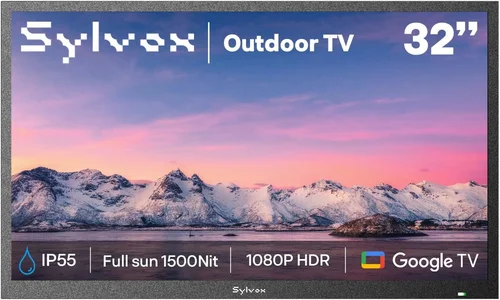
Outdoor living spaces have evolved dramatically over the past decade. What was once a simple patio with a few chairs has transformed into fully functional outdoor entertainment zones—complete with grills, fire pits, sound systems, and yes, outdoor TVs. For property managers, vacation rental hosts, and landlords, installing an outdoor television isn’t just about luxury—it’s a strategic upgrade that enhances guest experience, increases rental appeal, and can even justify higher nightly rates. But not all outdoor TVs are created equal, especially when durability, ease of maintenance, and long-term value are top priorities for rental properties.
This comprehensive buying guide is designed specifically for rental home owners and managers who need reliable, weather-resistant, and guest-friendly outdoor TVs that stand up to frequent use and unpredictable conditions. Whether you’re outfitting a beachfront condo, a mountain cabin, or a suburban Airbnb, choosing the right outdoor TV requires more than just picking the biggest screen or the flashiest brand. You need a unit that balances performance, protection, and practicality—without breaking the bank or requiring constant upkeep. In this guide, we’ll walk you through every critical factor, from build quality and weather resistance to smart features and installation logistics, so you can make a confident, informed decision.
The outdoor TV market has matured significantly in recent years. Gone are the days when your only option was a bulky, expensive “weatherproof” enclosure housing a standard indoor TV. Today, manufacturers like Samsung, LG, Sony, and specialized brands such as SunBriteTV and Seura offer purpose-built outdoor displays engineered to handle sun, rain, snow, dust, and temperature extremes. At the same time, consumer demand for outdoor entertainment continues to rise—especially among short-term renters who expect modern amenities. According to industry reports, properties with outdoor TVs see up to 20% higher occupancy rates during peak seasons. With so many options available, it’s easy to get overwhelmed. That’s why this guide cuts through the noise, focusing exclusively on what matters most for rental homes: reliability, ease of use, low maintenance, and strong return on investment.

What to Look for When Buying Buying Guide
1. Weather Resistance & IP Rating
When it comes to outdoor electronics, weather resistance isn’t optional—it’s essential. Unlike indoor TVs, outdoor models must withstand rain, snow, humidity, dust, and even salt air (if you’re near the coast). The first thing to check is the TV’s Ingress Protection (IP) rating. This two-digit code tells you exactly how well the device resists solid particles (like dust) and liquids (like water). For outdoor use, look for a minimum IP55 rating—this means the TV is protected against dust ingress and low-pressure water jets from any direction. However, for full four-season durability or coastal environments, aim for IP65 or higher. An IP65-rated TV is dust-tight and can handle heavy rain or hose-downs, making it ideal for uncovered patios, pool decks, or mountain cabins.
Beyond the IP rating, consider the TV’s operating temperature range. Most quality outdoor TVs can function between -30°F and 120°F (-34°C to 49°C), which covers nearly all U.S. climates. Cheaper models or indoor TVs in enclosures often fail in extreme cold or heat, leading to screen discoloration, lag, or complete shutdown. Also, pay attention to UV protection—prolonged sun exposure can degrade plastics and cause yellowing over time. Premium outdoor TVs use UV-stabilized materials and anti-reflective coatings to maintain clarity and structural integrity. For rental homes, where you can’t control how guests use the space, investing in a truly weatherproof model saves you from frequent replacements and negative reviews due to malfunctioning equipment.
2. Brightness & Anti-Glare Performance
One of the biggest challenges with outdoor viewing is ambient light. Even on a cloudy day, outdoor brightness can exceed 10,000 nits—far brighter than any indoor environment. Standard indoor TVs typically peak at 300–500 nits, which is why they look washed out or nearly invisible when placed outside. For outdoor use, you need a TV with high brightness—ideally 700 nits or more, but preferably 1,000+ nits for direct sunlight areas. Many premium outdoor TVs now offer 1,500 to 2,500 nits, ensuring crisp, vibrant images even at noon.
Equally important is anti-glare technology. Look for TVs with optically bonded screens and anti-reflective coatings. These features minimize glare from sunlight reflecting off the glass, allowing viewers to see the picture clearly without squinting or adjusting angles constantly. Some models also include automatic brightness sensors that adjust screen luminance based on ambient light conditions—a handy feature for rental properties where guests may not know how to manually tweak settings. Avoid TVs that rely solely on software-based brightness boosts; these often sacrifice color accuracy and consume more power. Instead, opt for hardware-level solutions like high-lumen LED backlights and specialized panel coatings. Remember: if your guests can’t see the screen, they won’t use it—and that defeats the purpose of installing an outdoor TV in the first place.
3. Build Quality & Durability
Rental properties face unique wear-and-tear challenges. Guests may accidentally bump the TV, spill drinks nearby, or leave it exposed during storms. That’s why build quality is non-negotiable. Start by examining the chassis material. Top-tier outdoor TVs use powder-coated aluminum or stainless steel frames, which resist rust, corrosion, and warping. Avoid plastic-heavy constructions—they degrade faster under UV exposure and can crack in freezing temperatures. The screen itself should be made of tempered glass, not standard acrylic, to prevent scratches and shattering.
Internal components matter too. Outdoor TVs should have sealed circuitry, conformal-coated PCBs (printed circuit boards), and ventilation systems designed to prevent condensation buildup. Passive cooling is preferred over fans, which can suck in dust and moisture. Additionally, check the mounting hardware. VESA-compatible mounts are standard, but ensure the included or recommended brackets are also weatherproof and rated for outdoor use. For added peace of mind, some brands offer reinforced bezels or optional protective covers for off-season storage. In short, think of your outdoor TV as a piece of outdoor furniture—it needs to be tough, resilient, and built to last through countless guest cycles without constant repairs or replacements.
4. Smart Features & Connectivity
Today’s renters expect seamless connectivity. A dumb outdoor TV might look great, but if it can’t stream Netflix, YouTube, or Disney+, it quickly becomes obsolete. Most modern outdoor TVs come with built-in smart platforms like Android TV, webOS (LG), or Tizen (Samsung). These allow guests to log into their own accounts, browse apps, and enjoy personalized content without needing external devices. However, for rental homes, simplicity is key. You don’t want guests struggling with complex menus or leaving behind login credentials. Look for TVs with intuitive interfaces, guest mode options, or the ability to reset to factory settings easily.
Connectivity options are equally important. Ensure the TV has multiple HDMI ports (at least two, preferably three), USB inputs, and wireless capabilities like Wi-Fi and Bluetooth. This allows guests to connect streaming sticks (e.g., Roku, Fire Stick), gaming consoles, or soundbars without hassle. Some models even include weatherproof input covers to protect ports when not in use. Avoid TVs that require proprietary adapters or hard-to-find cables—these create frustration and increase support calls. Also, consider audio output: while many outdoor TVs have decent built-in speakers, pairing them with a weatherproof soundbar or outdoor speakers enhances the experience. Just make sure the TV supports ARC (Audio Return Channel) or optical audio out for easy integration.
5. Size & Viewing Distance
Choosing the right screen size isn’t just about aesthetics—it’s about usability. Too small, and guests can’t see details from a distance; too large, and it overwhelms the space or becomes unwieldy in windy conditions. As a general rule, multiply your ideal viewing distance (in inches) by 0.84 to get the recommended screen diagonal. For example, if your seating area is 8 feet (96 inches) away, a 55-inch to 65-inch TV works well. For larger decks or poolside setups, consider 75-inch models.
But size also affects installation and durability. Larger screens are heavier and more susceptible to wind damage, especially on elevated patios or rooftops. If your rental is in a high-wind area, consult a structural engineer before mounting anything over 65 inches. Also, consider the TV’s depth—some outdoor models are thicker than indoor ones due to insulation and sealing. Make sure there’s enough clearance behind the wall or mount for ventilation and cable management. Finally, think about portability. If you manage multiple properties or rotate units seasonally, a lighter, modular design might be preferable. However, for permanent installations, prioritize stability over mobility.
6. Brand Reputation & Ecosystem Compatibility
Not all outdoor TV brands are equal. While mainstream manufacturers like Samsung and LG offer some outdoor-capable models, they often lack the specialized engineering found in dedicated outdoor brands. Companies like SunBriteTV (now part of SnapAV), Seura, and SkyVue have spent years refining outdoor display technology and typically offer better warranties, customer support, and field-tested reliability. That said, newer entrants like TCL and Hisense are beginning to offer affordable outdoor options with surprisingly good specs.
Consider ecosystem compatibility too. If you already use smart home devices (e.g., Ring cameras, Nest thermostats), choosing a TV that integrates with your existing platform simplifies management. For example, Samsung’s SmartThings ecosystem allows centralized control of lights, locks, and TVs—useful for remote property monitoring. Similarly, LG’s ThinQ AI can sync with other appliances. On the other hand, if you prefer simplicity, a standalone Android TV might be easier for guests to navigate without requiring app downloads or account linking. Always read user reviews from other rental hosts—they’ll reveal real-world issues like app crashes, slow updates, or poor customer service that spec sheets won’t show.
7. Warranty & Support
For rental properties, downtime equals lost revenue. A broken outdoor TV during peak season can lead to frustrated guests and negative reviews. That’s why warranty and support matter immensely. Most reputable outdoor TV brands offer 2–3 year limited warranties, but some go further. SunBriteTV, for instance, provides a 3-year comprehensive warranty covering parts, labor, and even on-site service in some regions. Seura offers a 2-year warranty with optional extended coverage. Avoid brands with only 1-year warranties or those that exclude outdoor-specific failures (e.g., moisture damage).
Check what the warranty actually covers. Does it include accidental damage? Power surges? Shipping costs for repairs? Also, verify whether the warranty is transferable—important if you sell the property or reassign units. Customer support responsiveness is another factor. Can you reach a human quickly? Is there a dedicated rental/property manager hotline? Look for brands with U.S.-based support teams rather than overseas call centers. Finally, consider service plans. Some companies offer annual maintenance checks or remote diagnostics, which can prevent small issues from becoming big problems. For landlords managing multiple units, these services are worth the extra cost.
8. Installation & Maintenance Requirements
Even the best outdoor TV is useless if it’s poorly installed or hard to maintain. Professional installation is strongly recommended—especially for wall mounts, which must be anchored securely to withstand wind loads and vibrations. Improper mounting can void warranties and create safety hazards. Many outdoor TV brands partner with certified installers who understand local building codes and weather challenges.
Maintenance should be minimal but consistent. Look for models with easy-access panels for cleaning vents or replacing filters. Avoid designs with intricate grooves or hard-to-reach crevices where dirt and debris accumulate. Some TVs include self-cleaning coatings or hydrophobic screens that repel water and fingerprints—ideal for high-traffic rentals. Also, consider seasonal storage. If your property closes in winter, choose a TV that’s easy to disassemble or cover. Many brands sell optional weatherproof covers that slip over the screen and bezel, providing extra protection during off-months. Lastly, think about cable management. Exposed wires are not only unsightly but also vulnerable to chewing pests or tripping hazards. Use conduit raceways or in-wall cable channels to keep everything tidy and safe.
Different Types of Buying Guide

Common Buying Mistakes to Avoid
❌ Mistake: Using an Indoor TV Outdoors
Why it’s bad: Indoor TVs lack weatherproofing, UV protection, and proper thermal regulation. Even in covered areas, humidity, temperature swings, and dust can cause premature failure. Moisture can seep into vents, corroding internal components within months.
What to do instead: Invest in a purpose-built outdoor TV or use a certified weatherproof enclosure designed for your specific TV model. Never assume “it’s just under the eaves” is safe—condensation and indirect rain still pose risks.
❌ Mistake: Ignoring Viewing Angle and Sun Exposure
Why it’s bad: Placing a TV where it faces direct afternoon sun or is viewed from extreme angles results in glare, washed-out colors, and neck strain. Guests will avoid using it, reducing your ROI.
What to do instead: Assess your space during different times of day. Choose a shaded or north-facing wall if possible. Use anti-glare screens and consider adjustable mounts that allow tilt for optimal viewing.
❌ Mistake: Overlooking Power and Connectivity Needs
Why it’s bad: Running extension cords across patios creates tripping hazards and looks unprofessional. Weak Wi-Fi signals lead to buffering and frustrated guests.
What to do instead: Hire an electrician to install a dedicated outdoor-rated outlet near the mount. Use mesh Wi-Fi extenders or outdoor access points to ensure strong signal coverage. Conceal cables in raceways or through walls.
❌ Mistake: Skimping on Mounting Hardware
Why it’s bad: Cheap mounts rust, loosen over time, or fail in high winds. A fallen TV can injure guests or damage property.
What to do instead: Use marine-grade stainless steel mounts rated for your TV’s weight and wind load. Anchor into structural studs or concrete—not drywall or siding. Consider tilt or full-motion mounts for flexibility.
❌ Mistake: Not Planning for Guest Usability
Why it’s bad: Complex remotes, hidden inputs, or non-intuitive menus confuse guests. They may give up or leave negative reviews about “broken” equipment.
What to do instead: Provide a simple quick-start guide near the TV. Use universal remotes or label inputs clearly. Enable guest mode on smart TVs to prevent account clutter.
❌ Mistake: Forgetting About Audio
Why it’s bad: Outdoor environments drown out built-in TV speakers. Guests can’t hear dialogue, especially near pools or busy streets.
What to do instead: Pair your TV with weatherproof outdoor speakers or a soundbar. Ensure the TV supports audio output and test volume levels before listing.
❌ Mistake: Neglecting Seasonal Maintenance
Why it’s bad: Dust, pollen, and salt buildup degrade performance and shorten lifespan. Frozen condensation can crack screens in winter.
What to do instead: Clean the screen and vents monthly with a microfiber cloth. In off-seasons, use a protective cover or store indoors if possible. Check seals annually for cracks.
Budget Guidelines: How Much Should You Spend?
Why it’s bad: Running extension cords across patios creates tripping hazards and looks unprofessional. Weak Wi-Fi signals lead to buffering and frustrated guests.
What to do instead: Hire an electrician to install a dedicated outdoor-rated outlet near the mount. Use mesh Wi-Fi extenders or outdoor access points to ensure strong signal coverage. Conceal cables in raceways or through walls.
❌ Mistake: Skimping on Mounting Hardware
Why it’s bad: Cheap mounts rust, loosen over time, or fail in high winds. A fallen TV can injure guests or damage property.
What to do instead: Use marine-grade stainless steel mounts rated for your TV’s weight and wind load. Anchor into structural studs or concrete—not drywall or siding. Consider tilt or full-motion mounts for flexibility.
❌ Mistake: Not Planning for Guest Usability
Why it’s bad: Complex remotes, hidden inputs, or non-intuitive menus confuse guests. They may give up or leave negative reviews about “broken” equipment.
What to do instead: Provide a simple quick-start guide near the TV. Use universal remotes or label inputs clearly. Enable guest mode on smart TVs to prevent account clutter.
❌ Mistake: Forgetting About Audio
Why it’s bad: Outdoor environments drown out built-in TV speakers. Guests can’t hear dialogue, especially near pools or busy streets.
What to do instead: Pair your TV with weatherproof outdoor speakers or a soundbar. Ensure the TV supports audio output and test volume levels before listing.
❌ Mistake: Neglecting Seasonal Maintenance
Why it’s bad: Dust, pollen, and salt buildup degrade performance and shorten lifespan. Frozen condensation can crack screens in winter.
What to do instead: Clean the screen and vents monthly with a microfiber cloth. In off-seasons, use a protective cover or store indoors if possible. Check seals annually for cracks.
Budget Guidelines: How Much Should You Spend?
Why it’s bad: Complex remotes, hidden inputs, or non-intuitive menus confuse guests. They may give up or leave negative reviews about “broken” equipment.
What to do instead: Provide a simple quick-start guide near the TV. Use universal remotes or label inputs clearly. Enable guest mode on smart TVs to prevent account clutter.
❌ Mistake: Forgetting About Audio
Why it’s bad: Outdoor environments drown out built-in TV speakers. Guests can’t hear dialogue, especially near pools or busy streets.
What to do instead: Pair your TV with weatherproof outdoor speakers or a soundbar. Ensure the TV supports audio output and test volume levels before listing.
❌ Mistake: Neglecting Seasonal Maintenance
Why it’s bad: Dust, pollen, and salt buildup degrade performance and shorten lifespan. Frozen condensation can crack screens in winter.
What to do instead: Clean the screen and vents monthly with a microfiber cloth. In off-seasons, use a protective cover or store indoors if possible. Check seals annually for cracks.
Budget Guidelines: How Much Should You Spend?
Why it’s bad: Dust, pollen, and salt buildup degrade performance and shorten lifespan. Frozen condensation can crack screens in winter.
What to do instead: Clean the screen and vents monthly with a microfiber cloth. In off-seasons, use a protective cover or store indoors if possible. Check seals annually for cracks.
Budget Guidelines: How Much Should You Spend?
Entry-Level ($800 – $1,500): This tier includes indoor TVs in basic weatherproof enclosures or partial-shade outdoor models from brands like TCL or Hisense. Expect 500–700 nits brightness, limited smart features, and 1-year warranties. Best for covered porches in mild climates or short-term trial installations. Not recommended for full exposure or high-traffic rentals.
Mid-Range ($1,500 – $3,500): The sweet spot for most rental homes. Look for partial-shade or light all-weather TVs from reputable brands like LG, Samsung, or Seura. These offer 1,000+ nits brightness, robust smart platforms, IP55+ ratings, and 2–3 year warranties. Ideal for covered decks, pergolas, or three-season use. Great balance of performance and value.
Premium ($3,500 – $6,000): For year-round, full-exposure installations. All-weather models from SunBriteTV, SkyVue, or commercial-grade Samsung displays dominate this range. Features include 1,500–2,500 nits brightness, military-grade durability, advanced thermal management, and comprehensive support. Perfect for beachfront properties, mountain cabins, or luxury rentals where reliability is critical.
Luxury ($6,000+): Reserved for high-end resorts, smart homes, or custom installations. These include ultra-bright commercial displays, integrated control systems (Crestron, Control4), and bespoke mounting solutions. Often used in large outdoor theaters or multi-zone setups. Justifiable only if you command premium rental rates or offer concierge-level amenities.
Expert Tips for Getting the Best Deal
– Buy During Off-Peak Seasons: Prices drop significantly in late fall and winter when demand is low. Many retailers offer 15–25% discounts on outdoor electronics between November and February.
– Bundle with Installation: Some brands (e.g., SunBriteTV) offer discounted professional installation when purchased directly. This ensures proper setup and preserves your warranty.
– Check for Property Manager Programs: Companies like Airbnb Pro or VRBO Premier sometimes partner with electronics brands for exclusive discounts. Sign up for host newsletters to catch promotions.
– Compare Total Cost of Ownership: A cheaper TV may cost more long-term due to shorter lifespan, higher energy use, or frequent repairs. Factor in warranty length, efficiency ratings, and expected service life.
– Read Rental-Specific Reviews: Search forums like BiggerPockets or Reddit’s r/airbnb for host experiences. Real-world feedback reveals issues like remote battery drain, app instability, or mount corrosion that lab tests miss.
– Test Before Committing: If possible, rent or borrow a model for a weekend to evaluate brightness, ease of use, and guest reaction. Nothing beats hands-on experience.
– Negotiate Extended Warranties: For multi-unit purchases, ask for bulk pricing or free warranty extensions. Some distributors offer 4-year coverage for property managers.
– Consider Refurbished Models: Certified refurbished outdoor TVs from authorized dealers often come with full warranties at 20–30% off retail. Just verify they’re not previous rental returns with heavy wear.

Frequently Asked Questions
Q: Can I use a regular TV outdoors if it’s under a roof?
A: Technically yes, but it’s risky. Even covered areas experience humidity, temperature swings, and dust. Without proper sealing, moisture can condense inside the TV, causing corrosion. For reliable, long-term use—especially in rentals—invest in a true outdoor model or a certified enclosure.
Q: Do outdoor TVs consume more power?
A: Not necessarily. Modern outdoor TVs use efficient LED backlights and often include power-saving modes. High brightness does increase draw, but many models are ENERGY STAR certified. Expect 10–20% higher usage than comparable indoor TVs, but the difference is minimal on monthly bills.
Q: How do I protect the TV from theft?
A: Use locking mounts, security cables, or install the TV in a visible, well-lit area. Some models offer tamper alerts via smart apps. For high-risk locations, consider removable portable units stored indoors when unoccupied.
Q: Will an outdoor TV work in freezing temperatures?
A: Yes, if it’s rated for cold climates. Look for operating ranges down to -30°F. Avoid turning on the TV immediately after bringing it indoors from extreme cold—let it acclimate to prevent condensation.
Q: Can guests damage the TV by spilling drinks?
A: High-quality outdoor TVs have spill-resistant designs and sealed ports. However, direct liquid contact should still be avoided. Place the TV away from tables and provide coasters. Most warranties don’t cover liquid damage from guest misuse.
Q: Do I need a special internet plan for outdoor streaming?
A: Not usually, but ensure your Wi-Fi reaches the outdoor area. Use outdoor-rated extenders or mesh systems. Most streaming uses 3–5 Mbps per HD stream—well within standard home plans.
Q: How often should I clean the screen?
A: Monthly cleaning is sufficient. Use a dry microfiber cloth for dust; lightly dampen with water (no cleaners) for smudges. Avoid abrasive materials that scratch anti-reflective coatings.
Q: Are outdoor TVs noisy due to cooling fans?
A: Premium models use passive cooling (heat sinks) and are silent. Avoid budget units with loud internal fans—they’re distracting and prone to failure.
Q: Can I mount an outdoor TV on a brick or stucco wall?
A: Yes, but use appropriate anchors (e.g., sleeve anchors for brick, Tapcon screws for concrete). Always consult a professional to avoid cracking or instability.
Q: What happens if the TV gets struck by lightning?
A: While outdoor TVs are built to withstand surges, lightning can still cause damage. Install a whole-home surge protector and consider unplugging during storms if the TV isn’t on a protected circuit.
Our Final Recommendations
Best for Budget-Conscious Buyers: Seura 55″ Partial-Shade Outdoor TV – At around $2,200, it offers excellent brightness (1,000 nits), webOS smart platform, and solid build quality for covered areas. Great for landlords testing the waters without overspending.
Best Overall Value: SunBriteTV Veranda 3 Series 65″ – Priced at $3,800, this all-weather model delivers 1,500 nits, IP55 rating, Android TV, and a 3-year warranty. Ideal for most rental scenarios—durable, user-friendly, and widely praised by property managers.
Best Premium Option: SkyVue Pro 75″ All-Weather Outdoor Display – At $5,500, it’s built like a tank with 2,000 nits brightness, military-grade materials, and 24/7 operation capability. Perfect for luxury rentals or high-exposure locations.
Best for Beginners: TCL 55″ Outdoor TV in Weatherproof Enclosure – A $1,100 bundle that includes a 4K Roku TV and certified enclosure. Simple setup, familiar interface, and low risk for first-time installers.
Best for Advanced Users: Samsung The Terrace 75″ Full Sun Outdoor TV – With 2,500 nits, Quantum Dot color, and SmartThings integration, this $6,500 powerhouse suits tech-savvy hosts who want seamless smart home control and stunning visuals in direct sunlight.
Conclusion: Making the Right Choice
Choosing the best outdoor TV for your rental home isn’t just about picking the shiniest screen—it’s about aligning technology with your property’s unique needs, climate, and guest expectations. From weather resistance and brightness to smart features and installation logistics, every decision impacts guest satisfaction and your bottom line. Remember: a well-chosen outdoor TV doesn’t just entertain—it elevates your entire rental experience, encouraging longer stays, repeat bookings, and glowing reviews.
Prioritize durability over flashy specs, simplicity over complexity, and long-term value over upfront savings. Use this guide as your roadmap, but also trust your instincts as a host. Talk to other property managers, test models when possible, and don’t hesitate to invest in quality—it pays dividends in reduced maintenance, happier guests, and stronger occupancy rates. Whether you’re upgrading a single cabin or outfitting a portfolio of vacation homes, the right outdoor TV is more than an amenity; it’s a strategic asset. So take the time to choose wisely, install properly, and maintain consistently. Your future self—and your guests—will thank you.

