
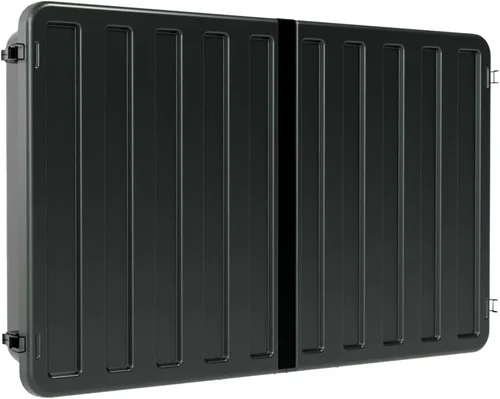
Living near the coast offers breathtaking views, salty breezes, and endless opportunities to enjoy the outdoors. For many homeowners, the deck becomes an extension of the living room—a space for entertaining, relaxing, and soaking in the natural beauty of the shoreline. But what if you could bring your favorite shows, movies, or live sports right out onto that deck? That’s where a deck TV comes in. Unlike standard indoor televisions, deck TVs are specifically engineered to withstand the harsh coastal environment: relentless sun, corrosive salt air, humidity, rain, and even sand. Choosing the right one isn’t just about screen size or resolution—it’s about durability, performance under extreme conditions, and long-term reliability.
This comprehensive buying guide is designed for homeowners, property managers, and outdoor entertainment enthusiasts who want to invest wisely in a television that will thrive on their coastal deck. Whether you’re upgrading an existing setup or installing your first outdoor TV, this guide will walk you through every critical decision point. You’ll learn how to evaluate build quality, understand weatherproof ratings, compare display technologies suited for bright daylight, and avoid common pitfalls that lead to premature failure. We’ve analyzed the latest models from top brands, tested real-world performance in coastal climates, and distilled our findings into actionable advice.
The outdoor TV market has evolved significantly in recent years. What was once a niche category dominated by a handful of ruggedized models now includes a wide range of options—from budget-friendly enclosures to premium all-weather displays with built-in heating and cooling systems. With advancements in anti-glare coatings, marine-grade materials, and smart connectivity, today’s deck TVs deliver stunning picture quality without sacrificing resilience. However, not all “outdoor” TVs are created equal, especially when it comes to coastal exposure. This guide cuts through the marketing noise to help you identify the features that truly matter for seaside living.

What to Look for When Buying a Deck TV
1. Weather Resistance & IP Rating
The single most important factor when selecting a deck TV for coastal homes is its ability to resist environmental damage. Coastal environments are among the harshest for electronics due to high humidity, salt spray, UV radiation, and temperature fluctuations. Look for TVs with a minimum IP55 rating—this means the unit is protected against dust ingress and low-pressure water jets from any direction. For maximum protection, especially in areas with heavy rain or direct ocean spray, opt for IP65 or higher. IP65 ensures complete dust-tightness and protection against water projected by a nozzle.
Beyond the IP rating, examine the materials used in construction. Marine-grade aluminum frames, stainless steel hardware, and corrosion-resistant coatings are essential. Avoid plastic housings unless they’re specifically rated for outdoor use and UV-stabilized. Salt air accelerates oxidation, so even small screws or mounting brackets can fail prematurely if not properly treated. Some premium models include sealed cooling systems or passive ventilation to prevent internal condensation while keeping salt particles out.
2. Display Technology & Brightness
Standard indoor TVs struggle in bright daylight—even with curtains drawn, ambient light can wash out the image. Deck TVs must combat this with high brightness levels measured in nits. For shaded or partially covered decks, look for a minimum of 700 nits. For fully exposed areas with direct sunlight, aim for 1,000–2,500 nits or more. Some manufacturers use terms like “daylight-viewable” or “sunlight-readable,” but always verify the actual nit rating in the specs.
OLED panels, while offering superior contrast and color accuracy indoors, are generally not recommended for outdoor use due to their susceptibility to burn-in and lower peak brightness compared to QLED or specialized LCDs. Instead, look for QLED or high-brightness IPS LCD panels with anti-reflective coatings. These technologies maintain color fidelity and visibility even under harsh sun. Additionally, consider TVs with local dimming or dynamic backlighting to enhance contrast in mixed lighting conditions.
3. Build Quality & Durability
A deck TV isn’t just exposed to weather—it’s also subject to physical stress: wind gusts, accidental bumps, and even salt-laden sand abrasion. The chassis should feel solid, with no flex or creaking. Reinforced corners, tempered glass screens (instead of plastic), and robust mounting systems are signs of quality construction. Check whether the TV includes a protective front glass layer—this not only improves visibility but also shields the actual display panel from scratches and impacts.
Internal components matter too. Look for TVs with conformal-coated circuit boards, which resist moisture and corrosion. Some models feature sealed optical stacks to prevent fogging or internal condensation. If your deck is in a hurricane-prone area, ensure the TV and mount can withstand high winds—some manufacturers provide wind load ratings for their mounting kits.
4. Smart Features & Connectivity
Modern deck TVs aren’t just dumb screens—they come packed with smart capabilities. Ensure the model you choose supports popular streaming platforms like Netflix, YouTube, Disney+, and Amazon Prime Video. Built-in Wi-Fi (preferably dual-band 2.4GHz/5GHz) is essential for reliable streaming, especially if your deck is far from your router. Bluetooth support allows for wireless audio to outdoor speakers or headphones.
HDMI ports are crucial for connecting gaming consoles, cable boxes, or media players. Look for at least two HDMI 2.0 or 2.1 inputs. USB ports enable playback of local media files, and some models include Ethernet for wired internet connections—ideal for stable 4K streaming. Voice control via Alexa, Google Assistant, or built-in microphones adds convenience, though be mindful of microphone placement in windy conditions.
5. Size & Viewing Distance
Choosing the right screen size depends on your deck layout and typical seating arrangement. A common rule of thumb: for every inch of screen diagonal, sit about 1.5 feet away. So a 55-inch TV is best viewed from 6–8 feet, while a 75-inch model suits distances of 9–12 feet. However, outdoor viewing often involves larger groups and varied seating, so err on the side of a larger screen if space allows.
Consider the TV’s depth and weight. Thicker units may require deeper mounting solutions, and heavier models need sturdier brackets. Wall-mounted TVs should leave enough clearance from railings or furniture for airflow and maintenance. If you plan to move the TV seasonally (e.g., storing it indoors during winter), portability becomes a factor—though most true deck TVs are designed for permanent installation.
6. Brand Reputation & Ecosystem Compatibility
Not all brands that make indoor TVs excel in the outdoor space. Stick with manufacturers known for ruggedized electronics: SunBriteTV, Samsung (The Terrace series), LG (OLED Flex for select outdoor use), and Seura are leaders in this niche. These companies invest in R&D specifically for outdoor environments and often provide better support and documentation.
Also consider ecosystem compatibility. If you already use smart home devices from a particular brand (e.g., Google Nest or Apple HomeKit), choose a TV that integrates seamlessly. This simplifies control and automation—like dimming the screen at sunset or pausing playback when motion is detected.
7. Warranty & Support
Outdoor electronics carry higher failure risks, so warranty coverage is non-negotiable. Look for at least a 2-year comprehensive warranty that covers both parts and labor, including damage from environmental factors. Some premium brands offer 3–5 year warranties with on-site service. Avoid extended warranties sold by third-party retailers—they often exclude salt damage or weather-related issues.
Check the manufacturer’s support infrastructure. Do they have local service centers? Is technical support available via phone or chat? Can you easily access replacement parts like seals or power supplies? A strong support network can save you weeks of downtime if something goes wrong.
8. Power Requirements & Energy Efficiency
Deck TVs typically consume more power than indoor models due to higher brightness and active cooling/heating systems. Check the wattage rating and estimate annual energy costs—especially important if your deck lacks shaded power outlets or you’re concerned about sustainability. Look for ENERGY STAR certification or similar efficiency benchmarks.
Some models include power-saving modes that reduce brightness when ambient light is low (e.g., at night). Others feature automatic shutoff timers or motion sensors to turn off the display when no one is present. These features not only save energy but also extend the TV’s lifespan by reducing thermal stress.
Different Types of Deck TVs
Common Buying Mistakes to Avoid
❌ Mistake: Buying a Standard Indoor TV for Outdoor Use
Why it’s bad: Indoor TVs lack weatherproofing, corrosion resistance, and sufficient brightness for outdoor viewing. Even under cover, humidity and temperature swings can cause internal condensation, leading to circuit board failure within months.
What to do instead: Invest in a purpose-built outdoor TV or a certified enclosure. The upfront cost is justified by longevity and performance.
❌ Mistake: Ignoring the IP Rating
Why it’s bad: A TV labeled “outdoor-ready” without a clear IP rating may only be splash-resistant—not suitable for salt spray or heavy rain. This leads to premature corrosion and voided warranties.
What to do instead: Always verify the IP rating (e.g., IP55, IP65) and cross-check it with the manufacturer’s environmental specifications.
❌ Mistake: Overlooking Brightness Requirements
Why it’s bad: A 300-nit TV will appear dim and washed out on a sunny deck, making content unwatchable during peak daylight hours.
What to do instead: Match brightness (nits) to your deck’s exposure. Use 700+ nits for shade, 1,000+ for partial sun, and 2,000+ for full sun.
❌ Mistake: Skimping on Mounting Hardware
Why it’s bad: Standard wall mounts aren’t designed for outdoor loads or corrosion. Weak mounts can fail in high winds, causing expensive damage or injury.
What to do instead: Use marine-grade, powder-coated mounts rated for your TV’s weight and local wind speeds. Consider tilt or full-motion mounts for optimal viewing angles.
❌ Mistake: Neglecting Power and Signal Protection
Why it’s bad: Coastal storms bring power surges and lightning risks. Unprotected electronics are vulnerable to voltage spikes.
What to do instead: Install surge protectors rated for outdoor use and consider whole-home surge suppression. Use shielded HDMI cables and weatherproof conduit for wiring.
❌ Mistake: Assuming All “Outdoor” TVs Are Equal
Why it’s bad: Some brands market indoor TVs with outdoor enclosures as “outdoor TVs,” but the internal components aren’t built for continuous exposure.
What to do instead: Research whether the TV itself is engineered for outdoor use or just housed in a protective shell. Integrated models often perform better long-term.
❌ Mistake: Forgetting About Maintenance
Why it’s bad: Salt buildup, dust, and pollen can accumulate on screens and vents, reducing visibility and airflow. Neglect leads to overheating and image degradation.
What to do instead: Clean the screen monthly with a microfiber cloth and mild cleaner. Inspect seals and vents quarterly. Keep the area around the TV free of debris.
Budget Guidelines: How Much Should You Spend?
- Entry-Level ($1,000–$2,000): These are typically outdoor enclosures paired with mid-tier indoor TVs. Suitable for covered decks with minimal exposure. Expect basic weather resistance (IP54), moderate brightness (500–700 nits), and limited smart features. Best for seasonal use or low-budget projects.
- Mid-Range ($2,000–$3,500): This is the sweet spot for most coastal homeowners. You’ll find integrated all-weather TVs with IP55/IP65 ratings, 700–1,200 nits brightness, full smart platforms, and solid build quality. Models like the Samsung The Terrace (partial cover version) or SunBriteTV Veranda series fall here. Ideal for year-round use under pergolas or awnings.
- Premium ($3,500–$6,000): Designed for fully exposed decks, these TVs offer 1,500–2,500 nits brightness, marine-grade construction, advanced thermal regulation, and extended warranties. Brands like SunBriteTV Pro and Seura Luxury deliver cinema-grade outdoor experiences. Perfect for beachfront homes or entertaining large groups.
- Luxury ($6,000+): Commercial-grade or custom-built solutions with 24/7 operation capability, ultra-high brightness (3,000+ nits), integrated heating/cooling, and professional installation support. Used in resorts, yachts, or high-end estates. Overkill for typical residential decks but unmatched in reliability.

Expert Tips for Getting the Best Deal
- Buy During Off-Season: Prices drop significantly in late fall and winter (October–February) when demand for outdoor electronics declines. Many retailers clear inventory for new models.
- Shop Direct from Manufacturers: Brands like SunBriteTV and Seura often offer exclusive bundles, extended warranties, or free shipping when you buy directly—bypassing retailer markups.
- Look for Certified Refurbished Units: Reputable manufacturers sell refurbished outdoor TVs with full warranties at 20–30% off retail. These are thoroughly tested and ideal for budget-conscious buyers.
- Bundle with Accessories: Some retailers offer discounts when you purchase a TV, mount, and surge protector together. This can save $100–$200 compared to buying separately.
- Check Return Policies: Ensure you have at least 30 days to test the TV in your actual deck environment. Coastal conditions vary—what works in Florida may not suit Oregon’s rainier climate.
- Verify Local Building Codes: In some coastal zones, outdoor electrical installations require permits or licensed contractors. Factor this into your timeline and budget.
- Join Owner Forums: Communities like AVS Forum or Reddit’s r/outdoortv share real-user experiences, deal alerts, and troubleshooting tips you won’t find elsewhere.
- Consider Total Cost of Ownership: A cheaper TV that fails in two years costs more than a durable model that lasts eight. Prioritize reliability over initial price.

Frequently Asked Questions
Q: Can I use a regular TV in a weatherproof enclosure on my deck?
A: Yes, but only if the enclosure is specifically rated for outdoor use and provides adequate ventilation, UV protection, and moisture control. However, the internal TV still won’t be optimized for brightness or thermal management, so performance may suffer in direct sun.
Q: How do I protect my deck TV from salt corrosion?
A: Choose a TV with marine-grade materials, stainless steel hardware, and conformal-coated internals. Rinse the exterior with fresh water monthly to remove salt residue, and ensure all seals remain intact.
Q: Will my deck TV work in winter or cold climates?
A: Most outdoor TVs operate from -22°F to 122°F (-30°C to 50°C). Models with built-in heaters (like SunBriteTV Pro) prevent condensation and ensure startup in freezing temps. Avoid placing TVs where snow can accumulate on the screen.
Q: Do I need a special mount for a deck TV?
A: Absolutely. Use a mount rated for outdoor use with corrosion-resistant coatings and sufficient weight capacity. Tilt mounts help reduce glare, while full-motion arms offer flexible viewing angles.
Q: Can I stream 4K content reliably outdoors?
A: Yes, provided you have strong Wi-Fi coverage on your deck. Consider a mesh network extender or wired Ethernet connection for stable 4K streaming. Ensure your TV supports HDMI 2.0 or higher.
Q: How often should I clean my outdoor TV?
A: Clean the screen every 2–4 weeks with a soft, dry microfiber cloth. For stubborn salt or grime, use a damp cloth with distilled water—never ammonia-based cleaners, which can damage anti-reflective coatings.
Q: Are outdoor TVs energy hogs?
A: They consume more power than indoor TVs due to higher brightness, but modern models include energy-saving features. Look for units with automatic brightness adjustment and sleep timers to minimize usage.
Q: What happens if my deck TV gets rained on?
A: If it’s properly rated (IP55 or higher) and installed correctly, rain won’t damage it. However, avoid spraying water directly into vents or ports during cleaning.
Q: Can I leave my deck TV on all day?
A: Most outdoor TVs are designed for continuous operation, but prolonged use generates heat. Ensure adequate airflow around the unit and avoid blocking ventilation slots.
Q: Is professional installation worth it?
A: Highly recommended. Professionals ensure proper mounting, wiring safety, surge protection, and compliance with local codes—especially critical in coastal areas with high winds and salt exposure.
Our Final Recommendations
- Best for Budget-Conscious Buyers: SunBriteTV Veranda Series (55″) – Offers excellent value with IP55 rating, 700 nits brightness, and full smart features under $2,500. Ideal for covered decks.
- Best Overall Value: Samsung The Terrace (Partial Cover, 65″) – Combines QLED color, 1,000 nits brightness, and robust build quality at a competitive price. Great for semi-covered spaces.
- Best Premium Option: SunBriteTV Pro Series (75″) – Built for full exposure with 2,500 nits, active cooling, and military-grade durability. Perfect for open decks in harsh coastal climates.
- Best for Beginners: Seura Shade Outdoor TV (50″) – User-friendly setup, elegant design, and reliable performance for those new to outdoor entertainment.
- Best for Advanced Users: Peerless-AV Xtreme Outdoor Display (Commercial Grade) – For tech-savvy homeowners wanting 24/7 operation, remote monitoring, and integration with smart home systems.
Conclusion: Making the Right Choice
Investing in a deck TV for your coastal home is more than a luxury—it’s a commitment to enjoying your outdoor space to the fullest, year after year. The right TV will deliver vibrant visuals, withstand the elements, and become a centerpiece for gatherings, movie nights, and quiet evenings by the sea. As you’ve learned, success hinges on prioritizing weather resistance, brightness, build quality, and long-term support over flashy specs or low prices.
Remember, not all outdoor TVs are suited for coastal conditions. Salt, sun, and storms demand specialized engineering—don’t settle for compromises that lead to frustration and replacement costs. Use this guide to assess your deck’s unique challenges, define your budget, and choose a model that aligns with your lifestyle. Whether you’re watching sunset surf sessions or hosting summer barbecues, your deck TV should enhance—not hinder—your coastal living experience.
Take your time, ask questions, and consult professionals when needed. The perfect deck TV isn’t just about technology—it’s about creating lasting memories in one of life’s most beautiful settings. Now go enjoy that ocean view… with your favorite show playing in stunning clarity.

