
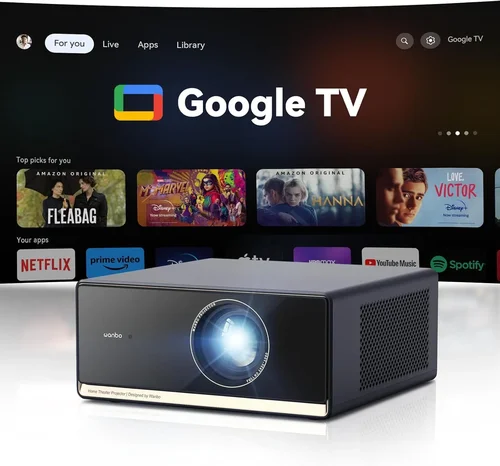
Outdoor living has evolved dramatically over the past decade. What was once a simple patio with a grill has transformed into fully equipped backyard entertainment zones—complete with fire pits, outdoor kitchens, sound systems, and yes, televisions. But not all outdoor TVs are created equal, especially when you factor in cold weather performance. Whether you’re watching the big game from your heated gazebo in Minnesota or catching up on your favorite series from a snow-covered deck in Colorado, choosing the right backyard TV for cold climates isn’t just about picture quality—it’s about reliability, durability, and long-term value.
This comprehensive buying guide is designed to help you navigate the complex world of outdoor televisions built to withstand frigid temperatures. We’ll break down everything from technical specifications and build materials to real-world performance in sub-zero conditions. By the end of this guide, you’ll know exactly what to look for, which brands deliver on their promises, how to avoid common pitfalls, and how to get the best possible deal—no matter your budget. The market for outdoor TVs has expanded significantly, with options ranging from basic weather-resistant models to fully sealed, climate-controlled units engineered for year-round use in extreme environments.
From understanding the difference between “weather-resistant” and “all-weather” to decoding manufacturer claims about operating temperature ranges, we’ll give you the expert-level insight needed to make a confident purchase. Whether you’re a casual viewer looking to upgrade your patio setup or a serious outdoor entertainer planning a full-scale backyard theater, this guide will ensure your investment performs flawlessly—even when the mercury drops below freezing.

What to Look for When Buying Buying Guide
1. Operating Temperature Range
The single most critical factor when selecting a backyard TV for cold weather is its official operating temperature range. Most indoor TVs begin to malfunction below 32°F (0°C), with screens becoming sluggish, colors distorting, and internal components risking damage. In contrast, true outdoor TVs are engineered to function reliably in much harsher conditions. Look for models that specify an operating range extending down to at least -22°F (-30°C). For example, Seura and SunBriteTV—two industry leaders—offer units rated for continuous operation from -22°F to 122°F (-30°C to 50°C). This wide range ensures your TV will turn on instantly after a snowstorm and maintain consistent performance during winter evenings.
Be wary of vague marketing language like “cold-weather capable” without specific temperature thresholds. Always check the technical specifications sheet or user manual for verified data. Some manufacturers may claim cold resistance but only test down to 23°F (-5°C), which won’t cut it in northern states or mountainous regions. Additionally, consider that LCD panels can suffer from increased response time in extreme cold, leading to motion blur during fast-paced sports or action scenes. OLEDs, while offering superior contrast, are generally less tolerant of sub-zero temperatures unless specifically designed for outdoor use.
2. Build Quality & Durity
Outdoor TVs must endure more than just cold—they face UV exposure, moisture, dust, insects, and temperature swings that can crack casings or corrode circuitry. A high-quality build starts with the enclosure. Look for powder-coated aluminum or marine-grade stainless steel housings, which resist rust and fading far better than plastic or standard painted metal. The front glass should be anti-reflective and shatter-resistant, ideally with a hydrophobic coating to repel snow, ice, and condensation.
Sealing is equally important. The best outdoor TVs feature IP55 or higher ingress protection ratings, meaning they’re protected against dust and low-pressure water jets from any direction. However, cold weather introduces unique challenges: repeated freeze-thaw cycles can degrade gaskets and seals over time. Premium models often use silicone-based gaskets and fully welded seams to prevent moisture ingress. Internally, components should be conformal-coated—a protective layer applied to circuit boards to guard against condensation and corrosion.
Don’t overlook mounting hardware. Standard VESA mounts aren’t sufficient for outdoor use. Opt for corrosion-resistant brackets made from stainless steel or aluminum, and ensure they’re compatible with your TV’s weight and size. Many manufacturers offer proprietary mounting systems designed specifically for their outdoor models, which often include tilt and swivel adjustments for optimal viewing angles—even in windy conditions.
3. Display Technology & Brightness
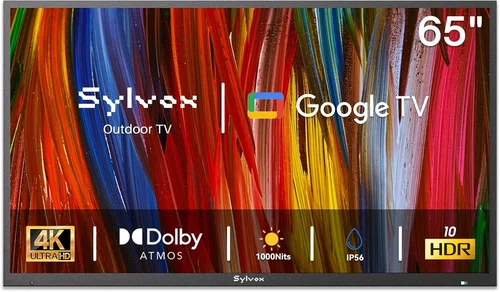
Not all screen technologies perform equally well in cold weather. Traditional LCDs with standard backlights can dim significantly in low temperatures, reducing visibility on bright winter days. However, outdoor-specific LCDs often use high-brightness LED backlights (measured in nits) to combat glare from snow and sunlight. Aim for a minimum brightness of 700 nits, though 1,000+ nits is ideal for snowy or sunny environments.
Quantum dot (QLED) displays offer improved color accuracy and brightness over standard LCDs and handle cold better due to their advanced backlight systems. OLEDs, while stunning indoors, are generally not recommended for cold-weather outdoor use unless explicitly rated for it—most consumer OLEDs aren’t built to operate below freezing. That said, some premium outdoor models now incorporate OLED panels with integrated heating elements, but these come at a significant cost premium.
Consider screen finish as well. Matte, anti-glare coatings reduce reflections from snow and low-angle winter sun, enhancing visibility. Avoid glossy screens unless you’re mounting the TV under a covered structure with controlled lighting. Also, check for local dimming capabilities—this improves contrast in mixed lighting conditions, such as a snowy yard with shaded and sunlit areas.
4. Connectivity & Smart Features
Modern outdoor TVs aren’t just dumb displays—they’re full-fledged smart platforms. Ensure your model supports Wi-Fi 6 or at least dual-band Wi-Fi for stable streaming in areas with weaker signals. Bluetooth 5.0 or higher allows seamless pairing with wireless speakers or headphones, useful if you want private audio without disturbing neighbors during quiet winter nights.
HDMI ports should be plentiful and accessible. Look for at least three HDMI 2.1 inputs to support 4K/120Hz gaming consoles, streaming devices, and cable boxes. Some models include weatherproof cable glands or rear access panels to protect connections from moisture. USB ports are handy for firmware updates or playing media directly from flash drives.
Smart TV platforms vary by brand. Roku TV, Android TV, and webOS are common in outdoor models and offer broad app compatibility. However, verify that the OS receives regular updates—outdoor TVs are long-term investments, and outdated software can become a security risk. Also, consider voice control via Alexa or Google Assistant, which adds convenience when your hands are cold or gloved.
5. Audio Performance
Built-in speakers on outdoor TVs are often underpowered due to space and sealing constraints. In open or windy backyards, dialogue can easily get lost. While many users opt for external soundbars or wireless speakers, it’s still worth evaluating the TV’s native audio. Look for models with at least 20W of total output and support for Dolby Audio or DTS:X for richer sound.
Some premium outdoor TVs include upward-firing speakers or bass radiators to enhance low-end response—critical for movie soundtracks and live sports broadcasts. If audio quality is a priority, consider models with optical audio outputs or HDMI ARC/eARC to connect to a dedicated outdoor sound system. Remember, cold air is denser and can slightly alter sound propagation, so positioning speakers correctly is key.
6. Power Efficiency & Energy Costs
Outdoor TVs often run longer hours than indoor models—especially during holiday gatherings or winter movie nights. High brightness and thermal management systems can increase power consumption. Check the Energy Star rating or look for models with eco modes that reduce brightness and disable non-essential features when not in use.
In cold climates, internal heaters can add to energy costs. However, modern systems are designed to be efficient, activating only when needed. For example, some TVs use thermostatic controls that maintain a minimum internal temperature without constant heating. If you’re concerned about electricity usage, consider solar-compatible models or those with low standby power draw (under 0.5W).
7. Brand Reputation & Real-World Reliability
Not all brands that sell “outdoor TVs” have the same track record. Stick with manufacturers that specialize in all-weather displays, such as SunBriteTV, Seura, Peerless-AV, and Sylvane. These companies rigorously test their products in environmental chambers that simulate years of exposure to extreme temperatures, humidity, and UV radiation.
Read professional reviews from outlets like CNET, Wirecutter, or specialized AV forums. Pay attention to long-term user feedback—how does the TV perform after two or three winters? Are there reports of screen fogging, seal failure, or premature backlight degradation? Brands with strong reputations often provide detailed installation guides and customer support tailored to outdoor setups.
8. Warranty & Support
A robust warranty is non-negotiable for outdoor electronics. Look for at least a 2-year comprehensive warranty that covers both parts and labor, including damage from environmental factors. Some premium brands offer 3- to 5-year warranties, which reflect confidence in their build quality. Avoid extended warranties sold by third-party retailers—they often exclude weather-related issues.
Customer support should be accessible and knowledgeable. Can you get help troubleshooting a TV that won’t turn on after a freeze? Is there a dedicated outdoor product line support team? Check if the manufacturer offers on-site service or expedited replacement programs. Also, verify that replacement parts (like remote controls or mounting kits) are readily available.
Different Types of Buying Guide

Common Buying Mistakes to Avoid
❌ Mistake: Assuming All “Outdoor” TVs Are Equal
Why it’s bad: Many retailers label TVs as “outdoor” simply because they’re sold with a weatherproof cover. These are often standard indoor models with no cold-weather engineering. Using them in sub-freezing temperatures can cause permanent damage, void warranties, and create safety hazards.
What to do instead: Only buy TVs explicitly designed and certified for all-weather outdoor use. Verify the operating temperature range and look for certifications like IP55 or higher. When in doubt, contact the manufacturer directly.
❌ Mistake: Ignoring the Importance of Thermal Management
Why it’s bad: Without proper heating, LCD panels can become unresponsive in cold weather, leading to delayed startups, color shifts, and motion blur. Repeated thermal stress can also shorten the lifespan of internal components.
What to do instead: Choose models with active thermal management—internal heaters that gently warm the display to operational temperature. Passive insulation alone isn’t sufficient for extreme cold.
❌ Mistake: Overlooking Mounting and Installation Requirements
Why it’s bad: Improper mounting can lead to water ingress, wind damage, or even TV detachment. Standard indoor mounts aren’t built to handle outdoor stresses like ice accumulation or high winds.
What to do instead: Use manufacturer-recommended outdoor mounting kits. Ensure the wall or structure can support the TV’s weight, especially when covered in snow. Consider professional installation for permanent setups.
❌ Mistake: Neglecting Audio Needs
Why it’s bad: Built-in speakers on outdoor TVs are often weak and muffled by wind or distance. Poor audio ruins the viewing experience, especially during live events or movies with dynamic soundtracks.
What to do instead: Plan for external audio from the start. Invest in weather-resistant outdoor speakers or a soundbar with wireless connectivity. Position speakers strategically to avoid wind interference.
❌ Mistake: Buying Based Solely on Price
Why it’s bad: The cheapest “outdoor” TVs often cut corners on materials, sealing, and thermal systems. You may save $500 upfront but face $1,500 in repairs or replacements after one harsh winter.
What to do instead: Treat your outdoor TV as a long-term investment. Prioritize build quality, warranty, and verified cold-weather performance over initial cost. Mid-range models often offer the best value.
❌ Mistake: Failing to Plan for Power and Connectivity
Why it’s bad: Running extension cords across snowy decks creates tripping hazards and risks water damage. Weak Wi-Fi signals can cause buffering during critical moments.
What to do instead: Have a licensed electrician install a dedicated outdoor outlet near the TV location. Use weatherproof cable conduits and consider a mesh Wi-Fi system to boost signal strength in your backyard.
❌ Mistake: Not Reading the Fine Print on Warranties
Why it’s bad: Some warranties exclude “acts of nature” or require professional installation to remain valid. You could be stuck with a broken TV and no coverage.
What to do instead: Read the full warranty document before purchasing. Confirm what’s covered (e.g., seal failure, backlight issues) and whether DIY installation voids protection.
Budget Guidelines: How Much Should You Spend?
- Entry-Level ($800 – $1,500): These are typically weather-resistant models suitable for covered areas with mild winters. Expect basic sealing, limited cold tolerance (down to 23°F), and lower brightness (500–700 nits). Ideal for screened porches or three-season rooms. Brands like Sylvane and some TCL outdoor lines fall here.
- Mid-Range ($1,500 – $3,000): The sweet spot for most homeowners. These TVs offer full all-weather certification, operating ranges down to -22°F, 1,000+ nits brightness, and robust build quality. Models from SunBriteTV (Veranda series) and Seura (Classic series) excel here. Includes smart features, good audio, and solid warranties.
- Premium ($3,000 – $5,000): For enthusiasts and those in extreme climates. Features include OLED or QLED displays with heating, advanced thermal management, commercial-grade sealing, and extended warranties. SunBriteTV Pro and Seura Signature lines dominate this tier. Perfect for snowy regions or luxury outdoor theaters.
- Luxury ($5,000+): Top-tier units with 24/7 operation capability, vandal-resistant designs, and custom integration options. Often used in resorts, stadiums, or high-end residential projects. Includes features like remote monitoring, modular components, and lifetime support. Peerless-AV and custom integrators offer these solutions.
Expert Tips for Getting the Best Deal
- Buy in Spring or Early Summer: Most retailers offer discounts on outdoor electronics before the peak outdoor season. Look for Memorial Day, July 4th, or end-of-season sales in August.
- Shop Direct from Manufacturers: Brands like SunBriteTV and Seura often run exclusive promotions on their websites, including free shipping, extended warranties, or bundled mounting kits.
- Consider Refurbished or Open-Box Units: Certified refurbished outdoor TVs from reputable sellers can save 20–30% off retail. Ensure they come with the original warranty and have been tested for cold-weather performance.
- Bundle with Accessories: Some retailers offer discounts when you buy a TV, mount, and sound system together. This can be cheaper than purchasing items separately.
- Check for Local Rebates: Some utility companies offer rebates for energy-efficient outdoor electronics. While rare, it’s worth a quick search.
- Negotiate with Installers: If hiring a professional, ask if they offer package deals for TV + installation. Many AV integrators provide discounts for bundled services.
- Monitor Price Tracking Tools: Use tools like Honey, CamelCamelCamel (for Amazon), or Google Shopping to set price alerts and catch sudden drops.
- Read Return Policies Carefully: Outdoor TVs are often large and expensive to return. Ensure the retailer offers at least a 30-day return window and covers return shipping for defective units.

Frequently Asked Questions
Q: Can I use a regular indoor TV outside in the cold if it’s under a cover?
A: Technically yes, but it’s not recommended. Even under a cover, indoor TVs aren’t sealed against moisture, and cold can still seep in. Condensation forms when the TV warms up, potentially damaging internal components. For reliable cold-weather performance, invest in a true outdoor model or use a heated outdoor enclosure designed for indoor TVs.
Q: How do I prevent my outdoor TV from fogging up in cold weather?
A: Fogging occurs when warm, moist air meets a cold surface. All-weather outdoor TVs are sealed to prevent internal condensation. If you notice fogging, it may indicate a seal failure. Ensure the TV is properly mounted with adequate ventilation behind it, and avoid placing it directly against walls without airflow.
Q: Will snow damage my outdoor TV?
A: Not if it’s a properly rated all-weather model. These TVs are designed to shed snow and ice. However, heavy accumulation can block vents or speakers. Use a soft brush to gently remove snow buildup, but never use sharp tools or hot water, which can crack the screen or damage seals.
Q: Do outdoor TVs consume more electricity in cold weather?
A: Slightly, due to internal heating elements. However, modern systems are efficient and only activate when needed. The increase is typically minimal—around 10–20% more than in mild conditions. Look for Energy Star-rated models to minimize impact.
Q: Can I leave my outdoor TV on all winter?
A: Yes, if it’s an all-weather model rated for continuous operation. In fact, keeping it powered on occasionally helps maintain internal temperature and prevents moisture buildup. However, during extended absences, it’s wise to turn it off to save energy and reduce wear.
Q: Are outdoor TVs worth the extra cost?
A: Absolutely, if you live in a cold climate or use your outdoor space frequently. The durability, performance, and peace of mind far outweigh the upfront cost. A $2,500 outdoor TV that lasts 10 years is a better value than replacing a $1,000 indoor TV every two winters.
Q: What’s the difference between IP55 and IP65?
A: IP55 protects against dust (limited ingress) and low-pressure water jets. IP65 offers complete dust protection and resistance to stronger water jets. For snowy areas, IP55 is usually sufficient, but IP65 provides extra security against blowing snow and ice.
Q: Can I mount my outdoor TV on a post or pole?
A: Yes, but ensure the mount is rated for outdoor use and can handle wind loads. Pole mounts should be anchored securely into concrete. Avoid mounting on lightweight structures that may sway or collapse under snow weight.
Q: Do outdoor TVs come with remotes that work in the cold?
A: Most include standard IR remotes, which can struggle in bright sunlight or with gloved hands. Consider upgrading to a Bluetooth remote or using a smartphone app for control. Some premium models include weather-resistant remotes with backlit buttons.
Q: How long do outdoor TVs typically last?
A: With proper care, 8–12 years is common. Factors like climate severity, usage frequency, and build quality play major roles. Premium models with commercial-grade components can last even longer.
Our Final Recommendations
- Best for Budget-Conscious Buyers: Sylvane 55″ All-Weather Outdoor TV – Offers solid cold-weather performance down to 14°F, 700 nits brightness, and a 2-year warranty at under $1,200. Ideal for covered decks in moderate climates.
- Best Overall Value: SunBriteTV Veranda 65″ 4K UHD – Operates from -22°F to 122°F, 1,000 nits brightness, full smart features, and excellent build quality. Priced around $2,200, it’s the sweet spot for most homeowners.
- Best Premium Option: Seura Signature 75″ QLED Outdoor TV – Features quantum dot technology, integrated heating, anti-glare glass, and a 5-year warranty. Perfect for luxury backyards in extreme climates. Expect to pay $4,500+.
- Best for Beginners: Peerless-AV Ultra 50″ Outdoor Display – Simple setup, reliable performance, and strong customer support. Great for first-time outdoor TV buyers. Around $1,800.
- Best for Advanced Users: SunBriteTV Pro 86″ Commercial Outdoor TV – Built for 24/7 operation, vandal-resistant, with remote monitoring and modular design. Ideal for tech-savvy users or commercial applications. Priced at $6,500+.
Conclusion: Making the Right Choice
Choosing the right backyard TV for cold weather isn’t just about finding the brightest screen or the smartest features—it’s about matching your specific environment, usage habits, and long-term goals with a product engineered to thrive in harsh conditions. From understanding operating temperature ranges and build quality to avoiding common pitfalls and leveraging expert buying strategies, this guide has equipped you with the knowledge to make a confident, informed decision.
Remember, your outdoor TV is more than a gadget—it’s the centerpiece of your backyard entertainment experience. Whether you’re hosting holiday gatherings, enjoying quiet winter evenings, or simply unwinding after a long day, the right TV will deliver reliable performance year after year. Don’t compromise on quality, safety, or support. Prioritize your needs, stick to reputable brands, and invest wisely.
Now that you’re armed with expert insights, it’s time to take action. Compare models, read real user reviews, and consult with professionals if needed. Your perfect outdoor viewing experience awaits—no matter how cold it gets outside.

